


When you’re fixing schedules becomes your entire job, pressure, complaints, and understaffed shifts quickly lead to frustration and burnout.
I reviewed 6 schedule makers and compared them by how quickly you can build schedules, how easily changes are shared, and how reliably shifts stay covered.
Use these picks to build schedules faster, eliminate shift confusion, and run every shift with confidence instead of chaos.
Here’s which work schedule makers made the list:
- Connecteam
- QuickBooks Time
- ClockShark
- Homebase
- Sling
- Deputy
Our Top Picks
-
1

Best all-in-one Schedule Maker
-
2

Good for simple schedule creation tied to payroll
-
3

Good for scheduling with job costing for field teams
Why trust us?
Our team of unbiased software reviewers follows strict editorial guidelines, and our methodology is clear and open to everyone.
See our complete methodology
How I Chose the Best Work Schedule Maker Apps
These are the key features I looked for when reviewing the top staff schedule maker apps:
Must-have features:
- Drag-and-drop editor: You should be able to quickly plan and adjust upcoming shifts in seconds.
- Auto-scheduling: The app should generate schedules based on availability, roles, and coverage needs to reduce manual work.
- Shift swapping: Employees need to be able to request swaps or pick up open shifts with manager oversight.
- Time-off and availability: You should be able to track PTO requests and availability within the app.
- Built-in compliance tools: The software should flag overtime risks, required breaks, and compliance issues before schedules are published.
- Shift templates: You must be able to save regular shifts and reuse templates.
I also made sure the software is:
- Mobile accessible, so staff can see schedules whether they’re on-site or on the go.
- Easy to use, so teams don’t need much training to get started.
Finally, I checked for these standout features:
- Real-time notifications so schedule changes, shift availability, and important updates instantly reach the right team members.
- Reporting and insights to identify coverage gaps, overtime trends, and inefficiencies.
The 6 Best Work Schedule Maker Apps
-
Connecteam — Best all-in-one Schedule Maker
Connecteam is an employee schedule creator that lets teams plan shifts, handle changes instantly, and keep coverage on track, all from one mobile app.
Why I chose Connecteam: Connecteam’s strength is its versatility. I liked how it balances advanced features with ease of use, even beyond just scheduling. It’s a full-featured employee platform built to support how teams actually work.
Let’s take a closer look at what else Connecteam has to offer:
Smarter scheduling
Connecteam makes employee scheduling easy by letting managers quickly build and adjust schedules with a drag-and-drop editor. I liked that you can manage shifts across teams, locations, and time zones. Plus, Connecteam lets you add important details like notes, tasks, and attachments to each shift, so employees have clear expectations before they even clock in.
Templates were also a big time-saver. I found it really helpful that you could store recurring shift patterns and reuse them in one click. Copying and pasting successful schedules across weeks is another great way to make ongoing scheduling faster and more consistent.
Once you publish a schedule, employees are notified instantly and can view their shifts right from their mobile device. Last-minute changes update automatically, so teams can stay aligned without extra follow-ups.
Time off and availability
I liked how Connecteam approaches time off management and availability. Employees can set their availability, preferred hours, and request PTO directly in the app, so managers have a clear view of who can work before building schedules. You can also create custom PTO policies for vacation, sick, or personal leave, and balances update automatically as time accrues.
When someone submits a request, managers are notified instantly and can approve or deny in a few clicks. This gets rid of the usual back-and-forth to speed up the approval process and ensure that schedules stay accurate.
AI-powered auto-scheduler
Connecteam lets you create custom scheduling rules, like requiring specific roles, certifications, or manager coverage for certain shifts. Setting these rules helps keep schedules compliant.
Once those rules are set, the AI-powered auto-scheduler uses them to fairly assign open shifts based on employee availability and qualifications. It also flags issues like overlapping shifts or double-bookings, so you can catch problems before schedules go out.
Shift replacements
With Connecteam, shift swaps and replacements are easy to manage without losing control of the schedule. When an employee can’t make a shift, they can release it in the app for other qualified teammates to pick up. Managers can require approval before a replacement is confirmed, ensuring coverage stays accurate and intact.
If there’s an open shift, managers can let employees claim it on a first-come, first-serve basis. Plus, to prevent scheduling conflicts in the first place, Connecteam sends employees shift reminders ahead of time to reduce no-shows and last-minute crises.
Integrations
Connecteam offers an API integration and connects with the tools you already use, including:
And so much more…
Connecteam is more than just a powerful schedule maker app. It offers built-in tools that help you manage your daily work all in a single platform:
- Employee time clock: Track time for both on-site and field teams, and use the geofence and real-time GPS tracker to see where and when work is happening.
- Online team chat: Keep work-related conversations organized and easy to manage. Search messages, share files, and start one-on-one or group chats.
- Training and onboarding: Use the AI Course Creator to build custom training materials in seconds, and get employees up to speed quickly.
- Employee task tracking: Assign recurring or one-off tasks to team members, add subtasks, and monitor completion progress in real-time.
Connecteam also offers a free for life plan – Get Started Now!
0Key Features
- Drag-and-drop editor
- AI auto-scheduler
- Recurring shifts
- Shift swaps
- Notes and attachments
- Automated conflict detection
Pros
- All-in-one app
- Intuitive interface
- Full mobile access
- Real-time notifications
Cons
- Some integrations still in development
Pricing
Free-for-life plan availablePremium plans start at $29/month for 30 users
If you’ve made it this far, we must be right
Start Scheduling Now -
QuickBooks Time — Good for simple schedule creation tied to payroll

QuickBooks Time is a scheduling and time-tracking software with tools to assign shifts, track hours, and manage employee schedules.
Why I chose QuickBooks Time: I chose QuickBooks Time because it is part of the QuickBooks ecosystem, allowing schedules, tracked hours, and payroll data to flow together with minimal manual work.
Scheduling and shift management
QuickBooks Time’s drag-and-drop scheduler made it easy to create and adjust schedules as needed. I found it pretty straightforward to build basic schedules, and I liked that managers can make changes without too much hassle.
That said, I was a bit surprised by the schedule maker’s limited capabilities. For example, it doesn’t support auto-scheduling or employee-led shift swapping. Instead, managers have to build schedules manually and handle all shift change requests themselves. I can see this being a major drawback for businesses with complex scheduling needs, especially since it can add ongoing admin work, rather than reduce it.
Time tracking and compliance
Time tracking is where QuickBooks Time really excels. I liked that the platform includes solid tools like geofencing, which helps ensure employees clock in only from approved job sites. There’s also flexible break tracking to support labor law compliance.
QuickBooks Time’s obvious selling point is its seamless integration with QuickBooks Online. It streamlines the entire payroll process by eliminating exports and manual data entry. However, I did have a few concerns on the compliance side. I noticed that the overtime tracker didn’t always calculate overtime and double-time correctly, which could lead to serious payroll issues if you don’t pay close attention.
Where it falls short
QuickBooks Time is priced higher than many similar tools, especially once you factor in the per-user fees. Costs increase quickly as your team grows, and accessing features like mileage tracking or job costing usually requires upgrading to a higher plan. For larger teams, that can make the monthly price add up pretty quickly.
I also noticed that several useful features are locked behind the top-tier plans, which may not feel ideal for small or growing teams that need flexibility as they scale. It can be frustrating to realize you need an upgrade just to access tools that feel basic.
What users say about QuickBooks Time
This product is a great value for your money and has great scheduling and payroll options. The great calendar helps to keep track of everything.

QuickBooks time is too costly for the our needs and the number of employees we have. Also, our employees like having an app
0Key Features
- Drag-and-drop editor
- Time-off management
- Mileage tracking
- Project & job costing
Pros
- QuickBooks Online integration
- Mobile access
Cons
- Lacks auto-scheduling
- Pricier than most competitors
Pricing
Starts at $20/month + $8/user/month Trial: Yes — 30 days Free Plan: No
-
ClockShark — Good for scheduling with job costing for field teams
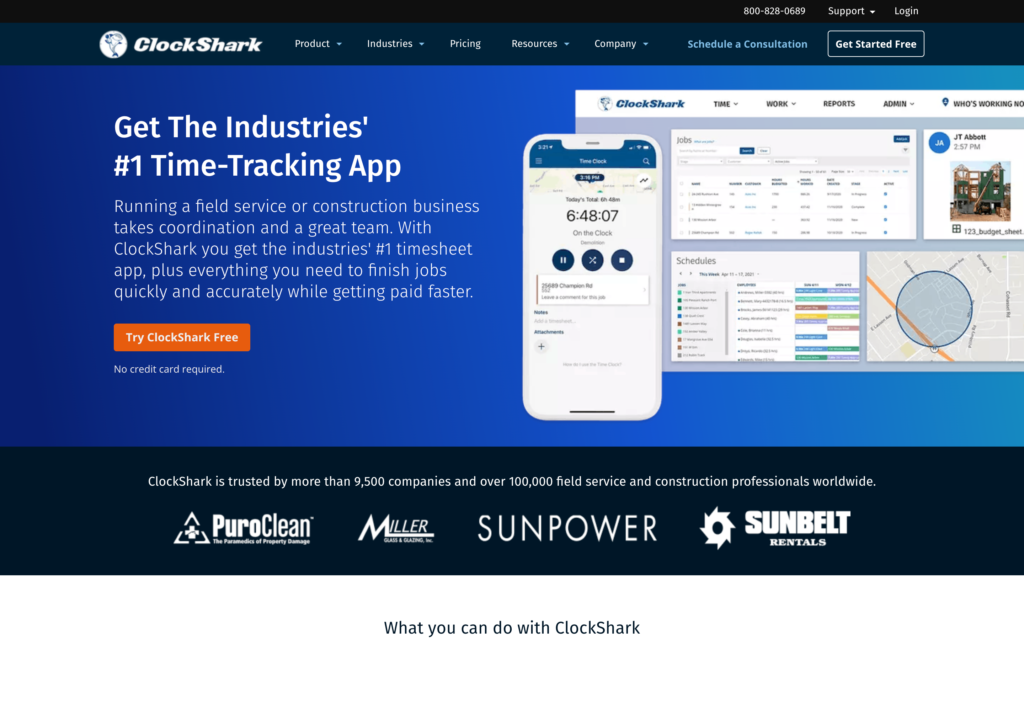
ClockShark is a job schedule and time tracking app built for field service and construction teams.
Why I chose ClockShark: What I liked most about ClockShark is its emphasis on job costing and precise reporting, which help businesses with project management and profitability.
Schedule creator
ClockShark offers a standard drag-and-drop scheduler that makes it easy to create and assign shifts. Using the tool felt pretty intuitive, especially when it came to moving shifts, reassigning employees, and setting up recurring work. The visual layout is practical, with clear color-coding that makes it easier to understand at a glance.
Employees can view job details, documents, and directions within each shift, and schedule updates are sent instantly to their phones. However, the scheduling tools seemed pretty basic, with limited support for complex setups like split or rotating shifts. There’s also no automatic conflict detection, and no open shifts employees can claim, which puts more manual work on managers and limits flexibility for self-service scheduling.
Job costing and reporting
Job costing is where ClockShark really stands out. The platform makes it easy to assign labor hours to specific jobs and tasks, which is especially useful for teams that need to track profitability at a project level.
I also liked the reporting features, which give you detailed insights into time, attendance, and job costs to support better planning and budgeting decisions. However, there aren’t that many customization options for reporting, which may be a drawback for businesses with more specific or complex reporting needs.
Integrations and pricing
ClockShark’s integrations are centered around payroll and accounting, which makes sense with its focus on time tracking and job costing. It connects with tools like QuickBooks, Xero, ADP, and Paychex, and also supports Zapier for basic workflow automation. Despite this, its integration ecosystem seemed a bit limited to me. I was surprised that there were no native integrations with project manage tools, CRMs, or HR systems.
Pricing is another consideration, as ClockShark uses a base fee plus per-user model that can add up quickly for smaller teams. While the feature set (especially job costing) may justify the cost for businesses in its core industries, the lack of a free plan makes it less accessible for startups or teams on a tighter budget.
What users say about ClockShark
The best thing about ClockShark is that it has accurate time tracker with the support of GPS and a great security level. The scheduling and payroll is very simple to set up and works well.
ClockShark can be pricey for larger teams, and it needs internet or GPS access to work properly. Some users may find the setup or mobile app a bit tricky at first.
 0
0Key Features
- Schedule maker
- Job costing
- Detailed reporting
- GPS time tracking
Pros
- Mobile access
- Intuitive navigation
Cons
- Expensive base plan
- Limited customizations
Pricing
Starts at $40/month + $9/user/month Trial: Yes — 14 days Free Plan: No
-

Homebase — Good for hourly teams that need schedules tied to timesheets
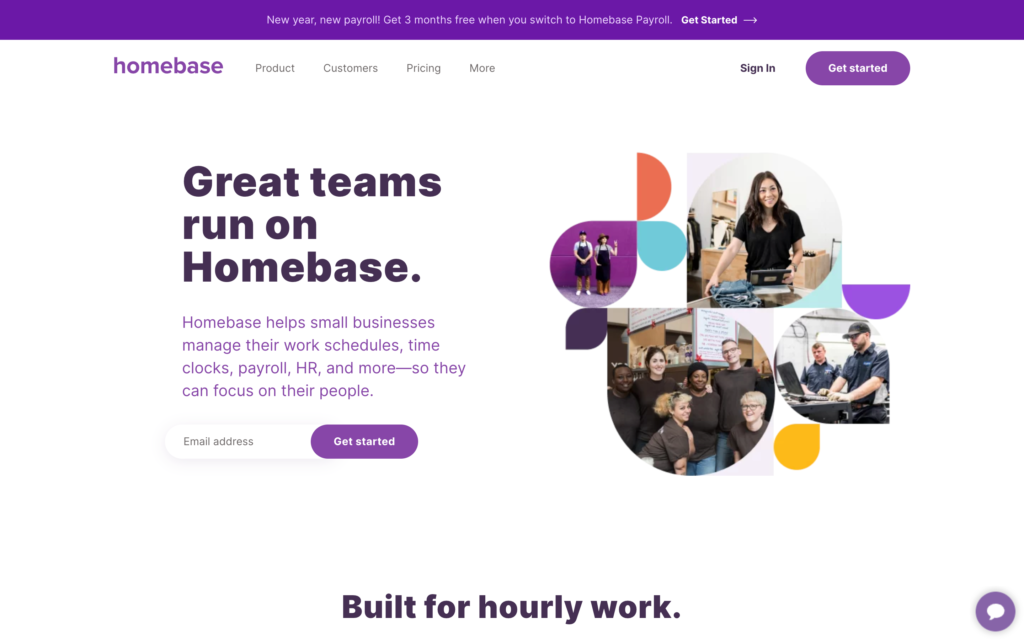
Homebase is a work schedule maker that helps businesses create employee schedules, track hours, and manage shifts in a single platform.
Why I chose Homebase: What stood out to me about Homebase is its focus on giving teams a single place to handle scheduling alongside other day-to-day management needs.
Scheduling and shift management
Homebase’s scheduling is built around a weekly calendar view, which makes it manageable to create and assign shifts. I liked that you can build schedules from scratch, copy past ones, or use templates for recurring shifts to save time. There’s also an auto-scheduling feature that builds shifts based on availability, sales forecasts, and labor targets. Plus, I appreciated that employees can pick up open shifts or swap shifts when they need to.
I noticed that the availability rules weren’t always applied consistently. For example, I set a recurring availability preference for a future date, and it took effect immediately without properly repeating. I can definitely see this issue causing frustration for admins and employees if it goes unnoticed.
Time tracking and compliance
Homebase offers a flexible time clock that works across mobile devices, tablets, desktops, and POS systems. For accurate time tracking, the platform captures GPS location and supports geofencing, which was helpful. There’s also built-in tracking for overtime and breaks to support labor law compliance, which I really liked.
I found that some of the more advanced compliance features, like alerts for late clock-ins or automatic clock-outs, are limited to higher-tier plans. While it’s not a huge problem, it’s something to consider, especially for teams that need tools with stronger enforcement features.
Payroll and integrations
Homebase offers its own payroll solution, which allows approved timesheets to flow directly into payroll without much effort. There’s also an option to set up automatic payroll runs, which seemed super helpful.
That said, payroll comes at a higher cost. Pricing starts with a monthly base fee plus a per-employee charge, which can add up fast for larger teams. For businesses that prefer more flexibility, Homebase also integrates with external payroll providers like Paychex and Gusto, so teams can use their preferred payroll system while still using Homebase’s scheduling and management tools.
What users say about Homebase
I really like how easy Homebase makes scheduling and tracking time. It’s simple to set up shifts, and everyone can clock in or check their schedule right from their phone.
While I do like scheduling- when I am building schedules sometimes things change- when I add a note to the shift and want to apply that note to other shifts already scheduled, it’ll add a new shift instead of adding it to the existing one. It makes having to edit my published schedule VERY annoying.
0Key Features
- Staff schedule maker
- Shift swapping
- Time tracking
- Shift templates
Pros
- Generous free plan
- HR integrations
Cons
- Payroll is a paid add-on
- Location-based pricing
Pricing
Starts at $24/location/month Trial: Yes — 14 days Free Plan: Yes — For a single location & up to 20 employees
-

Sling — Good for budgeting labor costs and overtime
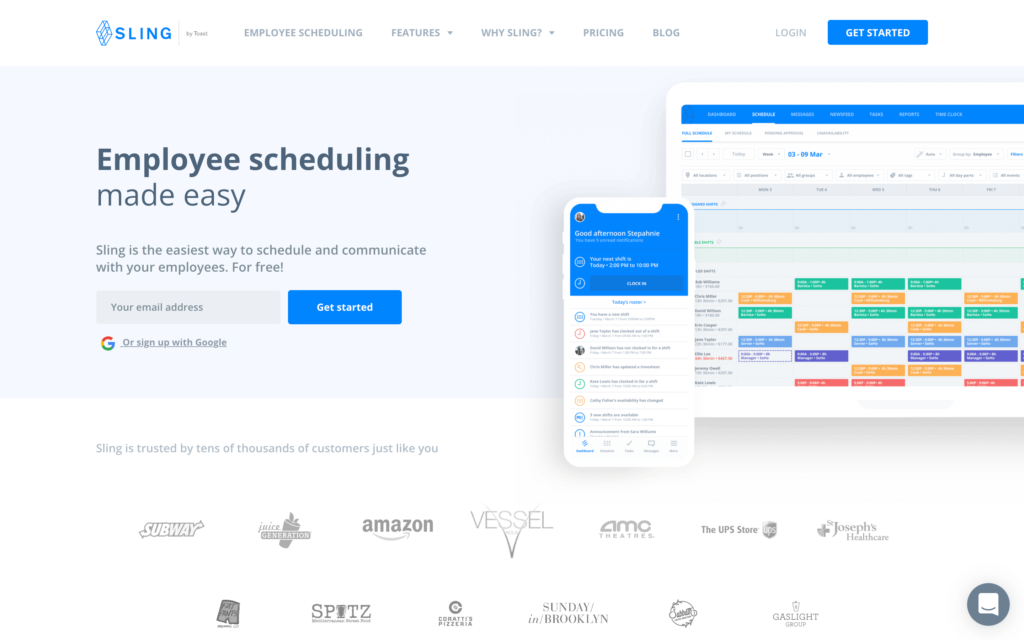
Sling is a schedule maker software that supports shift scheduling, task tracking, and labor cost management in one platform.
Why I chose Sling: I chose Sling because of how generous its free plan is and its affordable per-user pricing options.
Employee scheduling
It was easy to use Sling’s schedule maker thanks to its clean interface and simple drag-and-drop function. I especially liked how the platform automatically flags short turnarounds to avoid “clopening issues” and ensure that employees get proper rest between shifts. Managing overtime, shift changes, and time-off requests was also pretty straightforward, and the built-in labor cost insights was helpful for balancing coverage while keeping an eye on payroll expenses.
While the system works well, I noticed a few limitations. For example, it doesn’t support day rates alongside hourly pay, which may be a drawback for some teams. And while shift templates are useful for recurring schedules, I ran into some syncing issues on the mobile app. I also wish there were more customization options, especially when it comes to sorting employees beyond just role or location.
Time tracking
Sling’s mobile time clock lets employees clock in and out from their devices while tracking hours, overtime, and paid time off. It also offers tools to support compliance with labor laws around scheduling and breaks.
The main drawback for me, however, is that while Sling records clock-in/clock-out times, there’s no geofencing or GPS restrictions. Plus, the mobile app isn’t as intuitive as the desktop version, which could be frustrating for some admins and teams.
Task management
Sling’s task management tools let managers assign tasks and subtasks directly to shifts or individual employees, with detailed checklists that make expectations clear. I liked that you can create task templates for recurring work and set reminders.
That said, you can’t easily match tasks to employees based on specific skills or expertise. For me, offering this feature would just make assignments more precise and reduce manual decision-making for managers.
What users say about Sling
The most useful about Sling is that you can create different shifts at different times but also you can also leave notes when you want to let someone know that you couldn’t take lunch time or you had to leave earlier.
Views of schedule get a little wonky when you try to look longer than week. Some functions like call-ins can be cumbersome to go back to roster view.
0Key Features
- Automatic scheduling
- Labor costing
- Shift swapping
- Task management
Pros
- Comprehensive free plan
- Advanced scheduling features
Cons
- Limited customization
- High per-user cost
Pricing
Starts at $1.7/user/month Trial: Yes — 15 days Free Plan: Yes — Up to 30 users
-

Deputy — Good for scheduling with built-in compliance
What’s new with Deputy
Deputy recently raised its base price from $4.50 per user/month to $5 per user/month with a minimum monthly spend of $30 (on monthly plans) starting September 1, 2025.
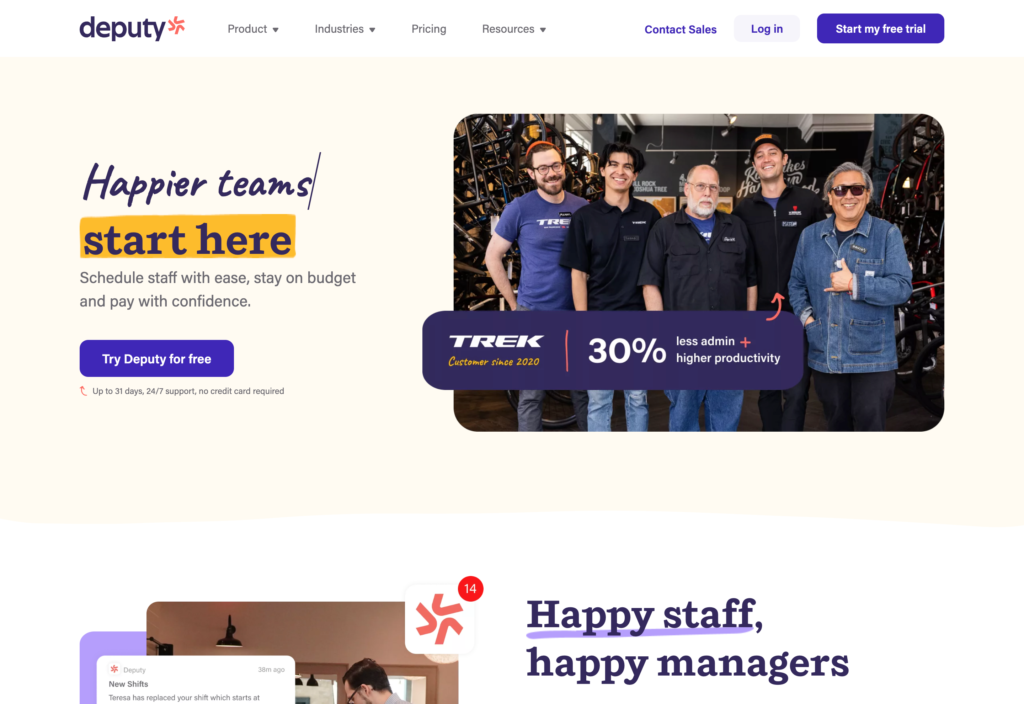
Deputy is a workforce scheduling platform that helps teams plan employee schedules, manage shift coverage, and track labor compliance.
Why I chose Deputy: I liked that Deputy is designed to help businesses ensure precise time tracking, shift coordination, and clear visibility across multiple locations.
Shift scheduling and automation
Deputy’s scheduling feature is impressive. Managers can create schedules using drag-and-drop tools, templates, or past schedules, add notes to shifts, and assign work directly or leave shifts open for employees to claim.
The platform tracks employee availability, approved leave, and certifications, helping ensure the right people are scheduled for the right shifts. You can also set rules around breaks, overtime, shift length, and fairness to stay compliant and control labor costs.
Deputy’s AI-powered auto-scheduling is another standout feature, automatically building schedules based on demand, sales trends, labor budgets, and employee qualifications.
Employee experience and usability
I appreciated that employees can manage their own availability, request leave, sync shifts to personal calendars, and request shift swaps directly from the app. These self-service options make schedule changes easier to handle. Managers also get visibility into coverage levels to avoid understaffing.
That said, the mobile scheduling interface felt cluttered to me, and I didn’t like that the system doesn’t clearly warn managers when assigning shifts to employees with pending (but unapproved) leave requests. While these are minor gaps, they’re worth noting for teams that rely heavily on mobile scheduling.
Time clock and compliance
When it comes to time tracking, Deputy offers a flexible and secure option that lets employees clock in and out from web browsers, mobile devices, or shared kiosks. I liked its biometric facial recognition, which allows for touchless clock-ins and helps prevent buddy punching. Built-in compliance tools support mandatory breaks, overtime tracking, and labor law requirements across different regions.
What users say about Deputy
I appreciate Deputy for being user-friendly, which makes managing employee schedules much easier. It effectively takes care of notifying employees about their schedules, which is incredibly helpful.
Some advanced features and reports could be more customizable, especially for larger or more complex teams. Occasionally, the mobile app can feel a bit slow, and certain integrations could be smoother.
 0
0Key Features
- Schedule maker
- Leave management
- Shift replacements
- Task tracking
Pros
- Auto-scheduler
- Strong compliance features
Cons
- No offline mode
- Cluttered mobile app
Pricing
Starts at $5/user/month Trial: Yes Free Plan: No
Compare the Best Work Schedule Maker Apps
| Topic |
 Start for free
|
|
|
|
|
|
|---|---|---|---|---|---|---|
| Reviews |
|
|
|
|
|
|
| Pricing |
Starts at just $29/month for the first 30 users
|
Starts at $20/month + $8/user/month
|
Starts at $40/month + $9/user/month
|
Starts at $24/location/month
|
Starts at $1.7/user/month
|
Starts at $5/user/month
|
| Free Trial |
yes
14-day
|
yes
30 days
|
yes
14 days
|
yes
14 days
|
yes
15 days
|
yes
|
| Free Plan |
yes
Free Up to 10 users
|
no
|
no
|
yes
For a single location & up to 20 employees
|
yes
Up to 30 users
|
no
|
| Use cases |
Best all-in-one Schedule Maker
|
Good for simple schedule creation tied to payroll
|
Good for scheduling with job costing for field teams
|
Good for hourly teams that need schedules tied to timesheets
|
Good for budgeting labor costs and overtime
|
Good for scheduling with built-in compliance
|
| Available on |
What Is A Work Schedule Maker?
A schedule maker is software that helps businesses plan, organize, and manage employee work schedules. Instead of relying on spreadsheets, paper sheets, or last-minute messages, schedule maker apps centralize shift planning in one system that managers and employees can access easily.
These tools are usually used by teams with hourly workers, rotating shifts, or multiple locations, where scheduling manually can quickly become time-consuming and error-prone. At a basic level, a schedule maker helps make sure the right people are scheduled at the right time while reducing confusion, missed shifts, and coverage gaps.
How Do Schedule Maker Apps Work?
Schedule maker apps work by collecting key information such as employee availability, roles, and work preferences. Managers then build schedules using visual tools like drag-and-drop calendars or shift templates. This makes it easier to plan weeks in advance or adjust coverage when needed. Many tools also support recurring schedules, so managers don’t have to rebuild the same shifts every week.
Once a schedule is published, employees are notified automatically and can view their shifts from desktop or mobile apps. If changes come up, updates are shared in real-time so everyone can stay aligned. More advanced schedule makers may also handle shift swaps, time-off requests, and scheduling rules, helping teams stay flexible without losing control.
The Benefits of Schedule Maker Apps
Here are some of the ways an employee schedule creator can benefit your business:
Reduced Stress
One of the biggest benefits of using a schedule maker is that it replaces the need for manual scheduling. Instead of juggling spreadsheets, messages, and last-minute changes, managers can plan shifts in one place and make updates without chaos. This creates a sense of control and predictability, helping you focus on leading your team, not putting out fires.
Better Reliability
Clear, accessible schedules help employees know exactly when and where they’re expected to work. With schedules shared in real-time and updates communicated instantly, there’s much less room for confusion. This leads to fewer missed shifts, stronger accountability, and more reliable coverage.
Saved Time
Building schedules from scratch every week is a major time drain. Schedule makers streamline the process by reusing patterns, adjusting shifts quickly, and avoiding common errors like double-booking. The time saved adds up fast, relieving managers from repetitive admin work and allowing them to focus on higher-value tasks.
Improved Morale
When employees can see schedules early, request time off, or swap shifts when needed, work feels more manageable. This flexibility reduces frustration and helps teams feel respected and supported. As a result, better morale often leads to stronger retention and fewer last-minute scheduling issues.
More Consistency
Accurate scheduling leads to smoother operations. Teams show up prepared, managers know coverage is handled, and businesses operate with fewer disruptions. Over time, this consistency reduces costly mistakes, improves service quality, and builds trust across the organization.
How Much Do Schedule Makers Cost?
The cost of schedule maker software depends on the pricing model used, including simple per-user fees, flat monthly plans, or a combination of a base subscription plus a per-user charge. At the lower end, some tools start around $1.70 – $5 per user per month or a flat $24 per month for basic scheduling. More full-featured plans may start around $20 – $40 per month with additional per-user fees.
Connecteam stands out as the most affordable option, especially with its Small Business Plan that is completely free for up to 10 users. Connecteam’s paid plans start at just $29 per month for up to 30 users. Higher-tier plans start at $49/month for Advanced and $99/month for Expert, both also covering up to 30 users.
FAQs
Set up time depends on the software, but most tools offer quick-start templates, drag-and-drop interfaces, and onboarding guides to streamline setup.
Schedule maker apps help ensure compliance with labor laws by tracking hours, breaks, and overtime automatically. They enforce legal rules and alert managers to potential violations.
Schedule maker apps increase employee satisfaction and retention by providing transparency, shift flexibility, and mobile access. Workers feel more in control and experience fewer scheduling conflicts.
The Bottom Line On Schedule Maker Apps
Scheduling shouldn’t be a constant source of stress, missed shifts, and panic. When schedules are unclear or hard to manage, managers feel the pressure, employees get frustrated, and operations suffer.
A reliable schedule maker replaces chaos with structure, making it easier to plan ahead, handle changes, and keep every shift covered. The right software centralizes scheduling, improves communication, and reduces errors that lead to burnout and costly mistakes.
Connecteam stands out by combining powerful scheduling tools with an intuitive, mobile-first experience that works for both managers and employees. Between its affordable plans and helpful feature set, it’s clear why Connecteam is a top choice for teams that need scheduling to run smoothly.