

Powerful compliance-focused scheduling, but no free plan.
Verdict: 8.3/10
TCP Software’s Humanity is an intuitive scheduling and time tracking tool. It simplifies complex scheduling needs, including managing multiple work locations, large workforces, and changing employee availability.
I tried out Humanity and was genuinely impressed by its features. Beyond its strong core scheduling capabilities, the platform includes a time clock, timesheets, auto-scheduling, payroll integrations, and extensive reporting.
While it’s designed to help businesses comply with US federal and state scheduling laws, I found its features customizable enough to accommodate international operations. However, some smaller companies might find the platform’s breadth and depth of features overwhelming and potentially costly, as no free plan is available.
Key Features:
- Shift planning: Enables quick and easy schedule creation that considers employees’ leave, availability, and skills.
- Compliance rules: Offers pre-built and custom scheduling rules to help businesses comply with US federal and state scheduling laws.
- AI-powered forecasting: Generates optimized schedules based on historical demand and your labor budget.
- Time clock: Enables employees to record their work hours for compliance and payroll purposes.
- Payroll: Lets you generate timesheets and export them directly to your payroll software.
- Reporting and analytics: Helps you gain insights on scheduling, timesheets, labor budgets, and more.
- Mobile app: Lets employees and managers access schedules, time clocks, and more while on the go.
Pros
- Supports compliance with US scheduling laws
- Offers various scheduling-adjacent features
- Onboarding team can set it up in multiple languages
- Includes a predictive scheduling feature
- Offers extensive and responsive customer support
Cons
- Extensive features may be overwhelming for some users
- In-app communication tool is basic
- There’s no free plan
How I Tested Humanity
I signed up for Humanity’s free trial and created a fictitious cleaning company with 5 staff members. I explored the platform’s core features, including scheduling, time tracking, employee management, communication, and reporting. Plus, I put Humanity to the test to see how it handles real-world errors like scheduling conflicts and overrunning timers.
It’s worth noting that I couldn’t automatically access some of Humanity’s tools and features in the free trial (e.g., rolling out training), so my review is based on what I could test firsthand.
Humanity Pricing
Humanity offers 3 pricing plans:
| Plan | Best for | Monthly price when billed annually | Key features |
|---|---|---|---|
| Essentials | Smaller teams of up to 250 users with basic workforce management needs | $2.75/user/month |
|
| Professional | Larger teams needing advanced scheduling tools and compliance support | $3.75/user/month | Everything in Essentials, plus:
|
| Enterprise | Organizations with complex, cross-functional requirements | Custom pricing | Everything in Professional, plus:
|
*Also available as an add-on in the Professional plan.
Humanity’s pricing is competitive for what it offers, and roughly in line with several other platforms. What really stood out to me was that its pricing page says “volume discounts may apply.” Typically, per-user pricing models can get expensive as your team grows. By considering discounts for economies of scale, Humanity gets extra points from me.
Unfortunately, Humanity doesn’t offer a free plan for small businesses and startups, while competitors like Sling and Connecteam do. Humanity’s pricing page boasts a 30-day free trial, but when I signed up, I only got 14 days, so this might vary from case to case.
Let’s look at how Humanity compares to similar workforce management solutions.
| Plan | TCP Humanity (Professional) | Deputy (Core) | Sling (Business) | Connecteam (Advanced) |
|---|---|---|---|---|
| Pricing | View pricing | View pricing | View pricing | View pricing |
| 10 users | $37.50 | $65 | $34 | Free for life—all features and dashboards |
| 20 users | $75 | $130 | $68 | $49 |
| 30 users | $112.50 | $195 | $102 | $49 |
| 50 users | $187.50 | $325 | $170 | $99 |
| Read our full Deputy review | Read our full Sling review | Learn more about Connecteam |
Verdict: 7.5/10
Humanity Usability and Interface
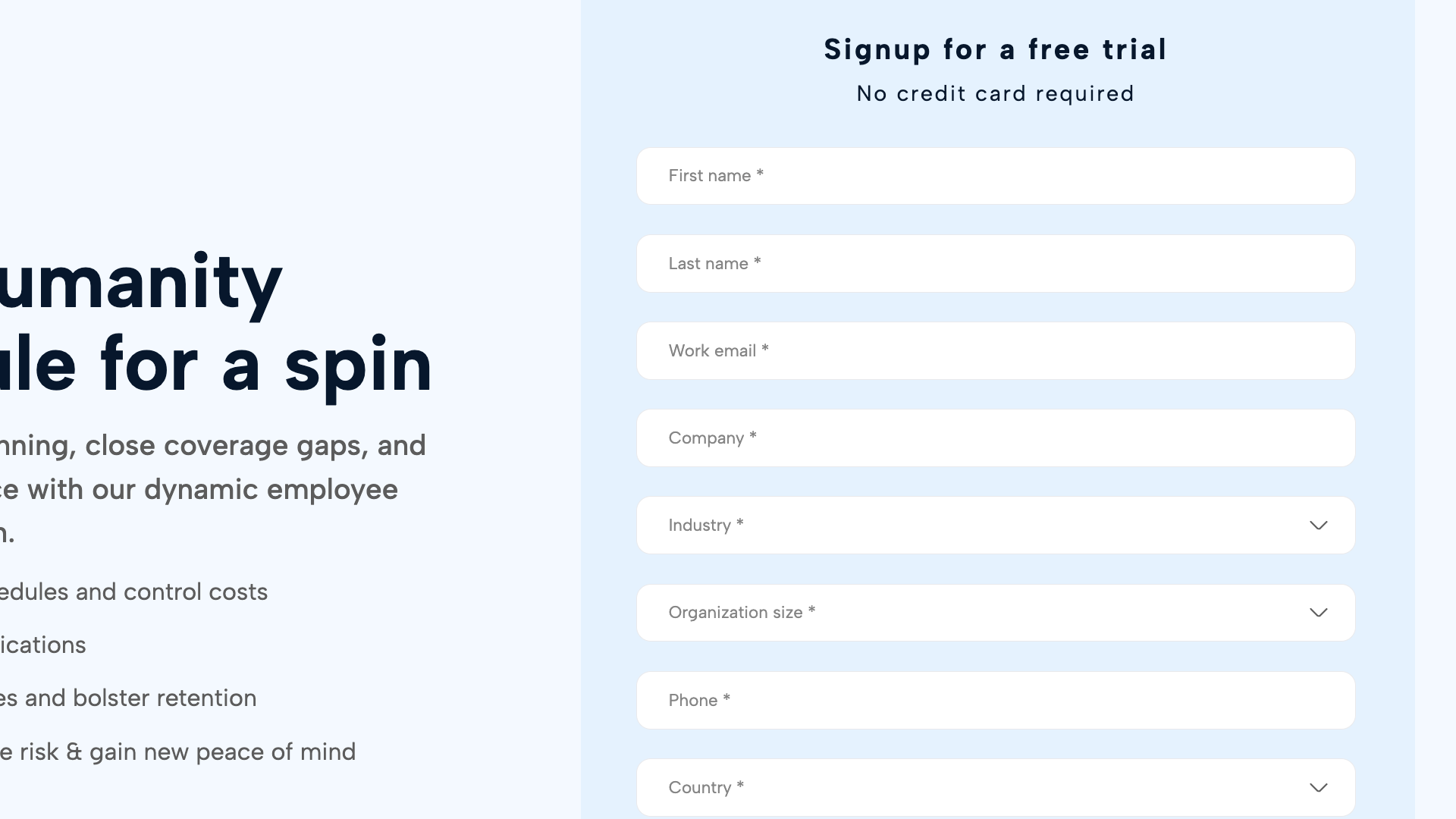
Signing up for Humanity’s free trial wasn’t as quick and straightforward as other platforms. I had to complete an online form requesting one, after which a sales agent contacted me for more information about my business, goals, and timelines. A few emails later, they provided me with access to a trial account (no credit card details required).
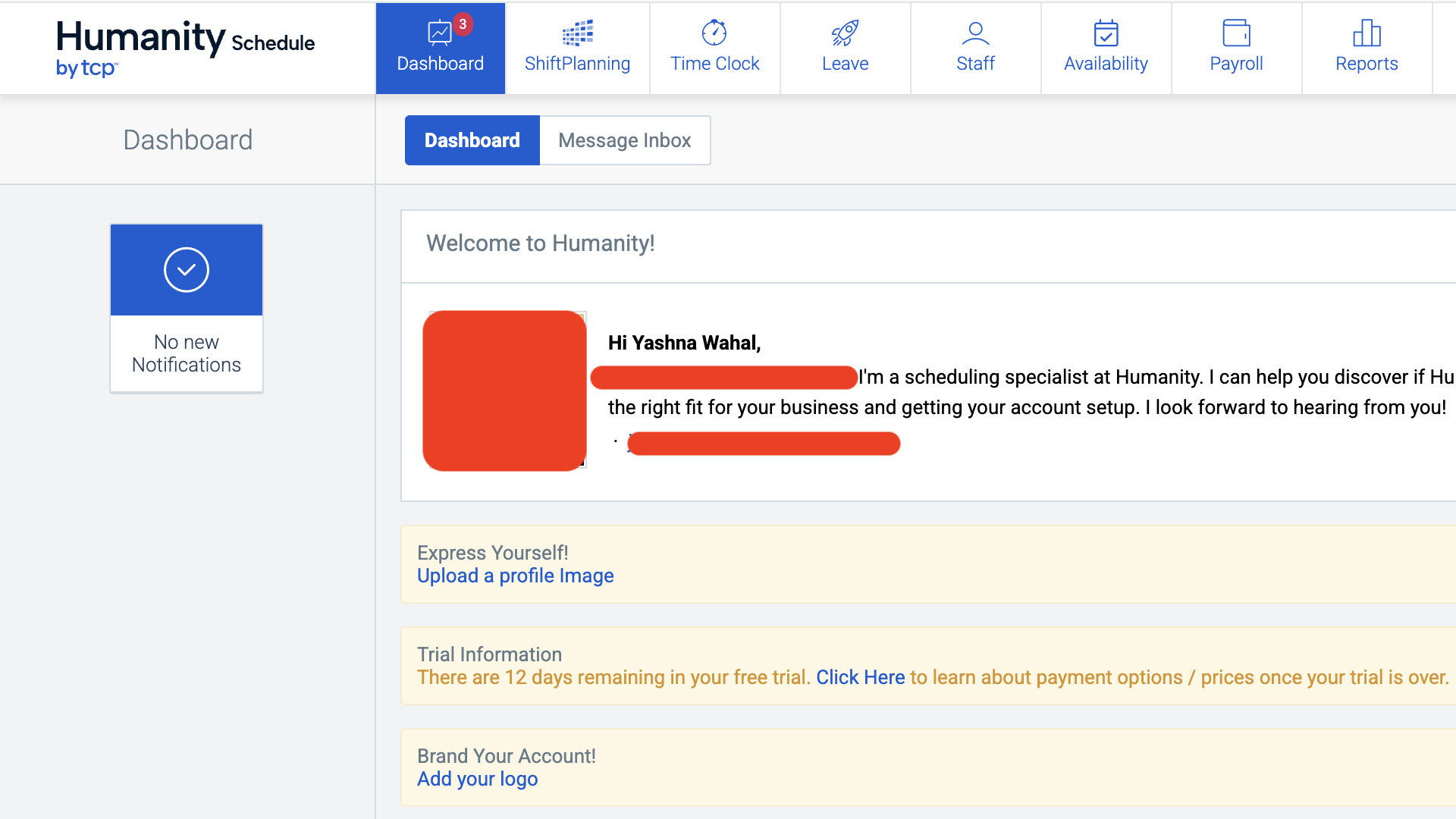
Once I accessed my account, it took me straight to a dashboard with a welcome message from the sales agent (which I thought was a nice touch) and an onboarding checklist.
I found Humanity’s clean blue-and-white user interface easy to navigate. Its main functions, including shift planning, a time clock, leave, staff, availability, payroll, and reporting, appear in a toolbar across the top of the screen. As you click through these primary functions, the corresponding menu bar on the left changes, revealing specific features and tasks.
You can also toggle between the dashboard and your message inbox, and there’s a message wall on the right side with company-wide announcements, updates, and files.
Inviting team members was fairly straightforward. I opened the staff tab and simply added their names and email addresses. I set pay rates, locations, permission levels, work hours, positions, etc. for each user by clicking into their profile and then selecting “edit details.” It wasn’t complex, but it was time-consuming.
Luckily, if you want to apply the exact same setting (such as pay rate, working hours, leave type, etc.) to a group of employees, Humanity offers a bulk edit option so you don’t have to do it manually.
Another thing I appreciated was Humanity’s compliance support. For instance, I could choose from predefined break rules based on California, Oregon, and a few other US states with a single click. Granted, this feature is mostly beneficial for employers from those specific states, but Humanity lets you create custom rules, which is a workaround for operations in other locations.
Finally, Humanity offers high-contrast mode for users with visual impairments. Also, its Apple Watch compatibility (see below) could enhance accessibility for some users.
Verdict: 9/10
Mobile app
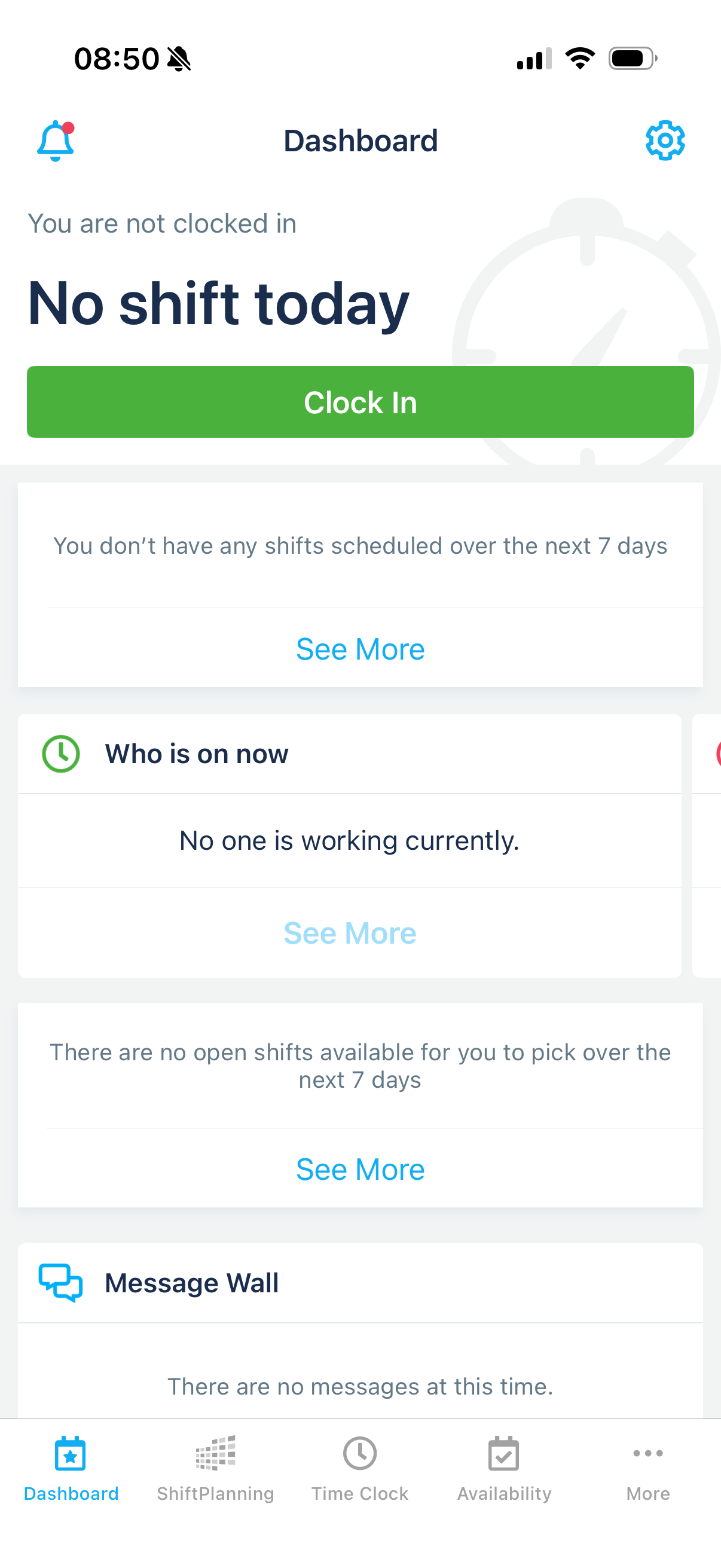
Humanity’s mobile app also offers a clean user interface. When I first logged in on the iOS app, it opened into a dashboard with a clear “clock” sign at the top. I liked this because it’s a great way to remind workers to clock in as soon as they open the app.
The dashboard includes widgets for your upcoming shifts, available open shifts, your message wall, and upcoming birthdays. I could also customize my dashboard to see the widgets relevant to me.
During my trial, I found the app provided access to most of the features available on the desktop version. The features that weren’t available on mobile include payroll, forecasting, and reports.
On the one hand, these exceptions make sense to me, given that these features are more accessible on larger screens. But on the other hand, many managers, especially in businesses like construction or logistics, also work from the field and may struggle without mobile access to these features.
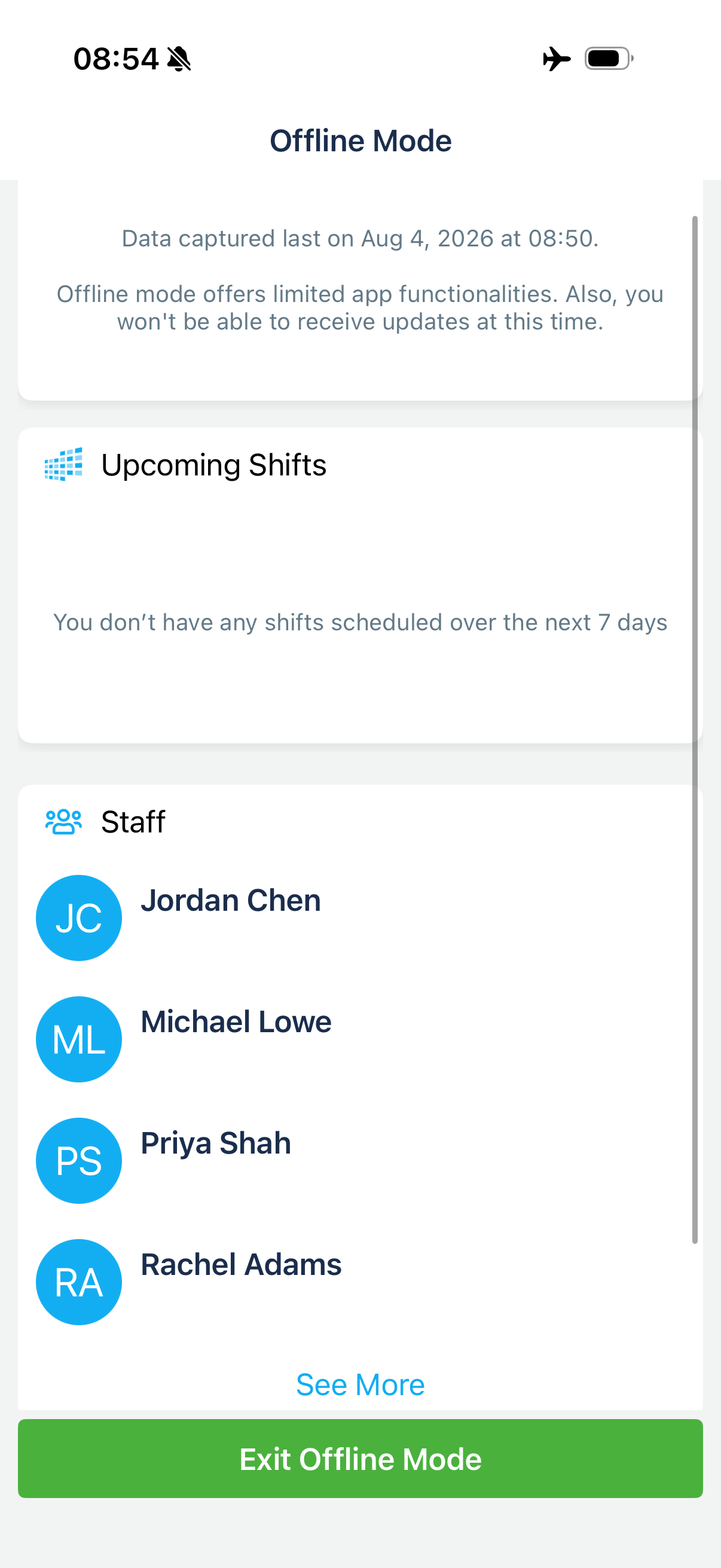
The Humanity app is read-only when offline. This means users can see only existing information like scheduled shifts and a staff contact list when they’re not connected to the internet. This may be a limitation for some users, especially field employees, but it’s a notch better than platforms that offer zero offline functionality altogether.
Humanity’s iOS mobile app is also compatible with the Apple Watch, allowing employees to check their schedules, receive scheduling notifications, and clock in right from their watches.
Here’s the web and mobile feature access I observed in my trial account.
| Menu Item | Admin | Employee | ||
|---|---|---|---|---|
| Website | Mobile App | Website | Mobile App | |
| Key Features | ||||
| Dashboard | ✅ | ✅ | ✅ | ✅ |
| Schedules | ✅ | ✅ | ✅ | ✅ |
| Shift templates | ✅ | ✅ | ❌ | ❌ |
| Availability | ✅ | ✅ | ✅ | ✅ |
| Demand scheduling | ✅ | ❌ | ❌ | ❌ |
| Shift trading | ✅ | ✅ | ✅ | ✅ |
| Time clock | ✅ | ✅ | ✅ | ✅ |
| Messages | ✅ | ✅ | ✅ | ✅ |
| Files | ✅ | ✅ | ✅ | ✅ |
| Analysis & Management | ||||
| Payroll | ✅ | ❌ | ❌ | ❌ |
| Reports | ✅ | ❌ | ❌ | ❌ |
| Labor budget | ✅ | ❌ | ❌ | ❌ |
| Staff management | ✅ | ✅ | ❌ | ❌ |
| Integrations | ✅ | ❌ | ❌ | ❌ |
Verdict: 8/10
Humanity Core Functionalities
Schedule creation
Humanity excels at its core purpose: creating easy-to-use yet advanced schedules, or what it calls “shift planning.” I could build schedules from scratch or use a range of features to create and publish schedules in just a few clicks, including:
- Shift templates.
- Copying shifts across different schedules.
- Copying entire schedules.
- Creating schedules based on staff skills and availability in just 1 click using auto-scheduling.
Humanity’s shift planning boasts lots of advanced features. Managers can offer open shifts for employees to self-assign and allow employees to swap or trade shifts (with or without manager approval). Custom scheduling rules help managers create consistent schedules tailored to their organization’s needs and labor budgets.
Schedules are stored in a central location, easily accessible by all staff via their computers, smartphones, and tablets. This is also useful from a compliance perspective, as it creates a record of previous work schedules.
As an admin, I could see a full view of employees’ assigned shifts and open shifts in one place, and filter it by employee. I also appreciated that Humanity showed me a warning sign when I’d assigned a shift to a user who had marked themselves as unavailable that day. It also warned me when I’d exceeded my shift budget, which I really appreciated.
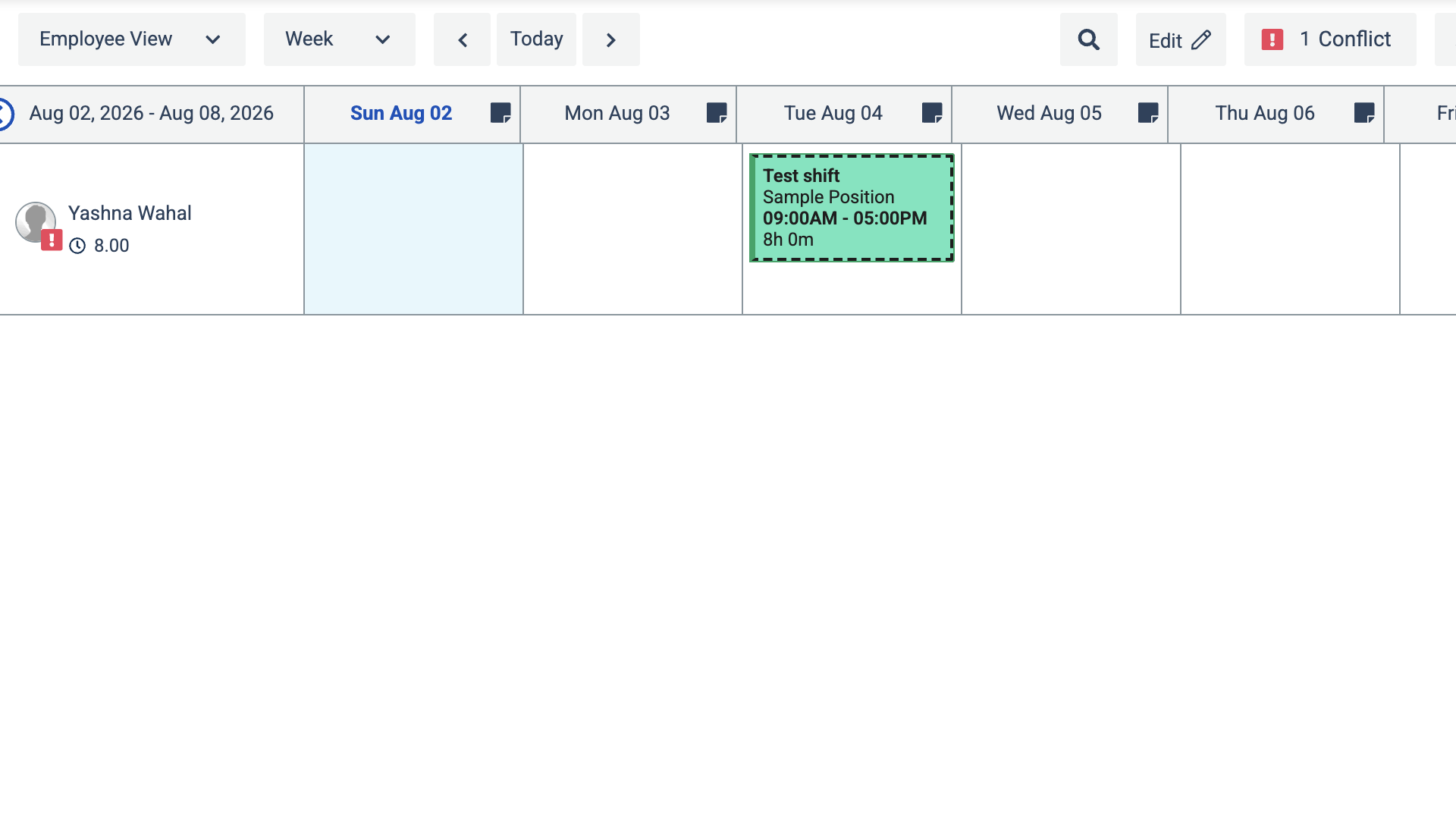
I think one of Humanity’s best selling points is its ability to assist with scheduling compliance. It has a range of pre-built state-specific rules. For example, I could apply mandatory breaks to my team’s schedules.
Humanity includes scheduling rules for minor workers based on child labor laws and school calendars, which can be especially helpful for businesses that employ a large number of minors. However, in my trial, Humanity’s pre-built rules seemed US-specific, so non-US organizations may need to create custom compliance rules.
While I was largely impressed by Humanity’s scheduling, I do have one complaint. While creating a new shift, I would have liked the option to add built-in forms, checklists, and photos like some other competitors. These features are especially useful in helping workers understand what needs to be done. I think they’re a notch above Humanity’s more basic shift tasks tool.
Verdict: 8.5/10
AI-powered forecasting and auto-scheduling
Humanity’s forecasting feature uses historical demand data, staffing rules, and business metrics such as sales, customer numbers, and ticket volumes to forecast staffing demand. This way, it can use those forecasts, along with employees’ skills and availability, to optimize future schedules.
I couldn’t test the forecasting feature in my free trial. But I could test the auto-fill option. While auto-assigning employees to shifts, I could choose criteria like working hours, minimum time between shifts, required skills, and more, and even prioritize the top 3 rules. The system then took about 30–45 seconds to automatically allocate shifts to my employees.
Verdict: 9/10
Employee management, leave, and availability
Humanity lets users add individualized information to help with scheduling.
Managers can assign skills to employees, so finding the right person for a shift is easy. They can also create new leave policies (with carryover, paid/unpaid, and other rules) and decide if employees can or can’t set their availability without approval.
Meanwhile, employees can enter their availability and leave requests, which automatically appear across managers’ dashboards. I requested leave, which worked well, and also set myself as “unavailable.”
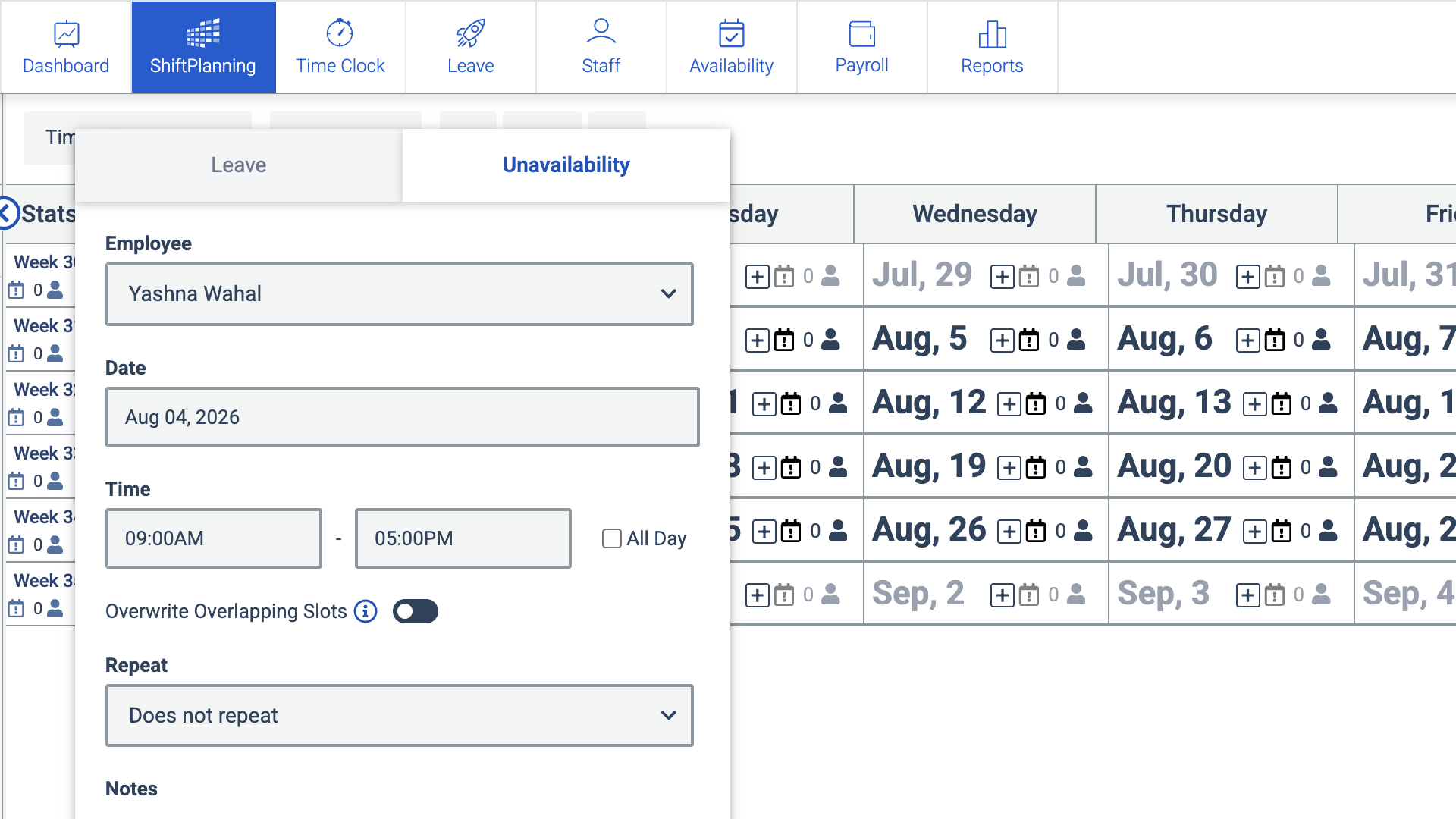
As an admin, I like having leave and availability information at hand when creating new schedules.
While I’m on the topic of employee management, Humanity offers built-in training software that lets you share training materials and resources with workers. I couldn’t test it as part of my free trial, so I’d recommend contacting the sales team for more information. That said, I’ve only seen a handful of other workforce management solutions offer training, so Humanity gets some brownie points from me.
Verdict: 9/10
Time clock
Employees can clock in and out of shifts using their desktops and mobiles. The sales rep also told me that he could set up a kiosk app or physical clock-in terminal if that’s what my business needed.
I found the time clock intuitive and easy to use, and liked that employees can even pause the timer to take a break, instead of having to restart it from scratch every time. This also helps with reporting and timesheets, giving managers a record of work and break times they can use to monitor working hours and support compliance efforts.
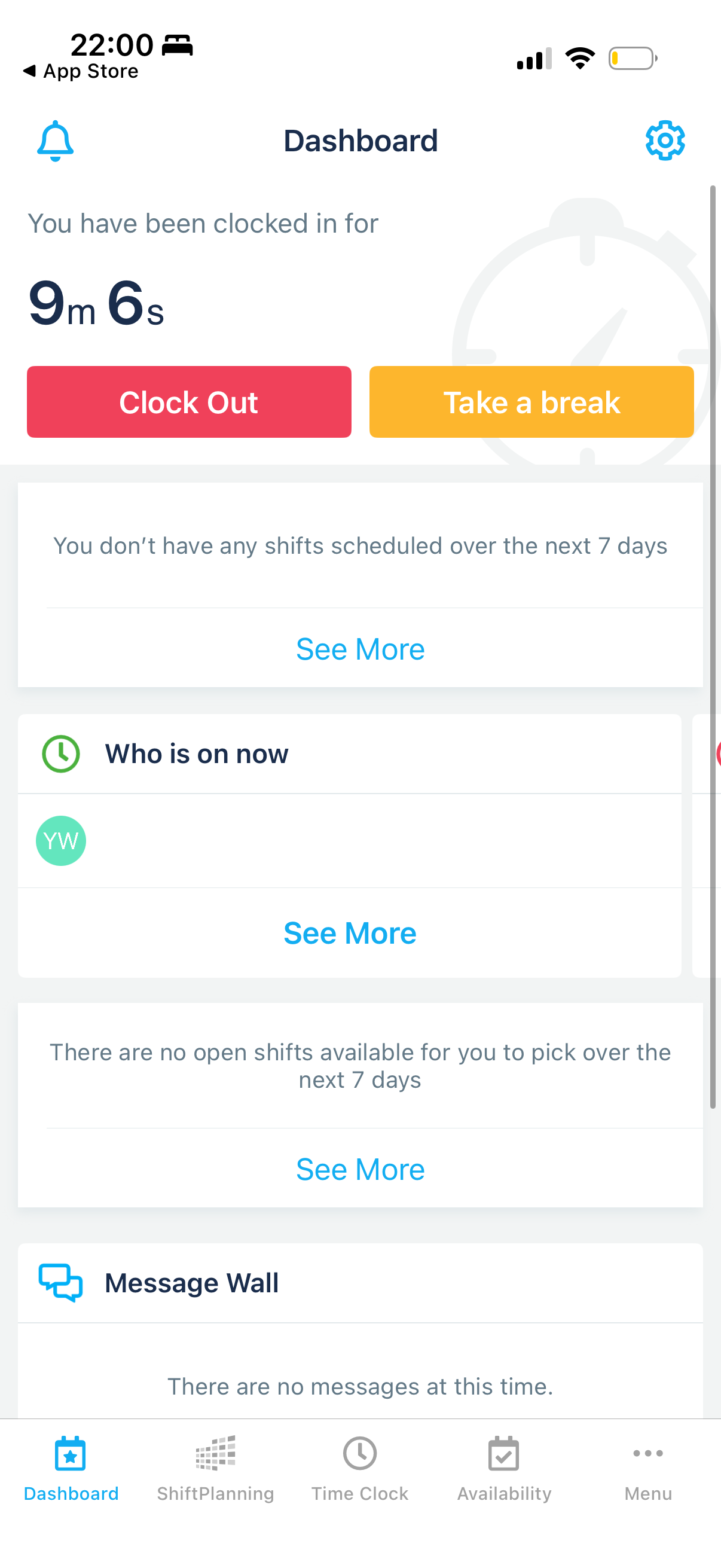
The time clock also helpfully flags late check-ins on managers’ dashboards, enabling them to follow up with employees immediately.
Users can create timesheets based on time clock data within the platform. Managers can easily see which employees have clocked in, view their timesheets, and manually approve them. I also liked that managers can set up auto-approval rules to save time reviewing individual timesheets, a much-welcomed feature for busy managers and supervisors.
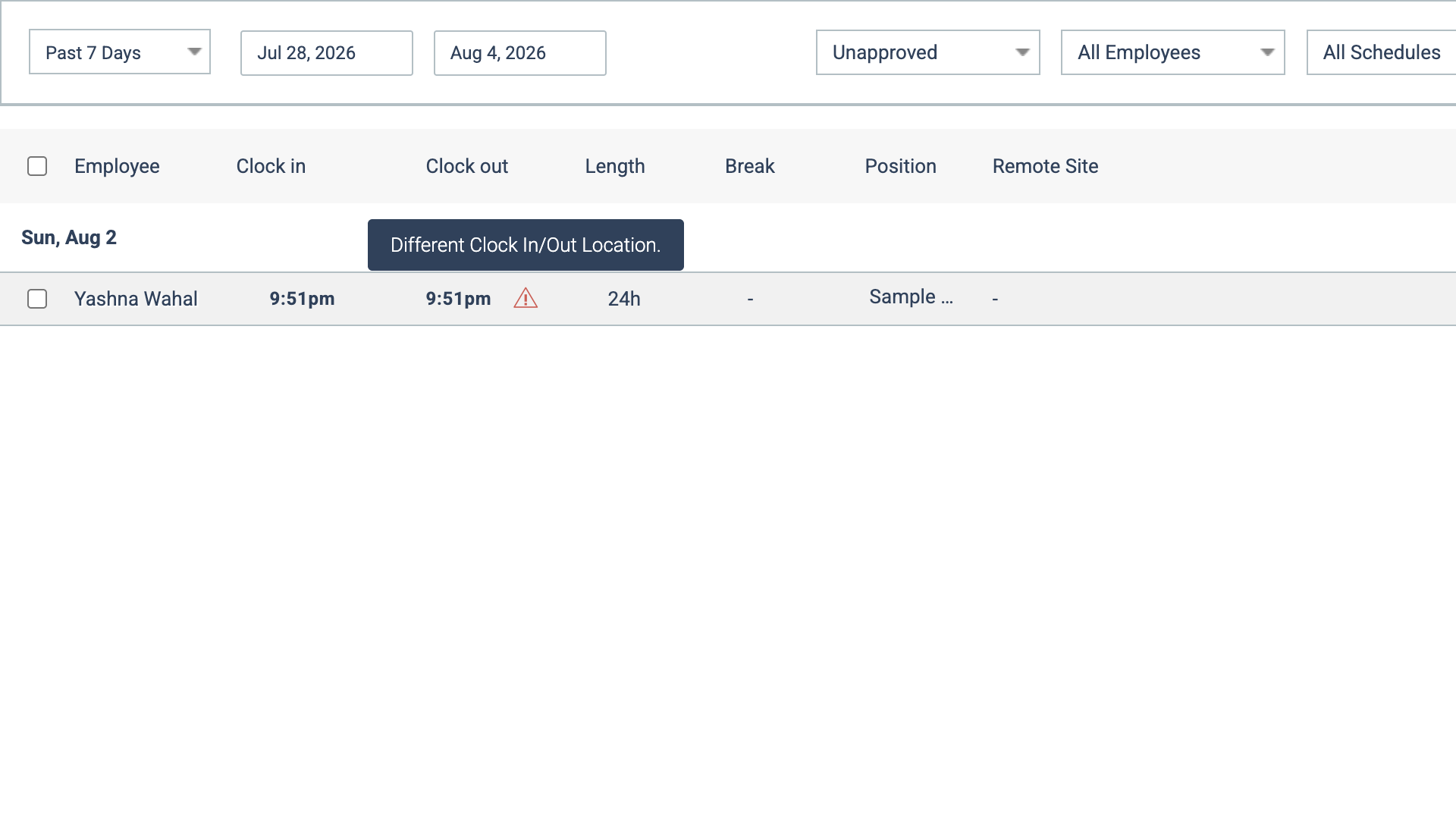
I put Humanity’s compliance support to the test by setting a maximum of 6 work hours per day for a user and left the time clock running to exceed those hours.
The time clock auto-stopped at 24 hours. But it didn’t warn me about exceeding the limit within the user’s timesheet. I later saw a warning in the shift planner. So it’s there, just not where it made logical sense in my opinion. However, I was pleased that the timesheet flagged that the clock-in and clock-out were from different locations, which is handy.
Finally, I was mostly pleased with Humanity’s time verification tools. You can require employees to use their webcam, set geofences, and track their GPS locations when they clock in and out. When you hover over a GPS location in a timesheet entry, it even tells you how far the time entry was from the main location for that project.
But I couldn’t find any live GPS tracking tools, which let you check real-time routes and locations throughout the workday. These are more advanced in platforms like Workyard and Connecteam, and are better suited to field businesses and teams on the move.
Verdict: 8/10
Payroll
Humanity lets managers generate payroll reports based on time clock data and employee timesheets.
You can set specific rules for these reports, like when employees get paid double pay or overtime rates, then export them as a CSV file or to your payroll software.
I could view payroll reports by position, employee, locations, and even skill, and I liked the wide range of fields shown, from hours worked and rates to overtime and total costs. If you want to customize your report with other fields, like holiday pay rate, notes, and more, you can do this easily from the right sidebar.
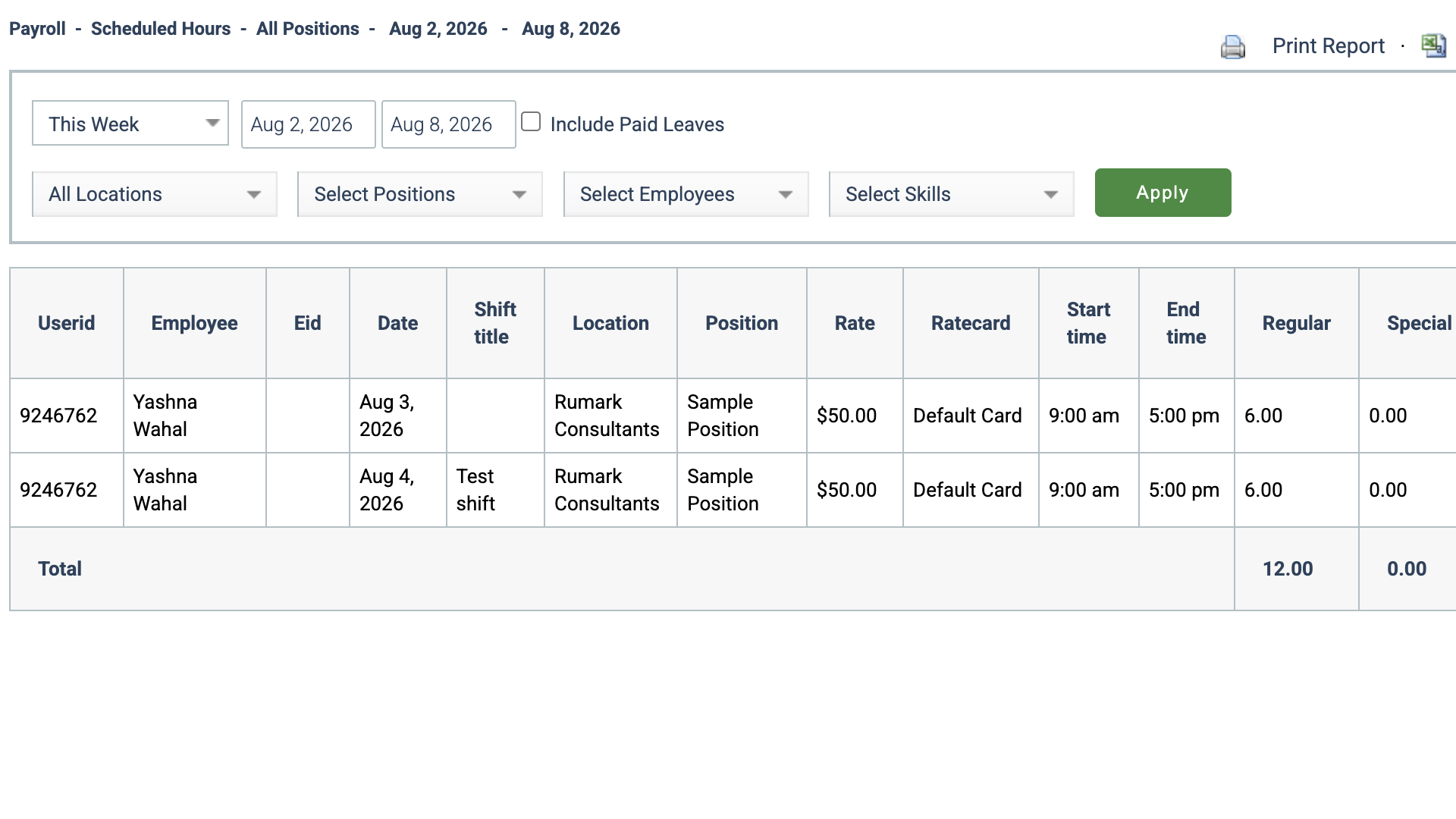
Humanity doesn’t have built-in payroll, but I was impressed that Humanity integrates with many popular payroll software providers, including ADP, QuickBooks, and Paycor.
Verdict: 9/10
Communication
The platform offers various built-in communication features to keep employees updated on their scheduled shifts, schedule changes, and available shifts.
Managers can send employees email, SMS, and mobile push notifications, and automate these tasks to save time.
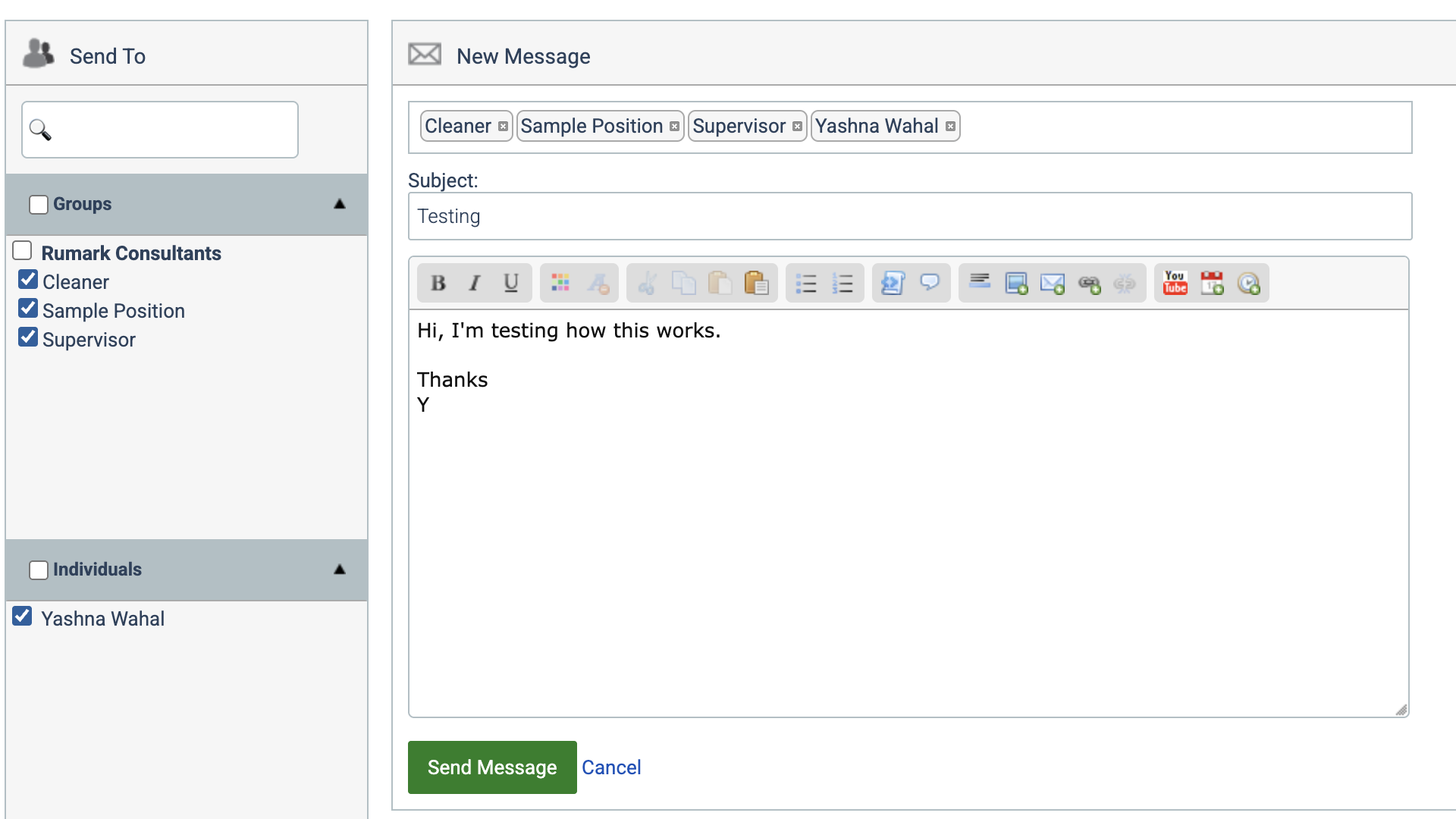
There’s also an in-app messaging function for managers and employees to contact each other individually or in a group setting. This feature is available on both the desktop version and mobile app.
Unfortunately, I didn’t find it very impressive from a user experience standpoint. The interface felt like I was sending an email in the early 2000s.
Given how professional and modern the rest of the app looks, I was confused about why the messaging tool felt so outdated. It just didn’t bring the same sense of speed and urgency as instant messaging typically does. While it has rich-text formatting, I couldn’t send attachments either.
Finally, the company-wide message board feature that appears on the dashboard is handy. It gives managers a quick and easy way to contact their teams with important messages and updates, like leave request reminders.
Verdict: 6/10
Humanity Security Features
Humanity’s desktop software requires only a password to log in. Sessions time out after a certain period of inactivity, requiring you to log in again. Single sign-on (SSO) is also available. For additional security, you can set expiration dates to prompt your employees to change passwords regularly or activate 2-factor authentication (2FA).
You need to enter your password just once to access the mobile app. When you reopen the app, you go straight to your dashboard without providing login credentials.
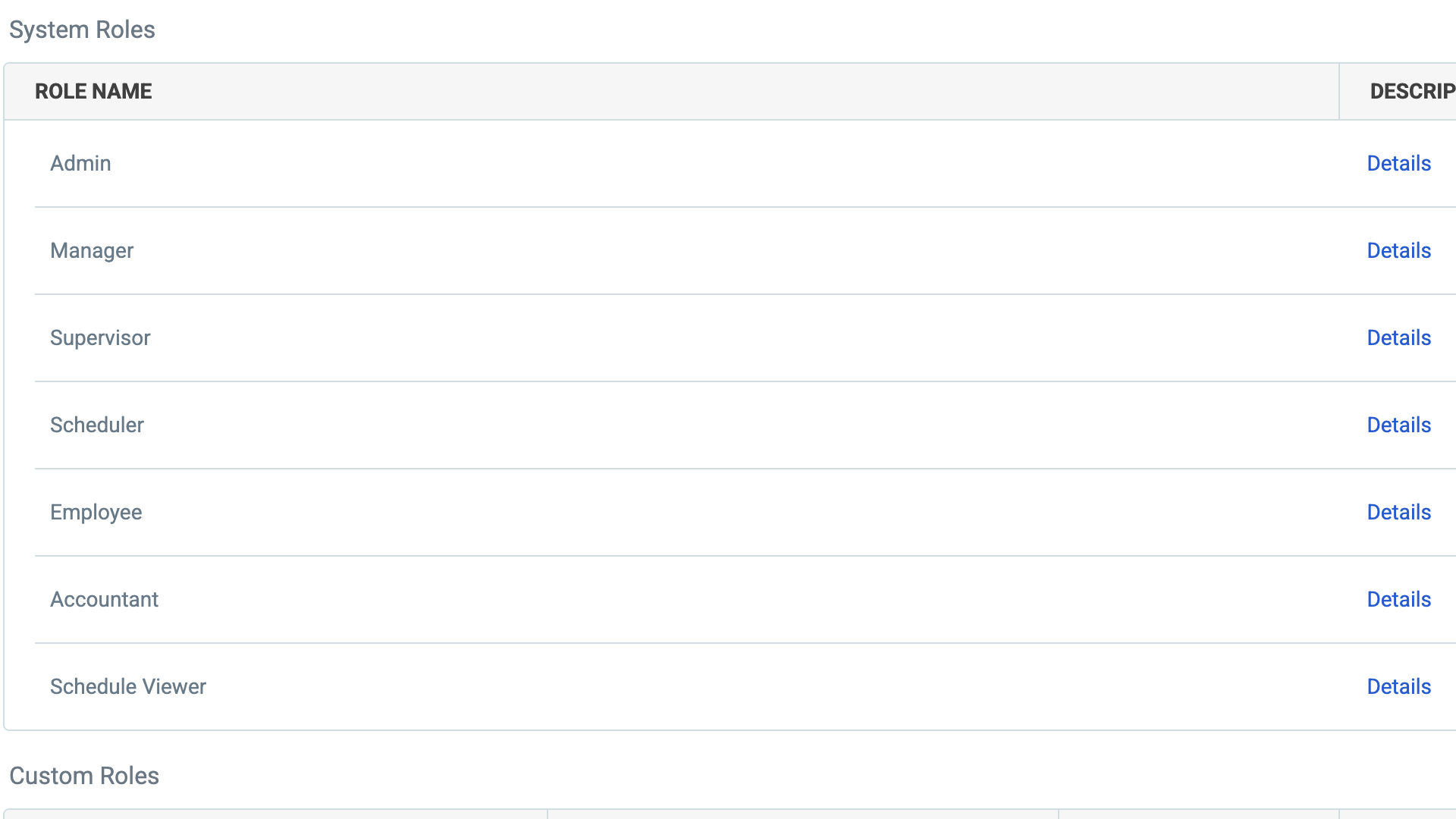
The software offers detailed access levels, like admin, manager, supervisor, scheduler, and employee, giving you granular control over who has access to specific features. I really appreciated the ability to create custom role-based permissions, which I haven’t seen in many other platforms.
Humanity offers a strong security framework that you’d expect from scheduling software. It uses Amazon Web Services (AWS) to host its cloud data, and documents security measures like data encryption in transit and at rest. TCP published an SOC 3 report covering Humanity, and customers can request its independent SOC 2 report under a non-disclosure agreement.
TCP states that its data protection policies comply with the General Data Protection Regulation (GDPR) and the California Consumer Privacy Act (CCPA).
I couldn’t find public documentation confirming that Humanity supports HIPAA compliance. So, if your organization handles Protected Health Information (PHI), I recommend confirming requirements directly with TCP.
Verdict: 8/10
Humanity Reporting & Analytics
I found 18 auto-generated reports in my trial Humanity account, including for:
- Schedule summaries.
- Budgets.
- Open shifts.
- Schedule conflicts.
- Shift exchanges.
- Time sheets.
- Attendance.
- Employee availability.
- Employee leave.
I found the range of reports to be solid, and they probably cater to most businesses’ analytics needs.
It takes just a few minutes to generate an auto-report. Once you’ve selected the report type, you plug in straightforward information like the date range and location and create the report. You can also filter the data according to specific employees, skills, or custom tags.
These automated reports summarize key data without offering detailed insights. For many businesses, this is enough. But today, other platforms offer AI-driven analytics that remove the hassle of analyzing trends yourself. Humanity offers AI-driven demand scheduling, but I couldn’t see any AI insights across the full range of reports.
Humanity also lets you create custom reports with the platform for specific insights relevant to your workforce, and even offers support. I could also print reports or export them as CSV or Excel files from within the web app, which was helpful.
Verdict: 8/10
Humanity Customer Support
Humanity advertises extensive customer support. You can contact the team by:
- Phone Monday to Friday between 7 am and 7 pm CT.
- Live chat (24/7) in-app and via its website.
- Email.
There’s also an online resource library with webinars and advice for using the software, as well as a knowledge base for technical support articles.
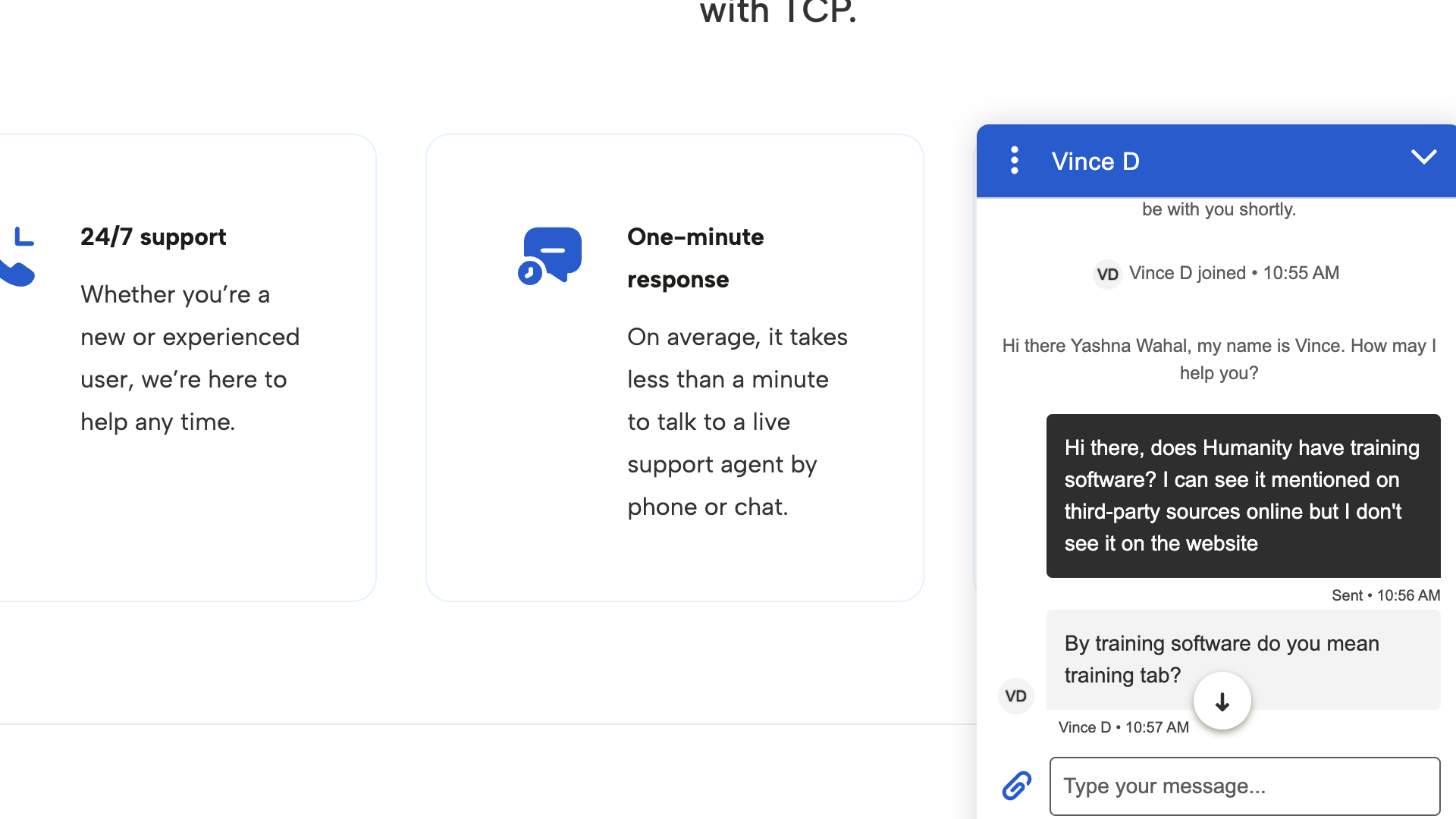
Customer support is highly responsive. Humanity’s website boasts a wait time of under a minute for live support. To test this, I reached out via live chat and received a response within a minute.
I also want to acknowledge how proactive and helpful the sales agent I spoke to was. He did a thorough job of understanding my requirements, and even offered to speak with me over the weekend if needed.
It’s no surprise to me that users seem happy with Humanity’s customer service. One reviewer said the customer support was “professional and knowledgeable.” It also appears Humanity provides individual onboarding to customers to help them create the necessary scheduling rules, learn the platform’s features, and more.
Verdict: 10/10
What Are TCP Humanity Review Ratings from Review Sites?
(As of August 2026)
TCP Humanity App Review
Humanity’s scheduling tool offers a comprehensive suite of features designed to support compliant work schedules easily. Its AI forecasting, compliance rules, and auto-scheduling make it ideal for managing large and complex scheduling needs.
I was impressed with Humanity’s extensive customer service and support resources, but less so with its communication tools and lack of live GPS tracking. Additionally, the absence of a free plan might rule it out for smaller businesses and startups with little to no budget.
Businesses considering Humanity should take advantage of its free trial and demo to ensure it meets their scheduling needs.
Connecteam: The Better Humanity Alternative
Connecteam has a free-for-life plan that gives businesses with 10 or fewer employees access to an extensive range of features that aid with compliant scheduling and more.
Let’s take a closer look at some of these features.
Drag-and-drop schedule creation
Connecteam’s employee scheduler lets you create schedules in just a few clicks. You simply drag and drop employees into each available shift or use one of the time-saving schedule creation features, like:
- Pre-built and custom schedule templates.
- An auto-scheduler to create schedules in seconds, accounting for employees’ skills and availability.
- Shift conflict alerts to flag potential compliance or budget issues, like double scheduling.
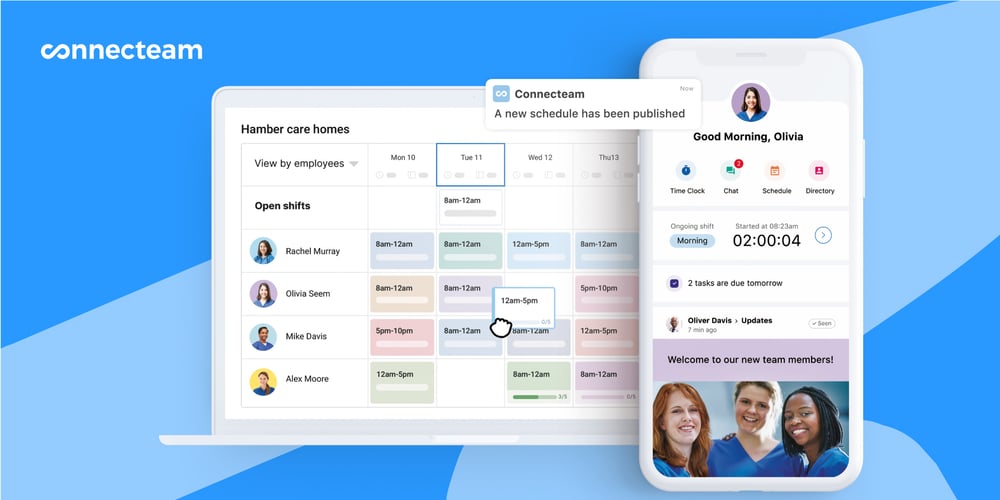
I could also attach useful information to shifts, such as notes, documents, checklists, and images, to streamline handovers and ensure employees have all the information they need.
Compliance support
Connecteam supports compliant scheduling by allowing you to set regulatory limitations customized to the laws that apply to your business. For example, the overtime app lets you define when overtime starts and limit employee clock-in and clock-out times to manage labor budgets.
Best of all, Connecteam’s compliance support goes beyond just scheduling. I could even:
- Create, complete, and store audit documents.
- Maintain a company knowledge base.
- Deliver and record employee training.
- Share compliance information and updates with my workforce.
Time clock
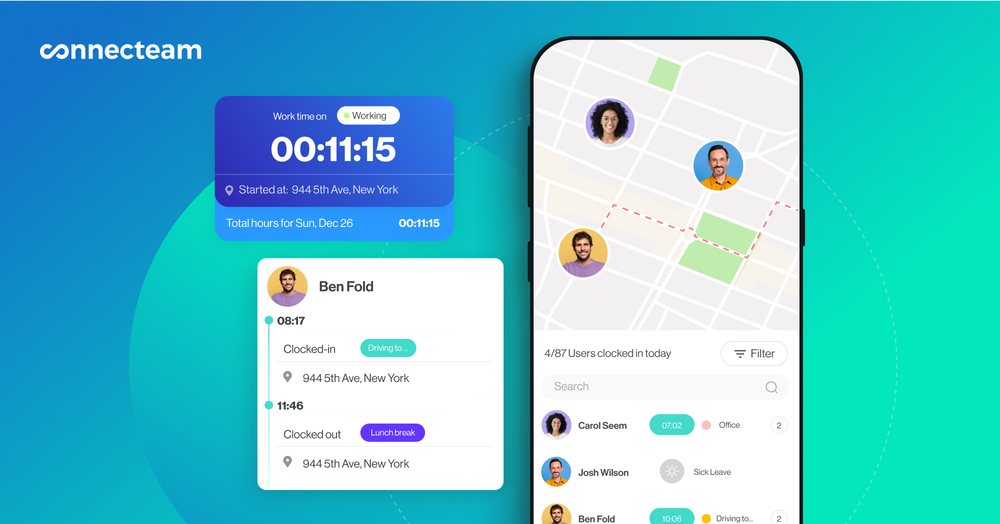
With Connecteam’s employee time clock, I could record employees’ work hours down to the second and use live GPS tracking and geofencing to help verify employee locations and improve timesheet accuracy.
Team communication and more
Connecteam’s online team chat felt much closer to a proper instant messaging service than Humanity’s email-like tool. It even has an updates feed for company-wide announcements. In addition, Connecteam offers a full suite of HR management features. It’s truly an all-in-one employee management tool that makes scheduling, task management, communication, and employee training a breeze.
FAQs
The Humanity app helps users create and manage schedules that accommodate employees’ skills, availability, and leave, while supporting compliance. It’s designed to streamline scheduling with features like AI-powered forecasting, auto-scheduling, time tracking, and a mobile app.
Provide the email address and password you created when setting up your account. If you’re trying to log into a free trial account, a sales rep will create a username and password for you.
Humanity includes a GPS feature that tracks employees’ locations when they clock in and out of a shift from their mobile devices. Managers can enable this setting to log the locations of mobile employees and ensure they’re at the right work sites.
Humanity starts at $2.75/user/month (billed annually) for its lowest tier plan.
Yes, Humanity advertises a 30-day free trial that you can request via a trial request form. You may have to speak to a sales rep before you can access your account.
Humanity’s website doesn’t mention compliance with HIPAA regulations. I’d recommend connecting with the sales or customer support team before using it to store Protected Health Information.
