
If you’re managing a team with last-minute shift changes and late time entries, small mistakes can quickly turn into overtime spikes, payroll errors, and frustrated employees.
Before you know it, payday becomes stressful, margins shrink, and you start questioning if your numbers are even right.
I reviewed 7 free time clock apps and ranked them by clock-in accuracy, ease of setup, and reporting tools on their free plans.
Use these picks to track hours, speed up payroll, and protect your bottom line.
| App | Best for | Starting price for Paid Plans | Key Considerations |
| Connecteam | Small businesses needing a free team time clock with payroll controls | $29/month (up to 30 users) | Free plan covers up to 10 users with GPS, geofencing, timesheets, and payroll integrations included. |
| Jibble | Teams focused on free attendance and facial recognition | $2.49/user/month | Free plan supports unlimited users with facial recognition and GPS included. Offline mode is limited. |
| Homebase | Single-location retail and restaurant teams | $24/location/month | Free plan covers one location with up to 10 employees and includes basic scheduling. GPS, geofencing, and auto clock-out reminders are only available on paid plans. |
| BusyBusy | Construction crews tracking time by job site | $9.99/user/month | Free plan includes GPS tracking, job costing, and equipment tracking for unlimited users. |
| Clockify | Teams logging time across projects on a free plan | $3.99/user/month | Free plan supports unlimited users with time tracking, timesheets, and reporting. |
| TimeCamp | Teams needing free time tracking with detailed reports | $2.99/user/month | Free plan covers unlimited users and projects with a standout keyword tracker for desk workers. |
| Toggl Track | Small teams using simple manual timers | $9/user/month | Free plan supports up to 5 users with offline tracking and strong reporting. No GPS, geofencing, or break tracking on any plan. |
What’s New in This Update (March 2026)
- Re-tested all tools and verified current pricing, free plan limits, and core features.
- Rebuilt the competitor list to focus on apps that offer usable free plans. Tools like QuickBooks Time and Time Doctor were removed and replaced with Jibble, BusyBusy, TimeCamp, and Toggl Track.
- Updated the ranking criteria to prioritize free plan usability, reliable clock-ins, and payroll-ready timesheets.
- Expanded product sections to better explain the limitations of each free plan.
Our Top Picks
-
1

Best for small businesses needing a free team time clock with payroll controls
-
2

Best for teams focused on free attendance and facial recognition
-
3

Best for single-location retail and restaurant teams
Why trust us?
Our team of unbiased software reviewers follows strict editorial guidelines, and our methodology is clear and open to everyone.
See our complete methodology
How I Ranked the Best Free Time Clock Apps
To rank the best free time clock apps, I focused on tools that offer reliable time tracking without forcing businesses into a paid plan immediately. Many apps advertise a “free” version but limit key features so heavily that they function more like a trial. I prioritized tools whose free plans can realistically support small teams.
Core features every free time clock app must have
If an app lacked any of these features, it wasn’t included.
- Free plan usability: The most important factor was whether the free plan could realistically support a team. Apps that restrict key functions, limit users heavily, or lock essential features behind paid tiers ranked lower.
- Reliable clock-ins: Employees should be able to clock in and out quickly from mobile, desktop, or a shared kiosk. If clock-ins are slow, confusing, or prone to missed punches, the tool becomes difficult to use in real-world work environments.
- Automatic hour calculations: The system should calculate regular hours, breaks, and overtime automatically. Businesses shouldn’t need to manually calculate timesheets before running payroll.
- Clear digital timesheets: Managers need a simple way to review hours worked, spot missing punches, and approve timesheets before exporting data.
- Mobile accessibility: Most teams using free time clocks have mobile or distributed workers. The system should work reliably on smartphones without requiring employees to switch devices.
If a free plan couldn’t handle these basics, it wasn’t included.
I also looked day-to-day performance:
Once the core requirements were met, I looked at additional capabilities that improve usability and long-term value.
- Simple setup: Businesses don’t need hours of configuration. The best tools let you start tracking time quickly.
- Employee-friendly design: If employees struggle to learn the system, they won’t use it consistently. I prioritized apps that were intuitive and easy to adopt.
- Reliability in daily use: Time tracking tools must work consistently during real shifts. I looked for apps that record punches accurately, sync data properly, and avoid common issues like missing entries or delayed updates.
Finally, I checked for features that add extra value:
These features aren’t always required, but they do make free apps stand out.
- Location verification: GPS tracking or geofencing helps confirm employees clock in from the correct location and reduces time theft.
- Basic reporting: Clear reports on hours worked, attendance, and overtime help managers quickly identify issues.
- Upgrade flexibility: I also looked at whether the platform can grow with your business without forcing an immediate upgrade.
These criteria helped identify free time clock apps that are practical for real business use, not just limited trial versions.
The Top 7 Free Time Clock Apps
-
Connecteam — Best for small businesses needing a free team time clock with payroll controls
Connecteam is the best choice for small businesses because it combines a full-featured employee time clock with a truly free plan for small teams in one platform. It’s especially strong for teams that need accurate time tracking, payroll-ready timesheets, and location verification without paying for expensive workforce software.
Why I chose Connecteam: I ranked Connecteam #1 because it was the most complete option for small businesses using a free time clock, especially in areas like clock-in reliability, location tracking, and payroll-ready reporting.
Here’s what Connecteam has to offer:
Free time clock
Connecteam’s free time clock for employees is designed for small teams that need accurate time tracking without a complicated setup. Employees can clock in and out with just a tap from their phone, desktop, or a shared kiosk. This makes it easy to track hours whether your team works in the field, on the floor, or across locations.
The time clock automatically calculates hours worked based on your policies. You can set overtime rules, break requirements, and pay rates once, and the system applies them to every shift. I liked that this really reduces manual corrections to give managers clean, payroll-ready timesheets at the end of each pay period.
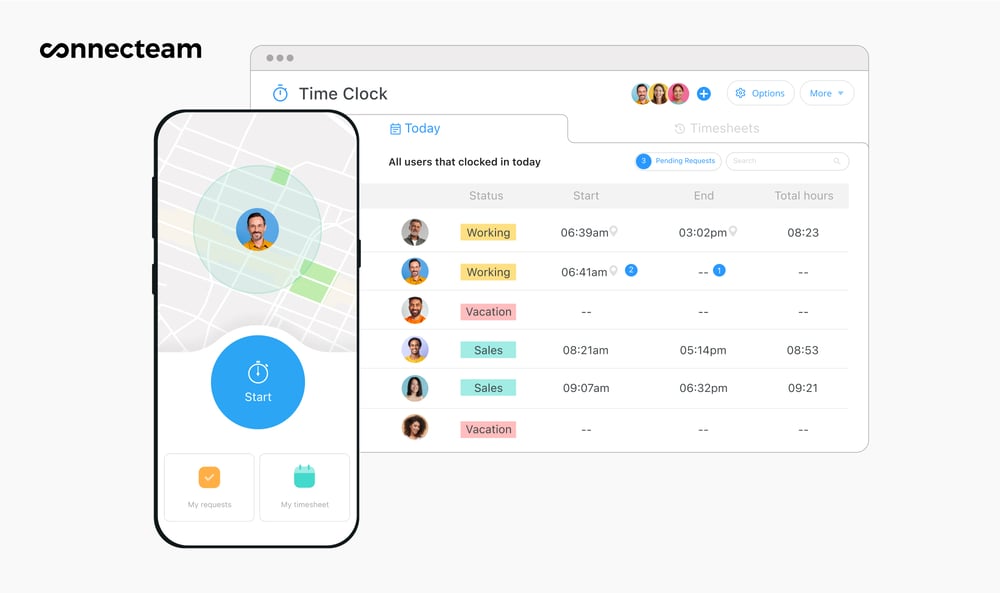
Managers can monitor attendance in real-time from the Connecteam app. GPS tracking and geofencing
With Connecteam’s real-time GPS tracker, managers can verify where shifts start and end. When employees clock in, the app captures a GPS location stamp that appears directly on the timesheet, giving you a clear record of where work began and finished.
For teams that need more oversight, I appreciated that Connecteam also offers breadcrumb tracking, which maps an employee’s movement while they’re clocked in. This is especially helpful for field teams like delivery drivers, lawn care crews, or technicians who move between locations during the day.
Connecteam also offers a geofence time clock to prevent off-site punches. Employees can receive reminders when entering a job site, be blocked from clocking in outside approved locations or too early, and even be clocked out when leaving the area. It helps keep hours accurate without constant manager follow up.
It’s important to mention that tracking only runs during active shifts. Once employees clock out, location tracking automatically stops to protect their privacy.
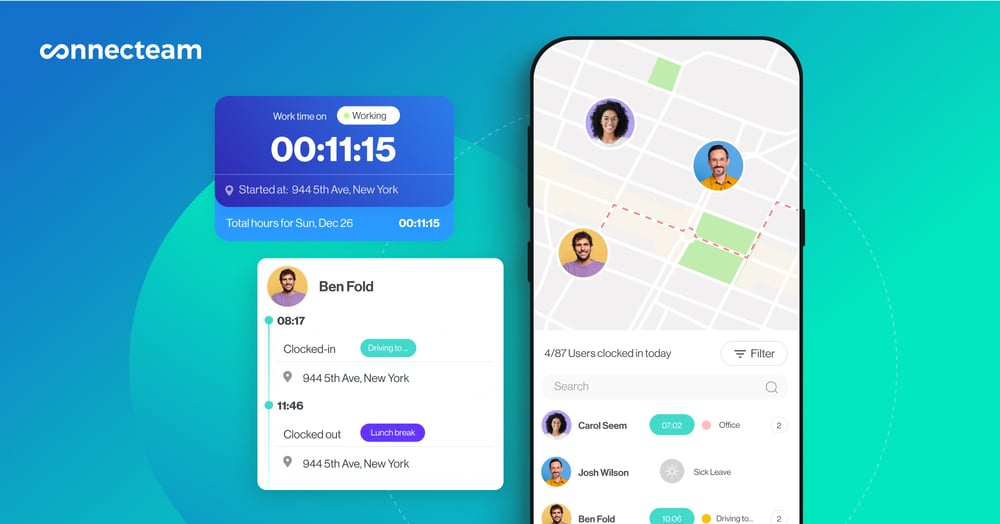
Connecteam’s GPS time clock verifies where employees are working at every clock-in. Overtime and breaks
Connecteam makes it easy to manage overtime tracking and breaks. You can set your policies once, like overtime thresholds or break rules, and the app automatically applies them to every shift, reducing payroll mistakes.
Managers also receive alerts when employees approach overtime limits, helping prevent unexpected labor costs. For breaks, you can choose manual or automatic tracking, define paid or unpaid break rules, and set reminders to keep employees on schedule and timesheets accurate.
Attendance reports
Connecteam’s dashboard is easy to understand and gives managers a real-time view of exactly what’s happening with their team. You can instantly see who’s clocked in, who’s late, and who hasn’t shown up, without digging through timesheets.
The platform also includes automatic reporting that highlights overtime trends, attendance patterns, and potential payroll issues early. You can schedule reports to run automatically, so the right insights arrive when you need them.
Timesheets and payroll
Every clock-in is automatically logged into digital timesheets for payroll, so hours are tracked and organized without manual entry. Employees can check their hours, request edits, and submit timesheets for approval directly in the app, while managers can quickly review and approve them. I liked that each edit is tracked, so you have an audit-ready record if you need.
When it’s time to run payroll, timesheets can be exported or synced with providers like RUN Powered by ADP®, QuickBooks, and Xero. Connecteam also integrates with tools like PrismHR, Lightspeed, and Wix Bookings, helping businesses move time data into payroll and operations systems with minimal extra work.
And so much more…
Connecteam is a free workforce management app that lets you run your entire business in one place.
- Employee scheduling: Build schedules with a simple drag-and-drop editor or use the auto-scheduler to assign shifts based on employee availability, skills, and roles.
- Time off management: Set custom PTO policies for vacation, sick, or personal leave, and employees can submit time-off requests directly in the app.
- Online team chat: Keep work communication organized in one place. Share updates, files, and shift details through one-on-one or group chats.
- Employee task tracking: Assign daily or recurring tasks to team members, add subtasks, and track completion in real-time.
- Training and onboarding: Use the AI Course Creator to build custom training materials in minutes to get new hires up to speed.
When Connecteam may not be the right fit
Connecteam is built for teams managing employees, not individuals tracking personal productivity. If you’re a freelancer or solo professional who only needs a simple timer for your own work hours, other tools may be a better fit.
Similarly, businesses that want deep desktop activity monitoring or automatic screenshot tracking may want to look at a productivity monitoring platform instead.
Connecteam also offers a free for life plan – Get Started Now!
0Key Features
- Employee time clock
- GPS tracking and geofencing
- Automated timesheets
- Break management
- Time off tracking
- Overtime monitoring
Pros
- Fully usable free plan for teams up to 10 users
- GPS tracking and geofencing included
- Mobile-first design makes clock-ins quick for field teams
- Payroll-ready timesheets and automatic hour calculations
Cons
- Free plan limited to 10 users
- Advanced compliance settings can take time to configure
Pricing
Free-for-life plan availablePremium plans start at $29/month for 30 users
Absolutely free, no credit card required
Create your FREE account -
Jibble — Best for teams focused on free attendance and facial recognition
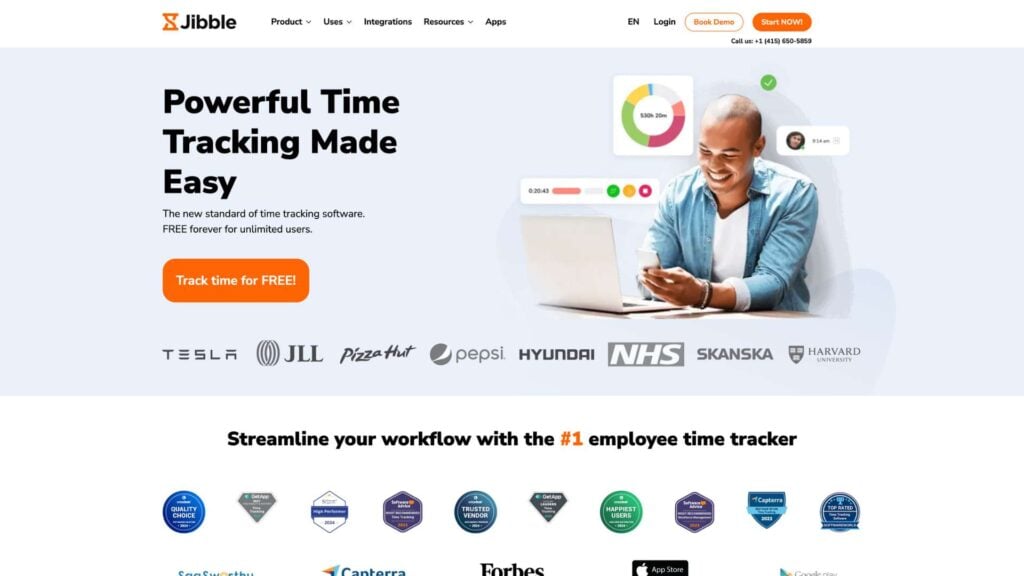
Jibble is a free time clock software that offers time tracking, attendance management, and location controls.
Why I chose Jibble: I chose Jibble because its free plan supports unlimited users and includes GPS tracking and facial recognition at no cost, which is a huge plus for a free time clock tool.
Time tracking
In our full Jibble review, we tested the time clock, which lets employees clock in from a web browser, desktop app, mobile device, or shared kiosk. Clocking in is simple: you tap a button, take a selfie, pick a task, and confirm.
Hours are automatically calculated and logged into digital timesheets, and I liked that you can also set up punch-in reminders to help employees clock in and out on time.
That said, during testing, we found that Jibble’s offline mode is pretty limited. Employees can clock in with facial recognition without an internet connection, but they can’t switch tasks or start manual breaks offline. I can see this being pretty frustrating for field teams in areas with poor connectivity.
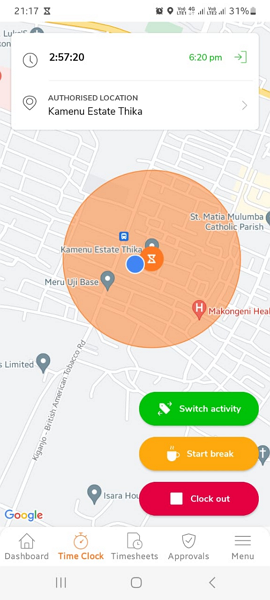
When we tested Jibble, we were able to clock in, clock out, start breaks, and switch activities. GPS tracking and geofencing
Jibble’s GPS feature shows each employee’s real-time location, the task they’re working on, and how long they’ve been clocked in. Managers can switch on a geofence overlay to see exactly where employees are relative to job sites.
There’s also a route-tracking feature that shows employee movement during work hours. I found it helpful, but the route map connects stopping points with straight lines rather than showing an actual path, which makes it less precise than it could be for following field activity.
Overtime, breaks, and timesheets
I liked how Jibble handles overtime and break tracking. You can set daily overtime, double time, weekly overtime, and public holiday rules, and the system calculates overtime pay automatically. Alerts notify managers via email when an employee goes into overtime, which helps keep labor costs in check.
Break tracking is also flexible, but during testing, we found that Jibble doesn’t send employees reminders to start or end breaks, and there’s no break verification tool. This could create compliance risk for businesses in states with strict break laws.
Timesheets are automatically generated from clock-in data and can be exported in XLS or CSV format. While the export process works, the reporting and sharing options are limited. For example, reports can’t be shared via link or emailed directly from the platform. This might be difficult if your team needs deeper insights or a faster way to share data externally.
What users say about Jibble
I like using Jibble for the accurate time management of our hourly paid staff. It’s very easy and simple to use, not complicated like other software I’ve tested.

Integrating the app was quite a task. It took us two days of going back and forth with the support team before we fully understood how the app works.
 0
0Key Features
- Employee time clock
- GPS tracking and geofencing
- Facial recognition verification
- Time-off management
Pros
- Generous free plan for small teams
- Facial recognition helps prevent buddy punching
Cons
- Reporting tools are fairly limited
- Break enforcement controls are basic
Pricing
Starts at 3.49 per user/month Trial: Yes — 14 days Free Plan: Yes
-
Homebase — Best for single-location retail and restaurant teams
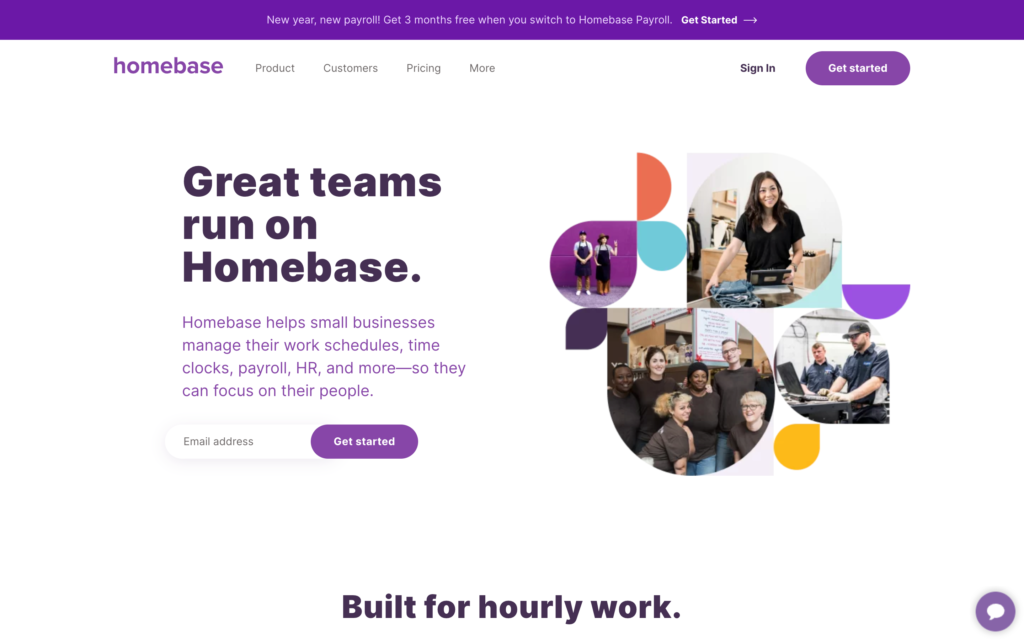
Homebase is a time tracking, scheduling, and team management app built for small businesses with hourly workers.
Why I chose Homebase: I included Homebase because its free plan offers basic scheduling and time tracking for one location with up to 10 employees.
Online time clock
In our full Homebase review, we tested the app’s time clock, which you can use across smartphones, tablets, desktops, and even POS systems. Employees can clock in either using the live timer or by adding time entries manually.
During testing, we found that Homebase can send clock-in reminders and automatically clock employees out if they forget. This feature is really helpful, but it’s only available on paid plans. It’s also important to mention that Homebase tracks time to the nearest minute, not second, which could impact your labor costs over time.
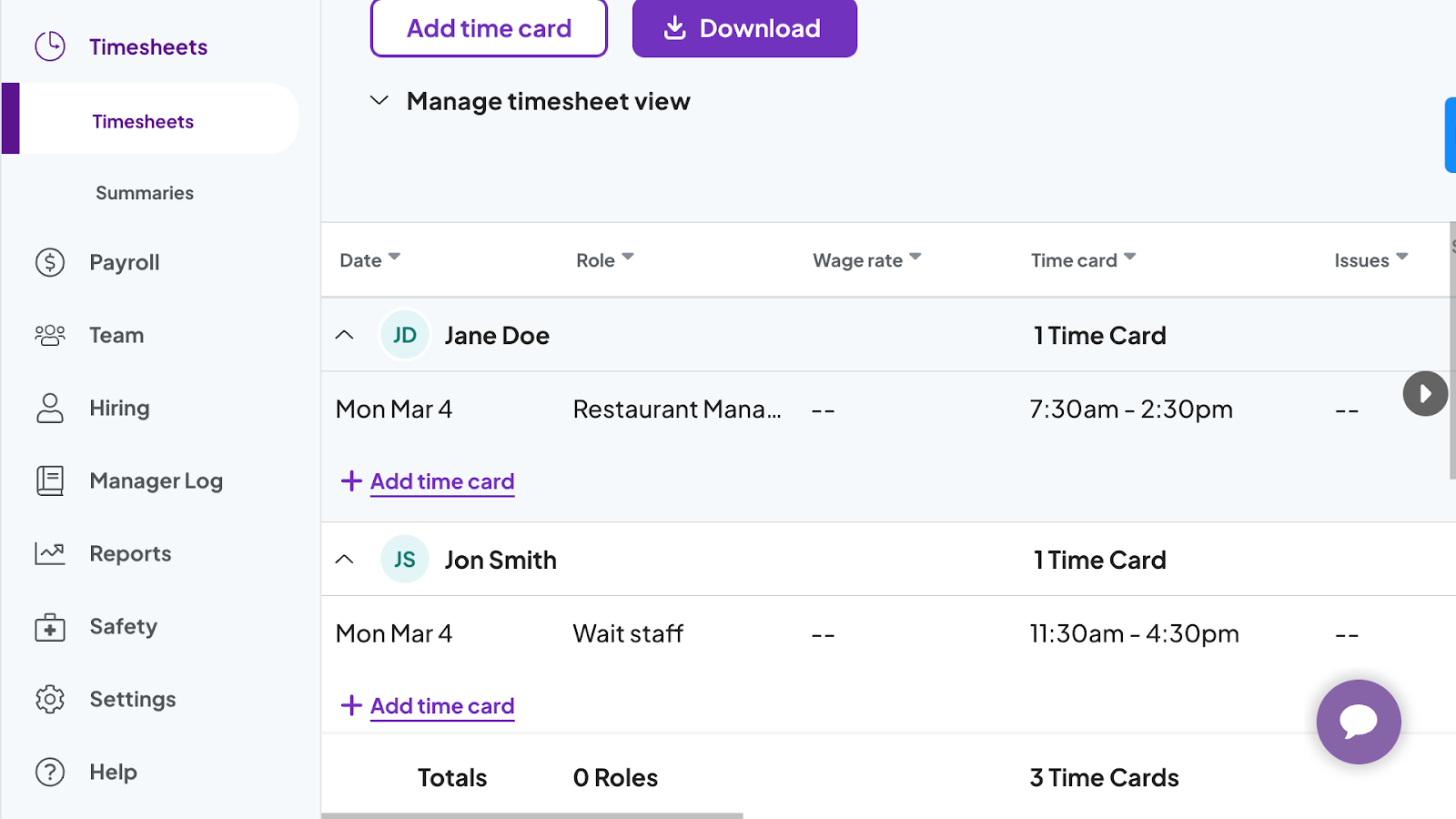
In our testing, we managed to edit, add, and approve time cards. Location services
Homebase can capture the GPS location or a photo when employees clock in. It’s a good way for managers to know where and when a shift started. There’s also geofencing, which lets managers block clock-ins from outside a designated job site. The photo ID feature, however, is only available on tablet and POS devices, not on personal smartphones.
While these location tools are functional, they’re pretty basic, and you can only access them during Homebase’s free trial and on paid plans, not through the free plan. There’s also no live location tracking or route monitoring for field employees, which seems limiting for businesses with mobile or teams moving between sites throughout the day.
Timesheets and payroll
Time entries are automatically converted into digital timesheets, displaying hours and wages. Managers can edit entries, add notes, and use timesheets directly when running payroll. On the free plan, Homebase stores historical time cards for up to 90 days. This is helpful, but you might need a higher-tier plan to fully comply with FLSA’s record-keeping requirements.
In terms of payroll, Homebase has its own built-in tool. It can calculate and file employer and employee taxes, issue W-2s and 1099s, and even let employees access up to $400 of their wages early. However, payroll is a paid add-on and isn’t included in any plan. If you want to use your own payroll provider, Homebase integrates with Paychex and Gusto.
What users say about Homebase
I use Homebase for clocking in/out and creating schedules for my team. Homebase makes scheduling easy and ensures accurate timekeeping, which is a big improvement over employees writing down their time inaccurately.
The geofence is not always accurate and the constant updates with not working properly is frustrating.
0Key Features
- Employee time clock
- Employee scheduling
- Break and overtime rules
- Digital timesheets
Pros
- Free plan includes scheduling and time tracking
- Built for small retail and restaurant teams
Cons
- Free plan limited to one location
- GPS and geofencing require paid plans
Pricing
Starts at $24/location/month Trial: Yes — 14 days Free Plan: Yes — For a single location & up to 20 employees
-

busybusy — Best for construction crews tracking time by job site
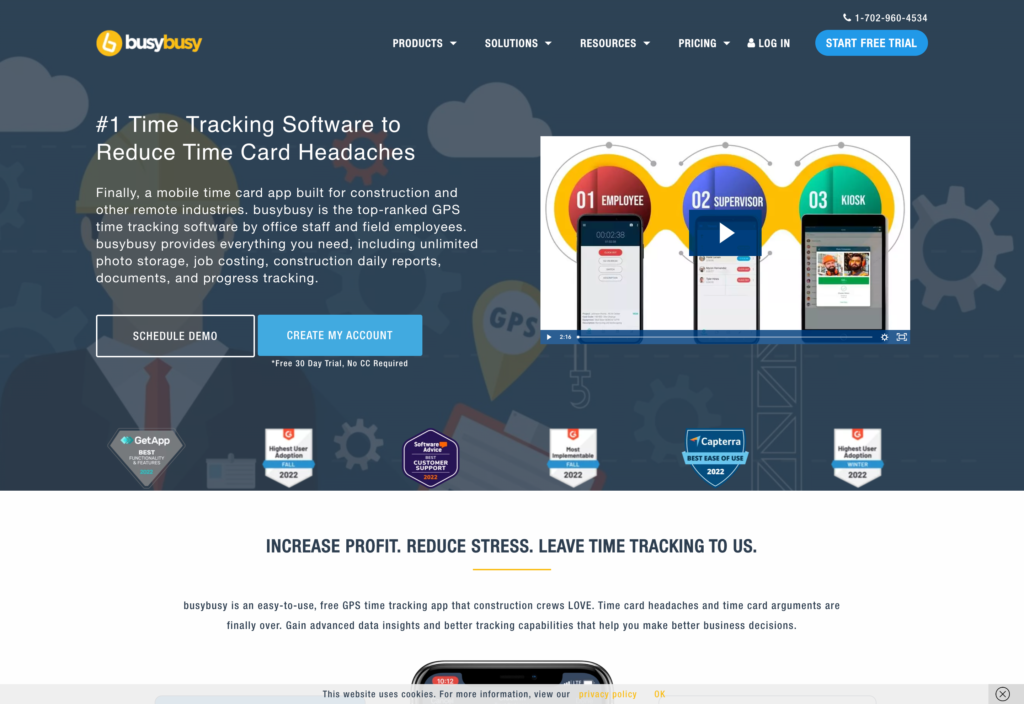
BusyBusy is a time tracking and workforce management app built specifically for the construction industry.
Why I chose BusyBusy: BusyBusy is on my list because its free plan is actually useful for field teams, offering features such as GPS time tracking, equipment tracking, and job costing at no cost for unlimited users.
Geofence time clock
In our full BusyBusy review, we found that employees can clock on the mobile app. On paid plans, you can access clock-ins through a shared kiosk or supervisor-assisted bulk clock-ins, which could be helpful when large crews arrive at a job site together. At clock-in, employees can select their project, cost code, and equipment, so timesheets are organized from the start of the shift.
Geofencing worked well during our testing, blocking clock-ins outside the designated job site. It even sent a reminder within five minutes of arriving on site to clock in. However, if an employee doesn’t select a project at clock-in, the geofence restriction doesn’t apply, creating a potential workaround managers need to be aware of.
The app also supports offline mode, allowing employees to clock in, switch tasks, and start breaks without an internet connection.
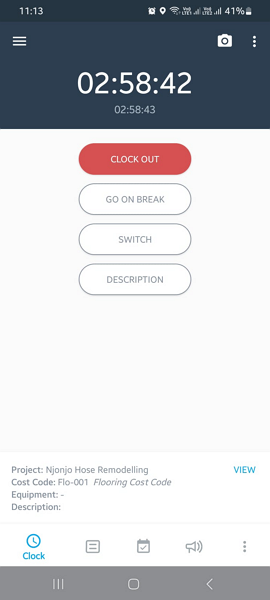
With BusyBusy’s time clock, we were able to clock in and out, take breaks, and switch jobs. GPS tracking and photo verification
On paid plans, managers can access BusyBusy’s GPS map, which shows the real-time location of all clocked-in employees. I liked that managers can click on any pin to see which project an employee is working on, what equipment they’re using, and when they clocked in. There’s also a breadcrumb route map that shows an employee’s movement throughout the day, with pins marking clock-ins, clock-outs, and breaks.
For photo verification, employees can take a selfie at clock-in, and the app compares it to their profile photo. However, during testing, we found that it doesn’t automatically alert managers when there’s a mismatch. Instead, managers have to manually look at photos in order to catch potential buddy punching.
Hour calculations and job costing
BusyBusy supports break and overtime tracking. You can schedule breaks ahead of time and enable reminders. I liked that minimum break rules prevent early returns and that employees have to confirm that they actually took their breaks. Overtime tracking also works well and separates regular hours, overtime, and double overtime based on your rules.
Where BusyBusy really stands out is job costing and equipment tracking. I appreciated that cost codes let managers assign different pay rates to specific tasks while breaking down labor costs by each project phase. Equipment tracking is built into the time clock. Employees select the machine they’re using at clock-in, and the app logs its location and hour meter data. Managers can then see where equipment is and who’s using it in real-time, which is helpful.
What users say about BusyBusy
The ability to accurately track locations and times is essential, and it provides correct and accurate timekeeping. I also like that employees can switch and pick a project when they arrive, which helps us better keep track of their time on a particular project.
Sometimes the location says im 3 blocks somewhere else.
Key Features
- Mobile time clock
- GPS tracking
- Job costing
- Photo verification
Pros
- Offline time tracking works in low-connectivity job sites
- Job costing and equipment tracking for construction crews
Cons
- Limited integrations with other business tools
- Primarily designed for construction and trade teams
Pricing
Starts at $9.99/user/month Trial: Yes — 14-day trial Free Plan: Yes
-

Clockify — Best for teams logging time across projects on a free plan
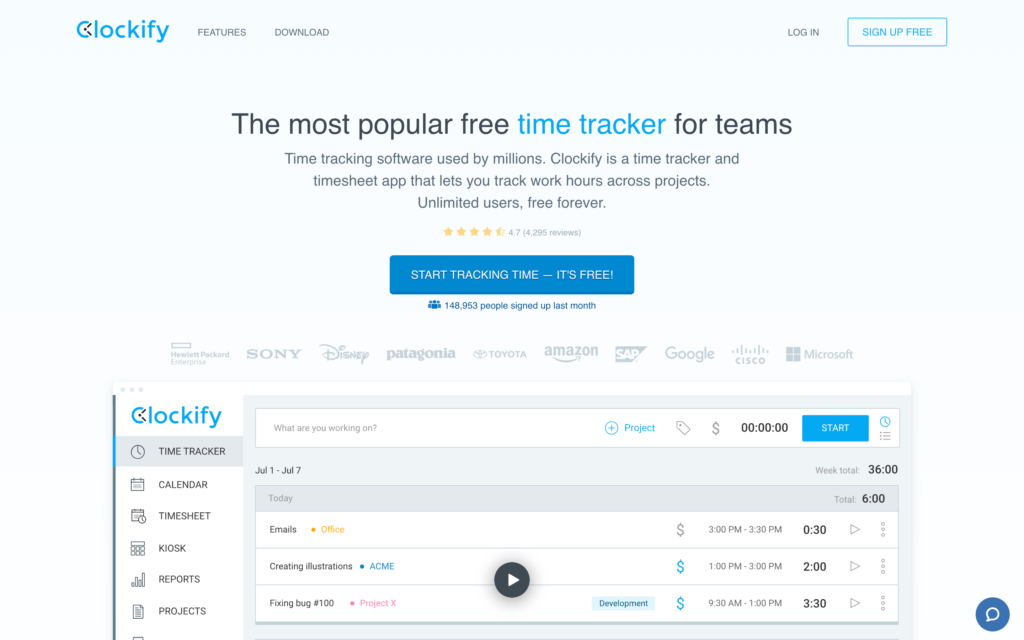
Clockify is a free time clock app that offers basic project and task-based time tracking.
Why I chose Clockify: I like that Clockify offers a free plan for unlimited users, complete with time tracking, timesheets, and reporting.
Free time clock
In our full Clockify review, we tested the time tracking features on both the desktop and mobile apps. There’s also a kiosk mode for teams that want a shared clock-in device. I liked that admins can create custom fields for text, numbers, links, multiple choice, or checklists, which employees can complete when logging time.
There are also reminders, offline access, and a force timer mode, which blocks manual entries and requires live clock-ins to give managers more control.
That said, clocking in isn’t as smooth as some competitors. For example, employees have to choose between “timer” and “break” each time they go to add a time entry, instead of just having a single one-tap clock-in.

We were able to start and stop the Clockify timer during testing. GPS Tracking
GPS location tracking is available on Clockify, but only on the Pro plan and above — it’s not included in the free plan. When enabled, the app records an employee’s location at clock-in and stores up to 7 days of location history, viewable on the web app. There is no geofencing, meaning managers can’t restrict clock-ins to specific job sites or receive alerts for off-site punches. For teams where location verification is a priority, this is a meaningful gap.
Timesheets and payroll
Timesheets are automatically generated from clock-in data and are easy to review and approve at a glance. Managers can add team time entries on paid plans, and employees can view and update their own timesheets on the free plan.
Where Clockify falls short is in getting timesheet data into payroll. It integrates with QuickBooks for accounting and billing, but it doesn’t connect to QuickBooks’ payroll or any other payroll platforms directly. That means managers have to manually download timesheets from Clockify and upload them to their payroll provider. It’s an extra step that adds time and room for error at the end of every pay period.
Reporting
Clockify’s reporting is flexible and filter-heavy, but there are no ready-made, pre-labeled reports. Managers need to build their own views by filtering time entry data by team, client, project, task, tag, and date range. Summary, detailed, and weekly reports are available, along with team attendance reports and expense reports.
There’s also a real-time analytics dashboard that shows time by project, but it has limited customization. The main gap is the lack of pre-built payroll or attendance reports that managers can pull quickly without setting up filters from scratch each time.
What users say about Clockify
It is the time control and tracking tool that we use in the company, and in my area, I use it to keep track of the activities and times of my team both in the main office and in the remote offices.
Its rigidity can slow you down. When you need to correct entries, switch tasks quickly, or manage more complex workflows, it feels clunky. The interface gets the job done, but it’s not always intuitive, and small admin tasks can take more clicks than they should.
0Key Features
- Time tracking and timers
- Project and task tracking
- Invoicing and billing reports
- Digital timesheets
Pros
- Unlimited users on the free plan
- Simple interface that’s easy to adopt
Cons
- Advanced reporting requires paid plans
- No direct two-way payroll integrations
Pricing
Starts at $3.99/user/month Trial: Yes — 7 days Free Plan: Yes
-

Timecamp — Best for teams needing free time tracking with detailed reports
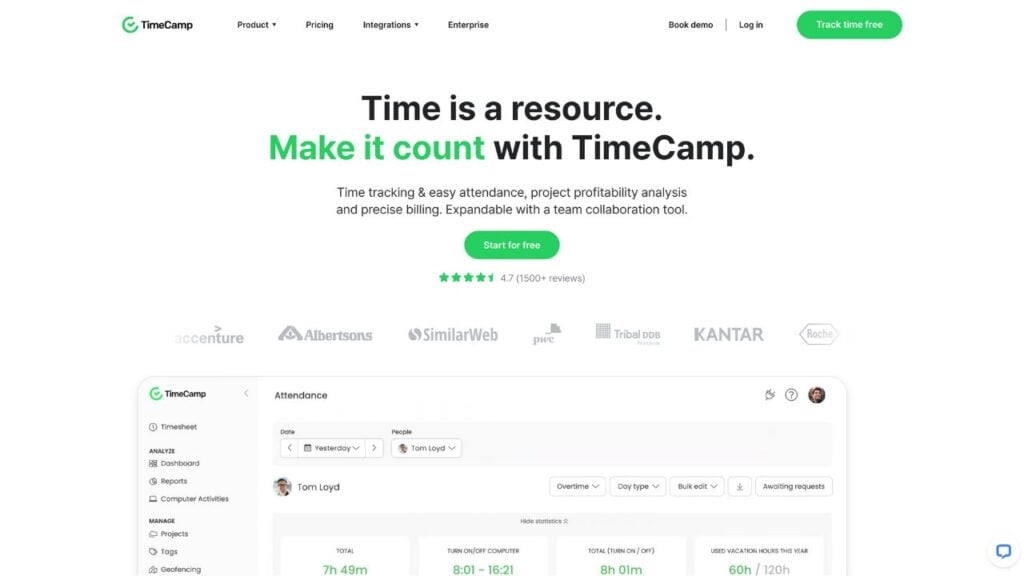
TimeCamp is a basic time tracking app designed to record time against projects and tasks for small teams.
Why I chose TimeCamp: I picked TimeCamp because its free plan covers unlimited users and unlimited projects, plus its keyword tracker helps desk workers log time without manually starting and stopping the timer.
Timer and keyword tracker
In our full TimeCamp review, we tested the time tracker, which works across web, mobile, desktop, and kiosk apps, or through the browser extension. It was easy to clock in, but we found that employees can start the timer without selecting a project or task. Any time logged before choosing a task has to be categorized later, which can create a backlog of admin work for busy or large teams.
I was most impressed by TimeCamp’s keyword tracker. Admins assign keywords to tasks, and the app automatically detects those keywords in the titles of open documents, apps, or web pages and logs time against the matching task. The main drawback is that keywords must be carefully matched across tools, so any mismatch doesn’t register and needs to be sorted manually.
There’s also no offline mode, which means TimeCamp might not be the best fit for field teams or employees that work in areas with unstable connectivity.
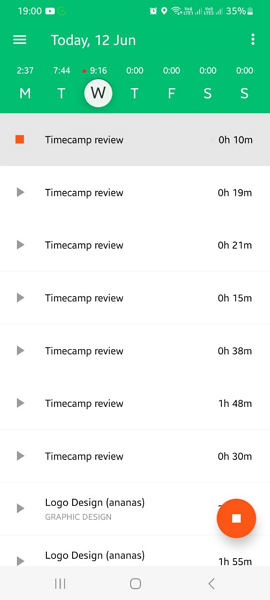
During testing, TimeCamp’s timer recorded working hours automatically. Location tracking
TimeCamp’s geofencing is designed to automatically start and stop the timer when employees enter or leave a designated job site. However, during testing, the feature didn’t work as intended. Each time we entered the geofence, the timer wouldn’t start. For businesses that need location-based clock-ins to prevent off-site punching, this is a pretty significant gap that could make TimeCamp difficult to use.
Timesheets and payroll
On paid plans you can access timesheet approval. Managers receive an email notification when an employee submits a timesheet. Once approved, the timesheet is locked, so employees can’t make any more edits. Managers can also block employees from editing or deleting time entries and set up the app to stop tracking automatically when a browser is closed.
TimeCamp integrates with QuickBooks and Xero for accounting and payroll, but these integrations are also only available on paid plans. So while the platform does generate timesheets from your recorded hours, you can’t do much with them for payroll unless you upgrade.
What users say about TimeCamp
TimeCamp allows me to work the way I naturually work without stressing about losing track of time. I don’t have to worry about “starting the clock,” which I’ll forget 90% of the time. Instead, my app and even tab-level usage is tracked automatically in the background.
the phone part of the interface is a little slower to use and less natural so I find more difficutl to track activities which are not at the computer. .
Key Features
- Automatic time tracking
- Digital timesheets
- Overtime monitoring
- GPS location tracking
Pros
- Automatic time tracking reduces manual timers
- Free plan available for basic time tracking
Cons
- Mobile app can feel clunky
- GPS and geofencing features are unreliable
Pricing
Starts at $2.99/user/month Trial: Yes Free Plan: Yes
-

Toggl Track — Best for small teams using simple manual timers
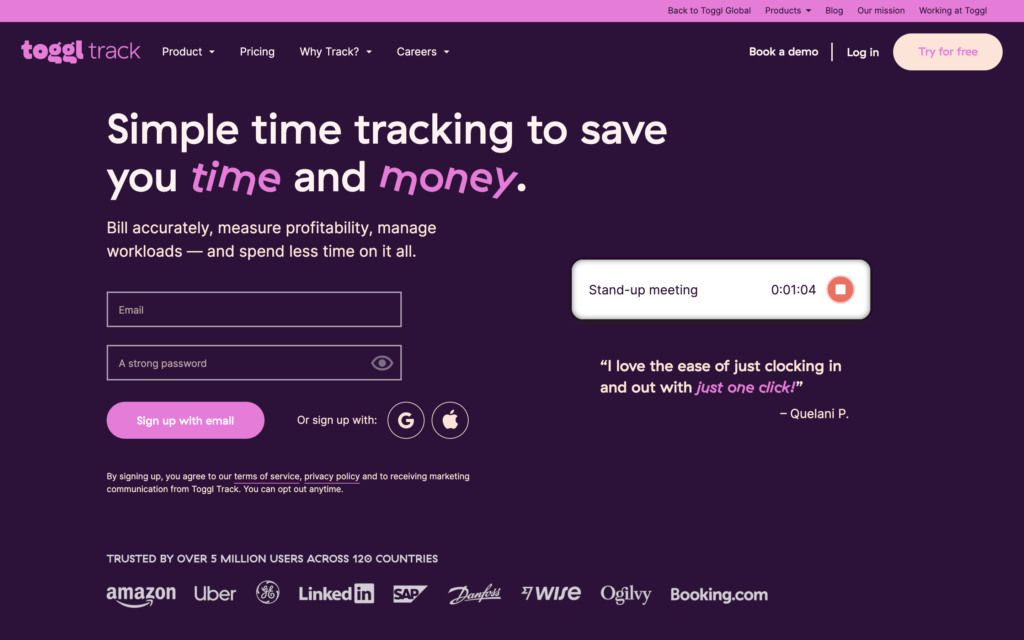
Toggl Track is a cloud-based time tracking platform that offers a simple, one-click timer with support for projects, clients, billable rates, and reporting.
Why I chose Toggl Track: What I liked about Toggl Track is that its free plan covers up to five users and includes offline time tracking and strong reporting.
Employee time tracking
In our full Toggl Track review, we found it easy to clock in and out with a single click. Employees can also manually enter start and end times or scan a QR code generated for a specific project or task. Plus, there’s a Pomodoro timer built into the mobile and desktop apps to help employees focus, which I liked.
You can tag each time entry with a project, task, description, and billable status, and admins can require employees to fill in this information before submitting. You can track time offline and the app syncs recorded offline hours once you have internet connection again.
Unfortunately, Toggl Track doesn’t have GPS tracking, geofencing, or any kind of location verification. There’s also no way to add rest breaks or meal times to time entries. Instead, employees have to clock out and back in every time they take a break, and there’s no way for managers to verify that legally required breaks are being taken. For businesses in states with strict break compliance requirements, this could be a major drawback.
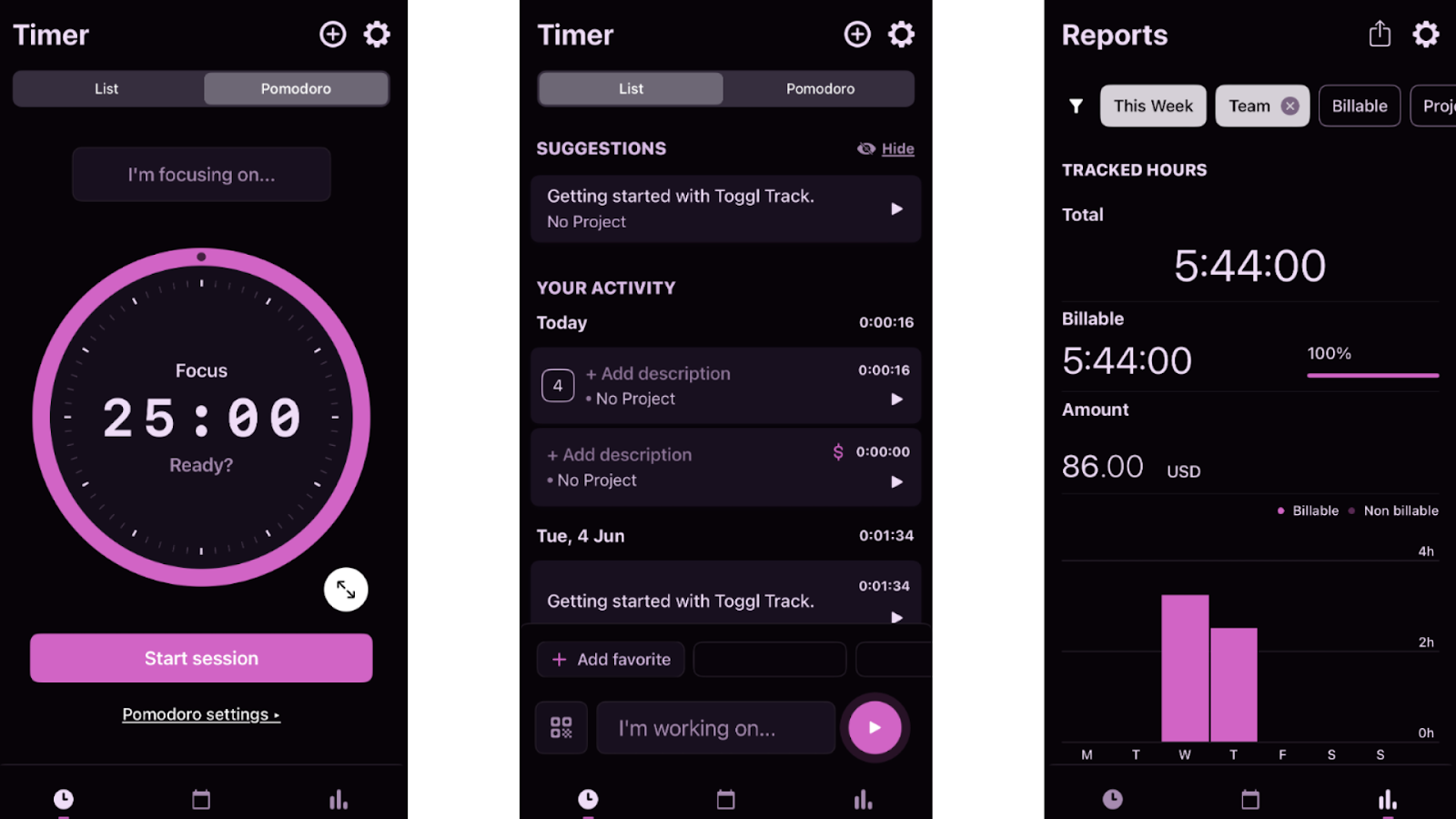
We tested Toggl Track’s Pomodoro timer, the regular timer, and its reporting capabilities. Timesheets and approvals
Timesheets are one of Toggl Track’s weakest areas. Admins have to manually configure each team member on the timesheets feature, and then employees need to submit their entries for approval. The process is time-consuming and leaves a lot of room for missed entries.
Timesheet approvals are also only available on the Premium plan and above. Once a timesheet is approved, any other time entries for the same project within that timeframe gets automatically approved as well. I can see this leading to unintended approvals and payroll errors.
Additionally, admins can only approve or reject timesheets, rather than editing them directly. That means that managers need employees to resubmit their timesheets even for small fixes. To me, this seems like it would create the kind of back-and-forth that time clock apps are supposed to eliminate.
Reporting and payroll
Reporting is one of Toggl Track’s stronger features. The platform offers a summary dashboard, detailed time entry reports, and a workload report on the free plan. Paid plans include project and employee profitability insights, and a customizable analytics dashboard with pre-built templates for client billing, revenue sources, and project overviews.
Toggl Track doesn’t have any native payroll integrations. You need to manually export timesheets and upload them into a separate payroll platform. This adds admin work and increases the risk of errors at the end of each pay period. The app integrates with QuickBooks for invoice creation using time entries, but not for payroll processing, which I found a bit frustrating.
What users say about Toggl Track
Toggl Track helped me get a clear picture of how my time is actually spent during the day. Instead of guessing, I can log small tasks and later check where my focus went, which makes daily work feel more planned and less scattered.
Occasionally it feels a bit too basic, especially when you want deeper project or task-level insights without jumping to higher plans.

Key Features
- Manual and automatic timers
- Digital timesheets
- Reporting and analytics
- Integrations with project tools
Pros
- Very simple and easy to use
- Works offline for uninterrupted time tracking
Cons
- No GPS or location tracking
- No direct payroll integrations
Pricing
Starts at $9/user/month Trial: Yes — 30-day Free Plan: Yes — For up to 5 users
Compare the Best Free Online Time Clock Apps
| Topic |
 Start for free
|
|
|
|
|
|
|
|---|---|---|---|---|---|---|---|
| Reviews |
|
|
|
|
|
|
|
| Pricing |
Premium plans start at just $29/month for the first 30 users
|
Starts at 3.49 per user/month
|
Starts at $24/location/month
|
Starts at $9.99/user/month
|
Starts at $3.99/user/month
|
Starts at $2.99/user/month
|
Starts at $9/user/month
|
| Free Trial |
yes
14-day
|
yes
14 days
|
yes
14 days
|
yes
14-day trial
|
yes
7 days
|
yes
|
yes
30-day
|
| Free Plan |
yes
Free Up to 10 users
|
yes
|
yes
For a single location & up to 20 employees
|
yes
|
yes
|
yes
|
yes
For up to 5 users
|
| Use cases |
Best for small businesses needing a free team time clock with payroll controls
|
Best for teams focused on free attendance and facial recognition
|
Best for single-location retail and restaurant teams
|
Best for construction crews tracking time by job site
|
Best for teams logging time across projects on a free plan
|
Best for teams needing free time tracking with detailed reports
|
Best for small teams using simple manual timers
|
| Available on |
What are Free Online Employee Time Clock?
Free online time clocks are digital tools that allow businesses to track when employees start and finish work using an electronic system instead of paper timesheets or spreadsheets. Employees typically clock in and out through a mobile app, web browser, or shared device, and the system records their work hours automatically.
These tools are designed to help businesses keep accurate records of employee time without paying for expensive software. Most free time clock apps include basic features such as timesheets, hour calculations, and simple reporting so managers can review worked hours before running payroll.
How Do Free Time Clocks for Employees Work?
A free time clock app works by recording when employees begin and end their shifts. Instead of filling out timesheets manually, employees simply tap a clock-in button from their phone, tablet, or computer. The system logs the exact time and adds it to a running timesheet for each employee.
Throughout the pay period, the app automatically tracks total hours worked. Many tools also record breaks, overtime, and shift changes so managers can see a clear record of attendance. If a time entry needs to be corrected, edits are usually logged for transparency.
Managers review the timesheets and export the hours for payroll or accounting. This process replaces manual calculations and helps ensure employees are paid accurately based on recorded work hours.
Benefits of Online Time Clocks
Beyond simply tracking hours, a free electronic time clock can help businesses run more efficiently in several ways.
More accurate payroll
Manual time tracking often leads to rounding errors, missed punches, and incorrect totals. Free time clock apps record clock-ins automatically and calculate hours worked in real time. This reduces payroll mistakes and removes the need to double-check timesheets before payday.
Fewer disputes about hours worked
When time is tracked on paper or spreadsheets, disagreements about hours are common. Digital time clocks create a clear record of clock-ins, clock-outs, and any edits made to a shift. With transparent records, managers can quickly verify hours and resolve questions before they become bigger issues.
Better control over labor costs
Labor is one of the largest expenses for most businesses. Time clock apps give managers visibility into overtime, attendance patterns, and unexpected schedule changes. With clearer data, it becomes easier to manage staffing levels and avoid unnecessary labor costs.
Less administrative work
Manual time tracking often requires collecting timesheets, correcting mistakes, and re-entering hours for payroll. Digital time clocks bring everything into one system. Managers can review and approve timesheets quickly, reducing the amount of administrative work required each pay period.
A smoother experience for employees
Employees benefit from a simpler way to track their work hours. Instead of remembering times or filling out paperwork later, they can clock in directly from their device. This makes time tracking faster and helps ensure hours are recorded consistently.
The Bottom Line on Free Online Time Clocks
Free time clock apps are a practical option for small businesses that need a simple way to track employee hours without adding another recurring expense. The most important factors to consider are reliability, ease of use, and whether the free plan actually includes the tools you need to manage timesheets and payroll.
Connecteam stands out as the strongest option for small teams because its free plan supports up to 10 users and includes features many competitors lock behind paid tiers, including GPS verification, automated timesheets, and overtime calculations.
For businesses that want accurate time tracking without spreadsheets or manual calculations, Connecteam is a reliable place to start.
FAQs
Most free time clock apps use cloud security, encrypted connections, and role-based permissions to protect employee data. Choosing a trusted platform matters. For example, tools like Connecteam offer enterprise-grade security and access controls so sensitive time and payroll data always stays protected.
Yes. Many time clock apps use GPS tracking or geofencing to verify employees clock in at the correct location. However, these location services are often only available on paid plans. Connecteam’s Small Business Plan is completely free for up to 10 users and includes full features, making it easier to track employee time and location.
Sometimes. Some “free” apps limit users, restrict features, or push upgrades through ads or locked tools. Others offer a cleaner free plan. Connecteam, for example, provides a full-featured free tier for small teams of up to 10 users.