


Scheduling staff may not be the highlight of your job, but the solutions to common issues are fairly straightforward.
Publishing a clean, fair, predictable schedule will earn your team members’ adoration. It also secures reliable service for your customers. But the scheduling struggle is real. You must juggle availability, compliance, skills, preferences, and more—often only with Excel at your side.
In this article, we’ll cover the biggest employee scheduling problems and how you can counter them in your own business.
Key Takeaways
- Top scheduling issues include inconsistent availability tracking, not meeting workers’ schedule expectations, making last-minute changes, and flirting with compliance mishaps.
- You can solve most problems by enabling remote schedule access, keeping data to one platform only, building predictable schedules and rotations, and tracking availability and time off.
- Ditching the pen, paper, and printer saves time. Try an employee scheduling app with AI features to auto-fill shifts based on availability, qualifications, fair distribution, and more.
What Are Scheduling Issues?
Scheduling issues are difficulties and breakdowns in scheduling that lead to negative business outcomes, such as financial losses or employee turnover. Patchy availability data, understaffing for busy shifts, and unpredictable assignments are all examples of shift scheduling problems.
Schedule issues appear when you:
- Don’t log key data such as availability and certifications, or have them on multiple platforms.
- Rely on your “gut feeling” rather than verified numbers when assigning shifts.
- Use manual processes (such as copy-and-pasting) rather than automation (such as AI scheduling on a workforce management app).
And they could lead to:
- Higher overtime costs.
- Employee burnout, absenteeism, and turnover.
- On-shift errors that threaten your company’s revenue and reputation.
- Slow or inconsistent service and lower customer satisfaction.
8 Exhausting Employee Scheduling Problems + How to Solve Them
We’ve pinned down the 8 most pressing employee scheduling problems and the most effective responses.
Inaccurate availability leads to clashes
Talia Cohen, who worked at Michelin-star restaurant BlackBird as Assistant General Manager, told Connecteam that she used “Excel, a printer, [and] the office bulletin board” to schedule 25 employees. She would write down employees’ requests for time off or shift swaps, but “when the restaurant was really busy,” she would “forget completely or accidentally remember the wrong dates.”
Lacking the consistency and accuracy of an availability tracker led to scheduling conflicts and frustrated employees. Where there isn’t a clear version of events—who’s available, who’s off, and whose time off has been approved—there’s more room for assumptions and human error.
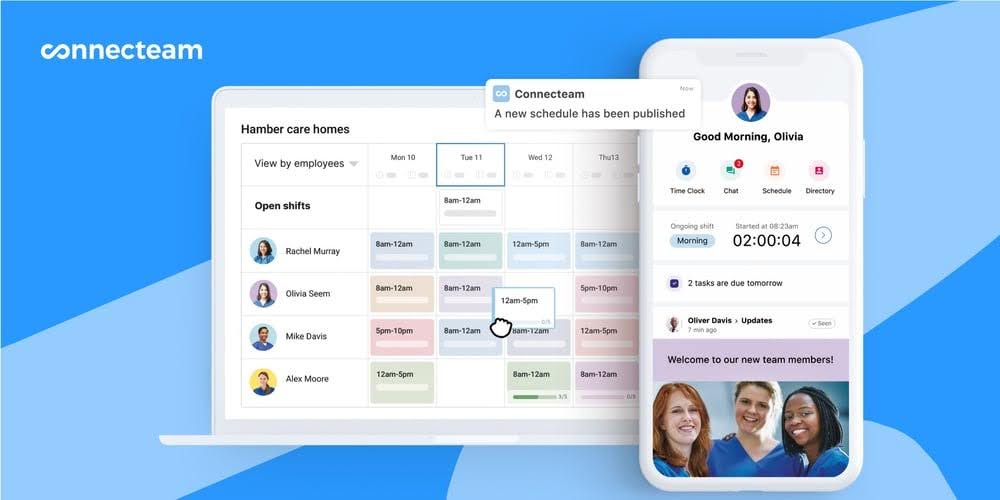
✅Have a team calendar
Keep everyone’s availability in one place, such as in a team-wide calendar. If you build it manually, like in Excel or a calendar app like Google Calendar, color-code different time blocks. For instance, pick red for “Unavailable,” blue for “Time Off,” and green for “Available.”
Workers can add their own availability blocks, and managers must check that time off blocks have been approved.
✅Make it easy to request time off
Mismatched shift expectations decrease employee satisfaction
Employees that work shifts often have certain expectations, like how many hours they work per week (and when) and the types of tasks they do. Failing to meet these consistently will almost definitely increase your turnover—not to mention your collective grumpiness.
In restaurants, for instance, questions like the ones Talia Cohen got are quite common. “How come I’m not scheduled Saturday night this week? And why did so and so get my Friday dinner shift?” She told us that “when employees saw their co-workers getting more shifts or more lucrative ones, such as weekend dinners when tips were the highest, they’d get frustrated and angry.”
We also heard from Bryan DiGiorgio, CEO of 1840 & Company, which provides outsourcing and staffing. Bryan also told of employee frustration “because they couldn’t plan their lives outside of work [and] overtime felt unevenly distributed.”
✅Communicate early and consistently
Clearly communicate how you allocate and rotate shifts to your team. For example, you might release a yearly or quarterly statement confirming the minimum and maximum weekly hours, and how many “undesirable” shifts (e.g., night shifts) employees should expect monthly.
Have a paper trail of individuals’ preferences—on email, chat, or a shared Word doc, for instance—so you don’t rely on memory or assumptions. Also list critical details either in a team-wide knowledge base or within shift descriptions to clarify what is required for specific shifts (e.g., overnight shift) and tasks (e.g., inventory check).
🧠 Did You Know?
Connecteam helps you set employee expectations with recurring schedules and detailed shift descriptions. Plus, you can post team announcements and contact team members 1-on-1 in the real-time chat.
Overscheduling certain workers bumps burnout and overtime
Rae Taylor, Everything Efficiency’s CEO, told Connecteam that her clients had “uneven workload distribution and high turnover in a few ‘problem’ roles.” This meant a handful of employees were branded “reliable and flexible, […] absorbing schedule changes, early shifts, and coverage gaps for the entire team.”
It led to noticeable strain on those “always-available workers,” and fewer hours for other workers who were less front-of-mind for management.
While it may be tempting to rely on your star employees, don’t underestimate burnout and the feeling of fairness within the team. Overtime costs, too, will creep up if you overschedule a few key team members.
✅Create predictable schedules
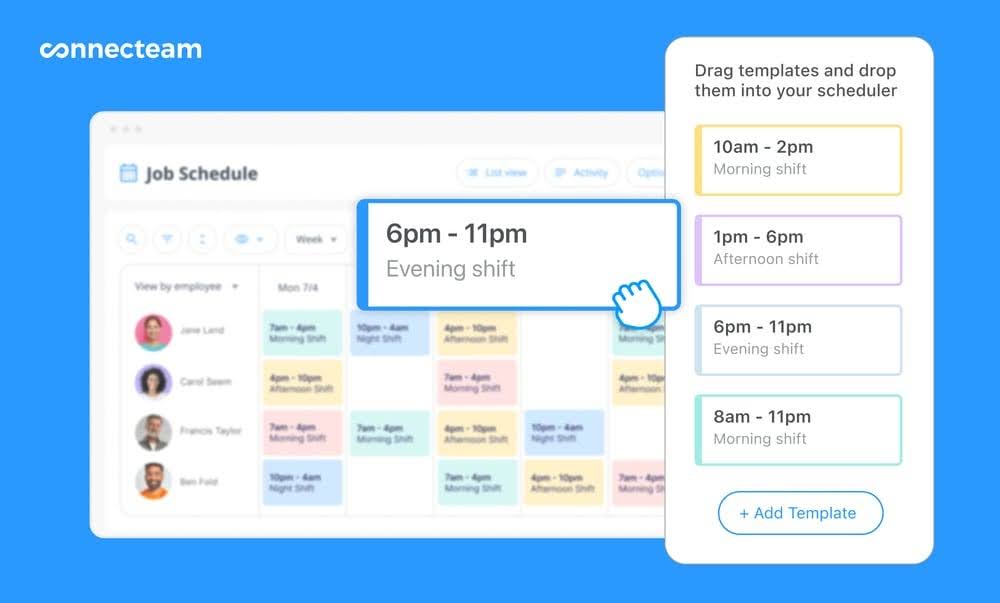
The easiest way to make schedules predictable is to have recurring shifts for the entire team. These ensure that both managers and frontline staff know what to expect on a weekly basis, and notice schedule conflicts or uneven distributions of work more easily. Examples include:
- All day shifts are 6:00 AM–2:00 PM, and all afternoon shifts are 2:00 PM–10:00 PM.
- Mary, Joe, and Finn always work Monday-Tuesday-Wednesday day shifts and Thursday-Friday night shifts.
- Hana is on the cashier shift on Monday and Wednesday and on the shelving shift on Tuesday and Thursday.
📚 This Might Interest You:
Read more about different kinds of standard work schedules, such as the 2-2-3 schedule (Panama schedule), Dupont schedule, and Pitman schedule.
That said, Rae Taylor recommended her clients model “demand and strain, focusing not just [on] who could work, but who had been working the hardest over time.” Allowing those overworked employees to have a “more predictable humane schedule” lowered overtime and burnout.
Keep some shift assignments consistent and rotate desirable and less desirable shifts. For example, if you’re scheduling nurses, you may want to rotate less desirable shifts like night shifts and holidays throughout the year. Clarify to your employees that rotation systems must also consider availability and workers’ skill sets.
🧠Did You Know?
Connecteam lets you repeat shifts in a few clicks based on saved templates. Staff members get their schedule instantly and can reject, accept, and swap shifts so you’re always covered, even at the last minute.
Want to save even more time? (Up to 80%, to be precise.) Fill regular and recurring slots using Connecteam’s AI scheduler. One click fills your open shifts based on availability, qualifications, and more.
Last-minute changes increase business risk
Both employees and scheduling managers can make last-minute changes. And without reliable back-up, scrambling for coverage can impact customer outcomes and your team’s motivation. For instance, last-minute call-outs (say, the day before a shift) could mean the remaining team members don’t have the time, skills, or equipment to do the job well.
Employees calling in sick or, in emergencies, not showing up are part of the game to an extent. But you can prevent and respond effectively to absenteeism and reduce its associated costs. One study found that the yearly cost of employee absenteeism due to worker illness and injury in the US is $1,685 per employee.
✅Have on-call schedules
On-call schedules are back-up schedules that cover critical shifts in case client needs pop up or employees call in sick. It’s like having understudies for the main actors in a play.
Talia Cohen broke down creating an on-call schedule in the following steps:
- Determine your coverage needs. Identify which shifts require on-call coverage (you may opt to not create on-call schedules for slower shifts).
- Develop a rotation. Decide on the rotation frequency (weekly, bi-weekly, monthly) based on your needs and staff availability. To ensure fairness, arrange the rotation sequence alphabetically by employee name.
- Set clear rules and expectations. Define on-call responsibilities, including response times. Clearly communicate the on-call policy to your team, including compensation.
- Allow for flexibility. Provide a mechanism for swaps if staff members cannot fulfill their on-call duty, ensuring that changes are communicated and documented.
🧠 Did You Know?
With Connecteam, you can easily add on-call positions to the employee scheduler and even include notes and individualized pay for the on-call staff. If you need an on-call employee to come in for a shift, contact them directly via chat.
Employees can also release their on-call shifts, creating an open shift in the schedule (with manager approval). Relevant employees will automatically be notified that they can pick up the on-call slot.
Shifts without the correct employee skills slow things down
In most industries, including retail, construction, and healthcare, you must factor in your staff’s skill sets when assigning shifts. Under-delivering during shifts can directly impact your business reputation, since untrained workers might make mistakes or take too long to deliver.
Talia Cohen mentioned that “at Blackbird, several servers were also sommeliers,” while specific hosts “were much more efficient at managing the reservation book.” When scheduling, she assigned shifts based on these skills.
Interpersonal relationships are also in the skills mix. One of Rae Taylor’s spa clients “decided to evenly split appointments across providers without accounting for client-provider relationships” in an effort to build “fair” schedules. However, with the pre-existing bonds gone, “it disrupted trust” among both employees and clients.
Unless your operation includes team members who all have very similar functions and skills, you’ll need a system to track the skills needed for specific shifts and tasks.
✅Create a framework for tasks and skills for each shift
Create a document that lays out what each shift type requires in terms of role, skill set, and tasks. Think, for instance, about a shift’s client, location, and business outcome. A professional cleaning company might consider different labor needs for:
- Residential versus commercial clients
- Clients in the city versus the suburbs
- New versus long-standing clients
Apart from covering your shifts quality-wise, a shift-needs framework also makes it quicker to assign staff. For example, you could use a spreadsheet with a skills summary to pinpoint qualified employees—or use shift templates and auto-assignments on a scheduling app.
Make your shift-needs framework clear rather than overly formal so managers can use it easily. On a spreadsheet, you might limit the number of skills to only those that impact employee assignment, for instance. Alternatively, an employee scheduling app can automatically keep track of which roles and skill sets are required for each shift.
🧠 Did You Know?
Connecteam’s AI auto-scheduling tool assigns shifts to workers with the right skills and qualifications. If you’d rather use scheduling templates or create schedules from scratch, Connecteam provides a complete overview of everyone’s capabilities and roles, and the system flags you immediately with any conflicts or errors so you can create perfect work schedules every time.
Too much or not enough coverage → lower profits
Under-staffing your schedule leads to service gaps and puts pressure on your workers (as well as your overtime budget).
Bill Currence, Cornerstone Consulting Organization’s Managing Partner, worked with a client that was “chronically understaffed” by about 30%. The official four-day workweek stretched to “six-plus days per week with heavy overtime” due to an over-exerted workforce experiencing absenteeism and high turnover. Ultimately, ”performance suffered [and] morale collapsed.”
Bill’s summary: “Understaffing doesn’t save money—it compounds instability.”
Over-staffing isn’t that much prettier. Employees can get in each other’s way and duplicate work, reducing productivity and staff retention. In both cases, your profitability suffers.
✅Predict shift demand
The Goldilocks coverage—not too much, not too little—lies in predicting demand for specific shifts. Estimate how many people you need per job or task: How many roofers do you need for a basic 2-hour job? How many waiters do you need for a lunch rush with 100 customers? Consider also times of day, weekdays versus weekend, seasons, and other shift types when predicting demand.
Bryan DiGiorgio said his outsourcing and staffing business “began planning further ahead using historical demand, clearly defined role coverage, and actual availability data instead of gut feel.”
In that vein, here are some additional tips for creating and optimizing schedules when you’re short-staffed:
Planning and communicating schedules
- Use labor forecasting: Analyze historical data to predict workload and staff needs for future periods to help you create a more realistic and efficient schedule.
- Communicate with your team: As part of a good organizational communication plan, it’s important to inform your team about any staffing shortages and explain how they might impact schedules.
- Publish schedules early: Give employees ample notice, ideally at least two weeks in advance, so they can plan their personal lives accordingly.
Optimizing schedules
- Cross-train employees: Train team members on different tasks and roles to increase their flexibility and fill coverage gaps.
- Consider alternative scheduling options: Explore options like split shifts, compressed workweeks, or flex time to accommodate employees’ needs and preferences.
- Utilize employee scheduling software: Invest in an employee scheduling app that can automate tasks, streamline communication, and make schedule changes easier.
Overlooking labor law compliance can threaten your whole operation
Whether you employ exempt, non-exempt workers, or a mix of both, you must comply with relevant federal, state, and local regulations. Breaking any laws, even by accident, puts your business in legal, financial, and reputational risk.
But it’s no easy task, which is why you need a compliance plan and support. First, there’s the complexity of regulations across jurisdictions, and balancing operational demands with legal requirements. Logistically, you need to accurately track employee work hours, breaks, and overtime. You must also avoid manual scheduling errors, such as those that cause clopening shifts.
This is made even more difficult if you work with field workers who may be located in different cities or states. Plus, laws can change, meaning you have to constantly remain in the know to avoid legal issues and fines.
✅Track current and developing regulations
Regularly update yourself on national and local labor laws. This includes understanding the Fair Labor Standards Act (FLSA), federal labor laws, state-specific wage and hour laws, and regulations pertaining to breaks, overtime, and minors.
Unless you have dedicated compliance staff or contractors, consider subscribing to employment law newsletters, joining regulatory forums, and checking out our guides on labor laws by state. You can also consult an employment lawyer for more nuanced labor compliance issues: for instance, when a team member works across multiple states.
🧠Did You Know?
Connecteam can help reduce overtime, send automated notifications to staff to take mandatory rest or meal breaks, prevent shift overlaps, and ensure employees only work a certain number of hours per week. You can also maintain accurate timesheets reflecting overtime hours and pay that you can keep for your records.
✅Have a compliance policy and checklist
Make labor compliance easy to access, understand, and follow. Create clear policies for overtime, scheduling, and breaks and ensure that all managers and supervisors are trained on labor laws and understand the importance of compliance.
Bryan DiGiorgio mentioned a project with “close calls around compliance with rest periods and maximum hour limits.” In this situation, “automated compliance checks would have reduced both errors and frustration.”
A basic automation, if you’re scheduling in Excel, is applying conditional formatting to your schedule table based on rules such as “overtime must not exceed X hours.” However, to reduce compliance risk further, use advanced scheduling software with compliance features. For instance, Connecteam can mandate breaks in workers’ shifts and flag expired certifications.
Schedule miscommunications reduce productivity
Even the most effective schedule can go south if you don’t communicate it properly to employees (and vice versa). Common issues include:
- Workers can’t access the schedule anytime, anywhere
- The schedule contains out-of-date information
- Different scheduling managers have different information
- Availability and time off requests are incomplete
- Shift details, such as location and tasks, are unclear
- Team members communicate on multiple channels and data goes missing
To the first point, Talia told us she tacked the printed-out schedule on the restaurant’s employee bulletin board. However, workers could only see it once they came in for a shift, “leaving some staff in the dark for a few days about their upcoming workweek.” As a workaround, she’d send it to employees via text when asked.
✅Make one platform the single source of truth
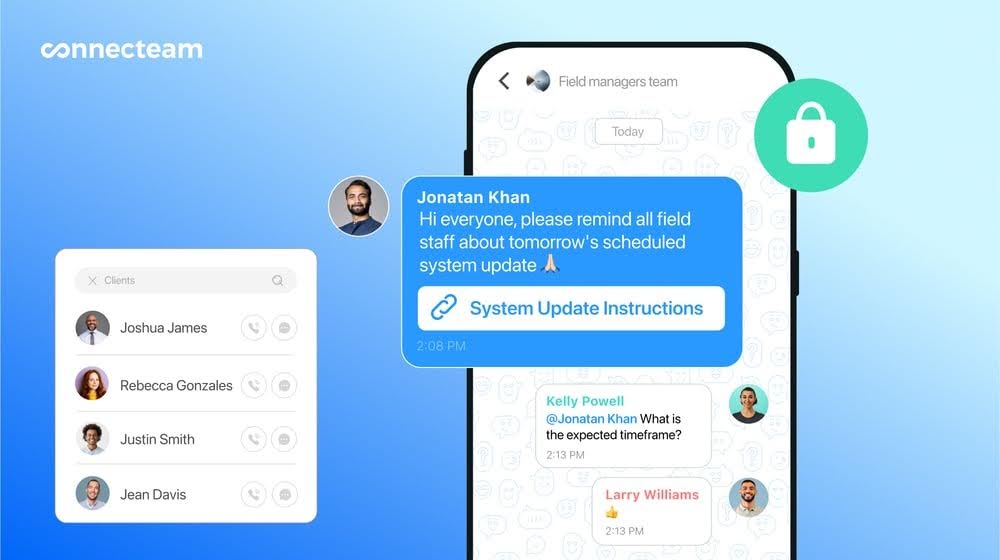
You need an online schedule that workers can access the second it’s published. Not only that, but this scheduling platform should be the single source of truth—meaning that’s the first and only place team members check their schedule. This solves staff scheduling problems such as out-of-date shifts and availability, and getting different data from different sources.
Opt for an employee communication app that allows you to schedule with one click while including all work-related messages, an employee knowledge base, and an employee directory. Employees should be able to view the schedule in real-time from their mobile devices.
FAQs
Unfair scheduling appears when schedules don’t meet employee expectations. For example, workers may get too many or too little hours (including overtime), or miss out on lucrative shifts or clients. Last-minute shifts and working on days off can also be unfair. Avoid unfair scheduling by recurring and rotating shifts within your team and implementing clear time off policies.
The 9/80 rule is a type of schedule where employees work 80 hours over 2 weeks in the following pattern: 9 hours/day for 4 days, 2 days off, 9 hours/day for 4 days, 8 hours/day for 1 day, 3 days off. You typically get the second Friday off because you worked 1 extra hour a day for 8 days.
The healthiest shift schedule distributes shifts equally across your team while considering availability, weekly hours commitments, rest periods, and legal requirements, including breaks. A healthy pattern could be five daytime shifts per week with at least two rest days. Use a scheduling app such as Connecteam to quickly create schedules that take all these variables into account.
Disclaimer
The information in this guide is intended for general informational purposes only and does not constitute legal advice. Employment laws change frequently, and outcomes may vary depending on your specific circumstances. For guidance, consult the appropriate provincial labor authority or a qualified employment lawyer.