


Franchise management software can cover franchise sales, location openings, training, network operations, compliance, royalties, and performance reporting. The best fit depends on which parts of the franchise lifecycle you need one system to own.
In this guide, I compare five franchise-focused platforms and their tradeoffs. I also include Connecteam separately for franchises that primarily need to manage frontline employees across locations, since it handles scheduling, time tracking, training, tasks, and communication but doesn’t replace a franchise CRM, royalty system, or full franchise lifecycle platform.
Quick Picks
- FranConnect: Best for end-to-end franchise lifecycle management
- BrandWide: Best for configurable franchise management
- ClientTether: Best for franchise development CRM
- Jobber: Best for home-service franchise networks
- Cerca: Best for customizable franchise development and network management
- Connecteam: Best for frontline workforce management across franchise locations
Franchise Management Software Comparison
| Product | Best for | Franchise-specific strengths | Main limitation |
|---|---|---|---|
| FranConnect | End-to-end franchise lifecycle | Development, openings, operations, training, analytics, royalties | Broad scope can take time to configure |
| BrandWide | Configurable franchise management | Franchise development CRM, onboarding, LMS, audits, royalties | Setup can require hands-on configuration |
| ClientTether | Franchise development CRM | Lead automation, pipeline, messaging, franchise operations | Less suited to complex opening or project management |
| Jobber | Home-service franchise networks | Scheduling, dispatch, invoicing, payments, franchise royalty tools | Strongest fit is service franchises |
| Cerca | Customizable development and network management | CRM, training, communication, billing, royalties | Specialist LMS or frontline needs may require another tool |
| Connecteam | Frontline workforce management | Scheduling, time tracking, training, tasks, communication | Not a franchise sales, royalty, or lifecycle system |
Our Top Picks
-
1

Best for end-to-end franchise lifecycle management
-
2
Best for configurable franchise management
-
3

Best for franchise development CRM
Why trust us?
Our team of unbiased software reviewers follows strict editorial guidelines, and our methodology is clear and open to everyone.
See our complete methodology
What’s new in this update?
Changelog September 2026: Reworked ranking criteria around franchise lifecycle management, added FranConnect, refreshed product details and pricing, and moved Connecteam to a separate workforce-management lane.
How I Chose the Best Franchise Management Software
I looked at how well each platform supports the franchise lifecycle, including development, openings, operations, training, royalties, and network reporting. I checked current product documentation, pricing, and review data, and used hands-on observations where available.
Connecteam publishes this article and is included separately as a workforce-management option rather than ranked as a full franchise-lifecycle platform.
Must-Have Features
- Franchise development and CRM: The software should help franchisors manage prospects, candidate pipelines, franchise sales activity, and the information needed to move qualified candidates toward signed agreements.
- Franchisee onboarding and location openings: Franchisors should be able to standardize onboarding, track opening milestones and dependencies, manage documents, and keep new locations moving toward launch.
- Network operations and brand standards: The platform should help head office support franchisees, track operational tasks, run audits or compliance workflows, and keep standards consistent across locations.
- Communication and document management: Franchisors need a reliable way to share updates, policies, contracts, operating materials, and other resources across the network.
- Royalties and financial workflows: Strong franchise platforms should help manage royalty calculations, billing, payment tracking, or the financial data needed to understand franchise performance.
I also made sure the software is:
- Mobile access: Mobile tools are useful when franchisees, field teams, or managers need to complete work away from a desktop.
- Easy to use: The software should also be user-friendly so that managers can spend less time learning it and more time supporting franchisees and improving day-to-day operations across locations.
Finally, I checked for features that make franchise management software great:
- Reporting and analytics: The solution should give franchisors a network-wide view of development, openings, operations, financial performance, or other KPIs that matter to the workflows it manages.
The 5 Best Franchise Management Software of 2026
-
FranConnect — Best for end-to-end franchise lifecycle management
Available on
- Web
- iOS
- Android
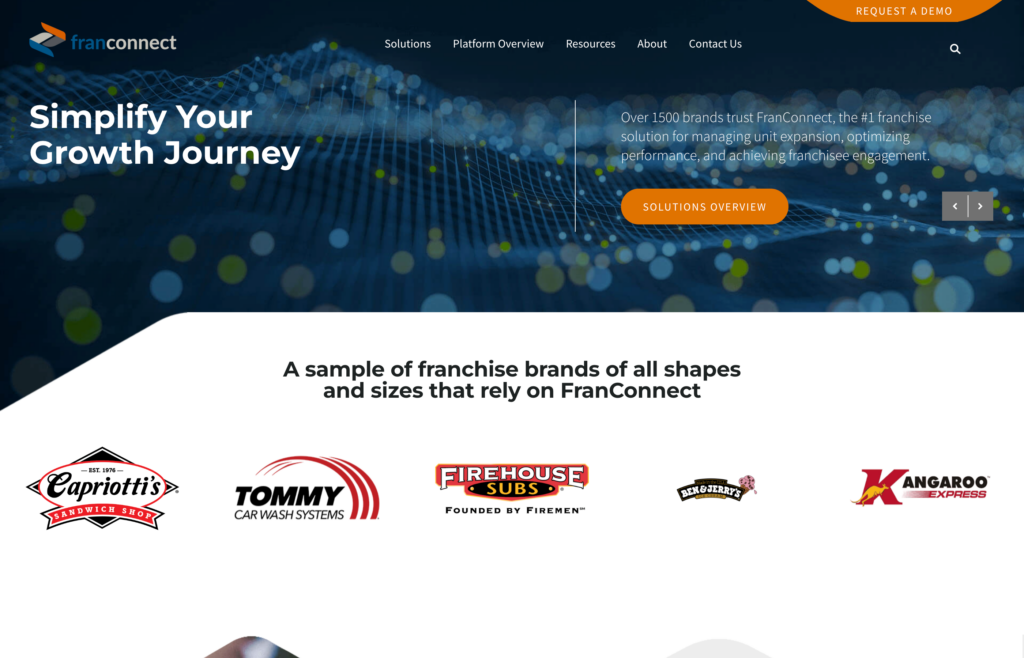
FranConnect is built around the franchise lifecycle rather than one narrow operational layer. It connects franchise development, location openings, field operations, training, performance, analytics, and royalties in one platform.
Why I chose FranConnect: I ranked FranConnect first because it covers more of the core franchise-management job than the other products here. Development teams can manage candidate pipelines, operations teams can track openings and standards, training teams can manage learning, and finance teams can manage royalty workflows without stitching together as many separate systems.
Franchise Development and Openings
FranConnect Sales supports candidate pipelines and franchise sales workflows, while Opener tracks milestones, dependencies, owners, documents, and exceptions between signing and launch. This gives franchisors a shared view of where each new location stands and what could delay opening.
Operations, Training, and Performance
FranConnect connects field operations, audits, corrective actions, training, and analytics so head office can track standards and performance across locations. Its training tools also support frontline learning, certifications, and role-based development.
Royalty Management
FranConnect Royalty Manager connects agreement-driven royalty calculations, invoicing, collections, reconciliation, and reporting. That franchise-specific financial layer is a major reason it ranks ahead of general workforce or field-service platforms.
FranConnect’s breadth is also its main tradeoff. Current Capterra reviews are generally positive, but some users mention a learning curve, navigation issues, or complexity during setup.
Key Features
- Franchise sales and candidate management
- Location opening management
- Operations, training, and analytics
- Royalty management
Pros
- Broad franchise lifecycle coverage
- Strong franchise-specific financial workflows
Cons
- Can take time to configure
- Interface can feel complex for some users
Pricing
Contact vendor for price Trial: No Free Plan: No
-
BrandWide — Best for configurable franchise management
Available on
Capterra ratings: 5/5 (28 reviews)
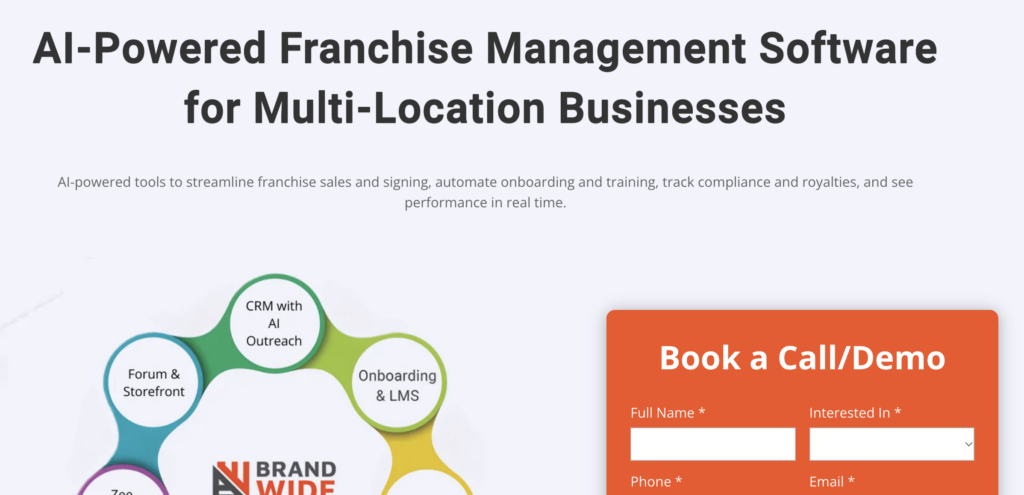
BrandWide is one of the best software solutions for franchise management, built specifically to improve franchise sales, centralize help desk support, and automate onboarding.
Why I chose BrandWide: I chose BrandWide because it provides the tools franchisors need to grow and manage networks. It centralizes digital marketing, onboarding, franchise CRM, and royalty management in one system to improve visibility across the entire franchise network.
BrandWide focuses on the franchise lifecycle, including development, onboarding, operations, audits, royalties, and franchisee support. It also includes local operational tools, but franchises that need deeper employee scheduling and time tracking may still pair it with a dedicated workforce platform. Let’s explore some of BrandWide’s features:
Franchise CRM
If growing your franchise network is your goal and you need a platform that tracks leads, sales, and customer interactions in one place, BrandWide is worth considering. Its CRM module lets you organize prospects into different stages, such as outreach, qualifying, validation, decision, and signing, so you can instantly see where each lead stands.
Having clear visibility into your pipeline makes it easy to nurture prospects. You can focus resources where they matter most to convert interest into signed agreements more efficiently. The tradeoff is that BrandWide’s breadth can take time to configure, and some users report a learning curve when getting started.
Onboarding and Training
BrandWide’s onboarding and training feature lets franchisors create standardized step-by-step training workflows. This way, every new franchisee undergoes the same training, ensuring brand standards are consistent across locations. You can use video tutorials and interactive quizzes to speed up learning and boost knowledge retention.
BrandWide’s LMS supports videos, quizzes, assessments, instructor-led training, certifications, and SCORM/xAPI content. This gives franchisors several ways to standardize training across locations. The tradeoff is setup: franchises with highly specialized training may need more hands-on configuration than they would with a simpler learning tool.
Royalty Management
BrandWide lets franchisors define royalty rates, rules, and monthly fees to handle even complex royalty structures. This flexibility enables franchisors to calculate royalties accurately, even when franchises in their network use varying revenue models.
Moreover, the platform can pull financial data directly from popular POS and accounting software. This eliminates the need for franchisees to enter payment data manually, improving the accuracy of royalty calculation. However, some users claim that the platform requires hands-on training and support to set up before it is fully functional.
What Users Say About BrandWide
Overall, I am pleased with BrandWide for having taken the time to understand our unique business as part of building a fit for purpose CRM that is interactive, easy to navigate, and onboard new staff into all within a cheerful and helpful client relationship.

The user interface on the franchisor side has a little bit of a learning curve and requires hands-on training in the beginning.
Read review here.
Key Features
- Onboarding and training
- Franchise marketing
- Franchise CRM
- Royalty management
Pros
- Centralized franchise management
- User-friendly interface
Cons
- Can take time to configure
- Occasional performance lag
Pricing
Contact vendor for price Trial: No Free Plan: No
-
ClientTether — Best for franchise development CRM

Capterra ratings: 4.8 (44 reviews)
ClientTether is franchise-focused CRM software that streamlines lead generation and client engagement.
Why I chose ClientTether: I chose ClientTether for its ability to automate lead follow-ups and centralize client touchpoints, boosting operational efficiency. It provides features such as appointment scheduling, CRM, and pipeline management, making it ideal for franchisors looking to expand their network.
ClientTether centralizes email, texts, rep activity, and automated follow-ups in its Message Center. Its communication tools are still centered on leads, customers, and franchise workflows rather than frontline employee chat. Some users also describe the Franchise Disclosure Document (FDD) signature and application workflow as clunky. Let’s explore some of ClientTether’s features:
Appointment Scheduling
ClientTether helps franchisors deliver a strong first impression to set clear expectations for the relationship ahead. With real-time pipeline visibility, automated follow-ups, and two-way messaging, franchisors can contact prospects promptly and consistently.
What stood out to me is the ability to group appointments geographically. Doing so reduces drive time, enabling field sales reps to visit more clients in less time. However, while ClientTether works well for individual bookings, it lacks specialized tools for field operations, such as shift scheduling and team dispatching.
Task Management
ClientTether supports task management alongside its CRM and automation workflows. Teams can use tasks and action plans to organize follow-ups, operational work, and responsibilities across franchise accounts and locations.
Its task tools are still more closely tied to CRM, unit operations, and automation than to full project management. Franchisors with complex construction, opening, or cross-functional project workflows may need a more specialized project or franchise-opening tool.
Franchise CRM
ClientTether’s CRM module helps franchisors automate the core processes, from lead capture to follow-ups. It centralizes lead and pipeline management, giving managers clear visibility into where each prospect stands. Moreover, it logs activities throughout the prospect’s journey and automates calls, texts, and emails for faster, more consistent follow-ups.
However, some users say ClientTether CRM can feel overwhelming at first, requiring time to learn and use it effectively. Others claim that some features are somewhat clunky or unintuitive, especially when compared to modern CRM systems.
What Users Say About ClientTether
We are a new startup franchise company, and they have been great to work with, even with our limited knowledge.
The FDD signature process is clunky, as is the franchise application form functions.

Key Features
- CRM
- Task management
- Job board management
- Meeting and appointment scheduling
Pros
- User-friendly web interface
- Strong CRM built for franchising
Cons
- Some clunky features, like the FDD signature
- Communication is CRM-focused, not frontline chat
Pricing
Contact vendor for price Trial: Yes Free Plan: No
-
Jobber
Jobber — Best for home-service franchise networks
Capterra ratings: 4.6 (1,486 reviews)
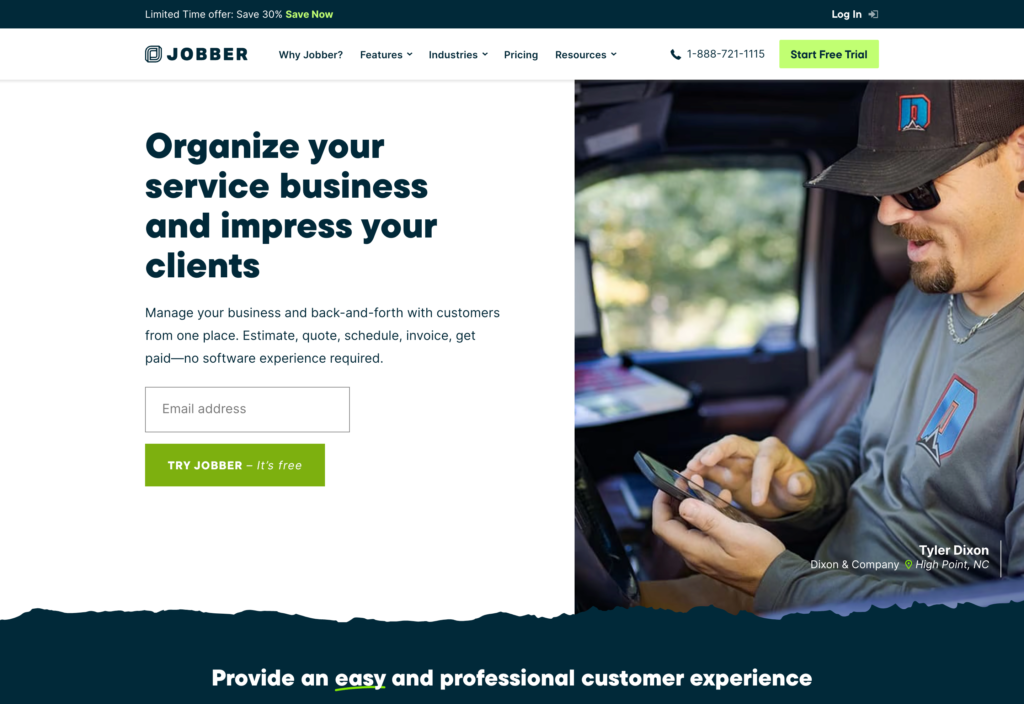
Jobber is a field service management software solution that works best for franchises focused on field service delivery, such as those in the plumbing, HVAC, landscaping, and lawn care industries.
Why I chose Jobber: I chose Jobber because it handles the entire field service workflow, from quotes and job scheduling to invoicing and payments, in one system. It’s an appealing option, especially for franchises that want to streamline operations without switching between multiple apps.
Jobber doesn’t offer a free plan, and franchise or multi-location organizations may need custom pricing. Let’s take a closer look at Jobber’s capabilities.
Centralized Job Scheduling and Management
Jobber’s scheduling module is built to streamline scheduling and dispatching in fast-paced environments. When we last tested the platform, dispatching field teams was easy, thanks to the flexible calendar views and drag-and-drop scheduler. Jobber supports automatic scheduling, but it’s not as advanced or AI-driven as Connecteam’s auto-scheduler feature.
That issue aside, Jobber’s route optimization feature stood out during testing. I particularly liked its ability to reorganize routes as jobs change, which can reduce unnecessary travel between appointments. Jobber optimizes routes using driving distance and lets dispatchers rerun the route as schedules change. Franchises with more complex routing requirements should test the workflow against their own service area and dispatch needs.
Client and CRM Tools
Jobber’s CRM builds a comprehensive digital profile of each customer, including contact info, service history, and more. A team member can pull up a client’s case and instantly pick up communication where a colleague left off. In addition, since they can see the entire history, there’s no need for constant back-and-forth with the client.
Jobber’s CRM has expanded beyond basic client records. Its current plans include lead management, and the Pipeline add-on gives teams a visual sales funnel. Jobber Central also adds network-level visibility for franchise organizations. The limitation is category fit: Jobber is strongest for service franchises rather than franchise development across every industry.
Invoicing and Payment Automation
Jobber lets you invoice clients and process payments without additional apps. Its built-in invoicing features let you generate branded invoices from the mobile or web app. Its excellent device compatibility is a vital perk for field teams that want to bill clients immediately for smooth cash flow.
Moreover, Jobber supports card payments, online payments, saved payment methods, automated payments, and payment integrations, while field teams can record cash and check payments. Availability and payment options vary by country, which matters for franchises operating across multiple markets.
What Users Say About Jobber
The Jobber app does an excellent job of providing all the information and tools I need in a mobile-friendly format.
Jobber can be pretty limited in terms of customizable features. Jobber doesn’t promote the user to build the platform to fit their business needs, as opposed to running off of a more “Templated” system.
Key Features
- Route optimization
- Scheduling and dispatching
- Quoting and estimating
- Invoicing and payment
Pros
- Intuitive job scheduling
- Solid built-in invoicing
Cons
- Franchise fit is strongest in service industries
- Limited customization for reporting and analytics
Pricing
Starts at $29/user/month Trial: Yes — for 14 days Free Plan: No
-

Cerca — Best for customizable franchise development and network management

Capterra ratings: 4.8 (37 reviews)
Cerca (formerly Franchise On Cloud) is a franchise management system for franchisors looking to recruit, manage, and support franchisees from one system.
Why I chose Cerca: I chose Cerca because it automates training, communication, billing, and CRM in one unified system, eliminating the need to use separate apps to support core franchise workflows. Many users claim that Cerca is generally easy to use, but some features, such as royalty management and project follow-up, may be less intuitive.
Training & e-Learning
Cerca’s built-in training and e-learning module allows franchisors to create training content and track learners’ progress across multi-location networks. Franchisors can create content from scratch or upload interactive courses, videos, and SCORM content.
Cerca’s centralized dashboard makes it easy to track your network’s learning progress. You can see where each franchisee stands, which training they have completed, and which areas need attention. The platform covers franchise training well, but buyers that need specialist LMS depth should compare its learning analytics and course controls against a dedicated LMS before deciding.
Internal Communication
Cerca provides messaging, surveys, newsletters, and video conferencing through direct integration with popular third-party tools. With these features, Cerca keeps franchisors and franchisees connected in one place.
Cerca supports structured network communication and internal messaging, but it isn’t primarily positioned as a shift-level frontline chat tool. Franchises that need constant coordination between on-the-ground employees may still want a dedicated workforce communication app.
Royalty Automation
Cerca allows franchisors to set and apply royalty rates without lifting a finger. To ensure royalty calculations are accurate, it updates the franchisee’s account balance in real time based on payments. Automatic payment tracking reduces the manual workload and provides accurate financial oversight as the network grows.
However, some users have found certain parts of Cerca’s royalty page to be less intuitive for franchise operations. Users claim that it’s cumbersome to set up and review royalty calculations. Others cite the lack of advanced financial insights as a hindrance to strategic planning.
What Users Say About Cerca
I particularly appreciated the flexibility in configuring the tool to suit our own working methods. I also like how easy it is to use once configured.
The interface is among the most user-friendly of all franchise management tools. However, in my opinion, there are still some improvements to be made in this area.
Key Features
- Training and e-learning
- Communication and network life
- Billing and financial statements
- Contract management and legal
Pros
- Wide range of franchise management tools
- Strong network engagement tools
Cons
- Steep learning curve for some features
- Less specialized mobile app focus
Pricing
Contact vendor for price Trial: Yes Free Plan: No
-
Connecteam — Best for frontline workforce management across franchise locations
Connecteam is a workforce management platform for franchises that need to coordinate frontline employees across multiple locations. It combines scheduling, time tracking, training, tasks, and communication, but it doesn’t replace franchise-specific tools for franchise sales, territory development, royalties, or network financial management.
Why I chose Connecteam: I included Connecteam as an option because it gives franchisors and franchisees one place to manage frontline scheduling, time tracking, training, tasks, and communication across locations. Its strength is workforce execution rather than the full franchise lifecycle.
Let’s take a closer look at what Connecteam has to offer:
Workforce Management Across Locations
Connecteam complements franchise management software by handling day-to-day workforce execution through scheduling, time tracking, tasks, forms, and location tools.
For franchises with deskless teams, Connecteam brings several workforce workflows into one app. Some of its notable features include:
- AI auto-scheduler: Connecteam’s auto-scheduler can assign shifts based on employee availability, qualifications, approved time off, and the scheduling rules you configure. This can reduce manual scheduling work across locations while helping managers catch conflicts before publishing.
- GPS time tracking: With the Connecteam time tracker, employees can clock in via mobile or web apps, while on-site teams can clock in via a shared kiosk device. Geofencing can restrict where employees clock in and out, helping reduce off-site punches and inaccurate time records.
- Compliance tools: Connecteam lets you configure scheduling rules, breaks, overtime rules, and qualifications to support your compliance processes and flag issues before they affect the schedule.
- Real-time location tracking: When Breadcrumbs live tracking is enabled, managers can view location stamps and movement while employees are clocked in and moving. This can help field-based franchises understand coverage and verify where mobile teams are working during paid time.
- Effective team communication: Franchisors can use Connecteam’s one-on-one and group chats for operational conversations, while the update feed can distribute network-wide announcements to the teams and locations configured in the account.
Smooth Franchisee Onboarding and Training
Onboarding is critical to maintaining brand consistency across your network. Get it wrong, and you could ignite a cascade of misaligned expectations, brand inconsistency, and operational inefficiencies. These problems are hard and costly to fix once a franchise is already running.
To help you steer clear of these issues, Connecteam’s onboarding and training features let you create step-by-step onboarding and training paths that can be adopted across the entire network. With standardized workflows, franchisees receive the same core knowledge, brand guidelines, and safety training. This helps reinforce consistent training and operating standards across locations.
I really like Connecteam’s AI course creator. It enables franchisors and franchisees to build structured, multi-section training programs with simple prompts. For example, when a franchisor is launching a new product or service, they can instantly generate training and support materials and share them with all stores in minutes, not hours.
Even better, the franchisor can monitor progress in real time at both the network and individual levels. The centralized dashboard gives managers a quick overview of which stores have completed training and those that are falling behind. Managers can then follow up on lagging locations to prevent training gaps from affecting performance or tarnishing the brand image.
Efficient Task Management
Connecteam Tasks enables franchise businesses to manage day-to-day operational activities without using separate project management software. It comes into its element when used to manage simple, repeatable tasks such as store openings, equipment maintenance, supplier deliveries, and safety inspections.
The simple and intuitive interface enables managers to create and assign tasks without the complexity of full-fledged project management solutions. Each task can be broken into subtasks and assigned to specific employees with clear instructions and deadlines. This boosts accountability and ensures that employees know exactly what’s required without constant back-and-forth.
With the recurring task feature, managers can assign a task once and schedule it to repeat daily, weekly, or monthly. This is particularly useful in franchise environments where tasks like equipment maintenance, cleaning, opening and closing procedures, and cash handling follow a regular pattern. It reduces manual task assignment, freeing up the manager to focus on other vital admin duties.
I also like the real-time status updates, which give managers instant visibility into task progress. If a safety inspection is delayed, the manager can quickly intervene to prevent operational setbacks or compliance issues.
Connecteam also offers a free for life plan – Get Started Now!
0Key Features
Pros
Very easy to use
One of the most affordable options available
All-in-one software
Fully-featured mobile app
Cons
Needs internet or wifi access to work
Pricing
Free-for-life plan availablePremium plans start at $29/month for 30 users
14-day free trial, no credit card required
Start your free trial
Compare the Best Franchise Management Software Tools
| Topic |
|
|
|
Jobber |
|
 Start for free
|
|---|---|---|---|---|---|---|
| Reviews |
 |
N/A
|
N/A
|
|
N/A
|
|
| Pricing |
Contact vendor for price
|
Contact vendor for price
|
Contact vendor for price
|
Starts at $29/user/month
|
Contact vendor for price
|
Starts at just $29/month for the first 30 users
|
| Free Trial |
no
|
no
|
yes
|
yes
for 14 days
|
yes
|
yes
14-day
|
| Free Plan |
no
|
no
|
no
|
no
|
no
|
yes
Free Up to 10 users
|
| Use cases |
Best for end-to-end franchise lifecycle management
|
Best for configurable franchise management
|
Best for franchise development CRM
|
Best for home-service franchise networks
|
Best for customizable franchise development and network management
|
Best for frontline workforce management across franchise locations
|
| Available on |
Web, iOS, Android
|
The Bottom Line
Each platform above has its own strengths and can streamline various aspects of the franchise management lifecycle. However, the right fit for you depends on your business needs and preferences. If your goal is to grow your network while keeping the head office and franchisees connected, BrandWide and ClientTether tick the right boxes.
Jobber is the strongest fit here for home-service franchise networks, while Cerca offers flexible franchise development and network-management workflows. If your biggest problem is managing frontline employees rather than the franchise lifecycle itself, Connecteam is the better adjacent option for scheduling, time tracking, training, tasks, and team communication.
Connecteam’s Small Business plan is free for up to 10 users, and paid hub plans start at $29 per month for the first 30 users with annual billing. That can make it an affordable workforce layer for franchise locations that don’t need a full franchise-management system.