



Workplace from Meta shut down in May 2026, leaving some organizations piecing together updates, chats, files, and knowledge sharing across different tools.
I reviewed 8 Workplace from Meta alternatives and ranked them by feature match, ease of access, migration process, and cost.
Use this shortlist to find the best replacement based on what your team needs.
|
Product |
Best for | Closest Workplace capability match | Meaningful limitation |
|---|---|---|---|
|
Workvivo |
Organizations replacing Workplace with a social employee experience platform | Social feed, Spaces, recognition, content, and live events | Chat and advanced intelligence are paid add-ons; 250-user minimum |
| Staffbase | Enterprise internal communications across desk and frontline workforces | Targeted news, employee app, intranet, email, SMS, and signage | No admin mobile app; quote-based enterprise pricing |
| Simpplr | Organizations wanting an AI-led intranet and employee communications hub | Personalized intranet, search, listening, and content | No native one-to-one or group chat |
| Connecteam | Frontline teams replacing Workplace and adding operational tools | Updates, one-to-one chat, group chat, knowledge, surveys, directory, and events | Not focused on classic enterprise intranet governance |
| Blink | Mobile-first frontline communication and employee access | Mobile feed, chat, communities, hub, and surveys | Advanced integrations and API access require Enterprise plan |
| Microsoft Viva Engage | Microsoft 365 organizations replacing Workplace communities | Communities, conversations, storylines, Q&A, and events | Full experience depends on Microsoft 365 and paid Viva add-ons |
| Firstup | Enterprise omnichannel employee communications | Targeted publishing across email, mobile, and desktop | Intranet and advanced AI capabilities cost extra |
| Slack | Organizations replacing Workplace primarily for team messaging | Channels, direct messages, threads, huddles, and workflows |
Not a like-for-like intranet or top-down communications hub |
If you don’t have the time to read through our research, jump down to our quick comparison table.
What’s New in This Update
- Updated the article to reflect confirmation that Workplace closed in May 2026.
- Expanded the shortlist from 5 to 8 products and reordered it around migration needs.
- Added guidance for matching a replacement to social communities, enterprise communications, frontline access, intranet needs, and team messaging.
Our Top Picks
-
1
Best for organizations replacing Workplace with a social employee experience platform
-
2

Best for enterprise internal communications across desk and frontline workforces
-
3
Best for organizations wanting an AI-led intranet and employee communications hub
Why trust us?
Our team of unbiased software reviewers follows strict editorial guidelines, and our methodology is clear and open to everyone.
See our complete methodology
What Was Workplace from Meta?
Workplace from Meta, also known as Facebook Workplace, was a private work platform built around a familiar Facebook-style interface. Employees could read a personalized social feed, post updates, join groups, message co-workers, respond to polls, attend events, and access shared knowledge without connecting through personal Facebook accounts.
That mix made Workplace hard to replace with one software category. It acted like an employee communication platform, social intranet, team messaging app, and lightweight employee experience platform at the same time. That’s why the best Facebook Workplace alternatives now span several categories, from community platforms and intranets to frontline apps and team messaging tools.
Why Teams Still Need a Workplace Alternative
Meta’s official Workplace page says the service closed in May 2026. What that means is that users now have to find new tools for workflows that they used to manage through Workplace. Company news, employee communities, chat history, knowledge sharing, and frontline communication all need a clear new home.
The risk is replacing Workplace one feature at a time without someone to oversee the process. The social feed moves to one tool, documents move to a shared drive, chat moves somewhere else, and frontline workers get stuck with email they rarely check. A better approach is to identify how employees used Workplace most, then choose a replacement based on that priority.
What Are You Actually Replacing?
Before comparing employee communication alternatives, identify what employees opened Workplace to do. That answer narrows down the shortlist faster than a long feature checklist.
Social feed and company culture
If employees used Workplace to see company news, celebrate wins, follow leaders, and scroll through updates from co-workers, look for a strong feed with reactions, comments, recognition, events, and personalized content. Workvivo is the closest fit in this list for a social employee experience, while Staffbase and Simpplr give communications teams more control over publishing and targeting.
Employee communities and interest groups
If Groups were the heart of Workplace for your team, focus on how each product creates communities, controls membership, supports moderators, and keeps group conversations searchable. Workvivo Spaces and Microsoft Viva Engage Communities are built around this pattern. Other tools use departments, sites, audiences, or channels, which can serve a similar purpose but may feel different to employees.
Chat and day-to-day messaging
If Workplace Chat was the main reason employees opened the app, native messaging should be a hard requirement. Workvivo offers Chat as an add-on, Connecteam supports one-to-one chat and group chat, Blink includes workplace chat features, and Slack is built around messaging. Simpplr isn’t a complete chat replacement on its own, so it may need to sit beside another messaging tool.
Company intranet and knowledge sharing
If Workplace acted as a home for policies, guides, recordings, and links, compare structure and search, not just storage. A good company intranet should help employees browse by topic, find the current answer, and see only what applies to them. Simpplr, Staffbase, and Workvivo are strong intranet-led choices. Connecteam is a better fit when the knowledge base needs to work inside a mobile employee app for frontline teams.
Top-down internal communications
If your communications team mainly used Workplace to publish company news, measure reach, and target different audiences, look beyond the social feed. Staffbase and Firstup are built for targeted communications across several channels, while Simpplr adds intranet search and employee listening. These products can be a better fit than a community-first tool when governance, campaign planning, and communication analytics matter most.
Frontline employee app and mobile access
If many of your employees don’t sit at desks or use company email, mobile access should be central to your choice. Connecteam and Blink put the employee app first, while Staffbase and Firstup can reach both desk and frontline populations through several channels. Check what administrators can do on mobile, whether the app supports your connectivity needs, and whether operational work such as scheduling or tasks belongs in the same app.
One product won’t replace every Workplace workflow equally well. Start with what your employees used most, then treat the other features as supporting needs.
The Best Workplace from Meta Alternatives for 2026
-
Workvivo — Best for organizations replacing Workplace with a social employee experience platform
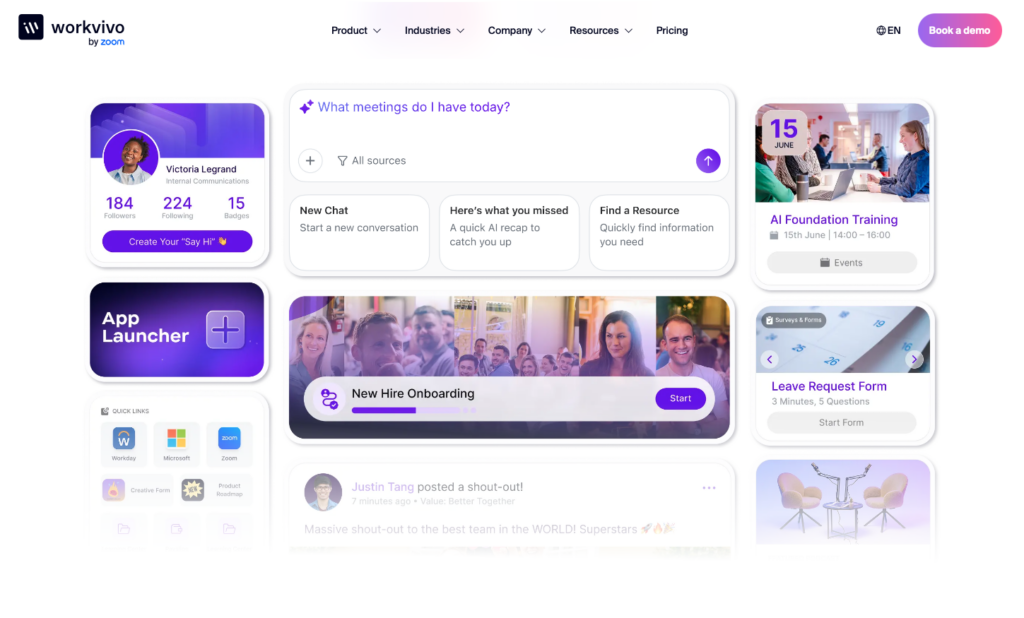
Workvivo by Zoom is an employee experience platform with a personalized Activity Feed, communities, content, recognition, and multimedia.
I chose it because its social feed, Spaces, recognition tools, events, podcasts, live streams, and Chat offer a similar experience to Workplace for staff.
Knowledge and Spaces
Workvivo keeps information inside Spaces that can be set up for a department, location, project, or shared interest. Each Space can have knowledge pages for operating procedures, how-to guides, and HR information, while Global Pages make company-wide material available to everyone. Permissions determine who can see a Space, and external contributors can be invited into one defined area without gaining access to the rest of the platform.
Employees can search files and knowledge content instead of hunting through old posts. Search analytics also show which questions people ask and when their searches return no useful result, so content owners know what needs to be improved.
The trade-off is that documents are organized by Spaces, not a classic folder tree. Teams with a large legacy library need strong naming and search habits, because older content can be less intuitive to browse than it would be in a single, organized library.
News Publishing and AI Support
Workvivo’s personalized Activity Feed brings company news, social updates, recognition, and leadership messages into one employee view. Administrators can target newsletters, group related posts into campaigns, track campaign performance, and translate content for a global workforce. For urgent matters, they can send push notifications that can bypass normal do-not-disturb settings.
Built-in AI tools help users draft posts, adapt an update to a brand or leadership voice, summarize missed content, and turn a written article into an audio version. That gives employees more ways to catch up when they’re away from a desk or work different shifts.
There are still publishing limits. For instance, the newsletter builder doesn’t use a drag-and-drop editor, and several editors can’t jointly work on the same post or leave comments on a draft.
Media, Messaging, and Modules
Workvivo supports private internal podcasts and can pull in episodes hosted on other platforms. Teams can also run livestreams from desktop or mobile, bring in several hosts, save the recording, and generate AI summaries of key moments. These formats help distributed employees stay connected when a long written update isn’t the best fit.
The platform also supports employee messaging through Workvivo Chat, so teams can keep direct and group conversations near the feed and knowledge content. The employee experience is especially strong for organizations that want culture, communications, and community interaction in one place.
It’s important to mention that several important features are sold separately. Chat, Workvivo TV for digital signage, HQ Agent for AI search, and Seer for engagement intelligence require paid modules, so a full Workplace replacement can cost more than the core platform. Workvivo doesn’t publish public pricing or offer a free trial, so you need to request a demo and quote for the modules you need.
Key Features
- Personalized employee Activity Feed
- Community Spaces with membership controls
- Recognition, events, podcasts, and live streams
- Searchable knowledge and document hub
Pros
- Similar to Workplace’s social community model
- Strong multimedia, recognition, and event tools
Cons
- Chat isn’t included in the core plan
- Mobile app requires an internet connection
Pricing
Contact vendor for price Trial: No Free Plan: No
-
Staffbase — Best for enterprise internal communications across desk and frontline workforces
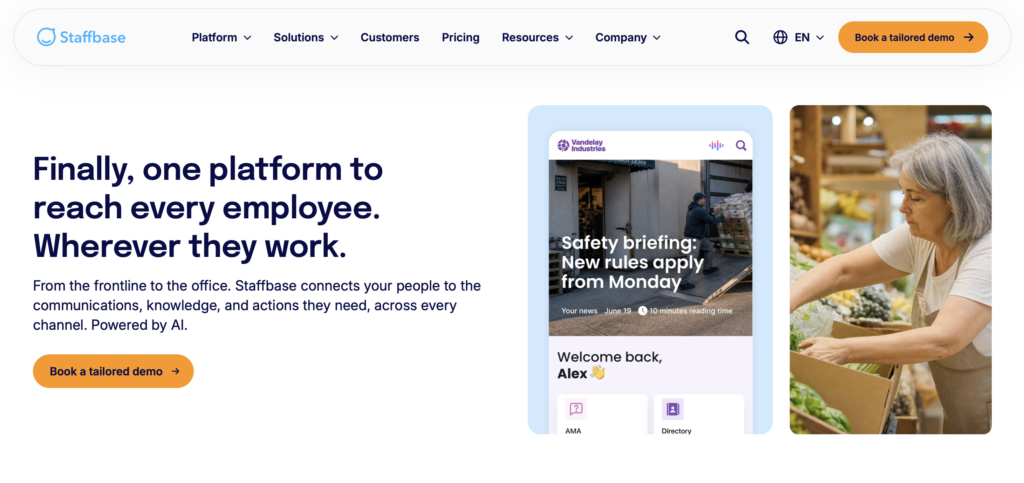
Staffbase is an enterprise internal communications platform with an employee app, intranet, email, SMS, and digital signage.
I included Staffbase because it helps communications teams plan, target, publish, and measure, while giving employees a social feed and mobile access.
Content Planning and Targeted Publishing
Staffbase Studio is a shared hub to plan and publish. The editorial calendar shows sent and scheduled items, while comments, approvals, version history, and shared moderation let multiple publishers work without passing drafts in email. You can also target posts by role, location, group, or community.
The employee feed mixes company news and social posts, allowing people to react, comment, bookmark, and follow communities. Publishers can see who viewed key content, remind anyone who missed it, and ask employees to confirm they’ve read something important.
However, Staffbase comes with an enterprise rollout, which means pricing is quote-based, there’s no free trial, and implementation takes some planning.
Employee App and Frontline Tasks
Staffbase’s employee app is white-labeled, so it can have your company’s name and visual identity instead of looking like a generic Staffbase download. Employees can view personalized news, self-service links, messages, and resources from their phones.
Frontline Tasks extend Staffbase beyond news, allowing managers to assign work by location, set priorities, and track completion, while employees can open tasks in the app, attach photos, and mark work done. That helps when teams want communication to lead into clear action.
Still, Staffbase doesn’t have a mobile app for administrators. Publishers need a computer to draft news and check analytics. Staffbase’s offline mode also only supports downloaded text, images, and PDFs. Other features are unavailable, and downloaded content disappears when the user logs out or the session ends.
Intranet, Analytics, and Multichannel Reach
Staffbase can serve as a branded company intranet where employees access personalized news, documents, search tools, and other resources. Its Journeys feature lets communication teams schedule a series of messages for processes like employee onboarding, policy rollouts, or internal campaigns.
You can also share the same campaign through the Staffbase app, intranet, email, SMS, and digital screens so you’re not relying on employees to check a single feed. Analytics show how content performs across channels and employee groups, so you can find the best ways to reach your team.
Just know that Staffbase is designed for larger organizations with dedicated internal communications teams. It might be too complicated for smaller businesses without the same resources to manage.
Key Features
- Employee app and branded intranet
- Targeted news and social feeds
- Editorial calendar and approvals
- Frontline Tasks with photo completion
Pros
- Reaches both desk and mobile employees
- Strong multichannel publishing and governance
Cons
- Administrators can’t publish from mobile
- Rollout requires enterprise implementation
Pricing
Contact vendor for price Trial: No Free Plan: No
-
Simpplr — Best for organizations wanting an AI-led intranet and employee communications hub
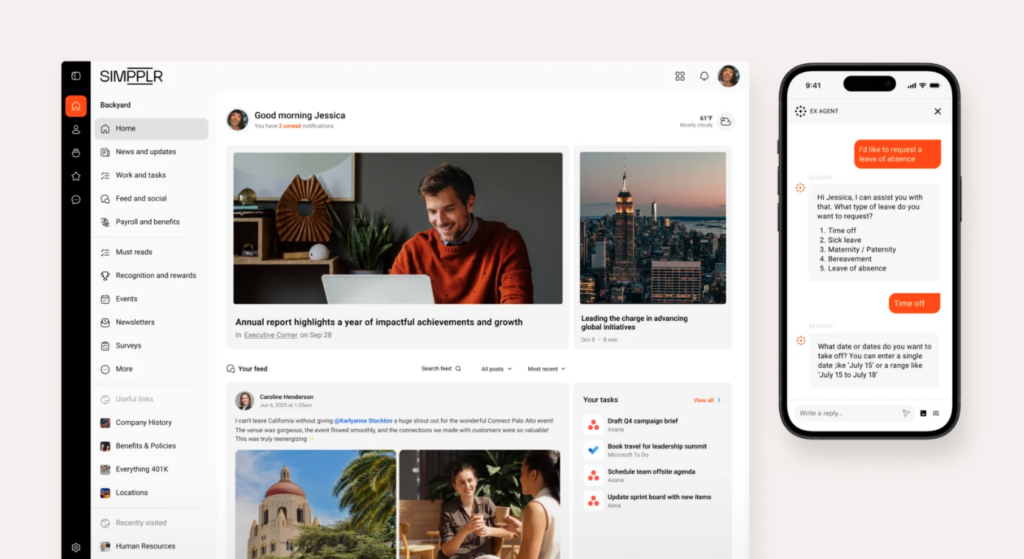
Simpplr is an employee experience platform with a personalized intranet, enterprise search, communications, listening, recognition, and AI.
Simpplr made the list because it brings content, feedback, and search into one hub, and adds Quick Tasks to turn messages into trackable actions.
Intranet and Enterprise Search
Simpplr’s home view is a blend of a social feed, company news, events, people, sites, and shortcuts. Employees can jump from a leadership update to a policy, a colleague profile, or a connected system without opening multiple pages. There are also sites, which group content by office or department, so employees only see what’s relevant through a personalized view.
Search results can pull posts, pages, people, and videos, while Simpplr’s AI assistant can answer questions from workplace content. Comms and HR can also draft content with AI and review sentiment patterns across posts and surveys to spot trends faster.
Employee Communications and Listening
Comms teams can publish news, target sites or groups, build newsletters, run surveys, and track adoption and engagement. Dynamic content blocks pull current intranet stories into newsletters, cutting repeat work when the same news needs to reach inboxes and the intranet.
Simpplr’s listening tool goes beyond quick polls, with pulse surveys, longer surveys, recognition, and sentiment analysis. Managers can see who opens what and how people respond to a change or topic over time, making it easier to course correct.
Employees can read the feed, open sites, search, and respond on the mobile app, but admins are more limited. The mobile app doesn’t support most administrative work, so you’ll still need a desktop to publish urgent updates and check analytics.
Messaging, Quick Tasks, and Integrations
Simpplr’s Quick Tasks let you add simple, trackable actions to a message, like confirming a safety update, completing a shift handoff, or following up on a request. Employees can see what they need to do, while managers can track completion.
Simpplr also integrates with Microsoft 365, Slack, HR systems, file storage platforms, and other tools. This makes it easier for employees to search for and access information across the software they already use.
The main limitation is that Simpplr isn’t a direct replacement for Workplace Chat. It doesn’t offer built-in one-to-one or group messaging, so you’ll need Microsoft Teams, Slack, or another chat app for direct conversations. Pricing is also only available by quote, and access to a 14-day trial isn’t guaranteed.
Key Features
- Intranet and enterprise search
- Personalized news, sites, and shortcuts
- Surveys, recognition, and sentiment analysis
- Quick Tasks inside employee communications
Pros
- Strong search and employee-listening tools
- Turns selected communications into Quick Tasks
Cons
- No native direct or group chat
- Publishers need desktop for admin work
Pricing
Contact vendor for price Trial: Yes — 14-day, by request only Free Plan: No
-
Connecteam — Best for frontline teams replacing Workplace and adding operational tools
Connecteam is a strong Workplace replacement for frontline teams, combining communication with scheduling and time tracking. Employees can access company news, knowledge, and daily work in one mobile app, while managers can run everything from a central system.
Company Updates
Connecteam’s company updates gives managers a focused feed to share announcements, safety notices, recognition, event reminders, and day-to-day company news. Posts can go to everyone or selected teams, roles, locations, or other employee groups, so a site-specific message doesn’t have to interrupt the whole company.
Managers can allow or turn off comments and reactions, track who viewed a post, send reminders, and ask employees to confirm they’ve read important information. Updates stay clear and traceable, so admins know what landed and who to follow up with.
Company Knowledge Base
Connecteam’s company knowledge base gives employees one place to find policies, manuals, forms, links, and other resources from their phones. Managers can create separate knowledge bases by department or topic, organize content into sections, folders, and subfolders, and add written content, files, or external links. This makes it easy to find the right resource, even without knowing its exact name.
Admins can drag and drop content to reorganize it, control access by role, location, or team, and track who viewed each resource and when. Employees can also ask the built-in AI agent questions and get answers based on your company’s own content instead of searching through folders.
Team Chat and Employee Directory
Connecteam’s online team chat supports one-on-one and group messaging. Employees can share files, photos, videos, links, and voice notes, search past messages, use read receipts, and tag the people who need to respond.
Administrators can control who starts conversations, limit direct messaging, remove messages, and use push notifications. This keeps work communication in one dedicated app and away from personal messaging, while still giving teams a fast way to coordinate.
That same separation also extends to contact details. The company employee directory gives teams a searchable place to find colleagues and approved external contacts. Employees can start a direct chat or call from a profile without saving work numbers to their personal phone.
Frontline Operations
Connecteam goes further than just replacing Workplace’s communication features. Employee scheduling, the employee time clock, task management, digital forms and checklists, and more all live in the same mobile app. It gives employees one system to read updates, check their schedules, complete checklists, and track time with switching apps.
When Connecteam Isn’t a Good Fit
Connecteam isn’t a classic enterprise intranet or communications-campaign suite for organizations looking for regional publishing governance, multi-editor co-authoring, or complex approval workflows. Single sign-on and two-factor authentication are features on the Enterprise plan, while API access starts on the Expert plan. If you have strict integration requirements, make sure to confirm the right plan.
0Key Features
- Targeted company updates with read tracking
- One-on-one and group chats
- Structured company knowledge base
- Scheduling, time tracking, tasks, and forms
Pros
- Combines communication with frontline operations
- Clear mobile access for deskless employees
- Strong admin controls and permissions
- Free plan for up to 10 users
Cons
- Not a classic enterprise intranet suite
- SSO and API access require higher plans
Pricing
Free-for-life plan availablePremium plans start at $29/month for 30 users
14-day free trial, no credit card required
Start your free trial -
Blink — Best for mobile-first frontline communication and employee access

Blink is a mobile-first employee communication platform with a news feed, private chat, public channels, a content hub, surveys, recognition, and integrations.
Blink gives frontline employees a simple place to read updates, reach colleagues, and open company resources without turning the experience into a complex intranet.
News Feed and Communities
With Blink’s News Feed, you can share company news, social posts, questions, polls, and priority messages. Publishers can target groups, schedule posts, and use aliases, such as a leadership or department identity. This helps when a communications team needs to post on someone’s behalf.
Employees see content that matches the groups they belong to, which cuts noise in a company-wide feed. They can react, comment, and join community discussions, while priority labels make urgent information easy to spot.
Just note that advanced communications workflows may depend on your plan. If you need deep campaign analytics, approval controls, or complex publishing governance, map those needs to Blink’s current packages instead of assuming they’re in the entry plan.
Chat and Mobile Employee Access
Blink supports private one-to-one and group chats as well as public channels connected to employee groups. Employees can share files, images, GIFs, and formatted messages, moving from a colleague’s profile into a conversation without leaving the app.
On the mobile app, users can tailor their push notifications so only key messages stay visible. Unfortunately, Blink’s mobile app doesn’t include administrator tools, so admins still need desktop access to make workspace changes, run engagement reports, and publish mobile surveys.
Content Hub, Surveys, and Integrations
Blink’s Content Hub gives employees a central place for documents, training-style series, forms, and shortcuts to connected tools. It works well as a quick resource center inside the employee app, while surveys and recognition add simple ways to listen to employees and celebrate work.
The Hub isn’t organized like a traditional folder-based document system. When we tested Blink, it took us several steps to organize content. Employees also can’t add material themselves, and large document libraries may become difficult to navigate.
Blink connects with HR, payroll, storage, communication, and workplace systems, but deeper integrations and API access sit in the Enterprise plan. That plan gate matters when you need the employee app to connect to several internal systems instead of just acting as a self-contained communication hub.
0Key Features
- Targeted mobile newsfeed
- Private chats and public channels
- Content Hub for company resources
- Surveys, polls, and recognition
Pros
- Simple mobile experience for frontline teams
- Feed, chat, and resources in one app
Cons
- Mobile app lacks administrator controls
- Deeper integrations require Enterprise plan
Pricing
Starts at $3.75/user/month Trial: Yes — 14 days Free Plan: No
-

Microsoft Viva Engage — Best for Microsoft 365 organizations replacing Workplace communities
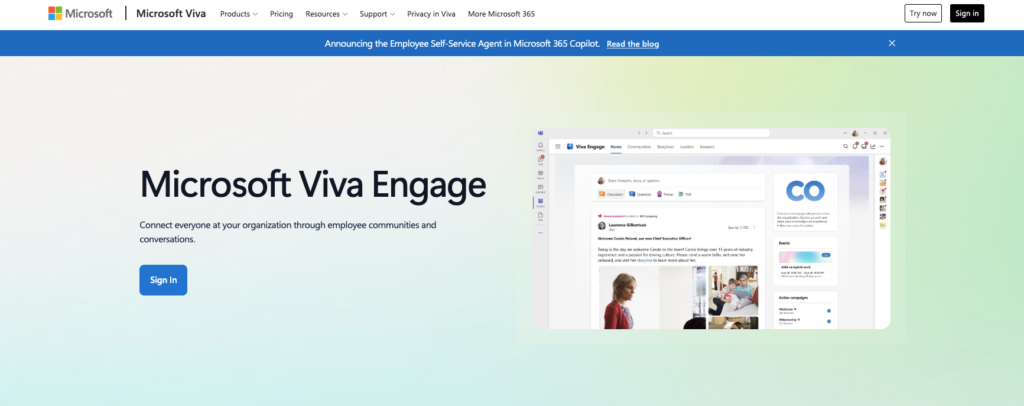
Microsoft Viva Engage is an enterprise social network for communities, conversations, storylines, Q&A, events, and leadership communication in Microsoft 365.
Viva Engage is a good fit for Microsoft 365 organizations that want to rebuild Workplace-style communities inside their existing identity and collaboration stack.
Communities, Storylines, and Q&A
Viva Engage uses communities to host open conversations, topics, questions, announcements, and shared interests. Admins can manage membership and content, while employees can react, reply, and follow what matters to them.
Storylines and Stories let people post from their profiles, boosting leadership visibility and employee updates outside formal news. There are also Answers, which add Q&A so staff can ask, crowdsource solutions, and mark a best answer.
Teams, Events, and Microsoft 365 Integration
Employees can use Viva Engage on the web, mobile apps, or inside Microsoft Teams. This helps with adoption when Teams is already your daily hub for meetings, files, and collaboration. There are also live events that support large broadcasts, while SharePoint and Microsoft 365 groups handle connected files and membership.
But the Teams app doesn’t include every feature available on the web. For example, users can’t post on someone else’s behalf or open a community’s document library or information panel. On iOS, they also can’t view live events or some videos.
Guest and external communities also work differently from standard internal communities. To invite guests, Viva Engage needs to be connected to your company’s broader Microsoft 365 account and security system. External communities also don’t integrate with Microsoft 365 Groups. If you used Workplace to collaborate with people outside your organization, check how these limitations will affect your setup before migrating.
Premium Communications and Governance
Viva Engage gives eligible Microsoft 365 customers access to communities, conversations, engagement insights, and Microsoft’s compliance and governance tools. However, each user needs a qualifying Microsoft 365 or Viva Engage license, making it most practical for organizations already using the Microsoft ecosystem rather than those looking for a standalone community app.
Broader communication features also cost extra. The Employee Communications and Communities package adds campaign planning, approvals, multichannel publishing, and analytics, but costs $2 per user per month. The full Microsoft Viva Suite costs $12 per user per month.
For Workplace migrations, the Viva Engage features included in Enterprise Microsoft 365 plans may be enough to replace social communities. If you also need managed campaigns, broader publishing, or other Viva tools, base your budget on the wider package rather than what’s included in Microsoft 365 alone.
Key Features
- Employee Communities and conversations
- Storylines, Stories, and leadership posts
- Questions, Answers, and best responses
- Community insights and governance controls
Pros
- Natural fit for Microsoft 365 organizations
- Strong Workplace-style community experience
Cons
- Some Teams features only available on web
- Publishing and campaign tools cost extra
Pricing
Included with eligible Microsoft 365 plans Trial: No Free Plan: No
-
Firstup — Best for enterprise omnichannel employee communications
Available on
- Web
- iOS
- Android
Firstup is an enterprise platform for planning, targeting, delivering, and measuring employee messages across email, mobile, web, desktop, and push.
I added Firstup to the list because it helps communications teams build one campaign, segment the audience, and track delivery and engagement across the channels employees actually use.
Omnichannel Campaigns and Audience Targeting
Firstup’s Creator Studio gives communications teams a place to create campaigns and send them to multiple employee touchpoints. You can build audiences from employee attributes and data sources, so messages only reach certain people, not the whole company.
A desk worker may open the email, a frontline worker may see a push notification, and another may find the same post on the web. The platform tracks those touchpoints so publishers can compare total reach, not just individual channels.
Firstup lets you create a fixed audience by uploading a CSV file, but everyone on the list must already have a Firstup account. Each upload is limited to 50,000 people, and lists with more than 1,000 people can take up to 30 minutes to process. This makes the feature less practical when you need to update a large audience at the last minute.
Journeys and Communication Analytics
Journeys let communications teams send a planned sequence tied to dates, events, or behavior. A new hire, manager, or impacted employee can get a short series instead of one long blast and a manual follow‑up spreadsheet.
Insights cover delivery, reach, opens, clicks, engagement, video, and journey progress. That makes Firstup a fit for teams that used Workplace for publishing and reach and now want stronger multichannel analytics.
AI Search and Intranet Add-on
Firstup’s AI Search answers natural‑language questions across approved platform content and supported connected sources. It’s available on web, iOS, and Android. AI tools can also help teams draft and adjust content, depending on the package.
But Firstup has to activate AI Search for your account before your admins can enable it. Once enabled, admins can’t select exactly which topics or pieces of content the AI searches. They also can’t see what employees are searching for, control how results are ranked, or offer search suggestions as employees type. The AI doesn’t remember previous conversations either.
The full intranet is an add‑on, and advanced AI content creation and intelligent delivery are only offered on the Professional and Premier plans.
Key Features
- Omnichannel employee campaign publishing
- Dynamic and static audience targeting
- Automated communication Journeys
- Cross-channel delivery and engagement insights
Pros
- Strong audience and channel orchestration
- Detailed enterprise communication analytics
Cons
- Intranet isn’t part of core packages
- AI Search has control limits
Pricing
Contact vendor for price Trial: No Free Plan: No
-
Slack — Best for organizations replacing Workplace primarily for team messaging
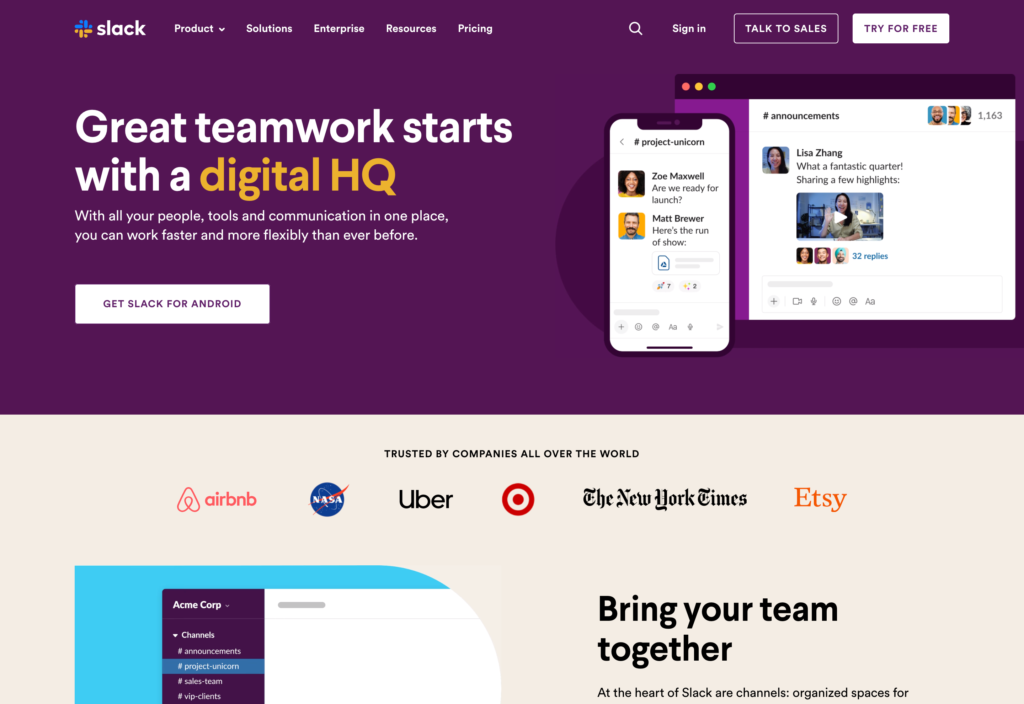
Slack is a messaging and collaboration platform built around Channels, direct messages, threads, Huddles, Canvases, workflows, and app integrations.
I included Slack because it gives teams a fast, searchable place for daily conversation when Workplace Chat and project groups mattered more than the company intranet or social feed.
Channels, Direct Messages, and Search
Slack offers public and private Channels that organize conversations by team, project, client, or topic. Employees can send direct messages for one-on-one and small groups, while threads keep replies tied to the right post. Files, links, reactions, mentions, reminders, and saved items also help keep work within the chat.
Slack Connect lets certain Channels include external partners, providing a shared space for clients, suppliers, or other collaborators.
However, the free plan keeps only the most recent 90 days of message and file history. Older discussions and attachments disappear unless you upgrade to a paid plan. Slack also can’t override employees’ do-not-disturb settings. If you need to send emergency or must-read updates, you may need another communication channel to make sure they reach everyone.
Huddles and Collaborative Work
With Slack’s Huddles, you can start audio or video calls from a Channel or direct message without a formal meeting. Teammates can turn on their video, share a screen, post messages, and keep files linked to the chat for quick problem-solving.
Canvases also add a shared space for notes, checklists, links, files, and light project context. You can attach one to a Channel or share it with selected people to give the team a better reference than the chat alone.
It’s important to mention that Huddles are limited to 50 participants and there’s no meeting recording. They’re great for quick team work, but they aren’t a replacement for large broadcasts or a recorded town-hall library.
Workflows, Integrations, and Knowledge
Slack’s Workflow Builder automates forms, approvals, welcome messages, reminders, and actions in connected apps. Slack’s large integration ecosystem pulls file storage, project hubs, CRM, developer, and HR updates into the conversations where work happens.
The trade-off is category fit. Slack isn’t a company intranet or top-down comms suite. Channels move fast, Canvases are lightweight, and Slack doesn’t offer structured publishing, targeted employee campaigns, or a static resource portal.
Key Features
- Public and private Channels
- Direct messages and organized threads
- Searchable files and conversation history
- Audio and video Huddles
Pros
- Strong real-time team messaging
- Broad search, workflow, and integration tools
Cons
- Free plan keeps only 90 days of history
- Not a full intranet or campaign suite
Pricing
Starts at $7.25/user/month, billed annually Trial: Yes — 30-day Free Plan: Yes
Compare the Best Facebook Workplace Alternatives
| Topic |
|
|
|
 Start for free
|
|
|
|
|
|---|---|---|---|---|---|---|---|---|
| Reviews |
  |
|
|
|
|
N/A
|
N/A
|
|
| Pricing |
Contact vendor for price
|
Contact vendor for price
|
Contact vendor for price
|
Starts at just $29/month for the first 30 users
|
Starts at $3.75/user/month
|
Included with eligible Microsoft 365 plans
|
Contact vendor for price
|
Starts at $7.25/user/month, billed annually
|
| Free Trial |
no
|
no
|
yes
14-day, by request only
|
yes
14-day
|
yes
14 days
|
no
|
no
|
yes
30-day
|
| Free Plan |
no
|
no
|
no
|
yes
Free Up to 10 users
|
no
|
no
|
no
|
yes
|
| Use cases |
Best for organizations replacing Workplace with a social employee experience platform
|
Best for enterprise internal communications across desk and frontline workforces
|
Best for organizations wanting an AI-led intranet and employee communications hub
|
Best for frontline teams replacing Workplace and adding operational tools
|
Best for mobile-first frontline communication and employee access
|
Best for Microsoft 365 organizations replacing Workplace communities
|
Best for enterprise omnichannel employee communications
|
Best for organizations replacing Workplace primarily for team messaging
|
| Available on |
Web, iOS, Android
|
How to Choose the Right Workplace from Meta Alternative
To find the best alternative, start with the job Workplace handled best for your organization, then check whether the replacement covers that job without creating a larger admin or cost problem. Here are some questions to consider:
- Does the platform’s minimum employee count or contract fit your workforce?
- Is pricing public, or based on a custom quote and implementation?
- Are chat, analytics, signage, AI, or intranet tools add-ons?
- Does pricing scale by employee, channel, module, or usage?
- Can you test it through a free plan, trial, or small pilot?
- Have you budgeted for migration, training, cleanup, and administration?
- Does it suit desk-based, frontline, field, or mixed teams?
- Can it protect sensitive, regulated, or role-restricted content?
- Do contractors or external partners need controlled access?
- Does it support multiple languages, local content, and time zones?
- Is direct and group chat built in, or will you need another tool?
- Can publishers target updates by role, location, or department?
- Can employees easily browse and search current information?
- Do you need surveys, polls, events, tasks, or read confirmations?
- Are integrations, SSO, APIs, and migration included in your plan?
FAQs
The best choice depends on the main workflow you’re replacing. Workvivo is the strongest social employee experience option in this list, Staffbase is built for enterprise communications across many channels, Simpplr leads with intranet search and AI, Connecteam fits frontline communication plus operations, and Slack is strongest when messaging is the priority.
Start with how employees used Workplace most often, then compare pricing, mobile access, and migration effort.
Workvivo is the closest overall match because it combines a personalized feed, employee posts, Spaces, recognition, events, and multimedia communication. Microsoft Viva Engage is another strong choice for community-led use, especially for organizations already using Microsoft 365. Staffbase offers social and news feeds with more top-down publishing control, while Connecteam and Blink provide simpler mobile feeds and group experience for frontline employees.
Workplace from Meta closed in May 2026, so don’t assume former export tools are still available. Check whether your organization retained exports, backups, screenshots, file archives, employee lists, or community records before closure. A replacement vendor may help organize and import those assets, but it can’t recover content that was never exported or preserved.
For Chat, check native one-on-one messaging, group conversations, search history, file sharing, mobile access, notification controls, and retention limits.
For Groups, compare community membership, moderators, public and private access, targeted content, events, search, and how knowledge stays available after a conversation slows down.
If one product handles communities well but lacks chat, plan for a two-tool workflow before rollout.
The Bottom Line
The right Workplace from Meta alternative depends on what your organization needs most, whether that’s social communities, company-wide updates, intranet access, frontline communication, or team messaging. Compare each platform’s mobile experience, search, targeting, analytics, migration requirements, and total cost.
Connecteam combines targeted company updates, a team chat, a knowledge base, and frontline operations in one mobile app. It’s a good fit for organizations that want to connect internal communication with employees’ day-to-day work.
