



When messages, schedule changes, and shift swaps live in different places, employees miss updates, managers scramble to fill gaps, and customers feel the fallout.
I reviewed 7 Crew alternatives and ranked them by frontline communication, employee scheduling, shift coordination, time tracking, and admin controls.
Use these picks to replace Crew’s core workflows, keep hourly teams informed, and choose a mobile employee app that can grow with your business.
| App | Best for | Starting Price | Key Considerations |
| Connecteam | Best overall for frontline communication plus workforce operations | $29/month for 30 users | Brings announcements, chat, scheduling, time tracking, and onboarding together. Paid Operations and Communications plans are separate subscriptions. |
| Homebase | Small hourly businesses | $24/location/month | Offers scheduling, time tracking, and team messaging on its free plan. Free access limited to one location and 10 employees. |
| When I Work | Hourly-team scheduling and messaging | $2.5/user/month | Connects schedules, shift coverage, messaging, and optional timekeeping. Scheduling rules and role permissions require Pro plan. |
| Humanity by TCP Software | More complex employee scheduling | $2.75/user/month | Supports multi-location scheduling and employee self-service. Demand forecasting and compliance controls start on Professional. |
| Deputy | Scheduling plus compliance and labor controls | $5/user/month | Combines schedule coverage, time records, and configurable labor controls. Advanced messaging and custom access cost more. |
| Sling | Affordable scheduling and messaging | $1.70/user/month | Gives small teams a low-cost scheduling entry point. Group messaging and time tracking require paid plans. |
| Beekeeper | Frontline communication and workflows | Contact vendor | Combines targeted communication with digital frontline workflows. Pricing, free-plan access, and trial terms aren’t public. |
What’s New in This Update (September 2026)
- Updated information about Crew’s transition to Square Team Communication.
- Expanded the ranking from 5 to 7 independent alternatives, replacing Staffbase and Slack with Homebase, When I Work, Deputy, and Sling.
- Updated every product’s starting price, free-plan status, and free-trial status, including the latest public pricing for Humanity by TCP.
- Clarified that Beekeeper is now part of LumApps and no longer publishes standalone pricing or a public free trial.
Our Top Picks
-
1

Best overall for frontline communication plus workforce operations
-
2

Best for small hourly businesses
-
3

Best for hourly-team scheduling and messaging
Why trust us?
Our team of unbiased software reviewers follows strict editorial guidelines, and our methodology is clear and open to everyone.
See our complete methodology
What Was Crew?
Crew was a mobile-first tool for hourly team communication. It brought group messages, announcements, schedules, shift coordination, and workplace files into an employee-facing app.
Square acquired Crew in 2021. Square now describes Square Team Communication as the evolution of the Crew app. The platform now centers on one-on-one and group messages, announcements, reactions, message views, and team files in the Square Team app.
Scheduling, shift swaps, open shifts, and timecards sit in Square Shifts, not Team Communication alone. That setup can work for businesses already using Square, but teams that want an independent communication and workforce platform may prefer to compare alternatives to Crew.
Why Are People Moving Away From Crew?
Crew’s original appeal was simple: it gave hourly workers one place for team messaging and schedule coordination. Square Team Communication keeps that communication model inside Square’s staff tools, which can be a natural path for businesses already using Square.
The real reason to compare Crew app alternatives is product fit. Team Communication covers messages, announcements, and files, while schedules and timecards depend on other Square tools. Businesses that want frontline communication, scheduling, a time clock, employee onboarding, and granular administration under one independent platform should check other Crew competitors.
How I Ranked the Best Crew Alternatives
To rank the best Crew alternatives, I compared how well each product replaces Crew’s core communication and scheduling workflows, then looked at the tools hourly teams often need as they grow.
Here’s what I prioritized:
- Communication and message targeting: Managers should be able to send direct messages, group updates, and announcements to the right employees without relying on personal phone numbers.
- Schedule creation and change visibility: The software should make employee scheduling easy to build, publish, update, and view from a phone.
- Shift coverage and employee self-service: Workers should be able to set availability, request time off, claim open shifts, or arrange shift swaps with clear approval controls.
- Time tracking and payroll readiness: Hourly teams should be able to capture work hours, manage breaks, review timesheets, and move approved data toward payroll.
- Employee onboarding and admin controls: Managers need practical ways to add staff, share documents, control access, and support new hires.
- Mobile adoption and operational scalability: The app should feel usable for frontline employees while giving managers enough control for multiple roles, locations, or teams.
The 7 Best Crew Alternatives for Frontline Teams
-
Connecteam — Best overall for frontline communication plus workforce operations
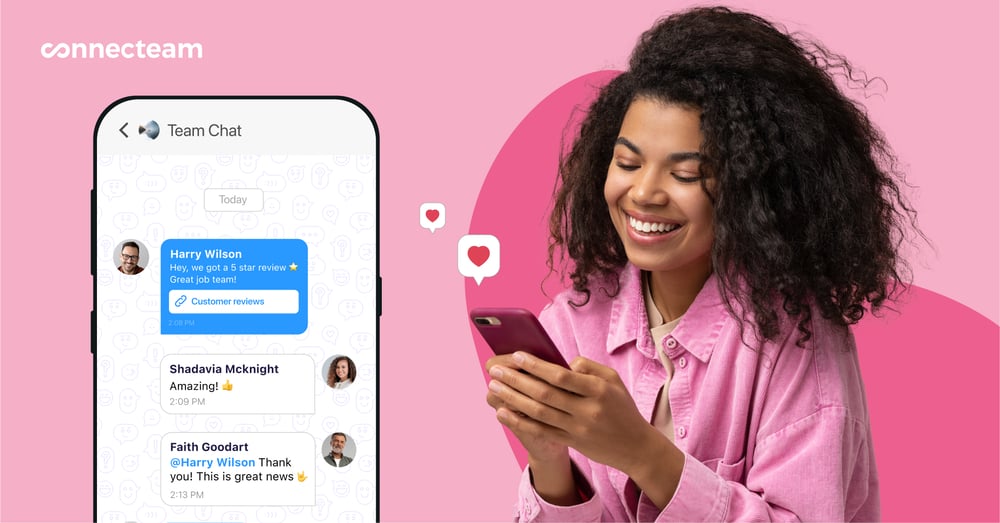
Connecteam is a mobile employee management platform that combines communications, operations, and HR features. It’s the strongest overall option for frontline teams that want Crew-style communication plus the workforce tools that often sit around it.
Why I chose Connecteam: Connecteam gives employees one work app for updates, chat, schedules, time tracking, documents, and onboarding instead of requiring managers to use a separate tool for each workflow.
Online team chat
With Connecteam’s online team chat, you can send one-on-one and group messages. Managers can organize conversations by team, location, project, or department, share files and media, search message history, and remove former employees from work chats.
Admin controls determine who can start conversations, save media, or use specific chat functions. This keeps work messages separate from personal texts while giving supervisors room to coordinate urgent shift changes.
Company Updates
Connecteam’s company update feature gives managers a social-style feed for announcements, news, policy changes, and employee engagement posts. Updates can be targeted by team, location, or department, and managers can review views, reactions, and comments.
Under the Communications Expert plan, you also get access to pop-up read confirmations and automatic translations. This helps teams that need stronger acknowledgement and multi-lingual publishing capabilities.
Employee scheduling and shift swaps
Connecteam’s employee scheduler supports drag-and-drop planning, open shifts, employee availability, time-off requests, and shift trades with optional admin approval. Managers can attach notes, tasks, locations, photos, or files to a shift so workers know what to expect before they arrive on the job.
The AI auto-scheduler assigns open shifts based on employee availability, qualifications, fairness, and your custom rules.
Operations and Communications are separate paid hubs, so combining Crew-style messaging with scheduling costs extra.
Employee time clock and timesheets
Connecteam’s employee time clock supports mobile, desktop, kiosk, near-field communication (NFC), and other clock-in methods. Tracked hours are recorded into timesheets, where managers can review breaks, overtime, paid time off, and payroll-ready records. From there, you can sync timesheets directly with your payroll provider.
For more oversight, Connecteam also offers a geofence time clock, which creates a virtual boundary around jobsites. It can automatically clock out employees if they leave the designated work zone. If you need to track employees in the field, the real-time GPS tracker uses Breadcrumb technology to show their routes and activity throughout each shift.
Employee onboarding and administration
Connecteam brings new hires into the same app through user profiles, Smart Groups, welcome updates, documents, and courses. For onboarding, admins can assign document packs, track missing or expiring items, and give different groups access to the information they need.
Connecteam’s documents feature also supports e-signatures. Employees can complete and sign documents from their phones, including I-9s, W-4s, and W-9s, while admins can track signing status and send reminders. Signed files are stored with timestamps and a complete audit trail.
0Key Features
- Company updates with engagement insights
- One-on-one and group work chats
- Drag-and-drop scheduling with shift trades
- Multi-method time clock and smart timesheets
Pros
- Unifies communication with daily workforce operations
- Strong mobile experience for frontline employees
Cons
- Operations and Communications are separate hubs
- Geofencing starts on Operations Advanced plan
Pricing
Free-for-life plan availablePremium plans start at $29/month for 30 users
Try the best Crew alternative now, no CC needed!
Start your free trial -
Homebase — Best for small hourly businesses
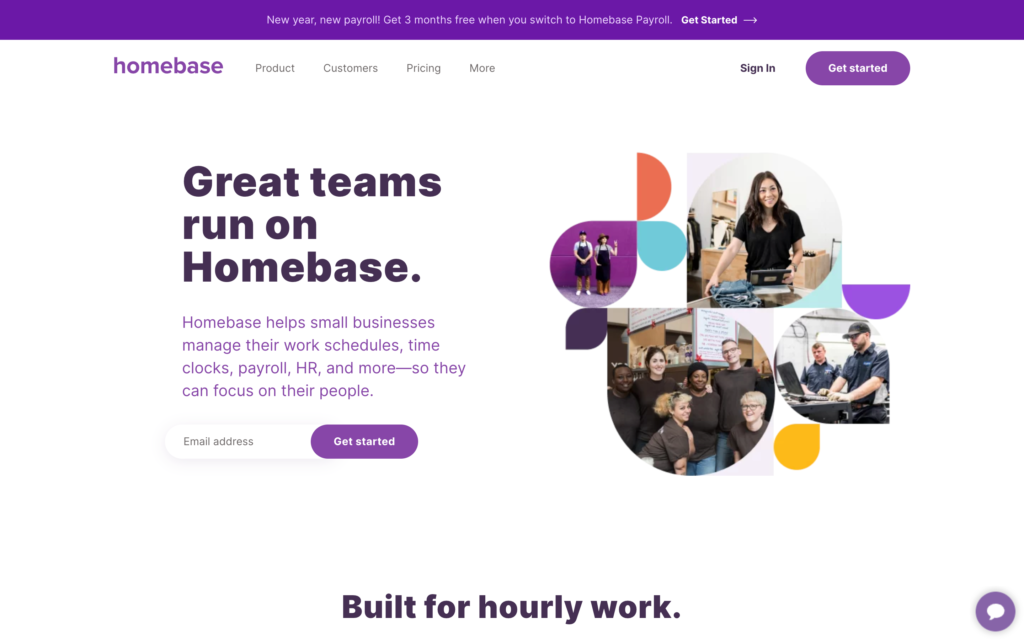
Homebase is a workforce management app that brings scheduling, time tracking, and team communication together for small businesses that run hourly shifts.
Why I chose Homebase: I chose Homebase because its free Basic plan gives one small location a low-risk starting point for scheduling and time tracking.
Team messaging
Homebase’s team messaging lets managers send direct messages, create group chats, and issue company-wide announcements in the same app where employees view their schedules.
You can also attach files and create polls in the messenger. That gives managers a simple way to share a reminder and get a quick response without switching apps. The Basic plan includes real-time team messaging, while custom messenger channels, announcements, and schedule or message view confirmations start on Essentials.
Schedule builder and coverage
Homebase’s scheduler supports templates, drag-and-drop edits, and open shifts while showing estimated hours and labor costs before publication.
For coverage, employees can request a shift trade or ask a coworker to cover a shift. During testing, Homebase flagged shifts that conflicted with time off or an employee’s stated availability, along with an employee scheduled for more than 6 consecutive days.
Time clock and mobile administration
Homebase’s time clock works across mobile devices, shared tablets, desktops, and POS systems. Managers can limit clock-ins to personal phones or use PINs on shared devices. Clocking in for breaks and ending shifts works on both mobile and desktop.
Despite the advertised offline mode, we couldn’t clock in or out without internet access during testing.
Setting up an employee profile on mobile also produced an error. After we entered the employee’s details, Homebase required an app restart before the profile was accessible. For U.S. customers, New Hire Onboarding and Document Storage requires the All-in-One plan or an active Homebase Payroll subscription, so check access before building those workflows around Homebase.
0Key Features
- Team messaging for direct, group, and company updates
- Scheduler with templates and open-shift coverage
- Time clock with mobile, tablet, desktop, and POS access
- Onboarding and document storage (US only)
Pros
- Flags scheduling conflicts before publishing
- Flexible clock-ins across personal and shared devices
Cons
- Clock-ins failed without internet during testing
- Mobile employee-profile setup required app restart
Pricing
Starts at $24/location/month Trial: Yes — (14-day) Free Plan: Yes — (one location and up to 10 employees)
-
When I Work — Best for hourly-team scheduling and messaging
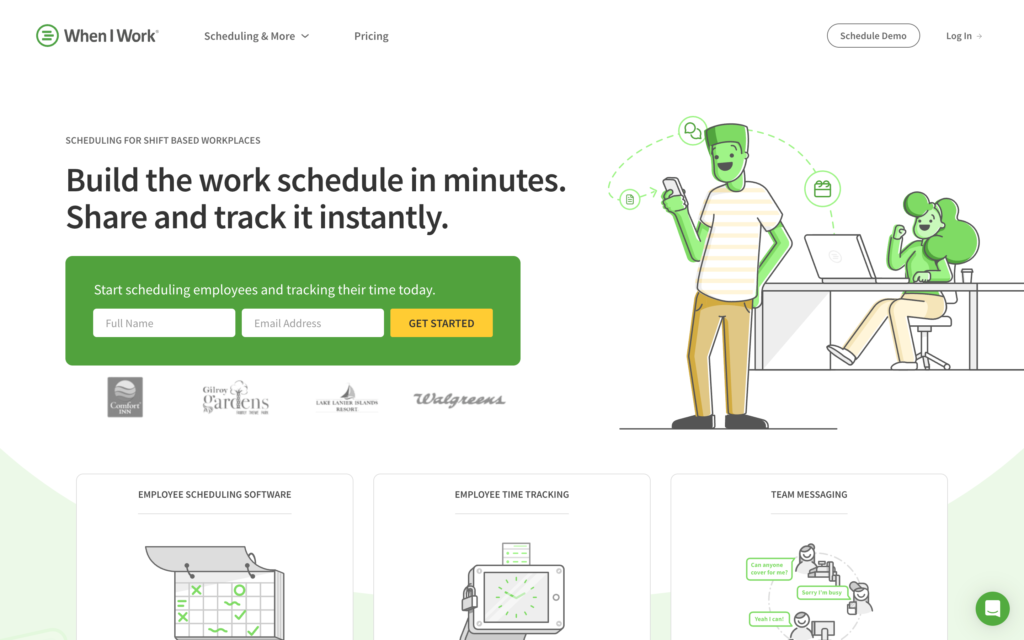
When I Work is a workforce management platform for shift-based teams, combining employee schedules, basic messaging, and time tracking.
Why I chose When I Work: When I Work helps managers publish schedules and give employees controlled ways to pick up, swap, or release shifts without chasing people by text.
Employee scheduling
When I Work makes it simple to create shifts, include breaks and notes, save templates, leave coverage as OpenShifts, and publish when the schedule is ready. Employees can view their assignments, claim an open shift, or request a swap or release.
Managers decide how much flexibility to allow and whether a change needs approval, so routine coverage changes can move without giving up control of the schedule.
Auto scheduling fills open shifts based on availability, position, and tags. However, in our test, it didn’t recognize an unpublished OpenShift that was visible on the schedule. Assigning employees from the shift itself worked, but the tool didn’t consider location or skills, making it less reliable for multi-site or specialized teams.
Team messaging
When I Work’s team messaging keeps direct chats and group chats close to the schedule. WorkChat gives managers a simple place to send a last-minute reminder or ask who can cover a shift instead of starting another group text.
Just know that the communication tools are basic. During testing, we could only send PNG, JPG, and GIF attachments. Company announcements were also difficult to use. They weren’t easy to find on the web app and appeared as “annotations” within mobile settings. We also had WorkChat freeze on iOS until we signed out and back in, which isn’t ideal if you need an urgent update to reach the team.
Employee time tracking
The time clock gives staff a way to punch in from supported devices. Managers can choose which clock-in methods are accepted and set pay periods that suit their business.
Timesheets show scheduled and worked hours side by side, flag early or late punches, and allow managers to make corrections. That can be enough for a small workplace that wants its schedule and hours in the same system before payroll.
We ran into a few challenges when testing When I Work’s time tracking safeguards. When we enabled geofencing, we were still able to clock in from the wrong location. We could also bypass iOS photo verification, and an overnight shift triggered no overtime alert. When I Work also records GPS punch locations but doesn’t provide live tracking.
0Key Features
- Schedule templates and controlled shift swaps
- Auto scheduling for open shift assignments
- Direct chats, group chats, and announcements
- Time clock with GPS punch locations
Pros
- Mobile access to schedules, shifts, and messages
- Manager-controlled shift swaps and drop requests
Cons
- Lacks live-location tracking
- Geofence didn’t prevent offsite punches during testing
Pricing
Starts at $2.5/user/month Trial: Yes — 14 days Free Plan: No
-

Humanity by TCP Software — Best for more complex employee scheduling
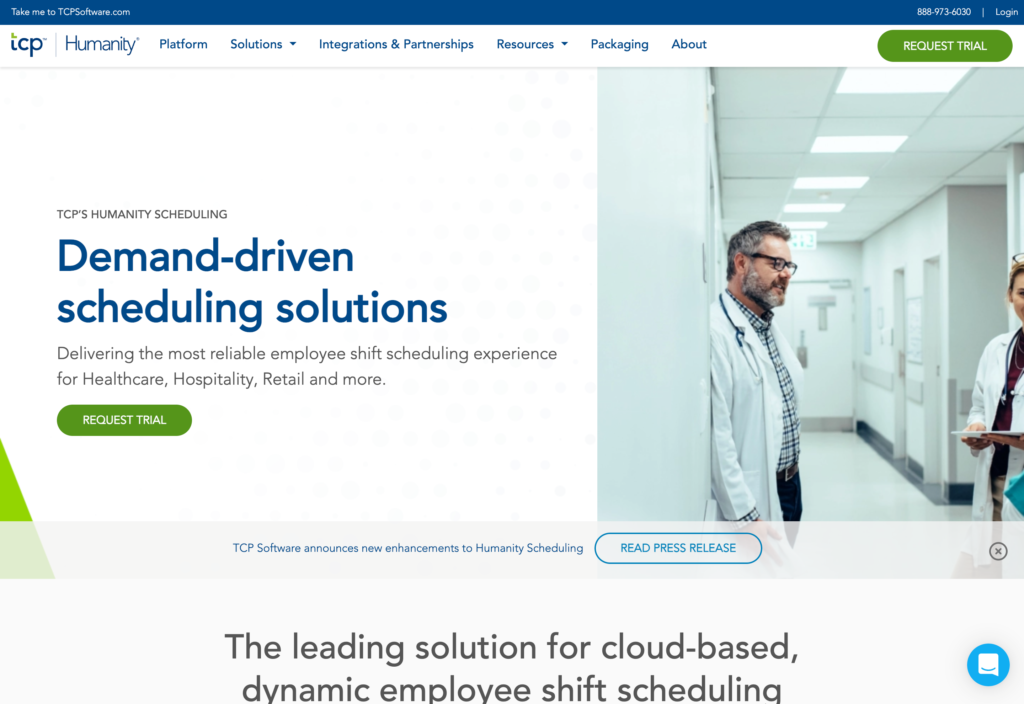
Humanity by TCP is a workforce scheduling platform for teams juggling several locations, staff skills, changing availability, and shifting demand.
Why I chose Humanity by TCP: I included Humanity by TCP because combines demand forecasting with built-in and custom compliance rules, helping managers avoid scheduling issues.
Shift scheduling and employee self-service
Humanity’s shift planning gives managers one place to build and adjust schedules around employee availability, leave, and qualifications. Templates and shift copying can cut down on repetitive setup, while open shifts help managers respond when coverage changes at short notice.
Employees can enter availability, request leave, trade shifts, or pick up available work from the app. That gives staff a way to solve changes without turning every swap into a string of messages. Plus, managers can still retain approval control where needed.
Compliance rules and forecasting
Humanity combines a collection of prebuilt compliance rules with custom rules. Managers can set checks around breaks, overtime, rest periods, consecutive workdays, qualifications, and overlapping shifts, then catch conflicts while building the schedule.
The prebuilt rules are U.S.-specific, so teams elsewhere will need to create and maintain their own rules. These checks can support compliance work, but they don’t replace legal advice or an employer’s responsibility to follow applicable laws.
Humanity’s forecasting tools use historical schedules and business measures such as sales, customer counts, or ticket volume to predict demand and help build a schedule around employees’ skills and availability. This is useful when staffing needs rise and fall across locations. Predictive scheduling starts on the Professional plan, so Essentials buyers can’t rely on it for labor planning.
Mobile time clock and Apple Watch app
Employees can clock in and out from the mobile, desktop, or Apple Watch app. Managers can see who has clocked in and review and approve timesheets. The trade-off is that punches are recorded only to the minute, which may not suit teams that need more precision.
The mobile app also gives employees access to current schedules, shift actions, and messages, while the Apple Watch app lets employees check shifts, receive notifications, and clock in. Just know that the app is read-only offline, so employees can view existing information, but can’t take action until they’re connected again.
Key Features
- Scheduling creation and coverage
- Employee swaps, open shifts, and availability
- Compliance rules and predictive scheduling
- Mobile time clock and Apple Watch app
Pros
- Multi-location planning with employee self-service
- Applies prebuilt and custom scheduling rules
Cons
- Prebuilt compliance rules apply only in the U.S.
- Offline mobile access is read-only
Pricing
Starts at $2.75/user/month Trial: Yes — 30 days Free Plan: No
-

Deputy — Best for scheduling plus compliance and labor controls
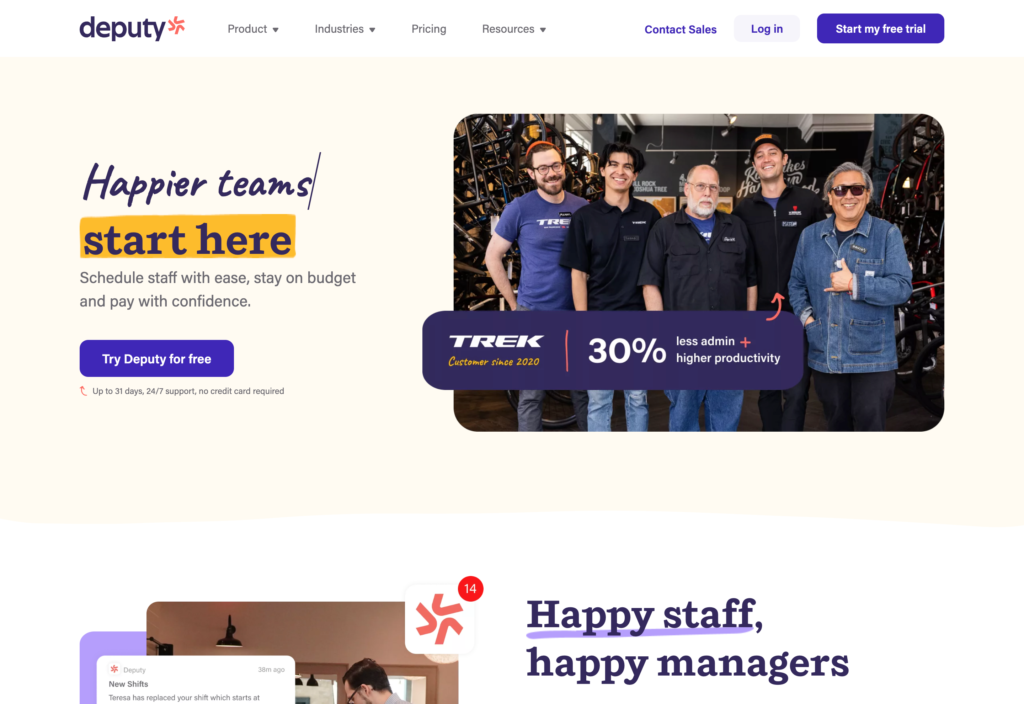
Deputy is a scheduling and time-and-attendance platform for shift-based teams.
Why I chose Deputy: Deputy made the list because its scheduling workflow brings approved-leave visibility, qualification checks, and break and overtime rules into the same process.
Scheduling and compliance controls
Deputy lets you build schedules with drag-and-drop tools, assign employees to different work areas, and publish only the areas that are ready. The finished schedule is easy to scan, which helps when managing multiple departments or locations.
Deputy checks assignments against approved leave, certifications, and qualifications. Managers can also add break and overtime rules to help control coverage and labor costs. However, in our test, Deputy didn’t flag overlapping shifts across two work areas or warn us about pending leave requests. Managers should double check both before publishing.
Time clock and timesheets
Employees can clock in from a browser, smartphone, tablet, or shared kiosk, while managers review absences, hours, breaks, and approvals in one timesheet view. During testing, it was easy to start an unscheduled shift, and the layout made missed punches and no-shows easy to spot.
However, Deputy requires a reliable connection. The time clock app only works online, and the scheduling app becomes largely read-only offline. Employees and managers can’t update schedules or timesheets until service returns, making it a poor fit for crews that regularly work without cellular or Wi-Fi coverage.
News feed
Deputy’s News Feed lets managers share updates with individuals, locations, or departments. Posts can include PDFs, images, and videos, and employees can react, comment, or confirm they’ve read them.
However, managers can’t send updates to a custom group, especially when the audience doesn’t align with an existing location or department. Formatting options are also basic, which can make longer announcements harder to read at a glance.
0Key Features
- Scheduling with leave and qualification checks
- Break and overtime rules in schedules
- Multi-device time clock, kiosk, and timesheets
- Newsfeed with read confirmations
Pros
- Weekly scheduling and timesheet approval workflow
- Scheduling checks approved leave and qualifications
Cons
- Overlapping shifts may not trigger conflict warnings
- Newsfeed lacks custom groups and rich formatting
Pricing
Starts at $5/user/month Trial: Yes — 30 days Free Plan: No
-

Sling — Best for affordable scheduling and messaging
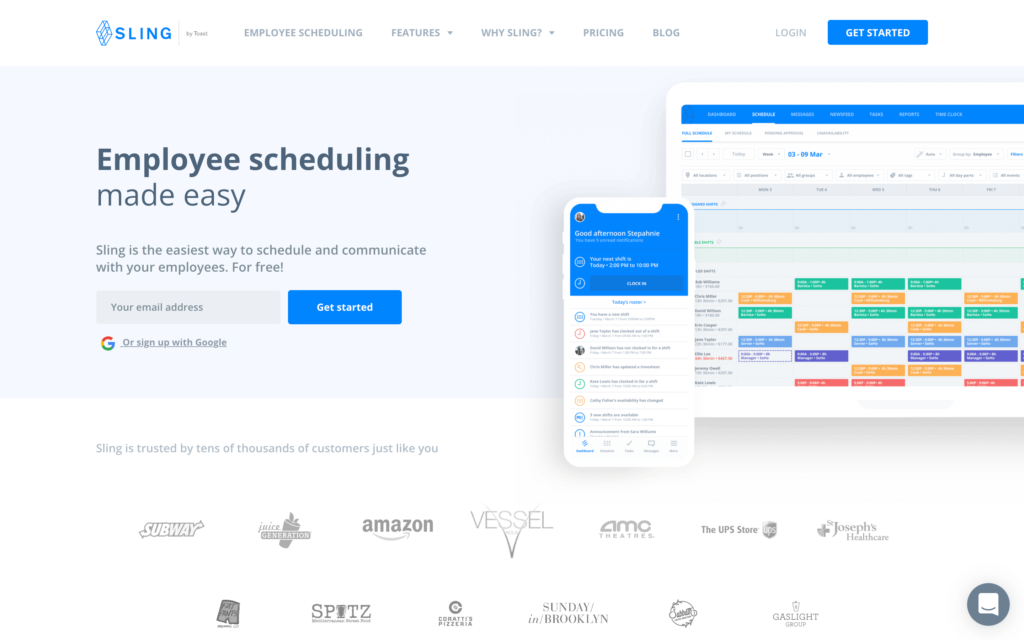
Sling by Toast is a scheduling and communication platform for small, shift-based teams.
Why I chose Sling: Sling’s open-shift workflow helps managers fill gaps quickly while keeping schedule changes in the same tool.
Shift scheduling
Sling makes weekly scheduling straightforward. Managers can quickly assign shifts or post an open shift for available employees to claim, saving them from contacting workers individually when someone requests time off or a last-minute gap appears.
The Premium plan adds reusable schedule templates and shift swaps, reducing the work involved in recurring schedules and employee changes. Sling also flags overlapping shifts and short rest periods, but managers can override these warnings, so they still need to review conflicts carefully. We also found that template updates didn’t always sync properly in the mobile app.
Messaging, announcements, and newsfeed
Private messages, announcements, and newsfeed posts give managers a direct way to share schedule changes and operational updates. Views and comments help show whether employees have seen a post, while the Premium plan adds group messaging for team discussions.
The drawback is notification overload. During testing, alerts felt overwhelming, with no category, collapsed-view, or priority controls to help employees separate urgent information from everyday updates.
Mobile time tracking
Sling’s mobile time clock on the Premium plan gives managers useful guardrails around paid hours. With early clock-in prevention and geofencing enabled, it blocked punches before a scheduled shift and from the wrong location in testing. Automatic clock-outs can end active shifts when they’re scheduled to finish, so you don’t pay for extra time.
Just know that once employees clock in, there’s no active timer. The mobile app also doesn’t show an employee’s total hours or provide full reports, so managers need the desktop version to access greater depth.
0Key Features
- Open shifts, swaps, and scheduling templates
- Overlap and rest-time warnings
- Private and group messaging
- Mobile time clock with geofencing
Pros
- Open shifts simplify last-minute coverage
- Time clock blocks early and offsite punches
Cons
- Can override conflict and rest warnings
- Mobile app lacks total-hours and full report views
Pricing
Starts at $1.70/user/month Trial: Yes — (15 days) Free Plan: Yes — (for up to 30 users)
-
Beekeeper — Best for frontline communication and workflows
What’s new with Beekeeper
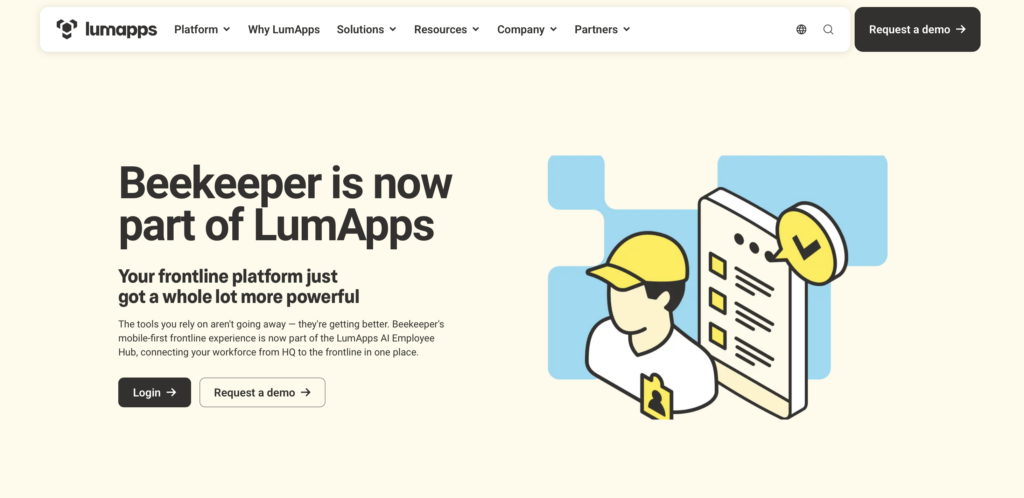
In July 2025, Beekeeper merged with LumApps and is no longer available as a standalone platform. Our hands-on testing took place before the merger.
Beekeeper, now part of LumApps, is a communication platform for frontline teams that also offers digital forms, task assignments, and operational insights.
Why I chose Beekeeper: I chose Beekeeper because its campaigns, surveys, forms, and automated workflows give frontline teams several ways to turn communication into follow-up work.
Targeted frontline communications
Managers can target mobile updates by role, shift, or location, helping each group see the information it needs. Employees can sign in securely without a corporate email address, which removes a common access barrier for deskless teams.
Communication isn’t limited to top-down announcements. Two-way chat, polls, employee-created video, and engagement tools give workers ways to ask questions and respond.
Forms and workflow automation
Beekeeper’s mobile forms, checklists, incident reports, and employee requests can start an automated workflow instead of moving through paper or email. A submission can trigger an approval, assign an owner, set a deadline, and create follow-up work, giving managers a clearer path from frontline input to resolution.
Managers can apply that structure to shift swaps, onboarding steps, compliance reminders, and routine approval chains, then monitor progress.
Learning, integrations, and operational insights
Beekeeper delivers short training courses, onboarding journeys, and compliance content to employees’ phones in more than 200 languages. Completion data helps managers see who may need a reminder or extra support. Integrations with Workday, ServiceNow, SAP SuccessFactors, and UKG also give employees easier access to existing HR and IT tools from the employee hub.
Dashboards track engagement, message reach, task completion, and workflow performance across locations. Beekeeper remains available, with existing contracts, logins, data, and support staying in place. However, the combined Beekeeper and LumApps experience is rolling out gradually, so you should confirm which features are currently offered.
Key Features
- Targeted mobile updates
- Digital forms and operational checklists
- Workflow and approval automation
- Mobile learning and operational analytics
Pros
- Reaches deskless workers without corporate email
- Turns frontline submissions into follow-up work
Cons
- Setup can be complicated for admins
- LumApps features still being rolled out
Pricing
Contact vendor Trial: No Free Plan: No
Compare The Best Crew Alternatives
| Topic |
 Start for free
|
|
|
|
|
|
|
|---|---|---|---|---|---|---|---|
| Reviews |
  |
|
|
|
|
|
|
| Pricing |
Starts at $29/month for 30 users
|
Starts at $24/location/month
|
Starts at $2.5/user/month
|
Starts at $2.75/user/month
|
Starts at $5/user/month
|
Starts at $1.70/user/month
|
Contact vendor
|
| Free Trial |
yes
14-day
|
yes
(14-day)
|
yes
14 days
|
yes
30 days
|
yes
30 days
|
yes
(15 days)
|
no
|
| Free Plan |
yes
Free Up to 10 users
|
yes
(one location and up to 10 employees)
|
no
|
no
|
no
|
yes
(for up to 30 users)
|
no
|
| Use cases |
Best overall for frontline communication plus workforce operations
|
Best for small hourly businesses
|
Best for hourly-team scheduling and messaging
|
Best for more complex employee scheduling
|
Best for scheduling plus compliance and labor controls
|
Best for affordable scheduling and messaging
|
Best for frontline communication and workflows
|
| Available on |
How to Choose the Right Crew Alternative
The right Crew alternative depends on your team size, operating model, and whether you need communication alone or a broader workforce platform. Consider these questions before you choose the right replacement:
- How many employees, locations, and administrators need access now and as your business grows?
- Which pricing model gives you the clearest total cost, and will essential features require an upgrade?
- Do employees work at one location, across multiple sites, or in changing field locations?
- Is your main challenge missed updates, shift coverage, inaccurate timecards, or onboarding paperwork?
- Which workflows do managers and employees need to be able to complete from their phones?
- Do you need direct messaging, group chat, formal announcements, read confirmations, or automatic translation?
- Should employees be able to view schedules, claim or swap shifts, request time off, and clock in from the same app?
- Which admin controls, location safeguards, payroll integrations, and HR tools are essential?
FAQs
Crew is no longer an independent product. Square acquired Crew in 2021 and describes Square Team Communication as the evolution of the Crew app. Businesses using the new platform should check which functions come from Team Communication and which require Square Shifts or another Square staff product.
Connecteam is the best overall alternative for frontline communication plus workforce operations. It combines company updates, work chat, employee scheduling, a time clock, documents, training, and administrative tools in one mobile platform.
Start with the workflows employees use every day: team chat, announcements, schedules, availability, open shifts, shift swaps, and time tracking. Then check manager needs such as read confirmations, timesheet approval, payroll export, location controls, onboarding documents, and role-based permissions.
The Bottom Line on Crew Alternatives
The Crew alternative depends on what your team needs most. If you mainly need an affordable scheduler for a small hourly team, Homebase or Sling may be enough. If labor rules, forecasting, and multi-location coverage are the priority, Humanity by TCP or Deputy may give you the added complexity. And if employee engagement and workflow automation matter more than timekeeping, Beekeeper is worth a closer look.
Connecteam is the strongest option for teams that want to move beyond a set of separate tools. It gives managers one independent, mobile platform for everyday communication, schedules, time records, onboarding, and operational follow-up.
