


When employees miss an urgent update or can’t find the right policy, work slows down, mistakes spread, and trust between the field and head office starts to break.
I reviewed 7 Flip alternatives and ranked them by frontline communication fit, employee-experience depth, mobile adoption, and operational workflow support.
Use these picks to compare Flip competitors, strengthen employee engagement, and choose a platform that fits how your people actually work.
What’s New in This Update (September 2026)
- Expanded the list from 5 to 7 products and added Simpplr and Firstup.
- Re-ranked Workvivo, Staffbase, and Blink as the three most direct alternatives to Flip’s employee-app and communications proposition.
- Updated Beekeeper’s status since its merger with LumApps and refreshed all published pricing, trial, and free-plan information.
Our Top Picks
-
1
Best for culture and social employee experience
-
2

Best for enterprise employee communications
-
3
Best for mobile-first communication and engagement
Why trust us?
Our team of unbiased software reviewers follows strict editorial guidelines, and our methodology is clear and open to everyone.
See our complete methodology
What Is Flip?
Flip is a mobile-first employee experience platform for frontline and deskless workers, including people who don’t have a corporate email address or regular computer access. It brings company communication, HR services, and operational workflows into one employee-facing app.
Its core tools include a newsfeed, groups, direct and group chat, voice and video calls, livestreaming, translation, polls, a knowledge base, an employee directory, tasks, and analytics. Larger organizations can also connect Flip with systems such as SharePoint, Microsoft Teams, Workday, UKG, and SAP SuccessFactors.
Flip’s Growth plan covers up to 300 employees and starts at €4,950 per year, or approximately $5,770 per year. Enterprise pricing is customized according to factors such as licenses, locations, modules, and contract length. Flip also offers a scoped pilot, but it doesn’t publish a standard free-trial offer or a free plan.
The platform suits organizations that want an enterprise mobile employee app and company intranet layer for a mobile workforce. It supports knowledge sharing and access to connected systems, but it isn’t a direct replacement for a full workforce operations platform.
Why Are People Moving Away From Flip?
Flip covers the essentials of mobile frontline communication well. Buyers often consider alternatives when they need clearer pricing, deeper operational tools, a different employee experience, or more control over how information reaches overlapping groups.
Some users find Flip’s customization options too limited for their needs. One reviewer also reported restrictions on file storage, which could be a drawback for teams that regularly share documents and media.
Flip alternatives may focus more on social engagement, enterprise campaigns, or intranet features, while others add scheduling, forms, task management, and time tracking. The right alternative depends on what your team needs most.
How I Ranked the Best Flip Alternatives
I compared how each product supports frontline employees, including whether it focuses mainly on communication or also helps manage daily operations.
Here’s what I prioritized:
- Reaching frontline employees: The platform must give workers reliable mobile access without assuming everyone has a desk, corporate email, or regular computer access.
- Organizing and targeting communications: Managers should be able to direct relevant updates to roles, locations, teams, or other audience groups without flooding everyone with the same content.
- Building employee experience: The software should support useful participation through recognition, surveys, communities, feedback, and two-way communication.
- Finding knowledge and services: Employees need a clear way to locate policies, documents, answers, links, and workplace services from their everyday app.
- Connecting communication to work: I looked for task, form, scheduling, approval, or workflow tools that turn an announcement into accountable action.
- Measuring reach and engagement: You should be able to see whether employees received, read, understood, or acted on important information.
- Supporting governance and growth: The platform should provide permissions, integrations, administration, and content controls that remain workable as the organization expands.
The 7 Best Flip Alternatives for 2026
-
Workvivo — Best for culture and social employee experience
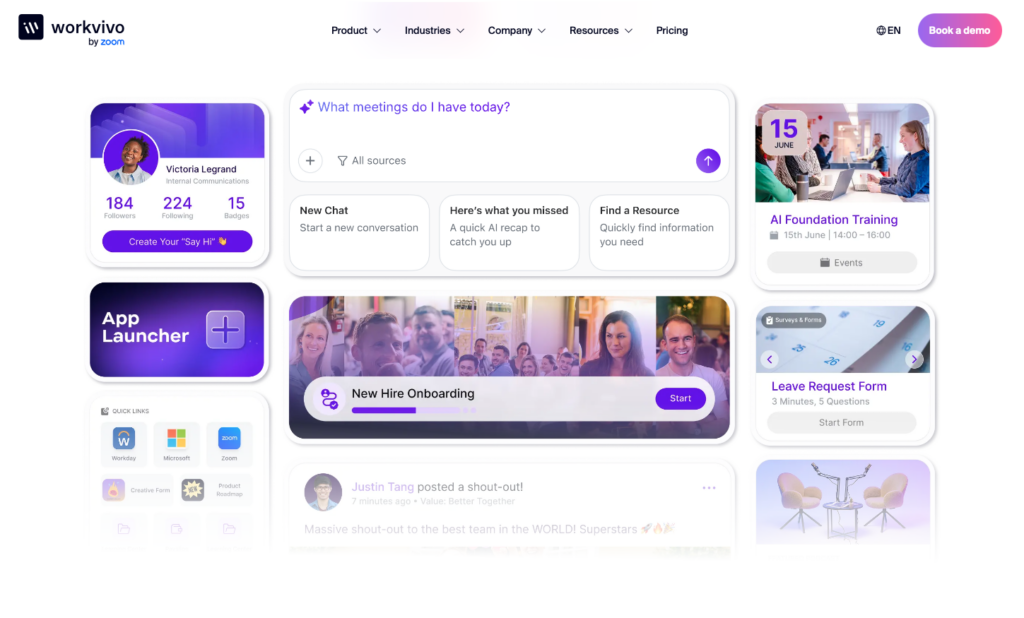
Workvivo by Zoom is an employee experience platform that combines internal communications, communities, recognition, knowledge pages, surveys, and analytics in a social-style feed.
Why I chose Workvivo: I ranked Workvivo first because its Spaces, recognition tools, social feed, and targeted campaigns make culture-building part of everyday communication instead of a separate HR exercise.
Spaces and employee recognition
Workvivo’s Spaces act as focused communities for departments, locations, projects, or shared interests. Employees can follow relevant updates, documents, news, events, and discussions without relying on one company-wide feed. Public, private, and hidden Spaces give administrators different ways to balance discovery with access control.
Shout-outs and profile badges make recognition visible across the organization. Administrators can award badges directly or automate them around engagement rules and work anniversaries. This can help a distributed workforce celebrate contributions that would otherwise go unnoticed.
Campaigns and targeted communications
Communications teams can plan campaigns, target audiences, schedule content, and measure performance across posts, articles, push notifications, livestreams, and digital signage. You can send push notifications to a company-wide, team, or Space audience, or use email as another route for urgent communication.
The trade-off is in the editorial workflow. Multiple people can’t edit a post or news article at the same time, and colleagues can’t leave comments directly on article drafts. Communications teams with layered reviews may need a separate collaboration process before publishing.
Pages, surveys, and analytics
Workvivo’s Pages provide structured, mobile-friendly hubs for policies, onboarding resources, internal guides, and FAQs. Teams can use templates and drag-and-drop blocks, control visibility, and preview content for desktop and mobile.
Surveys and forms sit in the same environment, so HR can collect feedback, run pulse checks, and gather requests without sending employees to another system. Workvivo also tracks adoption and engagement by content type, audience, department, or location.
Key Features
- Social activity feed and employee Spaces
- Shout-outs, badges, and milestone recognition
- Targeted multichannel communication campaigns
- Knowledge pages, surveys, and engagement analytics
Pros
- Strong culture and community-building tools
- Targeted campaigns with detailed engagement data
Cons
- No concurrent post or article co-editing
- Mobile app requires an internet connection
Pricing
Contact vendor for price Trial: No Free Plan: No
-
Staffbase — Best for enterprise employee communications
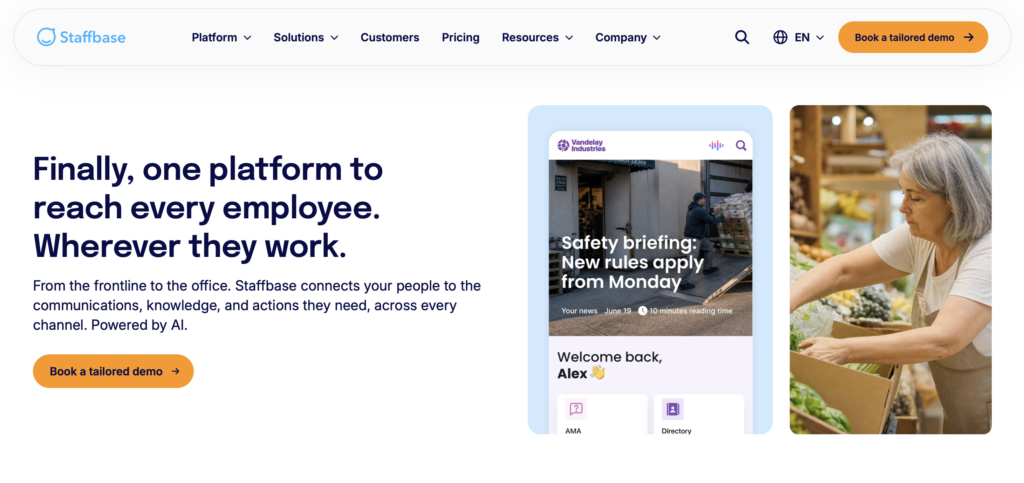
Staffbase is an enterprise communications platform that combines an employee app, intranet, email, SMS, digital signage, knowledge management, and campaign analytics.
Why I chose Staffbase: I included Staffbase because it gives large communications teams strong control over planning, distributing, governing, and measuring content across several workforce touchpoints.
Publisher and multichannel campaigns
Staffbase’s Studio Publisher lets internal communications teams create content once and distribute it across the employee app, intranet, email, SMS, and other custom channels. Teams can coordinate high-volume publishing with editorial calendars, draft comments, approvals, document versioning, a shared inbox, and media management.
Staffbase lets editors comment, tag colleagues, and request approvals, but doesn’t support co-editing for posts and news articles. Teams used to Google Docs-style collaboration may need to adjust their process.
Personalized employee app
The branded employee app can personalize information according to role and location. Flexible login options help employees without corporate email, while translation can make the same communication accessible across multilingual teams. Employees can use the app to read company news, access resources, complete forms, find colleagues, and reach connected HR services.
The mobile experience is much stronger for employees than administrators. There’s no mobile administrator app, so communications staff can’t draft news or check post analytics on the go. Staffbase lets employees download selected pages for offline reference, but the rest of the app still requires an internet connection.
Content governance and campaign analytics
Staffbase gives internal communications teams a controlled way to organize and maintain employee information. The platform’s AI features include an employee assistant that searches content and answers questions, AI sentiment analysis for comments and social posts, and governance alerts for duplicate or conflicting intranet information.
Staffbase provides detailed analytics for news articles, social posts, and landing pages. Teams can filter engagement by employee group, location, content type, and device, then export the results as a CSV or share raw data through the API. They can also group related content into campaigns to compare performance and see which groups engaged most.
However, administrators can’t access analytics from the mobile app. Staffbase’s AI assistant also doesn’t label AI-generated content or cite its sources, so employees may need guidance on when to verify its answers.
Key Features
- Multichannel enterprise campaign publishing
- Personalized employee app and intranet
- AI-assisted content governance and search
- Campaign, sentiment, and alignment analytics
Pros
- Strong governance for large communications teams
- Broad publishing across workforce touchpoints
Cons
- No co-editing for posts and news articles
- Lacks mobile administrator app
Pricing
Contact vendor for price Trial: No Free Plan: No
-
Blink — Best for mobile-first communication and engagement

Blink is an employee communication and experience platform that centers frontline work around a mobile feed, direct and group chats, surveys, recognition, and integrations.
Why I chose Blink: Blink stands out for making urgent updates, everyday conversations, and employee resources easy to reach from a phone, while publishing transparent entry pricing and offering a 14-day trial.
Feed and priority communications
Blink’s Feed gives employees one place for company updates, shift alerts, and safety notices. Managers can target posts to groups based on department, location, project, or interest. Priority posts remain pinned until an employee reads and acknowledges them, while read receipts help managers track reach in real time.
This is useful when a safety rule or site change can’t disappear beneath everyday updates. More advanced planning, approval, moderation, and campaign features may depend on the selected plan, though, so compare those controls by tier before treating every publishing control as standard.
Direct and group chats
Blink’s Direct Chats and Group Chats let employees share text, images, GIFs, videos, PDFs, documents, and spreadsheets without using their personal phone numbers. Workers can also start voice or video calls from a conversation. Administrators can create role- or location-based groups and apply retention or compliance controls.
Chat can connect day-to-day questions with Blink’s Feed posts and Hub documents, which keeps work context close to the conversation. Teams with a large collaboration stack should still test their required integrations and message-governance settings during the trial.
Hub and Surveys
Blink’s Hub provides a searchable home for policies, onboarding material, safety documents, payroll links, and other frontline resources. Content can be targeted by role, department, or region, and it can connect employees to tools such as SharePoint, Google Drive, or payroll portals. Surveys can go to a team, location, or the full workforce and support recurring pulse checks.
The organization tools won’t suit every intranet. Employees can’t add Hub content, administrators need several steps to arrange sections, and there isn’t a traditional folder system. Survey responses are also anonymous, without an option to require names. Administrators should also note that they can’t manage the workspace, view analytics, or send surveys from mobile.
0Key Features
- Feed posts with acknowledgements
- Direct and group chats with calls
- Searchable, personalized employee Hub
- Targeted mobile pulse surveys
Pros
- Strong mobile access for frontline employees
- Transparent entry pricing and trial
Cons
- Mobile app lacks administrator tools
- Hub doesn’t have traditional document folders
Pricing
Starts at $3.75/user/month Trial: Yes — 14 days Free Plan: No
-
Connecteam — Best for frontline operations plus communication
Connecteam gives frontline teams access to employee communication and operational work in one mobile platform. It helps managers turn an update into a covered shift, completed task, submitted form, or accurate time record without switching between apps.
Why I chose Connecteam: Connecteam combines communication with scheduling, tasks, forms, time tracking, training, and HR tools for teams whose daily work happens away from a desk.
Company updates
Connecteam’s company updates give managers a social-style feed for company news, safety notices, policy changes, and announcements. You can target each post to the right people using Smart Groups, enable comments and reactions, send push notifications, track views, and require confirmation when an update needs to be acknowledged.
Smart Groups update as employee details change, which reduces the need to maintain audience lists by hand. That makes targeted communications easier when people move between roles, locations, crews, or departments.
Online team chat
Connecteam’s online team chat supports one-on-one and group messaging on mobile and desktop. Employees can share files, images, video, and links, search message history, tag teammates, and use read receipts without moving work conversations into their personal messages.
Managers can control who starts chats, deletes messages, or sends direct messages. Smart Groups can also keep group membership aligned with the workforce structure, so a location or department chat doesn’t require constant manual updates.
Knowledge base and feedback tools
The company knowledge base gives employees one mobile place to find policies, manuals, onboarding material, and other reference content. Administrators can organize information into sections and folders, combine text, links, and files, manage access, and track engagement. Employees can also ask the AI agent questions based on company content.
Surveys and live polls help managers collect feedback, including anonymous responses when appropriate, while the Help Desk routes formal HR, payroll, IT, maintenance, or safety requests to the right team. This is useful when an employee needs an answer but a group conversation isn’t the right place to ask.
Workforce management tools
Connecteam combines communication with the tools managers need to coordinate daily work. The employee scheduler connects shifts with employee availability, time-off requests, qualifications, notes, tasks, and files. Managers can build schedules using drag-and-drop tools, post open shifts, approve replacements, flag conflicts, and notify employees of changes.
Connecteam’s task tracking tools lets managers assign one-time or recurring work with due dates, instructions, subtasks, locations, and attachments. Real-time statuses show what’s open, in progress, complete, or overdue.
With digital forms and checklists, employees can submit photos, files, scanned documents, signatures, and time-stamped information from the field. This gives managers a clearer record of completed work than informal messages or paper checklists.
Because these tools live in the same app, managers can update a shift, fill a staffing gap, assign follow-up work, and answer questions without switching systems. Connecteam also includes an employee time clock, time-off management, onboarding, training, and employee recognition.
When Connecteam isn’t a good fit
Connecteam isn’t designed as a specialist publishing suite for large communications departments whose main work is coordinating complex email campaigns, corporate intranets, or digital signage across a global enterprise. A communications-only team may also find that Connecteam’s scheduling, time tracking, task, and field-work tools go beyond what it needs.
0Key Features
- Targeted company updates
- One-on-one and group chat
- Mobile knowledge base and help desk
- Employee scheduling and shift coverage
Pros
- Connects communication directly to frontline work
- Strong mobile tools for distributed teams
- Dynamic audiences reduce manual group maintenance
- Built-in tasks and forms support follow-through
Cons
- Less suited to enterprise publishing programs
Pricing
Free-for-life plan availablePremium plans start at $29/month for 30 users
14-day free trial, no credit card required
Start your free trial -
Beekeeper — Best for frontline communication and workflows
What’s new with Beekeeper
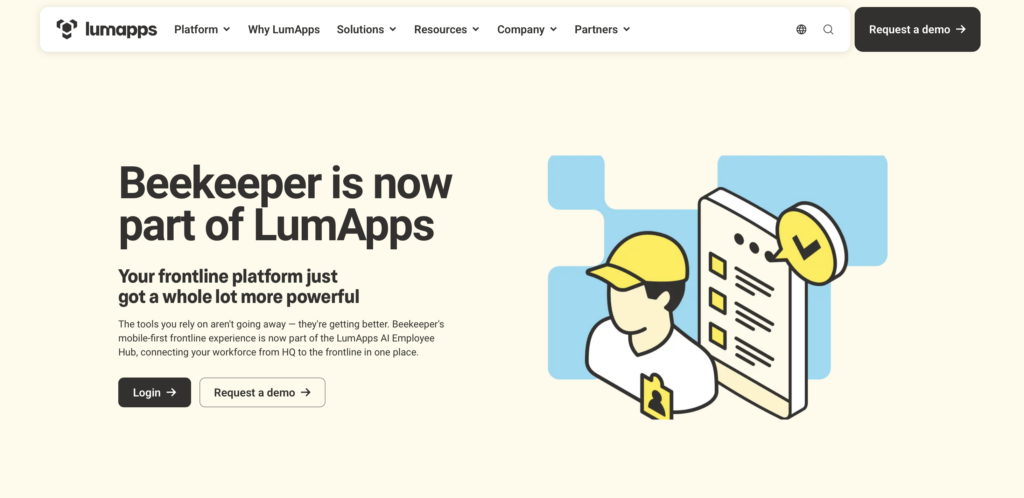
In July 2025, Beekeeper merged with LumApps and is no longer available as a standalone platform. Our hands-on testing took place before the merger.
Beekeeper is a mobile-first frontline platform that now operates as part of LumApps. It combines employee communications with digital forms, task assignments, approvals, learning, integrations, and operational insights.
Why I chose Beekeeper: Beekeeper belongs on this list because it connects targeted updates with structured frontline workflows, helping managers move from informing employees to tracking what happens next.
Targeted frontline communications
Managers can send mobile updates according to role, shift, or location without requiring corporate email. Two-way chat, polls, user-generated video, and engagement tools give workers ways to respond instead of treating communication as a one-direction broadcast.
This setup can work well for a store, plant, hotel, or field operation where each audience needs different information. However, buyers should request a demo to confirm whether managers can see exactly who has and hasn’t read each update.
Forms and workflow automation
Beekeeper can turn a mobile form, checklist, incident report, or employee request into assigned work. Managers can automate approvals, shift-swap processes, onboarding steps, compliance reminders, and follow-up tasks, then set owners and deadlines and track progress.
Learning, integrations, and operational insights
Beekeeper offers mobile learning and onboarding, with multilingual training and completion tracking. It integrates with Workday, ServiceNow, SAP SuccessFactors, and UKG to help the employee hub surface existing HR and IT tools. Dashboards cover areas such as engagement, task completion, communication reach, and workflow performance.
Beekeeper remains available, and LumApps says existing tools, contracts, data, and support are staying in place. Still, the combined experience is being introduced in phases. Buyers should check which LumApps capabilities are available in the proposed Beekeeper deployment instead of assuming the full combined roadmap is live.
Key Features
- Targeted mobile frontline communications
- Digital forms and operational checklists
- Workflow and approval automation
- Mobile learning and operational dashboards
Pros
- Connects employee communication to frontline workflows
- Supports workers without corporate email
Cons
- LumApps integration remains phased
- Setup can be complex for admins
Pricing
Contact vendor Trial: No Free Plan: No
-
Simpplr — Best for modern intranet and employee experience
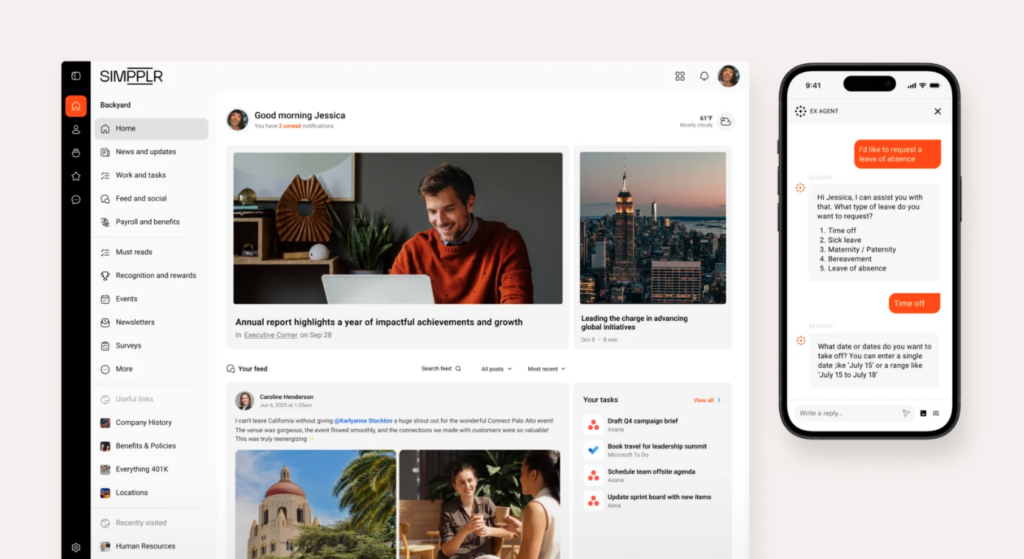
Simpplr is an AI-powered employee experience platform built around a modern intranet, targeted communications, enterprise search, employee listening, and recognition.
Why I chose Simpplr: Simpplr is a good fit for organizations that want employees to find trusted information, receive personalized content, and participate in feedback and recognition programs from one digital work hub.
Targeted employee communications
Communications teams can publish announcements, alerts, and newsletters from a central platform and target them according to role, location, network, or other employee data. Content can reach employees through web, mobile, SMS, chat, or digital displays, helping a mixed desk-based and frontline workforce receive the same campaign through different touchpoints.
The mobile app doesn’t support all administrative features, so you’ll need to rely on the desktop version to publish content and check analytics.
AI search and connected knowledge
Simpplr’s enterprise search helps employees find posts, pages, people, videos, and files across the intranet and connected platforms such as SharePoint, Dropbox, and Google Drive. Results are based on each employee’s permissions and context.
The AI assistant can answer workplace questions and suggest next steps. This saves employees from guessing where to find a policy, form, or link.
Employee listening and recognition
Simpplr’s Employee Listening supports pulse surveys, sentiment checks, awareness checks, engagement surveys, and AI-assisted theme analysis. Survey reporting can protect anonymity and be shared with appropriate filters.
Recognition tools cover peer-to-peer, functional, spot, and service awards, plus badges, rewards, and related analytics.
Employee Listening is a paid add-on and may not be included in the base quote. Keep in mind that Simpplr focuses on employee experience and intranet workflows, so teams that need scheduling, time tracking, or leave management will need separate, connected systems.
Key Features
- Targeted multichannel employee communications
- Permission-aware AI enterprise search
- Employee listening and sentiment analysis
- Recognition, badges, and rewards
Pros
- Strong modern intranet and search experience
- Combines listening with employee recognition
Cons
- Several experience tools are paid add-ons
- Mobile app has limited administration tools
Pricing
Contact vendor for price Trial: Yes — 14-day, by request only Free Plan: No
-
Firstup — Best for large-scale targeted employee communications
Available on
- Web
- iOS
- Android
Firstup is an enterprise employee communications platform for creating, targeting, delivering, and measuring campaigns across mobile, email, intranet, digital signage, and connected applications.
Why I chose Firstup: Firstup helps large organizations that need to segment communications precisely, automate multi-step employee journeys, and track whether people received and acted on important messages.
Omnichannel targeting and delivery
Firstup lets communications teams target employees by role, location, language, behavior, and other attributes. A campaign can reach people through the employee app, email, intranet, digital signage, or another connected endpoint, rather than assuming one channel works for the whole workforce. The Essential tier also supports follow-up to employees who haven’t engaged or completed a required action.
This depth also creates more audience, endpoint, and delivery choices for administrators to configure. It’s important for communications teams to decide if setting up and managing campaigns is practical for the amount of content they publish.
Employee journey orchestration
Firstup’s drag-and-drop journey builder can create multi-step communication flows around onboarding, benefits enrollment, training, compliance, or organizational change.
Journeys can use HR system data, dates, events, roles, locations, languages, behavior, delays, and conditional splits. Teams can remove employees who complete an action and track delivery, opens, acknowledgements, and progression.
While Firstup promotes a growing set of AI capabilities, buyers should check what’s live. Currently, AI Actions and AI Audience Builder are labeled as coming soon, so these tools shouldn’t be treated as available features during your buying decision.
Employee hub and engagement insights
Firstup’s employee intranet gives employees a personalized place to find targeted updates, search for information, access self-service resources and connected tools, and view training reminders. Communications teams can filter engagement data by audience, topic, department, campaign, channel, or journey stage to see where messages lose attention.
However, the full intranet costs extra, while advanced AI content creation and intelligent delivery are limited to the Professional and Premier plans.
Key Features
- Attribute-based employee audience targeting
- Omnichannel delivery and automatic retargeting
- No-code employee journey orchestration
- Employee hub and engagement analytics
Pros
- Built for complex, distributed enterprise audiences
- Tracks communications through required actions
Cons
- Complex campaigns require careful setup
- Intranet isn’t part of core paid plan packages
Pricing
Contact vendor for price Trial: No Free Plan: No
Compare the Best Flip alternatives
| Topic |
|
|
|
 Start for free
|
|
|
|
|---|---|---|---|---|---|---|---|
| Reviews |
  |
|
|
|
|
|
N/A
|
| Pricing |
Contact vendor for price
|
Contact vendor for price
|
Starts at $3.75/user/month
|
Starts at just $29/month for the first 30 users
|
Contact vendor
|
Contact vendor for price
|
Contact vendor for price
|
| Free Trial |
no
|
no
|
yes
14 days
|
yes
14-day
|
no
|
yes
14-day, by request only
|
no
|
| Free Plan |
no
|
no
|
no
|
yes
Free Up to 10 users
|
no
|
no
|
no
|
| Use cases |
Best for culture and social employee experience
|
Best for enterprise employee communications
|
Best for mobile-first communication and engagement
|
Best for frontline operations plus communication
|
Best for frontline communication and workflows
|
Best for modern intranet and employee experience
|
Best for large-scale targeted employee communications
|
| Available on |
Web, iOS, Android
|
How to Choose the Right Flip Alternative
The best Flip alternative depends on your workforce, communications program, and whether the app must manage operational work as well as employee experience. Ask these questions before making a decision:
- Will per-user pricing remain affordable as seasonal, casual, or frontline headcount changes?
- Do employees work mainly from phones, shared devices, kiosks, or desktop computers?
- Are you replacing a communications app, an intranet, or several disconnected workforce tools?
- Do teams work in locations where weak connectivity could interrupt messages, forms, or task completion?
- Do you need social communities and recognition, formal campaign governance, or operational follow-through?
- Can you target information by role, location, shift, language, or employee attributes?
- Can administrators confirm that critical updates were read or acknowledged?
The Bottom Line on Flip Alternatives
The right Flip alternative depends on what your frontline employee app must do after it delivers a message. Some teams need culture, recognition, and social participation, while others need enterprise publishing, knowledge governance, or targeted campaigns across several endpoints.
Connecteam stands out when communication must lead directly into scheduled and accountable work. It brings targeted updates, chat, scheduling, and more into one mobile platform for frontline teams.
