If your staff uses standard SMS to text patients or colleagues, you risk exposing protected health information, triggering HIPAA violations, and weakening patient trust.
I reviewed 5 HIPAA-compliant text messaging apps and ranked them by secure communication, patient engagement, and administrative controls.
Use these picks to protect patient data, reduce no-shows, and streamline your clinical workflows.
If you don’t have the time to read through our research, jump down to our quick comparison table.
| App | Best for | Starting Price | Key Considerations |
| Paubox | Healthcare organizations needing email encryption with HIPAA messaging | $32/month for up to 5 senders | Smooth email integration, but can be expensive for smaller teams. |
| Curogram | Patient-facing healthcare teams reducing inbound call volume | Contact vendor for price | Strong automated reminders to reduce phone calls, but requires integration with EMR to work effectively. |
| Weave | Multi-location healthcare practices needing unified patient engagement | $199/month | Comprehensive patient engagement tools including VoIP, but some users report occasional technical glitches. |
| TigerConnect | Large hospital systems and enterprise clinical teams needing secure collaboration | Contact vendor for pricing | Enterprise-grade reliability and role-based messaging, but may be too complex and too costly for small clinics. |
| Connecteam | Healthcare teams managing operations with HIPAA-compliant team chat | Just $29/month for the first 30 users | Affordable operations platform with secure chat, but not a specialized patient-facing communication tool. |
What’s New in This Update (August 2026)
- Removed Zinc, Notifyd, Providertech, Halo Health, and Spok from the previous list to focus on the top 5 market leaders.
- Added Paubox, Curogram, and Weave to reflect the latest top-rated tools for email encryption and patient communication.
- Re-evaluated TigerConnect’s clinical collaboration features based on its latest enterprise updates.
- Added a new ‘How to Choose’ section to help buyers navigate feature requirements and budgets.
Our Top Picks
-
1

Best for healthcare organizations needing email encryption with HIPAA messaging
-
2

Best for patient-facing healthcare teams reducing inbound call volume
-
3

Best for multi-location healthcare practices needing unified patient engagement
Why trust us?
Our team of unbiased software reviewers follows strict editorial guidelines, and our methodology is clear and open to everyone.
See our complete methodology
How I Ranked the Best HIPAA-Compliant Text Messaging Apps
When looking for the right HIPAA-compliant texting app for your business, you’ll want to keep an eye out for these features:
- Security. Look for end-to-end encryption, at-rest encryption, and access controls. End-to-end encryption ensures messages you send and receive are protected, and only you and the person you communicate with can access them. At-rest encryption means data is protected when stored on a server or device, ensuring no one can access it. Access controls ensure only people with the appropriate permissions can see sensitive messages and information.
- Multi-factor authentication (MFA). This requires users to log in to a system using multiple forms of identification—e.g., a password, a one-time code sent via email or text, a fingerprint scan, or a facial ID scan. It adds extra protection and helps ensure only the appropriate people can access sensitive information.
- One-on-one and group chat. Modern texting apps aren’t limited to one-on-one chat. Look for a solution offering customizable group messaging as well. Group chats allow you and your team to stay connected.
- Audio and video chat. Integrated audio and video communication options enable you to communicate more efficiently with patients and team members.
- File sharing. You should be able to securely share various files, including documents, images, and videos containing sensitive PHI.
- Stickers and emojis. Most modern communication platforms make sending and receiving messages more exciting with stickers and emojis. Connecteam excels here—and even enables you to add polls and surveys to group chats.
- Software integrations: Look for a platform that integrates with popular third-party apps. Integrations with health-specific programs that you already use are especially useful.
The 5 Best HIPAA-Compliant Text Messaging Apps
-
Paubox — Best for healthcare organizations needing email encryption with HIPAA messaging
Available on
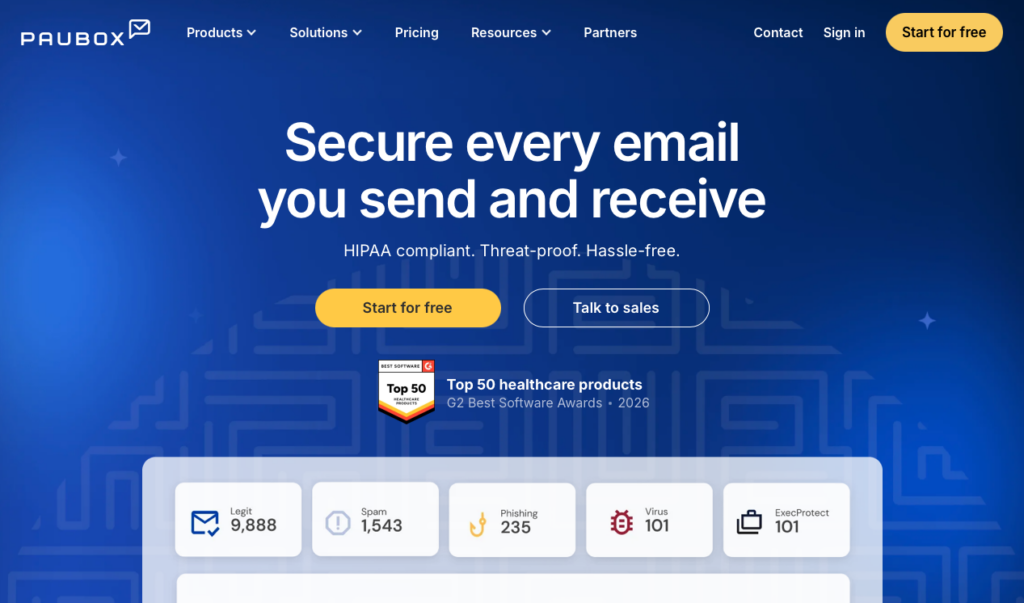
Paubox is a security platform that automatically encrypts outbound emails and provides inbound protection against advanced threats.
Why I chose Paubox: Paubox made the list because it secures messages directly within Google Workspace and Microsoft 365, eliminating the need for portals or extra steps.
Automatic Email Encryption
Paubox’s core strength is how it handles outbound messages. The system encrypts every email automatically, meaning staff can send protected health information using their normal Gmail or Outlook accounts. Patients receive the emails directly in their regular inbox and can read them just like any other message.
This smooth experience is a big advantage, especially compared to other secure messaging tools that force patients to log into a clunky web portal or remember a passcode just to read a simple update from their doctor.
Inbound Security and Threat Protection
The platform also includes strong inbound security features powered by AI. The system analyzes the tone, sender behavior, and intent of incoming messages to block sophisticated phishing, ransomware, and spoofing attacks. That said, the pricing model and setup process could be drawbacks for some organizations. Paubox charges per sender rather than a flat organizational fee, and implementation requires IT involvement to configure DNS and MX records, which might be a hurdle for smaller clinics.
Secure Message Center
Paubox delivers emails directly to recipients’ inboxes whenever the recipient’s email provider supports modern TLS encryption. However, about 5% of email providers don’t support this encryption standard. In these cases, Paubox automatically falls back to a Secure Message Center, which sends the patient a notification with a secure link to view the message. While this ensures compliance, it does create a bit of portal friction that Paubox tries to avoid.
Encrypted Forms and Calendar Invites
Beyond basic messaging, Paubox also offers secure, signable digital forms. This allows practices to collect sensitive patient information and signatures online without risking a HIPAA violation. The platform also secures calendar invites, to make sure that appointment details don’t leak protected information.
What users say about Paubox
I appreciate Paubox for giving me peace of mind about the security of my email and for knowing it helps keep my company HIPAA-compliant.

The forms are useful in principle, but they are not as versatile as I would like. The interface can also feel counterintuitive, difficult to work in, and somewhat rudimentary. It does not always anticipate what the user is trying to accomplish, so tasks that should be straightforward can require more effort than expected.
Key Features
- Outbound email encryption
- Google Workspace and Microsoft 365 integrations
- AI-powered inbound threat protection
- Secure digital forms and calendar invites
Pros
- No extra login steps
- Unchanged email messaging experience
Cons
- Pricing is based on the number of senders
- Focuses on email rather than instant SMS texting
Pricing
Starts at $32/month for up to 5 senders Trial: Yes — 14 days Free Plan: No
-
Curogram — Best for patient-facing healthcare teams reducing inbound call volume
Available on
- Web
- iOS
- Android
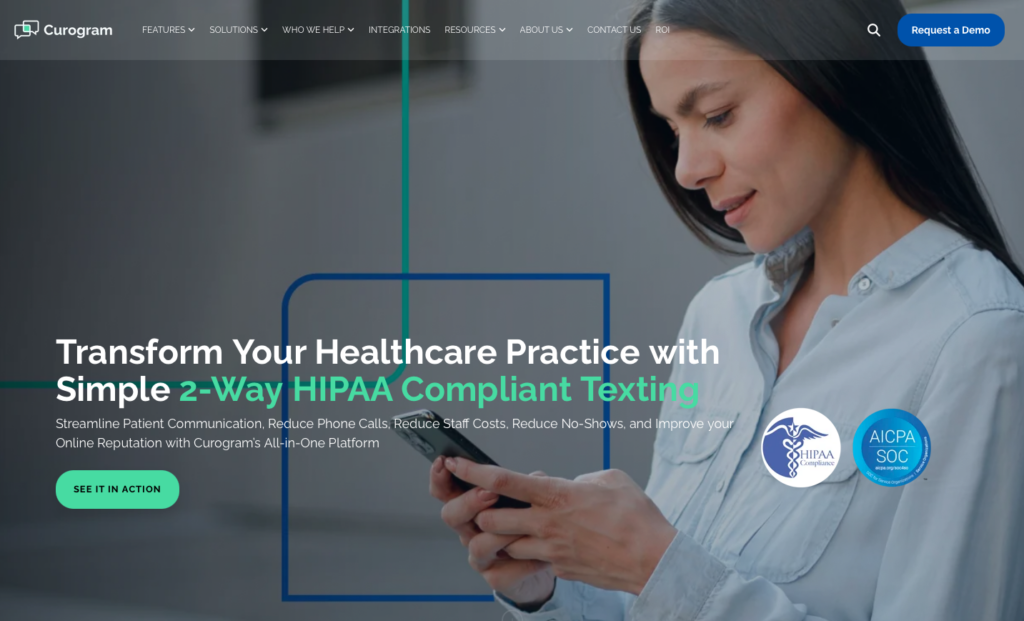
Curogram is a patient engagement platform designed to improve communication and front-desk operations.
Why I chose Curogram: Curogram stands out for patient-facing healthcare teams because its two-way texting and automated workflows really reduce the volume of inbound phone calls.
Two-Way Texting and Reminders
Curogram allows practices to text patients using their main business phone number. This means patients don’t have to wonder who is messaging them. The system handles automated appointment reminders based on the visit type and location, which helps reduce no-shows.
Patients can reply directly to these texts to confirm, reschedule, or ask questions. This moves conversations off the phone and into a manageable digital queue that’s comfortable for patients and easy to use.
Digital Forms and Telemedicine
Curogram also supports mobile-friendly online patient forms. Practices can send intake paperwork securely via text before the appointment, which helps reduce wait times in the lobby. There’s also a built-in telemedicine feature for secure video visits.
While these features are helpful, I noticed that Curogram relies heavily on syncing with your existing electronic medical record (EMR) system, and the setup can take up to two weeks to complete.
Patient Communication Controls
Curogram includes several tools that help practices communicate more effectively while staying organized. It can automatically send text messages asking satisfied patients to leave a Google review after their visit, and administrators can send mass text messages to targeted patient groups for updates like office closures or flu shot availability.
There are also strong communication controls. The “Allowed Channels” feature lets administrators restrict staff to approved communication methods to maintain consistent patient interactions. Meanwhile, the “Internal Notes” feature lets team members leave private comments within conversation threads, so it’s easy to share context or hand off conversations without patients seeing the discussion.
What users say about Curogram
I like how easy it is to communicate with patients on Curogram in a HIPAA compliant platform. Using Curogram has eliminated the stress of patients forgetting their appointments and forms.
There seem to be a lot of glitches quite frequently. Sometimes, we don’t get confirmation, and patients get multiple text messages to confirm their appointment when they already did.

Key Features
- Two-way texting from business phone numbers
- Automated appointment reminders
- Mobile-friendly intake forms
- Built-in telemedicine video visits
Pros
- Reduces inbound phone call volume
- Patients don’t need to download an app
Cons
- Implementation can take two weeks
- Lacks a dedicated mobile app for staff
Pricing
Contact vendor for price Trial: No Free Plan: No
-
Weave — Best for multi-location healthcare practices needing unified patient engagement
Available on
- Web
- iOS
- Android
- Windows
- Mac
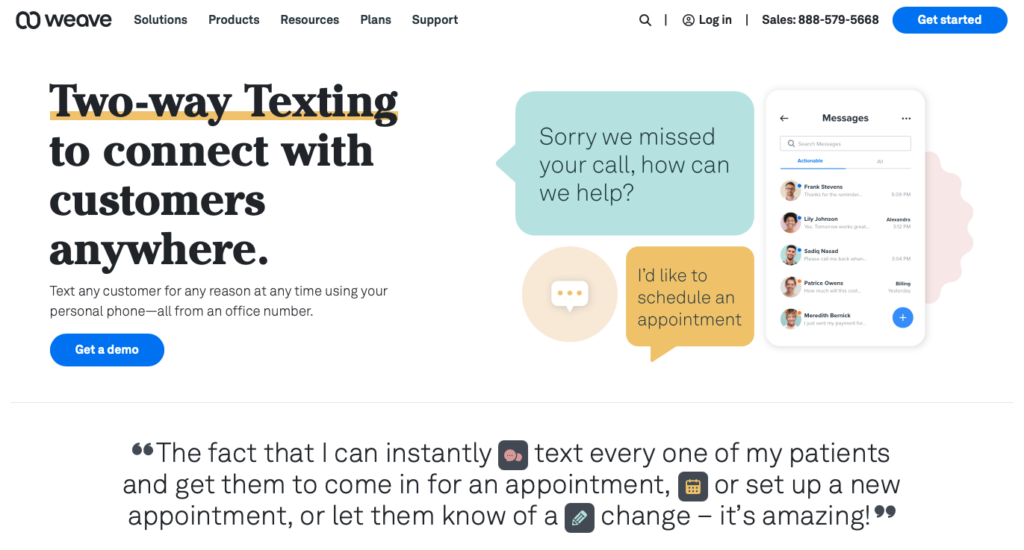
Weave is a communication platform that combines VoIP phones, texting, and practice management tools.
Why I chose Weave: I included Weave because it centralizes phones, secure messaging, scheduling, and payments into one unified desktop and mobile interface.
Two-Way Texting and Call Pop
Weave’s communication hub centers around its VoIP (internet-based) phone system and two-way texting capabilities. When a patient calls, the Call Pop feature instantly displays their profile, upcoming appointments, and outstanding balances, giving staff the context they need before answering.
If you miss a call, the system can automatically send a text message to the patient to keep the conversation going. It’s a good way to help busy front desks stay organized while managing patient communication.
Patient Engagement and Practice Communication
Weave combines patient engagement, payments, and team communication in one platform. It includes automated appointment reminders, online scheduling, digital forms, and secure “Text to Pay” links, which lets patients pay their bills from their smartphones. Staff can also communicate through the built-in team chat, while email marketing tools make it easy to send newsletters and promotional campaigns.
Yet, I noticed that some advanced features, such as insurance verification, are only available for certain industries like dental practices. I also found Weave’s pricing to be a significant drawback. Plans start at $199 per month with no free plan, which means it’s a considerable investment for smaller clinics.
Infrastructure Requirements and Known Issues
Because Weave is a VoIP-first system, it requires specific network infrastructure and internet speeds to function correctly. I noticed that their help center frequently highlights troubleshooting for poor call quality, payment links failing, and automated messages not sending. If your clinic has an unreliable internet connection, a cloud-based VoIP phone system may not be the best fit, since communication really depends on being online.
What users say about Weave
Two way texting is fantastic for appointment scheduling and client communication. The automatic appt reminders are great too.
Navigating between patient records and appointment bookings isn’t always intuitive, and I occasionally find myself tapping around more than I’d like to get where I need to go.
Key Features
- VoIP phone system
- Missed call automated texting
- Secure Text to Pay links
- Internal team chat
Pros
- Voice, text, and payments in one system
- Strong automated follow-up capabilities
Cons
- High starting price point of $199 per month
- Certain features locked to specific medical specialties
Pricing
Starts at $199/month Trial: No Free Plan: No
-

TigerConnect — Best for large hospital systems and enterprise clinical teams needing secure collaboration
Available on
- Web
- iOS
- Android
- Windows
- Mac
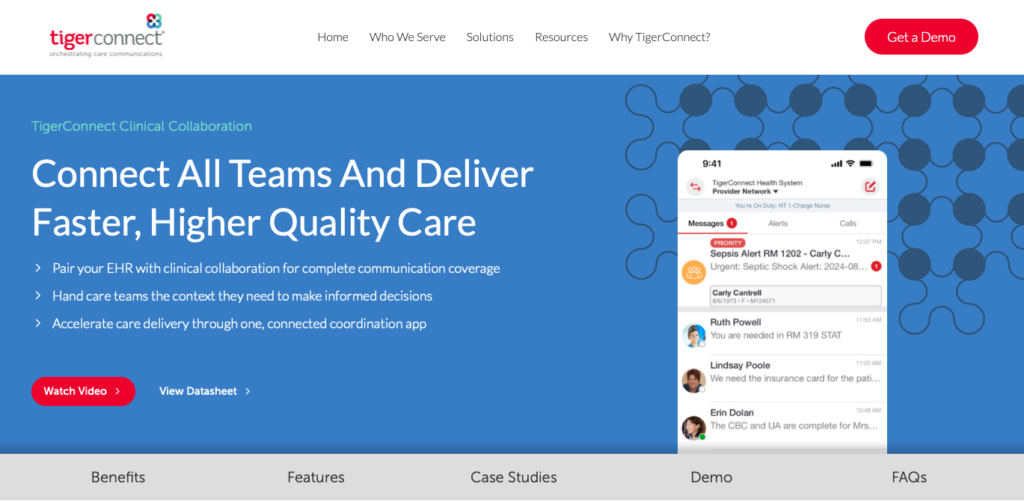
TigerConnect is a clinical communication and collaboration platform built for hospitals and large health systems.
Why I chose TigerConnect: I chose TigerConnect because it offers reliable, role-based messaging that integrates with complex clinical workflows and alarms.
Secure Clinical Messaging
TigerConnect offers secure messaging backed by HITRUST certification. The platform lets clinicians send encrypted texts, photos, voice notes, and file attachments safely. The “Message Lifespan” and “Message Recall” features are especially useful in health, because they let administrators decide when messages automatically delete or unsend messages sent by mistake.
Role-Based Communication and Patient Context
TigerConnect’s role-based communication makes it a good fit for large organizations. Instead of needing to know exactly who’s working, a nurse can just message the “On-Call Cardiologist,” and the system routes it to the correct person based on the schedule.
Staff can also attach patient references directly from the EHR to the conversation. For small, independent clinics that only need basic secure texting, TigerConnect may offer more features than necessary at a higher price.
Advanced Integrations and Alarms
TigerConnect goes beyond secure messaging by connecting with nurse call systems, patient monitors, and EHRs. It can automatically send critical alerts to the right clinician’s mobile device, to help reduce unnecessary notifications and ensure urgent events (like code blues or sepsis alerts) reach the right person quickly.
That said, the platform’s broad range of products, including tools for patient transfers, pre-hospital coordination, and smart rooms, may make it feel overwhelming, especially for teams that only need a straightforward communication solution.
What users say about TigerConnect
TC has been great in the workplace as a place to communicate with other staff, especially when clients are around and we need to share confidential information
Honestly, it can feel pretty clunky. Notifications aren’t always reliable, and messages get buried easily, especially with multiple threads.
Key Features
- End-to-end encrypted clinical messaging
- Role-based routing and directory
- EHR and clinical alarm integrations
- Message recall and auto-deletion
Pros
- Secure multi-media messaging
- Coordination of large, complex care teams
Cons
- May be too complex and costly for small practices
- Requires IT involvement to implement fully
Pricing
Contact vendor for pricing Trial: No Free Plan: No
-
Connecteam — Best for healthcare teams managing operations with HIPAA-compliant team chat
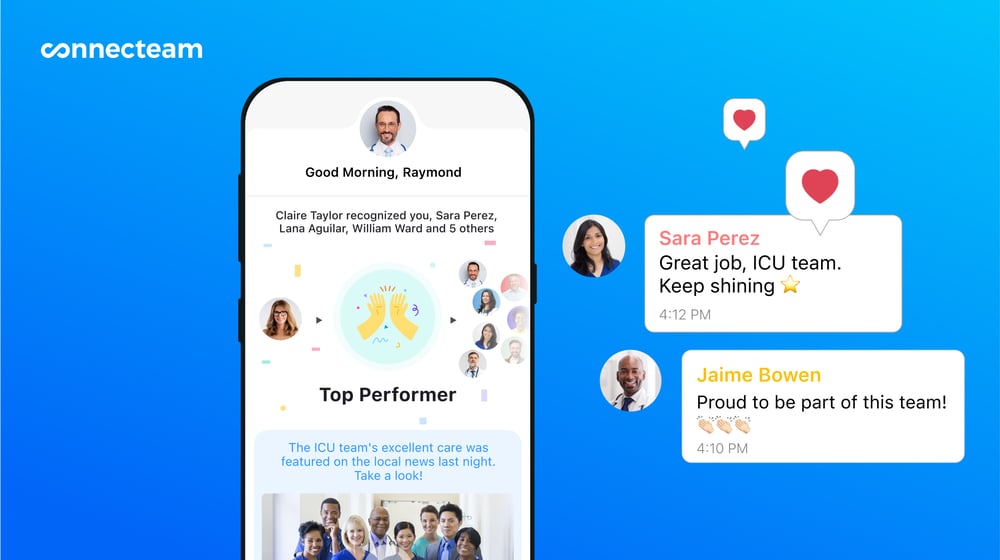
Connecteam is a workforce management and operations platform that offers a secure, HIPAA-compliant team chat. It’s especially strong for home healthcare agencies that need strong scheduling and mobile time tracking without compromising patient privacy during staff communication.
Why I chose Connecteam: Connecteam is a great fit for field-based healthcare teams, like home health agencies and mobile nursing services, because it pairs HIPAA-compliant staff messaging with GPS time tracking and shift scheduling in a single app.
Secure Online Team Chat
Connecteam’s online team chat comes with an optional HIPAA add-on, giving healthcare teams a secure alternative to personal text messages. Managers can message individuals, departments, or the entire team. You can also share photos, videos, files, and patient care documents, along with important information like handoff notes or care instructions directly to shifts.
Role-based permissions ensure employees only see the information they’re authorized to access, while read receipts confirm staff have seen critical updates before their shift. Conversations are also fully searchable, so it’s easy to find past messages without digging through endless chat threads.
SMS Text Messaging
Even though Connecteam doesn’t support external patient-facing texting, it does let you send SMS messages directly to your staff. I can see this being particularly useful for healthcare teams where employees may be off-duty, working in areas with poor internet, or have app notifications turned off.
You can send one-off messages to individuals or groups, and automate shift reminders to reduce no-shows. For critical communications, like emergency closures, weather delays, or urgent schedule changes, SMS makes sure your message gets through even when the app can’t. It’s worth noting that SMS is a paid add-on.
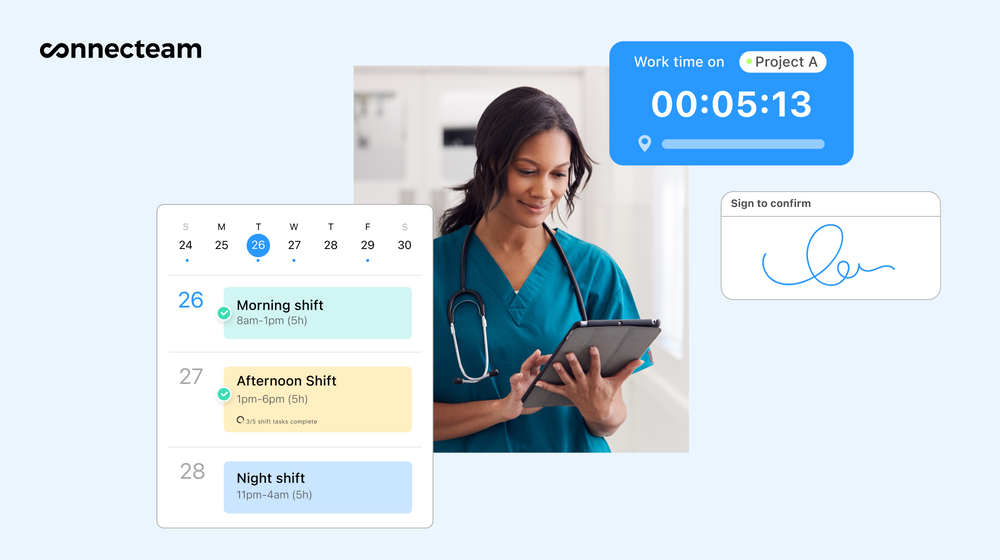
Plan shifts and track time with Connecteam. Employee Time Clock and Scheduling
Connecteam combines employee scheduling and time tracking in one platform, making it easy to manage staff across multiple clinics or patient locations.
Managers can build schedules with the drag-and-drop scheduler or use the AI auto-scheduler to assign the right clinician based on availability, qualifications, and fairness. You can add shift notes, attach care instructions or other files, and link tasks so employees know exactly what’s expected before they arrive. If someone can’t make a shift, they can release it in the app for another qualified teammate to pick up with manager approval.
When it’s time to work, employees clock in and out from their smartphones, with a GPS location stamp recorded for every punch. You can also create geofences to prevent staff from clocking in outside approved patient locations or clinic sites. The platform automatically applies your custom break and overtime rules, helping keep timesheets accurate and payroll compliant.
And so much more…
With Connecteam, you can also store certifications, licenses, and other employee records with automatic reminders before they expire, so staff credentials stay up to date. Use digital forms for patient care logs, incident reports, safety checks, and shift handoffs, or search the knowledge base for SOPs, care protocols, and internal policies. Connecteam offers all this and more in one easy-to-use mobile app.
When Connecteam isn’t a good fit
Connecteam is a general workforce management platform, not a specialized patient-facing communication tool. It doesn’t have features for direct two-way texting with patients, automated appointment reminders, or integration with clinical alarm systems. HIPAA compliance is also not enabled by default, meaning you have to sign a Business Associate Agreement (BAA), and pay additional fees to activate the HIPAA-registered environment.
Connecteam also offers a free for life plan – Try Connecteam here!
0Key Features
- HIPAA-compliant team chat
- Staff SMS messages
- GPS-enabled mobile time clock
- Drag-and-drop scheduling
- Digital forms and checklists
- Staff document management
Pros
- Optional HIPAA-compliant team chat add-on
- Secure messaging, files, and shift updates in one app
- Role-based permissions for controlled information access
- Combines messaging with scheduling and time tracking
Cons
- Chat is for internal teams only
- No integration for clinical alarm systems
Pricing
Free-for-life plan availablePremium plans start at $29/month for 30 users
14-day free trial, no credit card required
Start your free trial
Compare the Best HIPAA-Compliant Texting Apps
| Topic |
|
|
|
|
 Start for free
|
|---|---|---|---|---|---|
| Reviews |
N/A
|
N/A
|
 |
|
|
| Pricing |
Starts at $32/month for up to 5 senders
|
Contact vendor for price
|
Starts at $199/month
|
Contact vendor for pricing
|
Starts at just $29/month for the first 30 users
|
| Free Trial |
yes
14 days
|
no
|
no
|
no
|
yes
14-day
|
| Free Plan |
no
|
no
|
no
|
no
|
yes
Free Up to 10 users
|
| Use cases |
Best for healthcare organizations needing email encryption with HIPAA messaging
|
Best for patient-facing healthcare teams reducing inbound call volume
|
Best for multi-location healthcare practices needing unified patient engagement
|
Best for large hospital systems and enterprise clinical teams needing secure collaboration
|
Best for healthcare teams managing operations with HIPAA-compliant team chat
|
| Available on |
Web, iOS, Android
|
Web, iOS, Android, Windows, Mac
|
Web, iOS, Android, Windows, Mac
|
How to Choose the Right HIPAA-Compliant Text Messaging App
Selecting the right HIPAA-compliant messaging app depends on your specific needs. Ask yourself these questions before making a decision:
- What is your budget, and do you prefer a flat monthly fee or per-user pricing?
- Do you need a free plan for a small team, or can you afford enterprise-level implementation costs?
- Do you primarily need to communicate securely with patients, or are you looking for internal team collaboration?
- Are you a large hospital system that needs role-based routing and integration with clinical alarms?
- Are you trying to reduce inbound phone calls and no-shows with automated reminders?
- Does your organization rely heavily on email, requiring smooth encryption for outbound messages?
- Do you need integrated VoIP phones and text-to-pay capabilities?
What Are HIPAA-Compliant Texting Apps?
HIPAA-compliant text messaging apps are secure communication platforms designed specifically for the healthcare industry. They allow medical professionals, administrative staff, and patients to exchange messages containing protected health information (PHI) without violating the Health Insurance Portability and Accountability Act.
Unlike standard SMS text messaging, which is inherently insecure and vulnerable to interception, these specialized apps employ advanced security measures to protect patient privacy. They ensure that sensitive medical data remains confidential while still providing the speed and convenience of modern text messaging.
How Do HIPAA-Compliant Text Messaging Apps Work?
HIPAA-compliant messaging apps work by creating a secure, closed network for communication. They utilize end-to-end encryption, meaning that messages are scrambled before they leave the sender’s device and can only be decoded by the intended recipient. This prevents anyone from intercepting and reading the messages while they are in transit.
Additionally, these platforms implement strict access controls. Users must authenticate their identity, often through multi-factor authentication, before accessing the system. The apps also maintain detailed audit logs, recording who accessed what information and when. Many systems feature automatic logoffs and the ability to remotely wipe messages from lost or stolen devices, ensuring that PHI remains protected even if hardware is compromised.
The Benefits of HIPAA-Compliant Text Messaging Apps
Implementing a secure messaging platform offers several significant advantages for healthcare organizations. Here are the primary benefits you can expect.
Protect Patient Privacy and Ensure Compliance
The most critical benefit is the protection of patient data and adherence to federal law. By using a compliant platform, you avoid the severe financial penalties and reputational damage associated with HIPAA violations and data breaches.
Improve Clinical Collaboration and Response Times
Secure messaging allows care teams to communicate instantly, sharing test results, photos, and treatment updates without waiting for phone calls or relying on slow pager systems. This rapid exchange of information leads to faster decision-making and improved patient outcomes.
Enhance the Patient Experience
Patients appreciate the convenience of text messaging. Compliant platforms allow practices to send appointment reminders, intake forms, and follow-up instructions directly to a patient’s phone securely. This proactive communication reduces no-shows and keeps patients engaged in their care.
Reduce Administrative Burden and Costs
By automating routine communications like appointment confirmations and recall notices, these apps drastically cut down the hours your front desk spends on the phone. This shift not only lowers administrative costs but also frees up staff to focus on patients who are physically in the clinic.
Maintain Centralized Audit Trails
Using a dedicated platform ensures that every message, attachment, and login is tracked and logged. This centralized oversight makes it incredibly easy for administrators to monitor usage, conduct risk assessments, and prove compliance during a HIPAA audit, which is nearly impossible to do when staff use personal texting apps.
How Much Do HIPAA-Compliant Text Messaging Apps Cost?
Pricing for HIPAA-compliant messaging apps varies based on the platform’s focus and the size of your organization. Many specialized patient communication or enterprise clinical collaboration tools don’t publish their pricing publicly, so you have to contact their sales team for a custom quote. Platforms that do list pricing often start between $50 to over $200 per month, sometimes with additional per-user or per-location fees.
If you’re looking for an affordable solution that handles internal team communication alongside daily operations, Connecteam starts at just $29 per month for the first 30 users. There’s also a free-for-life Small Business Plan for teams of up to 10 users, making it an accessible option for growing practices.
FAQs
A text message is HIPAA compliant when it is sent through a secure platform that utilizes end-to-end encryption, requires user authentication, maintains audit logs, and is backed by a Business Associate Agreement (BAA) with the software vendor. Standard SMS texting is not compliant.
No. Consumer messaging apps like iMessage, WhatsApp, and standard SMS don’t meet HIPAA requirements for access controls, auditability, and secure data storage, even if the messages are encrypted. You must use a dedicated, compliant platform like Connecteam or Curogram.
It depends on the platform. Some patient engagement tools like Curogram allow patients to receive secure links via standard text messages that open in a secure mobile browser. Internal team communication tools like Connecteam require staff to use a dedicated mobile app to ensure security.
Yes, Connecteam offers a HIPAA-compliant add-on for its online team chat feature. It allows your staff to communicate securely, share files, and coordinate care while maintaining patient privacy and meeting regulatory requirements.
The Bottom Line on HIPAA-Compliant Text Messaging Apps
Healthcare organizations constantly have to balance the need for fast, efficient communication with the strict legal requirements of protecting patient privacy. Choosing the right app depends on your primary workflow and whether you need to encrypt emails, reduce patient phone calls, or coordinate complex clinical teams in a hospital setting.
If your primary challenge is managing your healthcare team, Connecteam offers a great solution. It combines secure, HIPAA-compliant team chat with useful tools for scheduling, mobile time tracking, and digital forms. You can streamline your daily operations and keep your staff connected securely, all from a single, affordable app.