When dispatch isn’t organized, small mistakes quickly turn into late arrivals, missed appointments, and lost revenue. Trying to manage it all with spreadsheets and phone calls only adds to the chaos.
I reviewed 5 trucking dispatch software platforms and ranked them by their ability to reduce duplicate work, prevent check calls, and stop billing delays.
Use these picks to automate your back-office operations, keep your drivers informed on the road, and get your invoices paid faster.
If you don’t have the time to read through our research, jump down to our quick comparison table.
| App | Best for | Starting Price | Key Considerations |
| AscendTMS | Carriers and brokers needing a full-featured TMS with load board access | $69/user/month | Most thorough feature set with direct load board integrations, but pricing gets expensive for larger teams. |
| Truckbase | Specialized carriers managing complex moves | Contact vendor for price | Excellent QuickBooks integration and AI load building, but lacks IFTA reporting. |
| ITS Dispatch | Smaller trucking businesses needing streamlined dispatch | $50/month (Owner-Operator plan) | Very affordable with direct load board access, but lacks advanced routing features. |
| Toro TMS | Bulk haulers with excellent support needs | Contact vendor for price | Perfect for dry and liquid bulk with great support, but entirely text-based for drivers (no mobile app). |
| Axon Trucking Software | Integrated dispatch, accounting, and fleet tracking | Contact vendor for price | Deeply integrated accounting system, but comes with a steep learning curve and premium price tag. |
| Connecteam | Scheduling, time tracking, timesheets, and mobile forms | Just $29/month for the first 30 users | Single-tap mobile time clock with GPS tracking, Drag-and-drop scheduling with conflict detection, Digital forms for inspections and delivery logs, Secure in-app team chat and directory. |
What’s New in This Update (August 2026)
- Replaced ProTransport and TruckLogics and with AscendTMS and Truckbase.
- Added Toro TMS as a top pick specifically tailored for bulk haulers.
- Updated ranking criteria to focus on pain points like eliminating check calls, preventing billing delays, and reducing data entry based on current industry needs.
- Expanded the Connecteam section to detail how its workforce management tools support trucking teams.
Our Top Picks
-
1

Best for carriers and brokers needing a full-featured TMS with load board access
-
2

Best for specialized carriers managing complex moves
-
3

Best for smaller trucking businesses needing streamlined dispatch
Why trust us?
Our team of unbiased software reviewers follows strict editorial guidelines, and our methodology is clear and open to everyone.
See our complete methodology
How I Ranked the Best Trucking Dispatch Software
Here’s what I looked for when evaluating trucking dispatch software:
Core Dispatch and Operations
- Eliminate duplicate data entry: Dispatchers should be able to build, assign, and track loads from a single screen without re-typing the same information across multiple systems.
- Reduce endless check calls: The software must allow dispatchers to send load details directly to drivers via text or mobile app and receive real-time status updates to stop constant phone tag.
- Avoid lost paperwork: I looked for tools that provide a way for drivers to scan and upload bills of lading (BOLs) and scale tickets directly from the road.
Fleet Visibility and Compliance
- Know where trucks are: Supervisors should be able to see truck locations in real-time through ELD integrations or mobile GPS tracking to provide accurate ETAs to customers.
- Stop fuel tax headaches: The software needs to calculate IFTA taxes automatically by combining fuel transactions with state-by-state mileage data.
- Prevent unexpected breakdowns: I prioritized systems that track service intervals by time and mileage and send alerts before trucks need major repairs.
Financial Workflows
- Minimize billing delays: The software must generate invoices automatically once a load is marked complete and the BOL is uploaded by the driver.
- Resolve driver pay disputes: Administrators need to be able to set up custom pay profiles (per mile, hourly, percentage) that calculate automatically for each settlement so drivers trust their paychecks.
- Remove accounting rework: Approved invoices and settlements should sync or export directly into systems like QuickBooks without manual reformatting.
The 5 Best Trucking Dispatch Software
-
AscendTMS — Best for carriers and brokers needing a full-featured TMS with load board access
Available on
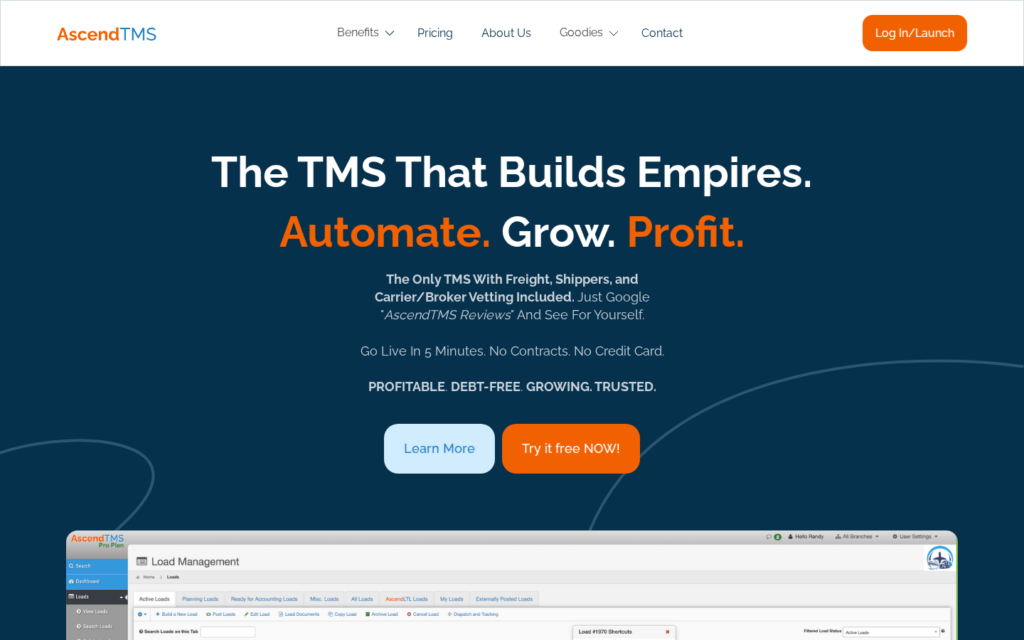
AscendTMS is a cloud-based transportation management system built for freight brokers, 3PLs, carriers, and shippers.
Why I chose AscendTMS: I included AscendTMS on the list because it offers direct integrations with over 50 load boards, automates IFTA reporting, and provides real-time driver visibility through 65+ ELD integrations.
Complete Load and Dispatch Management
AscendTMS excels at handling the entire lifecycle of a load. The system allows dispatchers to manage load financials, branch operations, and driver assignments from a single, intuitive dashboard. You can easily build loads, assign them to company drivers or third-party carriers, and track profitability in real time.
One drawback I noticed is that because the platform is so feature-dense, the interface can feel overwhelming at first, and some users report a steep learning curve when trying to navigate all the available tools.
Direct Load Board and ELD Integrations
AscendTMS makes finding and moving freight incredibly efficient. I like that it connects directly to major load boards like DAT, Truckstop.com, and Uber Freight, allowing you to post empty trucks and match with live loads without ever leaving the TMS.
It also integrates with over 65 ELD providers (like Motive and Samsara) to give you real-time visibility into driver locations, ETA updates, and hours of service. This eliminates the need to constantly call drivers for status updates.
Automated Accounting and IFTA Reporting
AscendTMS bridges the gap between dispatch and accounting by generating customer invoices and calculating complex driver pay structures. It also automates IFTA tax reporting by calculating fuel purchases and state-by-state mileage with a single click.
It’s worth noting automated IFTA reporting and the platform’s full accounting features are only available on the Premium and Pros, meaning Basic plan users won’t be able to access these functions.
What users say about AscendTMS
What I like most is how everything is connected throughout the entire lifecycle of a load. You enter the information once, and it flows seamlessly across dispatch, tracking, and reporting, which makes it much easier to stay organized and efficient.

When you email a document without e-Signature there is no record of it being sent. I wish there was a way to see that the document has been sent.
Key Features
- Intuitive load management
- Integrations with 50+ load boards
- Automated invoicing
- One-click IFTA reporting
Pros
- No contracts or setup fees required
- Connects directly to DAT and Truckstop.com
Cons
- Interface can feel overwhelming
- IFTA reporting requires higher-tier plan
Pricing
$69/user/month Trial: Yes — 30 days Free Plan: No
-
Truckbase — Best for specialized carriers managing complex moves
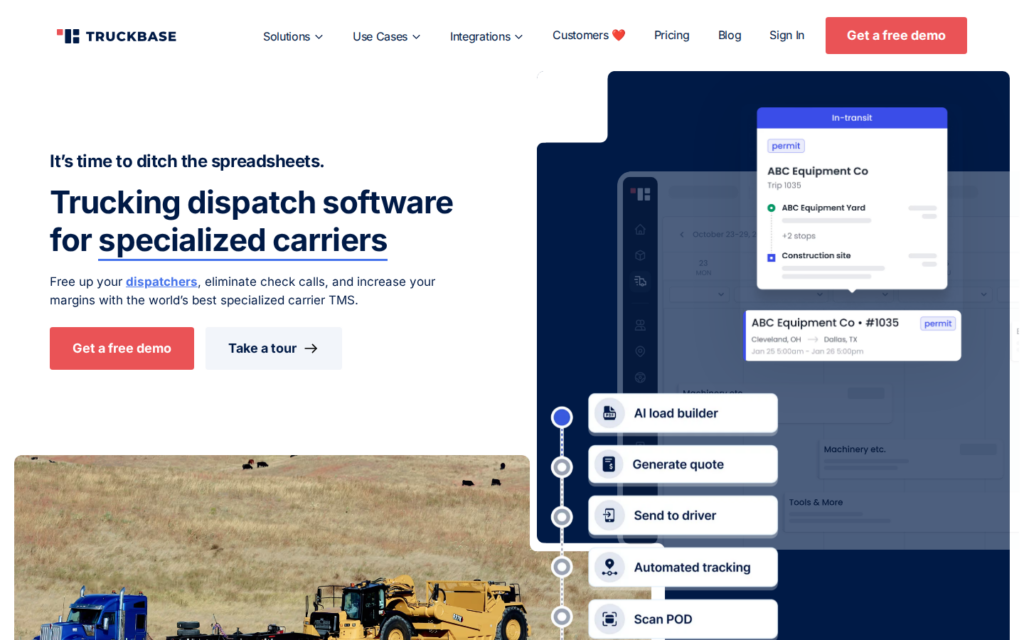
Truckbase is a dispatch software built specifically for heavy haul, oversize, overweight, open deck, and complex moves.
Why I chose Truckbase: I chose Truckbase because its AI-powered document importer and deep QuickBooks integration nearly eliminate manual data entry for dispatchers, saving hours of admin work every week.
AI-Powered Dispatch and Load Building
Truckbase speeds up the dispatch process with its AI PDF importer. Instead of typing out load details manually, you can just upload a rate confirmation and the system builds the load for you, including pickup and delivery locations, dates, and rates. You can then view all driver schedules on a single calendar screen. This makes assigning loads incredibly fast and helps prevent scheduling errors.
The platform also sends dispatch details to drivers via text or email instantly, and drivers can view all their assigned loads in the mobile app. One limitation I noticed is that Truckbase focuses on carriers with 5 to 50 trucks. If you’re a single owner-operator or a mega-carrier with hundreds of units, this software may not be the best fit for you.
ELD Tracking and Driver Communication
Truckbase integrates with over 30 ELD providers (including Motive and Samsara) to give dispatchers real-time visibility into truck locations. It uses the truck’s ELD device rather than the driver’s personal phone, which respects driver privacy and provides more reliable data.
The system also offers customizable notifications, so you can configure exactly which status updates each customer receives (loaded, in transit, arrived, delivered). On the downside, route optimization isn’t available yet, so you’ll need a separate app for that.
Driver Communication
Truckbase makes it simple to send dispatch details to drivers via text or email with just one click. Drivers can view all their loads in the mobile app and use the integrated scanner to upload bills of lading (BOLs) right away. This setup really reduces the need for check calls between dispatchers and drivers, as the back office can see exactly when a load is delivered and the paperwork is secured.
Invoicing and Accounting
One of Truckbase’s strengths is connecting the dispatch process directly to billing and driver pay. Once a driver scans a delivery document, you can generate an invoice almost instantly and email it to your factoring company or broker. Plus, the system syncs directly with QuickBooks to keep your accounting up to date without any double entry.
For driver settlements, Truckbase automatically pulls data from dispatch to generate pay sheets, including base pay, deductions, and bonuses, and accessorials. Drivers get transparent, itemized pay sheets they can actually understand.
Truckbase also offers a customer portal where shippers can view all their load statuses in a single dashboard and submit new orders for you to accept or reject. One gap I noticed is that Truckbase doesn’t include built-in IFTA reporting, which means you’ll probably need a separate tool or your ELD provider to handle your quarterly fuel taxes.
What users say about Truckbase
Having the ability to do document management right from Truckbase allowed us to eliminate multiple other pieces of software along with giving us the ability to share documents like permits easily with our drivers through the Truckbase app and order landing pages.
Sync Process is cumbersome between Truckbase and QB. Payables do not come over to QB from Truckbase.

Key Features
- AI-powered PDF importer for load building
- Mobile BOL scanning
- Direct QuickBooks sync
- Customer portal
Pros
- Transparent driver pay sheets
- Mobile-friendly for dispatchers and drivers
Cons
- No built-in IFTA reporting capabilities
- Route optimization still in development
Pricing
Contact vendor for price Trial: No Free Plan: No
-
ITS Dispatch — Best for smaller trucking businesses needing streamlined dispatch
Available on
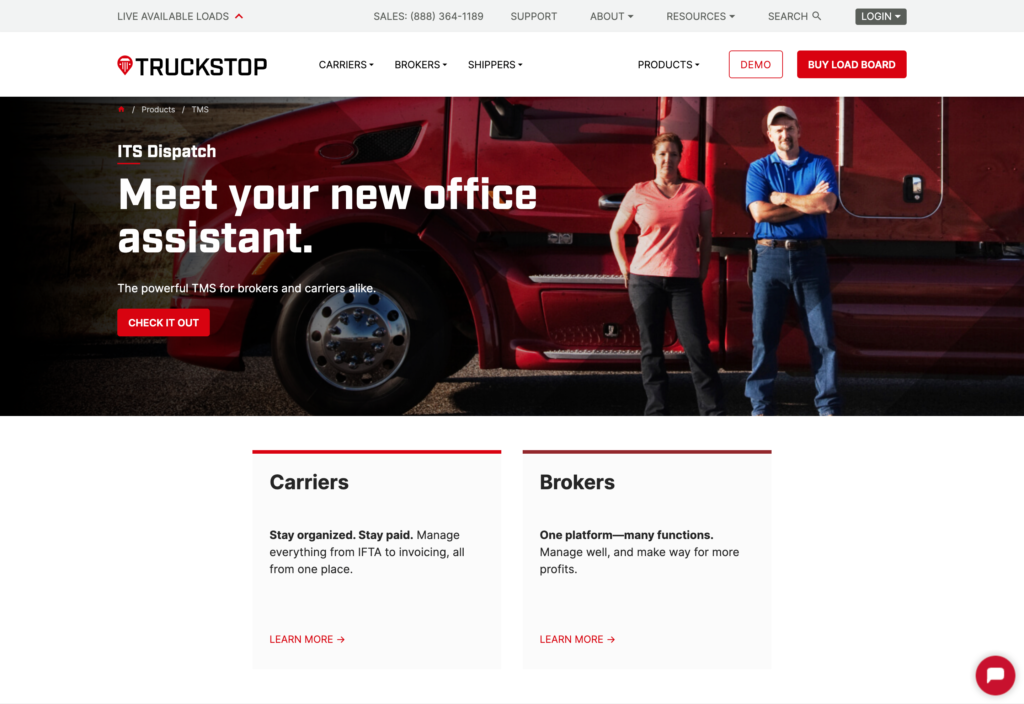
ITS Dispatch is Truckstop’s built-in transportation management system, designed to give carriers and brokers a single workflow that connects load searching, dispatching, driver communication, document management, status tracking, accounting, and invoicing.
Why I chose ITS Dispatch: I included ITS Dispatch because it connects directly to the Truckstop Load Board, so carriers can search for freight, then build a load record without re-entering any details. It also provides a per-load accounting summary that shows income, expenses, and profit before you even send the invoice.
End-to-End Load Management
ITS Dispatch manages the entire load from start to finish. Carriers can search the Truckstop Load Board using filters like truck location, available date, and preferred distance, compare loads, and contact brokers directly.
Once a load is booked, dispatchers create a single record containing the customer or broker, pickup and delivery locations, appointment times, cargo details, rate, assigned driver and truck, driver pay, and reference numbers. The broker’s rate confirmation can be uploaded and attached to the load rather than buried in an email thread.
For brokers, the system also supports pending loads that can be saved incomplete and finished later, which is helpful when you’re still covering a load.
Driver Communication and Document Management
ITS Dispatch keeps driver communication simple by letting dispatchers text load information (pickup, delivery, and contact details) directly to the assigned driver with one click, so you’re not rewriting instructions manually or relying on phone calls. Drivers can respond with status updates and attach documents like BOLs and proof of delivery directly to the load record.
All supporting documents stay attached to the same load rather than scattered across email threads and separate folders, which makes it much easier to find everything when it’s time to invoice.
Driver Pay, IFTA, and Invoicing
After delivery, ITS Dispatch provides an accounting summary showing the income and expenses of each load, so you can review the amount charged, driver costs, and remaining profit before invoicing.
The system handles driver settlements and IFTA reporting from the same platform, which keeps everything centralized. The IFTA tool calculates miles and fuel costs by jurisdiction automatically, though I noticed that ITS Dispatch charges an extra per-truck fee for this feature, which adds up as your fleet grows.
The invoicing tools let you customize standard text for invoices, rate confirmations, BOLs, and customer rate sheets, and automatically email documents based on a load’s status. While the platform integrates with accounting software, its QuickBooks integration is pretty limited, so QuickBooks Online users should expect some duplicate data entry.
What users say about ITS Dispatch
I think the price and ease of use of ITS Dispatch is phenomenal. The initial setup was very easy.
Lots of double entry, did not integrate with Quickbooks Online or Geotab. No app for drivers or text submission of paperwork.
Key Features
- Load and dispatch management
- Text-based driver communication
- Automated IFTA reporting
- Bulk load posting with template upload
Pros
- Direct Truckstop Load Board integration
- Per-load accounting summary
Cons
- Extra fees required for features like IFTA
- QuickBooks integration is limited
Pricing
$50/month (Owner-Operator plan) Trial: No Free Plan: No
-

Toro TMS — Best for bulk haulers with excellent support needs
Available on
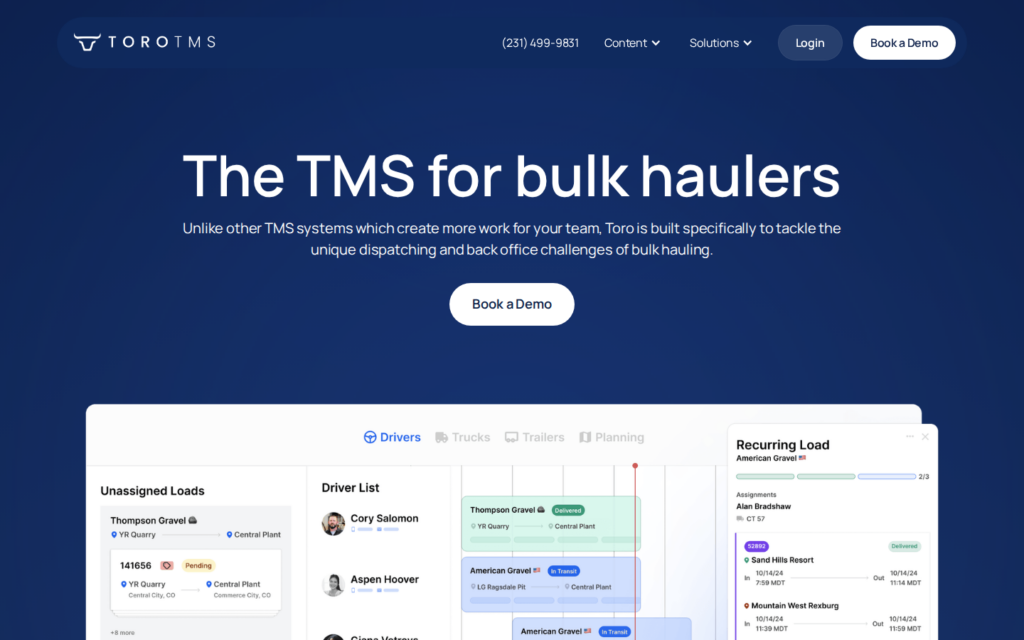
Toro TMS is a specialized trucking management software built to handle the unique needs of bulk haulers.
Why I chose Toro TMS: Toro TMS made the list because it’s purpose-built for high-volume bulk loads with repeat order templates, batch dispatching, and automatic IFTA calculations so you’re not manually tracking fuel taxes.
Single-Screen Dispatching
Toro’s dispatch interface lets you build, plan, and assign loads all from one screen using drag-and-drop tools. What really stands out is the order template system built specifically for repeat bulk business.
The system also includes job progress tracking, so you can see exactly what’s been hauled against a project total, what’s left, and how it affects your bottom line.
I noticed that instead of a dedicated mobile app, Toro dispatches by text. Drivers receive load details directly on their phone without downloading anything. The trade-off is that drivers who struggle with texting photos of scale tickets and BOLs may find this a bit frustrating.
Automated Invoicing and Pay
Toro connects the field to the back office by turning completed loads directly into invoices. Drivers capture BOLs, scale tickets, and other documents digitally while on the road, and the system ties everything together so invoices are ready to prepare in real-time. The billing audit workflow lets you review and edit ready-to-bill invoices side by side.
For driver pay, Toro supports flexible pay structures (per mile, hourly, percentage-based, or a custom mix) and applies them automatically across every load based on custom driver pay profiles. This means no more mental math that could lead to disputes. Drivers get itemized settlements that clearly show what they ran each week. The system pushes invoices and payments to QuickBooks, so there’s no double entry between dispatch and accounting.
Reporting and IFTA
Toro’s reporting gives you real-time visibility into loads, revenue, margins, and driver performance without pulling data from separate spreadsheets. You can drill down into truck-specific, trailer-specific, or customer-specific metrics to spot trends. For IFTA, Toro uses miles from your ELD provider and fuel data from your fuel card provider to calculate quarterly taxes automatically.
However, because Toro is designed specifically for bulk construction hauling, it isn’t a good fit for fleets that also handle LTL freight, freight brokerage, or long-haul trucking.
What users say about Toro TMS
It is extremely user friendly and makes the load and billing process more manageable. It has cut down on paper and scanning tickets.
Sometimes it will time out, and I will have to refresh it. It would be nice if it would automatically refresh so that doesn’t happen.
Key Features
- Single-screen drag-and-drop dispatch
- Text-based driver communications
- Automated invoicing from completed loads
- Flexible driver pay profile calculations
Pros
- Speeds up process for repeat bulk loads
- Month-to-month contracts
Cons
- Exclusively designed for bulk haulers
- No dedicated mobile app for drivers
Pricing
Contact vendor for price Trial: No Free Plan: No
-

Axon Trucking Software — Best for integrated dispatch, accounting, and fleet tracking
Axon Trucking Software is a deeply integrated, real-time transportation management system that connects dispatch directly to accounting.
Why I chose Axon: I included it because its completely unified database means you only ever have to enter information once, and it instantly updates your dispatch, billing, and driver pay records across the entire company.
Dispatch with Integrated Routing
Axon’s dispatch system combines route planning and load management in one interface. Built-in routing automatically calculates trip distances, reduces empty miles, and optimizes routes, while map-based dispatch gives you a real-time view of your fleet. Axon also integrates with major in-cab satellite systems to improve communication with drivers.
Managers can assign loads using rules that prevent unavailable trucks from being scheduled, and the dispatch board makes it easy to see equipment status, shipper details, and pickup and delivery progress. There’s also a mobile app drivers can use to stay connected to the office, and customers can track their delivery through a web portal.
One drawback is that Axon offers very few third-party integrations. As a result, you may need to adapt your workflows to Axon rather than connecting it with the other software you already use.
Payroll and Accounting
Axon’s biggest strength is that it eliminates duplicate data entry. Once you enter a load in dispatch, the information is transferred to accounting for invoicing and driver settlements. The payroll module also handles complex pay calculations for drivers, owner-operators, and office staff, and lets you pay your entire team.
Fuel expenses are also matched to carrier invoices and purchase orders. Because dispatch and accounting are fully connected, the general ledger updates with financial data, including profit and loss, cash flow, income statements, and balance sheets.
IFTA and Fuel Tax Automation
Axon simplifies IFTA reporting by tracking fuel purchases and mileage, converting units for different jurisdictions, and keeping quarterly tax rates up to date. It imports fuel data from major North American fuel card providers and pulls mileage directly from supported in-cab satellite systems or PC*Miler to generate miles-by-jurisdiction reports.
The platform can also create IFTA reports in different formats, depending on the state.
What users say about Axon Trucking Software
We use this program everyday from the office to drivers and have really enjoyed using this program. The company helped us integrate to this program from a different dispatch program, and we took a few weeks to switch over and get it all figured out.
No integration abilities. Siloed data, does not play well with others. Development team unreachable for custom inquiries and they won’t have any conversations about customer requirements. Support is trained in their product well but if you don’t do it Axon’s way, you’re screwed.
Key Features
- Real-time dispatch and fleet tracking
- Integrated accounting and payroll
- Automated IFTA and fuel tax reporting
- Fleet maintenance scheduling
Pros
- Enter data once to update the whole system
- Highly scalable for growing fleets
Cons
- Steep setup time required
- Lacks integrations with third-party tools
Pricing
Contact vendor for price Trial: No Free Plan: No
Best Workforce Management Software
-
Connecteam — Best for scheduling, time tracking, timesheets, and mobile forms
Connecteam is a workforce management software that fills gaps that many trucking dispatch platforms leave behind. It combines driver scheduling, time tracking, GPS, team communication, and digital forms in one easy-to-use platform.
Why I chose Connecteam: I included Connecteam because it helps trucking companies manage their drivers more effectively without replacing their existing dispatch software. By bringing scheduling, communication, and time tracking into one app, it reduces administrative work and keeps drivers connected on the road.
Employee Time Clock and GPS Tracking
Connecteam’s employee time clock makes it easy to track your drivers’ hours accurately. The mobile app lets drivers clock in with a single tap, and the real time GPS tracker uses Breadcrumb technology to show you their routes and activity throughout the job. You can set custom pay rules, mandate breaks, and create overtime policies to ensure compliance with your local labor laws. When it’s time for payroll, approved timesheets sync directly with your provider.
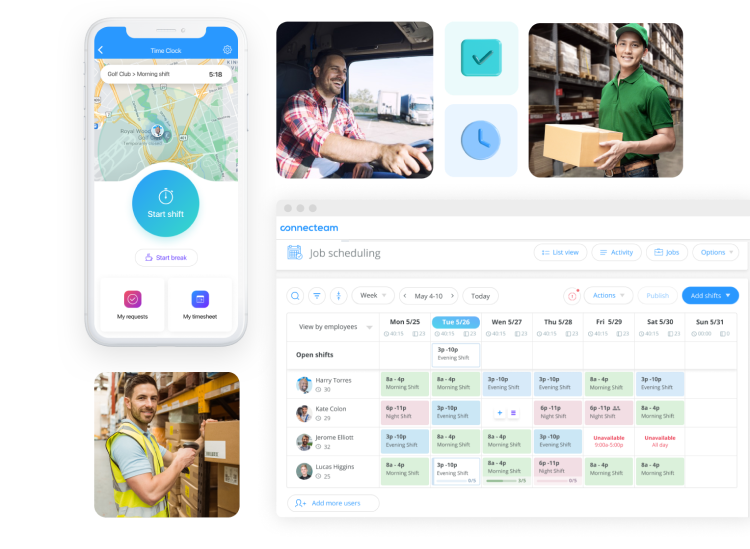
Plan schedules and track time with Connecteam.
Simple, Powerful Scheduling
You can build and adjust driver schedules quickly with Connecteam’s drag-and-drop employee scheduler. The system lets you add shift notes, link specific tasks, and attach files like BOLs directly to the shift. Drivers can mark their availability and even request time off directly in the app.
If you have more complex requirements, you can set up custom rules, like requiring a specific license for a haul, and use the AI auto-scheduler to assign open shifts to the right drivers. Drivers receive instant notifications on their phones, complete with all the job details they need.
Digital Forms and Checklists
Connecteam’s digital forms are built to standardize workflows on the road. You can build custom forms for vehicle inspections, incident reports, or delivery logs. If you already have paper forms, snap a picture and Connecteam’s AI will convert it into a digital version instantly. Drivers can attach photos and signatures right from their phones, which means you get the paperwork you need immediately instead of waiting for them to return to the office.

Stay on top of deliveries with Connecteam’s digital forms.
Online Team Chat
With Connecteam’s team instant messaging, you can keep your dispatchers and drivers connected without relying on messy text threads. You can create specific group chats for different fleets or message drivers directly. Share files, photos, and videos, or check read receipts to make sure important traffic updates or route changes were actually seen.
And so much more…
Beyond day-to-day operations, Connecteam includes document management to track expiring licenses and certifications, a searchable knowledge base for SOPs and driver manuals, and training tools that let you assign courses, monitor progress, and keep drivers up to date on safety and compliance requirements.
When Connecteam isn’t a good fit
Connecteam is a general workforce management platform, not a specialized freight or transportation management system (TMS). It doesn’t have dedicated load board integrations, IFTA fuel tax calculators, or automated freight invoicing modules. Trucking companies that need to manage complex freight brokerage, heavy haul routing, or automated IFTA reporting will likely need to use Connecteam alongside a dedicated specialist TMS.
0Key Features
- Single-tap mobile time clock with GPS tracking
- Drag-and-drop scheduling with conflict detection
- Digital forms for inspections and delivery logs
- Secure in-app team chat and directory
- Automated timesheets with payroll export
- Document storage and knowledge base
Pros
- Flat monthly fee instead of per-user pricing
- Easy for drivers to use on mobile
- Unified platform for daily team management
- Excellent customer support
Cons
- Needs internet or Wi-Fi access to sync data
- Not a dedicated TMS
Pricing
Free-for-life plan availablePremium plans start at $29/month for 30 users
14-day free trial, no credit card required
Start your free trial
Compare the Best Trucking Dispatch Softwares
| Topic |
|
|
|
|
|
 Start for free
|
|---|---|---|---|---|---|---|
| Reviews |
N/A
|
N/A
|
 |
N/A
|
|
|
| Pricing |
$69/user/month
|
Contact vendor for price
|
$50/month (Owner-Operator plan)
|
Contact vendor for price
|
Contact vendor for price
|
Starts at just $29/month for the first 30 users
|
| Free Trial |
yes
30 days
|
no
|
no
|
no
|
no
|
yes
14-day
|
| Free Plan |
no
|
no
|
no
|
no
|
no
|
yes
Free Up to 10 users
|
| Use cases |
Best for carriers and brokers needing a full-featured TMS with load board access
|
Best for specialized carriers managing complex moves
|
Best for smaller trucking businesses needing streamlined dispatch
|
Best for bulk haulers with excellent support needs
|
Best for integrated dispatch, accounting, and fleet tracking
|
Best for scheduling, time tracking, timesheets, and mobile forms
|
| Available on |
How to Choose the Right Trucking Dispatch Software
Selecting the right trucking dispatch software depends on your specific fleet size and operational needs. Ask yourself these questions before making a decision:
- Are you an owner-operator looking for a low-cost entry point, or a growing fleet that needs enterprise-level tools?
- Do you prefer a flat monthly fee, or are you comfortable paying per truck or per driver?
- Do you need a free plan to test the waters before committing?
- Do you haul specialized freight like heavy haul or bulk liquids that require specific workflow tools?
- Are you a carrier, a broker, or both?
- Do you need direct integration with public load boards to find freight?
- Do you need built-in IFTA reporting, or do you handle fuel taxes separately?
- Is a dedicated mobile app for drivers essential, or are text-based updates enough?
- Do you need the system to push invoices directly into QuickBooks or other accounting software?
What is Trucking Dispatch Software?
Trucking dispatch software is a digital platform that helps logistics companies assign loads, track shipments, and communicate with drivers from one centralized system. Instead of relying on spreadsheets, phone calls, or paper records, dispatchers can plan routes, monitor delivery status, and update clients in real time.
Most tools also include features like driver payroll, invoicing, fuel tracking, and maintenance scheduling. Some even integrate with accounting platforms like QuickBooks or generate IFTA fuel tax reports automatically. Whether you’re a one-person operation or managing a growing fleet, dispatch software keeps everyone on the same page and reduces manual errors.
How Does Trucking Dispatch Software Work?
Trucking dispatch software works by centralizing every part of the dispatching process so you can plan, assign, and track loads without bouncing between spreadsheets and emails. Dispatchers can create jobs, assign them to available drivers, and track their status in real time through a dashboard.
Drivers typically receive load details through a mobile app or via text message, where they can confirm assignments, log updates, and submit documents like bills of lading. Once a job is completed, the software automatically generates invoices and calculates driver settlements based on your chosen pay structure, streamlining the entire back-office workflow.
The Benefits of Trucking Dispatch Software
Implementing a dedicated software solution can transform how your fleet operates. Here are the main advantages:
Better Order Management
Trucking dispatch software centralizes order details from pickup instructions to shipment status. Having all this information in one platform ensures dispatchers, customers, and drivers stay updated in real-time, which speeds up order fulfillment and reduces confusion.
Efficient Driver Scheduling
Creating schedules digitally is significantly faster than doing it manually. Dispatchers can assign loads based on availability and location in a fraction of the time, cutting down on administrative workload and ensuring that all trucks are properly used.
Real-Time Tracking and Communication
Most truck dispatching software includes GPS tracking so dispatchers can see exactly where their drivers are. This allows you to give customers accurate ETAs and reroute trucks if there are delays. Built-in communication tools also make it easy to share updates without constant phone calls.
Simple Accounting and Compliance
Reliable dispatch software simplifies regulatory compliance with built-in tools for IFTA reporting and hours of service tracking. It also provides financial management tools to process invoices and integrate with payroll systems, ensuring drivers get paid accurately and on time.
How Much Does Trucking Dispatch Software Cost?
Trucking dispatch software costs vary based on the vendor’s pricing model, your fleet size, and the features you need. Some providers charge a flat monthly fee, while others charge per truck or per user, which can range anywhere from $50 to over $300 per month. There may also be additional fees for premium features like automated IFTA reporting or advanced integrations.
If you’re looking for an affordable way to manage your team, Connecteam’s Small Business Plan is completely free for up to 10 users. Paid plans start at just $29 per month for the first 30 users, giving you powerful workforce management tools without breaking the bank.
The Bottom Line on Trucking Dispatch Software
Trucking dispatch software is essential for carriers and brokers who need to coordinate loads, track vehicles, and manage back-office billing without drowning in paperwork. The biggest choice you’ll face is deciding between a highly specialized tool built for a specific niche (like bulk hauling) or a broader platform that integrates your entire accounting process.
Connecteam is designed to work alongside your dispatch software by handling the workforce side of your operation. It gives drivers and managers one app for scheduling, time tracking, digital forms, and communication.
FAQs
For small fleets that need to manage their workforce efficiently, Connecteam is an excellent choice. It provides easy-to-use tools for scheduling, time tracking, and team communication. If you need a tool specifically for finding and managing freight, ITS Dispatch is a popular, affordable option for smaller operations.
Prices typically range from $50 to $300+ per month depending on your fleet size and feature needs. Some platforms charge per truck, which gets expensive as you grow. Connecteam offers a much more affordable approach, starting at just $29/month for up to 30 users, with a free plan for teams of 10 or fewer.
You should look for software that offers centralized load management, real-time GPS tracking, automated invoicing, and easy driver communication. If managing your crew’s hours, schedules, and daily forms is your biggest hurdle, Connecteam provides all of those workforce tools in one simple mobile app.