
When drivers skip safety checks or problems go unreported, minor issues can quickly become costly breakdowns, failed inspections, and disrupted operations.
I reviewed 5 vehicle inspection apps and ranked them by ease of use, compliance features, and maintenance tracking capabilities.
Use these picks to standardize your daily walkarounds, catch defects early, and keep your fleet moving safely.
| App | Best for | Starting Price | Key Considerations |
| SafetyCulture | AI-assisted vehicle inspections with enterprise scalability | $24/user/month | Offers an AI template generator and strong offline mobile app, but customer support can be slow to respond. |
| Whip Around | DOT-compliant inspections with AI-powered photo verification and defect-to-repair workflows | $5/asset/month | Easy to use with strong offline capabilities, but the full maintenance workflow requires the pricier Pro tier. |
| Driveroo | Visual, asset-specific vehicle inspections with AI-powered repair estimates | $5/asset/month | Uses visual workflows and icons for faster onboarding, but requires an annual contract and minimums apply. |
| Fleetio | Integrated maintenance management and inspection workflows for standardized fleet operations | $4/vehicle/month | Strong integration between inspections and work orders, but automated workflows are gated behind higher pricing tiers. |
| Heavy Vehicle Inspection | Affordable, offline-capable vehicle inspections for budget-conscious fleets | $2.99/vehicle/month. | Very affordable with a free version available, but the interface is less polished than market leaders. |
| Connecteam | Managing vehicle inspection teams and day-to-day compliance work | Just $29/month for the first 30 users | Custom digital forms, Employee scheduling, GPS time clock, Certification tracking. |
What’s New in This Update (June 2026)
- Re-evaluated the market and added Heavy Vehicle Inspection (HVI) as a strong option for budget-conscious heavy equipment operators.
- Updated the pricing details for Driveroo (now per-asset) and Fleetio (now tiered).
- Swapped FleetGO out for Whip Around, which offers a stronger US-focused feature set for DOT compliance and AI photo verification.
- Moved SafetyCulture to the top of the list as the best overall choice for enterprise scalability and AI-assisted inspections.
Our Top Picks
-
1

AI-assisted vehicle inspections with enterprise scalability
-
2

DOT-compliant inspections with AI-powered photo verification and defect-to-repair workflows
-
3

visual, asset-specific vehicle inspections with AI-powered repair estimates
Why trust us?
Our team of unbiased software reviewers follows strict editorial guidelines, and our methodology is clear and open to everyone.
See our complete methodology
How I Ranked the Best Vehicle Inspection Apps
Here are some key features I looked for when evaluating these apps:
Must-have features
- Digital inspection forms: The software must replace paper checklists with customizable digital forms drivers can complete on their mobile devices.
- Compliance tracking: The app must support standard regulatory requirements, like DOT eDVIRs or OSHA-aligned safety checks.
- Photo and video capture: Drivers need to be able to attach visual proof of defects directly to their inspection reports.
- GPS location validation: GPS stamps on submissions should confirm drivers are actually at the vehicle when performing the check.
Day-to-day performance
- Offline capabilities: The mobile app should let drivers complete inspections even when they’re out of cell service range.
- Ease of use: The interface must be intuitive enough that drivers can adopt it without extensive training.
- Real-time alerts: Managers should receive instant notifications when an inspection fails or a critical defect is reported.
Compliance and efficiency features
- Maintenance integration: The best apps automatically turn failed inspection items into actionable work orders for mechanics.
- Custom dashboards: Managers should be able to track key metrics, like average inspection scores and common defects, across the fleet.
The Best Vehicle Inspection Apps of 2026
-
SafetyCulture — Best for AI-assisted vehicle inspections with enterprise scalability
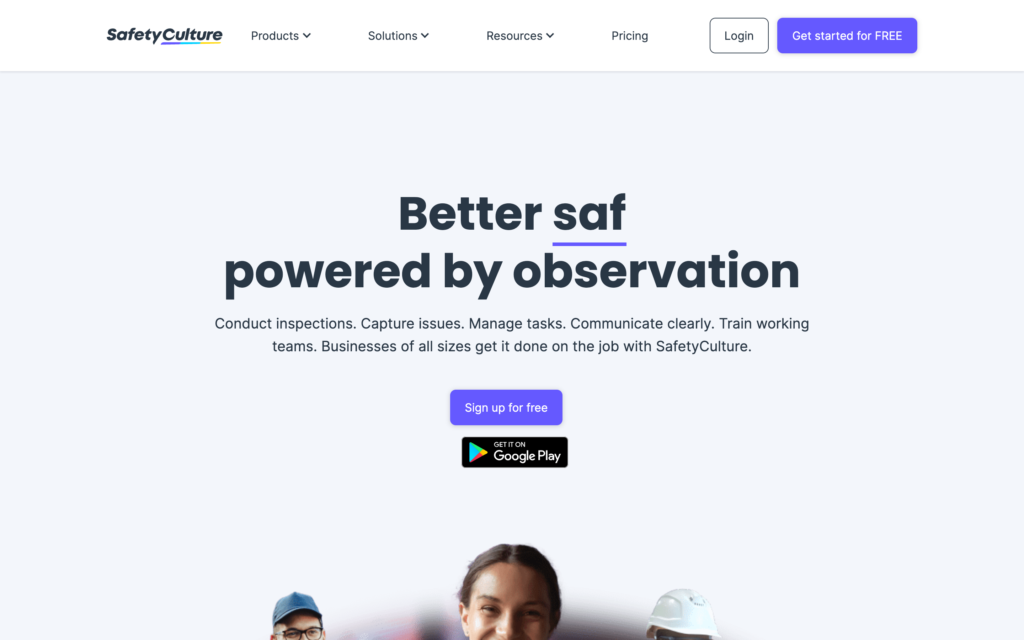
What’s new with Mitti (by SafetyCulture) (iAuditor)
In August 2026, SafetyCulture rebranded as Mitti.
SafetyCulture is a highly customizable inspection management app with a massive template library.
Why I chose SafetyCulture: SafetyCulture stands out for its large template library and customization options. With over 100,000 inspection templates and an AI template generator, it’s easy to create checklists for different types of vehicles and equipment.
AI-powered checklists and templates
In our full SafetyCulture review, we found it easy to get started with the AI template generator. Instead of building a vehicle checklist from scratch, you can write a quick conversational prompt and let the AI do the heavy lifting.
During testing, we used the prompt “residential gas safety” and got a basic 7-question template back within seconds. The one catch we found is that you have to check and edit every AI-generated template yourself, especially for inspections that carry a higher non-compliance risk, so it’s a starting point rather than a finished product.
If you’d rather not use AI, you can choose from a library of more than 100,000 pre-built templates and customize them with fields like dropdowns, text, numbers, checkboxes, dates, locations, and media. Plus, you can save company templates in a shared library to standardize inspections across your team, export completed reports as PDF or Word files, and create custom approval workflows for each inspection.
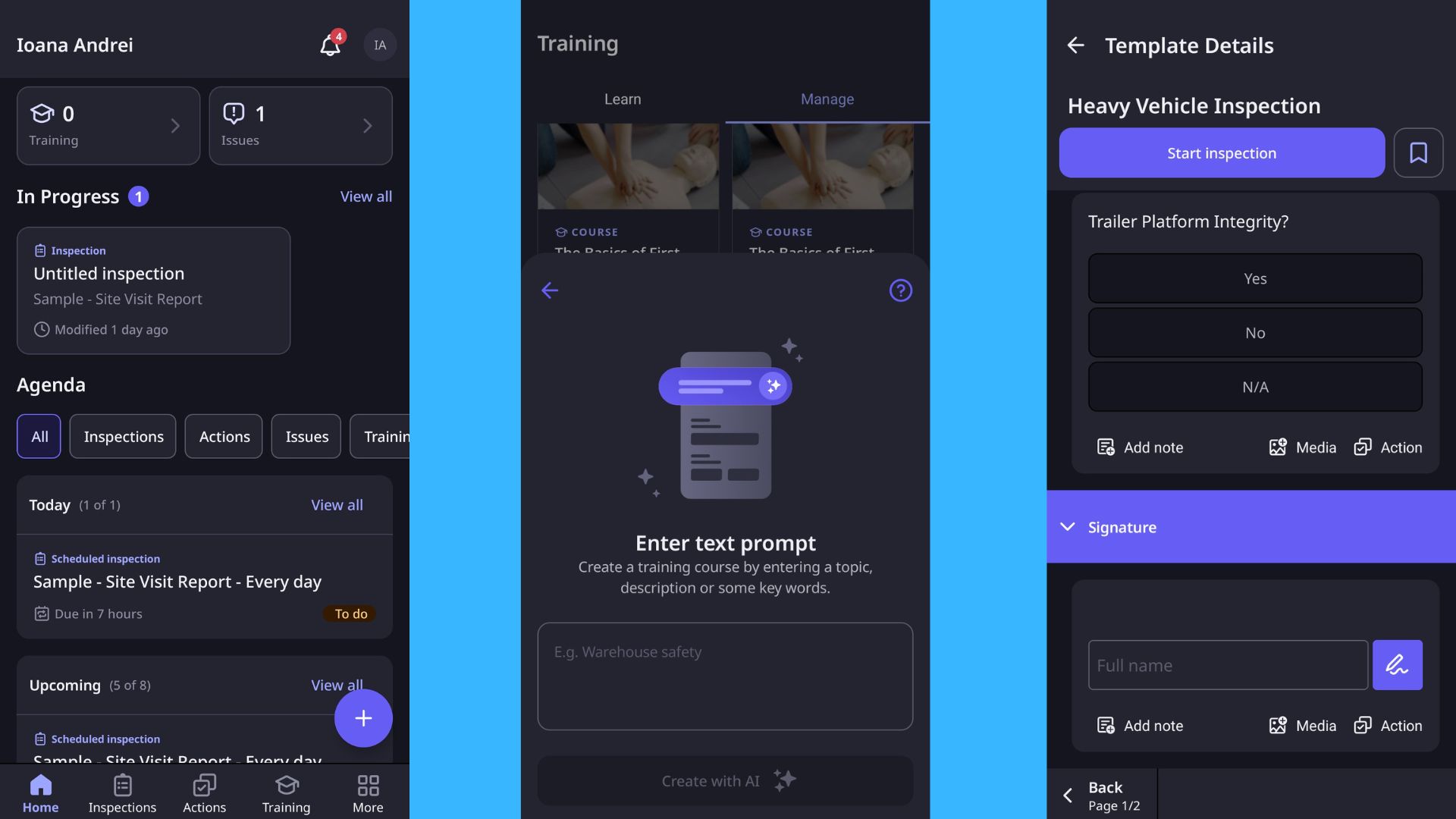
SafetyCulture’s mobile app supports offline mode and let us customize inspection reports. Documentation and scheduling
Drivers can attach photos and videos directly to their inspection reports, which is crucial for documenting damage and proving compliance. We submitted an issue report during testing and found it very easy to add a location using mobile GPS and upload images and videos. It was a bit surprising, however, that the only custom answer types for issue forms are text and multiple-choice, which may feel limiting if you’re used to scales, numbers, and signatures.
You can schedule one-time or recurring inspections by selecting the template, asset, site, assignee, and recurrence. Inspections can be assigned to individuals or groups, and you can add new users directly from the scheduling screen. However, we noticed that there’s no calendar view or drag-and-drop scheduling, and you can’t see worker availability or time off when assigning inspections.
Audit trails and reporting
SafetyCulture’s reporting feature is basically a set of analytics dashboards. We tried the custom analytics and found it quite extensive compared with other solutions. There are 9 out-of-the-box dashboard templates, including an inspections overview with charts for inspections by status, average score, and flagged rate by template.
I appreciated that you can download individual chart data as a CSV file and quickly convert visualizations like pie charts into tables, giving you a clear audit trail across your whole fleet.
What users say about SafetyCulture
It has a very intuitive user face, it’s easy to navigate, the functionality is logical and easy to understand. The inspection tool especially has set the standard for us, it’s logic and capabilities are awesome.

no flags or color indicators show on dashboard when action items are needing generated. this could easily direct labor where attention is needed without 100 clicks first
Pricing
Starts at $24/user/month Trial: Yes — 30 days Free Plan: Yes — (up to 10 users and 5 active inspection templates)
-
Whip Around — Best for DOT-compliant inspections with AI-powered photo verification and defect-to-repair workflows
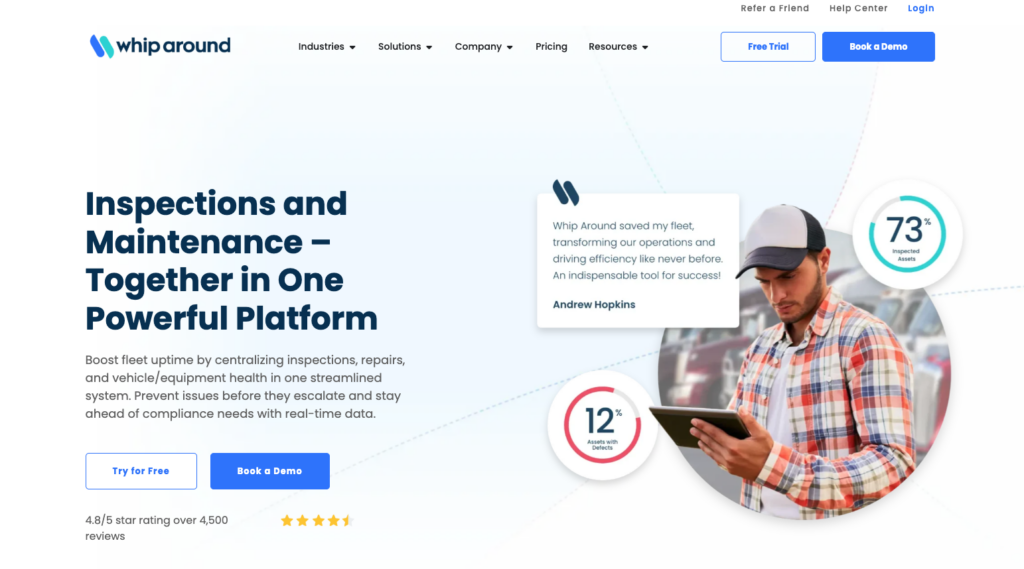
Whip Around is a dedicated fleet inspection and maintenance platform designed to replace paper DVIRs.
Why I chose Whip Around: I chose Whip Around because it combines a simple driver experience with tools that help managers verify inspections, including its AI photo verification.
Digital inspection forms and AI photos
Whip Around’s core strength is its mobile inspection process. Drivers complete DOT-compliant pre-trip and post-trip DVIRs right on their phones, using either standard templates or custom forms you build from scratch.
What really sets it apart is the AI Inspections Pro add-on. The AI automatically analyzes the photos drivers take during their walkaround to detect defects and verify that the inspection was actually done properly, which cuts down on human error. You can also record up to 10-second videos alongside photos to show mechanics exactly what’s wrong.
Just keep in mind that the video feature requires several gigabytes of free memory on the device to run smoothly, and the AI Inspections Pro is an add-on cost, so you’ll be paying extra on top of the base $5 per asset per month.
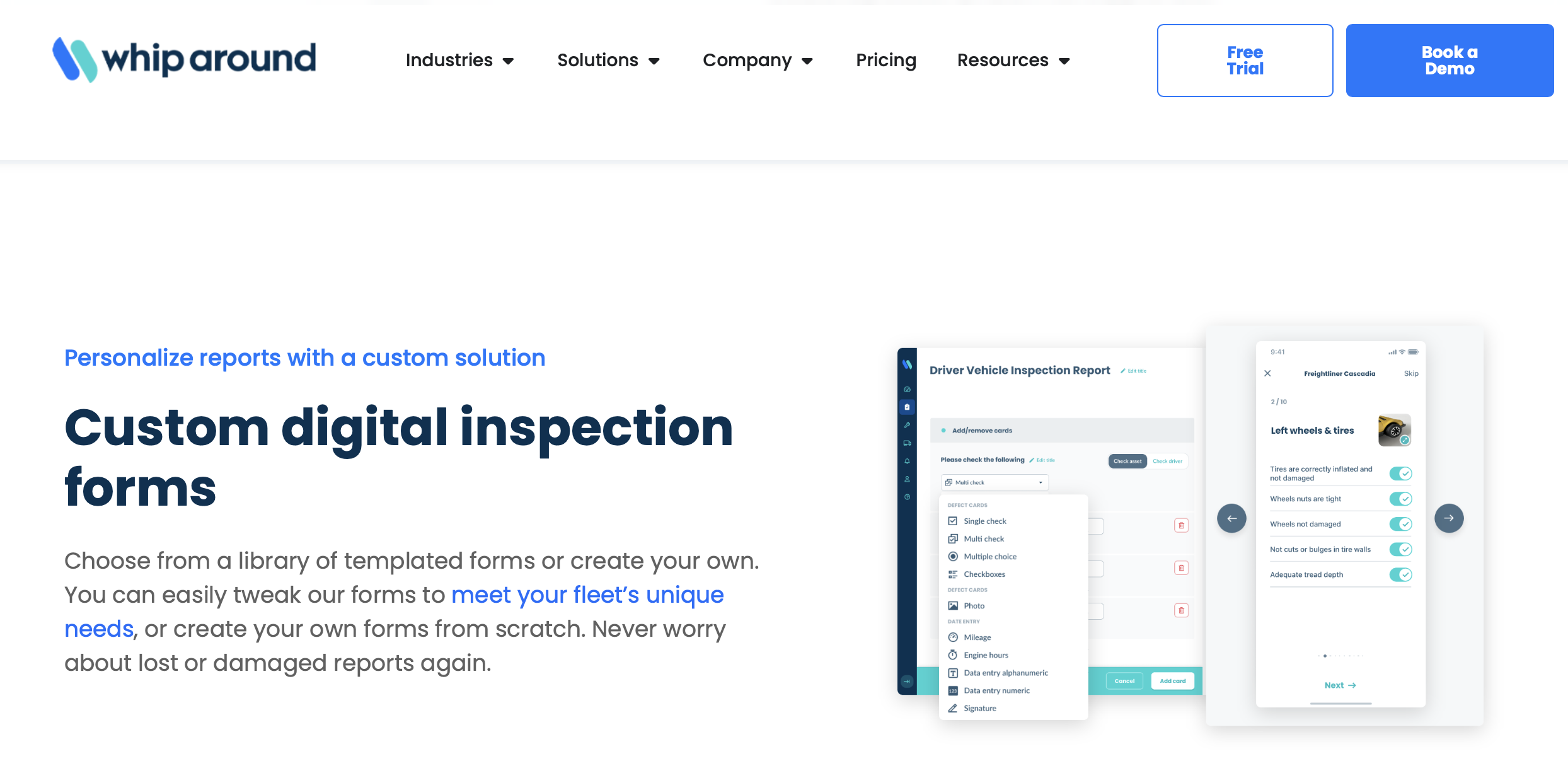
You can create custom digital inspection forms with Whip Around. Defect management and work orders
When a driver logs a defect, it instantly syncs to the cloud dashboard so managers can see it. From there, you can turn that defect directly into a work order. If a repair is made, the mechanic can provide an e-signature right in the app to close the loop, keeping your fleet audit-ready.
The one catch is that while defect management is included in the base plan, full preventive maintenance schedules, work orders, and inventory tracking require upgrading to the Pro tier.
Mileage tracking and offline mode
To track mileage, drivers can point their phone’s camera at the odometer, and Whip Around’s optical character recognition (OCR) captures the number and adds it to the vehicle profile. I also appreciate that the app works fully offline. If a driver is inspecting a vehicle in a dead zone, they can complete the whole form, and it will automatically sync the moment they hit cell service again.
However, it’s worth noting that only driver-side inspection submissions work offline. Admin and manager functions, like managing defects or work orders, are completely unavailable without an internet connection.
What users say about Whip Around
Very user friendly and intuitive. Tracking of our fleet, creation of work orders and managing maintenance is at the forefront of Whip Around
Its pricing is a bit higher than other of its competitors but in general the tool is seamless.

Pricing
Starts at $5/asset/month Trial: Yes — 7 days Free Plan: Yes
-
Driveroo — Best for visual, asset-specific vehicle inspections with AI-powered repair estimates
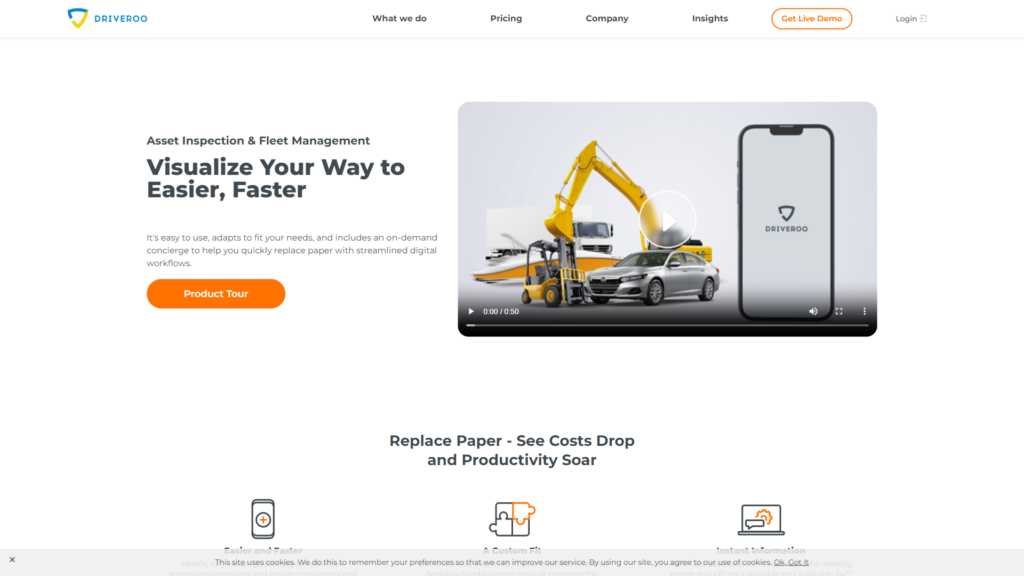
Driveroo is a digital inspection and fleet management app that uses AI and visual guidance to enhance vehicle inspections.
Why I chose Driveroo: I chose Driveroo because its visual approach makes onboarding fast. Instead of reading text-heavy lists, drivers tap on visual representations of the vehicle to report issues, which improves accuracy and reduces data entry time.
Visual inspections
Driveroo’s standout feature is how visual the whole inspection process is. Instead of reading through a wall of text, workers tap on equipment-specific visualizations and icons that show them exactly what to check. This workflow keeps everyone following the same standard process and builds in optional or forced photos and comments whenever an issue comes up.
I really like that it layers in-context micro-training right into the daily checks, so newer operators get upskilled while they work instead of sitting through separate training sessions. For documenting defects, drivers can add images, video, or voice notes without slowing down.
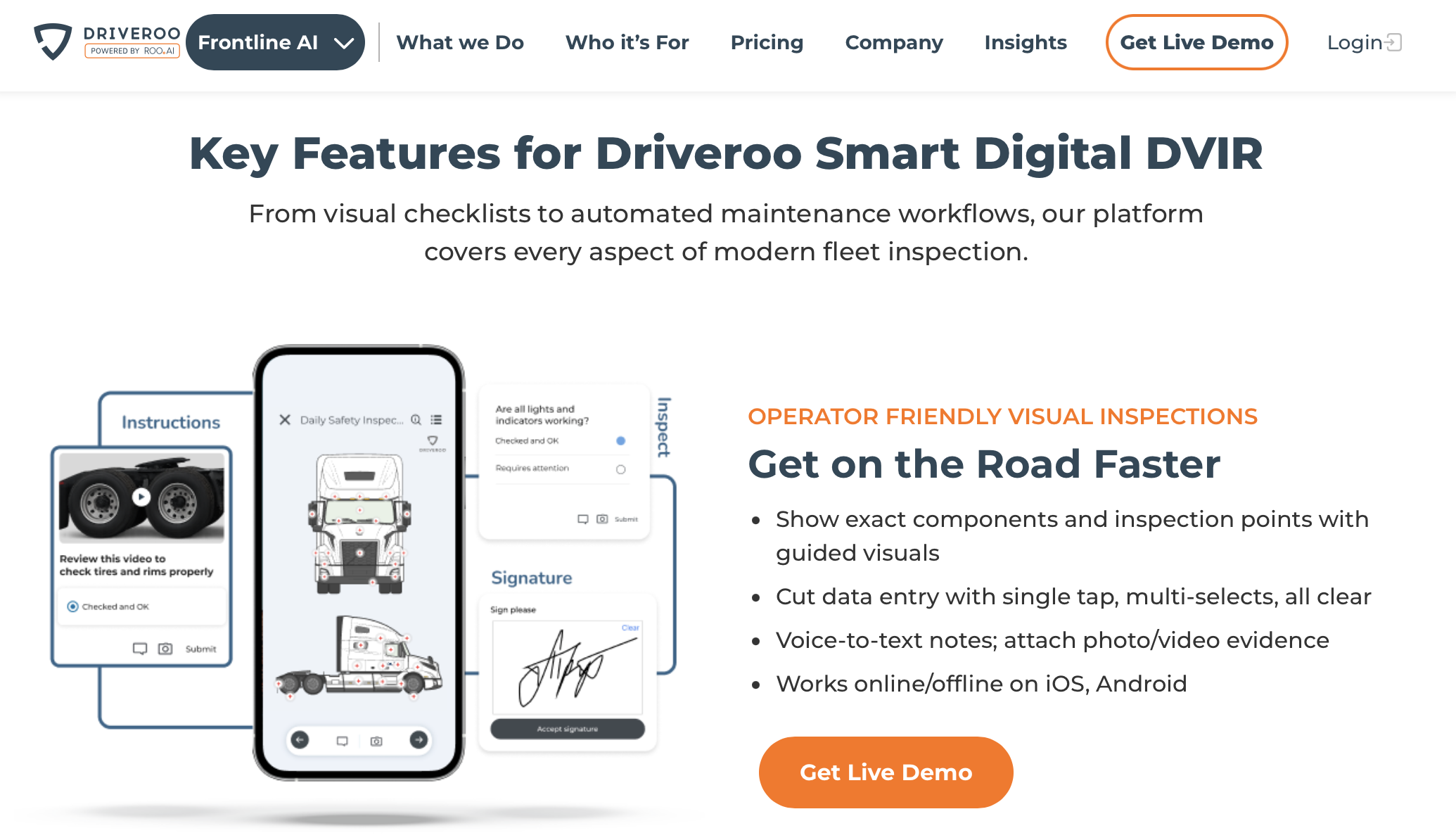
Driveroo’s visual interface makes it easy for drivers to quickly complete vehicle inspections. Scheduling
Driveroo lets managers schedule preventive maintenance plans based on mileage, engine hours, or specific calendar dates, then assign those tasks to individuals or whole teams. The system spots issues during inspections and can auto-create work orders, which cuts the lag between finding a problem and fixing it. Smart alerts and reminders for skipped or upcoming maintenance stops routine upkeep from getting missed.
One thing to know: preventive maintenance and mobile work order management live on the Pro tier, so the cheapest plan covers inspections but not the full maintenance workflow. Driveroo also requires an annual contract with minimum asset counts, making it less flexible for very small fleets or those looking for month-to-month commitments.
Driveroo Fleet eDVIR app
Driveroo comes with built-in compliance features, including DOT eDVIRs, OSHA-aligned safety checks, and easier JSA and hazard reporting straight from a phone. Drivers complete these required reports on their mobile devices in just a few taps, and the system keeps complete audit trails with time stamps, locations, issue details, and operator signatures.
You can also generate customer-ready inspection reports with photos as digital or printable PDFs. However, self-service support is quite limited; their help center is sparse and mostly relies on submitting support tickets through Jira rather than offering a deep library of troubleshooting articles.
What users say about Driveroo
The ability to create your own inhouse inspections. We designed “DOT” type inspections for a variety of fleet vehicles. From passenger vans to heavy haul tractor trailers.
Read review here.
Using Driveroo through the browser is a bit different than the app experience. While both options are great, you might notice some variations in how things look and work.
Pricing
Starts at $5/asset/month Trial: No Free Plan: No
-

Fleetio — Best for integrated maintenance management and inspection workflows for standardized fleet operations
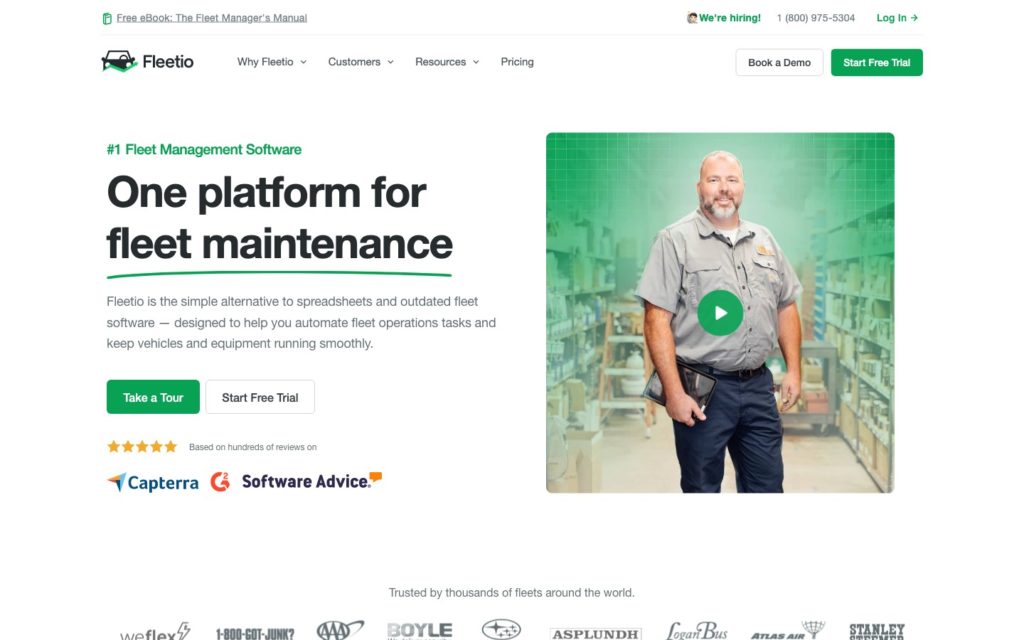
Fleetio is a versatile fleet management platform that simplifies vehicle inspections, maintenance, and tracking.
Why I chose Fleetio: Fleetio stands out for linking inspections with maintenance operations. Issues reported during inspections can be tracked alongside work orders, parts inventory, and labor.
Customizable inspection forms
Fleetio lets you build inspection forms for both mobile and web, with rules and items tailored to each specific vehicle type. You can start from their FMCSA-approved DVIR templates or create custom checklists from scratch to match exactly how your fleet operates.
What stood out to me was how flexible the form items are: you can require photos, set pass/fail conditions, and add follow-up prompts so a failed item automatically asks the driver for more detail. That structure makes spotting recurring problems across your fleet far easier.
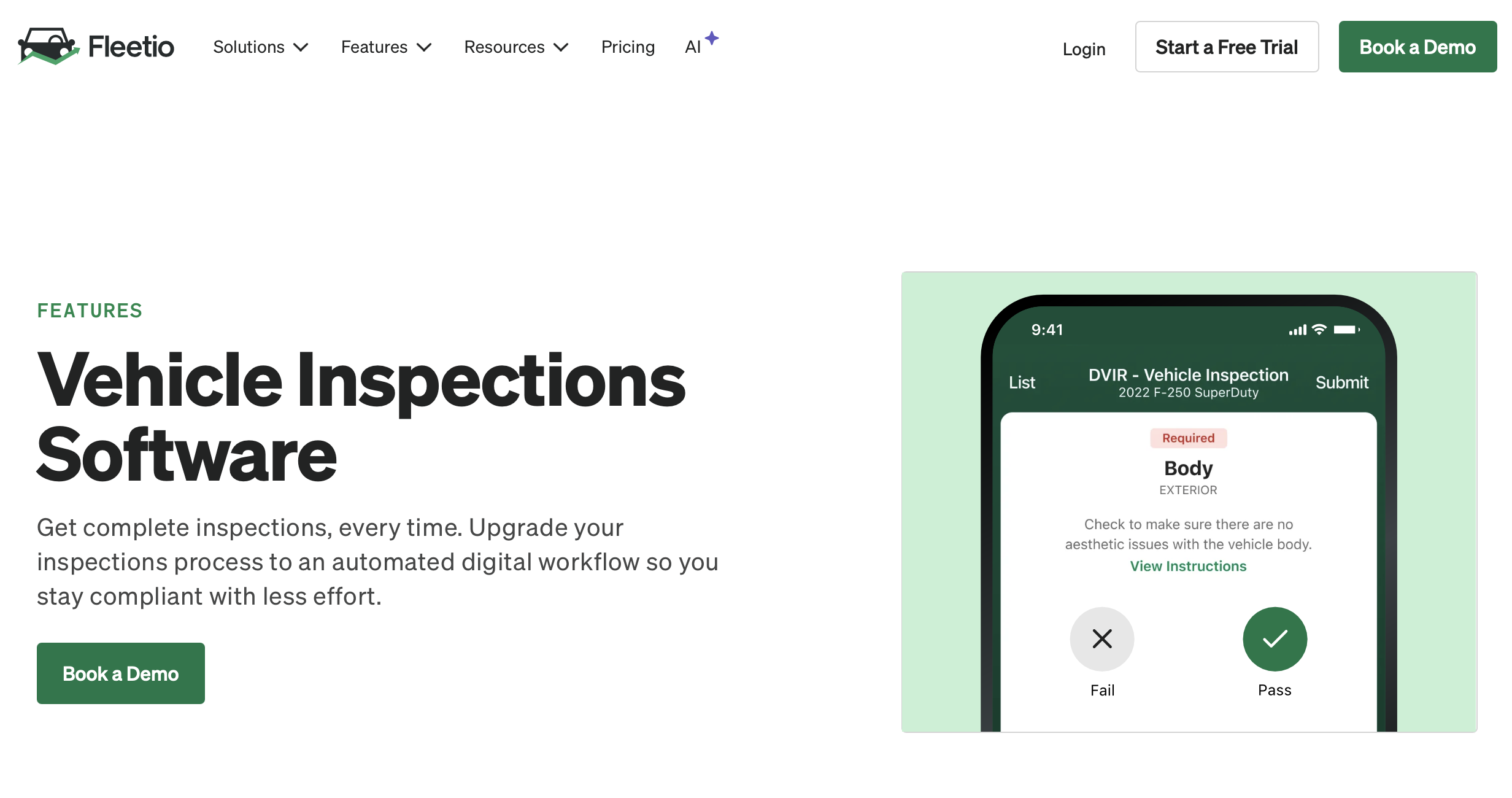
Use Fleetio’s DVIR templates or create your own custom vehicle inspection forms. DVIR compliance
Staying compliant with electronic DVIRs is one of Fleetio’s strongest areas. Drivers submit their reports through the Fleetio Go mobile app, and every submission is stored in a secure, searchable history you can pull up in seconds during an audit. Because inspections are time-stamped and tied to a specific vehicle and driver, you always have a defensible paper trail.
The app also works offline, so drivers in dead zones can still complete and log their checks. However, if a driver enters an incorrect meter reading or selects the wrong vehicle while offline (or online), those corrections can only be made later by an admin in the web app, not from the mobile app.
Inspection tracking and maintenance management
Fleetio links inspections, drivers, and maintenance in one workflow. Drivers can be assigned to specific vehicles, making it easy to see who completed each inspection and who was responsible for the vehicle at any given time.
When a defect is reported, it becomes an issue that can be converted into a work order, where mechanics can track parts, labor, costs, and repair status. This creates a clear audit trail from inspection to repair while helping ensure maintenance issues don’t get overlooked.
However, while the “if-then” automation is useful for creating issues automatically, the platform’s automation capabilities don’t extend much past these simple workflows.
What users say about Fleetio
In my role as a fleet maintenance manager, being able to quickly assign service tasks to technicians, integrate inventory by location, and add issues reported by drivers has improved our overall performance.

I guess our biggest issue with the platform is that issues can be repeated and it doesn’t recognize if there is an issue with the same name open for one vehicle.
Pricing
Starts at $4/vehicle/month Trial: Yes — 14-day Free Plan: No
-
Heavy Vehicle Inspection — Best for affordable, offline-capable vehicle inspections for budget-conscious fleets
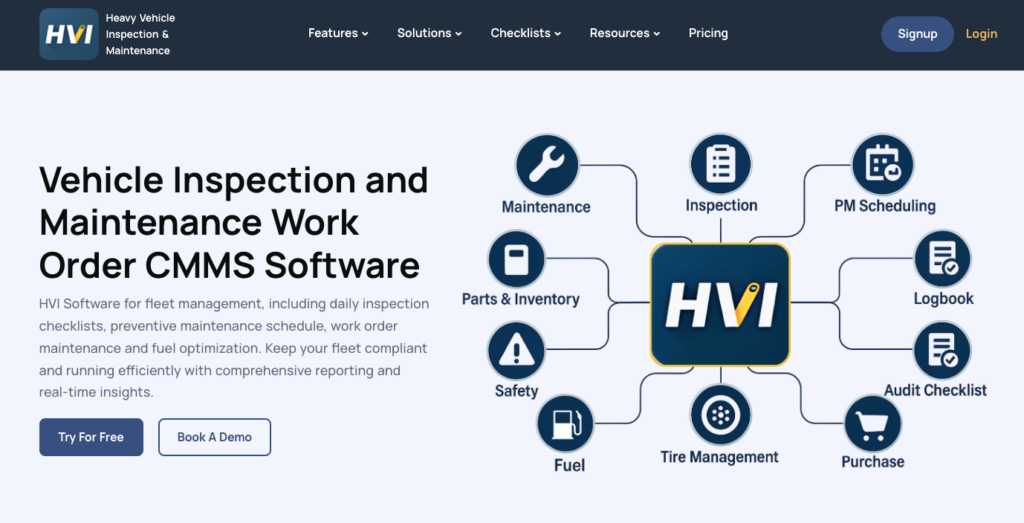
Heavy Vehicle Inspection (HVI) is a cloud-based app designed specifically for heavy machinery and commercial fleets.
Why I chose Heavy Vehicle Inspection: I chose HVI because it offers an affordable entry point for smaller fleets or those strictly needing inspection tracking.
Digital inspection forms
HVI’s inspection workflow is built around flexibility and hierarchy. You can organize multiple checklists by vehicle classification, which is essential when managing a mixed fleet of trucks, trailers, and heavy equipment. The step-by-step inspection process guides drivers through selecting a vehicle, choosing the appropriate form, conducting the inspection item-by-item, and generating a report.
However, this multi-step workflow does require some training time for new users to get comfortable with the process. Each inspection item supports pass/fail conditions, required photos, and detailed notes. You can create separate forms for daily pre-trip inspections, deeper technical condition surveys, and incident or damage reports, so each situation captures the right level of detail.
Drivers attach images to any failed item, giving managers the visual proof they need to schedule repairs. The system time-stamps every submission and ties it to the specific operator, creating a complete audit trail for compliance purposes.
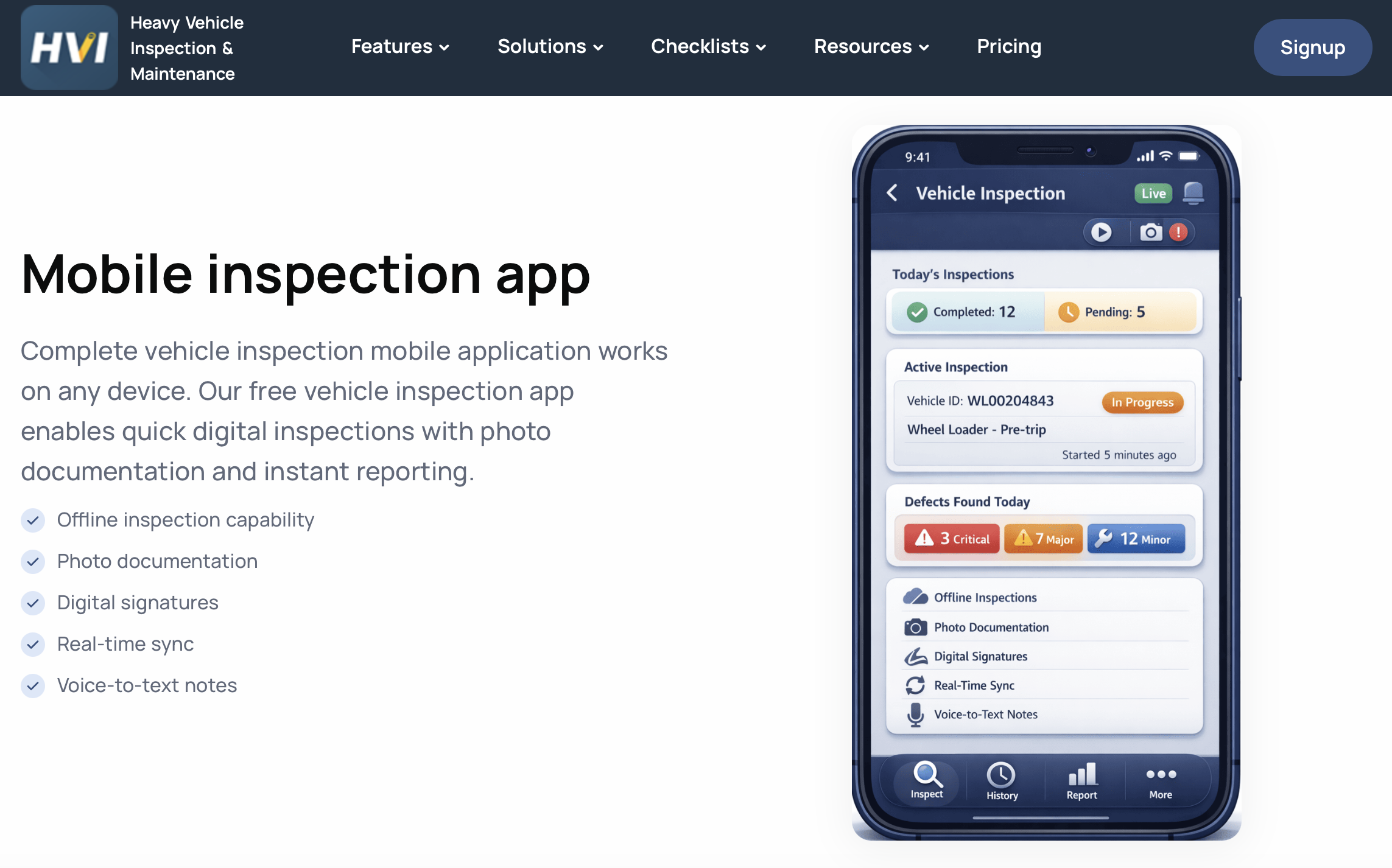
HVI’s mobile app works offline so drivers can complete vehicle inspections from anywhere. Offline mobile app and multi-role support
The mobile app works fully offline, so drivers can complete their checks out in the field, and the data syncs automatically when a connection is restored. HVI also supports multiple user roles, including operators, technicians, employees, and sub-admins, each with customizable access levels. This role-based structure means you can give drivers inspection permissions, technicians work order permissions, and managers full oversight without giving access to unnecessary data to each group.
Maintenance work orders and lifecycle tracking
HVI’s work order system captures the full maintenance lifecycle from inspection to completion. When a driver flags a failed inspection item, you can instantly create a work order that tracks every detail: task descriptions, parts required, labor hours, costs, and completion remarks.
The system includes a worker dashboard so technicians can see assigned tasks and update progress in real time. You can also manage a request-based workflow where workers request maintenance, managers approve or reject it, and then the work order executes.
The auto-scheduling feature handles recurring inspections and preventive maintenance based on time intervals or meter readings, which is a favorite among users because it eliminates manual scheduling. That said, automation is limited to basic work order creation and scheduling; if you need more advanced workflows (like conditional routing or multi-step approvals), you’ll hit the platform’s limits.
Pricing
Starts at $2.99/vehicle/month. Trial: Yes — (14 days) Free Plan: Yes
Workforce Management Software for Vehicle Inspection Teams
-
Connecteam — Best for managing vehicle inspection teams and day-to-day compliance work
Connecteam is the best choice for businesses that need to manage their workforce because it combines team scheduling, communication, and digital forms in one platform. It’s perfect for teams that need to coordinate complex field operations without juggling multiple single-purpose apps.
Why I chose Connecteam: Connecteam is the most complete option for coordinating the people who actually perform the inspections, especially in areas like scheduling, time tracking, and team communication.
Checklists and forms
With Connecteam’s highly customizable digital forms, you can easily create and modify inspection checklists. The large template library means you don’t have to start from scratch. Plus, if you’re still using paper forms, just snap a photo and Connecteam’s AI will convert them into digital versions that drivers can complete from their phones.
The forms have no question ceiling, so you’re never forced to trim down a thorough walkaround, and they support a wide range of answer types including ratings, dropdowns, image uploads, eSignatures, and voice notes. You can also use dynamic forms, which adapt based on the answers. For instance, if an employee indicates a problem with the brakes, the form can automatically ask more detailed questions about the brake system.
Workers can fill out forms right from their phones in the field, and every submission lands instantly in your admin dashboard. You can also set forms to trigger automatically and route completed reports to the right manager, so nothing sits in limbo.
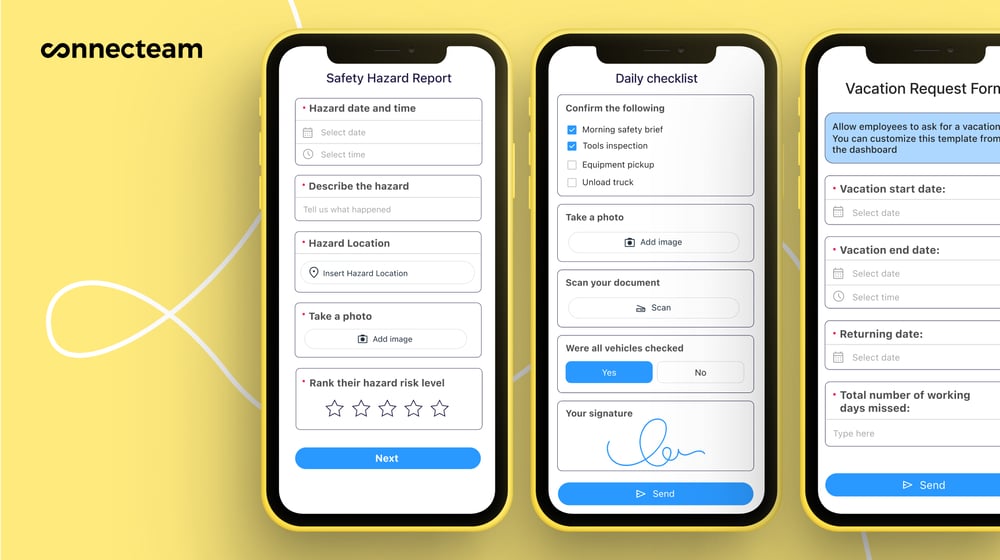
Create custom checklists and inspection forms in just minutes! Scheduling inspections and handling repairs
The employee scheduler helps you plan inspections in just a few clicks, view your team schedule in day, week, or month calendar views, and drag and drop slots with ease. You can attach tasks, forms, descriptions, and files directly to a shift, so drivers know which vehicle to inspect just by checking their schedule.
You can assign inspectors to different vehicles or routes and even set up recurring inspections or post-inspection repairs and maintenance.
GPS tracking and verification
Connecteam’s real-time GPS tracker shows you whether workers clocked in at the right inspection sites, and geofencing lets you lock clock-ins to a specific radius so nobody can punch in from the parking lot down the road.
You can review GPS breadcrumb trails to understand a vehicle’s recent usage patterns and check scheduling history to see who’s been using the vehicle and for which purposes. As an added bonus, with Connecteam’s employee time clock, you can require employees to log mileage before they clock out.
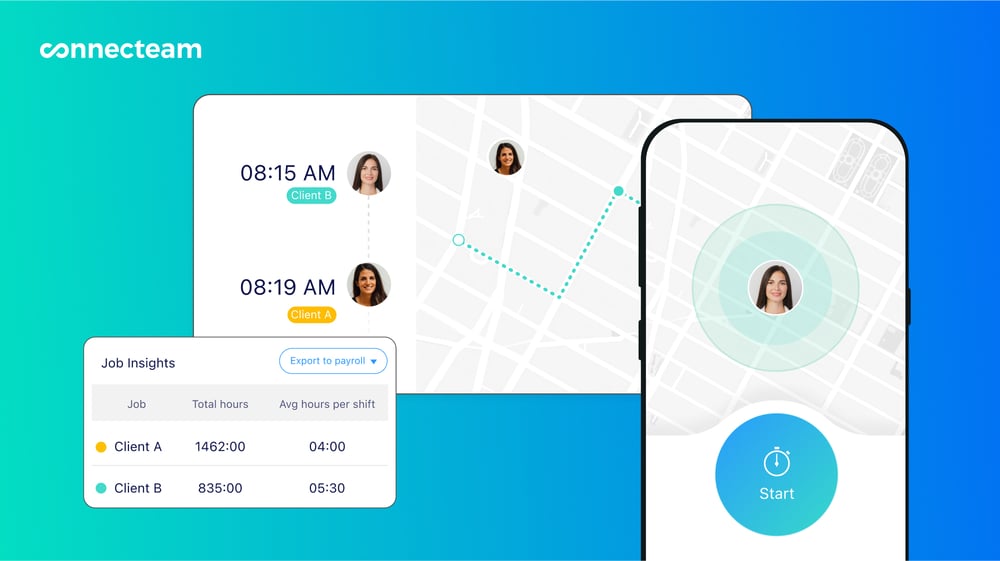
Know where your drivers are with Connecteam’s GPS tracking. Training and certification
Connecteam makes it simple to keep your team’s certifications and training current, which matters a lot when drivers need valid licenses and safety credentials to stay on the road. You can set automatic alerts for when a worker’s certification is about to expire, so you’re never caught off guard during an audit.
The course builder lets you add links, videos, custom forms, and internal documents, then track who’s completed what. Building inspection-related training right into the same app your team already uses means new hires get up to speed faster.
And so much more…
Beyond inspections, Connecteam packs in a full communication suite. You get a secure online team chat for quick one-on-one or group messages, an in-app directory so drivers can reach the right person fast, and a company update feed for announcements that you can confirm everyone has read. There’s also employee task tracking and document storage, making Connecteam a single home base for your whole team no matter where they’re working that day.
Integrations
Connecteam integrates with:
- Gusto
- Paychex
- RUN Powered by ADP®
- Quickbooks
- Xero
- Zapier
- Wix Bookings
- Lightspeed POS
When Connecteam isn’t a good fit
Connecteam is a workforce management platform, not a dedicated fleet maintenance system. If you need advanced features like automated tachograph analysis, VIN decoding, or complex inventory management for spare parts, a specialized fleet tool might be a better fit.
Connecteam also offers a free for life plan – Try Connecteam here!
0Pricing
Free-for-life plan availablePremium plans start at $29/month for 30 users
14-day free trial, no credit card required
Start your free trial
Compare the Best Vehicle Inspection Apps
| Topic |
|
|
|
|
|
 Start for free
|
|---|---|---|---|---|---|---|
| Reviews |
|
|
|
|
N/A
|
|
| Pricing |
Starts at $24/user/month
|
Starts at $5/asset/month
|
Starts at $5/asset/month
|
Starts at $4/vehicle/month
|
Starts at $2.99/vehicle/month.
|
Starts at just $29/month for the first 30 users
|
| Free Trial |
yes
30 days
|
yes
7 days
|
no
|
yes
14-day
|
yes
(14 days)
|
yes
14-day
|
| Free Plan |
yes
(up to 10 users and 5 active inspection templates)
|
yes
|
no
|
no
|
yes
|
yes
Free Up to 10 users
|
| Use cases |
Best for AI-assisted vehicle inspections with enterprise scalability
|
Best for DOT-compliant inspections with AI-powered photo verification and defect-to-repair workflows
|
Best for visual, asset-specific vehicle inspections with AI-powered repair estimates
|
Best for integrated maintenance management and inspection workflows for standardized fleet operations
|
Best for affordable, offline-capable vehicle inspections for budget-conscious fleets
|
Best for managing vehicle inspection teams and day-to-day compliance work
|
| Available on |
How to Choose the Right Vehicle Inspection App
The right app really comes down to your specific operation, so before you commit, consider these questions about your budget, your industry, and the features you can’t live without.
Team Size & Budget
- Do you have a small fleet that needs a free or low-cost solution, or an enterprise operation that requires advanced analytics?
- Are you looking to pay per vehicle, per asset, or per user?
- Do you need a platform that scales easily as you add more drivers and equipment?
Industry & Use Case
- Do your drivers operate in remote areas where offline mobile access is strictly required?
- Are you managing heavy construction equipment, long-haul trucking fleets, or a mix of small tools and vehicles?
- Do you need to comply with specific regional regulations?
Feature Requirements
- Do you need visual workflows to help onboard new drivers quickly?
- Are you looking for a system that automatically generates work orders from failed inspection items?
- Do you need a broader workforce management tool that handles scheduling and time tracking alongside forms?
What are Vehicle Inspection Apps?
Vehicle inspection apps are digital tools that replace paper-based walkaround checklists. They allow drivers and operators to use their smartphones or tablets to verify the safety and roadworthiness of a vehicle before, during, or after a shift.
These apps guide users through standard checks, like inspecting tires, brakes, lights, and fluid levels, ensuring that nothing is missed. By digitizing the process, fleets can instantly collect data, store records securely, and maintain compliance with industry regulations.
How Does a Vehicle Inspection App Work?
A vehicle inspection app works by providing a mobile interface for drivers and a centralized dashboard for managers. When a driver begins their shift, they open the app and select the specific vehicle they are operating. The app then presents a tailored checklist of items to inspect.
As the driver walks around the vehicle, they tap to pass or fail each item. If they spot a defect, they can take a photo, add a comment, and submit the report instantly. The data is synced to the cloud, where fleet managers and mechanics can view the results in real time. If a critical issue is reported, the system can automatically alert the maintenance team to schedule a repair.
The Benefits of Vehicle Inspection Apps
Improved Safety and Compliance
The primary benefit of using an inspection app is ensuring that your vehicles are safe to operate. By forcing drivers to follow a standardized checklist, you reduce the risk of accidents caused by overlooked defects. Plus, digital records make it easy to prove compliance during DOT or OSHA audits, protecting your business from hefty fines.
Faster Maintenance Response
When drivers use paper forms, a reported defect might sit on a clipboard for days before a mechanic sees it. With an app, failed inspection items are instantly transmitted to the maintenance shop. This allows mechanics to order parts and schedule repairs immediately, reducing vehicle downtime and keeping your fleet on the road.
Better Data Accuracy
Paper forms are prone to errors, illegible handwriting, and pencil-whipping (where a driver checks off items without actually looking at them). Inspection apps solve this by requiring mandatory photos, capturing GPS locations, and tracking the time it takes to complete the form. This ensures the data you collect is accurate and reliable.
How Much Do Vehicle Inspection Apps Cost?
Vehicle inspection apps typically charge based on the number of vehicles, assets, or users in your system. Basic standalone inspection apps can start as low as $2.99 to $4 per vehicle per month, while more comprehensive fleet management platforms may charge up to $24 per user per month.
If you’re looking for an affordable way to manage your entire field team, Connecteam offers a highly competitive pricing structure. The free-forever Small Business Plan includes all features for up to 10 users, and paid plans start at just $29 per month for up to 30 users.
FAQs
Apps like Fleetio and Driveroo offer built-in, FMCSA-approved templates specifically designed for electronic Driver Vehicle Inspection Reports (eDVIRs). If you need a more flexible solution that also handles employee scheduling, Connecteam allows you to build custom compliance forms tailored to your exact needs.
Yes, many top apps like SafetyCulture, Fleetio, and Heavy Vehicle Inspection offer offline capabilities. This allows drivers to complete their checks in remote areas, and the data will automatically sync once they return to cell service.
While dedicated fleet apps focus on the vehicle data, workforce management apps like Connecteam include a built-in employee time clock. This allows you to track exactly how long inspections take, monitor break times, and manage overtime hours from a single dashboard.
The Bottom Line on Vehicle Inspection Apps
Whether you manage a handful of delivery vans or a massive fleet of heavy construction equipment, vehicle inspection apps are essential for keeping your operations safe and compliant. By digitizing your daily walkarounds, you can eliminate paperwork, catch mechanical defects before they cause breakdowns, and ensure your drivers are always audit-ready.
When choosing a solution, you have to balance the need for specialized fleet features with the overall ease of use for your team.
If you want to manage more than just vehicle inspections, Connecteam offers a full suite of tools for your team, including schedules, time tracking, and custom digital forms in one place. Start for free today.