


When messages scatter across emails, project management tools, and SMS apps, small miscommunications turn into missed deadlines, and you’re left with frustrated teams, stalled projects, and disgruntled clients.
I reviewed 15 workplace chat apps and ranked the top six based on usability, functionality, and pricing. Use my top picks to centralize conversations, speed up decisions, and keep your team aligned.
But which workplace chat app is the best fit for your business? We’ve done the hard work for you and picked out the best workplace chat apps on the market. Each includes its own unique range of communication features.
| App | Best for | Starting Price | Key Considerations |
| Connecteam | Frontline and field teams that need chat, updates, and daily operations in one app | Just $29/month for the first 30 users | Connects chat with updates, schedules, tasks, and time tracking for daily frontline work in one app. |
| Slack | Office and hybrid teams that want organized channel-based messaging | $8.25/user/month | Great for organized channels and integrations, but urgent messages can get buried in busy workspaces. |
| Microsoft Teams | Microsoft 365-based teams that want chat, meetings, and file collaboration in one workspace | $4/user/month | Strong meetings and file collaboration, but mobile simplicity can suffer under the broader Microsoft setup. |
| Google Chat | Google Workspace teams that want simple chat connected to Docs, Drive, and Gmail. | $7/user/month | Lightweight and familiar, but limited announcement tracking makes it weaker for time-sensitive updates. |
| Pumble | Budget-focused teams that want Slack-style channels and direct messages. | $2.49 per seat per month | Generous free-plan messaging, but broadcast and frontline admin controls are less developed. |
| Beekeeper | Frontline organizations that need mobile-first employee communication | $124/month | Streams work for broad updates, but missing read receipts makes critical follow-up harder. |
What’s New in This Update (June 2026)
- Updated the ranking criteria around mobile usability, urgent updates, read tracking, file sharing, admin controls, and frontline communication workflows.
- Rebuilt the list to 6 strong workplace chat app options that better match today’s team communication needs.
- Added clearer analysis of practical limitations, including channel noise, missing read receipts, mobile complexity, file-sharing controls, and weak announcement workflows.
- Refreshed the Connecteam section with updated positioning, stronger real-world examples, and new visuals.
- Reworked competitor sections to focus on practical chat limitations, including channel noise, missing read receipts, mobile complexity, and broadcast workflows.
- Reviewed pricing, free plans, trials, and feature availability so the article reflects the current 2026 market.
Our Top Picks
-
1

Connecteam's top-rated chat app eliminates miscommunication and improves collaboration in the workplace
-
2

Office and hybrid teams that want organized channel-based messaging
-
3

Microsoft 365-based teams that want chat, meetings, and file collaboration in one workspace
Why trust us?
Our team of unbiased software reviewers follows strict editorial guidelines, and our methodology is clear and open to everyone.
See our complete methodology
How I Chose the Best Workplace Chat Apps
Here are the features I looked for when choosing the best workplace chat apps for non-desk workforces:
Must-Have Features
- Flexible chat types: The workplace chat app should let teams start 1:1 and group chats to clarify tasks, resolve issues, and provide feedback. It should also let managers send one-way messages with read receipts to monitor how users engage with company-wide updates.
- Voice and video messaging: The best work chat app for a non-desk workforce lets employees share quick notes and report incidents via voice or video messages when talking is faster than typing long messages.
- Modern messaging features: @mention is vital, especially when you want to ensure the right people see urgent messages. Threads help organize related conversations in one place, preventing chats from getting chaotic.
- File sharing: The chat app should allow employees to share photos, videos, forms, and PDFs directly in the chat to foster team collaboration.
- Notifications and alerts: The app should provide real-time notifications, ensuring employees never miss shift changes, urgent messages, or emergency alerts.
I Also Made Sure the Workplace Chat App is:
- Easy to use: Your workplace chat app should be attractive to the eye and easy to use, so that users spend less time learning it and more time connecting with co-workers.
- Mobile-friendly: Since non-desk employees rely on smartphones, it’s important to pick a chat app that works seamlessly on mobile devices. This enables users to connect, share updates, and see shift changes even when in the field.
Finally, I Checked For Features That Make Workplace Chat Apps Great:
- Security and compliance: The best work communication tools provide encryption and role-based permissions to keep chats secure. This is especially important if your business operates in a regulated industry, such as healthcare, retail, or logistics.
- Analytics and reporting: The app should offer robust analytics and reporting features to help you track message delivery and user engagement.
I ranked tools lower when they made urgent updates hard to confirm, lacked clear broadcast or announcement workflows, created too much channel noise, or required frontline employees to switch between several apps just to communicate and complete daily work.
The 6 Best Workplace Chat Apps
-
Connecteam — Frontline and field teams that need chat, updates, and daily operations in one app
Connecteam is a mobile-first employee app that brings workplace chat together with updates, scheduling, tasks, and time tracking. It is built for teams that need communication to stay connected to the work happening each day.
Why I chose Connecteam: I ranked Connecteam #1 because it handles the most important workplace chat needs for frontline teams: fast 1:1 and group messaging, trackable company-wide updates, and admin controls for secure communication. Its biggest advantage is that chat connects to schedules, tasks, time tracking, and employee records, so managers can communicate without sending workers across several apps.
Mobile-First, Instant Messaging
Connecteam Chat lets you create 1:1 and group chats, just like Slack, giving your team a familiar, real-time way to share updates, ask questions, and resolve issues. What sets Connecteam apart is that users can start 1:1 chats from anywhere within the platform, including the chat, schedule, time off, time clock, org chart, and tasks pages.
For example, when building a schedule, you don’t have to switch to the chat page to seek clarification from an employee. Instead, hover the cursor over the employee in question, and send the message without leaving the current page. This ensures you get instant clarification without context switching, speeding up decision-making.
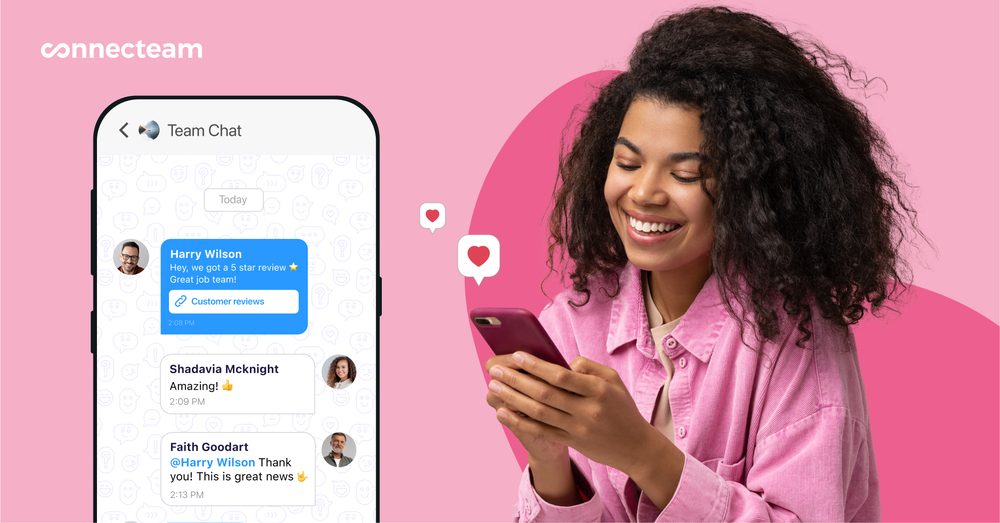
Connecteam also provides essential chat features, including @mentions, threaded replies, emojis, and file attachments. Moreover, with voice and video messages, frontline workers in fast-paced environments can share job updates and report incidents without stopping hands-on tasks. I also like the ability to share a location PIN, which is especially helpful when reporting incident location or guiding teammates to a job site.
Managers can schedule messages to ensure employees receive vital information at the right time. For example, you can schedule a message with shift instructions to be delivered when employees start work. This ensures everyone clearly understands job requirements, reducing mistakes that lead to costly rework and jeopardize employee safety.
Fast Company-Wide Updates With Read Tracking
Connecteam’s Updates lets you share safety alerts, policy changes, and critical updates to everyone in your company at once. The feature prioritizes instant message delivery, which is
especially vital when workplace safety or compliance depends on how fast you can reach employees.
Imagine a scenario where an approaching storm threatens multiple construction sites. In this case, the manager needs to alert crew members so they can halt ongoing work for their and equipment safety. Connecteam lets the manager write the update in seconds using AI or prebuilt templates, and send it to all crew members with a single click.
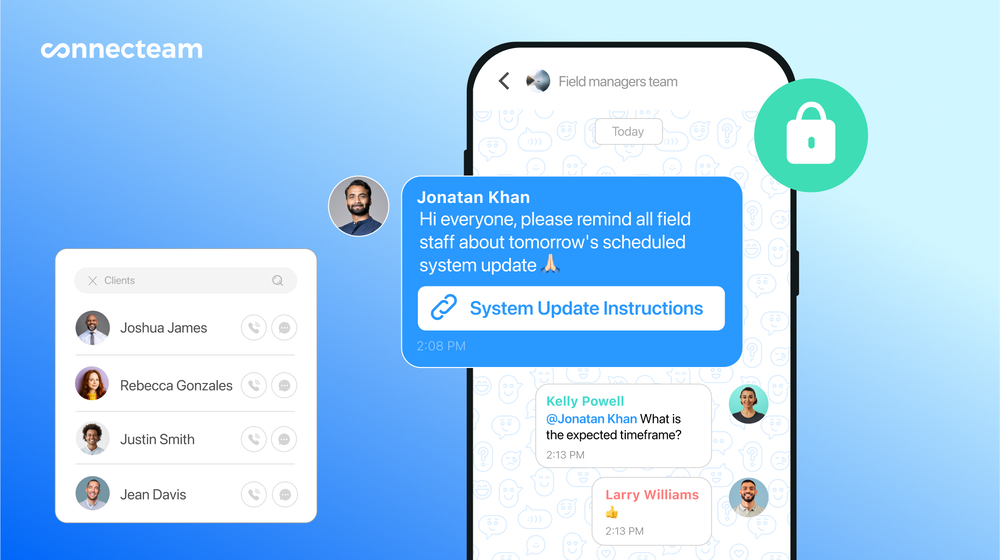
Connecteam’s in-app chat lets you quickly share important information, like scheduling changes, with vendors. Employees get instant notifications, ensuring everyone is informed in time to take action. The manager can monitor read receipts and engagement statistics to quickly determine who has seen the important update. They can reach out directly to those who have not yet seen the update to ensure everyone is safe.
Strong Security and Privacy Controls
Connecteam provides powerful security and privacy controls to protect information shared during workplace conversations. One of its notable privacy features is chat lock. With this tool, admins can freeze 1:1 and group chats to prevent further replies while allowing participants to access past discussions. This enables users to reference past decisions and information without the confusion of new replies.
Moreover, managers can restrict employees from saving chat documents, photos, and videos to their phones. The restriction ensures sensitive information doesn’t fall into the wrong hands and is particularly useful for businesses in regulated industries like healthcare.
What’s more, Connecteam is seamlessly integrated with user management for one-click offboarding. When you delete a user, the system automatically removes them from all chats, so they no longer view discussions. When an employee changes role, the manager can change their smart group, and Connecteam adds them to chats relevant to their new role.
Smart AI Capabilities
Connecteam lets employees leverage AI in chats and updates to improve team communication. Beyond the basic stuff like polishing messages, Connecteam AI lets employees auto-translate messages. This ensures each employee receives messages in their native language, helping them clearly understand safety updates, instructions, task details, and more.
My favorite feature is the ability to bring an AI assistant right inside chat to give employees instant answers and access to the right documents. I liked that the AI connects your internal knowledge base, so whenever an employee asks a question, it pulls the answers directly from the right source. This ensures employees get credible information while on the job.
And so Much More
Beyond chat features, Connecteam offers a wide range of workforce management features, including:
- GPS time tracking
- Job scheduling
- Real-time location tracking
- Task management
- Time-off management
- Onboarding and training
- Employee recognition
When Connecteam may not be the best fit
Connecteam may be more than you need if your team only wants a simple channel-based chat app for desk workers. It also isn’t built to replace advanced video meeting platforms. Its strongest fit is for frontline and field teams that need chat, updates, scheduling, tasks, and time tracking connected in one employee app.
Connecteam also offers a free for life plan – Try Connecteam here!
0Key Features
- Employee directory
- In-app chat (1-on-1/group)
- Attach images, videos, GIFs, links, and more
- Notifications and alerts
- Surveys and live polls
- Social feed for updates, announcements, events
Pros
- Connects chat with daily workforce operations
- Read receipts support urgent update follow-up
- Strong mobile fit for frontline teams
- Admin controls help manage workplace communication
Cons
- Operations features may add setup time
- Advanced video meetings need another tool
Pricing
Free-for-life plan availablePremium plans start at $29/month for 30 users
14-day free trial, no credit card required
Start your free trial -
Slack — Office and hybrid teams that want organized channel-based messaging
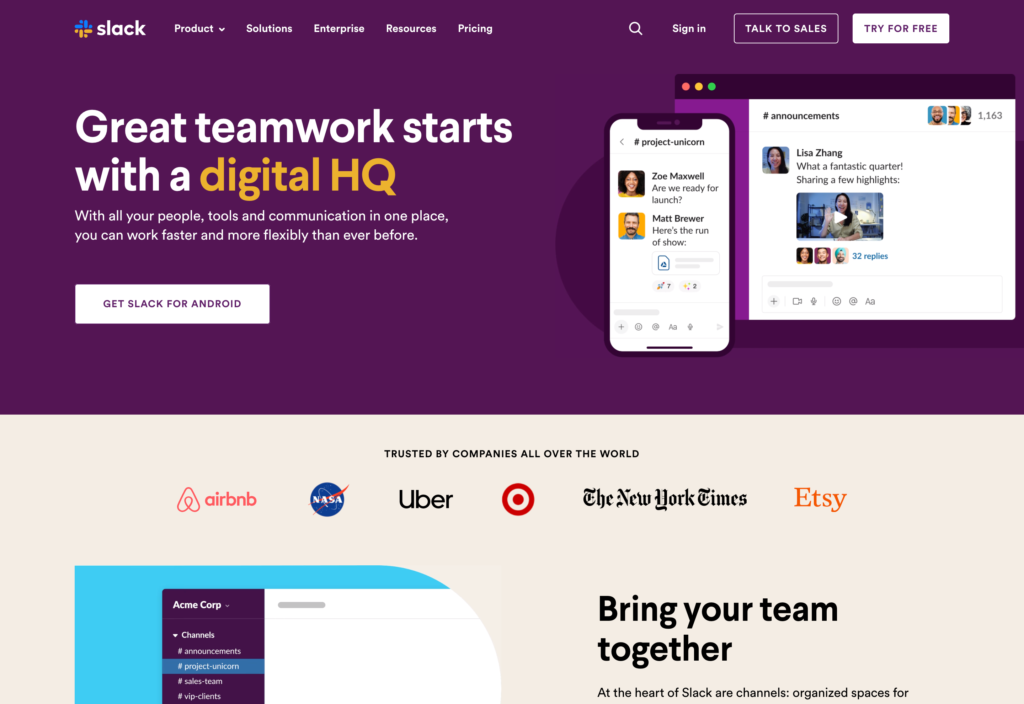
Slack is a workplace messaging app built around channels, direct messages, and integrations. It is strongest for office, hybrid, and digital teams that need organized conversations across projects and departments.
Why I chose Slack: I included Slack because it is one of the strongest tools for channel-based communication, searchable conversations, and integrations. It works well when teams need organized project or department discussions, but it loses ground for frontline teams because urgent updates can get buried and managers have fewer ways to confirm everyone saw them.
Messaging and Channels
Fewer work communication apps organize and streamline team communication better than Slack. Slack conversations are organized into workspaces, which represent a location, department, or team. Within each workspace, you can create 1:1 private groups and public group channels to keep discussions tidy and easy to retrieve as message volumes grow.
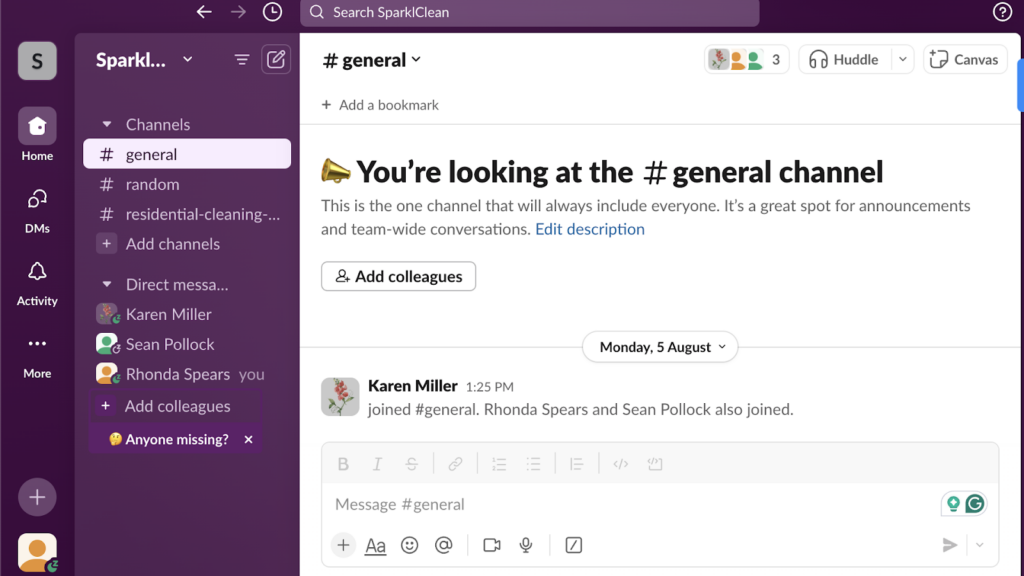
While Slack has an intuitive interface, it quickly gets cluttered in busy workspaces, ruining employee experience. Slack also offers all the features you’d expect from a business chat app, including thread replies, emojis, message scheduling, file sharing, message pinning, and powerful search. There are some notable extras, such as reply reminders, that help you follow up on important conversations later.
My only issue is that Slack doesn’t offer a one-way announcement or broadcast feature, unlike Connecteam. You can create a public channel for the entire workforce, and use @channel, @here, or @everyone to draw the attention of all employees to an important update. However, with no read receipts, you can’t be sure everyone has seen the update.
Slack Huddles
Huddles are Slack’s video call feature, designed to help teammates jump on a call with ease. Unlike Zoom or Microsoft Teams, which require multiple steps to set up a call, Huddles lets employees start and join a call with a single click. The ease of use brings the feel of a quick office chat to the virtual workspace.
Over the years, Slack has improved Huddles, adding handy tools that give renowned video conferencing solutions a run for their money. Users can now use virtual backgrounds during Huddles to maintain privacy and reduce visual distractions. Additionally, Slack lets users share screens during calls just like they would with Zoom or Google Meet.
That said, our reviewer found that Huddles lack vital call features, such as meeting recording. Another issue is that Huddles don’t support breakout rooms, a vital tool that lets the meeting host split participants into smaller groups for targeted discussion and collaboration.
Slack AI and Automation
Slack offers arguably one of the most powerful AI and automation features. With Slack AI, users can quickly draft messages, translate messages, and analyze conversations to highlight trends. I also like its ability to summarize messages, making it easier to catch up on long conversations in minutes.
What sets Slack apart from other instant messaging apps is its AI-powered workflow builder. With this feature, you can create automated processes for routine tasks, such as message replies, freeing up time for high-priority work. However, the workflow builder is available only on paid plans — sorry, free plan users.
What users say about Slack
Slack is a game changer for teamwork, communication, and task management. It also makes team engagement a breeze.

Slack quickly becomes overwhelming; constant pings, endless channels, and notifications make it hard to stay focused. Important messages get buried almost instantly, and managing channel overload becomes its own job.

Key Features
- Slack connect
- Huddles
- Channels
- Knowledge sharing
Pros
- Multilingual support
- User-friendly interface
Cons
- 90-day message history on free plan
- Expensive plans
Pricing
Starts at $8.25/user/month Trial: Yes Free Plan: Yes
-
Microsoft Teams — Microsoft 365-based teams that want chat, meetings, and file collaboration in one workspace
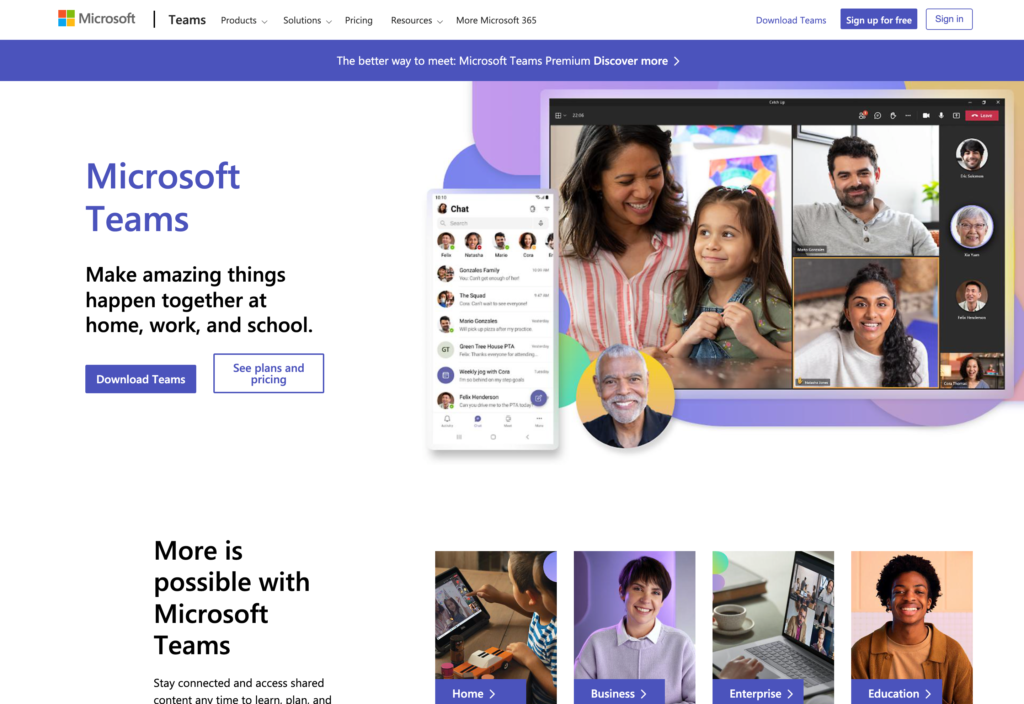
Microsoft Teams combines workplace chat, video meetings, file sharing, and Microsoft 365 collaboration. It works best for companies that already use Microsoft tools and want communication inside the same system.
Why I chose Microsoft Teams: I included Microsoft Teams because it brings chat, meetings, and file collaboration into the Microsoft 365 workflow. It is useful for back-office teams already using Microsoft tools, but it ranked lower for non-desk teams because its broader interface can make quick mobile communication feel less simple.
Chat and Messaging
Microsoft Teams offers the tools you need to keep teams connected. With direct messages (DMs), group chats, and channels, teams can communicate and collaborate in ways that suit their preferences. Moreover, employees can use messaging features, from @mentions and emojis to post sharing and scheduling, to keep conversations engaging, organized, and timely.
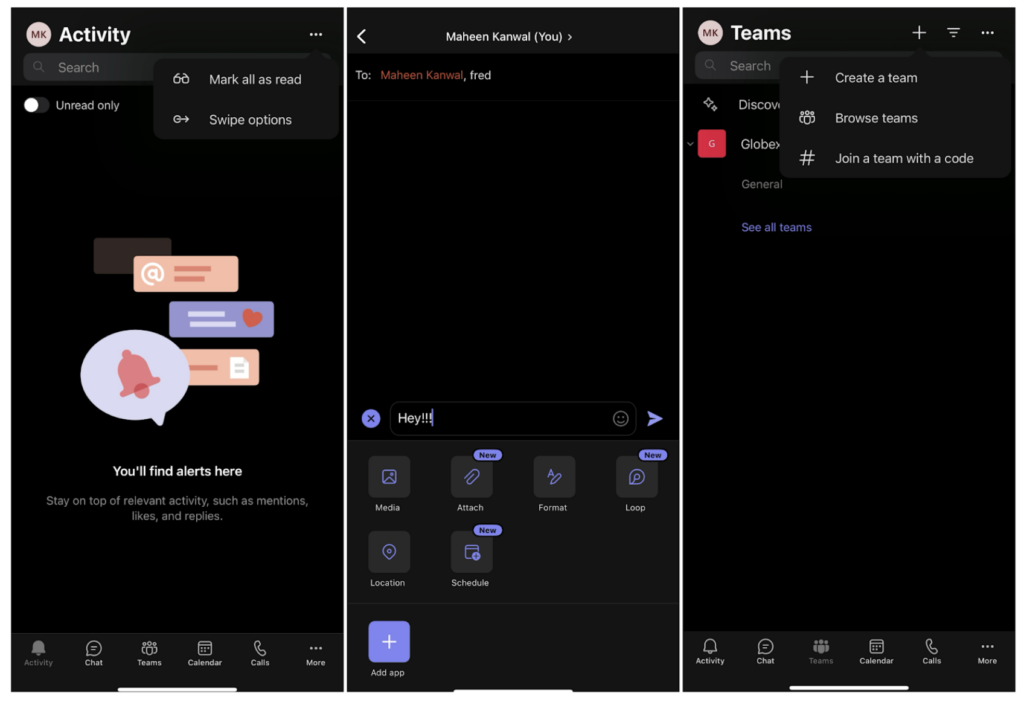
Employees can install the Microsoft Teams workplace mobile messaging app from Google Play or Apple’s App Store. However, while Microsoft Teams is suitable for knowledge workers, it lacks the simplicity that deskless teams need to stay productive on the go. As our reviewer found, its feature-heavy interface makes it difficult to navigate for some non-tech-savvy users. This can slow down communication in the frontline, where instant updates and access to information are critical.
Announcements
Microsoft Teams has an announcement feature that lets teams share updates with just a few clicks. Compared to Connecteam, the feature takes a unique approach. It enables managers to highlight important updates with bold headlines, imagery, and colored banners. This makes the update stand out from other channel messages and instantly grabs employees’ attention.
It’s a good way to ensure important information reaches its target, but there are a few considerations to keep in mind. With no read receipts, managers can’t see who has viewed an important update, and who hasn’t. This makes Microsoft Teams less effective for sending safety alerts or protocol updates in high-risk environments.
File Collaboration
Microsoft Teams enables users to share files within chats and channels. For example, a field technician can share a photo of the completed repair to keep the manager and the client in the loop. I like that Microsoft Teams stores team documents in a centralized hub and uses file versioning to ensure everyone is using the latest version.
However, with no restrictions on file downloads, employees can save documents to their devices. This raises concerns for data leaks and compliance violations, making Microsoft Teams less suitable for teams in regulated industries.
What users say about Microsoft Teams
Microsoft teams is a great team collaboration system. I like that I can set up a meeting with colleagues to easily work on projects.
Teams can be very intermittent with its connectivity and sometimes sluggish and laggy. It can sometimes be a little hard to join meetings.
Key Features
- Direct messages
- Group chats
- Channels
- Video meetings
- File sharing
- Microsoft 365 integration
Pros
- Mobile interface can feel heavy
- No read receipts for announcements
Cons
- Strong Microsoft 365 file collaboration
- Combines chat, meetings, and documents
Pricing
Starts at $4/user/month Trial: Yes — 30-day Free Plan: Yes
-

Google Chat — Google Workspace teams that want simple chat connected to Docs, Drive, and Gmail.
Available on
- Web
- iOS
- Android
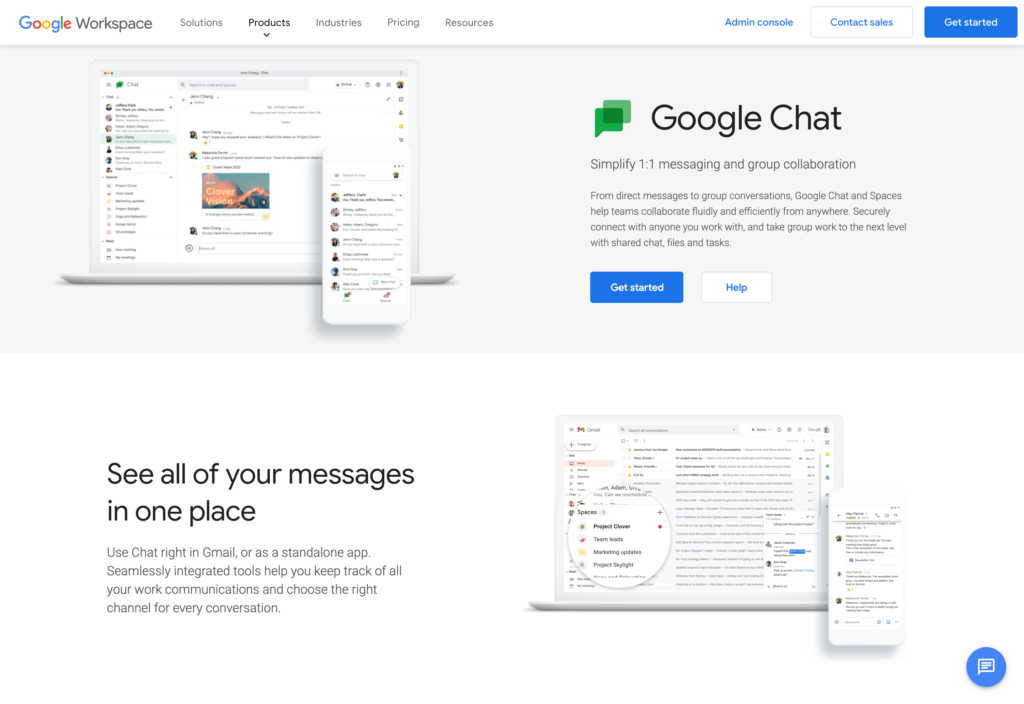
Google Chat is a simple messaging tool for teams already working in Google Workspace. It keeps direct messages, group conversations, and shared Google files in one familiar place.
Why I chose Google Chat: I included Google Chat because it gives Google Workspace teams an easy way to handle direct messages, group chats, Spaces, and shared files without adding another tool. It ranked lower because its communication features are lighter than the others, especially for urgent announcements, read tracking, and frontline admin control.
Direct Messages
Google Chat is stripped down to the very basics of team messaging. It lets users start 1:1 and group conversations, send text and voice messages, use emojis and @mentions, and share files. However, it lacks features that are useful for field-based teams, such as a dedicated announcement tool.
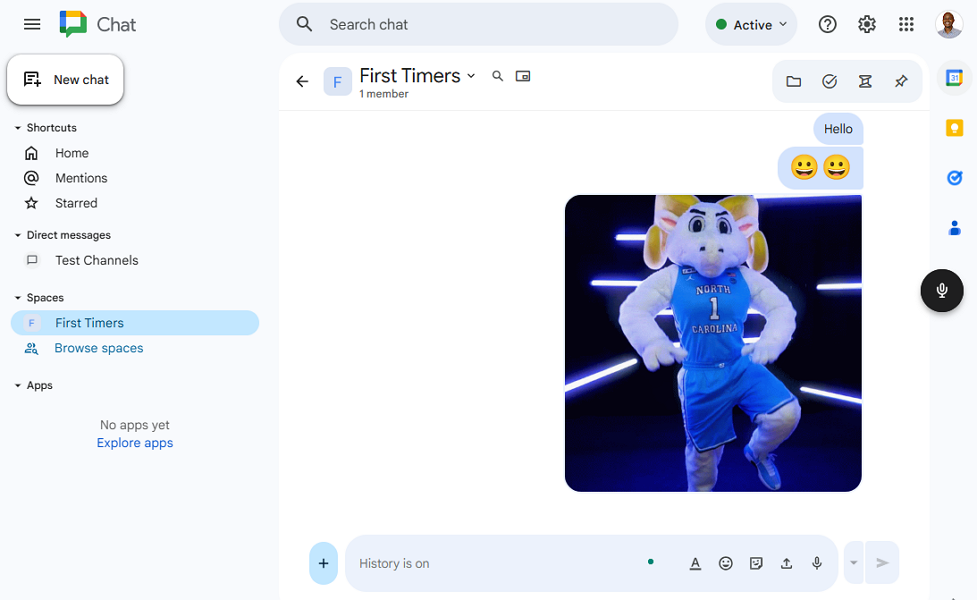
Google Chat isn’t an effective work instant messaging app. Thankfully, Google Chat sets itself apart with deep integration with Google Workspace. It allows employees to share and collaborate on Docs, Sheets, and Drive files directly within chat. This eliminates the need to switch between apps to move projects along the pipeline. However, these features make Google Chat more appealing to knowledge workers than to field-based teams.
Google Chat Spaces
Google Chat spaces are chat rooms where users can collaborate, share files, and assign tasks. You can create separate spaces for locations, departments, topics, projects, or shared interests. This keeps team discussions organized, enabling employees to retrieve information and refer to past decisions with ease.
Moreover, Google Chat’s space supports inline threading in spaces. It allows users to reply to a specific message, creating a focused discussion thread within the main conversation. When you reply in a thread, Google Chat notifies the original poster, thread followers, or people @mentioned in the reply. This reduces noise and ensures the flow of the space isn’t disrupted.
File and Document Sharing
With Google Chat, users can share files in direct messages and spaces. The app supports standard documents and common image types, such as PNG, JPEG, BMP, and GIF. Since it’s natively integrated with Drive, Google Chat also lets you share Docs and Sheets directly from your Drive, without having to copy their links.
When you share Google Docs or Sheets, Chat notifies you if a recipient lacks access. It lets you grant access directly from the message, saving you time. It also organizes shared files in a centralized repository for easy reference.
What users say about Google Chat
It’s very simple for the end user. It’s an easy-to-use program. The user interface is especially user-friendly. I recommend it.
We found nothing particularly special about Google Chat, as it lacks standout features compared to other messaging apps.
Key Features
- Direct messages
- Group conversations
- Spaces
- File sharing
- Voice messages
- Google Workspace integration
Pros
- Weak urgent announcement tracking
- Limited frontline admin controls
Cons
- Simple for Google Workspace teams
- Easy Drive file sharing
Pricing
$7/user/month Trial: Yes — Yes, 14-day Free Plan: No
-

Pumble — Budget-focused teams that want Slack-style channels and direct messages.
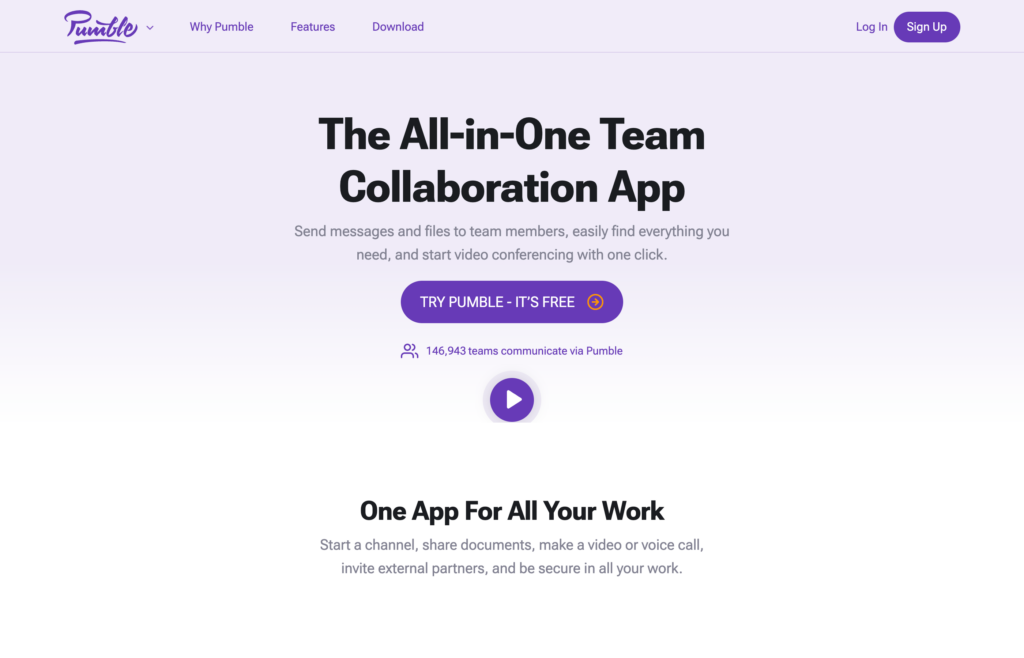
Pumble is a Slack-style team chat app with channels, direct messages, calls, and file sharing. It is a practical option for teams that want familiar messaging features at a lower cost.
Why I chose Pumble: I included Pumble because it gives teams a familiar Slack-style chat experience at a lower price point. Its free-plan messaging is a strong draw for budget-conscious teams, but the lack of a dedicated broadcast workflow makes it less reliable for urgent frontline updates.
Team messaging
Pumble is a powerful team messaging solution, especially for freelancers and small businesses with tight budgets. Its free plan provides unlimited message history, allowing team members to easily reference past decisions and maintain context. Additionally, the free plan supports unlimited users, which is rare for free chat apps.
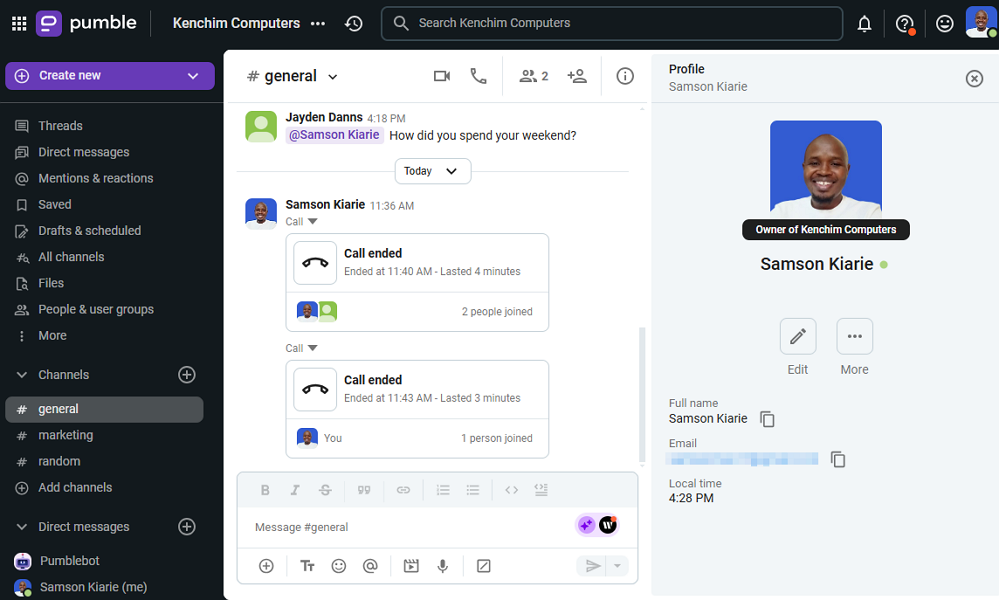
Pumble is one of the best free team communication apps. Pumble offers a Slack-like chat user interface that packs most of the features that have made Slack so popular. Users can send text, voice, and video messages; use @mention, emojis, and threads; schedule and save messages; and more. My only issue is the lack of a broadcast tool, which makes Pumble unsuitable for sharing critical updates.
Video conferencing
Pumble voice and video call features are stripped down to the essentials, which is an advantage and a disadvantage. On the positive side, the simplicity makes it easy for users to start and join calls, making Pumble useful even in fast-paced, on-the-go work environments. I also like that external collaborators don’t need a Pumble account to join calls.
On the downside, Pumble has had to overlook advanced features such as breakout rooms. Moreover, it allows only 50 participants per virtual call, which can be a dealbreaker for medium-sized and large organizations. You also need a Business or Enterprise plan to invite external guests.
File sharing
Pumble allows users to share different types of files and images in messages to streamline collaboration. It consolidates all workspace files in a single repository and offers a powerful search to help team members surface relevant files in seconds.
Moreover, Pumble allows only group participants to see and find files shared in a private channel or messages. Unfortunately, it doesn’t provide controls to restrict group participants from downloading the files to their devices. This can increase the risk of compliance breaches and data leaks by internal actors.
What users say about Pumble
Its easy to use. I am able to stay in touch even when I’m not at work. I like that I can customize the sidebar to my liking.
The busy-ness of the interface. There is a lot going on within the page– makes focusing and finding the location of features a little difficult.
Key Features
- Team messaging
- Voice and video calls
- File and document sharing
- External guest invites
Pros
- Unlimited message history on the free plan
- Budget-friendly pricing
Cons
- Limited integrations
- Doesn’t support 4k video calls
Pricing
Starts at $2.49 per seat per month Trial: Yes Free Plan: Yes
-

Beekeeper — Frontline organizations that need mobile-first employee communication
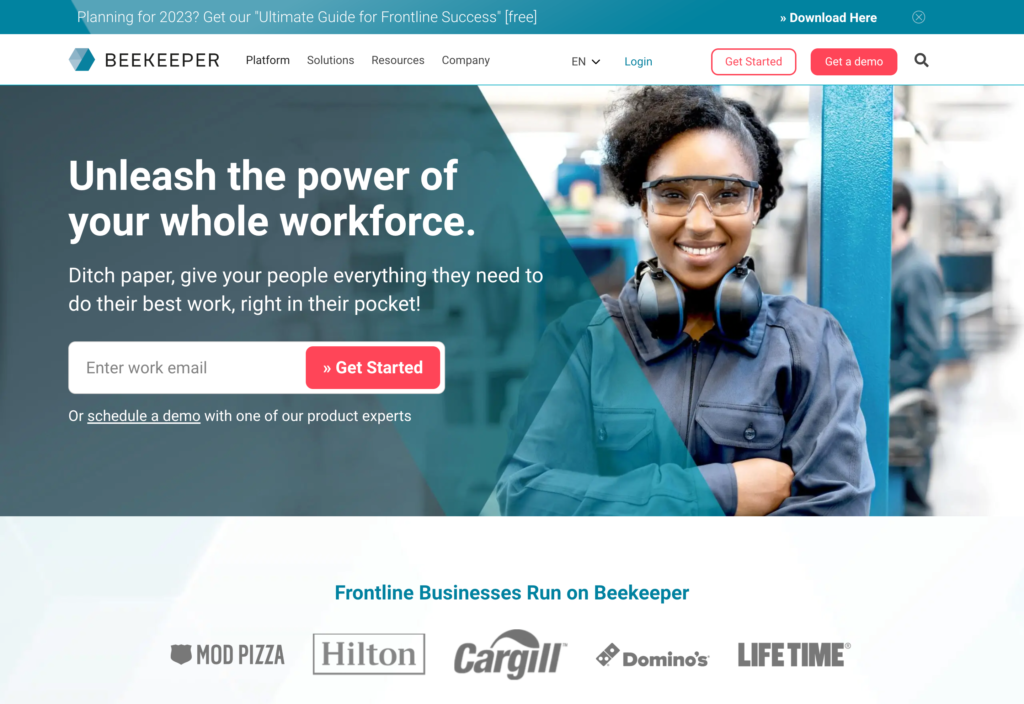
Beekeeper is a frontline communication platform focused on mobile access, team messaging, and company updates. It is designed for organizations where many employees do not use email or desk-based tools every day.
Why I chose Beekeeper: I included Beekeeper because it is built around mobile-first communication for frontline employees who may not use email or desk-based tools. Its chat and Streams features make broad updates easier to send, but the lack of read receipts makes it harder to confirm critical messages reached everyone.
Team Chat
Beekeeper is built primarily for real-time one-on-one and group chat. As such, it provides messaging tools that enable frontline teams to connect in real-time, including text and audio messages, AI chat summaries, emojis, and file sharing.
However, Beekeeper lacks vital chat features that are useful in some fast-paced environments, such as scheduled messages. It also doesn’t support threaded conversations, and users can only send voice messages via the mobile app. Additionally, its limited integrations and customizable workflows can be off-putting for businesses with complex communication needs.
Beekeeper Streams
Streams work the same way as Slack channels: you can set them up by topics, teams, locations, or departments. I liked the flexibility to create private and public streams. The latter is accessible to all users within the organization and is therefore useful for company-wide updates and announcements.
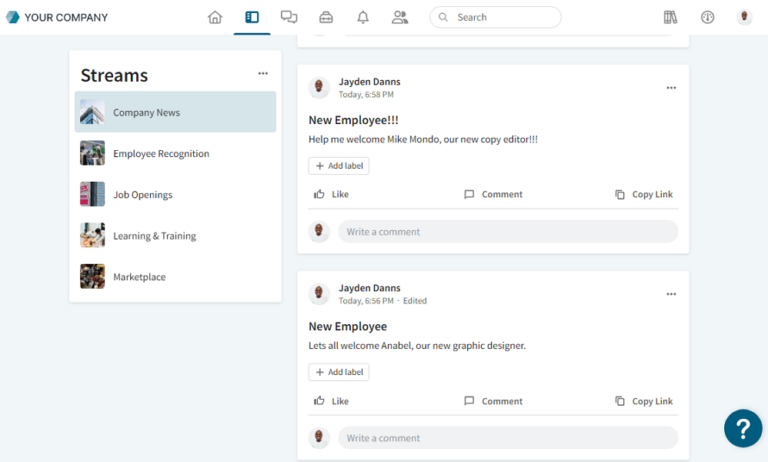
Beekeeper’s stream is an effective channel for announcing updates and alerts to the entire company. When you post in a stream, Beekeeper notifies all employees, ensuring no one misses an important update. But, while you can see how many users liked a post, you don’t get read receipts, which makes Streams less effective for critical updates, as our reviewer found. By default, Beekeeper allows users to comment on posts, but you can turn off commenting to keep posts focused.
Multi-Lingual Support
My favorite Beekeeper’s chat feature is its native, real-time translation. The app provides inline translation for over 200 languages, helping users read messages in their native language. This ensures everyone gets the message clearly, bridging communications gaps in globally distributed teams.
My only issue is that Beekeeper offers inconsistent localizations. While it helps users translate messages, some parts of the interface and notifications remain in the default language. This can confuse users who don’t speak the app’s default language.
What users say about Beekeeper
We have the ability to keep all of our employees informed through various methods, and it’s stored in one place.
A pain to log in and don’t forget your info, or it’s a real bad time trying to get back into it. Wouldn’t use it.
Key Features
- 1:1 chat
- Group chat
- Streams
- Audio messages
- File sharing
- Message translation
Pros
- Strong mobile-first frontline focus
- Useful Streams for broad updates
Cons
- No read receipts for Streams
- No threaded chat conversations
Pricing
Starts at $124/month Trial: Yes — 14-day Free Plan: Yes
Compare the Best Workplace Chat Apps
| Topic |
 Start for free
|
|
|
|
|
|
|---|---|---|---|---|---|---|
| Reviews |
 |
|
|
|
|
|
| Pricing |
Starts at just $29/month for the first 30 users
|
Starts at $8.25/user/month
|
Starts at $4/user/month
|
$7/user/month
|
Starts at $2.49 per seat per month
|
Starts at $124/month
|
| Free Trial |
yes
14-day
|
yes
|
yes
30-day
|
yes
Yes, 14-day
|
yes
|
yes
14-day
|
| Free Plan |
yes
Free Up to 10 users
|
yes
|
yes
|
no
|
yes
|
yes
|
| Use cases |
Frontline and field teams that need chat, updates, and daily operations in one app
|
Office and hybrid teams that want organized channel-based messaging
|
Microsoft 365-based teams that want chat, meetings, and file collaboration in one workspace
|
Google Workspace teams that want simple chat connected to Docs, Drive, and Gmail.
|
Budget-focused teams that want Slack-style channels and direct messages.
|
Frontline organizations that need mobile-first employee communication
|
| Available on |
Web, iOS, Android
|
What Is a Workplace Chat App?
Workplace chat apps are digital communication solutions designed primarily as a long-term replacement for email as the main mode of communication in the workplace. More than just sending email-style messages, employees can use this kind of app to interact with each other instantly, in order to make sure that information gets shared as quickly as possible. With workplace chat apps, employees can share ideas with each other, and keep all work and private conversations separate.
How Do Workplace Chat Apps Work?
Workplace chat apps can vary in terms of what they’re capable of. Generally speaking though, a chat functionality is at the center of it, allowing employees and managers to communicate with each other instantly through typed text. Admins are usually able to set permissions, determining who can and can not communicate with each other in the company.
Like typical messaging apps, workplace chat apps often allow users to send messages in the fom of text, GIFs, emojis, files, and other forms of media. Many workplace chat apps also include other modes of communication, such as the ability to send voice recordings, engage in videos calls, and more.
The Benefits of Workplace Chat Apps
Year by year, more and more businesses are adding workplace chat technology to their daily operations. This is because of the many benefits that these apps bring. Such as:
- It improves communication: Obviously, internal communication becomes much more simplified and streamlined after implementing technology specifically designed for this purpose. As employees aren’t always in close proximity to their teammates and managers, having a tool to start conversations from anywhere at anytime makes this area of business much easier.
- It boosts employee engagement: Business owners want to see that their employees are receiving and understanding all important company information being shared with them. Also, they want to see that all employees are engaging with the wider company. This leads to higher employee engagement and productivity in the process.
- It makes work more efficient: Workplace chat apps help to make workflows more efficient, saving time along the way. Employees can sync with each other easily and share quick updates on current projects, tasks and plans.
- It boosts team morale: Having a tool that allows easy internal communication helps to make teams stronger. If employees can build camaraderie through messages and other kinds of shared media, it can help to create a sense of unity and belonging within the team.
How Much Do Workplace Chat Apps Cost?
Workplace chat apps do vary considerably in terms of pricing. This can be determined by many factors, including the range of features each tool provides, the number of users required, and more.
From this list, some of the more affordable options include WhatsApp and Google Hangouts, which both include free versions. However, while businesses can use these apps for communication purposes, they are not designed solely for businesses. Then there are more expensive solutions such as RingCentral, which costs $29.99 per user/month, for 2 to 20 users.
It is best to choose a workplace chat app that offers the widest range of features at the most competitive price. Take Connecteam, for example. With a basic plan of just $29 per month for the first 30 users, you get all of the internal communication features you’d come to expect from this kind of software.
But you will also get a wide range of features to simplify virtually all aspects of your business. These include employee scheduling, time tracking, task management, document management, and HR management.
FAQs
Yes, a workplace chat is substantially more secure than your casual everyday SMS. When work related information is kept to work related applications, everything is kept in its place. Even if it is by mistake, a lot of times classified information can be accidentally sent to the wrong receiver. With group chat apps for work, conversations and sent information is kept on target and in its secure spot. Connecteam takes security one step further by setting restrictions to certain employees and keeping private channels an option. Connecteam also makes sure that when an employee is fired or is on leave, they cannot send information they once had access to, externally. When an employee is out of the company, they are removed from the employee directory software, and that is when access to anything within the company is immediately closed for good.
The umbrella, or the main benefit behind workplace chat communication, is that it creates an open door policy. This open door feel is truly the key to healthy internal communication. Having this back and forth capability makes for management where you are talking with your employees, instead of just ordering them around. Many times employees need to know you want to hear from them. Something as simply allowing employees to get in touch with you or other team leads about follow-up questions in regards to tasks, can be the difference between being behind schedule or on schedule (not to mention the money that is wasted when mistakes can be avoided through communication). So, what do group chat apps for work do to improve your internal communication? It not only gives your employees the opportunity to be heard, but it also saves you time and money in the long run. This is most definitely something to be mindful of and take into serious consideration!
The Bottom Line On Workplace Chat App
Workplace chat apps centralize communication, reducing the chaos of scattered email threads and disruptive phone calls. However, to reap these benefits, you need a work chat app that truly fits your team’s unique needs, budget, and daily workflows.
If you don’t mind expanding your tech stack and costs, you can layer a standalone app like Slack on top of your existing systems. While this delivers powerful messaging, it also creates app sprawl, compelling users to switch between multiple tools to communicate and get work done.
You can avoid this complexity with an all-in-one workforce management platform, such as Connecteam. Connecteam combines chat with scheduling, time tracking, employee onboarding and training, and real-time location tracking in a single platform. This keeps communication tied to daily operation, eliminating the context switching that makes standalone apps ineffective for frontline teams.
The cherry on top? Connecteam costs less than $1 per employee per month, which is one-eighth of Slack’s subscription cost. Its Small Business plan lets small businesses with up to 10 employees use all its features completely free.
Start a free trial today to get a first-hand feel for all Connecteam’s features.