


When important information gets buried in a busy chat, people miss context, repeat work, and lose time searching for the right message.
I compared 7 Pumble alternatives by how well they organize conversations, support calls and guests, connect with other tools, and give admins control.
Use these picks to find a team messaging platform that fits office, remote, or field work.
| App | Best for | Starting Price | Key Considerations |
| Slack | Best overall for mature team messaging and integrations | $7.25/user/month, billed annually | Polished channels, search, calls, and a large app ecosystem. Free history is limited to 90 days. |
| Microsoft Teams | Microsoft 365 organizations | $4/user/month | Brings chat, meetings, files, and Microsoft 365 together. Setup and navigation can feel complex. |
| Rocket.Chat | Customizable or self-managed team messaging | Contact vendor for price | Offers deep deployment and permission control. Self-management needs technical skill. |
| Mattermost | Organizations prioritizing control and deployment flexibility | Contact vendor for price | Supports self-hosting, technical integrations, and strict access controls. Administration can be demanding. |
| Google Chat | Google Workspace teams | $7/user/month | Fits naturally beside Gmail, Drive, Calendar, and Meet. Custom workflows may need extra setup. |
| Chanty | Simple, affordable team chat | $3/user/month | Keeps chat, calls, and basic tasks easy to learn. Native integration range is limited. |
| Connecteam | Frontline teams that need chat plus workforce operations | Just $29/month for the first 30 users | Combines work chat with scheduling, time tracking, tasks, and updates. Doesn’t offer live video calls. |
What’s New in This Update (September 2026)
- Added Rocket.Chat and Mattermost as direct messaging alternatives, replacing Discord and intranet-first options.
- Moved Slack and Microsoft Teams to the top as the closest channel-based Pumble competitors.
- Updated Slack’s free history limit and pricing, plus Pumble’s seven-day trial and current plan limits.
What Is Pumble?
Pumble is a cloud-based communication platform that keeps workplace conversations out of email and organized in one shared space.
Employees can send direct messages, create public or private channels, reply in threads, share files, and use voice or video messaging. Shared content and conversations are searchable across its desktop and mobile apps.
The free plan includes unlimited users and message history, one-on-one calls, and 10GB of workspace storage. Paid plans start at $2.49 per user per month (billed annually), and include group meetings, screen sharing, additional storage, and advanced permissions.
Pumble is best suited to teams that need focused communication rather than a complete project or workforce management system.
Why Are People Moving Away From Pumble?
Pumble works well for basic messaging, but growing teams may need stronger meetings, workflow integrations, admin controls, and mobile access.
Pumble’s free plan supports one-on-one meetings, but group meetings and screen sharing start on Pro, and recording and guest users require Business. Pro group calls allow up to 50 participants, and Business and Enterprise raise that to 100. The premium trial also needs to be activated manually and only lasts seven days.
One G2 reviewer said that Pumble’s mobile app can feel slower than the web experience. Another user reported interrupted video and audio calls, in addition to too many notifications.
Multiple users note the limited number of integrations. Pumble can connect to more tools through Zapier, APIs, and webhooks, but those connections don’t turn it into a full project or workforce management platform.
There are also limitations in Pumble’s AI and administration. Its AI assistant can draft replies and summarize content, but it can’t read message history automatically, so users have to copy and paste messages into the AI chat. For teams with heavy message volume or complex access rules, another platform may require less manual work and fewer separate tools.
How I Ranked the Best Pumble Alternatives
To rank the best Pumble alternatives, I compared how each platform organizes conversations, finds past information, supports collaboration, and gives admins control. I also considered whether it works best for office, self-managed, or frontline teams.
Here’s what I prioritized:
- Conversation organization and search: I looked for direct messages, channels, threads, pins, useful notification controls, and search tools that make past messages and files easy to find.
- Message history and storage: I compared how long each platform stores conversations and files, whether admins can control when they’re deleted, and what export options are available.
- Calls and cross-device access: The software should have voice and video meetings, screen sharing, recordings, and access to key features across web and mobile.
- External collaboration: I looked for guest roles, shared channels, meeting links, and permissions that keep external partners away from unrelated conversations.
- Administration and integrations: The alternatives should support multiple user roles, access controls, security settings, APIs, automations, and connections to other tools.
- Workplace fit and scalability: I considered how well each platform supports office-based, self-managed, or frontline teams, plus the setup and admin work required as the organization grows.
Tools ranked higher when they combined organized conversations and search with stronger calls, external collaboration, integrations, or admin controls. Tools ranked lower when core workflows required extra services or technical setup, or when they were better suited to a more specific use case than general team messaging.
The 7 Best Pumble Alternatives
-

Slack — Best overall for mature team messaging and integrations
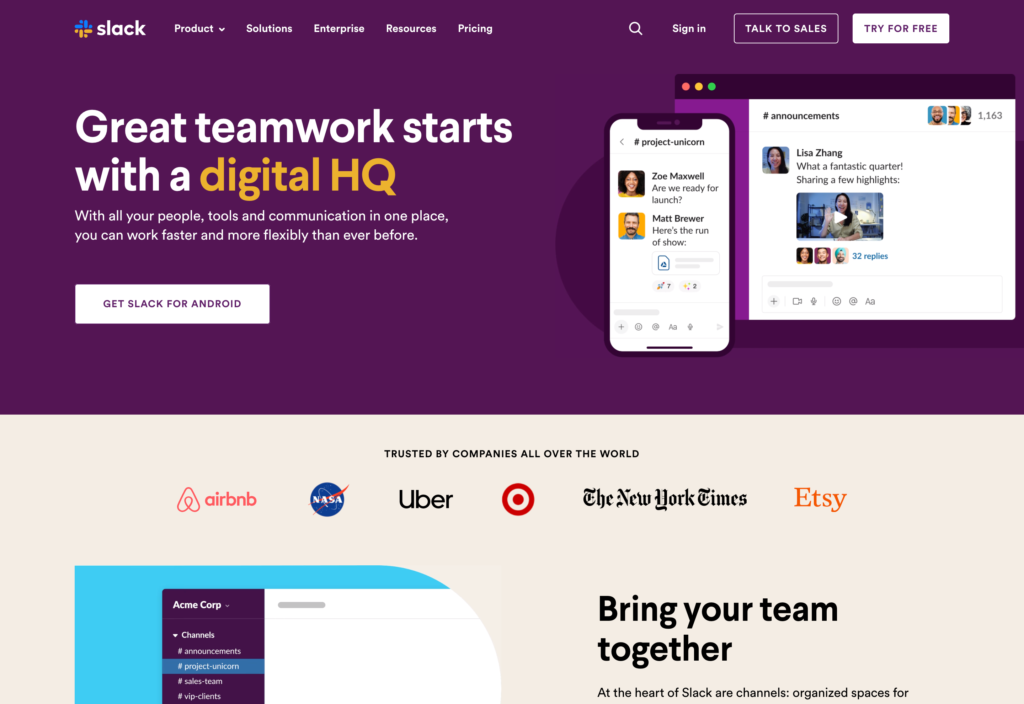
Slack is a messaging platform built around direct messages, channels, search, apps, and quick huddles.
Why I chose Slack: Slack combines an intuitive chat workflow with the largest amount of integrations, making it the strongest general-purpose alternative to Pumble.
Channels, Threads, and Search
With Slack, you can send direct messages to individuals or groups. Teams can organize work into public or private channels, split off a discussion into a thread, and pin key messages or files.
Search spans people, channels, and files. The trade-off is that on the free plan, you only get 90 days of message and file history, while Pro comes with unlimited history.
Huddles and Slack Connect
Huddles are Slack’s solution to audio and video calls. You can start a huddle inside a direct message or channel for quick troubleshooting. Huddles support screen sharing, but there’s no way to record meetings and there’s a 50-person cap. That means you’d need a separate tool to support company-wide meetings.
Slack Connect brings external partners into the conversation, extending collaboration beyond your organization. Free workspaces get one-on-one huddles and external messages, while paid plans add group huddles and shared channels with outside collaborators.
Apps, Workflows, and Admin Controls
Slack lists more than 2,600 apps and supports no-code workflows for routing alerts, approvals, and forms into conversations. Pro removes the free plan’s 10-app cap.
Just know that some permissions are desktop-only, so admins won’t have the full control set on a phone. Admins also can’t override employees’ notification or do-not-disturb settings, which could be an issue for urgent or time-sensitive communication.
Key Features
- Public and private channels with threads
- Search across messages, files, people, and canvases
- Audio and video huddles with screen sharing
- Collaboration with external organizations
Pros
- Organized conversations and workspace-wide search
- Broad integrations and flexible workflow automation
Cons
- Free plan history limited to 90 days
- No recording on Huddles
Pricing
Starts at $7.25/user/month, billed annually Trial: Yes — 30-day Free Plan: Yes
-

Microsoft Teams — Best for Microsoft 365 organizations
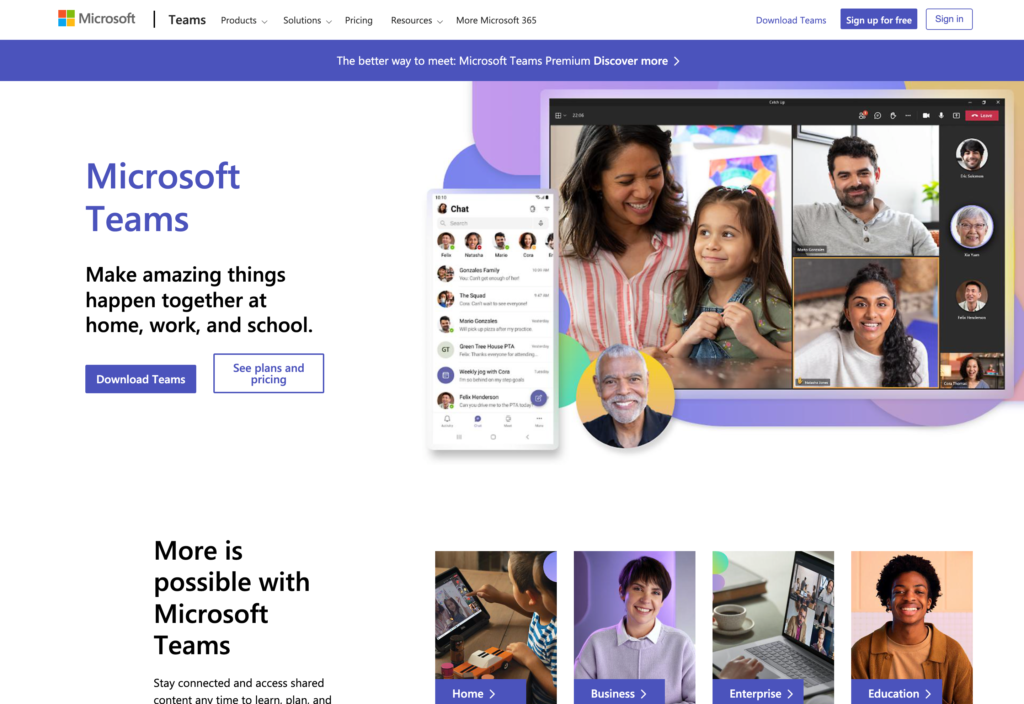
Microsoft Teams brings messaging, channels, meetings, and files into the Microsoft 365 workspace.
Why I chose Microsoft Teams: I included Microsoft Teams because its connection with Outlook, OneDrive, SharePoint, and Office documents makes it a natural fit for organizations already using Microsoft 365 throughout the workday.
Chats, Channels, and Guest Roles
Microsoft Teams users can move between one-on-one or group chats and channel conversations. Threaded posts that help project discussions keep their context, and you can pin important chats.
Keep in mind that the difference between chats and channel posts isn’t always clear for users, and the large feature set may overwhelm new users switching from a simpler messaging platform like Pumble.
Meetings and Calling
With Microsoft Teams, you can start or schedule audio and video meetings from the chat. Meetings support screen sharing, live captions, recordings, and recaps. AI helps translate speech in real-time and pull personalized insights.
Microsoft 365 Files and Search
Files sit in Microsoft storage, where coworkers can co-author documents and use version history. Search filters by type, sender, and date.
There are detailed controls for guest access, channels, meetings, apps, user accounts, and security policies. However, these settings are split between Teams and the Microsoft 365 admin center, which can make setup complicated. During testing, it took us nearly an hour to work through the admin center, so businesses new to Microsoft may face a steeper learning curve.
Key Features
- Direct chats and threaded channel conversations
- Video meetings with recordings and captions
- OneDrive and SharePoint file collaboration
- Microsoft 365 apps, workflows, and administration
Pros
- Deep Microsoft 365 integration
- Full meeting tools within the same workspace
Cons
- Initial setup can take significant admin time
- Interface can overwhelm new users
Pricing
Starts at $4/user/month Trial: Yes — 30-day Free Plan: Yes
-

Rocket.Chat — Best for customizable or self-managed team messaging
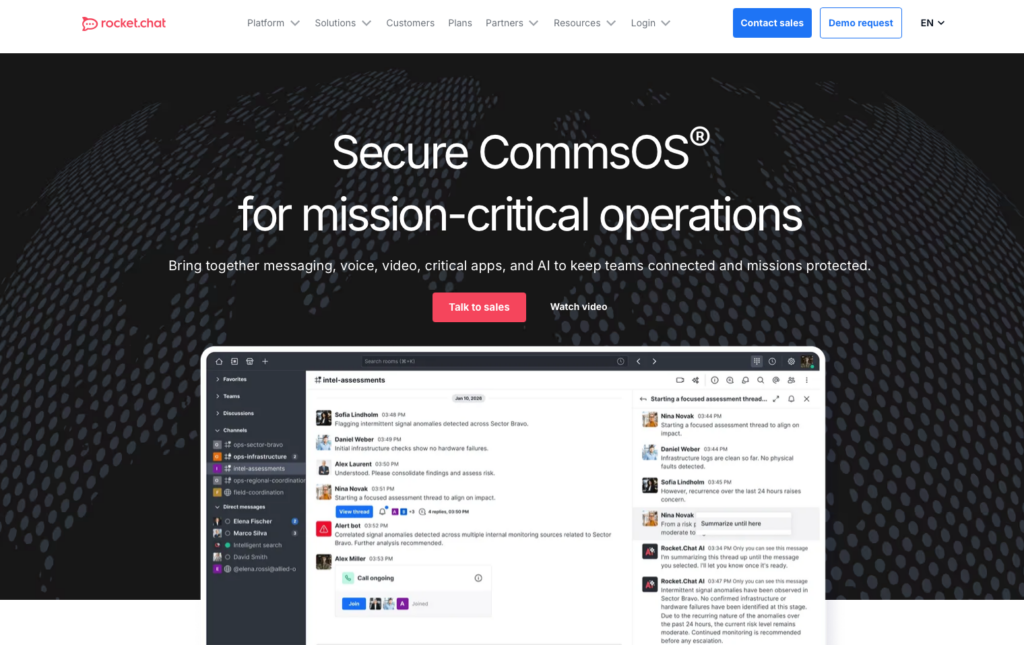
Rocket.Chat is an open-source messaging platform that can be adapted around an organization’s security and infrastructure.
Why I chose Rocket.Chat: Rocket.Chat stands out because few Pumble alternatives combine self-management, custom roles, APIs, and messaging controls.
Channels, Direct Messages, and Discussions
Rocket.Chat organizes conversations into public or private channels for departments, projects, clients, or incidents. Employees can send direct messages, reply in threads, share files, search conversations, and use read receipts, while admins control who can post, invite users, or manage content.
Guest users can join one channel in addition to sending direct messages, which works well for clients or contractors who need limited access. However, admins can’t edit the default guest permissions and must create a custom role if those settings don’t fit.
Other features also require careful setup. Admins can disable threads, Global Search must be enabled, and message storage rules can permanently delete older content. Self-hosting, integrations, and custom permissions require more technical work than a managed chat platform, so teams should review their setup and archive needs carefully.
Webhooks, Apps, and Custom Workflows
Technical teams can connect external tools and build custom workflows through Rocket.Chat’s Marketplace, Apps Engine, APIs, webhooks, and custom JavaScript. Incoming webhooks post alerts to channels or direct messages, while outgoing integrations send events to other services.
However, the account used by an incoming webhook must already exist, belong to the target channel, and have the right permissions, so custom workflows can take some planning to set up.
Deployment, Roles, and Calls
Admins can build custom roles and change detailed permissions for channel creation, message deletion, integrations, calls, and device actions. Organizations can also self-host with Docker Compose, Podman, or Kubernetes. That control comes with responsibility for TLS, reverse proxies, firewall rules, upgrades, and storage.
Voice calling requires a premium plan and the Rocket.Chat Voice add-on, while you can access video calls through admin-configured services such as Pexip, Jitsi, BigBlueButton, Google Meet, and Zoom. While this gives teams flexibility, call quality, recording, capacity, controls, and cost depend on the chosen provider rather than Rocket.Chat alone. Its screen sharing also doesn’t work in the mobile app, mobile browsers, or external SIP calls.
Key Features
- Public, private, broadcast, and encrypted channels
- Self-managed, private-cloud, and air-gapped deployment
- Granular roles, permissions, and storage controls
- Marketplace apps, webhooks, APIs, and custom scripts
Pros
- Flexible deployment and data-control choices
- Customizable permissions and integration workflows
Cons
- Self-management requires technical expertise
- Screen sharing not available on mobile devices
Pricing
Contact vendor for price Trial: No Free Plan: Yes — (Up to 50 users)
-
Mattermost — Best for organizations prioritizing control and deployment flexibility
Available on
- Web
- iOS
- Android
- Windows
- Mac
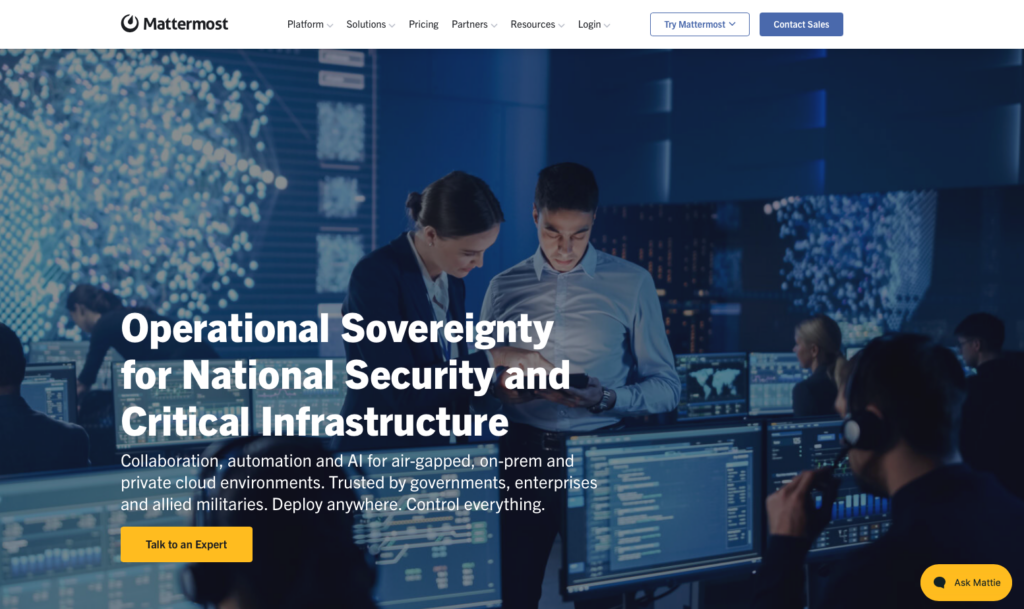
Mattermost is a channel-based platform for technical, operational, and security-conscious teams.
Why I chose Mattermost: I chose Mattermost because it gives organizations broad control over hosting, identity, integrations, and data while maintaining familiar chat workflows.
Channel Messaging and Search
Mattermost supports direct and group messaging, public and private channels, threaded discussions, and file previews. You can search across up to 3 million messages and files on the Professional plan. If you need more storage, you’ll need to upgrade to Enterprise, which adds infrastructure and administration.
Self-Hosting and Access Controls
Teams can self-host Mattermost and connect SAML, Entra ID, Okta, OpenID, or AD/LDAP on supported plans. Advanced controls can lock channels, restrict mentions, and automate membership. The trade-off is technical ownership: teams must plan the database, storage, network access, TLS, backups, and upgrades.
Calls, Guests, and Operational Integrations
Mattermost’s group audio and screen sharing support up to 50 users at once. Phone users can’t share screens, and video is limited to desktop/web direct-message calls. Plus, you need the Enterprise plan for higher call volumes, which requires a more complex setup.
You can restrict guests to specific channels. Single-channel guests are free at a ratio of one guest per licensed user, but guests who need access to multiple channels count as paid users.
Mattermost also supports integrations, APIs, webhooks, and plugins, though less technical teams may need help setting them up.
Key Features
- Self-hosted public and private channels
- Private single-tenant cloud deployment
- Audio calls, screen sharing, and guest accounts
- Plugins, webhooks, slash commands, and REST API
Pros
- Strong control over hosting and workspace data
- Detailed identity, permission, and integration options
Cons
- Self-hosting creates extra admin work
- Lacks mobile screen sharing and group video calls
Pricing
Contact vendor for price Trial: No Free Plan: Yes
-

Google Chat — Best for Google Workspace teams
Available on
- Web
- iOS
- Android
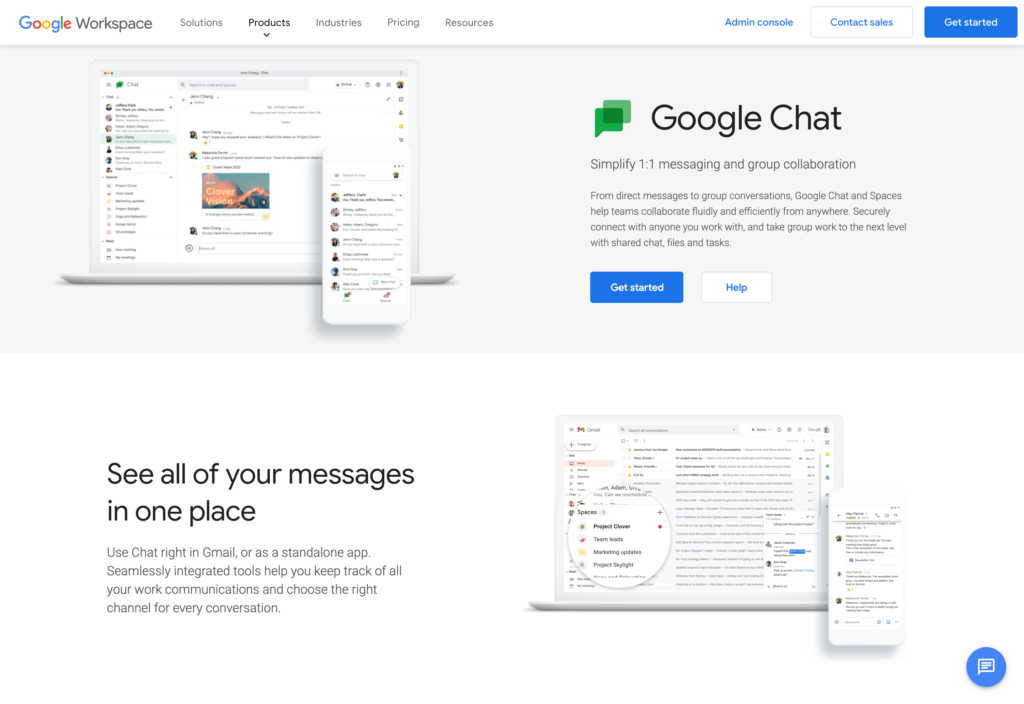
Google Chat is a direct-messaging and group conversation app included with Google Workspace.
Why I chose Google Chat: Google Chat keeps conversations close to Gmail, Drive, Calendar, Meet, and shared documents, so Google-based teams don’t have to switch systems.
Direct Messages, Spaces, and Search
Google Chat lets you use direct messages for quick conversations and Spaces for ongoing work. Spaces support threads, files, reactions, and tasks. External messaging depends on admin settings and your plan, and external users can’t be added to an existing internal group chat.
Group conversations support up to 400 participants and a thread in Spaces can hold up to 500 replies. If history is off, messages disappear after 24 hours and you can’t keep or search them.
Meet, Drive, and Shared Work
With Google Chat, you can start audio conversations with the option to add video or share your screen. For a larger or scheduled call, you can use Google Meet. Recordings are available from the Business Standard plan.
Drive, Calendar, and Tasks all connect to conversations, helping turn discussion into shared work across Google Workspace.
Gemini, Apps, and Security
Google’s Gemini AI assistant can summarize conversations or files, extract action items, translate messages, and draft replies on eligible plans.
Chat also supports APIs, webhooks, and apps. Incoming webhooks are one-way, require Business or Enterprise, need web setup, and share a one-request-per-second limit per Space. Admins should confirm the plan features before counting on AI or advanced controls.
Key Features
- Direct messages and threaded team Spaces
- Google Meet huddles and screen sharing
- Google Drive files, Calendar, and Tasks
- Gemini assistance and Chat apps
Pros
- Native fit across the Google Workspace ecosystem
- Strong search filters and Drive collaboration
Cons
- History-off messages disappear after 24 hours
- Entry plan limits external communication
Pricing
$7/user/month Trial: Yes — Yes, 14-day Free Plan: No
-

Chanty — Best for simple, affordable team chat
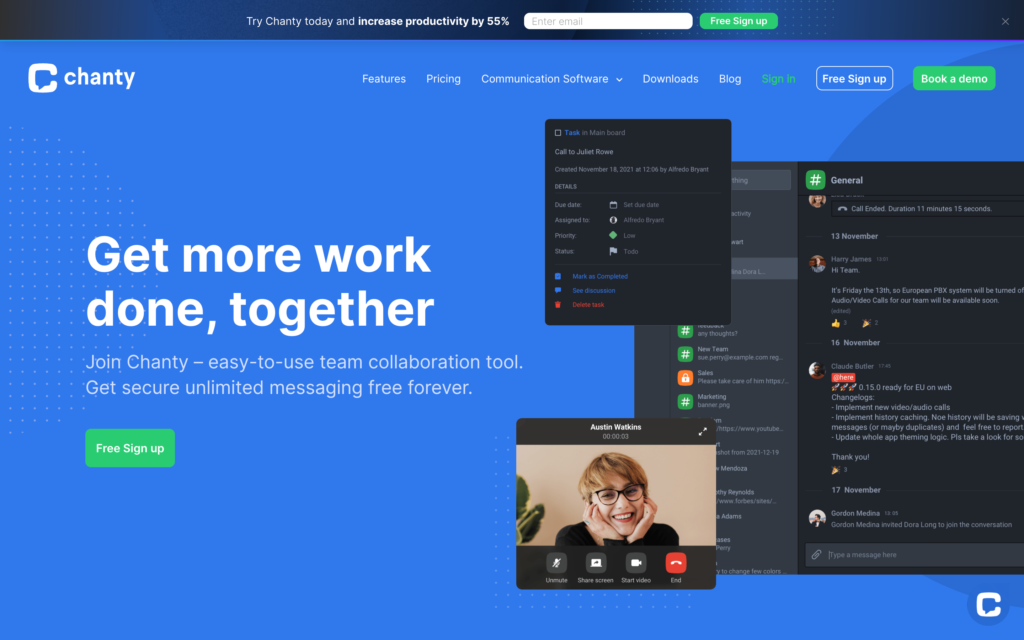
Chanty combines direct messages, group conversations, calls, search, and lightweight tasks.
Why I chose Chanty: Chanty covers the core chat workflow with little setup and keeps unlimited history on its free plan.
Team Chat and Teambook
Chanty’s Teambook gathers conversations, pinned messages, files, links, and activity in one place. Users can search history, reply in threads, schedule messages, and record voice notes.
The free plan includes up to 5 team members, one single-conversation guest, and one multi-conversation guest. A single-conversation guest can’t make calls or create tasks. The Business plan includes three guest seats per paid member.
Audio and Video Calls
You can start calls from a direct conversation or the Teambook. Chanty’s free plan allows users to start one-on-one audio and video calls. On the Business plan, you can add up to 1,000 participants, who can join across devices and share their screens.
In our testing, Chanty’s video calls were sometimes slow to load or didn’t connect. Teams that rely on video for customer meetings should test calls across their devices and networks before committing to the platform.
Message-to-Task Workflow and Integrations
Chanty turns messages into tasks, complete with an owner and due date. It then moves tasks through a list or Kanban view. That suits simple follow-up, but not complex projects.
Chanty’s native integrations are limited, but teams can connect more tools through Zapier or request custom integrations.
Key Features
- Public, private, and direct conversations
- Unlimited searchable history and Teambook
- Audio and video calls with screen sharing
- Message-to-task conversion with Kanban view
Pros
- Simple chat interface with unlimited history
- Built-in tasks support lightweight follow-up
Cons
- Free plan limited to 5 members
- Video sometimes failed during testing
Pricing
Starts at $3/user/month Trial: No Free Plan: Yes — Up to 5 team members
-
Connecteam — Best for frontline teams that need chat plus workforce operations
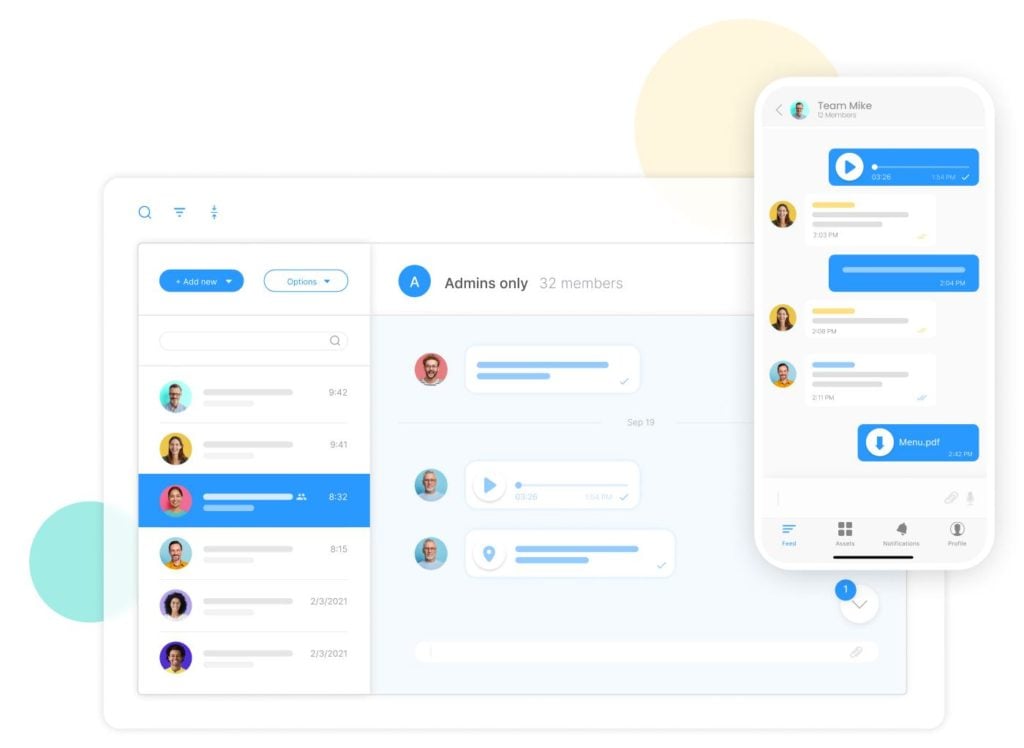
Connecteam combines communication, scheduling, time tracking, and HR tools into one mobile-first platform.
Connecteam is the best fit for frontline teams that want messaging and daily workforce tools in one app. Employees can chat, check shifts, manage tasks, and track their hours without switching platforms.
Online Team Chat
Connecteam’s online team chat supports one-on-one and group chats, file sharing, read receipts, searchable history, mentions, and admin permissions. Managers control who starts chats or deletes messages, and they can use read receipts to track who has seen each message.
For urgent updates, managers can tag employees and send push notifications to help messages stand out.
Connecteam doesn’t offer live video calls, so meeting-heavy teams may need a separate calling tool. However, employees can call contacts directly from the company employee directory without having to save their numbers to a personal phone.
Company Updates and Knowledge Base
Connecteam’s company update feed gives managers a separate place for announcements, so they don’t get lost in chats. Posts can target relevant groups, allow reactions or comments, and track views or read confirmations. Connecteam’s AI improves wording and automatically translates posts into each employee’s preferred language.
The company knowledge base stores policies and guides in sections and folders, helping teams find stable instructions without scrolling through old conversations. The AI Agent answers questions using knowledge base content, saving employees time searching.
Scheduling, Time Tracking, and Tasks
Managers can connect communication with employee scheduling, an employee time clock, and task management. You can add attachments to each shift, including notes, files, and tasks, so employees know what to do when they’re on the job.
0Key Features
- One-on-one and group work chat
- Targeted company updates
- Searchable company knowledge base
- Employee scheduling and time clock
Pros
- Connects communication to frontline operations
- Granular chat permissions and read receipts
Cons
- Lacks topic channels
- No live video calls
Pricing
Free-for-life plan availablePremium plans start at $29/month for 30 users
14-day free trial, no credit card required
Start your free trial
Compare the Best Pumble Alternatives
| Topic |
|
|
|
|
|
|
 Start for free
|
|---|---|---|---|---|---|---|---|
| Reviews |
  |
|
|
|
|
|
|
| Pricing |
Starts at $7.25/user/month, billed annually
|
Starts at $4/user/month
|
Contact vendor for price
|
Contact vendor for price
|
$7/user/month
|
Starts at $3/user/month
|
Starts at just $29/month for the first 30 users
|
| Free Trial |
yes
30-day
|
yes
30-day
|
no
|
no
|
yes
Yes, 14-day
|
no
|
yes
14-day
|
| Free Plan |
yes
|
yes
|
yes
(Up to 50 users)
|
yes
|
no
|
yes
Up to 5 team members
|
yes
Free Up to 10 users
|
| Use cases |
Best overall for mature team messaging and integrations
|
Best for Microsoft 365 organizations
|
Best for customizable or self-managed team messaging
|
Best for organizations prioritizing control and deployment flexibility
|
Best for Google Workspace teams
|
Best for simple, affordable team chat
|
Best for frontline teams that need chat plus workforce operations
|
| Available on |
Web, iOS, Android, Windows, Mac
|
Web, iOS, Android
|
FAQs
Slack is the best Pumble alternative for most office teams because it combines mature channels, strong search, huddles, guest collaboration, and a large app directory. The best choice still depends on whether you value ecosystem fit, self-hosting, simple pricing, or frontline operations most.
Connecteam is the most practical Pumble alternative here when employees also need schedules, time tracking, tasks, forms, and company updates on mobile. Its chat supports direct and group conversations.
Yes. Slack, Rocket.Chat, Mattermost, Chanty, and Connecteam all have a free option or version, with different limits and deployment requirements. Connecteam’s Small Business Plan covers up to 10 users, while its paid Communications plans use a flat starting price for the first 30 users.
The Bottom Line
The right Pumble alternative depends on where your team works and what keeps breaking down. Office teams may prioritize channels, full message history, calls, guest access, and integrations, while security-led organizations may care more about deployment control, identity, retention, and administration. Test the daily workflow, not just the longest feature list.
For frontline teams, Connecteam brings work chat, targeted updates, scheduling, time tracking, and tasks into one mobile-first system. That makes it a practical option when communication must lead directly to scheduled, tracked work.
