


Small business apps help growing teams manage operations, stay organized, save time, and keep progress moving in the right direction.
Running a small business often means managing all the moving parts at once: your team, operations, finances, marketing, sales, and everything in between.
The right business apps can save you time and make your everyday tasks easier to handle.
In this article, I looked at the top 15 small business apps that support your day-to-day, including:
- Connecteam
- Deputy
- Clockify
- QuickBooks Online
- Xero
- Freshbooks
- ADP
- Square
- Lightspeed
- Shopify
- Wix
- Mailchimp
- Hubspot CRM
- Canva
- Zapier
Our Top Picks
-
1

Best all-in-one app for managing deskless teams
-
2

Good for compliance-focused scheduling
-
3

Good for lightweight time tracking and timesheets
Why trust us?
Our team of unbiased software reviewers follows strict editorial guidelines, and our methodology is clear and open to everyone.
See our complete methodology
What to Look For in a Small Business App
Here are some of the key features I looked for to find the top apps for small businesses:
Must-have features:
- Centralized Data: You should be able to store important information like customer details, transactions, and project history to ensure consistency and make it easy to share knowledge.
- Custom Workflows: The app must let you tailor processes to your needs, like setting your own approval chains or defining how tasks move from one step to the next.
- Reporting & Dashboards: The software needs to provide real-time, visual summaries and clear reports of the metrics that matter most to your business.
- Access & Role Permissions: You should be able to set specific roles and permissions for different team members to protect sensitive data.
- External Integrations: The software must connect with other tools you already use so data flows smoothly.
- Internal Collaboration: Your team should be able to comment on tasks, share status updates, and tag each other within the app.
I also made sure the software is:
- Scalable, so it can grow at the rate of your business.
- Easy to use, so your team can start using it right away.
- Affordable, so businesses of any size and budget can use it.
Finally, I checked for these standout features:
- Automations to speed up repetitive tasks.
- Mobile access so you can access information wherever you work.
- Real-time notifications to stay updated on how your business is doing.
The 15 Best Small Business Apps
-
Connecteam — Best all-in-one app for managing deskless teams
Connecteam is an all-in-one platform designed to help small businesses manage their teams and operations. It combines scheduling, time tracking, task management, communication, training, and more into one easy-to-use app.
Why I chose Connecteam: Connecteam was clearly built with small businesses in mind. Its mobile-first design and full set of features make it easy to manage the core parts of your business from anywhere.
Here’s a deeper look at what Connecteam has to offer small businesses:
Smart scheduling
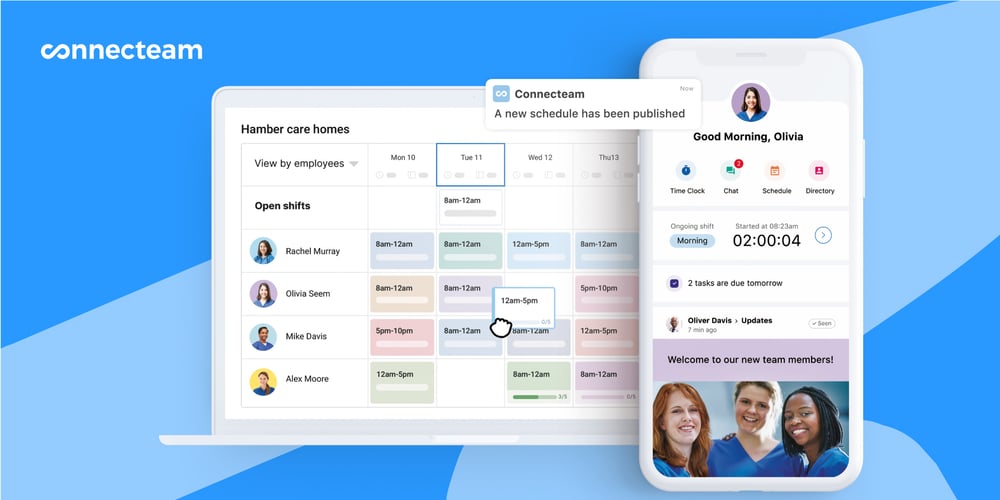
Connecteam’s employee scheduler takes the complexity out of planning ahead. You can create and adjust schedules in seconds with the drag-and-drop editor and add details to each shift like location, tasks, instructions, and files. When you publish or update a schedule, employees are notified in real-time and can see the latest version from their phones.
I liked that employees can request time off, set their availability, and mark preferred workdays directly in the app. To speed things up, use the AI-powered auto-scheduler to instantly assign open shifts to employees, based on their availability, role, and qualifications. And if someone can’t make their shift, they can release it for other qualified teammates to pick up. Managers can require their approval for final say over the schedule.
Employee time tracking
With Connecteam’s employee time clock, staff can clock in and out right from their mobile devices. For more visibility, you can enable the geofence time clock to automatically clock out employees when they leave the designated work zone. I also liked that you can monitor attendance in real-time and notify employees who haven’t clocked in yet.
Employee work hours are automatically recorded into timesheets for payroll, and you can set custom break and overtime rules for accurate calculations. At the end of each pay period, just review, edit, and approve timesheets (individually or in bulk), and export them directly to your payroll provider. With everything in one app, the process runs smoothly from clock in to payout.
Task management
Connecteam’s employee task tracking lets you assign tasks, set deadlines, and monitor progress in real-time. You can create one-time or recurring tasks, add subtasks, leave comments, and assign work to individuals or entire teams.
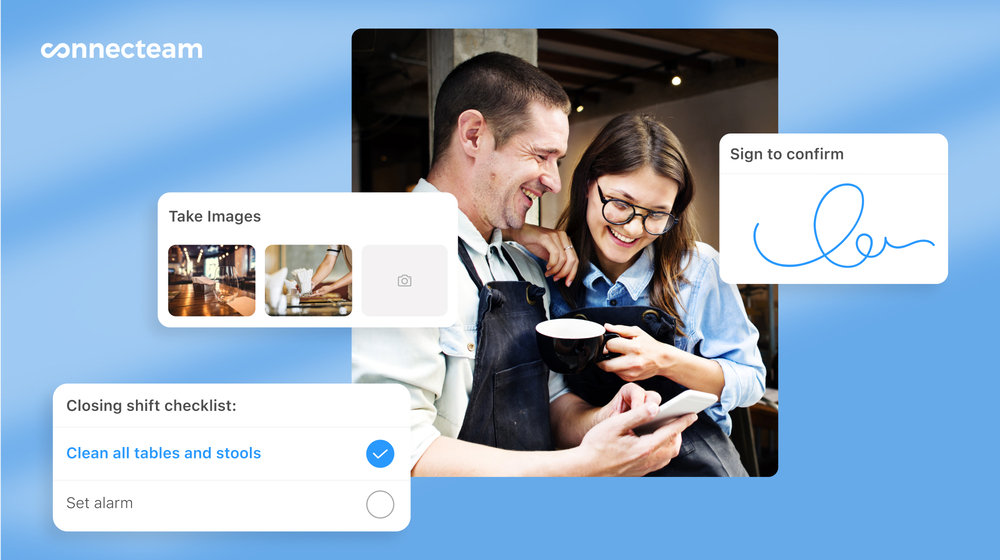
I liked that you can attach digital forms or checklists directly to tasks or scheduled shifts. Create forms from scratch or start with one of Connecteam’s customizable templates. If you already have a form that works, just upload the file or snap a photo and Connecteam’s AI will instantly create a digital version.
Beyond text, dropdowns, and multiple choice, you can include speech-to-text, which uses AI to summarize and sort responses for busy teams. You can also attach files, scan documents, collect signatures, and take photos. Every form submission is time-stamped and stored in the app for quick access.
Team communication
Connecteam’s online team chat lets managers send one-on-one messages or create group chats. You can send pictures, videos, or files, and even access read receipts to check who’s seen what. I appreciated that the chat is searchable, so you can always find the right conversation.
In addition to the chat, Connecteam also offers a company update feed, which lets you post announcements, news, or updates. You can measure who has viewed certain posts and even require staff to confirm that they’ve read important information. It works like a social media-style feed, so employees can engage through comments and reactions, if it’s appropriate.
Staff training
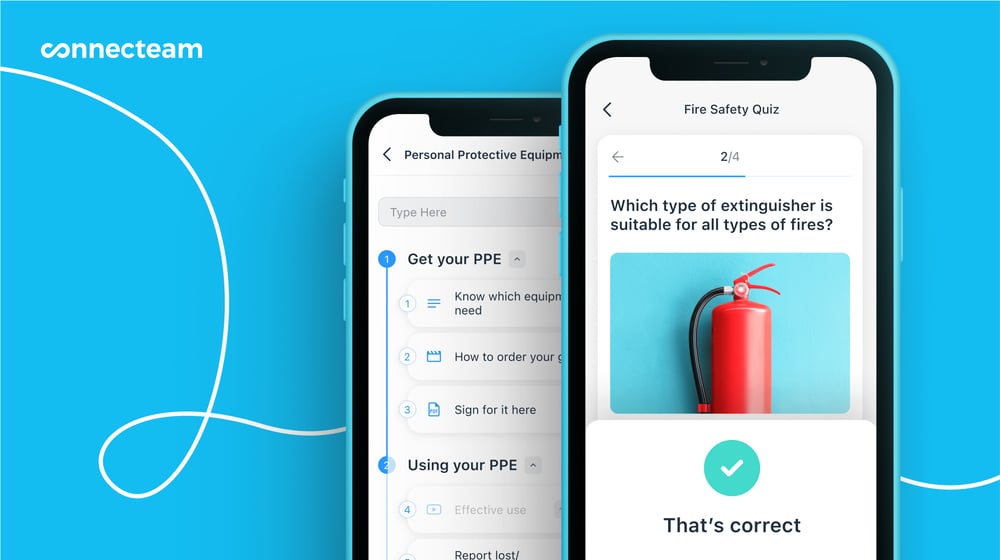
I was really impressed by Connecteam’s employee training software. You can build courses from scratch or use one of Connecteam’s customizable templates. The AI Course Creator makes it even easier; just describe your topic and the platform generates a complete course in seconds.
Courses are dynamic, letting you add videos, audio, and files to keep employees engaged. Include quizzes to check understanding and track who has completed the training, who’s still working on it, and who hasn’t started yet. The best part is that with the mobile app, training can happen anywhere, anytime.
Integrations
Connecteam offers an API integration and connects with the tools your business already uses, including:
And so much more…
Connecteam offers so many tools to help your small business run more efficiently. Automatic reports give you real-time insights into attendance, task completion, form submissions, and other business metrics. With the company knowledge base, you can store SOPs, guides, and policies in one searchable place and get instant answers from the built-in AI agent. You can also upload and organize staff documents like contracts, certifications, licenses, and tax forms, with automatic reminders for upcoming expirations. Connecteam offers all this and so much more.
0Key Features
- Employee scheduling
- GPS time clock
- Digital timesheets
- Task management
- In-app team communication
- Training and onboarding
Pros
- All-in-one app
- Intuitive and easy to use
- AI time-saving tools
- Fully mobile accessible
Cons
- More integrations still in development
Pricing
Free-for-life plan availablePremium plans start at $29/month for 30 users
14-day free trial, no credit card required
Start your free trial -
Deputy — Good for compliance-focused scheduling
What’s new with Deputy
Deputy recently raised its base price from $4.50 per user/month to $5 per user/month with a minimum monthly spend of $30 (on monthly plans) starting September 1, 2025.
Deputy is a time tracking and scheduling platform that helps businesses manage daily tasks, communication, compliance, and leave management.
Why I chose Deputy: I liked that Deputy offers plans for businesses of all sizes, so you can keep using it even as you scale.
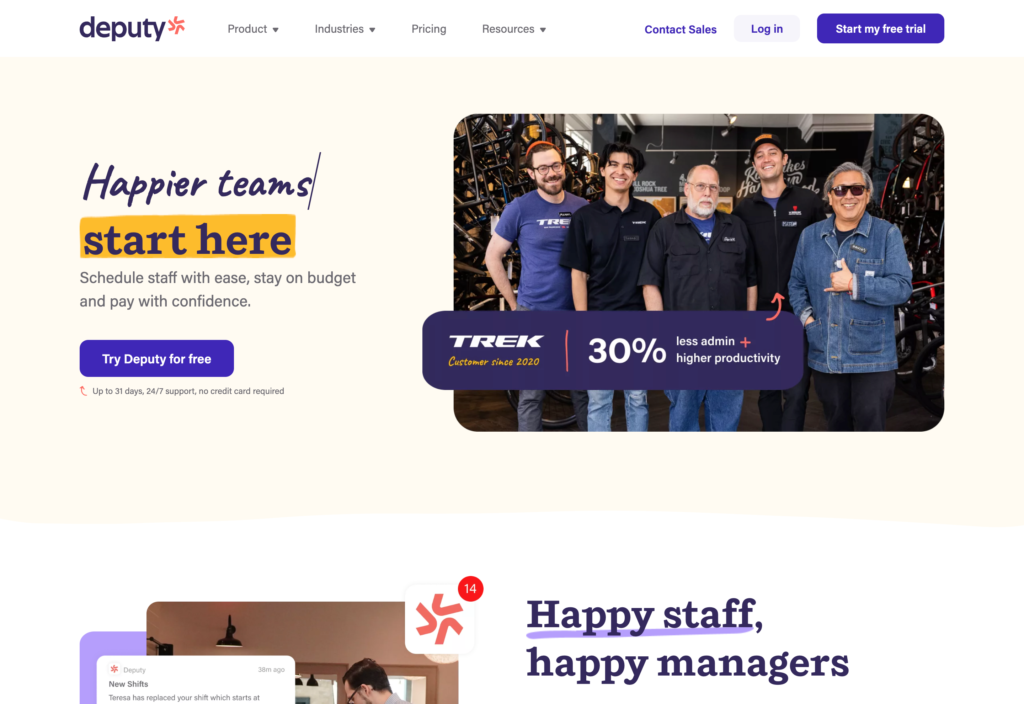
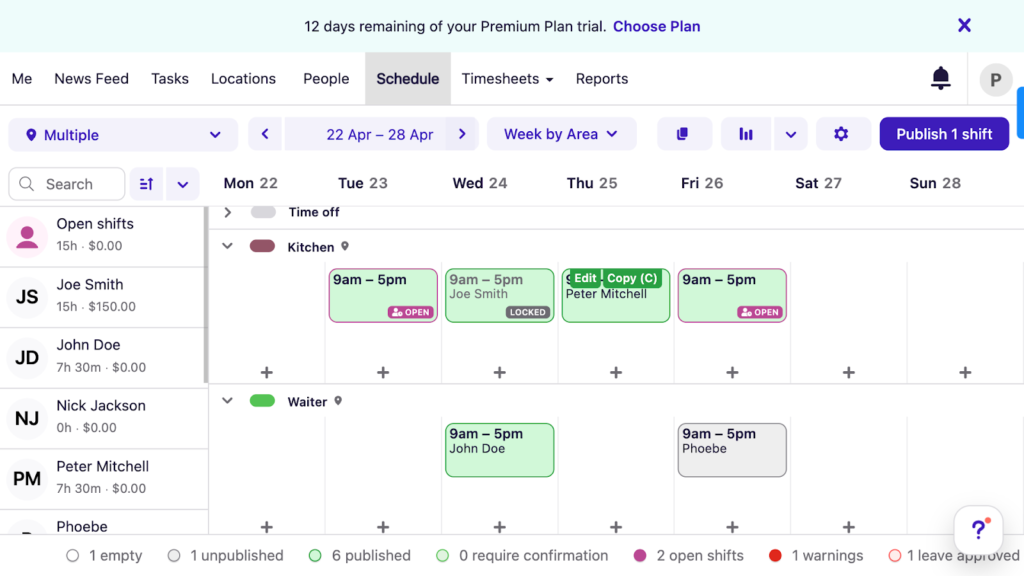
Deputy is a strong platform with impressive features, particularly when it comes to scheduling and time tracking. The AI-powered auto-scheduler is a big help for creating shifts and cutting down on errors. I also liked that there’s a touchless clock-in with biometric facial recognition to add an extra layer of security. The interface is clean, simple, and easy to navigate, so it’s a good fit for users of all technical levels.
The manager dashboard brings all ongoing tasks and approvals into one place, so it’s easier to oversee schedules and timesheets. Employees can clock in from a browser, mobile app, or shared kiosk using a PIN or facial recognition. Leave management is straightforward, letting managers review balances, approve requests, and see availability while scheduling. Deputy also offers a newsfeed for announcements, real-time messaging, and task management tools for assigning work by location, department, or individual team member.
What users say about Deputy
I really appreciate Deputy’s simplistic and intuitive design, which makes it incredibly easy to use. This straightforward user interface ensures that I don’t waste time finding what I need; everything is always readily accessible, thus enhancing my efficiency at work.

Not the best for remote employees as the app is location-based. Can be tricky coordinating employees in different time zones.
0Key Features
- Scheduling
- Time clock
- Timesheets
- Task management
Pros
- Biometric clock in
- Compliance support
Cons
- No offline access
- Limited communication tools
Pricing
Starts at $5/user/month Trial: Yes Free Plan: No
-
Clockify — Good for lightweight time tracking and timesheets
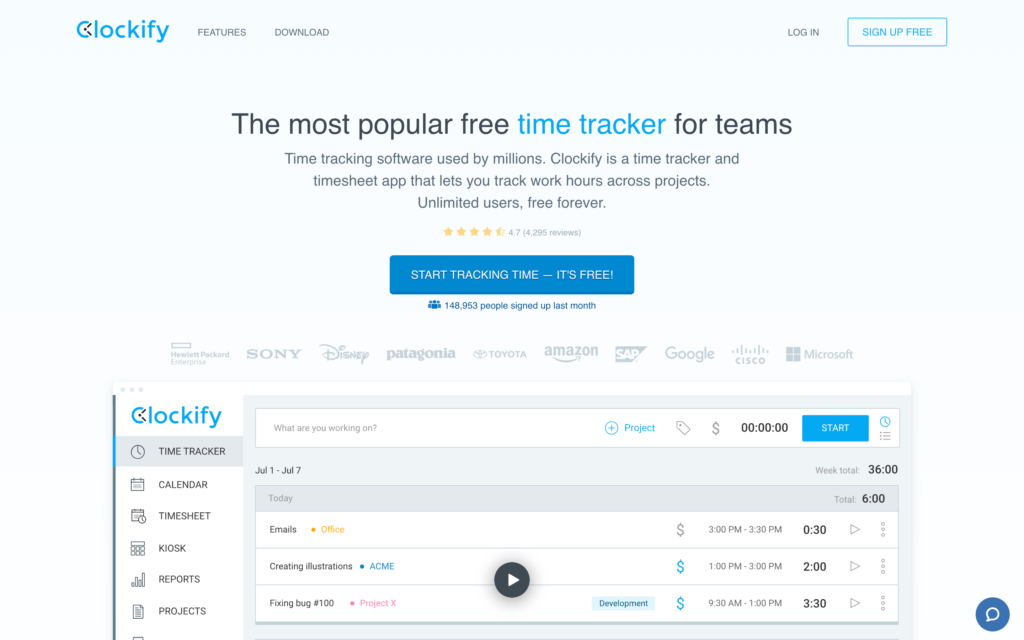
Clockify is a time tracking app that helps teams log hours, track projects, and manage productivity.
Why I chose Clockify: Clockify stood out because it offers a free-forever plan with unlimited users, making it a good option for small teams on a budget.
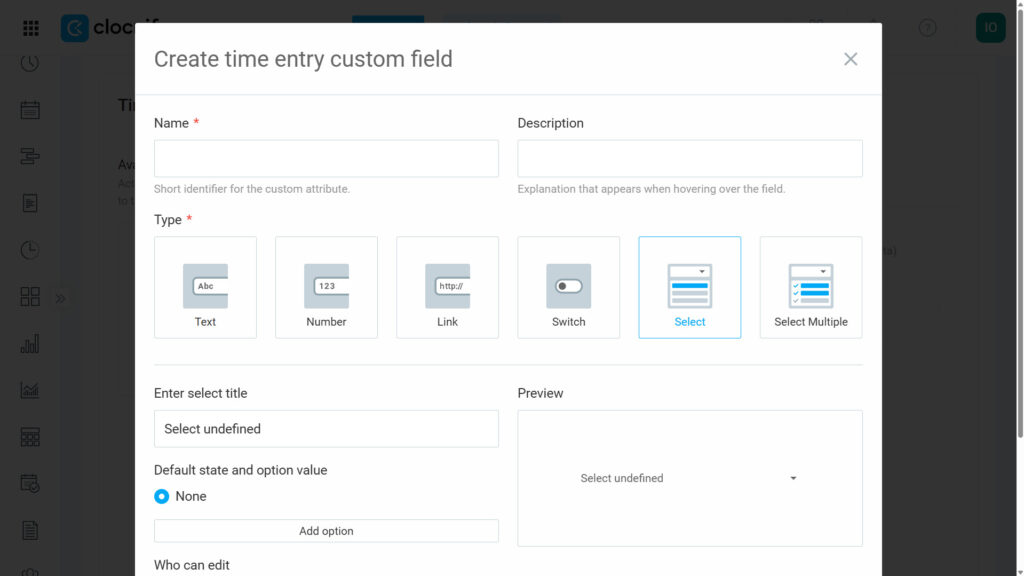
As its name suggests, Clockify’s biggest strength is its time tracking. Users can clock in and out against specific projects or tasks and customize fields for more detailed tracking. For more visibility, you can access GPS tracking and expense tracking on higher-tier plans.
I liked how clean and minimalist the interface is. It seems like most teams would be able to easily navigate the app. Reporting is available on every plan, even the free one, which I appreciated, and employees can view their own time data right from the mobile app.
Clockify also offers basic project management features. You can add clients, projects, and tasks, and assign rates or budgets to each. Plus, you can generate and adjust invoices based on tracked time so all billable hours are accurate.
What users say about Clockify
Love the simplicity of this app and it makes it easy to track on desktop or mobile and sort out the time punches later so you have minimal workflow interruptions.
There’s no auto-scheduling or shift swaps and no ready-made reports available. It’s also limited in terms of task and project management, though it can be integrated with other softwares that do this.
0Key Features
- Time tracking
- Scheduling
- Time off
- Project management
Pros
- Customizable time tracking
- Intuitive interface
Cons
- No auto-scheduling
- Lacks shift swaps
Pricing
Starts at $3.99/user/month Trial: Yes — 7 days Free Plan: Yes
Finance & Accounting
-

QuickBooks Online — Best small business accounting hub
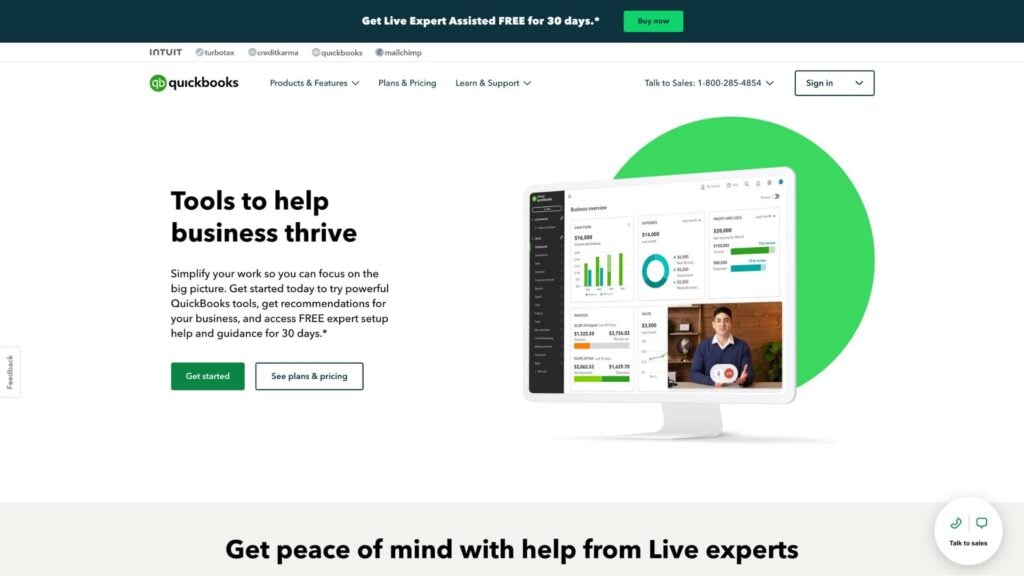
QuickBooks Online is a cloud-based accounting app that helps small businesses manage their finances and automate accounting tasks.
Why I chose QuickBooks Online: I chose QuickBooks Online because of its invoicing capabilities, bank reconciliation, and collaboration feature that makes handling your own finances more manageable.
QuickBooks Online lets you create unlimited custom invoices and quotes from any device. You can receive automated reminders for upcoming due dates and have the option to schedule recurring invoices for repeat customers. Its bank feed integration syncs transactions automatically, which reduces manual entry and accounting errors. I liked that QuickBooks also supports multi-currency transactions, offers real-time inventory tracking, and connects with platforms like Connecteam for one-click payroll.
The platform includes impressive financial reporting, covering balance sheets, cash flow statements, profit and loss reports, and customizable tax documents. There’s also multi-user access with customizable permissions that make collaboration easy while keeping sensitive data secure. QuickBooks has a lot to offer, which is a major strength but can also be overwhelming for growing businesses that don’t have time to learn a complex tool.
What users say about QuickBooks Online
It is a great way to keep your accounts organized while easily tracking spending and earnings so that you don’t overspend or underestimate earnings.
QuickBooks online frequently makes updates to the appearance and organization of the platform – just when you get used to the new update, it seems to change again. This results in disrupted work flow and loss of productivity while learning the new platform.

Key Features
- Invoicing and payments
- Automated bookkeeping
- Estimates
- Financial reporting
Pros
- Mobile accessible
- 800+ integrations
Cons
- More expensive than some competitors
- Steep learning curve
Pricing
Starts at $38/user/month Trial: Yes — 30-day Free Plan: No
-
Xero — Good for multi-currency and cloud accounting
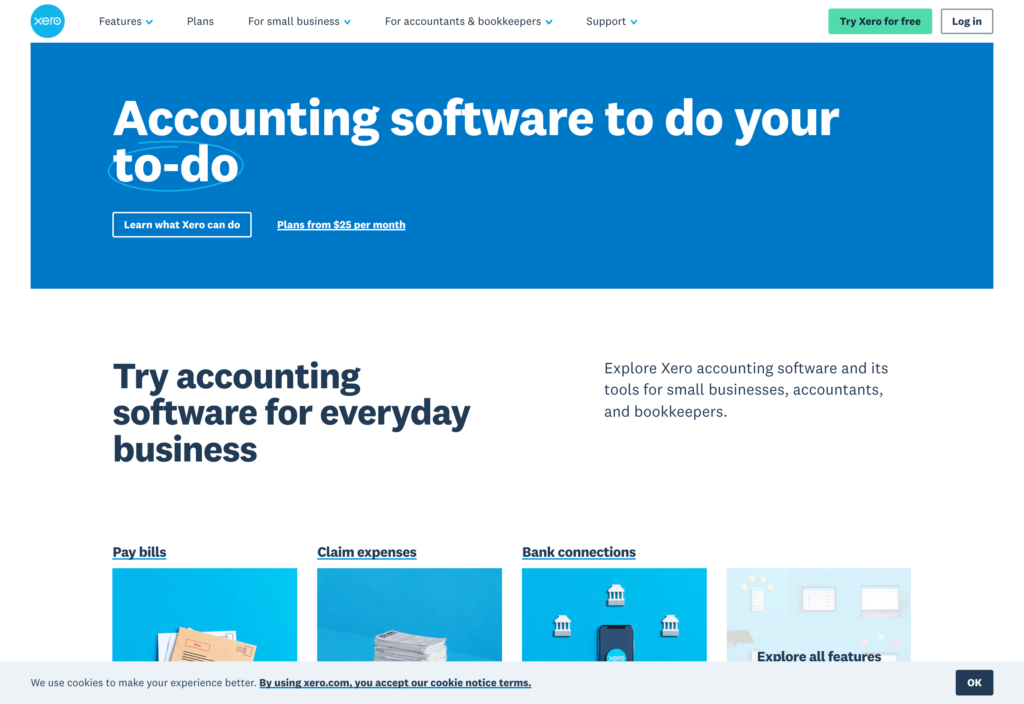
Xero is an online accounting tool that helps businesses of all sizes manage invoicing, expenses, payroll, and financial reporting.
Why I chose Xero: I liked how easy it was to use Xero’s invoicing and billing system, and that their paid plans cover unlimited users.
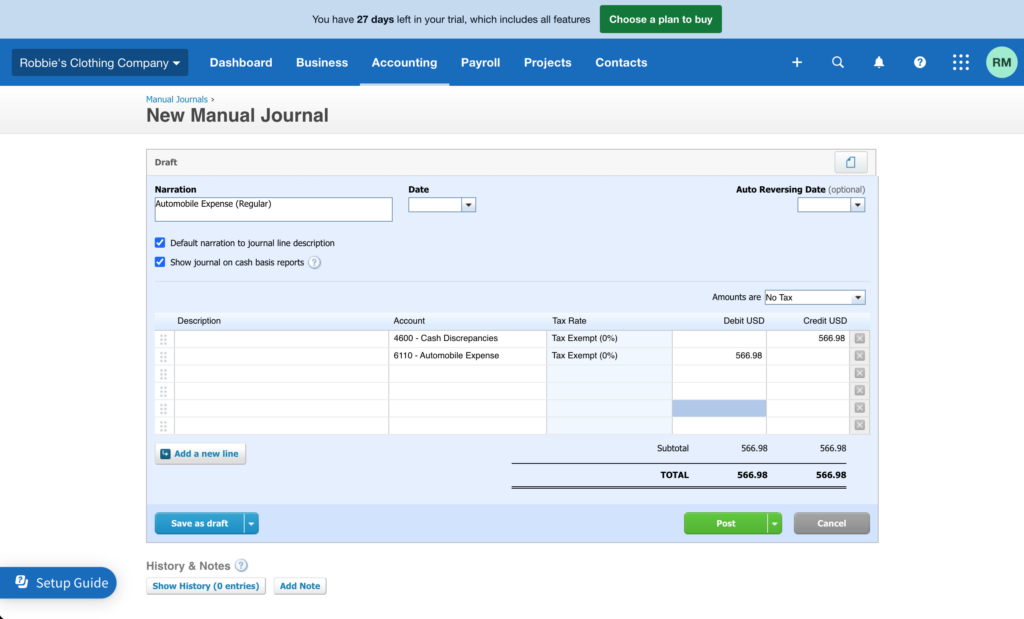
With Xero’s accounting software, you can manage general ledgers and pay bills directly within the platform. It keeps your supplier and customer contacts organized, which is helpful. The mobile app gives you access to features on the go, and its pricing is straightforward and flexible for growing teams. Xero also integrates with platforms like Connecteam for hassle-free payroll.
I liked that Xero offers project management features to help service-based businesses handle multiple clients and jobs. You also get bank reconciliation, expense tracking, and cash flow insights. The custom financial reports are easy to generate for profit and loss statements, balance sheets, and tax reports. On higher-tier plans you also get multi-currency support and inventory tracking, which really helps you work across markets and manage stock effectively.
What users say about Xero
Easy to use, well set out and organised, payroll is mostly smooth, invoicing and payment processing is straightforward and easy.
Budgeting tools are not the most full-featured. For example, Xero can not suggest an annual budget based on prior year spending.
Key Features
- Invoicing and bill pay
- Contacts management
- Payroll integration
- Project time tracking
Pros
- Functional general ledger
- Affordable paid plans
Cons
- Dated interface
- Not HIPAA-compliant
Pricing
Stats at $25/month Trial: Yes — 30-day Free Plan: No
-

Freshbooks — Good for invoicing and client billing
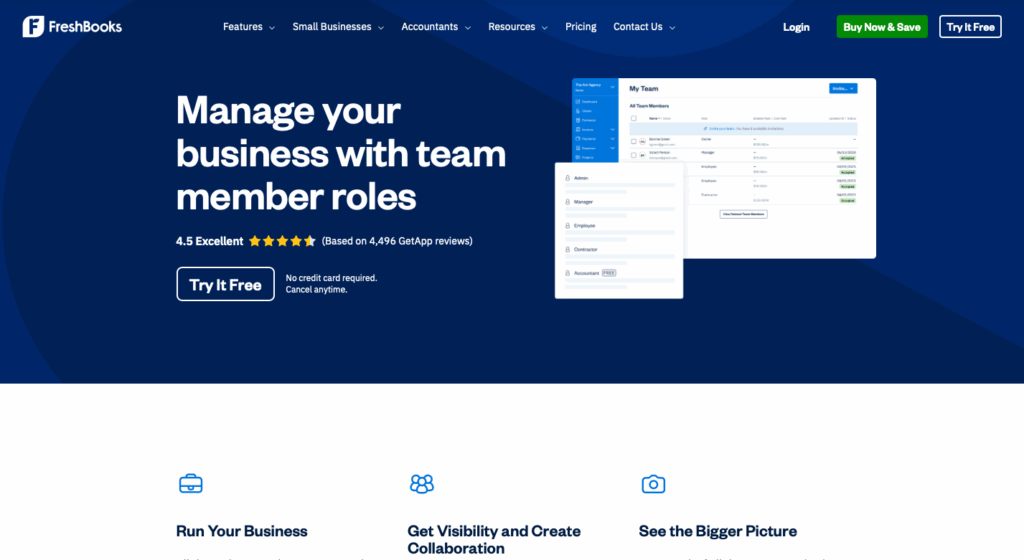
FreshBooks is an accounting software for small businesses with tools for expense tracking, estimates, payroll, and financial reporting.
Why I chose Freshbooks: FreshBooks has a clean, modern interface that makes it easy to navigate and understand.
FreshBooks lets you create polished invoices in minutes and automatically pulls in tracked time and expenses. I liked that you can customize templates, set up recurring invoices, and send automated payment reminders. With online payment options and late-fee prompts, you can bill quickly. Expense management is also strong, with mobile receipt scanning, bank imports, and automatic categorization. You can organize expenses by project or client to understand profitability and stay on budget.
FreshBooks also supports integrated payroll for an added cost. The mobile app made it easy to manage invoices and expenses on the go. You can also add team members and accountants with customized access levels, and integrate with other business tools to extend the platform’s capabilities as your business needs grow.
What users say about Freshbooks
FreshBooks has streamlined my invoicing process significantly, reducing the time I spend on administrative tasks and giving me more time to focus on my work.
Although FreshBooks does a great job with ease of use, the reporting features could be more advanced for those who want deeper insights into financial trends. I’d also like a bit more flexibility when customizing invoices and dashboards.
Key Features
- Invoicing
- Billing and payments
- Estimates
- Payroll
Pros
- Professional invoices
- Intuitive interface
Cons
- Additional per-user fees
- Lacks task management
Pricing
Starts at $21/month + $11/team member/month Trial: Yes — 30-day Free Plan: No
-
ADP Workforce Now®
ADP Workforce Now® — Good for payroll, tax filing and HR compliance
Available on
- Web
- iOS
- Android
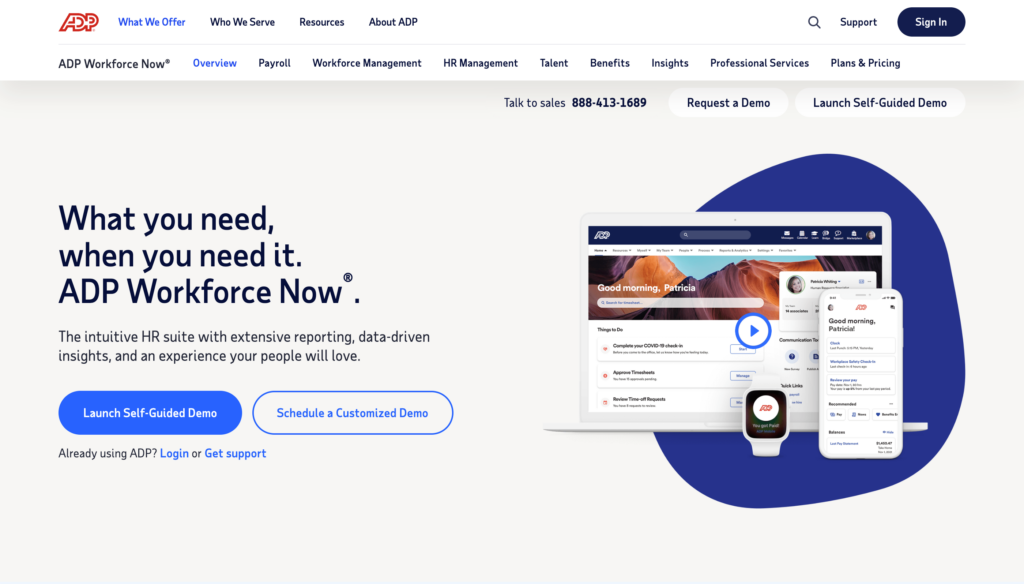
ADP is a payroll and human resources platform designed to help small businesses handle payroll, compliance, and employee management.
Why I chose ADP: I chose ADP because it’s a popular platform that offers trusted, expert-backed payroll solutions with integrated HR and compliance support.
ADP lets businesses pay employees and contractors quickly through a simple, intuitive interface. Payroll taxes are calculated automatically at the federal, state, and local levels, which reduces manual work and compliance risks. I especially liked that built-in AI flags common errors before payroll runs. The RUN & DONE feature lets you automate recurring pay cycles.
Employees can view their paystubs and account details through their own portals, which cuts down on admin work. ADP also integrates with accounting systems, POS tools, and platforms like Connecteam for smoother pay runs. ADP also offers options for health insurance, retirement plans, and workers’ compensation. Setup is guided and straightforward, and ADP provides 24/7 payroll support to help businesses get up and running quickly.
What users say about ADP
ADP Workforce Now has really simplified the process of allowing team members to access all of their information without overwhelming management or HR.
Only small issue would be the app version not offering the same as the online version for employees to make changes.
Key Features
- Payroll processing
- Tax filing and compliance
- HR management
- Employee self-service
Pros
- Expert support
- AI error flagging
Cons
- Could be complex for small teams
- Pricing not listed publicly
Pricing
Contact vendor for price Trial: Yes — 3-months Free Plan: No
Payments, POS & Ecommerce
-

Square — Best POS for simple, transparent payments
Available on
- Web
- iOS
- Android
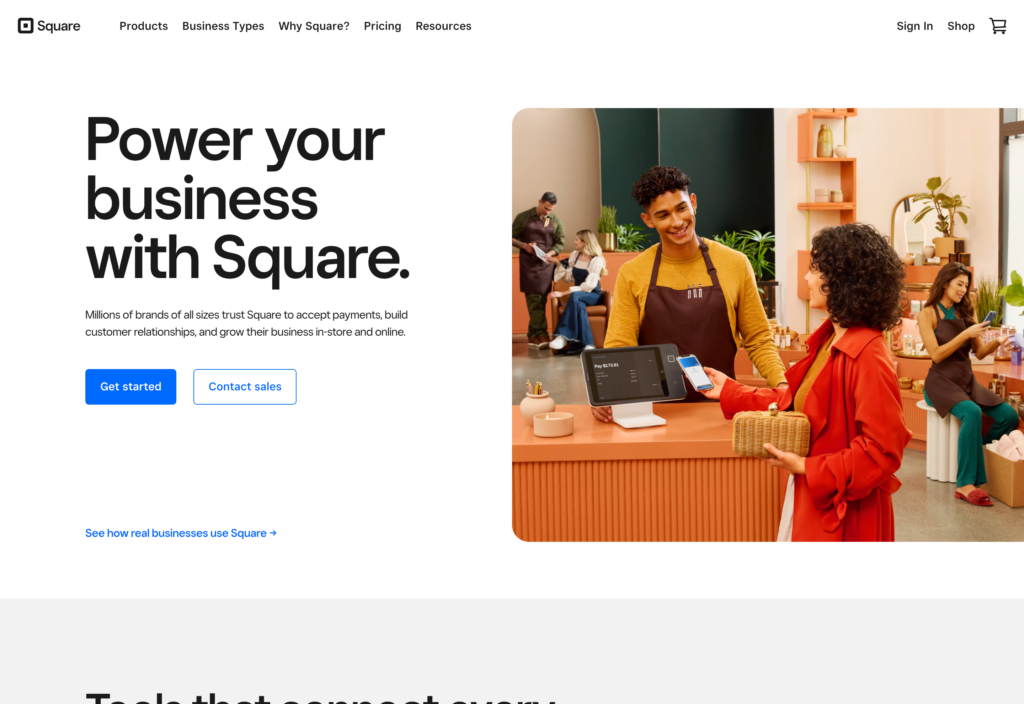
Square is a point of sale (POS) and payment system used by businesses to process transactions, inventory, and sales workflows.
Why I chose Square: I liked that Square offers a simple setup and flexible payment tools that work well for growing businesses.
Square is a well-known POS system that works for in-person and online transactions. The platform supports multiple payment methods and offers a wide range of integrations with third-party apps, including Connecteam. I liked that it also has payroll, marketing, and loyalty features, so you get much more than just a POS system. The built-in banking tools were also a nice touch, giving businesses faster access to funds for better cash flow.
Between transparent pricing and fees, no contracts, and the free to switch plans anytime, Square really seems built to scale. Square also has hardware, like card readers and terminals, which compliments the software. I liked that with Square’s POS ecosystem, you don’t have to rely on a mix of tools that don’t quite fit together.
What users say about Square
Perfect for small business owners to easily deploy and track sales. Big fan of the user friendly interface and would definitely recommend to others with similar businesses.
I wish there was a way to edit invoices once the guest pays. Like adding an address or a start time for an event .
Key Features
- POS
- Payment processing
- Payroll
- Invoicing
Pros
- Hardware and software ecosystem
- Fast access to funds
Cons
- Processing fees can add up
- Limited customization
Pricing
Starts at $49/location/month + processing fees Trial: Yes — 30-day Free Plan: Yes
-

Lightspeed Restaurant — Good for retail and restaurant POS
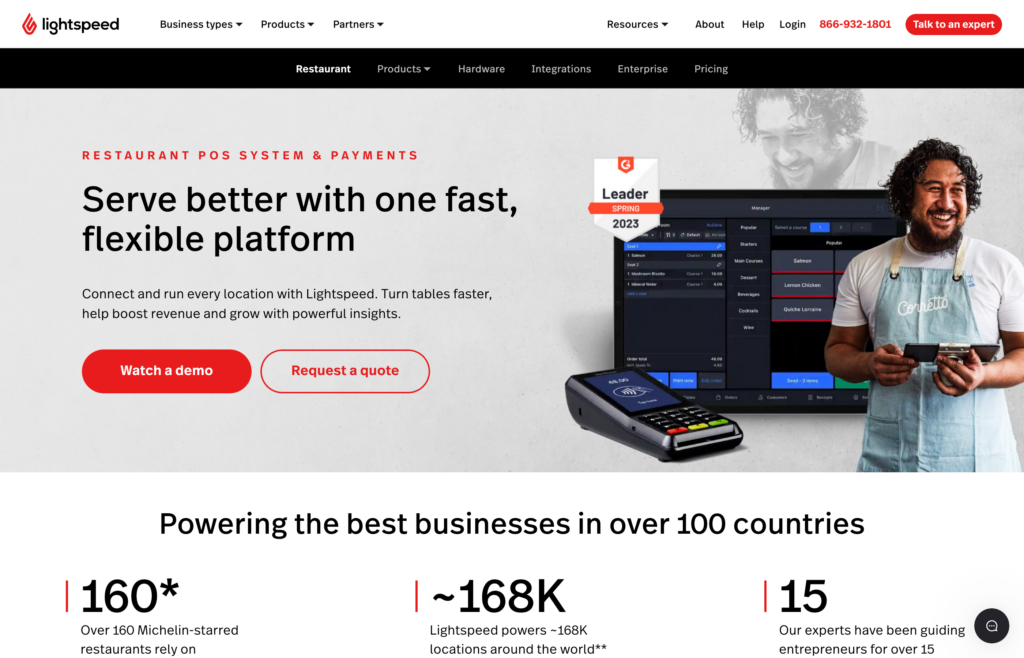
Lightspeed is a POS system designed to help retail and restaurant businesses manage sales, inventory, and custom data in-store and online.
Why I chose Lightspeed: I liked that Lightspeed is already tailored for specific industries to support inventory management and real-time reporting.
Lightspeed provides POS solutions for specific industries and a few unexpected niches, including: retail, restaurants, golf course, apparel, footwear, garden centers, and home décor. I was impressed by its strong inventory management, which provides real-time tracking and automated reports for multiple locations.
Beyond inventory, Lightspeed also supports both online and in-person sales from a unified dashboard. Through the API, you can connect Lightspeed to your preferred tools and build custom workflows. For example, I was able to calculate future labor percentages and plan smarter through the integration with Connecteam.
Lightspeed also includes tools for wholesale operations, customer relationships, and compliance reporting. However, I found that its biggest strength is how it scales with businesses through its powerful multilocation management and customization options.
What users say about Lightspeed
Nice for keeping track of stuff in the shop, and doesn’t take too long to figure out. I liked how fast you can ring things up when it’s busy. Helps the day move along better.
The reporting mobile app could be improved. The app sometimes glitches and is slow to update.
Key Features
- POS
- Inventory management
- Real-time reporting
- Multilocation support
Pros
- Industry-specific configurations
- Advanced inventory tracking
Cons
- Pricing may be high for small businesses
- Can take time to learn how to use system
Pricing
$89/location/month Trial: Yes — 14-day Free Plan: No
-

Shopify Logo — Good for ecommerce with optional POS
Shopify is a cloud-based ecommerce platform that helps businesses create online stores, process payments, and run online retail operations.
Why I chose Shopify: I chose Shopify for its strong ecommerce tools and the flexibility to support in-person sales with its optional POS system.
With Shopify, you can easily build a professional online store using existing themes or fully custom designs. I liked that the built-in POS keeps online and in-person sales synced in real-time, so you always have accurate numbers.
Shopify lets you sell across social channels and marketplaces, manage inventory with accurate updates, and use integrated marketing tools to reach the right customers. The platform also helps you sell internationally by simplifying cross-border sales. And with Shopify Magic, AI can generate product content and improve store performance, which is a huge help for small owners.
What users say about Shopify
Very easy to use and great value for money, everybody can have an online shop with Shopify. In case you are not tech savvy, they have a great customer support. If you are worried about payments, Shopify makes it safe and easy.
Customizations are very difficult for those who are unfamiliar with the platform. Once you select a site template/theme you are locked in to a certain look. This can be an advantage and disadvantage.
Key Features
- Online store builder
- POS
- Multichannel selling
- Inventory management
Pros
- High-conversion checkout
- Supports international selling
Cons
- Transaction fees on lower-tier plans
- Limited customization without developer
Pricing
$29/month + transaction fees Trial: Yes — 3-day Free Plan: No
-

Wix — Good for online booking and simple website setup
Available on
- Web
- iOS
- Android
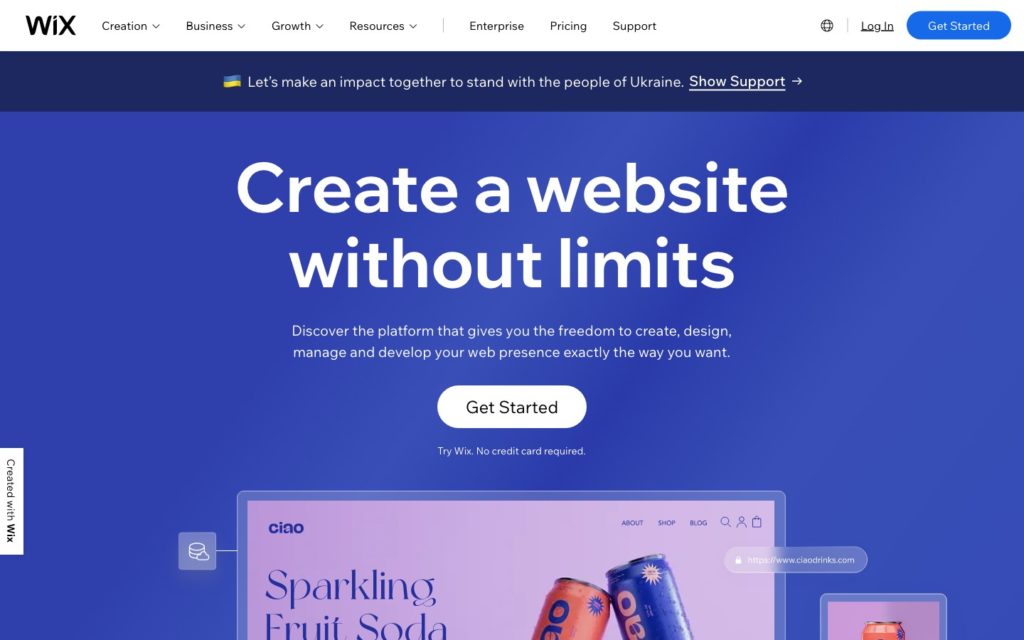
Wix is a cloud-based platform that helps businesses create no-code websites, sell online, and manage bookings.
Why I chose Wix: Wix stood out because of its combination of website building and booking tools, making it a strong fit for service-based businesses.
With its drag-and-drop builder, Wix makes it easy to create a professional website even if you have no technical experience. I liked that Wix pairs its site builder with a full set of ecommerce tools to help businesses sell products and manage orders, shipping, and inventory.
Wix Scheduling gives service-based businesses a simple way to offer appointments, accept bookings, and take payments. There’s a helpful Connecteam integration that syncs all website bookings with your staff schedule, and any changes or cancellations update automatically in both systems. This gives your team a clear view of how their day aligns with customer bookings.
I appreciated that Wix also has a built-in CRM to help interact with customers through automated emails, reminders, and other workflows. There are also custom automations, AI tools, a mobile app to manage daily tasks, and detailed analytics. If you’re willing to learn, Wix has so many great features to offer.
What users say about Wix
Easy to use and customize how I want. The platform is full of useful features and options to make my site look professional and user-friendly.
Wix can be limiting for advanced customization, and switching templates or scaling large sites isn’t always smooth.
Key Features
- Website builder
- Booking
- Ecommerce
- CRM
Pros
- Drag-and-drop builder
- Customizable templates
Cons
- Not built for large or complex ecommerce
- Limited storage on lower tier plans
Pricing
Starts at $17/month Trial: Yes — 14-day Free Plan: Yes
Marketing, Sales & Automation
-

MailChimp — Best for starter email marketing
Available on
- Web
- iOS
- Android
- Windows
- Mac
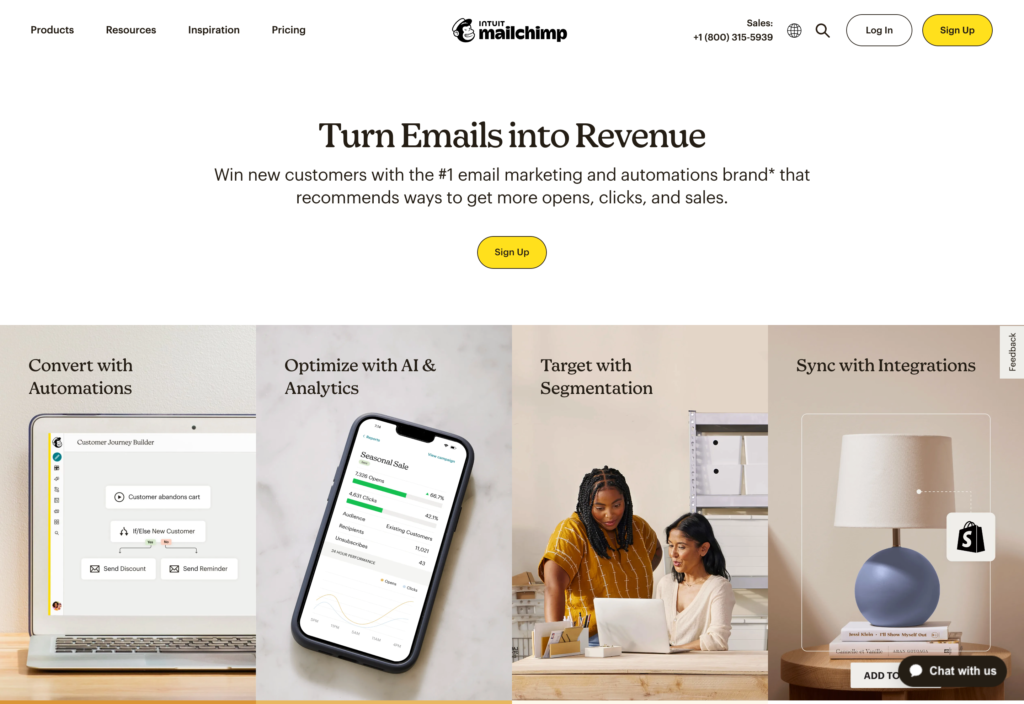
Mailchimp is an email marketing and automation platform that offers tools for campaigns, landing pages, and audience management.
Why I chose Mailchimp: I chose Mailchimp for its simple setup, strong automations, and audience insights.
Mailchimp lets businesses send professional email campaigns and SMS messages for simple multi-channel marketing. I liked that you can use its AI tools to help you generate content quickly and sort through its template library to get started easily.
Advanced segmentation ensures the right message gets to the right people, and tools like popup forms and social ads help bring in new leads. There are also automations that trigger follow-up emails and recurring messages, so marketing keeps running without the manual effort.
I was impressed with Mailchimp’s analytics, which include funnel views and industry benchmarks so you really understand your campaigns performance. Mailchimp strikes the right balance between ease of use and powerful automations, making it a great fit for businesses of all sizes.
What users say about Mailchimp
The best part is the balance between creativity and data. You can design great-looking emails quickly, then immediately see how your audience responds through clear, actionable insights.
Sometimes Mailchimp can feel a bit limiting, especially when trying to customize templates exactly how I want.
Key Features
- Email marketing
- SMS marketing
- Automation
- Segmentation and retargeting
Pros
- AI-powered content creation
- Clear analytics
Cons
- Limited design flexibility
- Costs rise as your audience grows
Pricing
Starts at $11/month, for up to 3 users Trial: Yes Free Plan: Yes
-

Hubspot — Good free CRM with upgrade path
Available on
- Web
- iOS
- Android
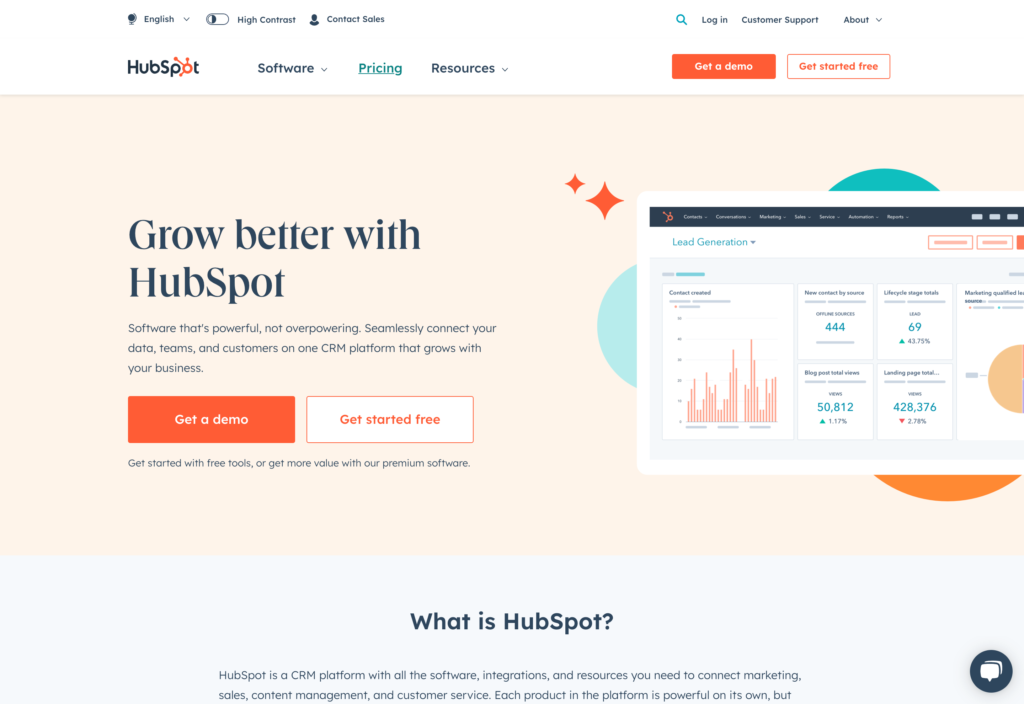
Hubspot is a CRM and marketing platform that offers tools for marketing, sales, customer service, and content management.
Why I chose Hubspot CRM: Hubspot’s Smart CRM connects data from your marketing, sales, and service tools to help your teams grow more efficiently.
Hubspot CRM is a strong contact management system. It lets teams create records, log activities, and view client communication history in one place. I liked that you can visualize the sales cycle with deal pipelines and track tasks and activities to keep your teams organized. Hubspot has a powerful reporting dashboard that combines data sources to create a shared source of truth.
There are AI features throughout the platform, including the Breeze Assistant, which helps with research, call prep, and record summaries, and the AI content writer that helps with email and content creation. You can track email open rates, and there’s even a ticketing tool to help teams track and resolve custom issues. While these tools work well for traditional sales teams, they may feel overwhelming for field teams with simpler sales needs.
What users say about Hubspot CRM
HubSpot combines CRM, marketing, sales, and service tools in one place. I didn’t need separate tools for email campaigns, lead tracking, and customer support.
Overwhelming. Too many options for a solo or small, less than 10 employee, biz like mine. I know it was customizable for use, but even that made my head spin.
Key Features
- CRM
- Marketing automation
- Sales pipeline management
- Customer service tools
Pros
- AI-powered tools
- 1,900+ integrations
Cons
- Not built for field teams
- Dated user interface
Pricing
Contact vendor for price Trial: Yes Free Plan: Yes
-

Canva — Good for quick brand-ready graphics
Available on
- Web
- iOS
- Android
- Windows
- Mac

Canva is a design platform that lets anyone create professional graphics, videos, presentations, websites, and more without any design experience.
Why I chose Canva: I chose Canva because it makes it easy for anyone to create polished designs through its intuitive interface and templates.
It’s really simple to get started with Canva. The drag-and-drop editor lets you create social media graphics, videos, presentations, print materials, and more. Canva comes with thousands of templates for almost anything your company needs, from flyers to business cards. Everything looks super professional and you can even order printed products straight from the app.
Canva also has tools built for businesses and small teams, including brand kits, shared media libraries, and advanced design controls. The app has a clean interface that’s easy to navigate and a mobile app that lets you touch up designs on the go. Overall, I think Canva is a great tool for small businesses that want to jumpstart their brand without breaking the bank.
What users say about Canva
I love the platform and how versatile it is for making flyers or posting to social media. It is able to do just about everything I need for marketing purposes
What I like least about Canva is the time it took to learn the user interface. At first it was quite challenging but once you get used to it, it comes quite easy.
Key Features
- Graphic design
- Presentations
- Collaboration tools
- Video creation
Pros
- Easy-to-use
- Extensive template library
Cons
- Limited advanced design features
- AI tools are still developing
Pricing
Starts at $10/month/user Trial: Yes Free Plan: Yes
-

Zapier — Good for workflow automation and connecting apps
Available on
- Web
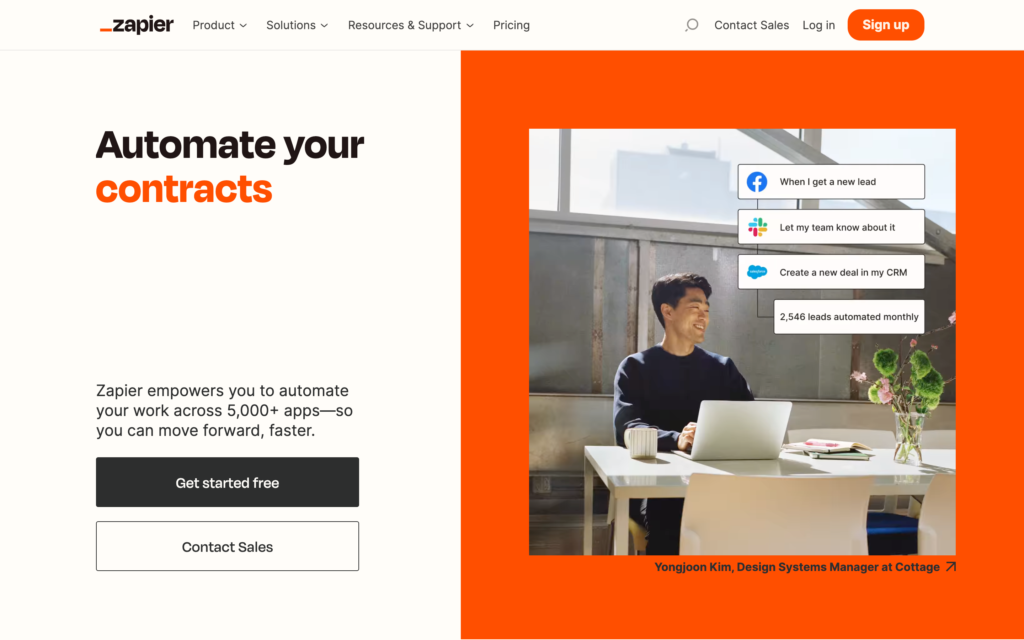
Zapier is a workflow automation platform that lets businesses connect their apps and automate repetitive tasks.
Why I chose Zapier: I liked that Zapier lets businesses build complicated workflows and automations without any code.
Zapier lets users create advanced workflows that automate tasks across multiple apps without needing technical expertise or support. I liked that you can use AI Workflows or pre-built templates to automate complex processes. It’s a huge time-saver if you have tedious tasks or need to routinely transfer data.
The platform works best if you already use multiple software tools. I can see that being a slight drawback for small businesses looking for an all-in-one solution rather than a connector. But if you use one tool for inventory and another for sales, Zapier makes it easy to link them and keep everything in sync.
What users say about Zapier
What I like most about Zapier is the ability to connect software without being a developer or relying upon the SaaS products themselves having native integrations.
Sometimes finding how to create an automation can be difficult and there can be a bit of a learning curve depending on what you are trying to automate.
Key Features
- Workflows
- AI tools
- Automations
- Data storage
Pros
- 8,000+ integrations
- No coding required
Cons
- Steep learning curve
- Works best paired with other paid apps
Pricing
Starts at $19.99/month Trial: Yes Free Plan: Yes
Compare the Best Small Business Apps
| Topic |
 Start for free
|
|
|
|
|
|
ADP Workforce Now® |
|
|
|
|
|
|
|
|
|---|---|---|---|---|---|---|---|---|---|---|---|---|---|---|---|
| Reviews |
 |
|
|
|
|
|
|
|
|
|
|
|
|
|
|
| Pricing |
Starts at just $29/month for the first 30 users
|
Starts at $5/user/month
|
Starts at $3.99/user/month
|
Starts at $38/user/month
|
Stats at $25/month
|
Starts at $21/month + $11/team member/month
|
Contact vendor for price
|
Starts at $49/location/month + processing fees
|
$89/location/month
|
$29/month + transaction fees
|
Starts at $17/month
|
Starts at $11/month, for up to 3 users
|
Contact vendor for price
|
Starts at $10/month/user
|
Starts at $19.99/month
|
| Free Trial |
yes
14-day
|
yes
|
yes
7 days
|
yes
30-day
|
yes
30-day
|
yes
30-day
|
yes
3-months
|
yes
30-day
|
yes
14-day
|
yes
3-day
|
yes
14-day
|
yes
|
yes
|
yes
|
yes
|
| Free Plan |
yes
Free Up to 10 users
|
no
|
yes
|
no
|
no
|
no
|
no
|
yes
|
no
|
no
|
yes
|
yes
|
yes
|
yes
|
yes
|
| Use cases |
Best all-in-one app for managing deskless teams
|
Good for compliance-focused scheduling
|
Good for lightweight time tracking and timesheets
|
Best small business accounting hub
|
Good for multi-currency and cloud accounting
|
Good for invoicing and client billing
|
Good for payroll, tax filing and HR compliance
|
Best POS for simple, transparent payments
|
Good for retail and restaurant POS
|
Good for ecommerce with optional POS
|
Good for online booking and simple website setup
|
Best for starter email marketing
|
Good free CRM with upgrade path
|
Good for quick brand-ready graphics
|
Good for workflow automation and connecting apps
|
| Available on |
Web, iOS, Android
|
Web, iOS, Android
|
Web, iOS, Android
|
Web, iOS, Android, Windows, Mac
|
Web, iOS, Android
|
Web, iOS, Android, Windows, Mac
|
Web
|
What are Small Business Apps?
Small business apps are digital tools designed to help owners automate, manage, and simplify the essential parts of their daily work. They replace manual tasks like spreadsheets, paper invoices, time cards, and sticky notes by bringing everything into place, from money management and sales tracking to project coordination and more.
Small business apps aim to free up the time spent on repetitive administrative tasks, so that you can focus on serving customers and growing your business. By automating routine tasks, reducing manual errors, and keeping information organized, these apps help you enhance the parts of your work that actually move the business forward.
How Do Small Business Apps Work?
Small business apps work by centralizing your data and automating routine tasks. Most are cloud-based, so you can access them from a desktop or mobile app. They connect to your business information and pull in updates from transactions, customer sign-ups, or inventory changes. The goal is to give your team one reliable place to find the most current information.
These tools also replace manual work with digital workflows. Instead of typing up an invoice yourself, a finance app can generate and send it automatically once a job is complete. Or, instead of tracking hours on a paper, a workforce management system logs time into digital timesheets and sends it to payroll at the end of a pay period. When everyday functions are in the same space, small businesses can keep operations running smoothly.
The Benefits of Small Business Apps
Great software can benefit your small business in multiple ways, including:
Better bookkeeping
The right finance and payment apps can directly impact your bottom line. By automating invoicing and linking to your bank accounts, these tools ensure you and your team get paid faster and have more oversight into exactly where your money is going. With better oversight, you can make more confident spending decisions and avoid unexpected cash shortages.
Saved time
The biggest benefit of small business apps is time. As a small business owner, you’re used to spending hours each week on admin work that doesn’t generate revenue. Operations and marketing apps automate these responsibilities by speeding up employee scheduling, sending follow-up emails, and running payroll. These automations let you reclaim hours and channel them into strategic growth, customer service, or even taking a well-earned break.
Faster decisions
Small business apps give you actionable reports and dashboards. Instead of guessing which products sell best or which marketing campaign is working, you see the answers clearly displayed in real-time. This access to data lets you move faster and make better decisions based on facts.
Happier customers
When your customer data and communications are centralized, it’s easier to deliver excellent service. Small business apps give every employee immediate access to customer history, purchase records, and open tickets so they can personalize every interaction. Consistent, quick, and informed service builds trust and turns one-time buyers into loyal, repeat customers.
Better scalability
Starting with the right app means you don’t have to worry about growing too fast. The right app is built to handle your growth, whether that means you’re adding team members, opening more locations, or doubling your sales volume. By fine-tuning your processes early on, you create a foundation that’s easy to teach new staff and scale as needed.
How Much Do Small Business Apps Cost?
Small business apps range in cost, depending on the category and features they include. Finance and accounting tools start between $21 and $38 per month, with some charging extra per user. Payments, POS, and ecommerce have an even wider range, usually starting between $17 and $89 per month. Marketing, sales, and automation tools start between $20 to $45 per month.
Workforce and operations management apps typically use per-user pricing, starting around $4 per user per month. Connecteam stands out here with a Small Business Plan that’s completely free for up to 10 users. Its paid plans start at just $29 per month for up to 30 users, with the Advanced plan at $49 and the Expert plan at $99, both also covering up to 30 users.
FAQs
Select scalable apps by evaluating feature flexibility, integration options, user capacity, and pricing tiers. Choose platforms like Connecteam that support automation, multi-location use, and team expansion without major system changes.
Best practices for data migration include backing up all data, cleaning outdated records, mapping fields between systems, and testing in phases. Use secure transfer methods and involve IT or app support to reduce errors and ensure a smooth transition.
Train employees on small business apps by offering hands-on tutorials, role-based training, and access to support resources. Some apps like Connecteam offer app-specific onboarding for both admins and users. Reinforce learning with follow-up sessions and encourage feedback to refine the training process and increase adoption.
Common problems with small business apps include poor user interfaces, limited integrations, lack of customer support, and performance issues. Some users may also struggle with onboarding, app crashes, or steep learning curves that slow productivity and reduce satisfaction.
The Bottom Line on Small Business Apps
Running a small business means wearing many different hats at once. Using a unified software helps you reduce your time spent managing siloed systems and spreadsheets. When routine tasks are automated, you gain clearer insight into your business performance.
While many tools handle specific areas well, Connecteam is our top pick to get you started. It’s an all-in-one solution that scales with your business and supports workforce management, HR, and communication. If you want a powerful app that’s simple to use, look no further than Connecteam.
Set your business up for success—try Connecteam for free today!