

Spa management software helps you grow your business, lead your team, and plan smarter.
Running a successful spa is all about creating the best experience for your clients, while hiding the chaos behind the scenes. That means managing staff schedules, shift changes, no-shows, payroll, and all the other details no one sees.
The right spa management software helps you stay organized, reduces the admin work, and brings together everything you need to manage your team.
In this article, I looked at the features that make the best spa management software. Here are the platforms that made the list:
- Mangomint
- Vagaro
- Zenoti
- Meevo
- Boulevard
Our Top Picks
-
1

Good for client booking and appointment management
-
2

Good for combining online booking, point-of-sale and marketing
-
3

Good for managing multiple spa locations with analytics and memberships
Why trust us?
Our team of unbiased software reviewers follows strict editorial guidelines, and our methodology is clear and open to everyone.
See our complete methodology
What to Look For in a Spa Management Software Solution
Here are the key features I looked for when choosing the best spa management apps:
Must-have features
- Staff scheduling: Managers should be able to build, edit, and share staff schedules instantly, while tracking employee availability and time off.
- Time tracking: The software must accurately record work hours, breaks, and overtime.
- Internal team messaging: You should be able to send announcements, direct messages, and group chats to keep your team informed.
- Checklists and task tracking: Managers should be able to assign and track daily duties for opening, closing, cleaning, and service prep.
- Reporting capabilities: The platform must include reporting dashboards to monitor trends, team performance, revenue, and more.
I also made sure the software is:
- User-friendly, so your team can start using it right away without a steep learning curve.
- Affordable, so small and midsize spas can access powerful features within their budgets.
- Mobile-ready, so staff can get important updates on the go.
Finally, I checked for features that make spa software even better:
- POS integration, to help managers track sales performance, schedule smarter, and keep payroll costs accurate.
- Document storage, so you always have access to employee records, such as certifications, licenses, and contracts.
- Automated notifications, to notify staff about upcoming shifts, last-minute changes, and task assignments.
The 5 Best Spa Management Software of 2026
-
Mangomint — Good for client booking and appointment management
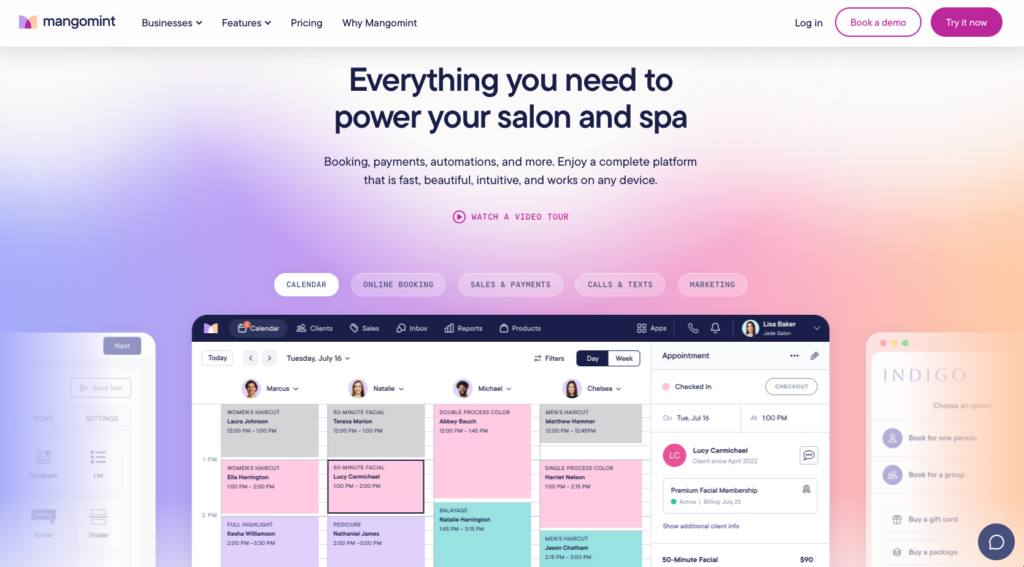
Mangomint is a spa management platform built to help with scheduling, staff management, and client experience with smart automation tools.
Why I chose Mangomint: What I liked most about Mangomint was its clean interface that made navigating the app seamless.
Staff scheduling and time tracking
I thought that setting up and managing staff schedules was pretty easy with Mangomint. I liked that you can create repeat shifts, track time off, and make edits when you need. Mangomint also tracks holidays, sick days, and vacations, which helps when it comes time for payroll and planning.
Mangomint also has a time clock, which was pretty standard. Staff can clock in and out using unique PINs, and managers can edit time cards or run reports on hours worked. It’s also important to mention that Mangomint has their own payroll processing, which you can also set up per location, if you manage multiple spas.
Reporting and analytics
One of Mangomint’s strengths is its reporting capabilities, which really give you a good idea of your business and team performance. I liked how many different types of reports you can run, including dashboards to show staff performance, productivity, and future forecasts.
I was also impressed by the client retention reports, which give insights into repeat visits over 90 or 180-day periods. Mangomint also offers sales reports, which are pretty customizable. You can get an analysis by staff member, service, or time period, which I found pretty helpful.
Where it falls short
Mangomint handles scheduling and reporting well, but I found that it was missing internal communication and basic task tracking. While there is a forms feature that allows multiple team members to collaborate, it focuses more on treatment plans, rather than general tasks. There’s no checklists or way to track progress for tasks like opening, cleaning, or prep, so managers would need to find a workaround.
In terns of communication, while Mangomint offers two-way client conversations, I couldn’t find an internal team chat or messaging feature. This means that teams would still have to rely on external apps for all work-related communication.
What users say about Mangomint
Mangomint is an easy to use web app that even the least tech savvy users can navigate. Easy to create forms from an Admin perspective and our clients seem to be able to navigate it well.

The scheduling system isn’t conducive to teams. I have to go between ‘work hours’ for each person and the appointment schedule. I have to use my iPhone to look at one view and the laptop for another.
Key Features
- Staff scheduling
- Time clock
- Integrated payroll
- Client communication
Pros
- User-friendly design
- Powerful reporting capabilities
Cons
- No internal communication
- Limited integrations
Pricing
Starts at $165/month for small teams (2-10 providers) Trial: Yes — 21 days Free Plan: No
-
Vagaro — Good for combining online booking, point-of-sale and marketing
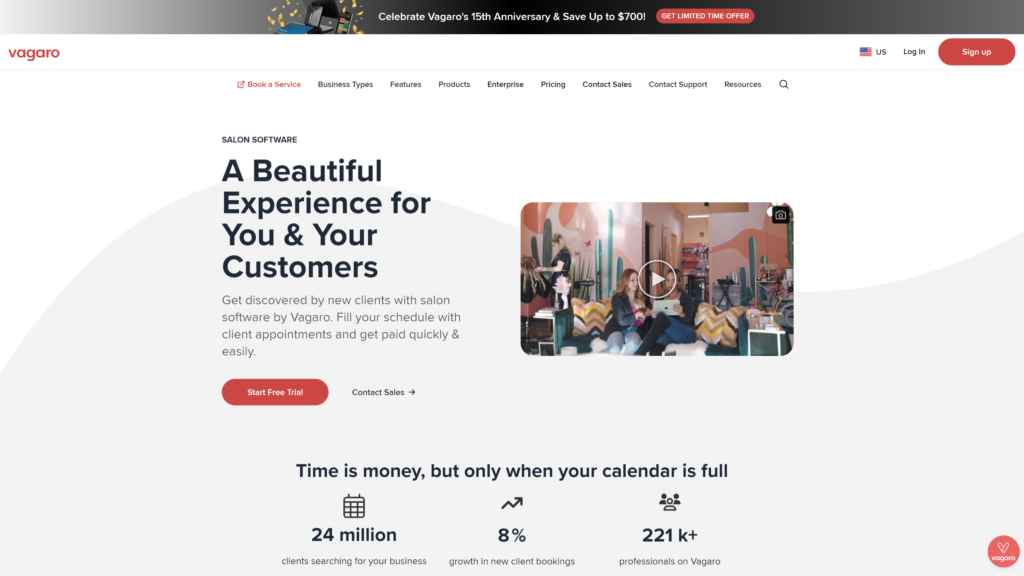
Vagaro is a spa business management platform that offers tools for scheduling, point-of-sale, marketing, payroll, and client management.
Why I chose Vagaro: I chose Vagaro because it has such a wide range of features at a reasonable price point.
Staff management and scheduling
Vagaro has a pretty flexible calendar that can be used for staff scheduling and appointments. You can set working hours, manage availability, and adjust bookings. I liked that Vagaro supports multiple bookable calendars, which means that staff can manage their own schedules if they need. Staff also has access to booking through the mobile app, which just gives another layer of flexibility to staff without manager input.
Vagaro supports requests for time off, PTO, and vacation. While Vagaro offers payroll within their app, I was a bit confused about whether or not they offer in-app time tracking. They also offer an integration with Gusto for the payroll provider’s existing users.
Reporting and insights
Vagaro does a pretty good job when it comes to reporting and providing insights into business performance. There’s a main dashboard that displays key metrics, including sales, appointments, and service providers. For more detail, you can access full reports that go into client retention or spending trends.
I thought that the reports were pretty clear to understand and easy to generate. If you’re looking for data without wanting to go too deep into the numbers, it’s a good start. Vagaro also offers a loyalty program, which I thought was another nice way to track repeat client engagement.
Limitations and drawbacks
Vagaro has a lot of strong features and capabilities, but the interface belt a bit dated to me, especially in comparison to some sleeker platforms like Mangomint or Boulevard. Since there are so many different tools available, I was also overwhelmed when it came to navigation.
However, what stood out most to me was the lack of internal team communication. Similarly to Mangomint, Vagaro offers client communication, but there’s no chat or announcements specifically for staff. My overall impression was that the app is geared more towards independent contractors that work in the same space, but not necessarily on the same team.
What users say about Vagaro
The scheduling and appointment management system keeps me organized. I especially like that it integrates with my Google calendar so I can see everything from one place.
Sometimes navigating on the website/app is slow and can’t keep up with what I’m trying to do.
Key Features
- Staff scheduling
- Advanced reports
- Bookable calendars
- Mobile app
Pros
- Integrated payroll
- Multi-location management
Cons
- Steep learning curve
- No internal communication
Pricing
Starts at $30 USD/ $45 AUD/month Trial: Yes Free Plan: Yes
-
Zenoti — Good for managing multiple spa locations with analytics and memberships
Available on
- Web
- iOS
- Android
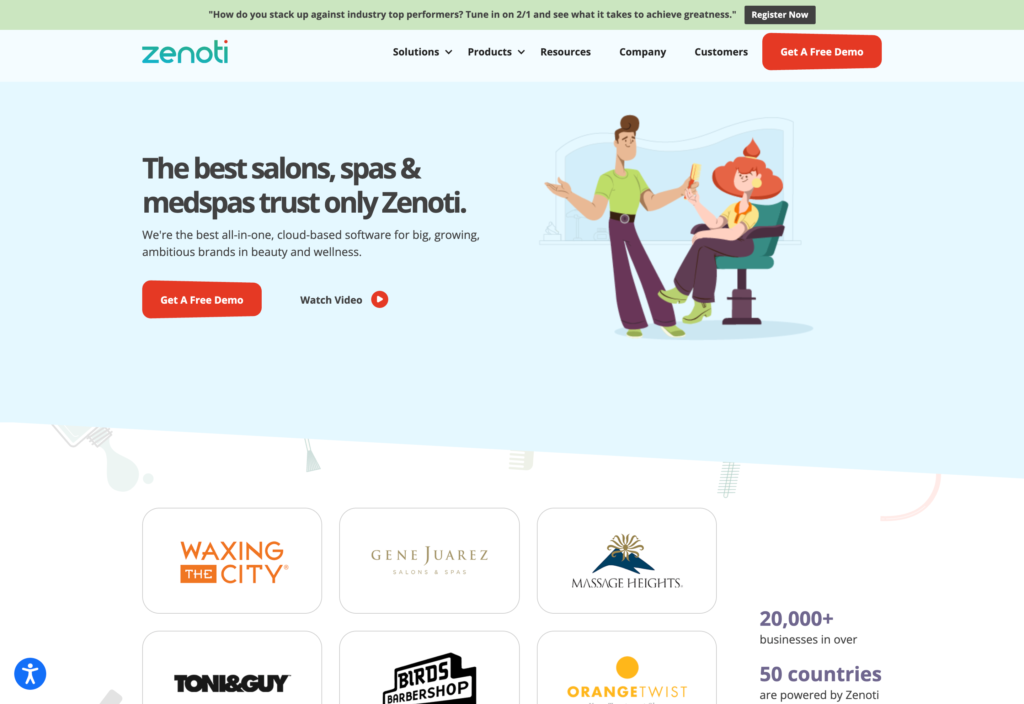
Zenoti is a spa management platform designed for multi-location businesses and enterprises. It offers scheduling, CRM, payment, marketing, inventory, and reporting tools.
Why I chose Zenoti: I was interested in Zenoti for its enterprise-level software and its advanced AI capabilities.
Scheduling and communication
I liked how Zenoti handles complicated schedules by using a color-coded appointment book to sync staff, rooms, and equipment. Employees can use the MyZen provider app to manage their schedules and monitor performance.
The MyZen app also supports internal communication, including messaging for one-on-one and group conversations. What I found more interesting, however, was the weekly sentiment surveys, which allow team members to share feedback. Managers can then use the feedback to identify engagement issues before they grow.
Payroll, reporting and AI
Zenoti has a built-in payroll system, which tracks hours, breaks, and leave. You can log attendance with biometric, PIN, or mobile clock-ins, and the recorded hours sync with payroll. I appreciated that Zenoti’s payroll also factors in commissions and tips, so you don’t have to rely on manual calculations.
The reporting and analytics tools are strong, with organized reports covering areas such as sales, inventory, client history, and team performance. Zenoti really stands out for how it incorporates AI into its platform. The AI-powered assistant, Zeenie, can answer data-related queries in real-time and generate reports for you. Zeenie can also help users better navigate Zenoti, which I appreciated.
Pricing and missing features
While Zenoti is powerful and has many advanced capabilities, there are some considerable drawbacks I noticed. To start, the entry price is $350 per month per spa location, covering up to 10 providers. It’s one of the most expensive options on the market, which could make it inaccessible for small or midsized spas.
In addition, while Zenoti offers team communication through the MyZen app, it seems to be missing task management features like checklists for routine duties. I would have liked to see more tools geared towards daily coordination, so that managers don’t have to rely on external tools to cover these gaps.
What users say about Zenoti
We have loved that it is completely customizable. It is very feature heavy, and considerations have been given to almost every scenario due to the multiple clients on the platform and time in business.
It was not the most intuitive to use and has a learning curve. Setting up does take time, so if you have other obligations or clinic responsibilities, you need time carved out for it.
Key Features
- Schedule with bookings
- Team messaging
- Reporting and analytics
- Integrated payroll
Pros
- AI assistant
- Sentiment surveys
Cons
- High starting price
- Staff app not included in basic plan
Pricing
Contact vendor for price Trial: No Free Plan: No
-
Meevo — Good for running spa operations in one system
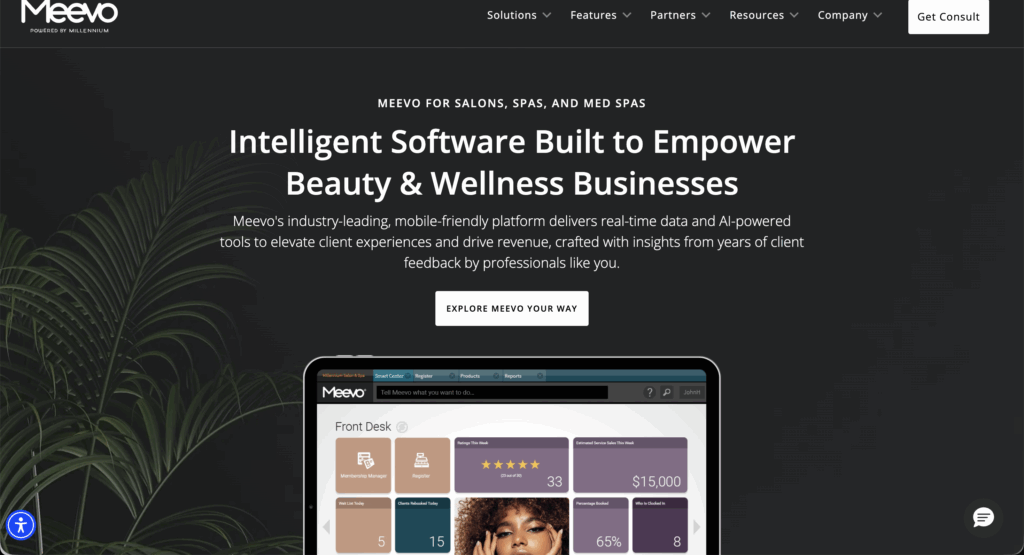
Meevo is a spa operations software that supports booking, staff management, payments, marketing, and reporting for both independent and multi-location spas.
Why I chose Meevo: I liked that Meevo offers powerful reporting capabilities and a wide range of tools to manage and grow spa businesses.
Scheduling and time tracking
Meevo’s employee scheduling is pretty straightforward. It offers a weekly view of staff hours and time off. It was easy to adjust shifts, but I didn’t think that the schedule was as engaging or sleek as some other platforms. For example, the schedule didn’t differentiate shifts by color, so I wasn’t able to find specific items at a glance.
I liked Meevo’s time clock, which lets employees clock in and out and log breaks. You can also log work activities while clocked in, which I thought was an interesting approach to documentation. Both the time clock and the schedule are available on the employee mobile app, MyMeevo, though it is an add-on so comes with an additional cost.
Reporting and goal setting
Meevo stands out for its extensive reporting capabilities and performance tracking. I really liked that you can set KPIs for your business and then evaluate employees’ performance against your business goals. That way, managers can easily set targets and track team progress over time. Meevo also tracks metrics like client retention, sales, and payroll.
For an additional $29 per month per location, businesses can access Meevo’s Business Intelligence app. It’s a powerful offering that allows managers and spa owners to access key metrics on the go. I can see this app being extremely helpful if you manage multiple locations and need to know detailed data throughout your day. Plus, you can schedule reports to be delivered automatically, which I really liked.
However, the app is separate from MyMeevo and MeGo Client, the customer app. That means to get the full picture of your business, you would need at least two different apps, each of which cost extra.
Pricing and communication gaps
Meevo’s pricing is not publicly available and there is no free trial, which I can see being a limitation for businesses that want to compare options without waiting for a quote. I also noticed that the platform doesn’t offer built-in internal communication or task management tools. That means in addition to potentially paying extra for Meevo’s mobile apps, you would still likely need separate solutions to handle team messaging and daily checklists.
What users say about Meevo
What I loved the most about Meevo is it’s ease of use. I also love the convience of being able to book my appointments in real time.
Some applications are too complicated, some parts can be confusing to use, there are so many bells & whistles that sometimes the things that are basic operations get hard to find.

Key Features
- Scheduling
- Time clock
- Advanced reporting
- Goal setting
Pros
- BI app for deep analytics
- Supports multi-location management
Cons
- Mobile apps cost extra
- Lacks internal communication
Pricing
Contact vendor for price Trial: No Free Plan: No
-

Boulevard — Good for delivering premium client experiences with loyalty and marketing built-in
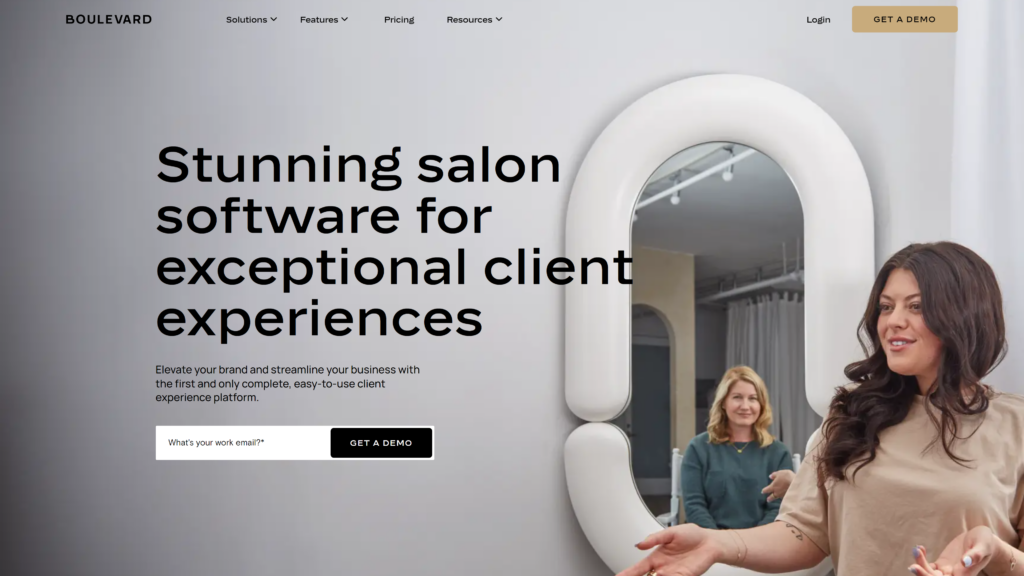
Boulevard is a client experience platform that helps spa businesses streamline their operations through scheduling, staff management, payment, and marketing tools.
Why I chose Boulevard: I chose Boulevard because of its modern interface and its wide range of employee management tools.
Scheduling and staff management
I liked how Boulevard integrates bookings with each provider’s personal schedule. Staff can mark their recurring availability and block off time for meetings, breaks, or time off. Once availability is set, managers or providers can publish staff shifts. Clients can self-book online, but only make appointments with certain providers based on their shifts.
Boulevard also has Precision Scheduling, which optimizes appointments by clustering them to minimize downtime. Providers can access their schedules with the Professional App, which also lets them see who else is working and view the entire team’s availability. I also appreciated that the platform supports staff-specific pricing and service durations. It was pretty flexible, allowing staff to view and update client profiles by themselves.
Time tracking
Boulevard has a pretty standard time clock, which lets staff clock in and out, or managers can do it for them. If someone isn’t scheduled, you can create a timecard, which works well for last-minute shift changes. Managers can edit timecards, but must provide a reason for the change. Tracked hours are logged into a Time Clock report, which can be emailed or downloaded for payroll.
Overall, it seemed pretty functional, but I wasn’t able to locate it in the mobile app. In a busy spa, it doesn’t seem realistic to expect every employee to clock in from the web version. Even if managers can clock staff in for them, that takes away employee accountability and puts more strain on managers.
Reporting and performance
Boulevard’s reporting capabilities are strong, and they give managers a clear view of team performance, sales, and payroll. You can customize reports with filters and data groupings, which makes it easy to track the metrics that matter most to your business. There’s a slight lag in data, since reports only refresh every 30–45 minutes, which I can see being a bit frustrating if you need real-time reporting on demand.
Another area that impressed me was being able to see real-time performance data like total appointments, prebooking, and sales. You can decide who has permission to see these rates, but I thought it was helpful for tracking performance against goals.
What users say about Boulevard
What I liked most about the Boulevard app is its user-friendly interface, Appointment management and features.
The only thing I like least is that some timing conflicts in the schedule can be tricky to resolve. It’s not always obvious how to adjust overlapping appointments double bookings without a bit of trial and error.
Key Features
- Staff scheduling
- Time clock
- Custom reports
- Mobile app
Pros
- Precision Scheduling reduces gaps
- User-friendly interface
Cons
- No time clock access on mobile
- Reporting update delay
Pricing
Starts at $158/month when billed annually Trial: No Free Plan: No
Workforce Management Software for Spa Teams
-
Connecteam — Best for streamlining spa staff scheduling and daily operations
Connecteam is an all-in-one employee management platform that helps spas schedule, communicate, and track tasks, all from one app.
Why I chose Connecteam: Connecteam stands out because it offers such a wide range of built-in tools to efficiently manage spa staff without needing to switch between apps.
Simplified staff scheduling
I really liked how Connecteam handles employee scheduling. You can build schedules with the drag-and-drop editor, templates, or use the AI auto-scheduler to instantly fill open shifts based on staff availability, roles, or qualifications. I was impressed that Connecteam flags potential conflicts, so you can easily spot overlapping shifts or coverage gaps.
You can also add notes, checklists, or tasks directly to each shift, so employees know exactly what to expect on the job. Staff receive instant notifications on their mobile devices for published schedules, changes, and shift reminders. Plus, employees can request time off, mark their availability, and swap shifts directly in the app. Managers can approve swaps and post open shifts for staff to claim. Overall, it’s a flexible tool that lets you schedule your spa staff in a way that works best for your business.
Accurate time tracking
Connecteam’s employee time clock makes it easy for your spa staff to clock in and out right from their phones, kiosk, or desktop app. You can set up geofences around the spa, so employees only clock in when they’re physically on location. If an employee leaves the geofence, they will automatically be clocked out, so you don’t have to worry about paying for time when they’re off-site.
All work hours are logged into timesheets for payroll, so it’s easy to review, edit, and approve them at the end of the pay period. Connecteam factors breaks and overtime right into timesheets, so you can avoid manual errors and miscalculations. I also liked that you can export timesheets straight to your payroll provider, which just speeds up the process so staff can be paid accurately and on time.
Clear team communication
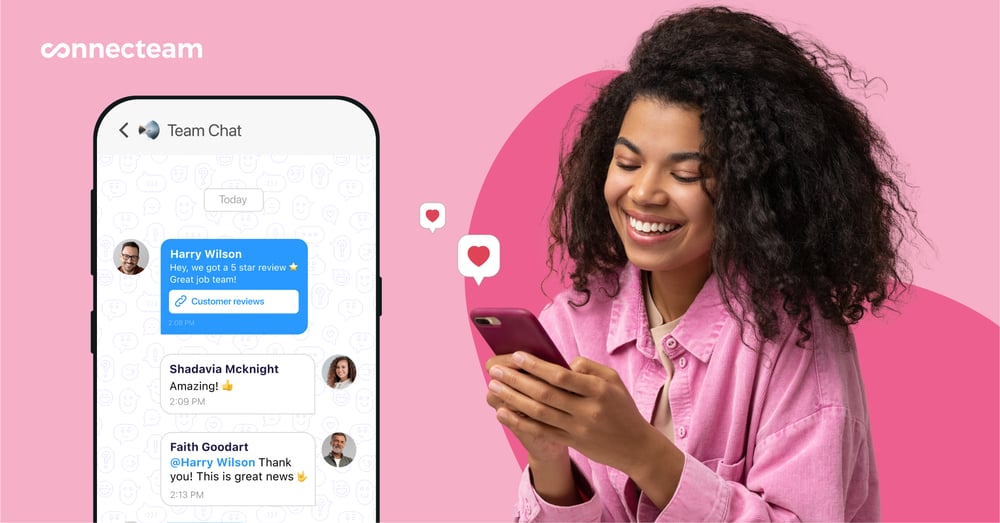
Connecteam makes it easy to keep everyone on the same page without relying on scattered texts and group messages. With the online team chat, you can send one-on-one or group messages for updates, announcements, or check-ins, and attach files, photos, and videos.
I liked that the chat works like any other instant messager, except it’s part of Connecteam’s larger feature set, so you don’t have to switch between apps just to communicate. You can also get read receipts, so you know who’s seen what, instead of wondering. I also appreciated that admins can control who’s allowed to message whom, which keeps communication focused and professional.
Complete daily tasks, checklists and forms
It’s easy to stay on top of daily operations with Connecteam’s employee task tracking. You can create daily, weekly, or one-off tasks and assign them to specific staff members or roles. I liked that you can also include notes, photos, checklists, and subtasks to each task. Managers can easily track progress, and if an employee has a question or wants to clarify something, they can comment directly on the task itself.
I also appreciated that you can create digital forms and custom checklists to standardize daily tasks, like opening and closing, restocking, or room cleanups. You can include fields for text, dropdowns, file uploads, photos, signatures, or even document scans, so all the information you need is in one place.
If your spa already uses a form that works, just upload or take a picture of it and Connecteam’s AI will convert it into a structured, digital version.
Integrations
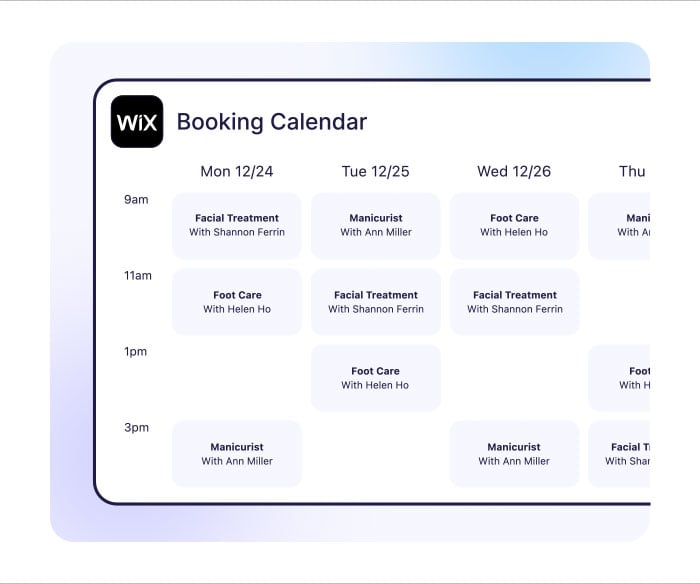
Connecteam connects with the tools you already use, like Wix Bookings. With this integration, all the client appointments from your website sync directly with your staff schedule. So when someone books a treatment online, it automatically shows up in the schedule. Changes and cancellations update across both systems, so your team always has the right information.
In addition, Connecteam offers an API integration and connects to payroll and POS systems, including:
And so much more…
Connecteams offers so many other features that simplify your backend operations. Use automatic reports to gain insight into attendance patterns, track form submissions, or monitor incidents. Store important staff documents in the app, including licenses, certifications, and signed policies. Get new team members up to speed with in-app training and onboarding. Build your own course or use the AI course creator to instantly generate one for you on any topic. Connecteam goes beyond day-to-day management, and gives you the tools to grow your spa effortlessly.
Connecteam also offers a free for life plan – Get Started Now!
0Key Features
- Staff scheduling
- Time clock
- Digital timesheets
- In-app chat
- Digital forms & checklists
- Task management
Pros
- All-in-one app
- Mobile-friendly
- Intuitive and easy to use
- Highly customizable
Cons
- More integrations still in development
Pricing
Free-for-life plan availablePremium plans start at $29/month for 30 users
14-day free trial, no credit card required
Start your free trial
The 5 Best Spa Management Software of 2026
| Topic |
|
|
|
|
|
 Start for free
|
|---|---|---|---|---|---|---|
| Reviews |
 |
|
|
N/A
|
|
|
| Pricing |
Starts at $165/month for small teams (2-10 providers)
|
Starts at $30 USD/ $45 AUD/month
|
Contact vendor for price
|
Contact vendor for price
|
Starts at $158/month when billed annually
|
Starts at just $29/month for the first 30 users
|
| Free Trial |
yes
21 days
|
yes
|
no
|
no
|
no
|
yes
14-day
|
| Free Plan |
no
|
yes
|
no
|
no
|
no
|
yes
Free Up to 10 users
|
| Use cases |
Good for client booking and appointment management
|
Good for combining online booking, point-of-sale and marketing
|
Good for managing multiple spa locations with analytics and memberships
|
Good for running spa operations in one system
|
Good for delivering premium client experiences with loyalty and marketing built-in
|
Best for streamlining spa staff scheduling and daily operations
|
| Available on |
Web, iOS, Android
|
What Is Spa Management Software?
Spa management software is a digital tool that helps spa owners and managers to run their daily operations and administrative processes more efficiently. It brings together all the tasks spa businesses need to stay organized, including managing staff, handling internal processes, and communicating.
The software aims to centralize everything into one platform, reducing the need of multiple tools, spreadsheets, and paper systems. It’s built for spas and wellness businesses that need a reliable way to manage teams, coordinate tasks, and keep everything running smoothly.
How Does Spa Scheduling Software Work?
Spa management software works by combining multiple features into one system that can be accessed by spa managers and staff from desktop or mobile. Typically, it lets staff clock in and out, and managers can create and edit schedules, daily tasks, and checklists. Everything can be tracked from the same app, helping to reduce miscommunication and avoid scheduling conflicts.
Many apps also offer features like built-in messaging, digital forms for incidents or inspections, timesheets, and secure document storage. Some tools automate certain workflows, and integrate with online booking software. Ultimately, spa management software is meant to streamline operations, reduce manual work, and give managers greater visibility into business operations and efficiency.
The Benefits of Spa Management Software
Spa management software can benefit spa owners, managers, and staff in multiple ways, including:
Reduced chaos
Spa management software gives managers more control by organizing staff schedules, tasks, and responsibilities in one place. Operations run more smoothly when everyone knows where they need to be and what they need to do.
Improved communication
When staff know where to find important updates, upcoming tasks, past conversations, communication flows faster. Spa management software reduces scattered texts and leads to a more connected and informed team with one, dedicated professional chat.
Saved time
When you have paper schedules, timesheets, and forms, it slows down workflows and increases your manual admin work. Spa management apps simplify, digitize, and often automate these processes so that you can spend more time focusing on your clients and growing your spa business.
Stronger accountability
Staff feel more confident when they know their roles, responsibilities, and schedules. It’s easier to hold team members accountable when you know that there’s a clear system in place that lays out who did what and when. It means fewer mistakes and better execution across the board.
Faster decision-making
When everything is reported, it’s easier to track employee performance, hours worked, and task progress. Having a better understanding of data can help you make better and more informed decisions about staffing needs or areas of improvement.
How Much Does Spa Management Software Cost?
Spa management software is an investment in your business, and the cost of most platforms reflects that. Prices range from $23.99 per month to $350 per month. Some software includes up to 5 – 10 users in the price, while others charge per individual user. Higher tiered plans may cost considerably more, but they may include more advanced features. The bottom line is that spa management software can be expensive.
That’s where Connecteam comes in: Connecteam’s Small Business Plan is completely free for up to 10 users. Connecteam’s paid plans are also some of the most affordable on the market, starting at just $29 per month for up to 30 users. Advanced costs $49/month and Expert costs $99/month, both also covering up to 30 users.
FAQs
Spa management software increases revenue by reducing admin time spent on manually scheduling staff, processing payroll, and tracking time.
Train staff through step-by-step tutorials, live demonstrations, and ongoing support. Use mobile-friendly platforms like Connecteam that include built-in training to walk staff through how to use the spa management software.
It improves retention by managing loyalty programs, personalizing client experiences, and automating follow-ups or reminders. Consistent communication builds stronger client relationships.
The Bottom Line On Spa Management Software Solution
Running a spa means offering an excellent customer experience, while managing people, processes, and performance at the same time. The right tools can handle shift changes, staff no-shows, payroll, and internal communication to ease your daily operations.
Spa management software keeps everything organized in one place, from scheduling to reporting, to give you control, visibility, and confidence.
No other platform checks all of the boxes quite like Connecteam. With outstanding features and intuitive interface, Connecteam is the best option for spas that want to manage their teams and grow their businesses successfully.