

When hotel schedules break down, one missed housekeeping, front desk, or maintenance shift can quickly affect guest satisfaction, overtime costs, and daily operations.
I reviewed 6 hotel staff scheduling software tools based on scheduling flexibility, mobile usability, time tracking, labor cost visibility, and shift coverage support.
This comparison will help you choose a tool that keeps every department covered without adding unnecessary admin work
| App | Best for | Starting Price | Key Considerations |
| Connecteam | Hotel teams that need scheduling, time tracking, and staff communication in one phone-friendly app | Just $29/month for the first 30 users | Strongest overall fit for scheduling, time tracking, and communication, but no native occupancy or reservation-system integration |
| Deputy | Hotels that need stronger labor forecasting and compliance controls during scheduling | $5/user/month | Strong labor forecasting and compliance controls, but less useful if you need broader team operations in one app |
| HotSchedules by Fourth | Hospitality teams that want restaurant-style scheduling workflows | Contact vendor for price | Built for hospitality, but staff mobile access requires a paid add-on |
| 7shifts | Hotel restaurants and bars that need scheduling with tip-related team tools | $39.99/month | Strong for hotel restaurants and staff engagement, but time tracking runs through 7punches |
| ZoomShift | Small hotels that need basic scheduling and time tracking without complex setup | $2/active team member/month | Easy to adopt, but too basic for complex or regulated environments |
| Humanity by TCP Software | Larger US hotel groups that need rule-based scheduling and labor compliance controls | $2.75/user/month | Strong compliance controls for larger hotel teams, but pricing is opaque and setup may take longer |
Our Top Picks
-
1

Best for hotel teams that need scheduling, time tracking, and staff communication in one phone-friendly app
-
2

Best for hotels that need stronger labor forecasting and compliance controls during scheduling
-
3
Best for hospitality teams that want restaurant-style scheduling workflows
Why trust us?
Our team of unbiased software reviewers follows strict editorial guidelines, and our methodology is clear and open to everyone.
See our complete methodology
How I Chose the Best Hotel Staff Scheduling Software
I evaluated each tool based on how well it supports real hotel coverage while keeping administrative work manageable.
Must-have scheduling features
At a minimum, hotel and hospitality businesses need access to the following:
- Fast scheduling with automation: Hotels run 24/7, so I looked for tools that support complex shifts, rules-based scheduling, and reusable templates for recurring schedules. Tools that required multiple manual steps to copy a previous week ranked lower.
- Employee self-service: I gave extra points to platforms that let staff view their schedules, pick up open shifts, and swap shifts with colleagues, with functionality for manager approval, since last-minute absences are common in hospitality.
- Time-off management: Time-off requests should feed directly into the schedule so nothing gets missed before publishing.
- Compliance guardrails: Overtime alerts and break rules should be enforced during scheduling, not after payroll has already run.
I also looked at how the tool performs on the ground
I considered this functionality of high importance in the hospitality industry.
- Mobile usability: Staff need to view work schedules, claim shifts, and receive updates from their phones. Any tool that charged extra for basic staff mobile access lost points.
- Real-time notifications: When a shift changes or coverage is needed, staff need to know immediately, not when they clock in.
- Ease of adoption: Hotel teams deal with high turnover and seasonal hires, so tools with steep learning curves don’t work when new staff need to be up and running fast.
Finally, I considered how scheduling connects to broader hotel operations
The best hotel scheduling tools offer more than just scheduling tools, so I looked at whether each one supports the workflows that surround it, such as:
- Time and attendance tracking: Clocking in should be tied to scheduled shifts, with geofencing to confirm staff are on the property.
- Payroll readiness: The tool should create clean timesheets that don’t require manual cleanup before every pay period.
- Team communication: Built-in messaging and task management reduce the need for separate tools across departments.
Dealbreakers for hotel teams
Tools ranked lower if they could not support multi-department scheduling, made staff mobile access expensive, required separate time tracking workarounds, or lacked basic overtime/break visibility for 24/7 operations.
The 6 Best Hotel Staff Scheduling Softwares
-
Connecteam — Best for hotel teams that need scheduling, time tracking, and staff communication in one phone-friendly app
Connecteam is the best choice for hotel managers in search of staff scheduling software because it combines shift scheduling, time tracking, and in-app messaging in one app. It’s built for frontline teams and works across multiple departments without requiring separate tools for each.
Why I chose Connecteam: I ranked Connecteam #1 because it covered more of my ranking criteria than any other tool on this list: multi-department scheduling visibility, mobile access for frontline staff, native time tracking, and built-in communication. Most tools on this list stop at the schedule. Where Connecteam goes further is that shift trades, clock-ins, and team updates all run through the same system after the schedule is published, which reduces the number of things that can fall through the cracks on a busy hotel day.
Schedule building and AI automation
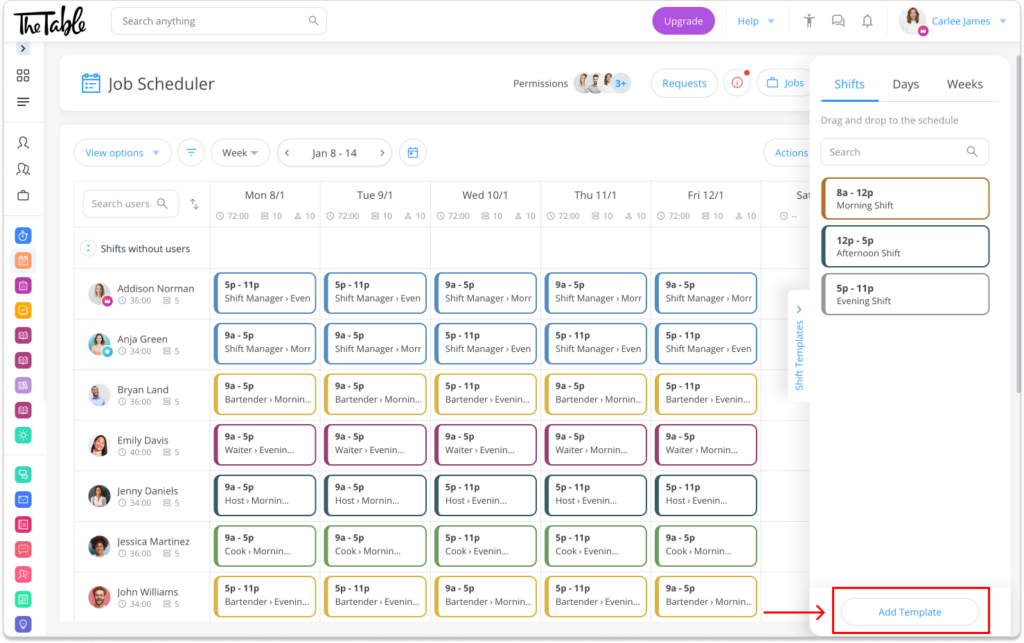
Connecteam’s drag-and-drop employee scheduler lets managers build and adjust staff schedules across departments without having to start from scratch each week. Color-coding keeps front desk, housekeeping, and maintenance visually separate within a single view, making coverage gaps easier to spot across departments at once.
The AI-powered scheduler analyzes existing staffing patterns and availability to generate a draft automatically. If your hotel consistently needs three housekeepers on weekend mornings, the system builds that pattern in rather than waiting for you to enter it manually. I found the AI-plus-templates combination useful here—the AI handles demand-driven variation while templates handle the parts that stay the same week to week.
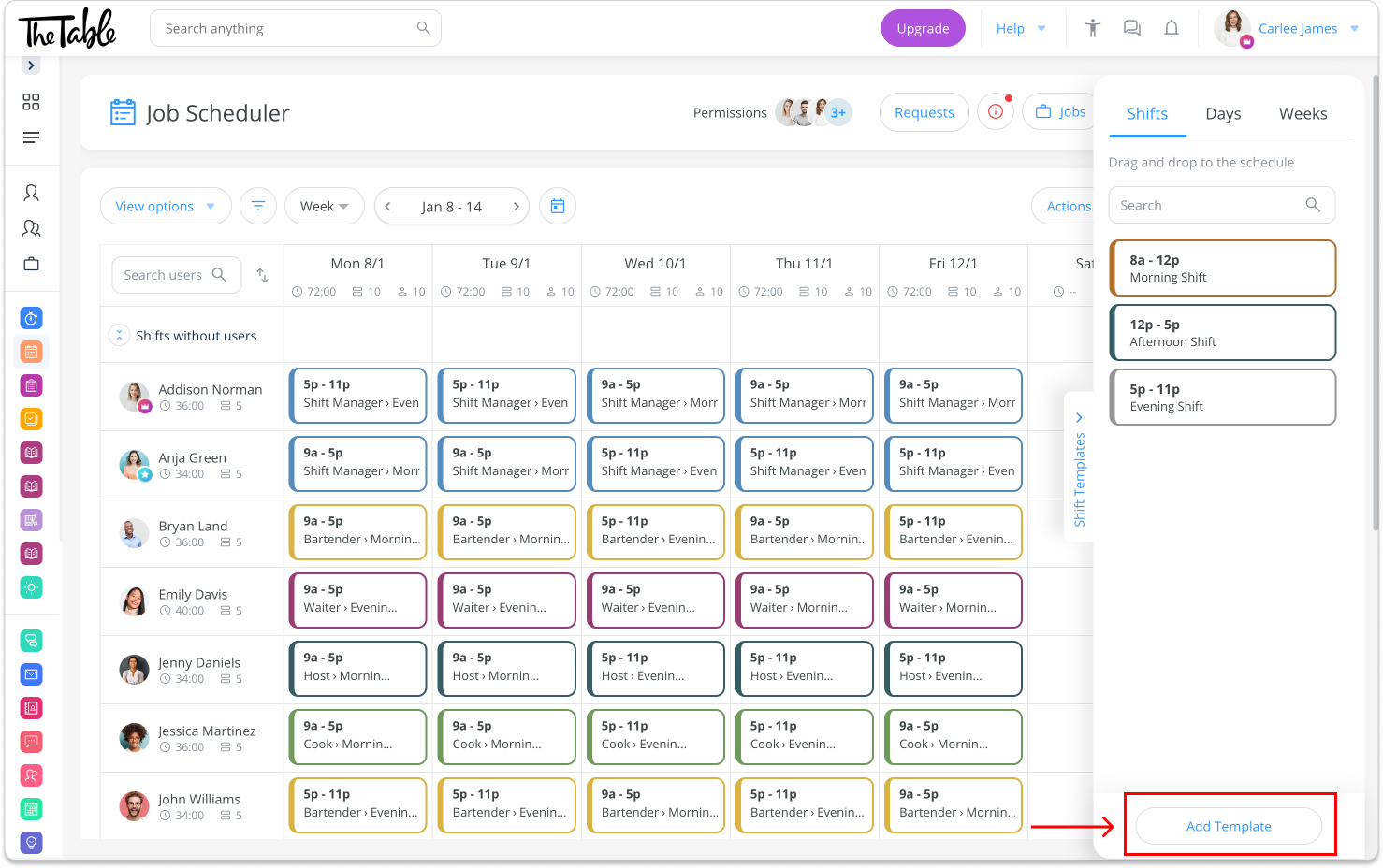
Connecteam’s color-coded drag-and-drop scheduler makes it easy to view the full week at a glance. Shift coverage and availability management
Availability and time-off requests feed directly into the scheduling view, so conflicts show up before you publish your schedule. When something changes, staff are notified instantly on their phones. Employees request shift trades or pick up open shifts in the app, and once approved, the schedule updates automatically.
I find this works well for high-turnover departments like housekeeping, where last-minute gaps are frequent enough that resolving them by calling people adds up to a lot of wasted manager time each week.
Time tracking tied directly to scheduling
Unlike HotSchedules and 7shifts, Connecteam includes time tracking natively without a separate app. Staff clock in and out on their phones through the employee time clock, and those hours are linked directly to their scheduled shifts. If someone forgets to clock out, the punch gets flagged before the pay period closes.
I found the overtime alerts and manager approval requirements for extra hours particularly helpful, given how quickly labor costs can accumulate across a 24-hour hotel operation.
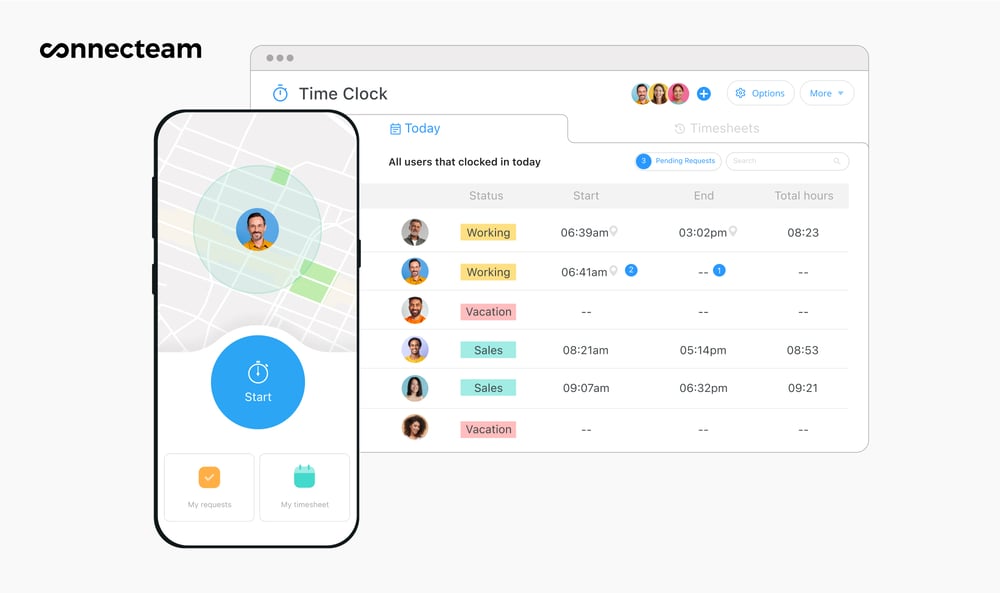
Connecteam’s GPS time clock tracks hotel staff hours in real time. Team communication and daily operations
Managers send shift updates and announcements through built-in team chat, and all departments see the same information at once. For housekeeping and maintenance, digital forms and checklists replace printed task sheets. This means staff complete them on their phones, and managers can see the completion status without having to manually follow up.
When Connecteam may not be the best fit
Connecteam is a general workforce platform used across many industries, so it lacks the hospitality-specific workflows that purpose-built tools like HotSchedules offer. It also doesn’t connect to occupancy or reservation data, which means managers still need to check their booking system separately and adjust staffing manually.
0Pricing
Free-for-life plan availablePremium plans start at $29/month for 30 users
14-day free trial, no credit card required
Start your free trial -
Deputy — Best for hotels that need stronger labor forecasting and compliance controls during scheduling
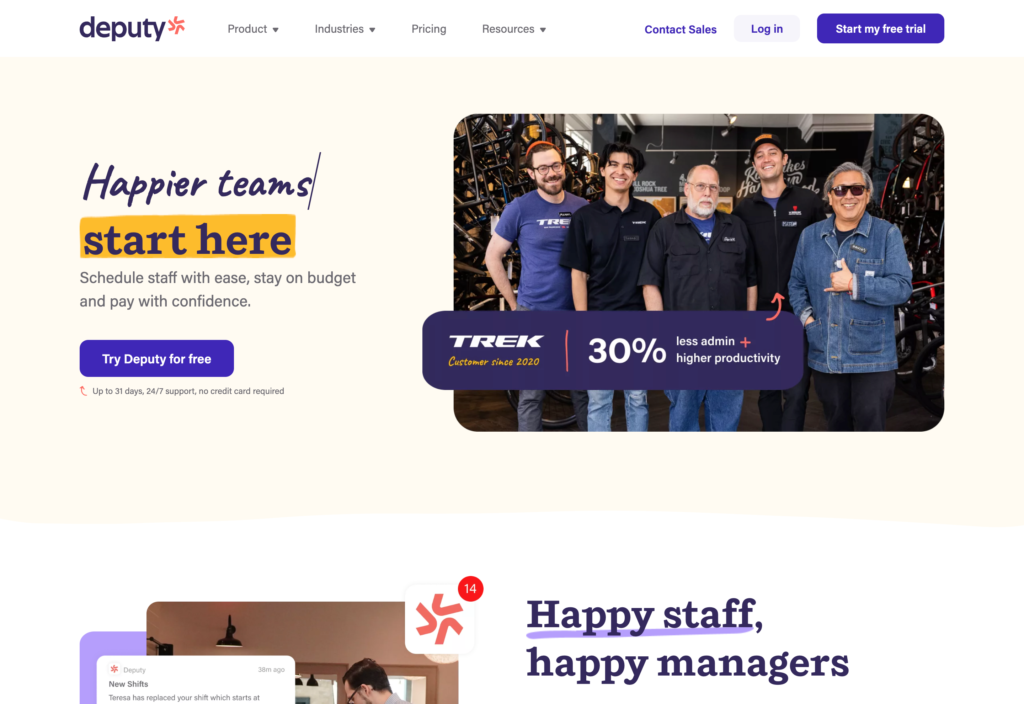
Deputy is a scheduling and time-tracking platform used across the hospitality, retail, and healthcare industries. It supports teams managing hourly staff across multiple locations or departments.
This breakdown is based on our full in-depth review of Deputy, where we tested its scheduling interface, compliance features, and mobile experience.
Why I chose Deputy: Deputy stood out for two things from my ranking criteria: It catches compliance issues while you’re still building the schedule, and it’s the rare tool that lets you see how your labor costs compare to predicted revenue before you hit publish. For hotels watching margins closely, those two things together are a real boon.
Demand-aware scheduling and labor cost visibility
Deputy syncs with occupancy and sales data to estimate staffing needs in real time. You set labor targets, and as you build the schedule, costs are automatically updated in line with projected revenue. If your housekeeping roster is over budget going into a busy weekend, you see it before you publish, not on Monday’s labor report.
In my view, this is what separates Deputy from most tools on this list for cost-conscious hotel managers. Deputy deeply models demand, whereas most other tools on this list focus on availability, shift templates, and rules-based scheduling automations.

Deputy uses demand forecasting and labor rules to automatically adjust staffing based on projected sales. AI auto-scheduling and shift management
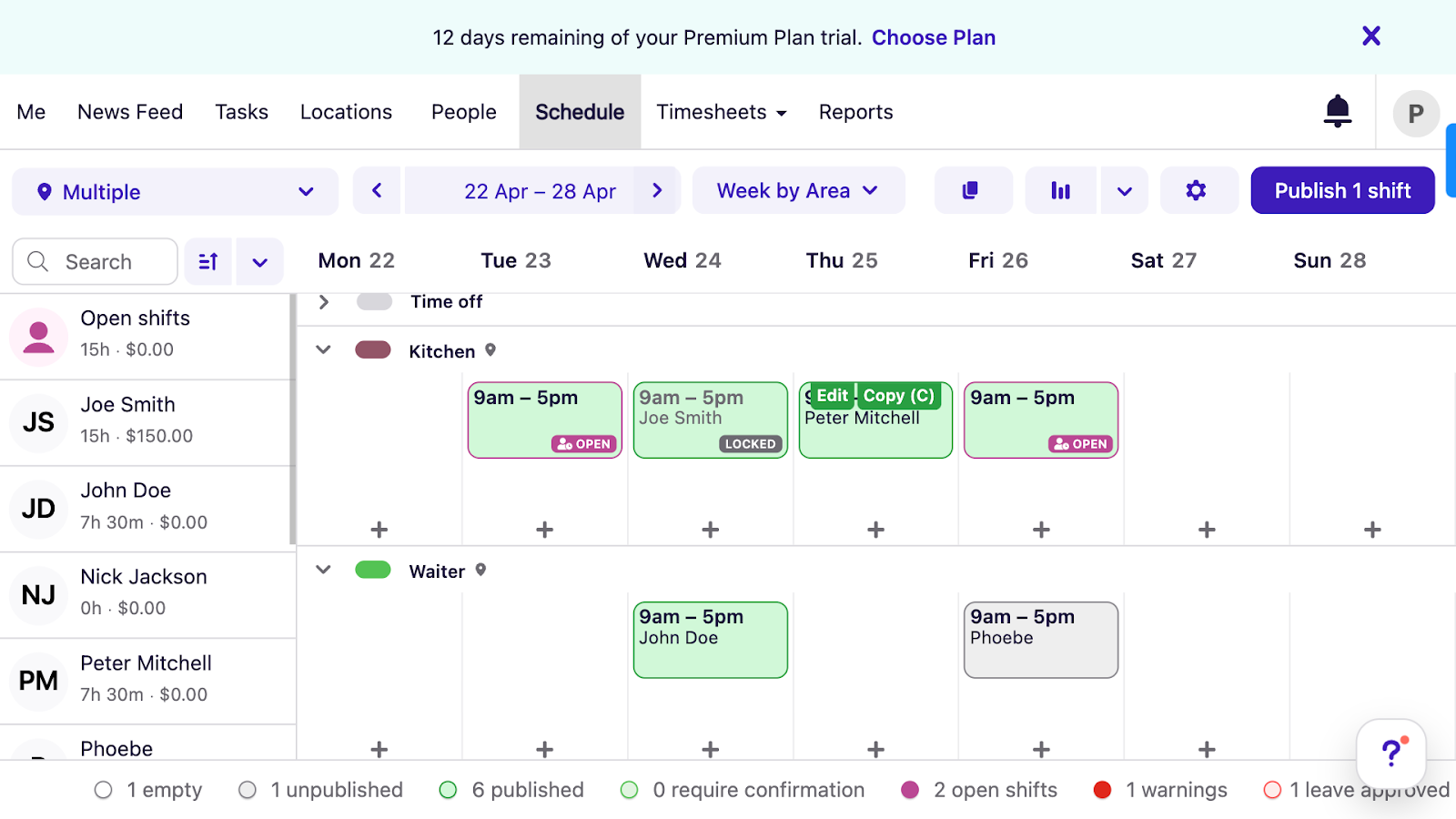
Deputy’s scheduler gives a clear overview of your staff and their scheduled work times. Deputy’s auto-scheduler assigns shifts based on availability, qualifications, and labor rules, not just who’s free. It flags cost and compliance issues during generation, so the schedule you start with is closer to the one you’d build manually after several rounds of adjustments. Shift swaps go through manager approval and are automatically updated.
Compliance and break management
This is where Deputy does something most tools on this list don’t. As with other aspects of the software, compliance-related criteria are frontloaded: break times, shift lengths, and overtime rules are enforced as you build schedules, not after employees work the shifts.
You can also set different rules for different properties, which helps hotel groups operating across states or countries with different labor laws stay consistent without manually tracking each location’s requirements.
Where Deputy falls short
Deputy’s mobile scheduler feels cluttered. Scanning a full department schedule on a phone screen takes effort, and staff who check shifts quickly between tasks may have difficulty. I recommend testing the mobile experience with a few team members before committing.
What users say about Deputy
Scheduling and onboarding is very good. We also started to use the insights and sales forecast which proves to be a very useful tool.

Limited functionality – We use it for scheduling only…Other systems like Connecteam have more functions and are generally cheaper.
 0
0Key Features
- AI-powered shift scheduling
- Demand forecasting
- Labor rule enforcement during scheduling
- Break and overtime management
Pros
- Demand forecasting helps spot labor budget issues before schedules go live
- Compliance controls catch violations during scheduling
Cons
- Dense mobile scheduler
- No built-in payroll (requires integration)
Pricing
Starts at $5/user/month Trial: Yes — 30 days Free Plan: No
-
HotSchedules by Fourth — Best for hospitality teams that want restaurant-style scheduling workflows
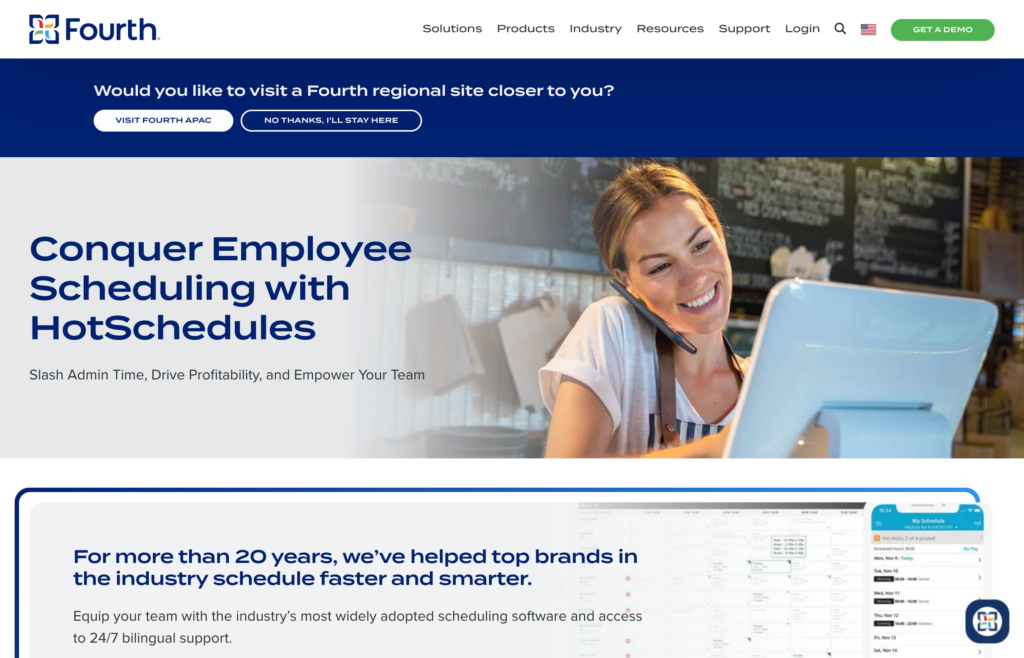
HotSchedules is a hotel scheduling software built specifically for the restaurant and hospitality industries. Unlike general workforce tools, its scheduling structure, terminology, and workflows are shaped around shift-based service teams.
In our full in-depth review of HotSchedules, we tested its scheduling workflows, shift coverage tools, and labor reporting.
Why I chose HotSchedules: What earned HotSchedules a place on this list is that it was purpose-built for hospitality from day one. That shows in two areas I weighted in my ranking: fast schedule building for teams with stable staffing patterns, and labor forecasting that helps managers stay ahead of overtime and coverage gaps.
Hospitality-first scheduling workflows
HotSchedules organizes schedules around roles, departments, and service periods. If your housekeeping roster runs the same pattern most weeks, you can copy last week’s schedule, adjust for changes, and publish.
The system checks availability and role requirements during assignment, and time-off requests feed into the scheduling view, so approved absences don’t create gaps after publishing. This works well for hotels with consistent weekly patterns, but if your occupancy changes significantly week to week, you’ll still need to rebuild large portions of the schedule manually.
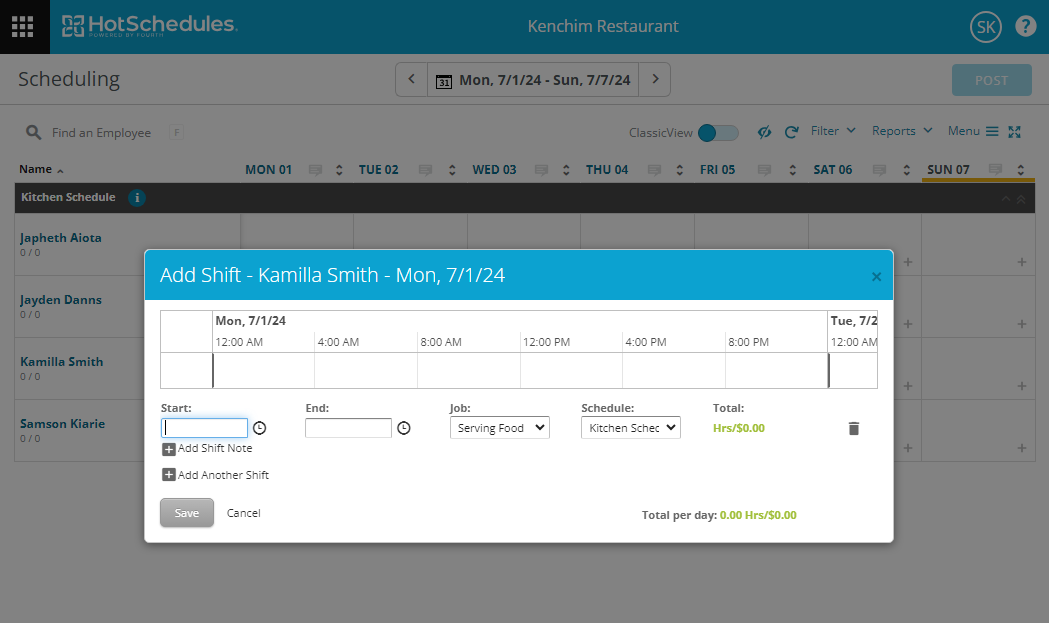
HotSchedules supports drag-and-drop scheduling. Automatic shift pickup and release
When someone can’t make their shift, the system offers it to qualified staff based on rules you set, like seniority or availability. They claim it in the app, you approve, and then the schedule updates. So, for a hotel where a housekeeper calls out on a busy Saturday morning, the shift gets filled through the app rather than a chain of phone calls.
That said, most management tasks require the web app, so approving changes from a phone is more limited than it should be for a tool used in fast-moving hotel environments.
Labor forecasting and schedule oversight
HotSchedules reports on scheduled hours, overtime trends, and labor costs relative to sales. You get a forward-looking view of whether a department is trending toward overtime before the week ends.
On compliance, it covers basic overtime and break rules. However, it doesn’t offer the location-specific labor law enforcement Deputy does, which may be a sticking point for hotel groups across multiple states.
Where HotSchedules falls short
HotSchedules has no native time tracking, so clock-ins require a separate tool or integration. The employee mobile app also costs $2.99 per staff member on top of the main subscription. For hotels with large hourly workforces, that cost adds up quickly.
What users say about HotSchedules
This is the best for employment scheduling I’ve used, simple design makes it easy to see exactly what shifts, date and times
The integration with Point of Sales system is tricky and time consuming. The forecasting models are static.
Key Features
- Drag-and-drop employee scheduling
- Auto pickup and release for shifts
- Scheduling based on availability and role
- Labor and schedule audit reports
Pros
- Scheduling workflows are built around hospitality service patterns
- Shift change features reduce manager coordination
Cons
- Mobile access requires a paid app
- No native time tracking
Pricing
Contact vendor for price Trial: No Free Plan: No
-

7shifts — Best for hotel restaurants and bars that need scheduling with tip-related team tools
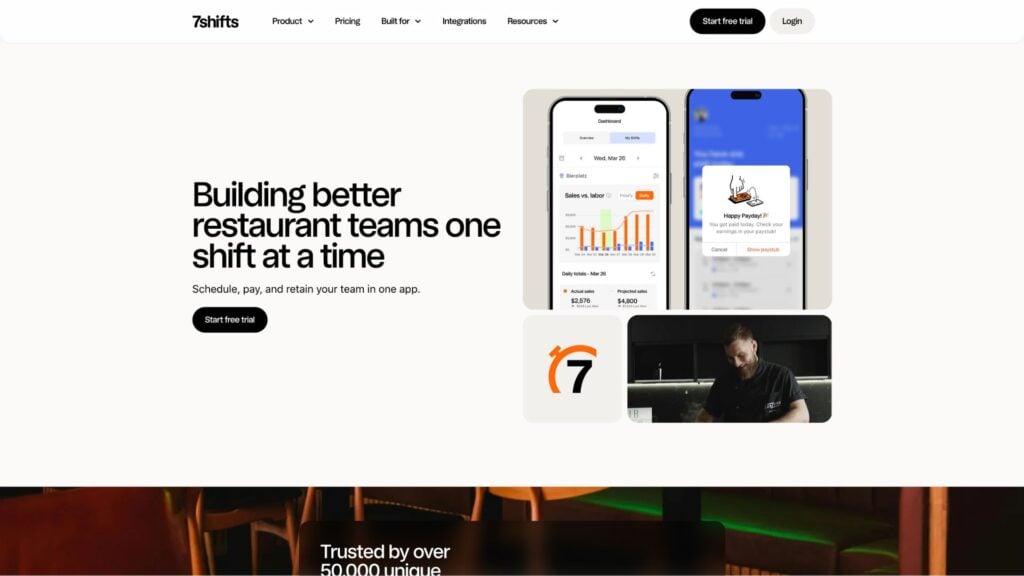
7shifts is a hospitality-focused scheduling platform that combines shift management with team communication and engagement tools. In our in-depth review of 7shifts, we tested its scheduling tools, labor visibility features, and communication capabilities.
Why I chose 7shifts: 7shifts made this list because it covers two things I weighted in my ranking: scheduling tied to labor budgets and built-in team communication. It also has hospitality-specific features like tip pooling, break attestation, and an AI auto-scheduler that some tools on this list don’t offer.
Demand-aware scheduling and shift management
7shifts lets you set labor targets based on forecasted sales, so you’re effectively scheduling to a budget rather than just filling shifts. However, its approach is more advisory than prescriptive. It shows labor targets and variances, but doesn’t enforce constraints or optimize against labor rules as tightly as Deputy does.
The AI auto-scheduler learns from your past scheduling patterns and adjusts recommendations based on seasonality, which is useful for hotels where staffing needs change significantly between summer peaks and quieter months.
Shift swaps work through a straightforward request and approval flow. Staff offer, trade, or pick up open shifts in the app, and the schedule updates once you approve.
One thing worth flagging upfront is that reviewing and approving staff availability requests is only available on paid plans, so the free version gives managers less control than it might seem at first glance.
Built-in engagement and team communication tools
7shifts has built-in chat and announcement features that keep all shift-related communication in one place. Rather than texting staff individually about a schedule change, you can post an announcement, and everyone sees it in the same app they use to check their shifts.
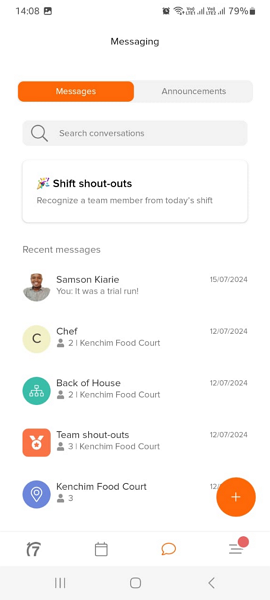
7shifts allows you to send messages to individual employees or groups of employees, such as “Back of House.” The platform also supports tip pooling and distribution. Managers can set up custom tip pool rules, and employees can receive detailed breakdowns of how exactly money was distributed, a practical addition for hotel restaurants or bars where splitting tips fairly can get complicated.
Time tracking and compliance
Unlike HotSchedules, 7shifts does include time tracking, handled through a free companion app called 7punches. Staff clock in and out through 7punches, and the data syncs back to the 7shifts dashboard in near real time. Geofencing and auto punch-out help prevent early clock-ins and forgotten clock-outs.
The break attestation feature asks staff to confirm at clock-out whether they took their required breaks, creating a paper trail that protects hotels in states with strict break laws. Deputy enforces break rules during scheduling; 7shifts verifies them at clock-out instead.
Where 7shifts falls short
Because time tracking runs through 7punches rather than 7shifts itself, managers end up working across two interfaces at the end of each pay period. This can take up valuable time and may lead to mistakes that wouldn’t happen with an integrated tool.
What users say about 7shifts
7shifts makes it easy to schedule my team and communicate with them. The app helps make sure they are plugged in and know their schedule.
Wish there was a better shift swapping system for multiple shifts.
0Key Features
- Machine learning auto-scheduler
- Team messaging and announcements
- Tip pooling and distribution
- Time tracking and break attestation
Pros
- Engagement tools support stronger team connection
- Scheduling adapts well to changing demand
Cons
- Time tracking requires a separate app
- Availability request approvals locked behind paid plans
Pricing
Starts at $39.99/month Trial: Yes — 14 days Free Plan: Yes — up to 15 users, 1 location
-

ZoomShift — Best for small hotels that need basic scheduling and time tracking without complex setup
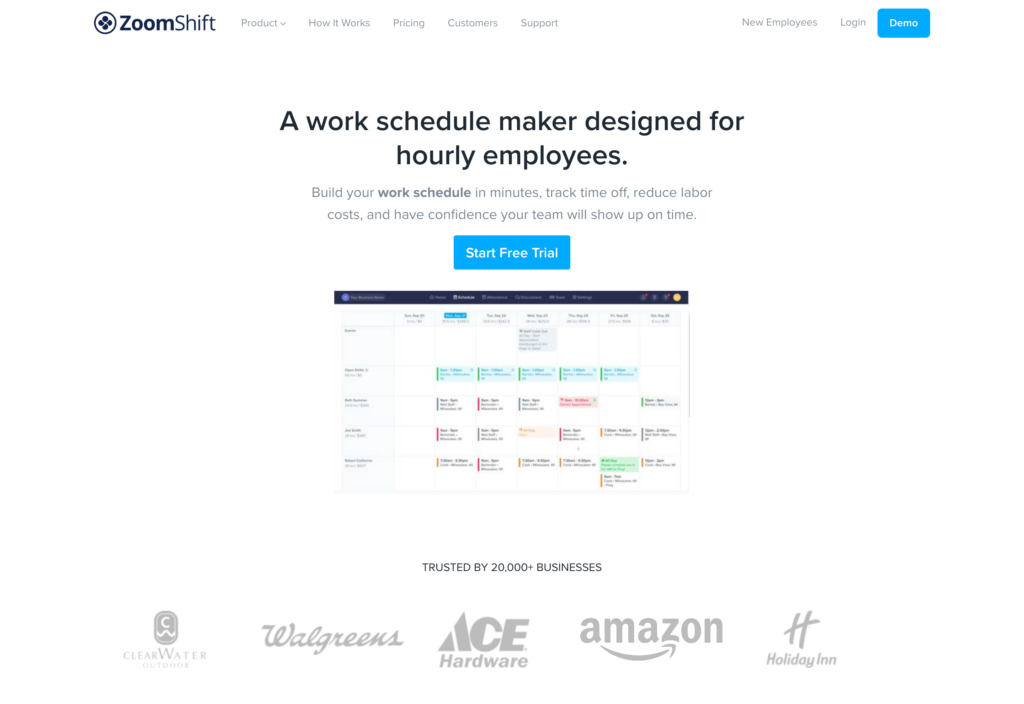
ZoomShift is a cloud-based scheduling and time tracking tool built for small hourly teams. It covers the basics well and is designed to be picked up quickly without training or lengthy setup.
We tested ZoomShift’s scheduling interface, time-tracking tools, and mobile experience as part of our hands-on evaluation in this category.
Why I chose ZoomShift: ZoomShift is a strong option for smaller hotels. It also made this list due to its fast schedule building and native time tracking without a separate app. Unlike HotSchedules and 7shifts, time tracking is built in by default, so managers don’t have to reconcile hours across two systems at the end of every pay period.
Simple scheduling with built-in labor visibility
ZoomShift’s drag-and-drop scheduler is straightforward to use from day one. You can copy previous schedules, use templates, and build a full week’s roster in a few minutes.
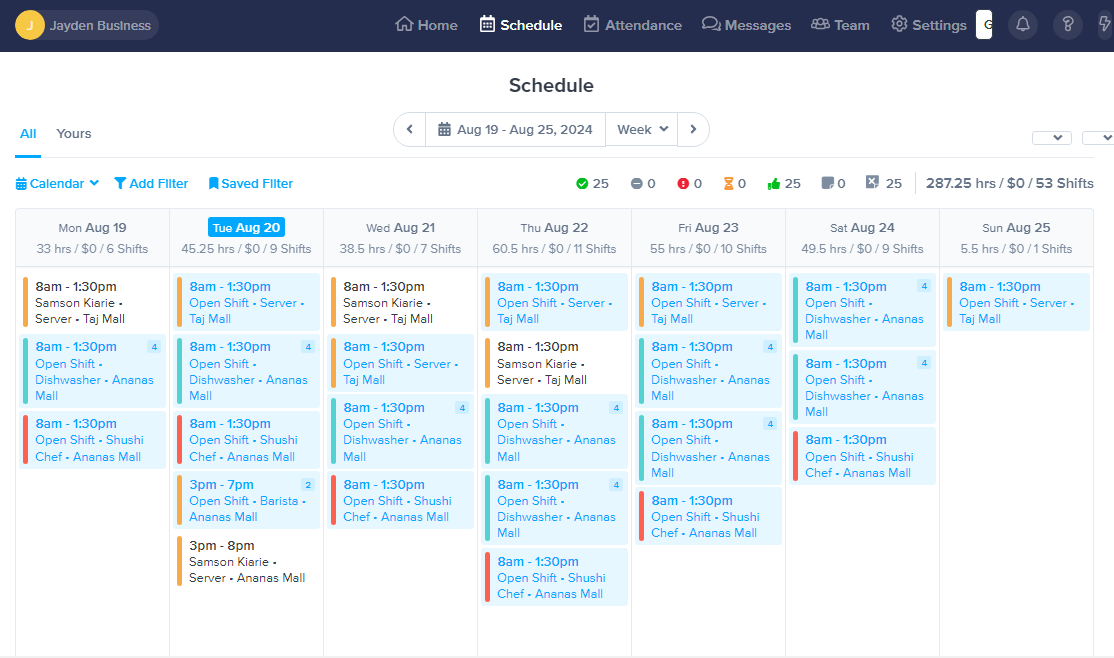
ZoomShift makes it easy to create and publish schedules. What I find useful is that ZoomShift shows projected labor costs and budget impact as you build the schedule, helping you catch overtime or overspending before publishing. However, this is more of a visibility feature. Unlike Deputy, ZoomShift doesn’t actively optimize or enforce labor budgets.
Plus, there’s no AI auto-scheduler here, unlike Connecteam, Deputy, or 7shifts, so staffing recommendations don’t adapt to seasonal demand.
Availability, shift coverage, and time-off requests
Employees submit their availability and time-off requests through the app. You can set a minimum notice period, so staff can’t request time off the day before a shift, leaving you scrambling. I like that when a shift needs filling, ZoomShift only shows it to employees who are actually qualified for that role, so you’re not getting requests from someone who hasn’t been trained for the front desk when you need front desk coverage.
However, overtime warnings are only available on paid plans, so the free version won’t flag when someone is approaching their hour limit.
Native time tracking with basic GPS
ZoomShift includes native time tracking on web and mobile, which is worth noting since several tools on this list handle it through a separate app. Staff clock in and out in the same app they use to check their schedule.
The Premium plan adds geofencing, so clock-ins are recorded only when staff are on the property. In my experience, this feature, also available through Connecteam, Deputy, ZoomShift, and 7shifts (through 7punches), is important for small hotels where a manager isn’t always watching the clock, and an early clock-in from the parking lot can add unnecessary labor costs over time.
That said, compliance controls are basic. ZoomShift won’t enforce break rules or flag rest period violations during scheduling, the way Deputy or Humanity do, which makes it a poor fit for hotels in states with strict labor laws.
Where ZoomShift falls short
ZoomShift has no reporting or analytics module to speak of. If you need visibility into labor trends, overtime patterns, or department-level cost breakdowns, you won’t find it here. The payroll integration options are also limited to QuickBooks, Square POS, and Xero, so hotels running other payroll systems will need to export and upload manually.
What users say about ZoomShift
Zoomshift allows me to sort my teams work schedule in a clean, efficient and user friendly manner.
I think it would be great if I had the ability to automatically approve shift coverage requests until it is within a 48hour window. Instead, I now have to approve all shift coverage requests just so I can catch any that are last minute call-outs.
Key Features
- Drag-and-drop shift scheduling
- Shift templates and schedule copying
- Built-in time tracking
- Availability and time-off management
Pros
- Labor costs update live as you build the schedule
- Time tracking included by default
Cons
- Limited compliance controls
- No AI auto-scheduler
Pricing
Starts at $2/active team member/month Trial: Yes — 14-day Free Plan: Yes
-

Humanity by TCP Software — Best for larger US hotel groups that need rule-based scheduling and labor compliance controls
TCP’s Humanity is a scheduling solution built around rule-based shift management and compliance enforcement. It supports large teams with complex shift patterns, multiple departments, and detailed compliance requirements.
Our evaluation of Humanity covered its scheduling structure, compliance tools, forecasting capabilities, and day-to-day usability for hotel teams.
Why I chose Humanity: Humanity made this list because it handles two things from my ranking criteria better than any other tool here: proactive compliance enforcement and AI-powered demand forecasting. It’s also the only tool on this list with pre-built state-specific labor law rules that apply automatically during scheduling, without requiring you to configure them from scratch.
Structured multi-department scheduling
Humanity lets managers build schedules using templates, copy past schedules, or generate shifts based on skills and availability. Each department gets its own scheduling rules, so your housekeeping roster and your front desk roster stay completely separate and don’t interfere with each other.
Shift trading is configurable, too. You can allow staff to swap shifts, with or without manager approval, depending on the department, giving larger hotel teams more flexibility in how they manage coverage. This level of per-department customization is where Humanity pulls ahead of most tools on this list for complex hotel operations.
Pre-built compliance-first rules and break enforcement
This is where Humanity is different from every other tool on this list. Rather than letting you build compliance rules from scratch, the way Deputy does, Humanity comes with pre-built state-specific rules covering mandatory breaks, overtime limits, and maximum working hours. You apply the rules for your state, and the system flags violations while you’re still building the schedule.
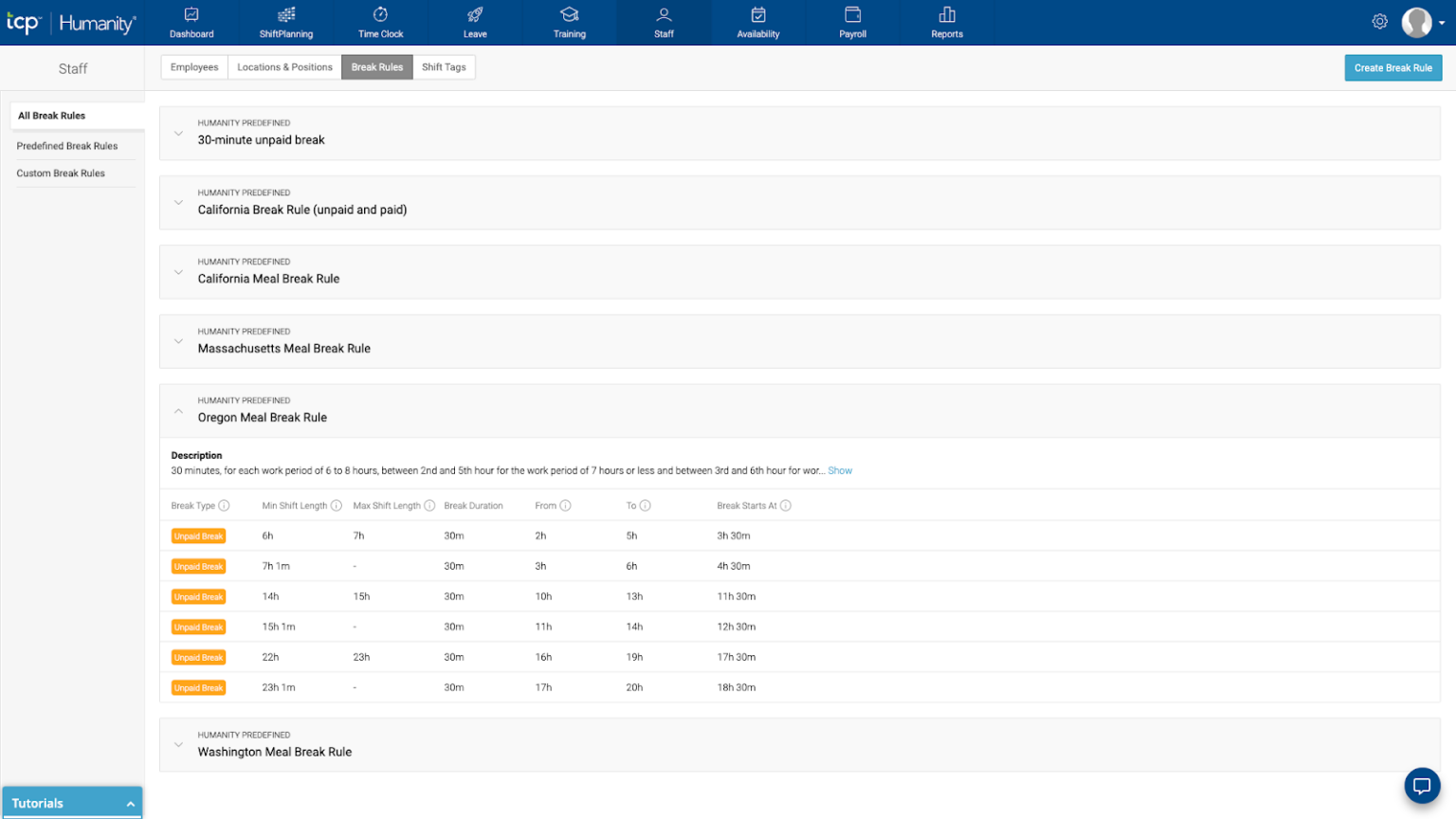
Humanity offers pre-built scheduling rules, and users can make their own rules to create compliant schedules. AI forecasting and auto-scheduling
Humanity’s AI forecasting uses historical data and demand signals to recommend staffing levels and automatically generate draft schedules. It’s more predictive than most tools on this list, but less prescriptive than Deputy when it comes to enforcing labor costs during scheduling.
Where Humanity falls short
Humanity doesn’t publish pricing publicly, so you need to contact sales before you can compare costs with other tools on this list. The interface also feels less modern than tools like Connecteam or 7shifts, and new users may need more time to get comfortable with it.
What users say about Humanity
It’s simple and easy to use. It adjusts appropriately to the changes I need to make regarding schedules and projects.
Uploading a schedule rarely works and we end up putting in everything manually, which is tedious and time consuming.
Key Features
- Department-based shift scheduling
- Compliance and labor rule enforcement
- AI-powered forecasting and auto-scheduling
- Open shifts and shift trading
Pros
- Handles complex schedules across departments
- Strong compliance controls built into scheduling
Cons
- Pricing details are not transparent
- Less suited for international hotel groups, pre-built rules are US-focused only
Pricing
Starts at $2.75/user/month Trial: Yes — 30 days Free Plan: No
Compare the Best Hotel Staff Scheduling Softwares
| Topic |
 Start for free
|
|
|
|
|
|
|---|---|---|---|---|---|---|
| Reviews |
 |
|
|
|
|
|
| Pricing |
Starts at just $29/month for the first 30 users
|
Starts at $5/user/month
|
Contact vendor for price
|
Starts at $39.99/month
|
Starts at $2/active team member/month
|
Starts at $2.75/user/month
|
| Free Trial |
yes
14-day
|
yes
30 days
|
no
|
yes
14 days
|
yes
14-day
|
yes
30 days
|
| Free Plan |
yes
Free Up to 10 users
|
no
|
no
|
yes
up to 15 users, 1 location
|
yes
|
no
|
| Use cases |
Best for hotel teams that need scheduling, time tracking, and staff communication in one phone-friendly app
|
Best for hotels that need stronger labor forecasting and compliance controls during scheduling
|
Best for hospitality teams that want restaurant-style scheduling workflows
|
Best for hotel restaurants and bars that need scheduling with tip-related team tools
|
Best for small hotels that need basic scheduling and time tracking without complex setup
|
Best for larger US hotel groups that need rule-based scheduling and labor compliance controls
|
| Available on |
Safety & Compliance Concerns
⚠️ A note on GPS tracking and staff privacy
Several tools on this list use GPS and geofencing features to confirm that staff members are on the property when they clock in. Before enabling location tracking, check whether your local laws require written employee consent. In some states and countries, tracking staff location without proper disclosure can be a legal liability.
What Is Hotel Staff Scheduling Software?
Hotel staff scheduler software is a tool that replaces paper rosters and spreadsheets with a central system that managers can update in real time. For hotels specifically, it handles the complexity of role-based scheduling across multiple departments, including housekeeping, front desk, maintenance, and food service, while keeping every staff member working from the same up-to-date schedule.
When occupancy changes or a shift falls through, managers can adjust coverage and notify staff instantly rather than working through phone calls and text threads.
How Does Hotel Staff Scheduling Software Work?
For managers, the process usually starts before the week begins. You build the schedule around occupancy, department needs, and staff availability, then publish it to employees’ phones. During the week, swap requests and time-off approvals happen in the app, and updates apply instantly.
For hotel staff, it’s simple. They check shifts, receive updates, and submit requests in one place. A housekeeper picking up extra hours before a busy weekend or a front desk agent requesting time off can both do it from their phone without tracking down a manager.
The Benefits of Hotel Staff Scheduling Software
Below are the key benefits of hotel staff scheduling apps and how these tools improve daily operations.
Fewer scheduling gaps during high-occupancy periods
When a hotel runs at full capacity, a single coverage gap in housekeeping or front desk can affect the entire guest experience. Scheduling software gives managers real-time visibility into coverage before problems surface, so shifts get filled proactively rather than reactively.
Less time rebuilding the same schedules
Most hotel scheduling follows predictable patterns week to week. Software that supports templates, shift copying, and reusable rosters eliminates the repetitive work of starting from scratch each time.
Better labor cost control tied to occupancy
Hotels operate on tight margins, and staffing needs shift constantly based on bookings. Scheduling software makes it easier to align coverage with actual demand, flag overtime risks early, and avoid overstaffing slow periods or understaffing busy ones.
How Much Does Hotel Staff Scheduling Software Cost?
Hotel staff scheduling tools generally fall into two pricing models: per-user monthly fees or per-location flat rates. Per-user pricing is common and works well for small teams, but costs increase quickly as your hotel grows. HotSchedules and Humanity don’t publish pricing publicly, which makes upfront budget comparisons difficult.
Deputy starts at $5 per user per month. ZoomShift offers a free tier for up to 20 users and a Starter plan at $2 per active user per month. 7shifts is free for single locations with up to 30 staff, with paid plans at $29.99 per location per month.
Connecteam offers a free plan for up to 10 users covering scheduling, time tracking, and communication. Paid plans start at around $29 per month for up to 30 users, which keeps costs predictable regardless of how many new hires you add.
FAQs
Yes. AI scheduling tools analyze staff availability, roles, and demand patterns to generate optimized schedules automatically. They can flag conflicts, suggest shift assignments, and adapt to changes like time-off requests or peak occupancy periods.
Yes, Connecteam offers a free plan for small teams of up to 10 users, providing core scheduling features, time tracking, and employee communication tools. It’s a great option for small hotels looking to streamline operations without the cost of a paid plan.
The Bottom Line on Hotel Staff Scheduling Software
Hotel staff scheduling software is most valuable when it reduces the gap between what managers plan and what actually happens on the floor. The tools that work best for hotels keep frontline staff informed, handle last-minute changes without constant manager involvement, and connect scheduling to time tracking and communication.
For many hotel teams, Connecteam is the strongest fit. It handles multi-department scheduling, keeps time tracking tied directly to shifts, and gives frontline staff mobile access without extra cost or setup.
