


When staffing changes during a dinner rush, disconnected schedules, time records, and messages can leave managers fixing coverage instead of supporting service.
I reviewed seven 7shifts alternatives and ranked them by restaurant scheduling, labor controls, POS and payroll connections, team communication, and multi-location fit.
Use these picks to find an option that keeps your restaurant running smoothly even when staffing plans change.
If you don’t have the time to read through our research, jump down to our quick comparison table.
| App | Best for | Starting Price | Key Considerations |
| Connecteam | Restaurant operations plus workforce management | Just $29/month for the first 30 users | Adds forms, tasks, and communication to workforce tools. |
| Homebase | Best overall for small and midsize restaurants | $24/location/month | Scheduling, time tracking, and messaging for smaller teams. Payroll costs extra. |
| Push Operations | Restaurant scheduling, payroll, and labor management | $30/month for 5 users | Connects labor, payroll, and tips. Minimum employee charges apply to each product. |
| HotSchedules by Fourth | Established restaurant groups using hospitality systems | Contact vendor for price | Sales-informed scheduling within Fourth’s hospitality ecosystem. |
| Deputy | Scheduling and compliance-heavy hourly teams | $5/user/month | Strong roster-to-timesheet workflow. Overlap warnings need a manager’s review. |
| Sling | Best budget-friendly scheduling and communication option | $1.70/user/month | Free scheduling for up to 30 employees. Time tracking requires a paid plan. |
| Restaurant365 | Restaurant groups wanting workforce tools inside a broader operations platform | Contact vendor for price | Connects workforce activity with restaurant financial data. Modules need a quote. |
What’s new in this update (September 2026)
- Added Push Operations, HotSchedules, Deputy, and Restaurant365 to the ranking, replacing Gusto and Findmyshift.
- Revised ranking to focus on restaurant fit first, with updated pricing and plan details and clearer guidance on tips, labor controls, and multi-location needs.
Our Top Picks
-
1

Best for restaurant operations plus workforce management
-
2

Best overall for small and midsize restaurants
-
3

Best for restaurant scheduling, payroll, and labor management
Why trust us?
Our team of unbiased software reviewers follows strict editorial guidelines, and our methodology is clear and open to everyone.
See our complete methodology
What is 7shifts?
7shifts is restaurant workforce management software for hourly employees. Managers can build schedules around projected sales and labor forecasts, approve shift swaps, and track hours, breaks, and overtime. Employees use the mobile app to check shifts and request changes.
Its restaurant-specific tools include tip pooling and a manager logbook for shift notes, daily summaries, and task completion. Payroll is available as an add-on, with timesheets, tips, and paid time off flowing into payroll processing. It also connects with POS systems such as Toast, Square, Clover, and Lightspeed.
7shifts offers a 14-day free trial and a free plan for one location with up to 15 employees. Paid plans start at $39.99 per location per month for up to 30 employees, billed annually.
Why Are People Moving Away From 7shifts?
7shifts already covers sales-informed scheduling, payroll, and tips, so switching isn’t simply about replacing those features. Restaurants may start looking elsewhere when their workflow becomes more complex, costs grow, or managers need tools that go beyond scheduling.
Some reviewers highlight where that friction can show up. One said payroll backfills require support, which can mean waiting for help when running payroll outside support hours. Another reported challenges with more complicated payroll needs, including deductions and setting up salaried managers. Scheduling can also feel limiting for longer-term planning, with one reviewer wishing they could view multiple weeks at once when closing payroll.
Cost can be another consideration once payroll and tip-management add-ons enter the picture. Depending on your restaurant, a better fit might mean a simpler employee experience, more operational forms and checklists, or workforce tools that connect with accounting and inventory, rather than simply another way to build schedules.
How I Ranked the Best 7shifts Alternatives
To find the best 7shifts alternatives, I focused on tools that support the way managers staff service, control labor, and move accurate records into payroll.
Here’s what I prioritized:
- Restaurant scheduling and shift coverage: Managers need scheduling that accounts for availability, time off, and changing demand, with recurring shifts, open shifts, and approved swaps built in.
- Labor forecasting and cost controls: The software should help managers match staffing to expected demand and spot labor or overtime costs before they add up.
- Time tracking and compliance safeguards: Managers need reliable clock-ins, easy timesheet reviews, and controls for breaks and overtime.
- POS and payroll integrations: Restaurant systems should connect smoothly, keep sales and employee data up to date, and minimize manual exports or corrections.
- Tip-management workflows: Restaurants need tools that support tip tracking, pooling, allocation rules, approvals, and payroll handoffs, not just employee hours.
- Team communication and manager handoffs: The software should support schedule updates, messaging, shift notes, logbooks, tasks, checklists, and forms for tracking daily operations.
- Multi-location visibility and control: There should be shared employee records, location-level permissions, consolidated reporting, and visibility into staffing and labor across venues.
The 7 Best 7shifts Alternatives for Restaurant Teams
-
Connecteam — Best for restaurant operations plus workforce management
Connecteam combines scheduling and time tracking with communication, forms, tasks, and training in one employee app.
Why I chose Connecteam: I ranked Connecteam #1 because it combines restaurant scheduling and time tracking with the communication, forms, tasks, and training tools managers use to run daily operations in one employee app.
Scheduling and restaurant operations
Connecteam’s employee scheduler lets managers build schedules across locations, departments, and time zones with a drag-and-drop editor. Employees can submit availability and time-off requests in the app, while managers can publish open shifts, assign jobs and tasks, attach notes or files, and require specific roles or certifications.
Repeating shifts and templates are available on the Advanced plan, while the AI Auto Scheduler is an Expert feature. It assigns shifts based on availability, qualifications, custom rules, and fairness, while conflict detection flags overlapping shifts and double-bookings.
Managers can also compare scheduled and actual labor costs to see where staffing ran over budget. For restaurants using supported POS systems, integrations with Lightspeed, Square, and Clover sync sales with employee hours, helping managers track labor percentages, compare staffing costs with revenue, and plan coverage around expected demand.
Time tracking and payroll handoffs
Connecteam’s employee time clock lets employees clock in from mobile, desktop, or a shared kiosk. GPS stamps, geofences, and NFC add location checks, while recorded hours land in timesheets for review before payroll. The Advanced plan adds automatic clock-out and up to 10 geofence sites, while Expert supports unlimited sites.
Managers can set manual or automatic breaks, and Connecteam calculates overtime automatically. Alerts warn managers when employees approach unapproved overtime.
Payroll integrations include QuickBooks Online, RUN Powered by ADP®, Gusto, Xero, and Paychex, alongside file exports.
Communication and multi-location coordination
Connecteam also includes task management, digital forms and checklists, team messaging, onboarding, and training. Managers can assign tasks to shifts, share updates and files, and track read status, keeping schedules, communication, and daily operations in one app.
Paid hubs are priced separately, so restaurants using Operations, Communications, and HR & Skills should compare the combined cost.
0Key Features
- Scheduling, open shifts, and shift tasks
- AI scheduler and conflict detection
- GPS time clock and payroll integrations
- In-app tasks, forms, and messaging
Pros
- Combines workforce and daily operations
- One mobile app for all features
Cons
- Doesn’t work without internet connection
- Paid hubs are purchased separately
Pricing
Free-for-life plan availablePremium plans start at $29/month for 30 users
14-day free trial, no credit card required
Start your free trial -
Homebase — Best overall for small and midsize restaurants
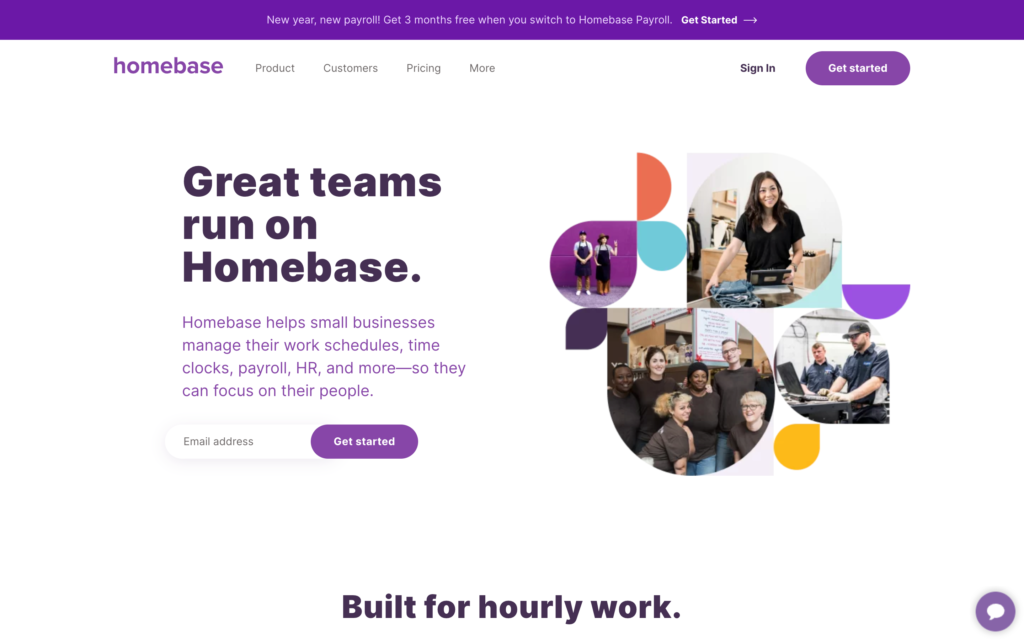
Homebase combines scheduling, time tracking, messaging, and payroll options for small businesses.
Why I chose Homebase: I ranked Homebase #2 because its free single-location tier covers both scheduling and time tracking, giving smaller restaurants a useful starting point before adding more controls.
Restaurant scheduling and labor visibility
Homebase lets managers build schedules from scratch, copy previous weeks, create recurring templates, add open shifts, and manage shift covers and trades. Employees can also submit their availability and preferences. The scheduler shows estimated hours and labor costs before publication, and during testing, Homebase flagged all of the schedule conflicts we created.
The Plus plan adds AI scheduling that considers availability and labor budgets. However, we couldn’t access AI scheduling during testing, even after troubleshooting with support. It’s a good idea to confirm this feature’s availability if it’s important to your restaurant workflow.
Homebase charges by physical location, which means costs increase as you add restaurants even if each has a small team. Compare pricing across your full location count rather than just the starting plan.
Time tracking and payroll
Homebase’s time clock works on phones, tablets, desktops, and supported POS systems. Managers can allow clock-ins on personal phones or set up a shared tablet with individual PINs. Recorded hours, breaks, overtime, and paid time off feed into timecards and payroll reports, with options for GPS tracking, clock-in photos, and geofences.
Restaurants can process payroll through Homebase’s add-on or connect an external provider like Gusto. Payroll costs extra on every plan, including All-in-One, so keep that in mind when selecting a scheduling subscription.
During testing, an overtime shift didn’t trigger a manager alert, and the iPhone time clock didn’t work offline. If connectivity or overtime controls are important to your business, test these out before implementing Homebase.
Team communication and reporting
Homebase’s built-in messenger reaches individuals, groups, or the whole company. Managers can keep shift updates in the same app employees use for schedules instead of sending them through personal text threads.
Reports cover hours, attendance, and labor costs, but customization is limited. During testing, we couldn’t build custom reports to investigate repeated early clock-ins. Restaurants that need detailed cross-location analysis should check whether the standard reports are enough.
0Key Features
- Scheduling, open shifts, and employee swaps
- Multi-device time clock and payroll reports
- Individual, group, and company messaging
- Optional payroll processing and external integrations
Pros
- Free scheduling and time tracking for small teams
- Everyday workforce tools in one app
Cons
- Payroll costs extra on every plan
- Clock-ins didn’t work offline during testing
Pricing
Starts at $24/location/month Trial: Yes — (14-day) Free Plan: Yes — (one location and up to 10 employees)
-
Push Operations — Best for restaurant scheduling, payroll, and labor management
Available on
- Web
- iOS
- Android
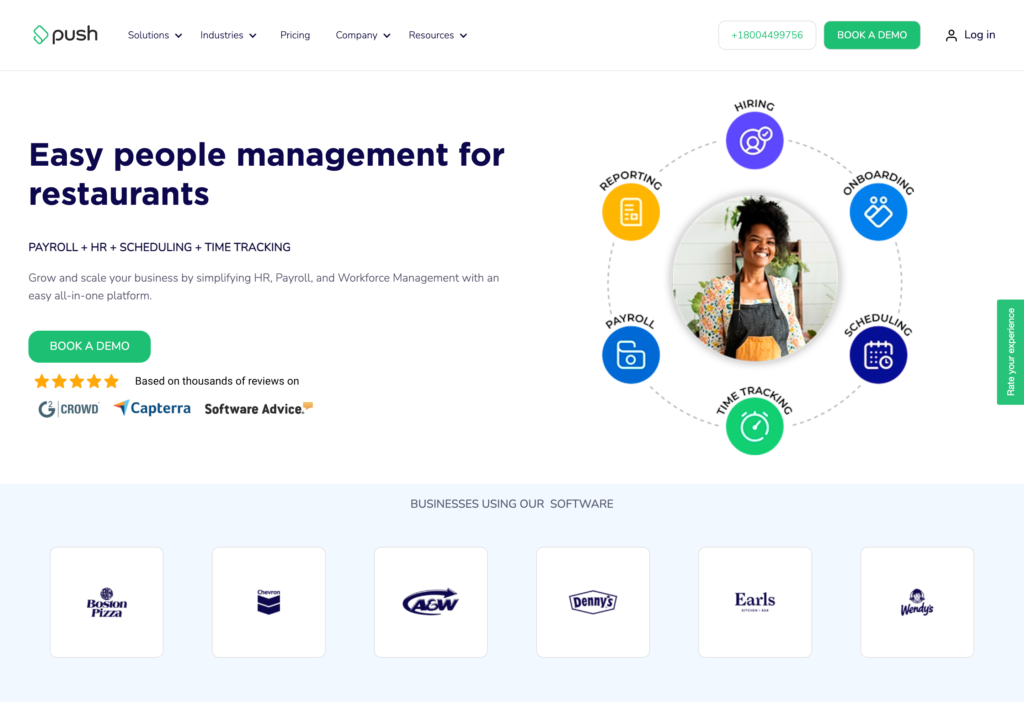
Push Operations combines restaurant scheduling, time tracking, payroll, labor reporting, and tip automation.
Why I chose Push Operations: Push Operations made the list because it connects restaurant-specific tip rules and sales-based labor reporting with the shift data managers use to run payroll.
Restaurant scheduling and labor controls
With Push Operations, managers can handle shift swaps, releases, and time-off requests from one scheduling view. The Signature plan includes labor forecasting, cost controls, POS integrations, and real-time compliance alerts. Supreme adds auto-scheduling, advanced forecasting, and state-specific automatic break compliance.
Those plan differences matter if you’re replacing a sales-driven scheduling workflow rather than a basic roster. If your restaurant needs automated staffing decisions or more advanced break controls you should check the relevant tier, instead of assuming the entry package includes everything.
Payroll, time tracking, and tips
Push connects labor-tracking records with payroll and reports on overtime, breaks, scheduled hours, and clock-approval exceptions. Managers can review those exceptions before they become pay corrections.
Tip Automation distributes a pool by position and hours worked. It can’t assign an individual employee a custom pool percentage, which matters if your policy needs one-off individual splits rather than role-based allocation. It’s a good idea to check which subscription is required for this feature and which payroll jurisdictions are supported.
Also, keep in mind that each product used has a 5-employee minimum, so a smaller restaurant will still pay for five seats per product.
POS connections and multi-location reporting
POS integrations feed sales data into Push, including revenue-center views, with listed connections such as Aloha, Clover, Lightspeed, and Square. Managers can also enter actual and forecast sales manually when a POS isn’t connected.
For growing restaurant groups, the Signature plan supports multi-state and multi-location payroll, while Supreme adds employee linking and a centralized enterprise dashboard. Before relying on POS data for same-day staffing decisions, confirm what sales data syncs and how frequently it updates.
Key Features
- Scheduling with swaps and labor controls
- Connected payroll and time-tracking records
- POS-linked sales and labor reporting
- Tip automation and multi-location payroll
Pros
- Restaurant-specific labor-to-payroll workflow
- Higher-tier controls for growing restaurant groups
Cons
- Five-seat minimum for each product
- No custom tip-pool percentage for individuals
Pricing
$30/month for 5 users Trial: No Free Plan: No
-
HotSchedules by Fourth — Best for established restaurant groups using hospitality systems
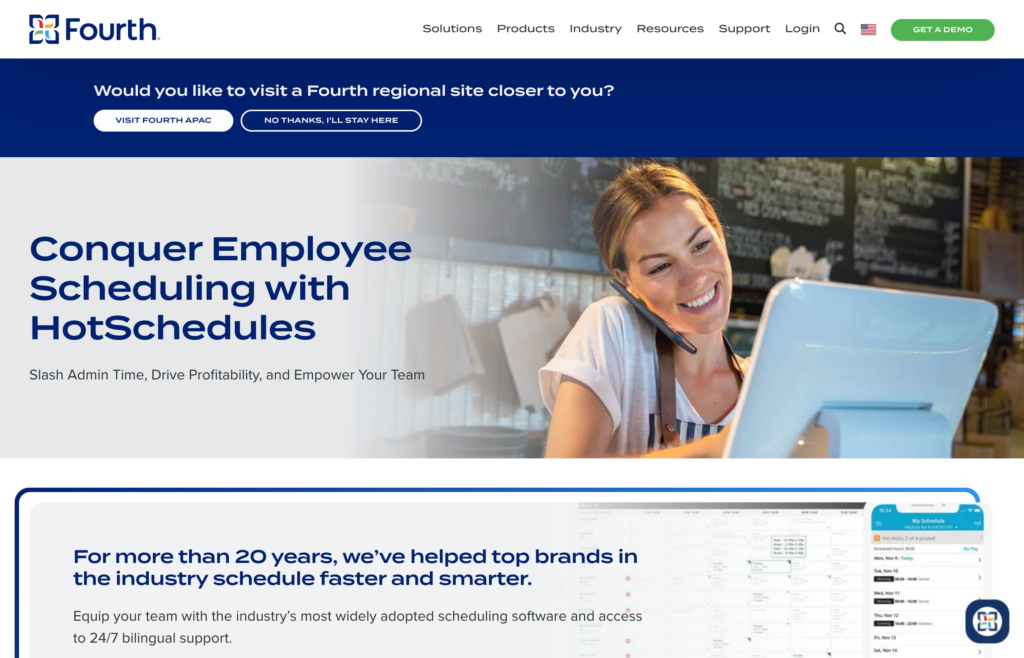
HotSchedules is Fourth’s hospitality-focused scheduling tool for established restaurants using its broader technology platform.
Why I chose HotSchedules: I chose HotSchedules because its sales-informed scheduling and hospitality integrations make it a strong option for groups already working with these systems.
Scheduling and labor planning
Managers can drag and drop shifts, copy schedules, and review employee availability and time-off requests in HotSchedules. Employees can also pick up or release shifts, with managers approving each action. For recurring schedules, you can reuse existing patterns instead of rebuilding the roster each week.
HotSchedules also combines sales forecasts with labor planning. Managers can forecast demand from historical data, generate ideal labor targets using drivers such as sales or guest counts, and compare scheduled coverage against those targets.
Auto Scheduling fills existing shifts based on availability, skills, and hour limits, while Schedule Score flags overtime, conflicts, and labor-rule issues before publication.
Time tracking and restaurant controls
HotSchedules pulls clock-in and clock-out data from a connected POS or WebClock. Managers can review and edit punches when needed, and lock completed pay periods to prevent further changes before payroll.
Exception tools highlight when actual hours don’t match the schedule, including late schedule changes and other differences.
HotSchedules also includes reports for tipped wages and minimum-wage gaps, helping managers catch issues before payroll. These controls support compliance, but managers still need to check the rules that apply to each location.
Communication and integrations
HotSchedules supports direct and broadcast messaging, while Logbook gives managers a place to record shift notes, handoffs, and follow-up tasks.
Fourth lists POS integrations including Toast, Oracle MICROS, and NCR Aloha. Its Future POS integration can share sales and scheduling data in real time and use historical sales for forecasting, but you should confirm what data their specific connector supports and how often it updates.
While Fourth offers broader payroll, tip-pooling, and digital tip-payout tools, these may not all be included with HotSchedules itself. Check the scope and pricing separately if you need an end-to-end payroll or tip-management process.
Key Features
- Hospitality-focused drag-and-drop scheduling
- Manager-approved shift pickup and release
- Sales-informed labor planning and forecasting
- POS connections and payroll report exports
Pros
- Restaurant-specific shift coordination
- Broad hospitality-system connections
Cons
- Payroll and tip features may cost extra
- POS integrations don’t all work the same way
Pricing
Contact vendor for price Trial: No Free Plan: No
-

Deputy — Best for scheduling and compliance-heavy hourly teams
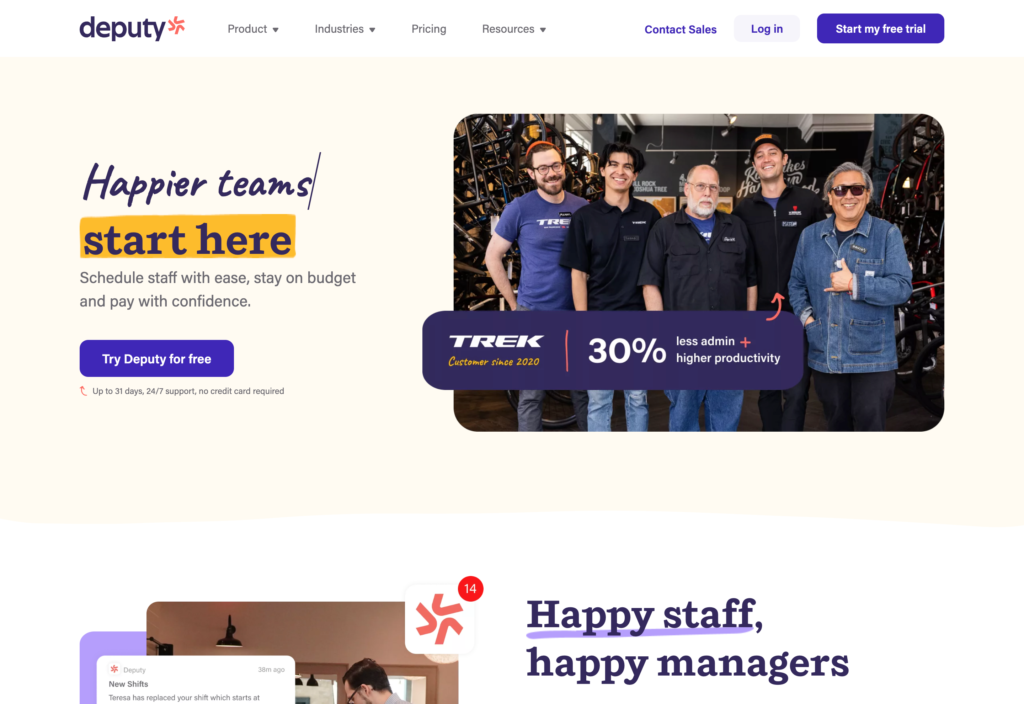
Deputy offers scheduling, time tracking, and timesheets, with communication, tasks, reporting, and payroll tools.
Why I chose Deputy: Deputy’s scheduling controls, break planning, and multi-device clock-ins are a good fit for restaurants that need structured staffing and labor compliance.
Shift scheduling and coverage
Managers can build weekly schedules with drag-and-drop editing, templates, copied shifts, and open shifts for employees to claim. Deputy checks approved leave, availability, certifications, and qualifications before assignment, while break and overtime settings support configured labor rules. Auto scheduling is available on the Core and Pro plans.
However, during testing, Deputy didn’t flag overlapping shifts for the same employee across two areas or warn about leave that was still awaiting approval. Managers should still review schedules carefully before publishing rather than relying on the warning count alone.
Time clock and payroll handoff
Employees can clock in through browsers, phones, or shared kiosks. Depending on your setup, safeguards include GPS capture, geofences, PINs, and facial recognition. Managers can review and approve timesheets before exporting them to connected payroll software. Deputy offers built-in payroll as a paid add-on, but it’s currently available in the US only.
During testing, mobile access was read-only when offline. We couldn’t update schedules, timesheets, or draft announcements without connectivity, which is a practical limitation to keep in mind for back-of-house areas with weak reception.
Communication and restaurant reporting
Deputy’s News Feed supports messages to individuals, locations, or departments, with attachments. Tasks can have subtasks, deadlines, and recurring schedules. But messaging doesn’t support custom groups, making it less flexible for handoffs between a selected mix of managers.
Reports can compare scheduled hours, actual hours, and sales data, which helps restaurant managers review labor performance. Many reports require Analytics+, though, and are basically just exportable tables, not highly visual restaurant dashboards.
0Key Features
- Drag-and-drop schedules and open shifts
- GPS, geofencing, and biometric clock-ins
- Timesheet approvals and payroll exports
- Break planning and sales-aware reporting
Pros
- Detailed roster-to-timesheet workflow
- Flexible clock-ins on shared and personal devices
Cons
- No alert for overlapping shifts in testing
- Offline mobile access is read-only
Pricing
Starts at $5/user/month Trial: Yes — 30 days Free Plan: No
-

Sling — Best budget-friendly scheduling and communication option
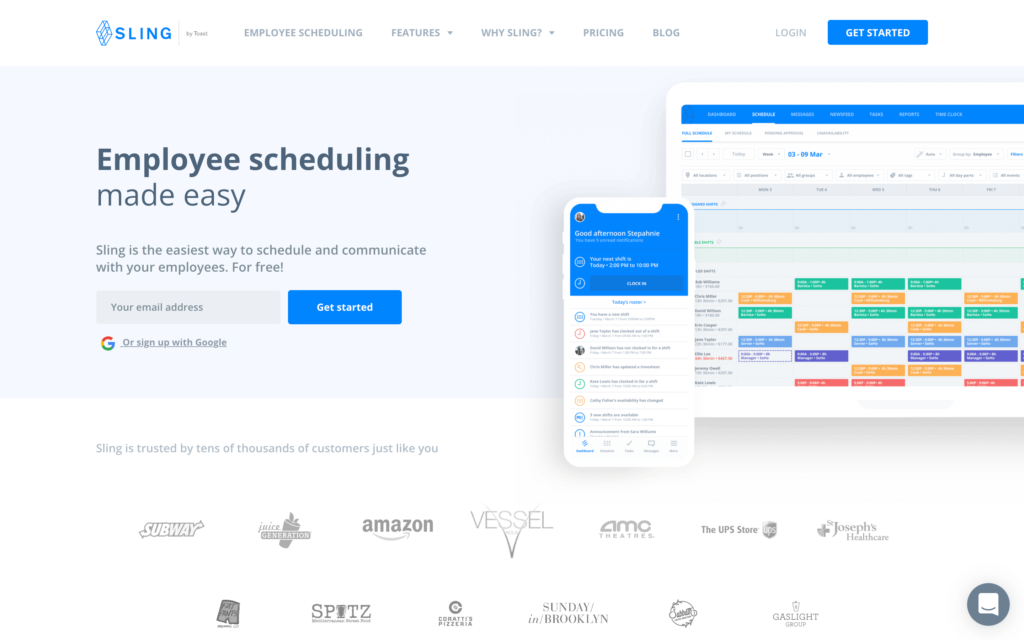
Sling combines scheduling and team communication, with time tracking and more detailed reports on paid plans.
Why I chose Sling: I included Sling because smaller restaurants can coordinate schedules across locations without paying for time-tracking or reporting tools they may not need yet.
Scheduling and labor controls
Sling lets managers drag and drop shifts, reuse templates, manage availability, and attach notes or tasks to the schedule. Employees can pick up open shifts and request swaps, while the labor-cost views help managers review planned hours. Just know that shift swaps and templates are available from the Premium plan.
During testing, Sling warned us about overlapping shifts but allowed us to assign them anyway. Break and rest-time warnings also needed active review. Keep in mind that an alert alone doesn’t actually stop you from publishing the schedule with conflicts.
Mobile time clock and connectivity
Sling’s Premium plan adds mobile time tracking and geofencing, while Business adds a kiosk time clock. Sling blocked our early clock-in attempt and also rejected a punch from the wrong location.
While it records employee start times, locations, and comments, Sling doesn’t have a running timer employees can view throughout their shift.
Time tracking is a paid feature, so it requires an upgrade. The mobile app also requires an active internet connection, which means managers can’t make offline schedule changes and employees can’t clock in when restaurant connectivity drops.
Communication and restaurant integrations
Sling’s messaging, announcements, newsfeeds, and file sharing support shift communication. Reports and employee documents are available on the Business plan, with full reporting available on desktop, not mobile.
Sling doesn’t have built-in payroll. Its restaurant-system integrations include Toast and Square and can sync employee, timesheet, and sales data to compare scheduled versus actual labor costs. This integration capability doesn’t automatically mean a full payroll or tip-management workflow is included, which is something to consider in your decision process.
0Key Features
- Scheduling with open shifts and swaps
- Mobile and kiosk time clock with geofencing
- Messaging, announcements, and file sharing
- POS-linked time and sales data
Pros
- Free scheduling across multiple locations
- Affordable paid tiers for smaller teams
Cons
- Time tracking requires a paid plan
- Mobile work requires internet access
Pricing
Starts at $1.70/user/month Trial: Yes — (15 days) Free Plan: Yes — (for up to 30 users)
-

Restaurant365 — Best for restaurant groups wanting workforce tools inside a broader operations platform
Available on
- Web
- iOS
- Android
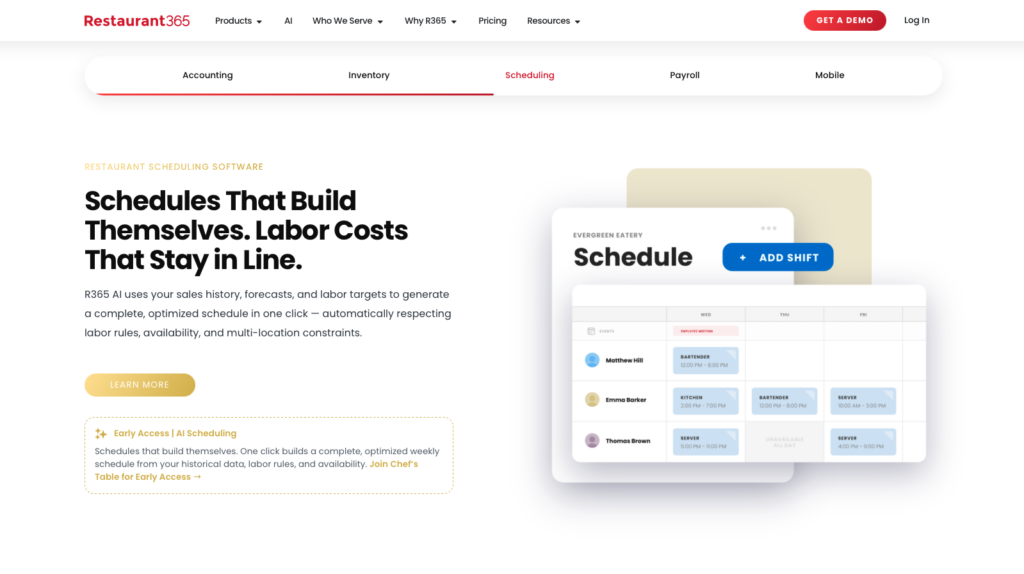
Restaurant365 brings workforce management into a platform for accounting, inventory, purchasing, and restaurant financial visibility.
Why I chose Restaurant365: Restaurant365 helps keep labor decisions connected with sales and profit-and-loss reporting rather than stopping at the schedule or timesheet.
Restaurant labor scheduling and forecasting
Restaurant365 uses historical POS data and sales forecasts to recommend staffing levels. Optimized scheduling builds shifts from those figures, while scheduled-versus-actual labor views help managers see when staffing trends over budget during service.
Local managers can build schedules while corporate leaders maintain visibility across restaurants. That’s useful for groups balancing consistent labor targets with individual locations’ demand patterns. There’s no public starting price, so comparing the full cost requires a custom quote instead of a simple per-user calculation.
Time, payroll, tips, and compliance controls
Clock-ins, clock-outs, break tracking, and overtime alerts sit alongside scheduling. Restaurant365’s built-in payroll can receive workforce hours and tip data, while tip pooling, sharing, and tip-out calculations follow your configured rules.
This connects several restaurant-specific steps, but managers still need to confirm local compliance rules, tip policies, and payroll jurisdictions. When you request your sales quote, make sure to check which workforce, payroll, and HR tools are included because not every package is the same.
Team communication and restaurant operations
Employees can view schedules, request time off, swap shifts, and receive alerts on mobile. Managers can communicate in English and Spanish while accessing sales, labor, and inventory information.
The broader platform is what really sets Restaurant365 apart from a standalone scheduler. It lets restaurant groups review staffing alongside accounting and purchasing. Just check which POS connectors and implementation services you need to bring location data into one view.
Key Features
- Forecast-driven restaurant scheduling
- Scheduled-versus-actual labor monitoring
- Connected time, payroll, and tip rules
- Corporate visibility across restaurant locations
Pros
- Links staffing with restaurant financial performance
- Covers workforce and broader operations needs
Cons
- No public starting price
- Module inclusions require a sales quote
Pricing
Contact vendor for price Trial: No Free Plan: No
Compare the Best 7shifts Alternatives
| Topic |
 Start for free
|
|
|
|
|
|
|
|---|---|---|---|---|---|---|---|
| Reviews |
  |
|
|
|
|
|
|
| Pricing |
Starts at just $29/month for the first 30 users
|
Starts at $24/location/month
|
$30/month for 5 users
|
Contact vendor for price
|
Starts at $5/user/month
|
Starts at $1.70/user/month
|
Contact vendor for price
|
| Free Trial |
yes
14-day
|
yes
(14-day)
|
no
|
no
|
yes
30 days
|
yes
(15 days)
|
no
|
| Free Plan |
yes
Free Up to 10 users
|
yes
(one location and up to 10 employees)
|
no
|
no
|
no
|
yes
(for up to 30 users)
|
no
|
| Use cases |
Best for restaurant operations plus workforce management
|
Best overall for small and midsize restaurants
|
Best for restaurant scheduling, payroll, and labor management
|
Best for established restaurant groups using hospitality systems
|
Best for scheduling and compliance-heavy hourly teams
|
Best budget-friendly scheduling and communication option
|
Best for restaurant groups wanting workforce tools inside a broader operations platform
|
| Available on |
Web, iOS, Android
|
Web, iOS, Android
|
FAQs
Homebase and Sling both offer free plans. Homebase includes scheduling and time tracking for up to 10 employees at one location. Sling supports up to 30 employees and multiple locations, but time tracking requires a paid tier. Compare those limits with your actual headcount and clock-in needs.
Some do. Push Operations connects labor records with payroll and offers position-based tip automation; Restaurant365 offers built-in payroll and configurable tip rules. Other tools use payroll integrations or exports. Check payroll geography, fees, tip-policy support, and approval steps before switching.
No. Break rules, overtime alerts, and schedule warnings can help managers apply policies, but their behavior depends on configuration and local requirements. Confirm which warnings block an action, which can be overridden, and who reviews exceptions before publishing schedules or approving pay.
The Bottom Line
To find the right 7shifts alternative, start with what you need the software to solve. A smaller restaurant may only need scheduling and time tracking, while a growing group may want connected payroll, stronger labor controls, or broader operations tools. Compare the total cost and how much manual work each option still leaves for managers.
Connecteam is worth considering when you want workforce management and everyday restaurant operations in one employee app. Whatever you choose, confirm the required features, integrations, and plan limits against your actual workflow before switching.
