


Engineering schedules can fall apart fast when the wrong person is sent to a job, a license expires unnoticed, or a last-minute call-out leaves a site uncovered.
I reviewed 5 engineering staff scheduling software solutions, focusing on scheduling speed, field visibility, compliance controls, skill-based assignment, and communication.
This guide will help you choose the tool that keeps jobs staffed correctly, teams informed, and risks easier to catch before they become expensive problems.
| App | Best for | Starting Price | Key Considerations |
| Connecteam | Best for field engineering teams that need scheduling, time tracking, tasks, and communication in one app | Just $29/month for the first 30 users | Best overall fit for coordinating engineers across job sites, but not built for technical project planning like Gantt charts, CAD workflows, or backlog management. |
| Deputy | Engineering teams with fluctuating demand and labor-cost pressure | $5/user/month | Strong demand-based scheduling and labor forecasting, but private messaging and advanced security features may require higher-tier plans or add-ons. |
| Humanity by TCP Software | Multi-state engineering teams that need advanced scheduling compliance controls | $2.75/user/month | Strong fit for complex labor rules, certifications, and compliance-heavy scheduling, but setup and day-to-day management can feel heavy for smaller teams. |
| Sling | Engineering teams that need simple, low-cost shift planning | $1.70/user/month | Easy to use and affordable for basic scheduling, but its mobile management tools and live field visibility are more limited. |
| Workforce.com | Enterprise engineering organizations that need labor forecasting and cost visibility at scale | Contact vendor for pricing | Built for large workforce planning and budget control, but its complexity and implementation needs make it less practical for lean field teams. |
Our Top Picks
-
1

Best for field engineering teams that need scheduling, time tracking, tasks, and communication in one app
-
2

Best for engineering teams with fluctuating demand and labor-cost pressure
-
3

Best for multi-state engineering teams that need advanced scheduling compliance controls
Why trust us?
Our team of unbiased software reviewers follows strict editorial guidelines, and our methodology is clear and open to everyone.
See our complete methodology
How I Ranked the Best Engineering Staff Scheduling Software
When evaluating engineering staff scheduling software, I looked for tools that proactively prevent staffing and compliance issues, rather than focusing on standard run-of-the-mill scheduling features. Here’s what influenced my rankings.
Must-have tools for smarter scheduling and resource management
- Faster scheduling: I looked for platforms with drag-and-drop features, templates, and other tools that make it quick and easy to build weekly schedules. Platforms that were too manual or clunky ranked lower.
- Location tracking: Good software lets you track that engineers are where they need to be and aren’t clocking in outside of their job sites. That’s why I prioritized platforms with geofencing and gave higher points to those with real-time GPS tracking.
- Built-in compliance controls: I favored solutions that proactively flag issues with breaks, overtime, expiring certifications, and other breaches. Platforms that didn’t help to identify risks early scored lower.
I also made sure the software was designed for effective field service management
- Practical for field-based engineering teams: I gave preference to engineer scheduling software with strong mobile functionality, since most tasks are spread across job sites. No mobile app was an immediate dealbreaker.
- Easily scalable: I gave more weight to platforms that could service growing engineering teams, multiple job sites, and increasing client demand without breaking down. Software supporting employee self-service through open shifts, shift swapping, time tracking, time off requests, and more ranked well.
- User-friendly interface: I only picked software that was easy to use for everyone, from managers to engineering teams. Complex and cluttered platforms didn’t make it to my list.
Finally, I gave bonus points to these top-notch features that boost value for money
- AI scheduling: I prioritized software that automatically assigns engineers to jobs based on their location, availability, and skills, since assigning the wrong person can delay projects and pose compliance risks.
- Instant communications: Schedules change at the drop of a hat, so I gave extra weight to software with real-time communication tools and smart alerts, ensuring no one misses important updates.
- Job management: Since managers can’t supervise every engineer in real time, I heavily prioritized solutions with remote task tracking, digital forms, and checklists so engineers don’t just know where and when to go, but are also clued in on what to do.
The 5 Best Engineering Staff Scheduling Softwares
-
Connecteam — Best for field engineering teams that need scheduling, time tracking, tasks, and communication in one app
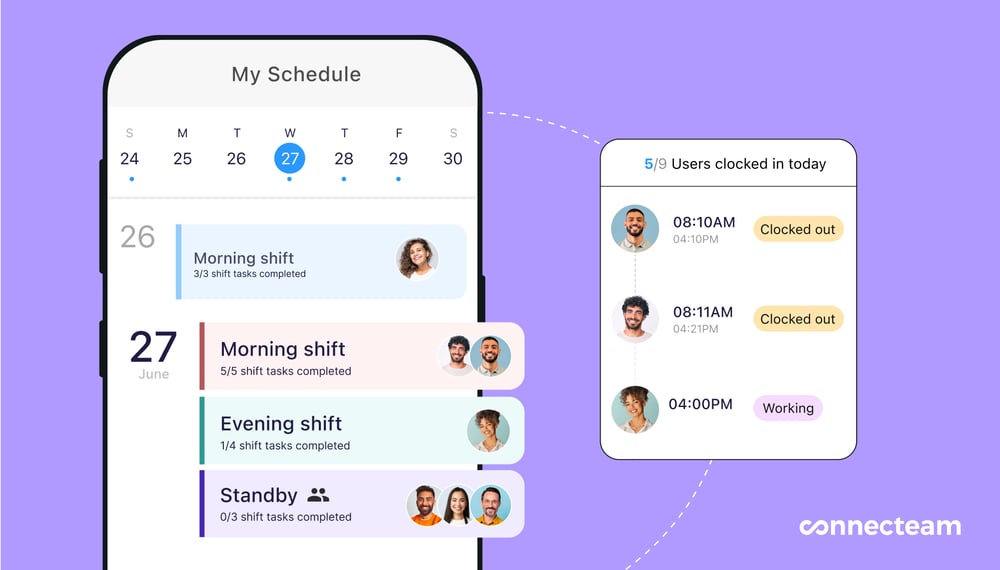
Connecteam lets you track progress for shifts, tasks, and time in one place. Connecteam topped my list of the best scheduling software for engineering teams. It’s built for field businesses, making it particularly effective for engineering teams that work across multiple job sites.
Why I chose Connecteam: Connecteam combines communication, scheduling, and task management, and has its own mobile app. Of all the platforms on my list, it’s best suited to engineers who work from multiple locations and need precise, real-time information during their shifts.
Let’s take a closer look at exactly how Connecteam works for engineering staff.
Smart scheduling tools
With Connecteam’s employee scheduler, I could quickly build a roster with drag-and-drop and copy-paste tools, use recurring shifts and templates, and even add legally required rest breaks. I could then manually assign shifts to employees, use Connecteam’s AI scheduling, or combine both. This gave me much more flexibility than most tools I tested.
The AI scheduler made life much easier by automatically assigning engineers to shifts based on their location, skills, and availability, keeping operations efficient and compliant.
This feature can also be useful during emergencies that engineering teams often encounter. For instance, if you need someone to handle a sudden equipment failure, the AI tool can instantly assign a nearby qualified engineer, ensuring a quick turnaround and boosting customer satisfaction.
Self-service tools
With Connecteam, you can allow engineers to pick from open shifts or swap trades with or without your approval. This works well, as you can empower workers to choose from low-stakes jobs while mandating approval for riskier projects. Connecteam also supports time off management, so workers can request leave from their mobile apps, and you can track their availability from yours.
Mobile time clock
Engineers often work across multiple teams, job sites, and offices, handling difficult, high-stakes problems like site inspections, urgent repairs, and installations. The last thing they want to think about is the difficulty of clocking in and out.
Connecteam’s employee time clock, with one-click time tracking plus reminders, makes it easy for engineers to log hours from their phones. If you regularly deal with missed punches and manual corrections, this feature is worth prioritizing. You can also check, approve, and sync timesheets with one of Connecteam’s payroll partners for seamless, timely payments.
Unfortunately, the time clock doesn’t work without an internet connection, which makes it less ideal for engineers working remotely.
Location tracking
I also discovered that Connecteam has a real-time GPS tracker, showing managers exactly where engineers are, and only during work hours to stay compliant. They can even set geofences to prevent time tracking outside of designated work zones. Since managers can’t be everywhere at once, I thought this was a handy way to ensure engineering projects stay on schedule and to prevent time theft.
Task management, live reporting from the field, team documents, and so much more
Connecteam does more than just scheduling. I could, for instance, add tasks, subtasks, and shift notes within each engineer’s shift so they know exactly what’s expected of them on the job. My dashboard also included real-time employee task tracking to ensure things run smoothly.
I was a fan of the digital forms and checklists, which make it easy for workers to follow step-by-step processes. I thought this was excellent for following strict health and safety protocols across sites. It also gave engineers a neat way to report live incidents, upload photos, and more directly from the field.
Connecteam’s online team chat lets you instantly communicate, share files, and answer questions about shifts and tasks in one-to-one or group settings. I also liked the team documents tool, where you can save employee licenses and certifications, set expiry dates, and get reminders when it’s time to renew.
Beyond this, Connecteam offers built-in training, HR management, and many other features to manage nearly all aspects of your engineering business with a single subscription.
When Connecteam may not be the best fit
Connecteam is not the best option if you need technical project management features such as Gantt charts, resource leveling, backlog planning, CAD/document control, or GitHub/Jira-based engineering workflows. It’s a better fit for field engineering teams that need scheduling, time tracking, task visibility, document access, and communication in one place.
0Key Features
- Auto-scheduling
- GPS mobile time clock
- Task management
- Digital checklists
- Real-time communication
- Document management
Pros
- Coordinate engineering teams in real-time from anywhere
- Boost safety and compliance with custom checklists
- Centralize technical documents for mobile access
- Track task progress and project timelines across multiple sites
Cons
- Can’t be used in remote locations without internet connectivity
Pricing
Free-for-life plan availablePremium plans start at $29/month for 30 users
14-day free trial, no credit card required
Start your free trial -
Deputy — Best for engineering teams with fluctuating demand and labor-cost pressure
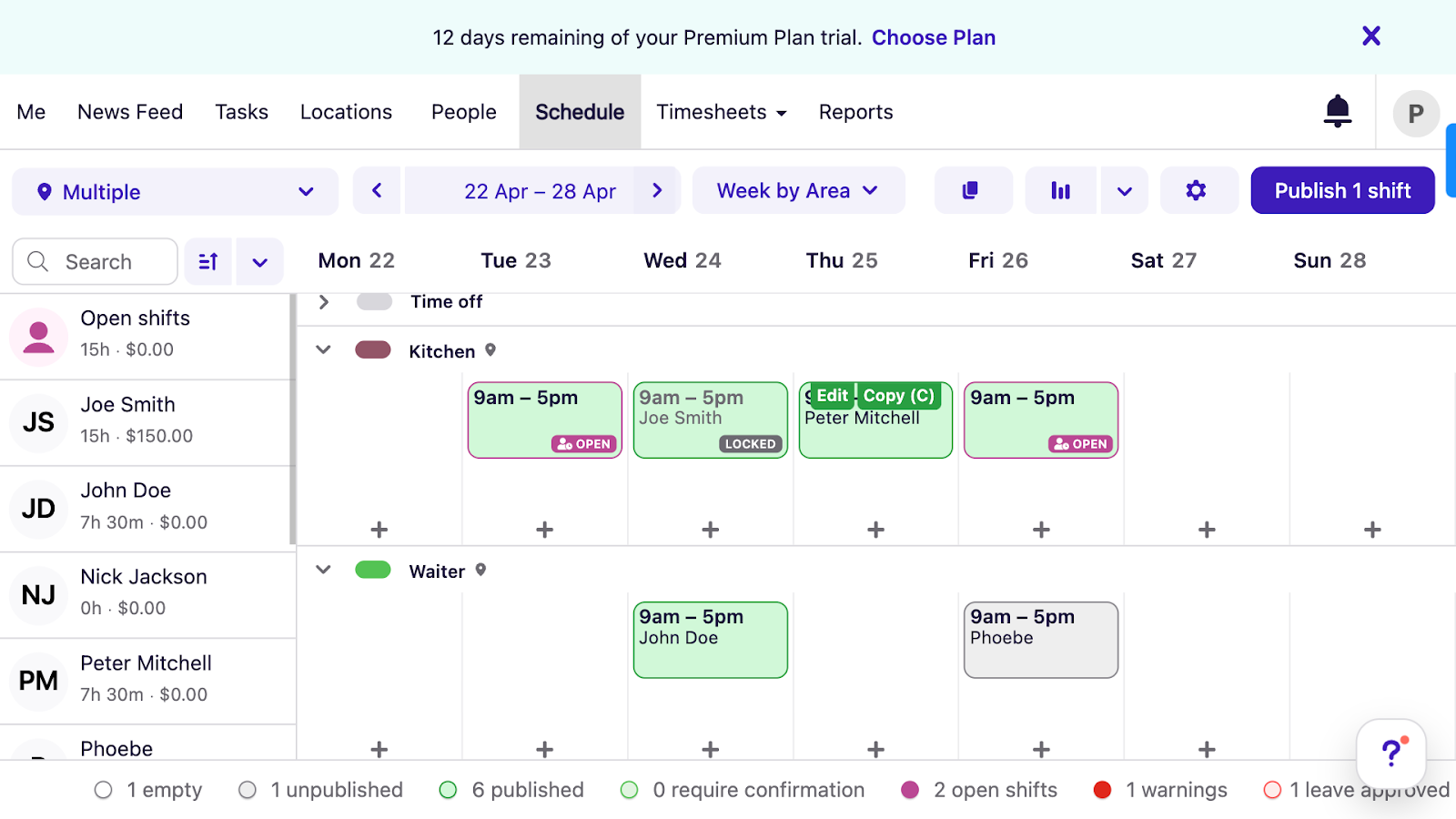
View the weekly schedule, shift assignments, and conflict or error warnings with Deputy’s scheduler. Deputy is an all-in-one workforce management tool that combines scheduling with time tracking and compliance features.
Why I chose Deputy: I added Deputy to my list based on our recent first-hand testing and in-depth Deputy review. The platform stood out for its AI scheduling that accounts for external demand and seasonality, making it easier for workforce managers to tackle fluctuating client needs.
Here are some of Deputy’s core features.
AI-powered scheduling and compliance
I found that auto-scheduling is one of the most advanced features within Deputy. In addition to considering workers’ preferences, locations, and skills, the auto-scheduler can build out entire rotas based on demand forecasting and labor budgets to stop costs from getting out of hand.
I also appreciate that managers can add mandatory breaks into schedules and track overtime to ensure engineers are working within legal limits. Additionally, Deputy lets engineers pick from open shifts, swap shifts, and share shift feedback, letting managers focus on improving ops.
That said, when our team tested the product, we found the mobile scheduler was clunky and difficult to navigate, so I’m not confident it’s the best for less tech-savvy engineers.
Time tracking and geofencing
I liked Deputy’s time clock because it lets engineers clock in using biometric facial recognition, which adds an extra layer of security and prevents buddy punching. It’s also more hygienic compared to shared kiosks, particularly for engineers working with hazardous construction or chemical materials.
All time data automatically goes into the timesheets, so you can see real-time wage costs, including things like additional rates for overtime or night shifts. Unfortunately, Deputy doesn’t have built-in payroll, so you’ll have to sync timesheets with one of its payroll partners or an entirely disconnected payroll system.
Deputy also offers GPS location tracking and geofencing. You can limit workers to clocking in only when they’re physically on site and also track their live locations to ensure they’re where they need to be during work hours.
Task management, team communication, and integrations
The task management is arranged nicely within the app. You can see specific tasks or subtasks assigned to individual engineers or entire departments, along with their due dates. While the design is simple, some of the functionality felt slightly limited. For example, I would like to be able to upload rich media attachments, such as videos or detailed technical diagrams, within a task.
When it comes to communicating important information, Deputy has a newsfeed, which acts as the central hub for announcements. Unfortunately, private messaging is only available as an add-on, which was disappointing. Finally, while Deputy doesn’t integrate with core engineering project management software like Jira and GitHub, you can create custom integrations using Zapier (though you’ll likely need IT support to do this).
Notable limitation
Advanced security is only available on Deputy’s enterprise plan. This additional cost rules out many small- to medium-sized businesses that need access controls to manage sensitive tasks across telecom network sites, industrial plants, public utility works, etc.
What users say about Deputy
I love the deputy platform. As an employee it is very convenient to know your schedule and clocking in and out of work.

Read review here.
Customer Service is disgraceful, would not bother.

Read review here.
0Key Features
- Auto-scheduling
- Time tracking
- Timesheet management
- Task management
Pros
- Custom integrations available through Zapier
- Automated scheduling accounts for labor budgets, lowering costs
Cons
- Advanced security only available on Enterprise plan
- No built-in payroll; additional payroll subscription required
Pricing
Starts at $5/user/month Trial: Yes — 30 days Free Plan: No
-
Humanity by TCP Software — Best for multi-state engineering teams that need advanced scheduling compliance controls
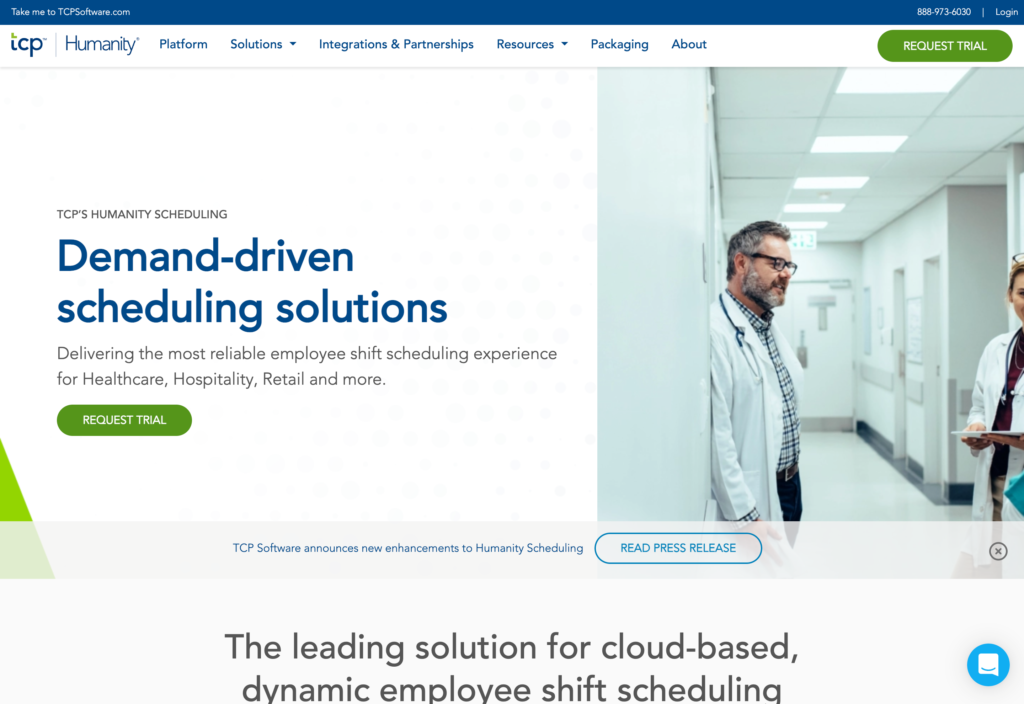
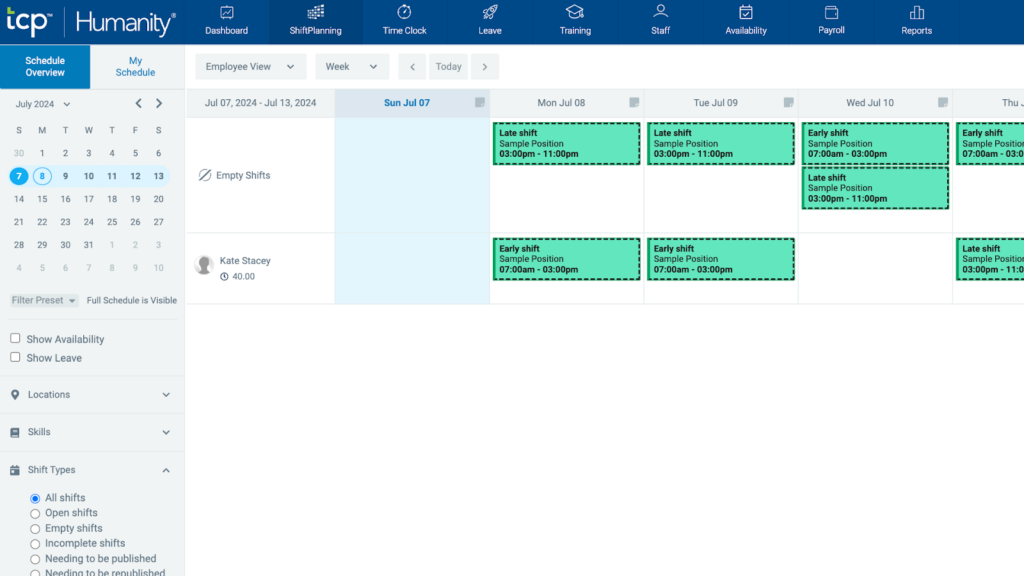
TCP Humanity’s scheduling dashboard is easy to view, filter, and navigate. TCP Humanity is an all-in-one scheduling platform well-suited to larger engineering businesses.
Why I chose Humanity: While it offers most of the same core features others do: time tracking, in-app communication, leave management, and payroll integrations, I went with Humanity for its “compliance-first” approach to shift planning.
Its state-specific scheduling rules are built in to protect engineering teams from violating safety and labor laws across different locations with varying regulations (great for larger engineering businesses operating across multiple states).
Let’s dive deeper into some of Humanity’s standout scheduling and compliance features.
Advanced shift planning and compliance rules
I was really impressed by the power of TCP Humanity’s shift planning engine. I found I could either manually create the team’s schedule from scratch or use the one-click auto-scheduling feature to build complex rosters automatically.
What I think really sets TCP Humanity apart for engineering teams is its pre-built library of compliance rules. It supports both U.S. Federal and State laws, which can be applied to schedules.
If potential issues like unapproved overtime, rest break breaches, and excessive working hours arise, the system flags these in real-time. In this way, it’s much more of a safeguard that proactively avoids costly legal fines rather than a reactive reporting tool. And, it works brilliantly if you’re managing engineering teams across multiple states by ensuring you comply with scheduling laws in each of your jurisdictions.
Technical skills, certifications, and training integrations
In any engineering organization, teams have varying levels of experience, skills, and qualifications. Assigning the right person to the right task is manageable for small engineering teams, but becomes more challenging with scale.
TCP Humanity simplifies these scheduling processes by allowing managers to assign specific skillsets to employee profiles. This way, Humanity’s AI scheduler will only allocate jobs to those qualified to work on them.
These employee profiles also integrate into a basic learning management system, so engineering managers can keep qualifications current rather than wasting time manually tracking their engineers’ skills and certifications.
Field accessibility
I found that the TCP Humanity mobile experience is another bonus for field-based engineering teams. The app has a clean dashboard with customizable widgets. This means that your personal dashboard won’t get cluttered with unnecessary tools, so you can remain focused on what you need, for instance, your team’s schedules, punch-in and punch-out times, GPS locations, and more.
Similar to Workforce.com, however, TCP Humanity doesn’t offer live location tracking and only shows you engineers’ clock-in and clock-out locations.
When the app is offline, it’s read-only, but it does allow staff to access important information like their contact lists and existing schedules. This is particularly useful for engineers working in areas with poor internet connections, like basements or remote industrial sites.
Additionally, the platform has an Apple Watch app so employees can even access their schedules from their smartwatches.
Notable limitation
TCP Humanity’s breadth of scheduling tools and compliance controls comes with added complexity. During my research, it became clear that setup and ongoing management can feel overwhelming and may require more time (and training) compared to simpler scheduling tools.
In addition to this, there is no free plan, and the pricing isn’t publicly available. This lack of transparency is likely to be off-putting for small and medium-sized engineering teams.
What users say about Humanity
Overall Humanity is easy to use and works well. However, It was once down for 48 hours and should never have been unavailable for that long how do we run business without this? It is impossible!
Read review here.
As a schedule it works great until a shift is added or changed.
Read review here.
Key Features
- Advanced shift planning
- AI-powered forecasting
- Compliance rules
- Mobile and Apple Watch app
Pros
- Predictive scheduling adapts to engineering project demand
- Pre-built US compliance rules protect multi-state engineering teams
Cons
- Feature depth may overwhelm smaller engineering teams
- Pricing isn’t publicly available, and no free trial or plan
Pricing
Starts at $2.75/user/month Trial: Yes — 30 days Free Plan: No
-

Sling — Best for engineering teams that need simple, low-cost shift planning
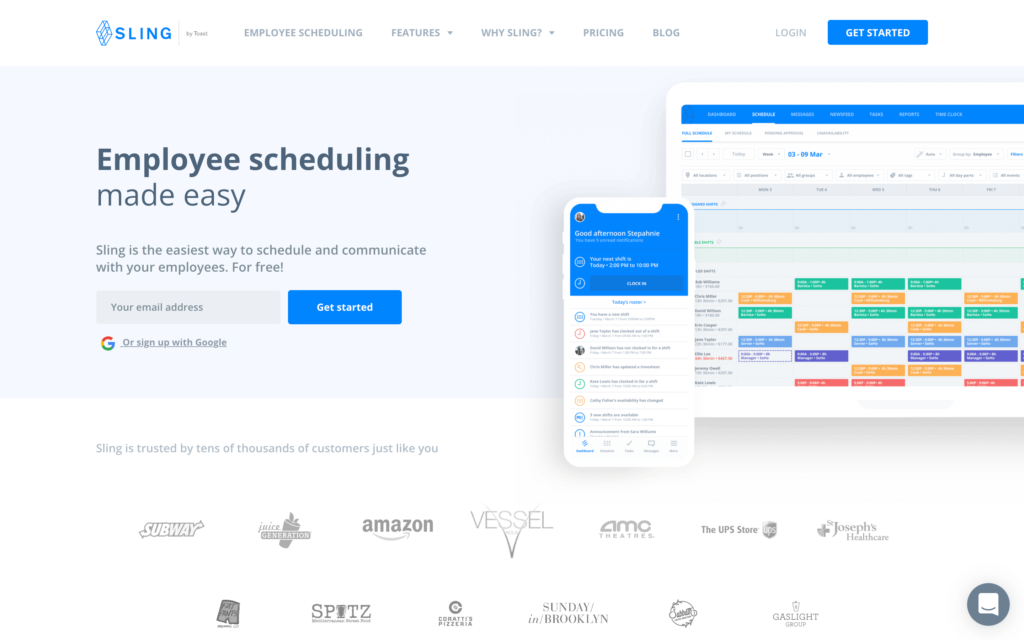
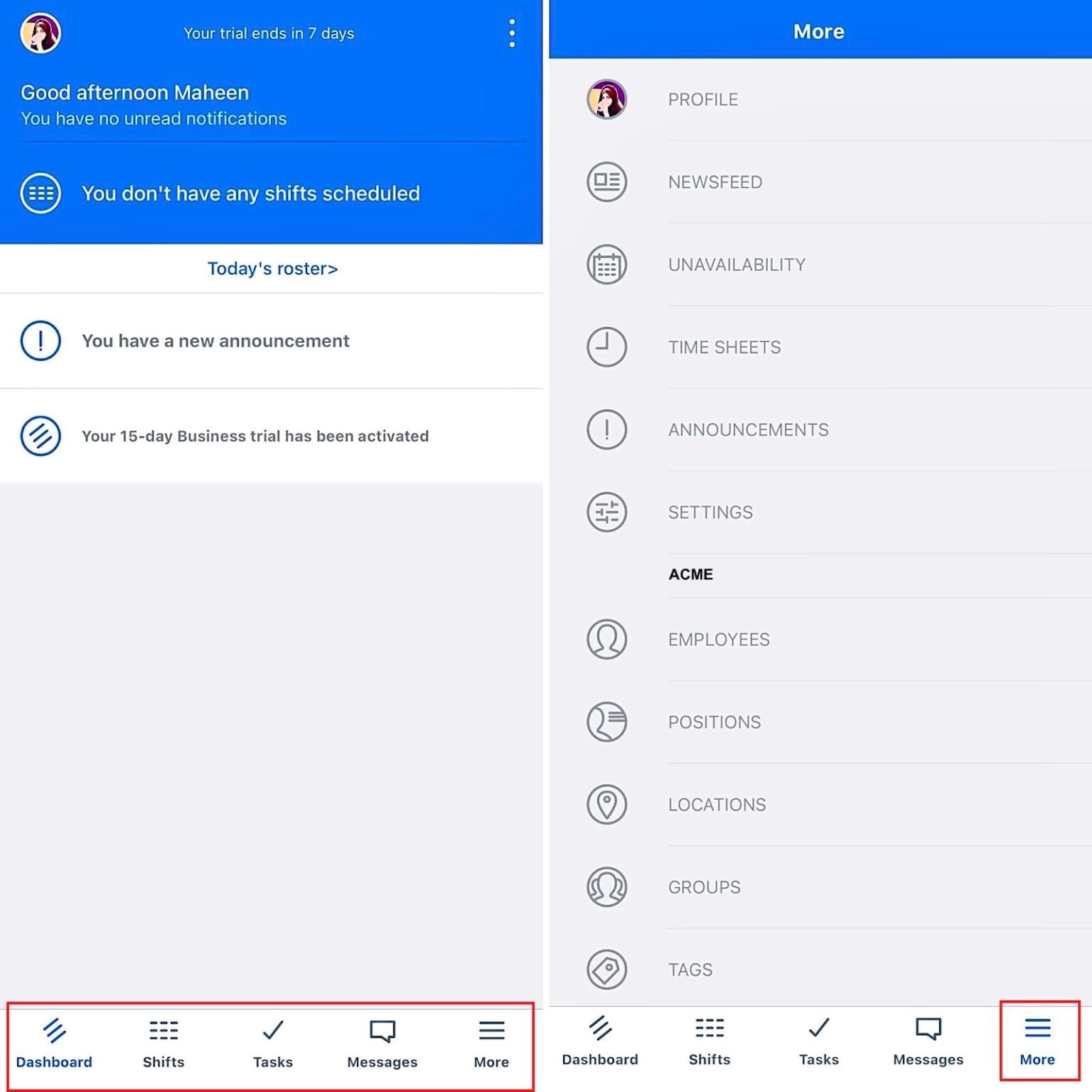
Employees can see scheduled shifts, tasks, announcements, and more from their Sling mobile apps. Sling is a user-friendly scheduling and communication app for small- to medium-sized businesses.
Why I chose Sling: In our direct experience with Sling, its manual scheduling interface is very easy to use while still covering the core must-haves of mobile clock-ins and geofencing.
Let’s look at Sling’s key scheduling features.
Scheduling and self-service tools
The first thing that stands out about Sling is that its scheduling dashboard is incredibly easy to navigate. Engineering managers can use the drag-and-drop interface to visualize and adjust upcoming shifts and assign them to the right people.
I also really liked the “clopening” alert, which prevents an engineer from being assigned to an early start following a late-night shift. This is crucial for following labor laws while also maintaining team safety, as engineers are more likely to make costly mistakes like incorrect installations or repairs when they’re fatigued.
While Sling offers an “auto-assign” feature, it felt more like rule-based assignments based on availability and location, rather than true “intelligent” auto-scheduling. For example, it doesn’t allocate shifts based on engineers’ skills or licenses. This means managers will need to maintain detailed knowledge of everyone’s qualifications before assigning tasks, which isn’t ideal.
On the flip side, managers can save time by letting employees choose from “available” (open) shifts and trade swaps if there are last-minute conflicts. The platform also supports leave management, making it easier to avoid assigning shifts to someone on holiday.
Mobile tracking and geofencing
Like other platforms on my list, Sling effectively turns your smartphone into a mobile time clock. This makes it easy to track clock-ins for engineers moving between project sites. You can also set virtual boundaries (geofences) to ensure that an engineer arrives on site before they clock in. Sling can also automatically end shifts before overtime begins to accrue, so I think it works well to keep labor costs in check.
One drawback is that the platform requires a constant internet connection, which may be difficult for engineers working in remote areas or “dead zones.” More importantly, Sling doesn’t appear to offer live GPS tracking, so you can’t check if your team members are running on schedule.
Compliance, document management, and more
Sling’s resource management system was another standout area, in my opinion. It provides unlimited secure storage to track sensitive files like licenses, safety certificates, and contracts, and alerts you when documents are about to expire so your team is always compliant and accredited for site work.
Sling also has in-app communication tools, task management, and third-party integrations. I did note that many of the integrations are geared towards restaurant or retail businesses, so while engineering teams can use Sling, it doesn’t specialize in this sector per se.
Notable limitations
I’ve found that one of the major drawbacks of Sling is that the mobile experience doesn’t match the desktop application. Important features like reporting and activity logs are only available on the desktop. Beyond dispatching workers, many engineering managers also work their own shifts. Without mobile access to these features, they can’t perform deep administrative work on-the-go.
What users say about Sling
Overall I would go back should need be, I would also recommend! Scheduling made simple. Top 3 softwares for sure!
Read review here.
I used briefly for about 6 months in a studio setting. This was difficult for instructors to use and staff. I really disliked that you had to input the entire schedule manually and it did not sync.
Read review here.
0Key Features
- Employee scheduling
- Time tracking
- Geofencing
- Document management
Pros
- Free plan makes it more accessible for small businesses
- Drag-and-drop scheduling intuitive for workforce managers
Cons
- Limited mobile experience for engineering managers
- No real-time GPS tracking to check staff members’ live locations
Pricing
Starts at $1.70/user/month Trial: Yes — (15 days) Free Plan: Yes — (for up to 30 users)
-

Workforce.com — Best for enterprise engineering organizations that need labor forecasting and cost visibility at scale
Available on
- Web
- iOS
- Android
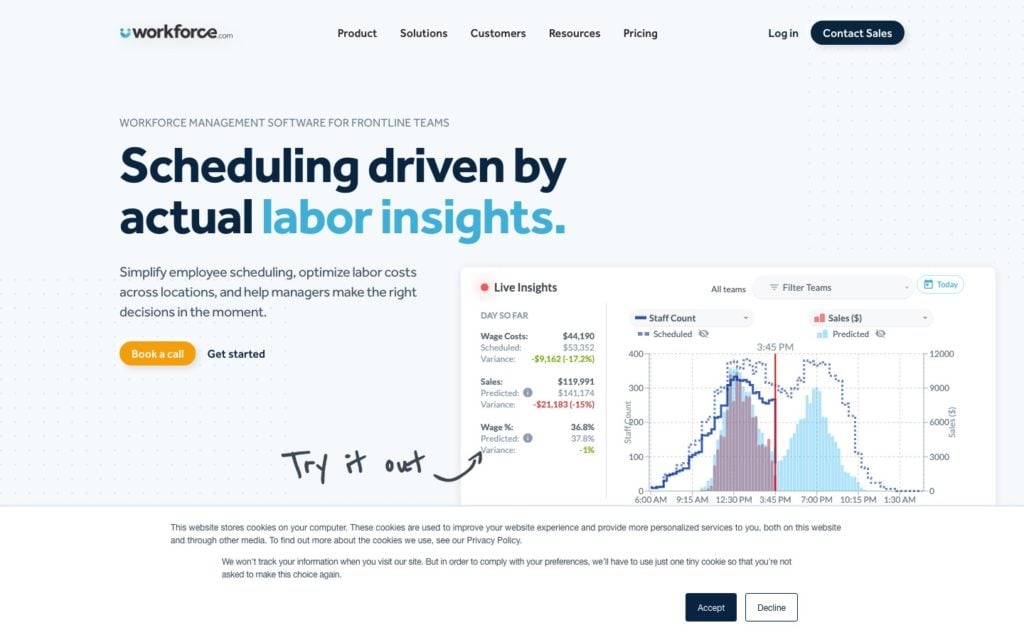
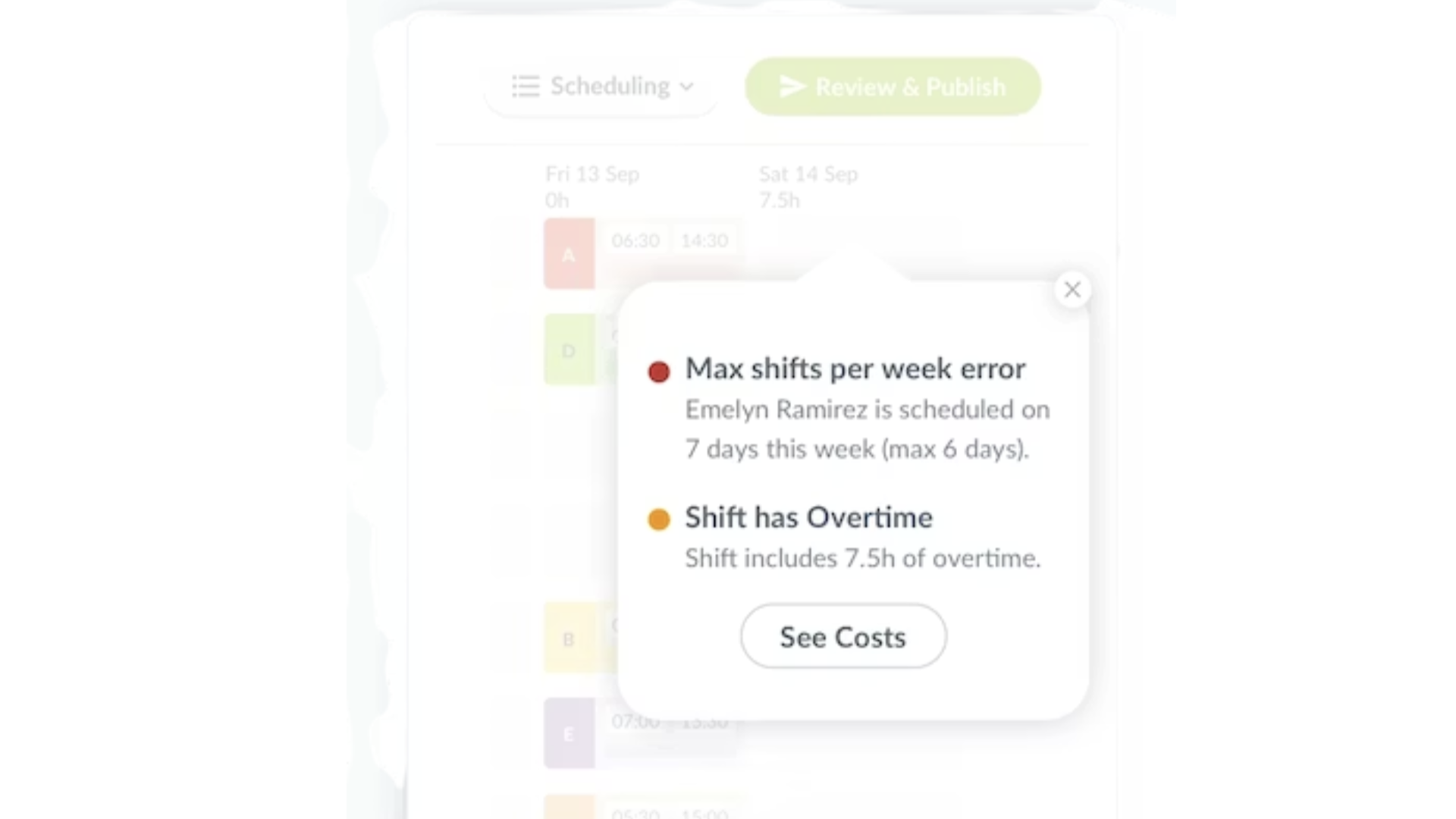
Spot and address shift conflicts and errors in time with Workforce.com Workforce.com is a scheduling and time management platform designed to handle the complexities of large-scale engineering operations.
Why I chose Workforce.com: I included this software because, based on my research, it’s one of the few platforms that combines front-line engineer scheduling with executive-level financial planning. It’s one of the strongest options on this list for larger engineering organizations that need workforce planning, labor forecasting, and cost visibility across many teams or locations.
Here are Workforce.com’s key features.
AI-driven labor forecasting and auto-scheduling
When I was looking into the Workforce.com platform, the proactive machine learning engine impressed me the most. The platform connects directly to your ERP systems to analyze internal historical data and other demand signals and forecast labor requirements.
And the AI scheduler automatically allocates jobs to engineers based on their availability and preferences. I found these features particularly useful for engineering companies managing fluctuating workloads, allowing them to scale teams up or down as needed.
You can also save time with the “SmartBuild” feature, which allows you to bulk import complex department structures and hierarchies and automatically assign engineering tasks based on workers’ specific roles.
Enterprise analytics and “drill-down” dashboards
I found the reporting suite in Workforce.com to be far more advanced than in your typical SMB tool. One powerful element is the sales vs labor cost metric. It allows engineering managers to see labor costs in real time across projects, locations, employees, and even clients, so they can make quick scheduling changes to minimize costs, protect budgets, and encourage profits.
Automated compliance and pay rules
Safety, compliance, and legal regulations are always a large part of managing engineering projects, and get harder to manage as you scale. That’s why I was really happy to see Workforce.com’s ability to automatically apply complex pay rules within its scheduling system. It can enforce overtime rules, break policies, and Fair Workweek regulations, without needing manual tracking.
GPS time tracking
Similar to other platforms on my list, Workforce.com lets employees clock in and out from anywhere using their mobile apps, but it also lets you enable auto-time tracking based on shift times, eliminating issues with missed punches.
I was surprised that the GPS functionality was limited. You can see your engineers’ locations where they clock in and clock out, but you can’t follow them in real time during the workday.
Additionally, Workforce.com doesn’t appear to offer geofencing, which makes it harder to control time theft.
Notable limitation
Workforce.com is built for enterprise engineering firms only. The complexity and implementation requirements make it a poor fit for teams with low budgets and limited IT support. While Workforce.com does support US businesses, its payroll and leave documentation is strongly region-specific, with extensive UK-focused resources. Non-UK engineering teams should confirm that its payroll and time off workflows match their local compliance needs before choosing it..
What users say about Workforce.com
great dash board, time off request, I like the GPS.
Read review here.
I like having easy access, but it’s a bit of learning curve to learn how to navigate. It took me quite a while to even find time records.
Read review here.
Key Features
- Time tracking
- Auto-scheduling
- AI labor forecasting
- Advanced reporting
Pros
- AI-driven predictive staffing optimizes for labor costs
- User-friendly for both on-site engineers and managers
Cons
- Steep learning curve, inappropriate for busy engineers
- No live GPS tracking or geofencing to prevent time theft
Pricing
Contact vendor for pricing Trial: Yes — but only for approved users Free Plan: No
Compare the Best Engineering Staff Scheduling Softwares
| Topic |
 Start for free
|
|
|
|
|
|---|---|---|---|---|---|
| Reviews |
 |
|
|
|
N/A
|
| Pricing |
Starts at just $29/month for the first 30 users
|
Starts at $5/user/month
|
Starts at $2.75/user/month
|
Starts at $1.70/user/month
|
Contact vendor for pricing
|
| Free Trial |
yes
14-day
|
yes
30 days
|
yes
30 days
|
yes
(15 days)
|
yes
but only for approved users
|
| Free Plan |
yes
Free Up to 10 users
|
no
|
no
|
yes
(for up to 30 users)
|
no
|
| Use cases |
Best for field engineering teams that need scheduling, time tracking, tasks, and communication in one app
|
Best for engineering teams with fluctuating demand and labor-cost pressure
|
Best for multi-state engineering teams that need advanced scheduling compliance controls
|
Best for engineering teams that need simple, low-cost shift planning
|
Best for enterprise engineering organizations that need labor forecasting and cost visibility at scale
|
| Available on |
Web, iOS, Android
|
Safety and Compliance Notes
Important: Some software includes the following features, which can create privacy, compliance, and legal risks for your engineering business. Please learn about your local regulations and verify that these features are set up correctly before enabling them.
- GPS location tracking: Can raise privacy concerns if employees are tracked outside of their working hours or without clear consent.
- AI or auto-scheduling: Can make poor assignments if skills, availability, certifications, travel time, or fatigue data is incomplete.
- Geofencing restrictions: If too rigid, they may prevent legitimate clock-ins for engineers who work across many job sites, and lead to payroll inaccuracies or wage disputes.
- Document and certification tracking: Storing sensitive employee information (licenses, IDs, etc.) requires proper access controls.
What Is Engineering Staff Scheduling Software?
Engineering staff scheduling software is a digital tool that helps managers plan, assign, and manage work schedules for engineering teams. It works across projects, locations, and team sizes.
It accounts for skills, certifications, compliance rules, and project needs, ensuring the right engineer is assigned to each task. It also supports fair task distribution and helps meet labor regulations.
Most tools are available on desktop and mobile, so both office and field teams can use them easily.
How Does Engineering Staff Scheduling Software Work?
Engineering scheduling software supports both managers and engineers.
For managers, it serves as a central hub for planning and overseeing schedules. They can review staffing levels, track availability, and get alerts for overtime, breaks, and compliance. Schedules can be built manually, from templates, or with automated tools. Many platforms also let managers attach tasks, checklists, and safety documents to shifts.
For engineers, it’s usually mobile-first. They can view upcoming shifts, clock in (often with GPS), check assigned tasks, and access relevant documents. When they clock out, hours are automatically recorded for payroll and reporting.
The Benefits of Engineering Staff Scheduling Software
For engineering teams managing complex projects, strict safety standards, and distributed workforces, scheduling software delivers the following:
- Improved team communication: Keeps engineers, site managers, and office teams aligned with shared schedules, project updates, technical documents, and safety notices, reducing miscommunication across sites.
- Reduced administrative workload: Automates shift planning, time tracking, and reporting, so engineering managers can focus on delivery, resource planning, and problem-solving.
- Right engineer for the right job: Matches engineers to tasks based on skills, certifications, and project requirements, ensuring compliance and reducing rework or delays.
- Greater visibility across job sites: Provides real-time insight into workforce activity across multiple sites, with GPS tracking showing who is on-site, where they are, and how long they’ve worked.
- Stronger compliance and safety: Tracks certifications, working hours, and fatigue, and flags risks early, helping teams meet safety standards and regulatory requirements.
- Better cost control and forecasting: Connects schedules to project budgets and actual hours worked, giving managers real-time visibility to control costs and keep engineering projects on track.
How Much Does Engineering Staff Scheduling Software Cost?
Different platforms take different approaches. For example, Deputy and Sling start at $5 and $2 per user per month, respectively, which is affordable but can quickly become expensive as operations grow.
Connecteam’s pricing is flat and reasonable. It starts at just $29/month for up to 30 users, and only $0.50 for every additional user. It also provides a free plan for small teams (up to 10).
Overall, the right option depends on team size, project complexity, and the level of functionality required.
The Bottom Line on Engineering Staff Scheduling Software
Engineering staff scheduling software can help you optimize your team’s schedule, reduce labor costs, and stay compliant with labor laws. The best platforms offer more than just standard shift creation tools. Today, they use AI for smarter scheduling, offer mobile time tracking, and even provide real-time collaboration tools from a single platform.
After reviewing all the top candidates, Connecteam emerged as the top choice for offering all of the above and more at an affordable price. It also offers a free plan for small engineering teams of up to 10 users, plus a free trial so you can test it before committing.
FAQs
Connecteam is the best engineering staff scheduling software for field engineering teams that need scheduling, time tracking, task management, document access, and team communication in one app. It’s especially useful for teams working across multiple job sites, where managers need visibility into who is scheduled, who clocked in, and what work still needs to be completed.
Engineering teams should look for scheduling tools that support mobile access, skill-based scheduling, GPS time tracking, geofencing, time off management, shift notes, task assignments, and document storage. If your team handles safety-sensitive or regulated work, prioritize software that helps track certifications, working hours, breaks, and site-specific instructions.
Scheduling software can help managers avoid compliance issues by tracking hours, breaks, overtime, availability, certifications, and required documents. Some tools also flag scheduling conflicts or expired credentials before shifts are assigned. This doesn’t replace legal or HR oversight, but it can help managers catch risks earlier and keep better records.
Yes. Field engineering teams often work across job sites, client locations, industrial facilities, and remote areas, so mobile scheduling is especially important. The right software lets engineers check schedules from their phones, clock in on-site, receive job instructions, submit field reports, and get updates when plans change.
Engineering staff scheduling software can range from low-cost per-user plans to quote-based enterprise pricing. Tools like Sling and Deputy charge per user, while Workforce.com and TCP Humanity use custom pricing. Connecteam uses flat monthly pricing for up to 30 users and also offers a free plan for small teams of up to 10 users.
