

If your security guards are missing check-ins or logging unverified hours, you can’t reliably confirm site coverage. That puts client trust and your reputation at risk.
I reviewed 7 security guard software apps and ranked them by scheduling capabilities, time tracking accuracy, and incident reporting tools.
Use these picks to automate shift scheduling, track real-time locations, and deliver accurate reports to your clients.
| App | Best for | Starting Price | Key Considerations |
| Connecteam | Security teams managing scheduling, GPS time tracking, reports, and communication | Just $29/month for the first 30 users | Offers a full-featured platform with auto-scheduling, geofencing, and real-time incident reporting |
| TrackTik | Enterprise security companies managing patrols, reporting, and client portals | Contact vendor for price | Provides advanced schedule filtering and a panic button, but has a buggy mobile app |
| Silvertrac Software | Security firms needing guard tour tracking and incident reporting | Contact vendor for price | Features strong incident reporting and task dispatching, but lacks live location tracking |
| OfficerApps | Companies creating detailed activity and incident reports for clients | Price: Starts at $70/site/month | Built specifically for guard reporting with GPS tour tracking, but lacks in-app communication tools |
| GuardsPro | Security teams managing patrols, posts, and guard accountability | $5/user/month (3 user minimum) | Offers a panic button and dispatcher tool, but lacks customizable incident reports |
| Celayix | Security companies focused on scheduling and workforce coverage | $5.40/employee/month + $22.50/scheduling manager/month | Features highly customizable auto-fill scheduling, but has limited reporting and requires multiple apps |
| Belfry | Security firms managing operations, scheduling, and guard workflows | Contact vendor | Provides smart shift matching and automated billing, but can experience occasional outages |
What’s New in This Update (July 2026)
- Added TrackTik, OfficerReports, Celayix, and Belfry to the article
- Removed Guardhouse and Novagems from the comparison
- Updated GuardsPro pricing to reflect new tiered structure
- Included new information about Connecteam’s NFC tags, forms, and onboarding.
Our Top Picks
-
1

Best for security teams managing scheduling, GPS time tracking, reports, and communication
-
2

Best for enterprise security companies managing patrols, reporting, and client portals
-
3

Best for security firms needing guard tour tracking and incident reporting
Why trust us?
Our team of unbiased software reviewers follows strict editorial guidelines, and our methodology is clear and open to everyone.
See our complete methodology
How I Chose the Best Security Guard Software
Here’s what I looked for when shortlisting my top security guard management software.
Scheduling and shift coverage
- Drag-and-drop shift scheduling to quickly build and adjust guard coverage across multiple sites.
- Auto-scheduling that assigns guards based on qualifications, availability, and location.
- Shift-swapping and open shifts so last-minute gaps get filled without chasing people down.
- Compliance tools to track rest breaks, overtime hours, and days off.
Guard accountability and location verification
- Real-time GPS tracking to see where guards are during their shifts.
- Geofencing to restrict clock-ins and clock-outs to approved work zones.
- NFC or QR checkpoint scanning to verify guards complete patrol routes on time.
- Digital incident reports that guards can submit from their phones in real time.
Communication and operational tools
- In-app instant messaging to reach guards in the field without delays.
- Task management to assign duties and track completion across shifts.
- Training and onboarding tools to keep certifications current and protocols accessible.
- Payroll integration to sync approved timesheets directly with your payroll provider.
I ranked these tools based on how well they help security companies keep sites covered, verify guard presence, document incidents, and send reliable records to clients. Tools ranked higher when they combined scheduling, GPS or checkpoint verification, real-time reporting, and mobile ease of use. They ranked lower when key workflows required add-ons, separate apps, manual exports, weak mobile performance, or limited reporting.
The 5 Best Security Guard Management Softwares
-
Connecteam — Best for security teams managing scheduling, GPS time tracking, reports, and communication
Connecteam is the best choice for security guard companies because it combines comprehensive workforce management with ease of use in one platform. It’s especially strong for teams that need strict location accountability without complex setup.
Why I chose Connecteam: I ranked Connecteam #1 because it was the most complete option for security teams, especially in areas like scheduling, GPS time tracking, and communication.
Here are Connecteam’s top security guard management features.
Auto-scheduling and shift-swapping
Connecteam’s employee scheduling app lets you create weekly guard schedules by using drag-and-drop tools, copying previous schedules, or exporting them from Excel. You can add patrol notes, addresses, images, and more right into workers’ shifts so they know their duties in and out.
I was very impressed by the auto-scheduler that uses AI to assign workers jobs based on their preferences, locations, and availability. You can also ensure schedules account for rest breaks and set overtime limits to comply with labor laws and keep costs down.
Connecteam allows for easy shift-swapping and lets guards pick from open shifts with or without manager approval. I think this is a clever way to fill last-minute scheduling gaps without hassle.
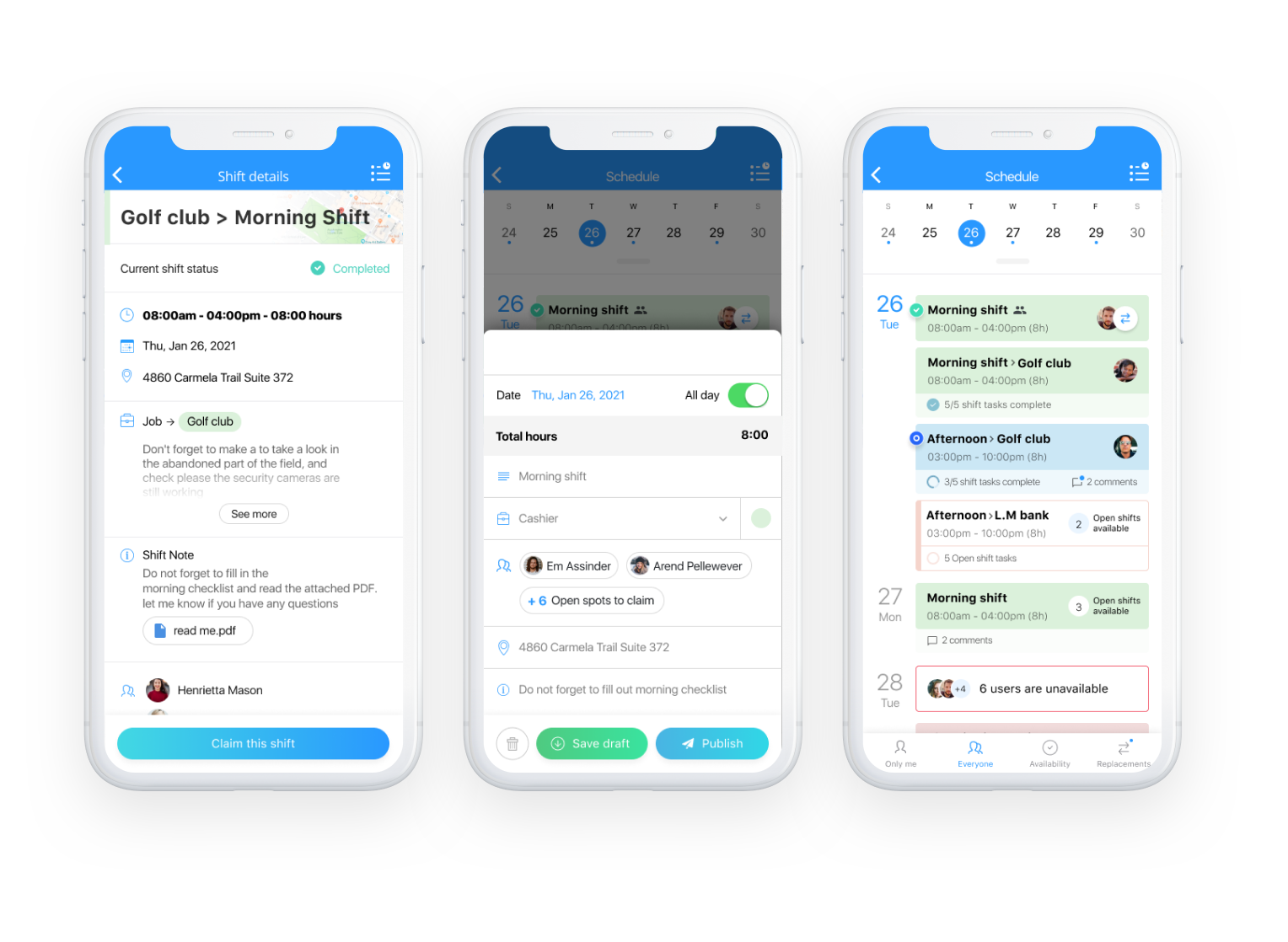
Easily schedule your guards across multiple locations with Connecteam. Time tracking
Connecteam’s employee time clock lets your security guards clock in and out of work right from their mobile devices—perfect for security guards on patrol. But you can also use any device as a shared kiosk for teams in a single location.
At the end of a pay period, each security guard’s time logs are converted to timesheets for payroll. You can view, edit, and approve entries from your dashboard—and sync these with one of many popular payroll providers like Gusto, Paychex, RUN Powered by ADP®, Quickbooks, and Xero for quick and accurate payments.
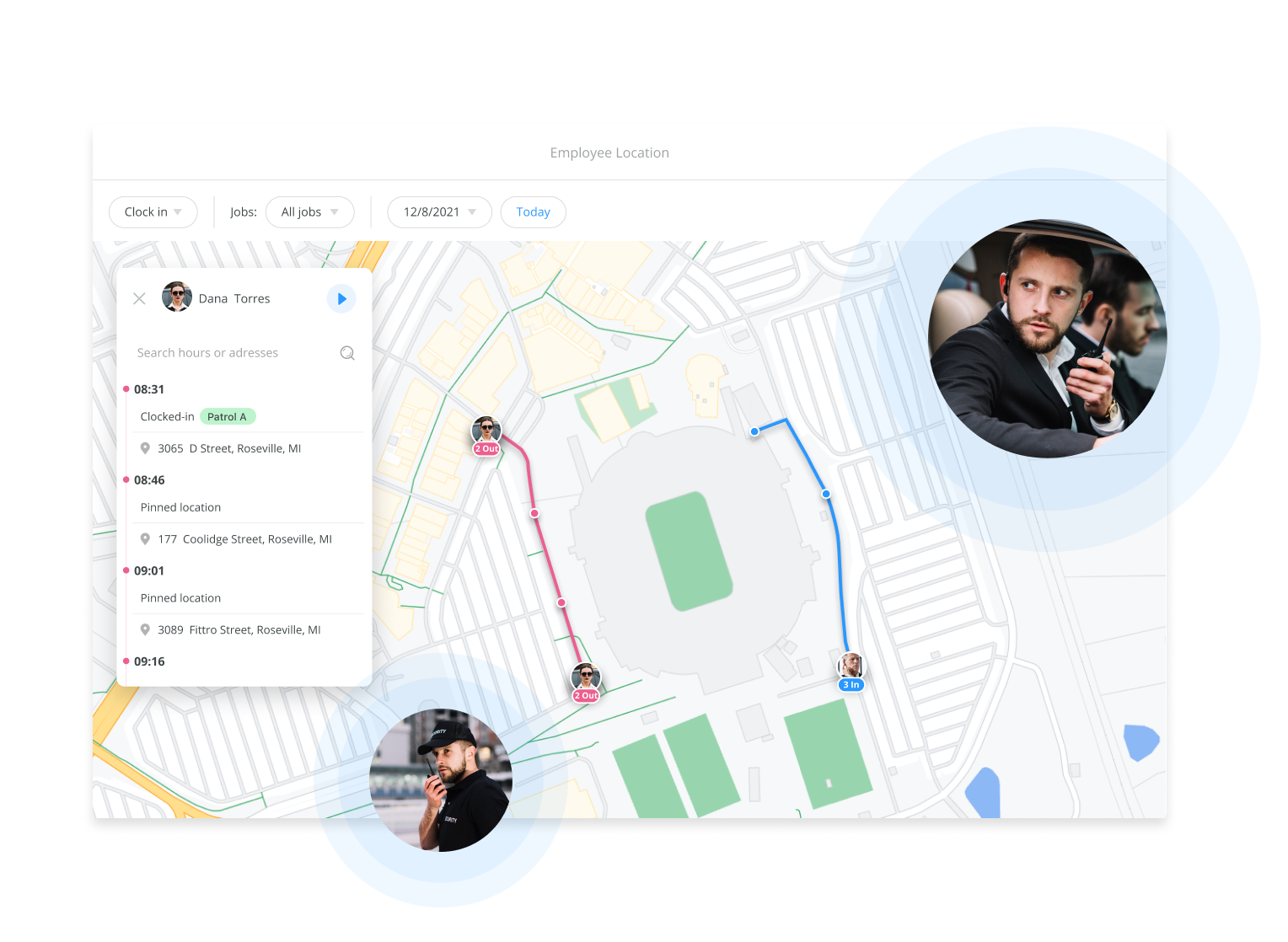
Always know where your guards are when they’re on the clock. Guard location tracking
There’s also Connecteam’s real-time GPS tracker that allows you to see guards’ locations when they’re on the clock. For more oversight, use Connecteam’s geofencing capabilities to restrict guards from clocking in and out outside work zones—excellent for preventing time theft.
For even more precise location verification, Connecteam offers NFC time tracking. You can place NFC tags at key checkpoints, like main gates, server rooms, or secure areas, and require guards to scan them with their phones as they patrol.
Each scan creates a time-stamped event, so you can confirm exactly when a guard reached each point on their route. This is especially useful for security patrols where GPS alone isn’t precise enough to verify that a guard physically visited a specific spot.
Customizable forms and checklists for instant updates
With Connecteam, you can create custom digital forms such as incident report forms, visitor entry forms, patrol checklists, and more. I love this feature because it ensures workers complete critical tasks—key to client safety—and lets them send you the information in real time. You can also ask workers or clients to e-sign forms for extra accountability.
If your security company already uses forms or logs, you don’t have to rebuild them from scratch. Just upload an existing form or take a photo of it, and Connecteam’s AI will convert it into a digital version in seconds. I liked this feature because it lets you modernize your processes without changing the workflows your guards already know.
Connecteam also offers AI-powered speech-to-text, so guards can dictate notes on the go, and their responses are automatically captured, summarized, and organized. This is especially useful during patrols or incident responses when stopping to type detailed notes just isn’t practical.
Every submission is time-stamped and stored in one place, making it easy to track patrol activity, review incident reports, and provide clients with accurate records when needed.
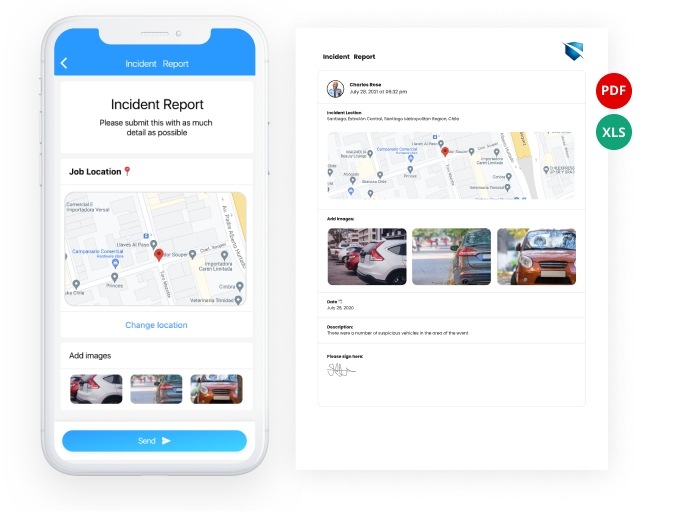
Send your clients the information they need with custom reports. Onboard and train guards thoroughly
Connecteam streamlines the employee onboarding process by letting new hires complete onboarding packets, e-sign documents, and submit required information directly from their phones before their first shift.
Managers can assign role-specific training, track completion progress, and store licenses and certifications in one place with expiration alerts. This makes it easier to get guards site-ready faster while maintaining accurate records for compliance and client audits.
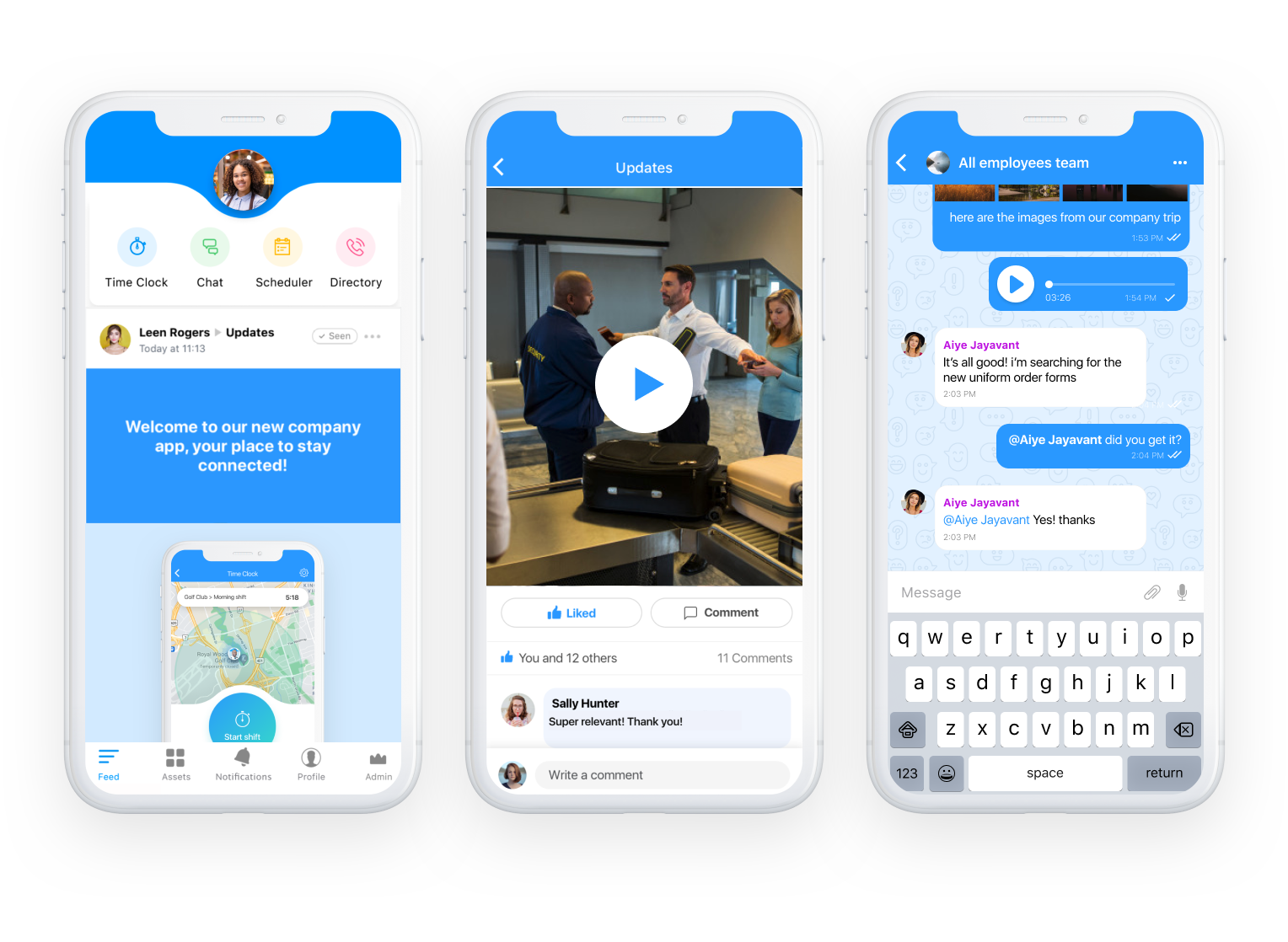
Keep your guard trained and updated with the Connecteam mobile app. And so much more
- Online team chat: Instantly connect with security guards in the field and your office staff in 1:1 settings or group chats.
- Internal help desk: Manage employee tickets with speed and safety. Route employees to the right people for urgent requests, in-shift support, and more.
- Company employee directory: Give your guards quick access to contact info for coworkers and business partners.
- Employee task tracking: Assign duties to specific guards or shifts, set deadlines, and track completion in real time, so nothing falls through the cracks during a patrol.
- Company knowledge base: Store training materials, SOPs, and rules & regulations in a central location. Ask the built-in AI agent for instant answers, pulled directly from your documents.
When Connecteam isn’t a good fit
Connecteam requires internet access to function properly, so it might not be the best fit if your guards frequently patrol areas with zero connectivity, like underground parking garages, remote industrial sites, or rural properties without cell service. Guards can still clock in offline and data will sync once they’re back online, but real-time GPS tracking and instant incident reporting won’t work until connectivity is restored. If your contracts require live location feeds at all times, you’ll want to confirm coverage at each site before committing.
0Key Features
- Employee scheduling with auto-scheduler
- Employee time clock with NFC checkpoints
- Real-time GPS tracking and geofencing
- Digital forms and checklists
- Team instant messaging and internal ticketing
- Employee training and onboarding
Pros
- Flat monthly pricing
- NFC checkpoint scanning for proof-of-presence
- Mobile form submissions
- Auto-scheduling reduces manual work
Cons
- Requires internet to work
- No built-in client portal
Pricing
Free-for-life plan availablePremium plans start at $29/month for 30 users
14-day free trial, no credit card required
Start your free trial -
TrackTik — Best for enterprise security companies managing patrols, reporting, and client portals
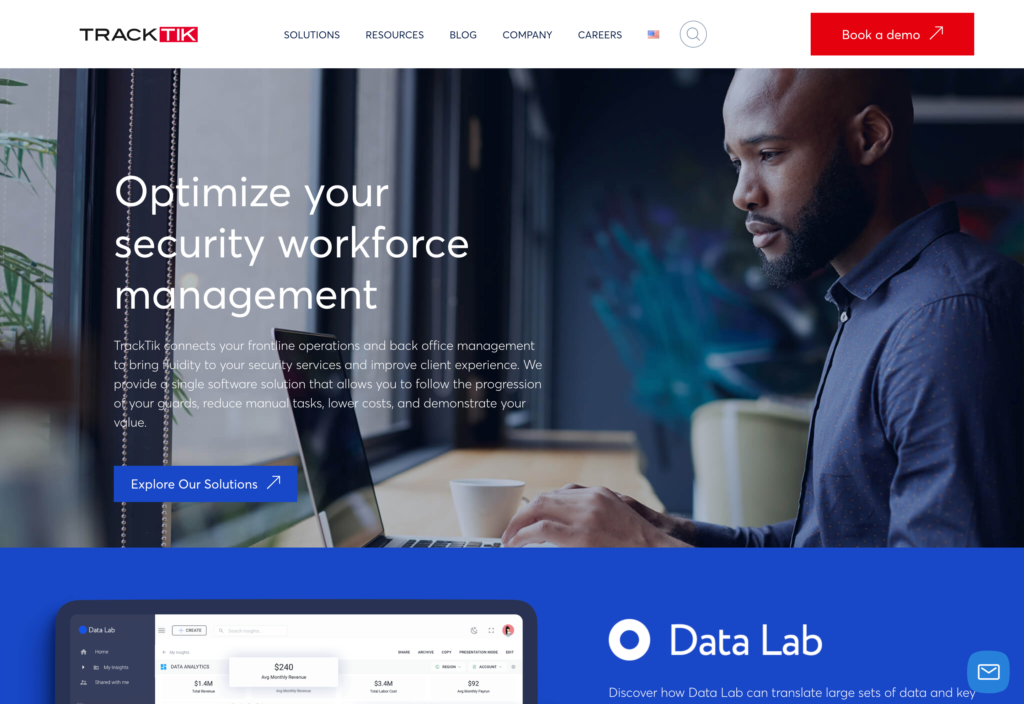
TrackTik is a security workforce management solution designed to handle operations across multiple locations.
Why I chose TrackTik: I picked TrackTik because of its strong focus on security-specific features like advanced schedule filtering to prevent overtime and a dedicated panic button for emergencies.
Security guard scheduling
TrackTik’s scheduling tool lets managers schedule guards and other security personnel across multiple locations. You can create schedules on the web or mobile apps, and guards can check schedules on their mobile phones as soon as they’re released.
I like that there’s a calendar view, and that you can color code and add notes to each shift type. TrackTik also offers really advanced filtering features. When you’re scheduling shifts, you can filter by employee qualification, license, training completion, location, and overtime availability.
If scheduling a shift will send someone into overtime, you can filter so they don’t appear as an available worker. You can also easily create schedule templates to map employee shifts weeks or months in advance. That said, these filters don’t offer the same time savings as 1-click auto-scheduling, so managers still need to manually build schedules.
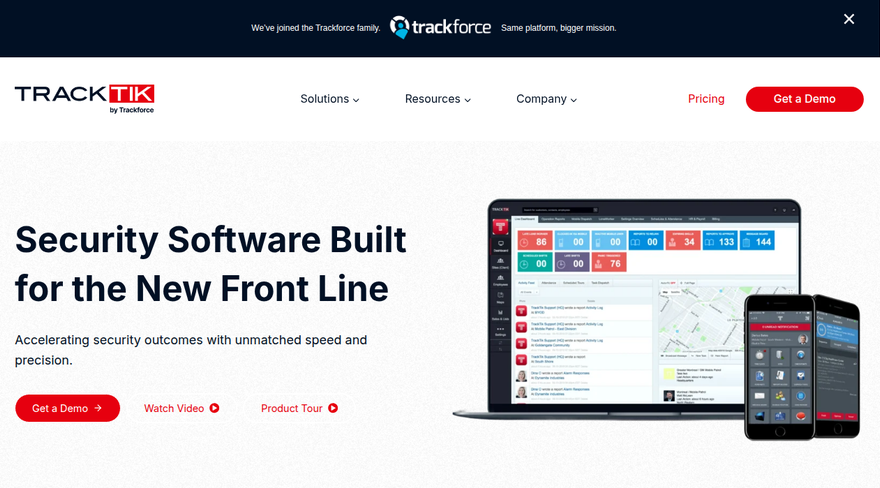
TrackTik’s security guard management software lets you schedule guards across locations. Task management
TrackTik’s task management features are great for assigning tasks and following guards’ progress in real-time to ensure all responsibilities are met. You can set task lists and check points, assign them to a shift, and track completion. Plus, this feature is GPS enabled, so you can follow teams in real-time.
Guards can follow their task lists as they patrol sites, moving through different checkpoints. Once all tasks are completed, they can cross off the checkpoint and move on to the next one. These features are great, but I’d love to see a feature where managers are automatically notified of task list completion.
Time tracking
TrackTik offers time tracking through the mobile app. Guards must clock in and out to start and end their shifts and go on breaks. There are also geofencing tools, so employees clock in only when they’re in the correct places.
You can preload your overtime rules into TrackTik’s settings to prevent guards from clocking unauthorized overtime. I really appreciate this, because it can help prevent unexpected payroll surprises.
Message board
TrackTik has a Message Board that lets you communicate with staff, but it’s clunky. You need to notify guards from the web portal when you want to send any messages, and then you have to send a message request and wait for them to accept it. I think this could really slow down the messaging process.
That said, TrackTik offers a panic button, a tool that’ll be really handy in emergency situations. This button lets guards quickly alert their supervisors or other designated contacts if they encounter problems on the job.
What users say about TrackTik
Read review here.I find TrackTik incredibly user-friendly, which makes performing complex back-office management tasks such as scheduling, invoicing, and report management much easier.
 Read review here.
Customer service is an area where I find TrackTik lacking. There are issues with slow support ticket response times, which can be frustrating when swift assistance is needed.

Key Features
- Schedule creation with advanced filtering
- Task management with GPS tracking
- Mobile time tracking with geofencing
- Panic button for emergencies
Pros
- Panic button for safety
- Unlimited users
- Clean layout
Cons
- Clunky time tracking
- Lacks instant communication tools
Pricing
Contact vendor for price Trial: No Free Plan: No
-
Silvertrac Software — Best for security firms needing guard tour tracking and incident reporting
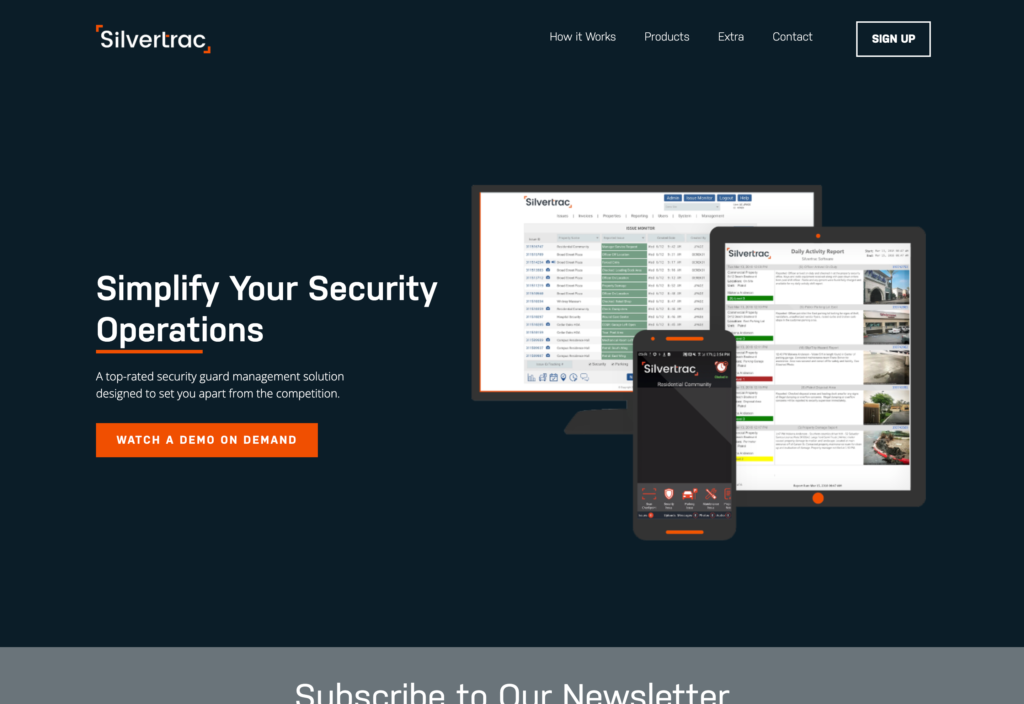
Silvertrac is a security guard management system designed to simplify operations for security companies.
Why I chose Silvertrac: I liked that Silvertrac offers essential features for effective security guard management, including task management, incident reports, and scannable checkpoints.
Incident reporting and notifications
Silvertrac enables guards to report security incidents and notifies supervisors and other team members immediately. I liked that guards can add text, time-stamped images, audio files, and even priority levels to reports.
The system also includes an Issue Monitor that gathers all reported incidents from the field and prepares them for your Daily Activity Reports. You can filter reports by property, issue type, guard, priority level, and more, allowing you to create detailed and personalized reports for clients.
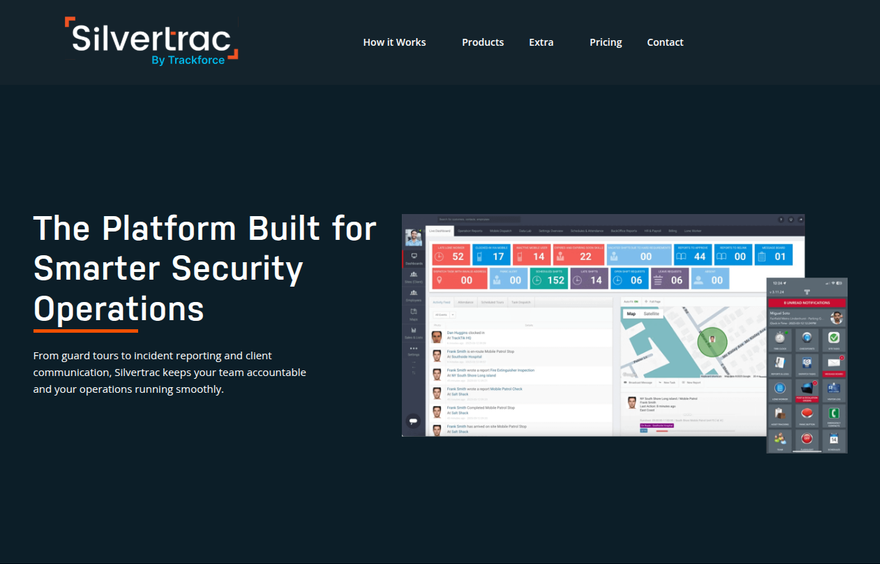
Manage incident reporting and client communication with Silvertrac. Guard checkpoints and task dispatching
Silvertrac displays guards’ physical locations and the work they’re doing in real time. You can set checkpoints along patrol routes using QR codes, barcodes, or NFC tags, and get notified instantly when guards hit each checkpoint. The system automatically logs GPS and time-stamping on each scan, and sends specific instructions to the guard’s phone for each hit.
There are also task-dispatching tools for your office team, dispatch teams, and security personnel on the ground. You can create and assign 1-time and recurring tasks, and add notes, work locations, and other information. Plus, the Dispatch Center lets you route issues to users in the field efficiently.
All task and checkpoint data gets sent back to the system automatically, so management can better measure guard performance and address issues before they cost a contract.
Time tracking and reporting
Silvertrac has a time clock, but disappointingly, this isn’t available by default—you must request it as an optional feature by emailing support. Once it’s installed, workers can use the Silvertrac app to clock in and out directly from the field.
Administrators can review all time card submissions, view the GPS location where officers clocked in and out, and adjust shifts if needed. You can approve or deny individual shifts, and the system lets you export time cards to .csv format for payroll processing. Sadly, Silvertrac doesn’t have any direct payroll integrations, so you’ll need to export time data and import it into your payroll system manually.
What users say about Silvertrac Software
Sinple to use. Simple for the guards to use. No much trainig needed to understand the system.
The camera with flash on and you still can’t get a clear picture. The camera it’s installed on takes good night shots, this does not take advantage of the camera functions on the phone . Keyboard way too small.
Key Features
- Incident reporting
- Guard tour tracking with NFC/QR checkpoints
- Time tracking and timecards
- Dispatching and task management
Pros
- Recurring tasks
- Priority levels for incident reports
Cons
- Need to contact support to add certain features
- No payroll integrations
Pricing
Contact vendor for price Trial: No Free Plan: No
-
OfficerApps — Best for companies creating detailed activity and incident reports for clients
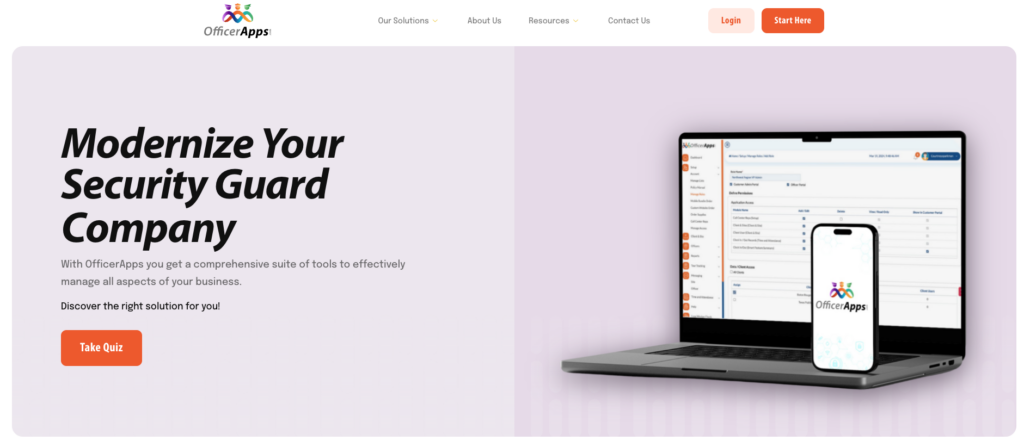
OfficerApps provides security guard companies with the ability to manage reporting, tour tracking, and time and attendance all in one place.
Why I chose OfficerApps: I chose OfficerApps because it was built specifically for the security industry, and focuses heavily on delivering reliable reports to clients.
Incident reporting and trend analysis
OfficerApps gives you and your clients access to paperless reports whenever and wherever you need them. Guards can submit Daily Activity Reports, Maintenance Reports, Visitor Logs, Vehicle Logs, and Incident Reports, all with photos attached. Each incident report is automatically numbered with a unique ID, and reports are available to clients immediately once submitted.
What impressed me most is the Incident Analysis feature, which lets you look at various incident types across any time period and export the data to Excel for trend analysis. You can also create custom report templates to replicate any paper forms you’ve been using.
While the reporting is nice in theory, it seemed pretty dated to me. There weren’t any in-app dashboards, leaving you with raw data to manually dig through in order to identify patterns or insights.
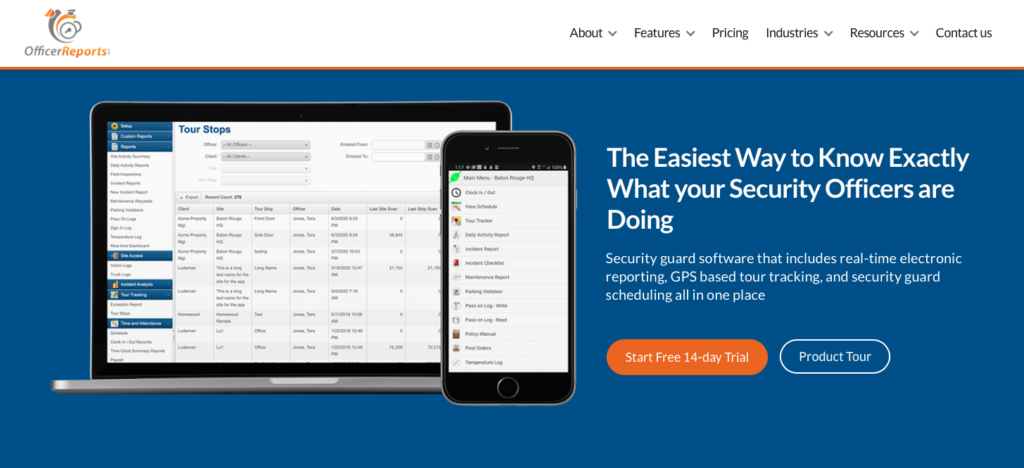
OfficerApps shows you where your guards are with GPS-based tour tracking. Guard tour tracking and geofence alerts
The guard tour tracking system uses NFC tags and QR codes to verify that officers are completing their required patrol routes. Managers can view guard locations in near real-time as they work on site, with a Live Feed view and a Historical View that retains 90 days of location data. The system tracks battery level, GPS accuracy, and speed for each officer.
I was impressed by the geofence alerts, which notify administrators and site supervisors via both email and SMS when an officer leaves the geofenced area of a site. There’s also GPS Verification to ensure officers are physically at a client site before they can even log into the software.
Scheduling and time tracking
OfficerApps includes very basic scheduling with site filtering and color coding. Officers can view their schedules online or from their smartphones, and supervisors can see schedules for all officers at their assigned sites. The system also sends officer shift reminder notifications to reduce no-shows.
From what I could tell, there aren’t any self-service tools, like shift swapping or claims, and the platform lacks advanced tools like auto-scheduling. I can see this being a major limitation for teams that need more flexibility and fast shift coverage.
The time clock GPS-verifies that officers are on site when they clock in, and the Real-Time Dashboard includes a Shift Monitor that highlights potential issues (like late clock-ins) in red.
SOS alerts and officer safety
I liked that OfficerApps includes an SOS alert system that officers can trigger from their mobile devices by tapping and holding the SOS button (a countdown prevents accidental triggers). Once activated, all administrators and site supervisors receive an SMS with the officer’s name, site, GPS coordinates, and phone number. It’s a good safety feature, and all alerts are logged and can be closed out with notes for documentation.
What users say about OfficerApps
Hired security guards to secure our offices, they needed a better way to manage their day than pen and paper. This software made it possible to track daily activities.
Problematic app misbehaved no matter what phone or data plan I use. Forced to sign back in repeatedly. Activity report always recovered although tourtracker data is never recovered.
Key Features
- Electronic daily activity and incident reports
- GPS-based tour tracking
- GPS-verified clock in and out
- Security guard scheduling
Pros
- SOS alert system
- Per-site pricing model
Cons
- Limited reporting visualizations
- No self-service scheduling tools
Pricing
Price: Starts at $70/site/month Trial: Yes — 14 days Free Plan: No
-

GuardsPro — Best for security teams managing patrols, posts, and guard accountability
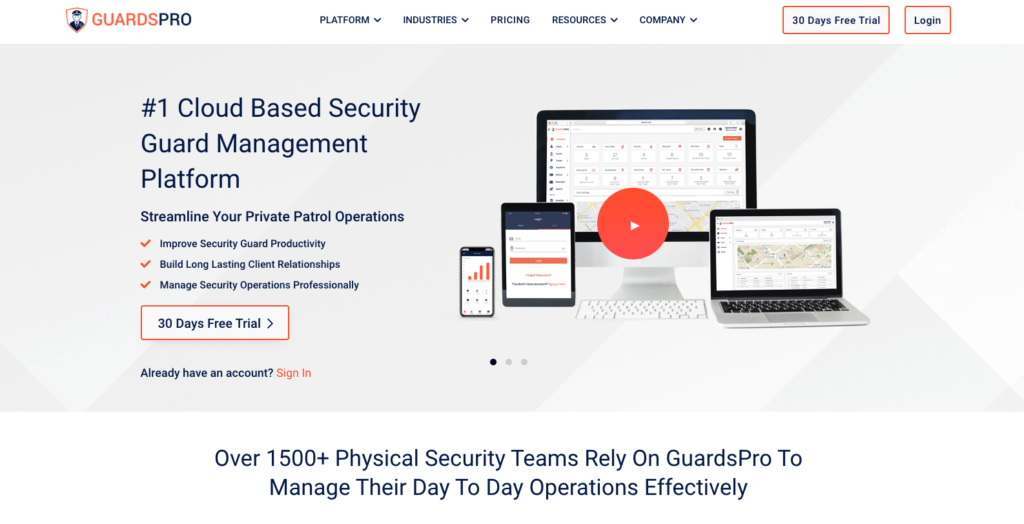
GuardsPro is a comprehensive security guard management platform.
Why I chose GuardsPro: This security guard tracking software is user friendly and feature-rich—offering a wide range of tools from time tracking and scheduling to task management and communication.
Shift scheduling, time tracking and payroll
GuardsPro lets you create and assign shifts to your guards using shift templates to save time. Guards can also pick from open shifts and view their post orders directly in the app. I especially liked the shift confirmation feature, which gives you live status updates so you know whether guards have seen their assignments.
I was also happy to see time off management. Employees can request full or partial-day leave, and you can manage requests from your dashboard—a great way to track who’s off and avoid mistakenly assigning them shifts.
For time tracking, guards can clock in and out of their jobs using their mobile devices. This eliminates the need for additional hardware at patrol sites and helps reduce timesheet errors. Once time entries are approved, you can download payroll reports for your team and sync them with providers like QuickBooks, Gusto, and ADP.
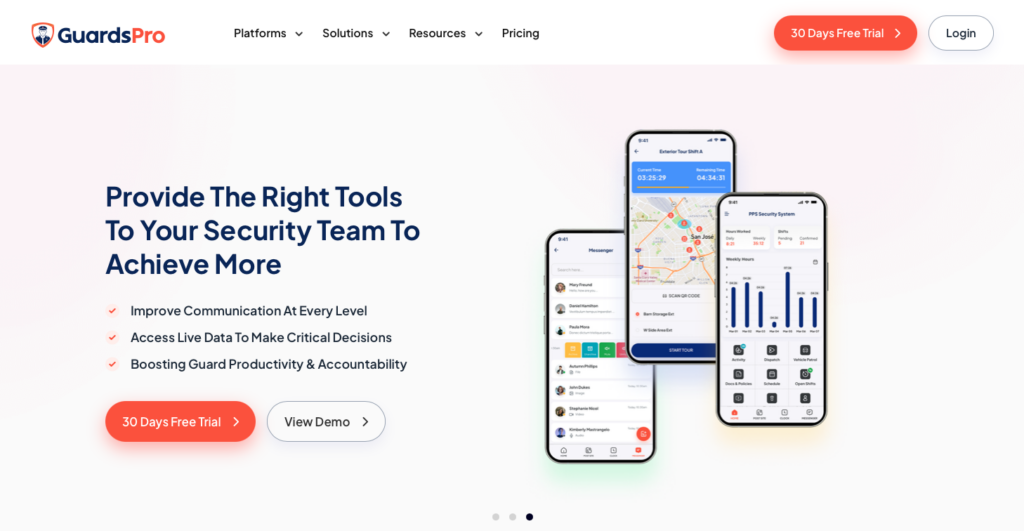
Keep track of where your guards are with GuardsPro. Guard accountability and location monitoring
GuardsPro’s live location tracker lets you pinpoint the exact location of your security guard on the map and see where they were during any specified time frame. You can also create geofences to define authorized or restricted areas and receive alerts whenever guards enter or leave designated zones.
I was impressed by GuardsPro’s idle alerts feature, which shows you which guards have been inactive and when. This helps you address accountability issues in real time and ensures guards are staying engaged during their shifts.
The platform also includes a visitor management tool, which lets guards register visitors and vehicles directly from the mobile app. Entry and exit times are tracked automatically, creating an accurate record of site activity.
Incident response and client communication
GuardsPro’s panic button allows guards to instantly alert back-office teams about emergencies in real time, ensuring prompt incident response and enhancing safety. The dispatcher feature lets your team respond to dispatch calls and assign them to guards for rapid incident response.
The platform also includes a team messenger and centralized document management, making it easier to keep guards, supervisors, and clients informed. It’s important to mention that the messenger and geofencing are only available on the Advanced plan ($8/user/month) and above, while tasks, site tours, and payroll integrations require the Professional plan ($10/user/month).
What users say about GuardsPro
-Had all the features I was looking for: – QR Codes – Scheduling – Clocking In & Out – Mobile App – GPS Tracking
The support. No phone number to contact. You have to wait for response in an email.
Key Features
- Shift scheduling
- GPS tracking and geofencing
- Dispatcher
- Time off management
Pros
- Panic button for emergencies
- Client portal with multi-user access
Cons
- No customizable incident reports
- Some features locked behind higher-tier plans
Pricing
Starts at $5/user/month (3 user minimum) Trial: Yes — 30 days Free Plan: No
-

Celayix — Best for security companies focused on scheduling and workforce coverage
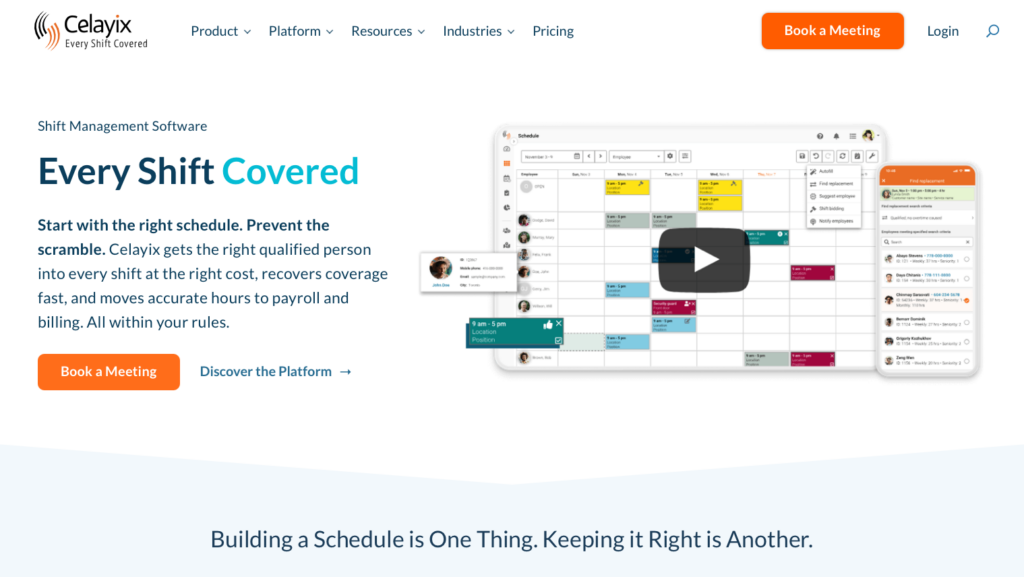
What’s new with Celayix
As of 2026, Celayix no longer offers a free trial. You can request a live demo in order to see the software in action.
Celayix is a workforce management platform that helps businesses schedule employees, track time and attendance, and manage workforce operations.
Why I chose Celayix: I chose Celayix because I liked that its schedule auto-fill feature saves time and is highly customizable for complex security coverage requirements.
Scheduling with auto-fill and shift bidding
Celayix splits scheduling into two apps: Schedule Xpress for managers and Team Xpress for employees. You can build schedules in Schedule Xpress by creating one-off or recurring shifts with details like date, time, customer, location, notes, and tasks, and then drag and drop shifts across days and employee schedules.
The best part is the auto-fill feature, which suggests shift assignees based on your customizable rules, workers’ availability, and time off. The system applies automated compliance rules for union requirements, fatigue limits, and qualification checks.
On Team Xpress, employees can view their schedules, receive shift reminders, self-schedule, or bid on open shifts. While there’s no shift swapping between employees, the platform does offer a “Find Replacement” feature that provides managers with a list of best-fit, most cost-effective guards available.
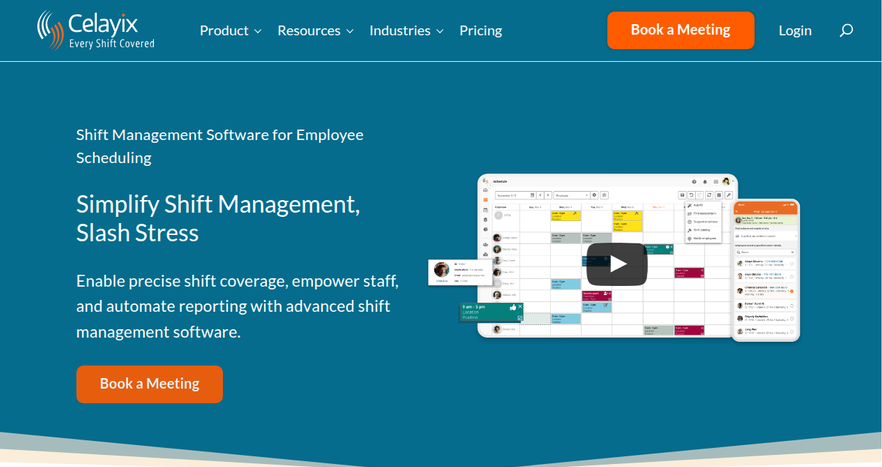
Manage guard shifts across your schedule with Celayix. Geofence time tracking and guard touring
Celayix offers geofence time tracking, where employees check in via the Team Xpress app only when they are within the geofence perimeter of their assigned site. You can set up a virtual perimeter around each worksite, and the system monitors real-time GPS locations so you can set up safety checks during shifts and ensure guards are safe.
For guard touring, Celayix records and verifies security guard activities using NFC tags and QR codes at checkpoints. This ensures critical tasks, goals, and checks are completed and that the client’s location is secured. The system also includes incident reporting functionality for guards working alone on site.
Time and attendance
Celayix’s time and attendance automates the process of tracking employee hours, including time collection, time off requests, reporting, and payroll integration.
The system offers multiple ways to track time: the Team Xpress mobile app, a dedicated Celayix Kiosk, and physical time collection terminals. Employees can track hours worked, submit time-off requests, and review previously worked shifts.
Verified hours are then pushed to payroll automatically. The system also integrates with customer billing, so you can automate invoice generation based on verified guard hours.
What users say about Celayix
The customer service & response time from their team is amazing! The ease of scheduling, time tracking & being able to customize the program makes my job extremely easier.
Limitation on bandwidth for notifications; If you need to broadcast notifications to employees, there is limitations on that data.
Key Features
- Rule-based auto-fill scheduling
- Geofence time tracking
- Shift bidding and self-scheduling
- Customizable task lists
Pros
- Highly customizable scheduling rules
- Guard touring with NFC/QR checkpoints
Cons
- Managers and employees use different apps
- No shift swaps between employees
Pricing
$5.40/employee/month + $22.50/scheduling manager/month Trial: No Free Plan: No
-

Belfry — Best for security firms managing operations, scheduling, and guard workflows
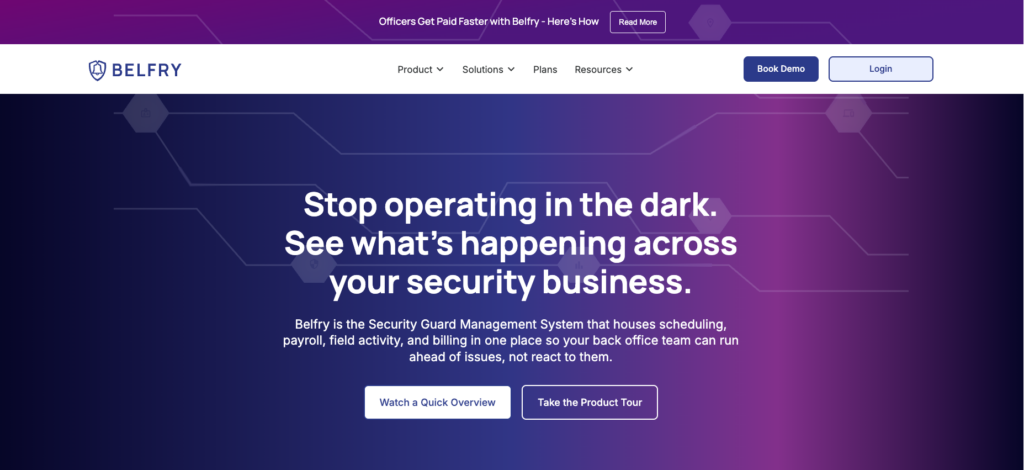
Belfry is a security guard management system designed to house scheduling, payroll, field activity, and billing in one place.
Why I chose Belfry: I liked that Belfry was built specifically to eliminate the need for manual data entry between timesheets and payroll in the security sector.
Scheduling and overtime visibility
As you build a schedule, Belfry shows you overtime across every site in real time, so you catch unbilled OT before it happens. The system calculates unbilled overtime as you make assignments and flags any shift that puts an officer over 40 hours. You can filter every OT-flagged shift and reassign in seconds.
What impressed me most is the smart shift matching feature. When you click any open shift, Belfry surfaces your best available options: certified, site-experienced, not on OT, and sorted by pay rate. Officers can confirm shifts via automated text notifications, which reduces no-shows. The system also sends automated alerts if an officer doesn’t clock in, so you can cover the gap fast.
Managers can post open shifts for eligible guards to claim, but there’s no shift swapping, so the process is still pretty admin heavy.
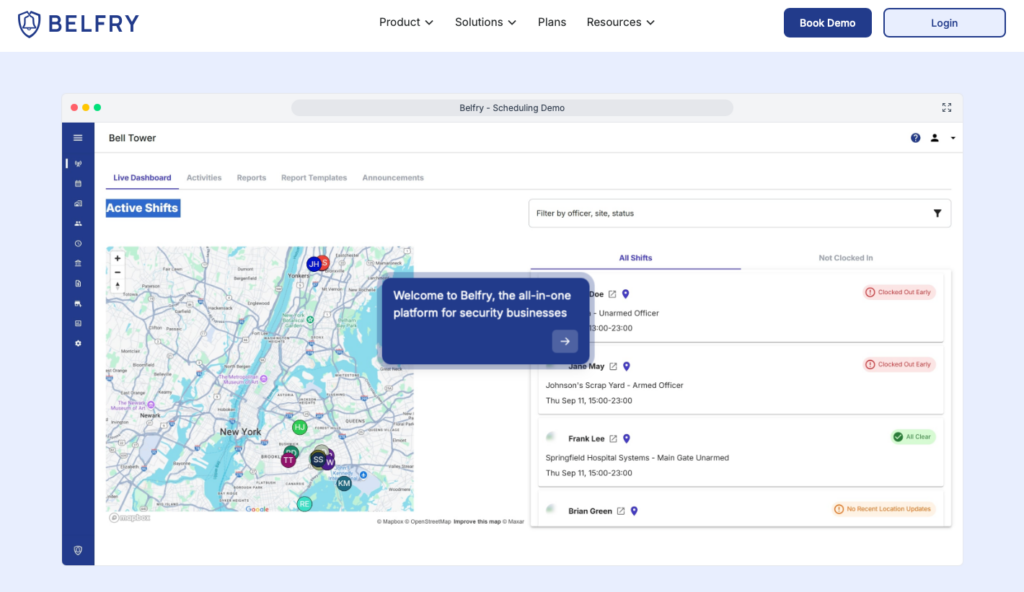
Belfry’s dashboard shows where guards are and who has clocked in. Time tracking and break compliance
Belfry’s timekeeping feature automatically compares scheduled hours with hours actually worked and flags any discrepancies. What I found particularly useful is the automated break management system, which sends alerts to officers when it is time to take a break and notifies you if they don’t.
Electronic timesheets are GPS-synced and automatically submitted for approvals. Belfry’s payroll is fully integrated with timesheets, so it automatically calculates overtime, custom pay rates, and post-specific wages.
Operations and field activity
With Belfry’s operations feature, managers gain real-time visibility into every shift, report, and patrol. You get instant digital reports , real-time client portals so clients see incidents and updates as they happen, and in-app messaging to reach every officer without calls or group texts.
The live dashboard shows officer locations via GPS, NFC, or geofence checkpoint scans. I liked that you can create custom patrol workflows to match each client contract and use the fast dispatch feature to see which officer is closest and send them immediately. The system tracks response times and lets you analyze outcomes.
What users say about Belfry
elfry offers a plethora of features and tools that are utilized daily by our scheduling coordinators and patrol operations supervisors. These tools are easy to use and offer tremendous value when compared to other combination solutions…Some features are not yet available, but these modifications / updates (such as fully customizable levels of user / group access) are currently being developed.
Key Features
- Smart shift matching and scheduling
- GPS-synced electronic timesheets
- NFC and geofence checkpoint tours
- Automated payroll
Pros
- Integrated payroll and timesheets
- Strong focus on overtime spend and compliance
Cons
- No shift swapping
- Pricing is not transparent
Pricing
Contact vendor Trial: No Free Plan: No
Compare the Best Security Guard Management Softwares
| Topic |
 Start for free
|
|
|
|
|
|
|
|---|---|---|---|---|---|---|---|
| Reviews |
 |
|
|
N/A
|
|
|
N/A
|
| Pricing |
Starts at just $29/month for the first 30 users
|
Contact vendor for price
|
Contact vendor for price
|
Price: Starts at $70/site/month
|
Starts at $5/user/month (3 user minimum)
|
$5.40/employee/month + $22.50/scheduling manager/month
|
Contact vendor
|
| Free Trial |
yes
14-day
|
no
|
no
|
yes
14 days
|
yes
30 days
|
no
|
no
|
| Free Plan |
yes
Free Up to 10 users
|
no
|
no
|
no
|
no
|
no
|
no
|
| Use cases |
Best for security teams managing scheduling, GPS time tracking, reports, and communication
|
Best for enterprise security companies managing patrols, reporting, and client portals
|
Best for security firms needing guard tour tracking and incident reporting
|
Best for companies creating detailed activity and incident reports for clients
|
Best for security teams managing patrols, posts, and guard accountability
|
Best for security companies focused on scheduling and workforce coverage
|
Best for security firms managing operations, scheduling, and guard workflows
|
| Available on |
How to Choose the Right Security Guard Software
Choosing the right security guard software depends on your team’s specific needs, operational workflows, and budget. Here are the key factors to consider when evaluating your options.
Team Size & Budget
Some platforms offer free plans for small teams (typically under 5-10 users), while others charge per user or per location. Flat-fee pricing models typically save money for larger teams, whereas per-user models might be more affordable if you only have a few guards.
Industry & Use Case
If your guards patrol large campuses, you’ll probably need tour tracking with NFC or QR code checkpoints. If you manage guards across multiple retail locations, geofencing and mobile clock-ins are essential. For companies that provide detailed daily reports to clients, look for tools with customizable digital forms and client portals.
Feature Requirements
Consider what features are critical to your daily operations. Do you need auto-scheduling to handle complex shift rotations? Is an integrated panic button necessary for guard safety? Do you require direct payroll integration to eliminate manual data entry?
Questions to Ask When Choosing
- Does the platform offer real-time GPS tracking or just geofenced clock-ins?
- Can the software handle complex scheduling rules, like preventing overtime?
- Does the app support offline mode for guards working in low-connectivity areas?
- How easy is it for guards to submit incident reports from their mobile devices?
- Does the system integrate smoothly with your existing payroll provider?
- Are communication tools like instant messaging or a panic button included?
- Is the pricing structure transparent and scalable as your company grows?
What Is Security Guard Software?
Security guard management software is a digital tool used by professionals in the security services industry. It helps companies manage their workforce, operations, and clients from one system. These platforms typically include tools for scheduling guards, tracking time and attendance, monitoring patrols, managing incidents, dispatching personnel, and generating client reports.
Many solutions also offer GPS tracking, geofencing, visitor management, payroll integrations, and communication tools to boost accountability and improve daily operations. By replacing manual processes and paper-based records, security guard software helps businesses improve efficiency, maintain compliance, reduce administrative work, and provide better visibility into guard activity and site performance.
How Does Security Guard Software Work?
Security guard software works by centralizing day-to-day security operations in a single platform. Managers can create schedules, assign guards to specific sites, and distribute post orders and instructions directly through the app. Guards receive assignments on their mobile devices and can access site-specific information while on duty.
As guards work, the software captures operational data in real time. For example, guards can complete patrol tours, submit incident reports, record visitor activity, and document issues using digital forms, photos, and notes. Supervisors can monitor activity as it happens and quickly respond to missed patrols, emergencies, or staffing gaps.
Many platforms also automate administrative tasks by generating reports, maintaining digital records, and providing dashboards that highlight trends and performance metrics. This gives security companies greater visibility into operations, helps standardize processes across sites, and enables faster decision-making without relying on paper logs, phone calls, or manual data entry.
How Much Does Security Guard Software Cost?
The price of security guard software depends on the provider, the number of users, and the feature package you choose. Pricing isn’t publicly available for most of the vendors on this list, except for GuardsPro, which starts at $5 per user per month, and OfficerApps, which charges $70 per site per month.
Connecteam takes a different approach, offering a completely free Small Business Plan for up to 10 users. Paid plans start at $29 per month for up to 30 users. Higher-tier plans start at $49/month for Advanced and $99/month for Expert, both also covering up to 30 users.
Benefits of Security Guard Software
Here’s how security guard software can benefit your business:
Efficient scheduling
Most software has scheduling capabilities, streamlining the scheduling process, allowing businesses to create, modify, and distribute work schedules easily. Automation reduces errors, prevents conflicts, and ensures proper staffing levels, improving overall operational efficiency.
Real-time employee monitoring
One of the significant advantages of security guard management software is real-time monitoring capabilities. Supervisors can track guards’ activities, patrols, and locations in real time. This instant visibility allows for quick response to incidents, ensuring guards are where they should be, and enhancing overall security.
Enhanced communication
These software solutions facilitate seamless communication between security guards, supervisors, and clients. Features such as messaging, alerts, and notifications enable instant communication, promoting swift response to emergencies, changes in assignments, or important updates, fostering a more connected and responsive security team.
Comprehensive reporting
You can automate the reporting process by allowing guards to submit detailed incident reports, maintenance requests, and other essential documentation electronically. Supervisors can easily access and review these reports, ensuring accurate record-keeping, compliance, and better decision-making based on comprehensive data analysis.
Streamlined training and certification tracking
You can simplify these processes by tracking training completion, certifications, and license renewals directly in the app. Automated reminders ensure that guards are always up-to-date with their training requirements, ensuring compliance with industry standards and regulations.
Improved accountability
With features like GPS tracking, electronic checkpoints, and geofencing, security guard management software enhances accountability. Guards are accountable for their assigned tasks and locations, reducing the likelihood of negligence. Supervisors can verify guard presence and performance, promoting a sense of responsibility among the security team.
Increased client satisfaction
You can more easily communicate with your teams, conduct accurate reporting, and timely incident resolution. These factors contribute to improved service quality, leading to increased client satisfaction. Clients benefit from enhanced security services, transparent communication, and a proactive approach to addressing their security concerns.
The Bottom Line on Security Guard Software
Security guard software is essential for managing patrols, shift scheduling, and client reporting. The right tool eliminates paperwork, streamlines communication, and keeps guards accountable through real-time tracking and incident reporting.
Connecteam stands out as the best all-in-one solution for security teams. It combines scheduling, GPS tracking, NFC checkpoint scanning, and communication in one app at an affordable price.
Ready to upgrade your operations? Try Connecteam for free today.
FAQs
Not necessarily—but choosing an all-in-one solution can help streamline operations and reduce tech bloat. If you’re managing a team of guards across multiple sites, a platform that includes scheduling, communication, task tracking, time clocks, and even training tools can eliminate the need for multiple disconnected apps. This reduces admin work and makes onboarding easier.
Pricing varies widely based on features, number of users, and billing models. Entry-level solutions can start around $5–$10/month for basic functionality, while full-featured platforms may range from $99/month to several hundred dollars, depending on your team size and required integrations. Some tools, like Connecteam, offer a completely free plan for small teams, with paid plans starting at $29/month for up to 30 users.
Yes. The right security guard software improves communication, eliminates manual scheduling headaches, and ensures guards know where they need to be—when they need to be there. These improvements reduce frustration, prevent burnout, and increase trust between staff and management. Features like mobile access, clear task assignments, and instant updates also minimize operational errors.
Yes, several of the apps featured offer built-in incident reporting—often in real time. This feature allows guards to submit detailed reports directly from their phone, complete with images, video, timestamps, and GPS location. Managers receive instant alerts and can review incidents as they occur.