


If running a staffing agency means you’re drowning in applications, rushing to fill jobs, and struggling to remember who’s placed where, something needs to change.
When you’re working off multiple spreadsheets, emails, and disconnected systems, it’s easy to lose track of important details.
Staffing agency software organizes your operations, helping you manage candidates, track performance, and keep communication on track.
In this article, I looked at the 6 best software for staffing agencies, including:
- Connecteam
- Bullhorn
- TempWorks
- Avionté
- Crelate
- JobDiva
Our Top Picks
-
1

Best all-in-one staffing agency software
-
2

Good for applicant tracking and CRM for staffing agencies
-
3

Good for high-volume temporary staffing operations
Why trust us?
Our team of unbiased software reviewers follows strict editorial guidelines, and our methodology is clear and open to everyone.
See our complete methodology
What to Look For in a Staffing Agency Software Solution
Here’s what I looked for to find the best software for staffing companies:
Must-have features:
- Candidate and job management: The software should centralize candidate, job, and placement data, so you can track availability, assignments, and active placements.
- Workflows and automations: The app must support how your agency operates, with custom tools to reduce manual processes and speed up placements.
- Task and activity tracking: You should be able to manage recruiter tasks, deadlines, and follow-up.
- Time tracking and staff scheduling: You should be able to track employee hours, build schedules, and manage shifts in one platform.
- Built-in communication: Your team needs to be able to collaborate in real-time so recruiters, coordinators, and managers can work from the same updated information.
- Document management: The software should provide secure storage for contracts, certifications, and paperwork, with reminders for expirations and renewals.
I also made sure the software is:
- Easy to use, so your team can focus on filling roles, not learning new software.
- Cost-effective, to scale with your agency without paying for features you don’t need.
- Mobile accessible, so you can make updates and communicate on the go.
Finally, I checked for these standout features:
- Analytics dashboards to visualize data and help inform decisions.
- Integrations to connect with payroll, job boards, CRMs, and HR systems.
The 6 Best Staffing Agency Software Solutions
-
Connecteam — Best all-in-one staffing agency software
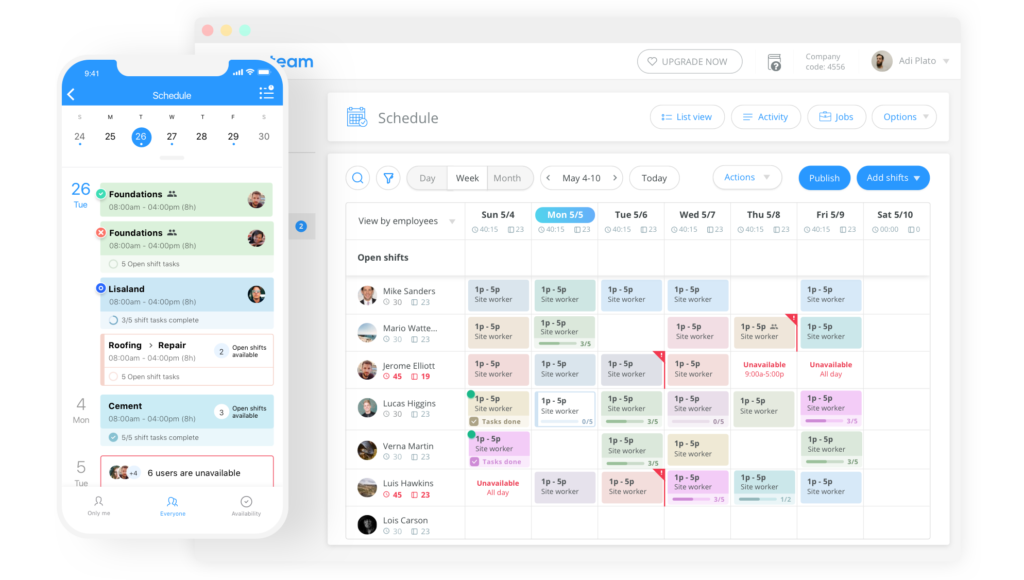
Connecteam is a staffing agency software built for teams that need to manage onboarding, operations, communications, and more all in one place.
Why I chose Connecteam: I chose Connecteam because of how its onboarding features are directly tied into all other areas of employee management.
Onboarding
Connecteam makes it easy to design onboarding experiences tailored to specific roles, teams, or departments. New hires can complete everything directly from their phones, which speeds up the process.
There are digital onboarding checklists, which let you monitor progress at every step. You can customize these checklists by role, location, or department and include a range of tasks, such as reviewing training materials or submitting required documents.
I liked that you can share responsibilities across teams. For example, recruiters and managers can each be assigned specific tasks, all tracked in one place. It’s really helpful for ensuring that everyone stays aligned throughout the onboarding process.
Staff scheduling
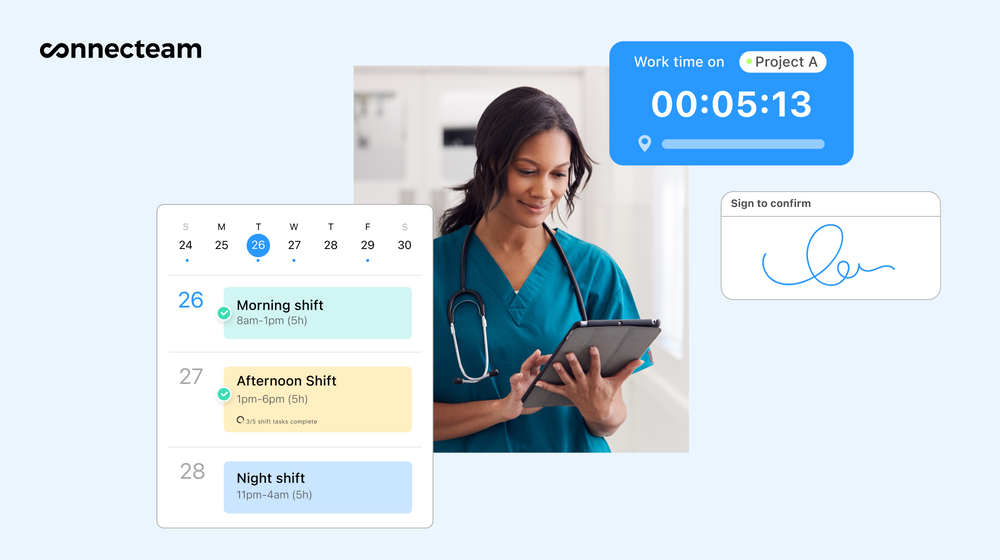
Connecteam makes employee scheduling simple and straightforward, even if you’re dealing with multiple clients, roles, and locations. With the drag-and-drop editor, you can quickly build, adjust, and reassign jobs as your needs change. You can create separate schedules for different clients, job sites, or time zones and attach shift notes, tasks, or documents so candidates know exactly what to do.
Candidates can update their availability, request time off, and view their assigned shifts right in the app. If you’re short on time, I liked that you can use the auto-scheduler to assign shifts based on availability, roles, fairness, and requirements. Schedule changes are published in real-time to prevent missed shifts and confusion.
Time tracking
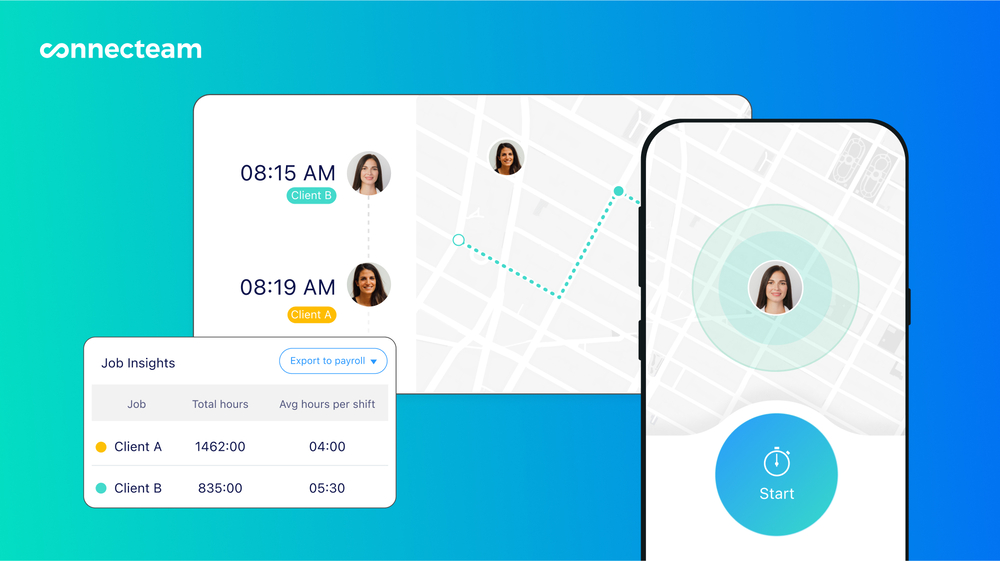
Connecteam’s employee time clock helps staffing agencies accurately track time and attendance across multiple job sites. Placed candidates can clock in and out from their phones, and GPS tracking and geofencing helps you confirm they’re at the right location when a shift starts or ends.
Automatic reminders are great for preventing missed punches, and managers get live visibility into attendance as shifts happen. Auto-reports make it easy to spot no-shows, late arrivals, or coverage gaps before they impact your client.
I also liked that breaks, overtime, and corrections are recorded directly into timesheets for payroll. You can also assign custom pay rates to specific candidates or jobs, so all payroll calculations are accurate. Recruiters or managers can review, edit, and approve hours in one place, and export timesheets directly to payroll in one click.
Documents
Connecteam lets staffing agencies store all candidate, client, and team documents in one secure, central location. You can upload contracts, tax forms, certifications, licenses, or onboarding documents. It was easy to access the documents, and I appreciated that there were expiration reminders to help you stay compliant without having to manually track every date.
You can also assign documents directly to candidates or internal staff and track who’s viewed or signed them. Nothing gets buried in emails or lost in filing cabinets, making audits and client requests so much easier to handle.
Forms and checklists
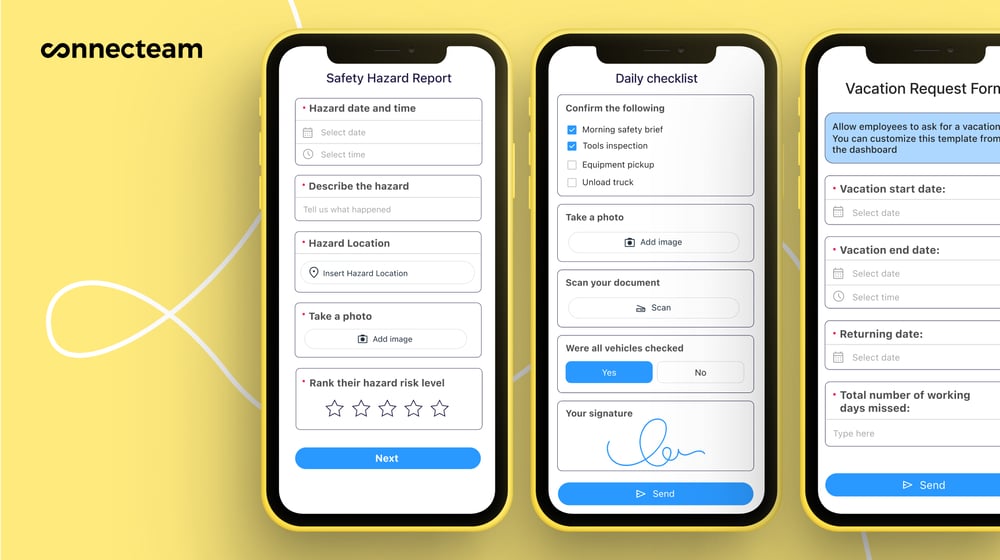
If you’re managing ongoing placements, Connecteam’s digital forms and checklists are a massive help. You can create forms for onboarding, interviews, feedback, or incident reports. If you already use paper or PDF forms, just upload or take a picture of them and Connecteam’s AI will instantly convert them into structured, digital versions. I really liked this feature, because it’s a more efficient way to handle your existing workflows.
Another thing that stood out to me was the flexibility. In addition to standard fields like text and dropdowns, Connecteam supports file uploads, document scans, and photos. Each submission is time-stamped and stored in the app, making it easy to track and maintain records throughout a placement.
Integrations
Connecteam offers an API integration and connects with popular payroll and HR tools, including:
And so much more…
Connecteam also offers an online team chat to keep recruiters and candidates connected without relying on personal texts. Use the AI Course Creator to build custom training materials in minutes for onboarding, guidelines, or role-specific instructions. The company directory gives your team quick access to contact details, roles, assignments, and clients, so you can always reach the right person. Connecteam offers all this and more to help staffing agencies stay connected, consistent, and prepared.
Connecteam also offers a free for life plan – Get Started Now!
0Key Features
- Onboarding
- Document management
- Time clock
- GPS tracking
- Scheduling
- In-app communication
Pros
- All-in-one solution
- Intuitive platform
- Mobile accessible
- AI automations
Cons
- More integrations still in development
Pricing
Free-for-life plan availablePremium plans start at $29/month for 30 users
14-day free trial, no credit card required
Start your free trial -
Bullhorn — Good for applicant tracking and CRM for staffing agencies
Bullhorn is a staffing and recruitment software designed to manage the candidate lifecycle, including sourcing, onboarding, and invoicing.
Why I chose Bullhorn: Bullhorn stood out to me because of its powerful automations and analytics built to handle the complex needs of staffing agencies.
Candidate recruitment and management
Bullhorn’s applicant tracking system and CRM are combined, so candidate, job, and client information are all in one place. This made it easier to see who’s available, who’s assigned, and which placements are active without switching tools.
I was impressed by Bullhorn’s AI-powered sourcing and matching tools, which suggest qualified candidates from both your databases and external job boards. The tools rank candidates based on fit, which I can see saving recruiters time if they’re working through a large pipeline.
There’s also a mobile app, which seemed useful for managing tasks and staying connected with candidates while on the move.
Automation and workflows
I thought Bullhorn’s automation capabilities were pretty strong. You can build workflows to speed up repetitive tasks, like sending follow-ups, updating candidate statuses, and booking interviews. There are also more advanced automations for activities like sourcing, screening, and submissions. If your agency handles a high volume of candidates, these tools could be a real advantage.
That said, some of the more complex workflows seemed very time-consuming to set up and could be overwhelming for smaller agencies without dedicated IT support.
Time tracking, scheduling and onboarding
Bullhorn offers tools to manage time, expenses, and billing. You can review timesheets, track overtime, and prepare invoices from within the platform. There’s also shift scheduling, which lets you record worker availability and preferences via email or SMS and schedule one-time or recurring shifts. There’s also matching feature to help you fill open shifts based on your settings.
While I was impressed by the range of tools Bullhorn offers, I found the scheduling difficult to navigate. The interface felt dated, and it just wasn’t as intuitive as I would have liked.
In terms of onboarding, Bullhorn lets you upload documents, track certifications, and send reminders for expiring paperwork. You can create document packets, organize the contents, and duplicate packets as needed. I appreciated the level of customization you have, so you can really tailor onboarding to your set requirements.
What users say about Bullhorn
The UI is clean, modern, and easy to navigate. It integrates smoothly with other tools, saving tons of time. The automation features are really dang good, making tracking candidates and managing pipelines so easy.

The system can be slow to load at times. Occasional glitches or lag when searching or updating records. Mobile app doesn’t always offer the same functionality as desktop.


Key Features
- Recruitment workflows
- Time and expense tracking
- Analytics and reporting dashboards
- Applicant tracking and CRM
Pros
- Strong automation capabilities
- Mobile accessible
Cons
- Pricing is not transparent
- Outdated interface
Pricing
Contact vendor for price Trial: No Free Plan: No
-
TempWorks — Good for high-volume temporary staffing operations
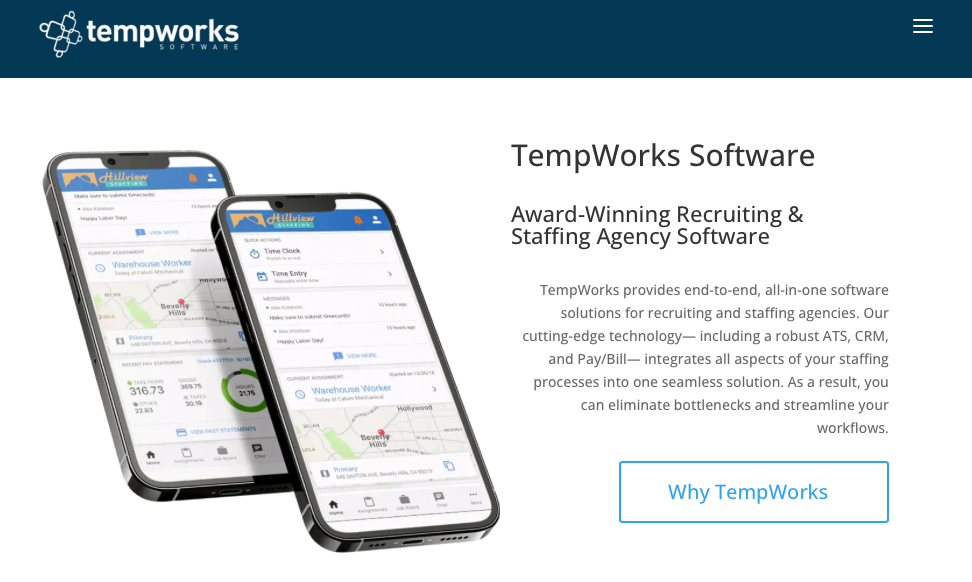
TempWorks is a staffing software platform that helps agencies with recruitment, placement, payroll, and client management.
Why I chose TempWorks: I liked that TempWorks combines typical ATS features with strong tools for time and attendance, such as geofencing and facial recognition.
Candidate and job management
TempWorks does a good job of keeping candidate, job, and placement information in the same system. Its ATS, TempWorks Beyond, gives teams a central view of job orders and active placements across the agency. I liked that this gives teams better visibility into how roles are progressing and where candidates stand in the pipeline from the same platform.
However, I found it a bit overwhelming to take in all the data. There are also many different customization options, which might not be relevant for agencies just want simple reports without the extensive set up.
Time tracking and payroll
TempWorks offers multiple ways to manage time and attendance. You can record time via mobile entry, QR codes, PINs, or physical cards. On the mobile app, you can configure facial recognition and geofencing for tighter security controls.
It’s important to note that TempWorks is moving away from physical time clocks, which could be an issue for agencies or clients that require on-site hardware for attendance tracking.
Hours are recorded into timecards, which the approver can review, edit, and submit for payroll processing. Once processed, you can invoice customers. While the workflow made sense to me in theory, I found the actual steps pretty confusing. The system feels very clunky and less intuitive as some modern platforms, making it difficult to navigate.
Mobile app and onboarding
Through the TempWorks mobile app, recruiters can search candidates, review job orders, add new records, and pull reports. Candidates can use the mobile app for onboarding and complete required forms. The app also lets candidates access assignments, work locations, available jobs, pay details, and communicate with the agency.
While the mobile app definitely seems useful, your experience really depends on well the tools are configured. If your agency doesn’t have the time or resources to invest in setting something like this up, I can see it being a challenge.
What users say about TempWorks
What I like best about TempWorks is the combination of a truly end-to-end ATS/CRM and the ability to tailor it to how our staffing business actually works. We can customize fields, reports, and workflows, and tie everything together with automations and their Open API.
I wish it was more digital friendly… we would love to be able to send text messages through TempWorks for job confirmation. I also wish it would create a daily job board for our Branch to send out our team.
Key Features
- Integrated payroll and billing
- ATS and job management
- Time management
- Onboarding tools
Pros
- Highly customizable
- Strong reporting
Cons
- Clunky interface
- Confusing navigation
Pricing
Contact vendor for price Trial: No Free Plan: No
-

Avionté — Good for mid-size staffing agencies ready to grow
Available on
- Web
- iOS
- Mac
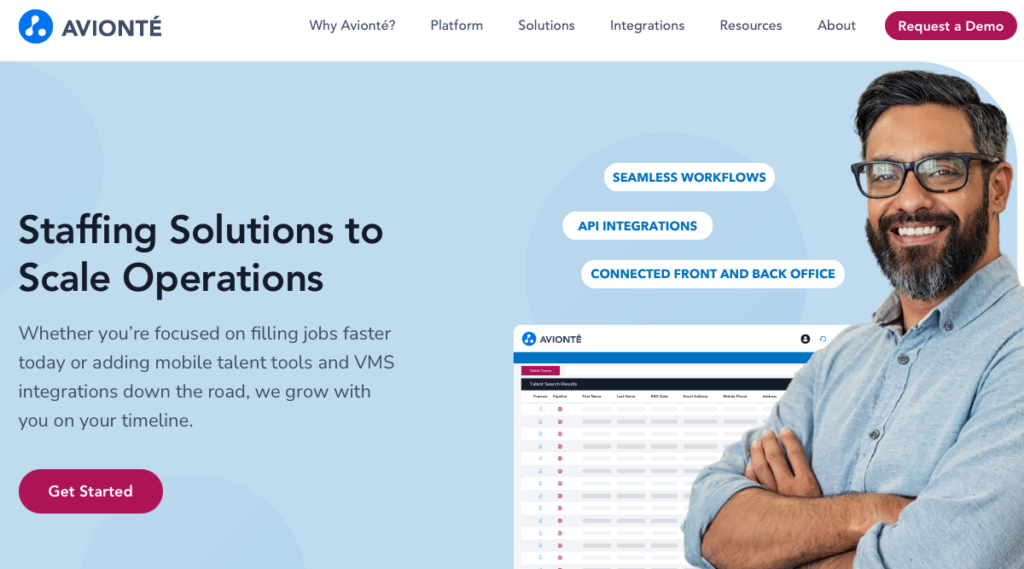
Avionté is a staffing agency software built to help with recruitment, payroll, talent management, and workforce operations.
Why I chose Avionté: Avionté stood out to me for its mobile experience, which engages onboards, and deploys candidates.
Candidate and job management
Avionté brings candidate and job management into the same platform, so agencies can manage candidate profiles, job postings, and placements. You can generate job descriptions with AI, which I can see saving recruiters a lot of time. There’s also automated candidate scoring to speed up the decision making process.
The AI-powered features are impressive, but the heavy reliance on automated scoring also felt frustrating. For example, strong candidates who don’t precisely fit predefined criteria can be overlooked by the system. This seems like a potential drawback, especially in an industry where nuance really matters.
Mobile app and timekeeping
I was really impressed by the Avionté 24/7 mobile app. It matches candidates with jobs based on skills, availability, and location. Candidates can also complete onboarding paperwork, manage their assignments, and view pay information.
Workers can also check in and out of shifts and breaks on the mobile app. There’s a geofencing feature and workers can submit daily or weekly timesheets directly from the mobile app. While the mobile experience works, time tracking on the desktop version feels dated.
Analytics and automations
Avionté offers staffing-focused analytics through its business intelligence module. This gives agencies insight into fill rates, time-to-fill, recruiter performance, talent experience, and employer satisfaction. These reports give teams a good sense of their pace and help identify bottlenecks.
Workflow automations are built to cut down on repetitive tasks and move placements forward faster. Agencies can customize workflows around their recruiting stages, which I appreciated. However, I found the initial setup overwhelming and wasn’t expecting it to take as much time as it did.
What users say about Avionté
I love how Avionté keeps all of our data in one spot, streamlining operations from applicant data collection to payroll and billing. It’s incredibly useful to have everything organized in one system, ensuring no loss of information.
Some parts still feel a little clunky or limited, and certain tasks take more clicks than they should. It’s good, but there’s definitely room for smoother workflows.
Key Features
- CRM and ATS
- Time tracking
- Scheduling
- Onboarding
Pros
- Powerful mobile app
- VMS integration
Cons
- Dated desktop interface
- Complex setup
Pricing
Contact vendor for price Trial: No Free Plan: No
-

Crelate — Good for boutique staffing firms that need flexibility
Available on
- Web
- iOS
- Android
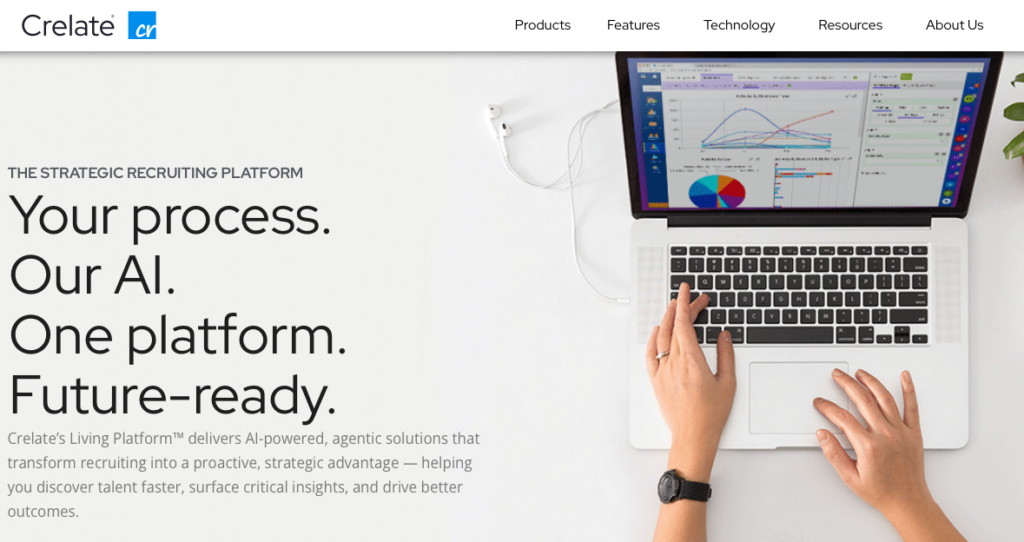
Crelate is a cloud-based staffing and recruiting software designed to manage the complete staffing lifecycle from recruitment through delivery and payroll.
Why I chose Crelate: I chose Crelate because it’s highly flexible and customizable, which is great for agencies with unique workflows and a need to tailor the software to their specific processes.
Jobs and hiring
Crelate supports unlimited candidate records and job creation, which was a huge plus. There’s also highly customizable job fields that allow agencies to capture detailed, agency-specific information.
While this level of customization is a strength, it can also slow things down at the start. I found that the number of configuration options made the setup pretty time-consuming. This might be frustrating for agencies that want a solution they can use right away.
Activities and workflows
Crelate offers an Activities and Workflows system, which gives recruiters a clear, visual snapshot of candidates as they move through the hiring pipeline. You can tailor workflow stages to reflect each agency’s recruiting process, so it really feels personalized to how your team works.
That said, I found that the automation leans more toward tracking work than eliminating it. While tasks like follow-up reminders can be automated, more advanced automation, like automatically sending candidate resumes to hiring managers, is not supported. This is definitely a limitation that’s important to consider.
Time and task tracking
Time tracking in Crelate is pretty straightforward. You can enter time and expenses in the Employee Center, with clear separation between time entry, expense submission, and assignment details. The platform supports multiple time types and has customizable rules to capture different kinds of work.
In terms of project management, recruiters can assign tasks, set due dates, and monitor progress. I liked that the reporting tools let you measure recruiter performance by a few different metrics, including activity type, timeframe, and individual user.
What users say about Crelate
I liked that it was customizable, that you could upload question forms and save the candidate answers, that you were able to upload directly from Linkedin
I’d love to have more robust applicant intake capabilities…I wish we could set the application to have certain questions that when answered a certain way trigger an automated rejection email to the applicant.
Key Features
- ATS and CRM
- Timekeeping
- Onboarding
- Invoicing
Pros
- Background checks
- Geofencing
Cons
- Steep learning curve
- No staff scheduling
Pricing
Starts at $69/user/month Trial: Yes Free Plan: No
-

JobDiva — Good for staffing agencies needing integrated ATS, CRM and VMS
Available on
- Web
- iOS
- Android
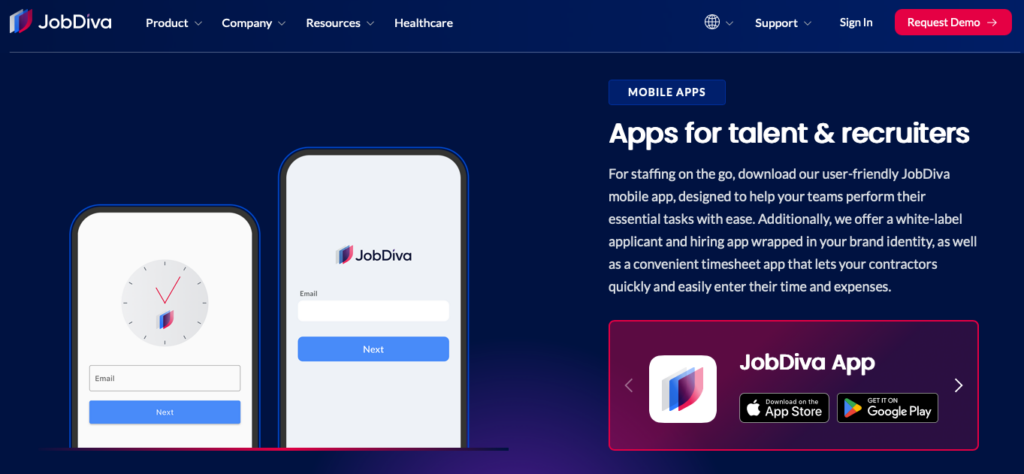
JobDiva is a staffing and recruiting platform that offers ATS, CRM, automation, and back-office tools to support staffing operations.
Why I chose JobDiva: I chose JobDiva because of its VMS synchronization, which seems like a major advantage for agencies managing enterprise clients.
Candidate, job and financial management
JobDiva is built around its ATS and integrated CRM, which centralize candidate, client, and job data into a single system for recruiting teams. One of its biggest strengths is its search technology, which can scan millions of resumes and surface relevant candidates in seconds. I found the interface for building advanced search queries a bit difficult, so it was harder than I anticipated to refine complex searches.
On the back-office side, JobDiva’s DivaFinancials module handles time tracking. The system automates timesheet collection and supports flexible electronic approval workflows, helping streamline payroll processes. Contractors and workers can log time and expenses through the MyTime mobile app, which makes submission quick and accessible.
Automation and VMS synchronization
Automation is a core part of the JobDiva platform, with tools designed to reduce manual work across sourcing, hiring, and onboarding. A standout feature is its VMS synchronization, which I really liked. It automatically pulls job requisitions from major vendor management systems into the platform. While this can significantly reduce manual data entry, mapping VMS fields requires technical expertise and a good amount of time before it works how you need it to.
Reporting and integrations
JobDiva offers a large library of pre-built reports along with customizable dashboards. These provide detailed visibility into recruiting and operational performance. You can track nearly every aspect of the business, which I thought was super helpful.
When it comes to integrations, the platform is more limited. There are several pre-built integrations, but the API is less flexible and less clearly documented than some competing platforms. I imagine this would make custom integrations with niche or in-house tools more difficult.
What users say about JobDiva
Read review here.I find JobDiva incredibly valuable for tracking and sourcing applicants as it seamlessly organizes all my candidates on a single platform, facilitating the creation of profiles, uploading certifications, and maintaining a hotlist for pipeline candidates.
Read review here.find JobDiva very powerful, but the UI can feel outdated and navigation isn’t always intuitive. Some workflows require too many clicks, and reporting/customization could be more flexible. Improving speed, search accuracy, and user experience would make it far more efficient.
Key Features
- Onboarding
- Timekeeping
- Fast resume search
- ATS and CRM
Pros
- VMS synchronization
- Powerful automations
Cons
- Multiple mobile apps
- Limited API documentation
Pricing
Contact vendor for price Trial: No Free Plan: No
Compare the Best Staffing Agency Software Solutions
| Topic |
 Start for free
|
|
|
|
|
|
|---|---|---|---|---|---|---|
| Reviews |
|
|
N/A
|
|
|
|
| Pricing |
Starts at just $29/month for the first 30 users
|
Contact vendor for price
|
Contact vendor for price
|
Contact vendor for price
|
Starts at $69/user/month
|
Contact vendor for price
|
| Free Trial |
yes
14-day
|
no
|
no
|
no
|
yes
|
no
|
| Free Plan |
yes
Free Up to 10 users
|
no
|
no
|
no
|
no
|
no
|
| Use cases |
Best all-in-one staffing agency software
|
Good for applicant tracking and CRM for staffing agencies
|
Good for high-volume temporary staffing operations
|
Good for mid-size staffing agencies ready to grow
|
Good for boutique staffing firms that need flexibility
|
Good for staffing agencies needing integrated ATS, CRM and VMS
|
| Available on |
Web, iOS, Mac
|
Web, iOS, Android
|
Web, iOS, Android
|
What is Staffing Agency Software?
Staffing agency software is a digital tool that helps staffing firms manage the recruitment process, clients, and placements in one place. Agencies use this software for candidate sourcing, candidate management, job posting, and resume parsing. Most software supports both temporary and permanent staffing by maintaining easy access to updated records.
Unlike recruitment agencies, which only support candidates until they’re hired, staffing agencies oversee the entire employment lifecycle; they need software that can handle everything from onboarding to payroll, benefits, and termination. Staffing agency software provides structure, oversight, and consistency across operations and processes.
How Does Staffing Agency Software Work?
Staffing agency software serves as a central workspace for recruiters, managers, coordinators, and specialists to oversee sourcing, hiring, and placements of candidates. The software usually allows candidates to apply through online forms or job boards. Candidate information is stored in searchable profiles, and recruiters can match them to open roles, track progress, and coordinate with team members throughout the process.
Software also helps manage job orders and clients by connecting candidates to specific positions and assignments. Most tools support in-app communication, task management, and document storage. Reporting dashboards provide insight into placement performance and staff workloads. These functions help staffing companies stay organized as they scale.
Why Should I Use Staffing Software?
Software for staffing agencies is a must for dealing with multiple recruits and clients. It’s easy for clients to fall through the cracks or to fall short filling all of the positions a company needs in the absence of staffing software. Using staffing agency software will ensure all data is kept up-to-date and will clearly outline who is looking for a job and what jobs need to be filled.
The best staffing software is built with multitasking in mind; since you’re always dealing with multiple clients at once, it’s crucial to not lose track of important information.
Staffing software also tracks applications and resumes to help you better match recruits to job openings. Software for staffing agencies is made specifically to increase productivity and efficiency.
The Benefits of Staffing Agency Software
Staffing agency software can help you run your firm in multiple ways, including:
More control
When you have a pile of unread applications and a list of roles that keeps growing, it’s hard to know where to start. Staffing agency software makes it easier to tackle the chaos in an organized, effective way. The software gives your team a reliable record of what’s going on. This reduces mistakes, rework, and missed follow-ups so you have more control over your daily operations.
Faster placements
The right software helps your team speed up the placement process while staying consistent. By automating workflows and centralizing candidate information, it’s easier for recruiters to track progress and act on next steps. This leads to roles getting filled faster, fewer delays, and placements that are set up for long-term success.
Better collaboration
Staffing agency software makes collaboration easier between recruiters, coordinators, and managers. By keeping updates visible and accessible, everyone can work from the same information. As a result, handoffs are smoother, communication is clearer, and important updates actually get seen.
Stronger relationships
When your team is organized, informed, and responsive, clients and candidates notice. Staffing agency software helps your staff stay aligned, making it easier to follow through and respond faster. Incorporating these practices consistently can lead to repeat customers, a stronger reputation, and a better overall experience.
Sustainable growth
You can’t rely on manual processes if you want to expand your business. The right software helps you handle more roles, candidates, and clients. It creates a foundation for health growth that can support your long term goals.
How Much Does Staffing Agency Software Cost?
Staffing agency software pricing varies widely based on features, user count, and agency size. Most vendors do not publish their pricing publicly, so you have to request a custom quote based on your specific needs. Crelate lists its starting price at $119 per user per month, which could be an indication of how much similar software costs.
Connecteam stands out for its transparent pricing and Small Business Plan, which is completely free for up to 10 users. Connecteam’s paid plans start at $29 per month for up to 30 users. Higher-tier plans start at $49/month for Advanced and $99/month for Expert, both also covering up to 30 users.
FAQs
Staffing agency software delivers ROI by automating manual tasks, decreasing time-to-fill, and speeding up placement rates. Platforms like Connecteam often deliver quick ROI by providing scheduling, time tracking, and communication all in one app.
Staffing software ensures compliance by automating document tracking, timekeeping, overtime rules, worker classification, and audit trails
Most staffing software ensures data privacy with encryption, role-based access, and compliance with standards like GDPR or HIPAA. Candidate and client information are protected by restricting exposure and enabling secure audit trails.
The Bottom Line on Staffing Agency Software
Running a staffing agency means you understand the importance of timing, accuracy, and coordination. If one thing goes wrong, it can throw everything else off, leading to missed deadlines, frustrated clients, and lost trust.
Staffing agency software brings structure to your processes. It helps your staff stay organized, collaborate efficiently, and guide candidates with confidence. That means stronger placements and more control as your agency grows.
Connecteam stands out as the best choice to onboard and manage candidates throughout their journey. With built-in workflows, automations, and communication, Connecteam is the ideal solution for all your staffing agency needs.