


Cannabis business management software helps you stay compliant, connects your team, and grows with your company.
Running a cannabis business isn’t easy.
Between strict compliance rules, staff scheduling headaches, and constant inventory tracking, it can feel like you’re managing a dozen systems at once.
I tested the leading cannabis business management software to find out which platforms actually make life easier for operators and which ones just add to the noise.
The result? Five top tools that simplify compliance, streamline operations, and keep your team connected — with one clear winner that does it all.
Our Top Picks
-
1

Best all-in-one Cannabis Business Management Software
-
2

Good for cultivators that need close oversight and compliance
-
3

Good for tight inventory and compliance controls
Why trust us?
Our team of unbiased software reviewers follows strict editorial guidelines, and our methodology is clear and open to everyone.
See our complete methodology
What to Look For in a Cannabis Business Management Software
Here are the key features I looked for to find the best cannabis business management software:
Must-have features
- Staff scheduling: Managers should be able to create, edit, and share schedules with team members.
- Time tracking: The software must let employees clock in and out, track breaks and overtime, and record hours into audit-ready logs.
- Checklists and forms: You should be able to create and manage flexible forms for grow logs, quality checks, sanitation protocols, and more.
- Document management: You need to be able to store and easily access important licenses, SOPs, and compliance records.
- Compliance automation: The software should support strict role-based access control, keep audit trails, and sync with state reporting tools.
- Inventory management: You should be able to monitor stock levels and track inventory across multiple locations.
I also made sure the software is:
- Scalable, so the software can expand with your business without the growing pains.
- Cloud-based, so your data is always accessible, secure, and regularly backed up.
- User-friendly, so field and floor teams can use it without a steep learning curve.
Finally, I checked for features that make cannabis business management software great:
E.g.
- Advanced reporting, so you can track your finances, staff performance, and operational efficiency in one place.
- Built-in communication to centralize conversations, updates, and announcements.
- Task tracking, so managers can monitor and measure staff productivity.
The 5 Best Cannabis Business Management Software of 2026
-
Connecteam — Best all-in-one Cannabis Business Management Software
Connecteam is an all-in-one workforce and operations platform that helps businesses manage scheduling, time tracking, tasks, and communication from one centralized, mobile-first app.
Why I chose Connecteam: I loved how integrated Connecteam’s features are. Everything syncs seamlessly, so it’s easy to keep teams aligned and operations compliant without bouncing between tools.
Here’s what else Connecteam has to offer:
Smoother scheduling
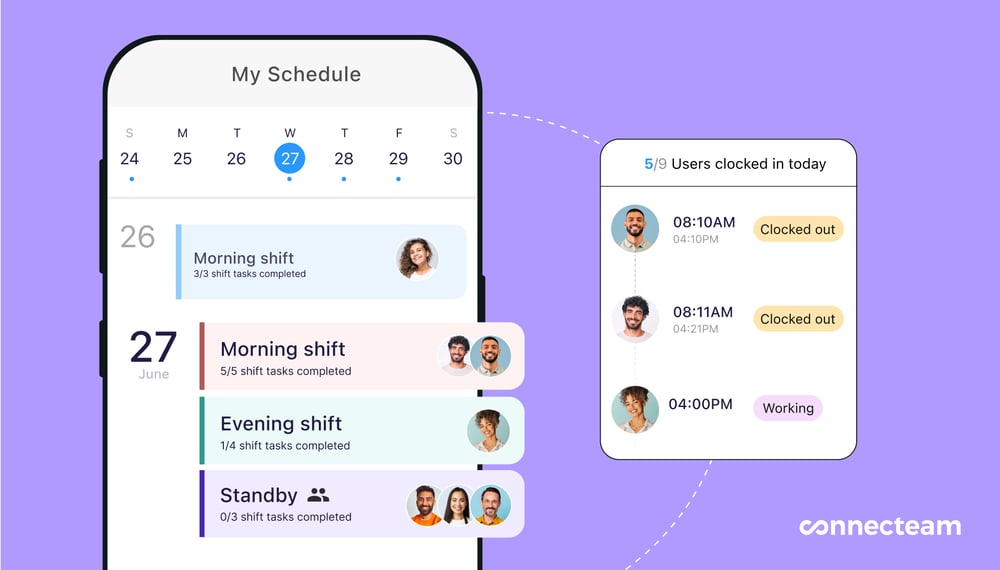
Connecteam makes it easy to manage employee scheduling across your cannabis business. I liked using the drag-and-drop editor to quickly build and edit shift schedules. It was easy to create different schedules across locations, departments, and even time zones. You can add shift notes, link tasks, and attach files to each shift, so your team knows exactly what to do when they’re on the job.
Staff can request time off directly in the app, and mark their preferred work days and availability. Once you publish or update a schedule, employees are notified in real-time and can access the latest version from the mobile app.
I also liked that you can build custom scheduling rules, like requiring a licensed employee or manager to be on-site during certain shift types. It makes it easy to comply with state regulations. Plus, once you’ve set up your custom rules, the AI-powered auto-scheduler can instantly assign open shifts to employees based on their availability, role, and qualifications.
Time tracking
Connecteam’s employee time clock is built for complex operations, and works well for both field and on-site teams. Employees can clock in and out directly from the mobile app. For more visibility, you can use the optional geofence time clock, which automatically clocks out employees if they leave the designated work zone. For businesses with delivery drivers, facility technicians, or multi-site managers, Connecteam’s real time GPS tracker uses Breadcrumb technology to show you your staff’s routes and activity throughout their shift.
I liked that you can set custom pay rules, breaks, and overtime policies to comply with local labor laws and industry-specific regulations. Connecteam applies these rules automatically to reduce payroll errors and help you stay compliant without the extra manual work.
All work hours are logged into timesheets for payroll, which you can review, edit, and approve before sending them directly to your payroll provider. Plus, every timesheet edit is tracked, so you always have clean, audit-ready records on file.
Task management and forms
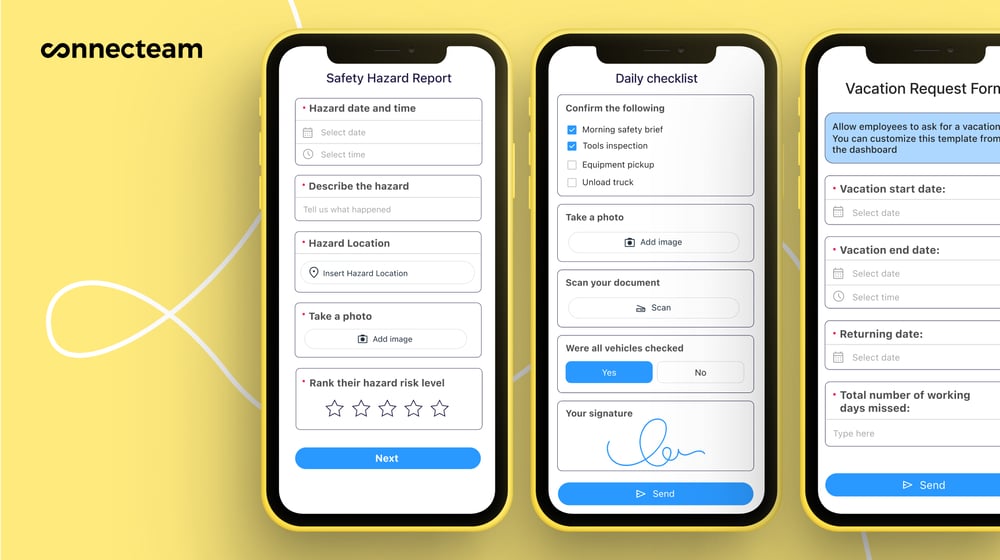
You can also attach forms to the schedule or include them as part of a task. Connecteam’s digital forms and checklists are great for creating structured workflows for routine tasks like batch tracking, delivery verification, sanitation logs, or quality control inspections. You can add text, dropdowns, signatures, photos, and even use the speech-to-text feature, which uses AI to capture notes on the go.
If you already have SOPs, upload or take a picture of them and Connecteam’s AI will convert it into a structured, digital form in seconds. Every submission is time-stamped and stored in the app, so you can find the information you need anytime.
Clear communication
Connecteam’s online team chat lets managers message individual employees or create department-specific group chats (think: one for cultivators, one for warehouse workers). You can send pictures, videos, or files, and even access read receipts to check who’s seen what. The chat is searchable, so you can always find the right conversation. I liked that by having a dedicated work chat you don’t have to switch apps, and can keep your personal messages separate.
In addition to the chat, Connecteam also offers a company update feed, which lets you post announcements, news, or updates. I liked that you can measure who has viewed certain posts and even require staff to confirm that they’ve read important information. It works like a social media-style feed, so employees can engage through comments and reactions, if it’s appropriate.
Integrations
Connecteam integrates with POS systems, such as Lightspeed, Clover, Square, and Shopify POS, so you sync real-time sales data with employee hours. It makes it easy to track labor costs as a percentage of revenue and make better staffing decisions based on actual business activity.
Connecteam also offers an API integration and connects with other tools, including:
And so much more…
Connecteam has a full set of tools to help you manage your cannabis business. You can store and manage staff documents (like certifications, licenses, tax forms, etc.), track employee training and onboarding progress with built-in learning modules, and generate automatic reports on staff attendance, task completion, and form submissions. Built for scalability, Connecteam can grow with your business at every stage.
0Key Features
- Drag-and-drop scheduler
- Task management
- Custom forms & checklists
- GPS time clock
- Digital timesheets
- In-app chat
Pros
- All-in-one solution
- Mobile-friendly design
- Intuitive and easy to use
- Highly customizable
Cons
- More integrations still in development
Pricing
Free-for-life plan availablePremium plans start at $29/month for 30 users
14-day free trial, no credit card required
Start your free trial -
Trym — Good for cultivators that need close oversight and compliance
Trym is a cultivation software built for cannabis growers, with solutions for team management, environmental monitoring, and compliance tracking.
Why I chose Trym: I was interested in Trym because of how it incorporates state-specific compliance and hardware integrations into its platform.
Task tracking and team management
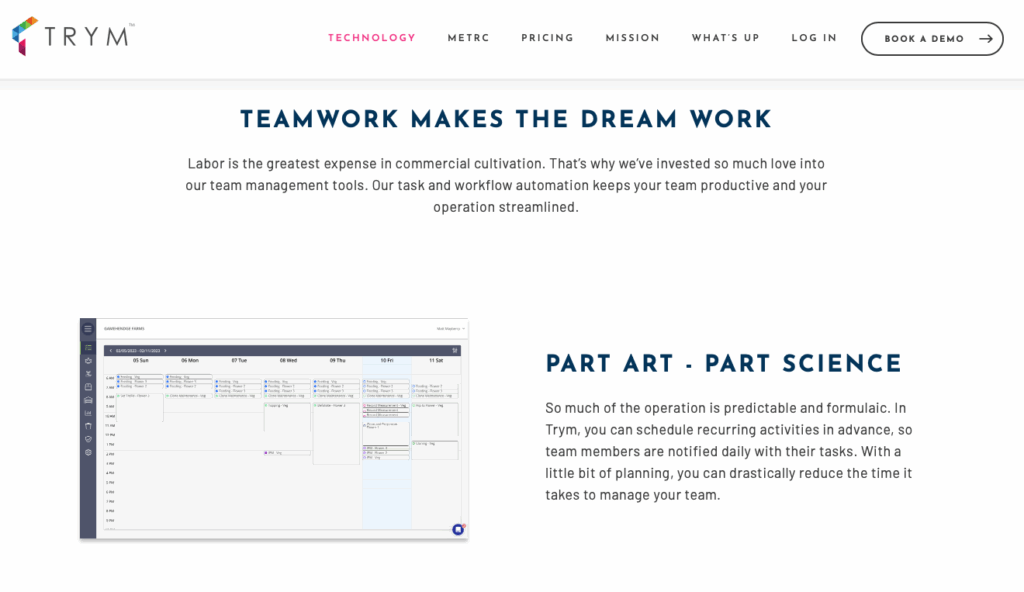
Trym’s task tracking is built for cultivation, which I saw as a strength and limitation. Managers can create detailed tasks and schedule them in advance. You can assign specific team members due dates and track completion in real-time. I liked that employees are automatically notified every day with their task assignments, so they know exactly what’s expected of them.
With task analytics, you can measure how long activities take and identify issues early on. It’s important to note that the system is specifically designed for grow-room activities, not general task management. If you need to manage tasks across multiple departments (admin, sales, compliance, etc.), Trym isn’t the tool for that.
That being said, Trym works well, especially for workflow automation. Tasks are triggered automatically throughout the growth phase, and you can even customize workflows by strain, grow medium, or room type. I really liked that you can add SOPs and notes in the tasks, so employees have easy access to instructions.
Plant tracking and inventory
I was impressed with how Trym tracks plants and batches. You can monitor each plant from seed or clone on the platform, and follow the growth through flowering, harvest, and packing. I also liked that you can manage phase changes, move plants between rooms, and observe plant health throughout its lifecycle. Employees can use the mobile app to log actions, move plants, or destroy them from the grow floor.
Another interesting feature is Trym’s touchless harvesting. I liked that teams can record harvest weights, just by using an integrated scale and an RFID or barcode scanner. The inventory data syncs with Metrc, so state reporting is always up to date.
However, similar to task tracking, Trym’s inventory management is really only useful for cultivation. You would still probably need additional tools to manage finished goods, packaging materials, or retail stock.
In-app communication
Trym has a built-in chat function that I really liked. It’s also cultivation-related, but I appreciated that it keeps communication in one place. You can message individual employees or post in group channels. Employees receive mobile notifications, which I also thought was a plus. The chat is similar to Slack or WhatsApp, so the interface felt familiar. There are also read receipts, so you can always tell who’s seen an update and who hasn’t.
What users say about Trym
hether you are an expert cultivatior or a new grower, they give you access to the data to drive growth.

The least helpful thing in TRYM is the measurement fuctionality. I am able to take measurements however I am not (or at least dont know how) to properly view them in an easy to read way.
Key Features
- Task management
- Inventory management
- In-app chat
- Touchless harvesting
Pros
- Mobile-friendly
- Metrc integration
Cons
- Hardware costs extra
- Purpose-built for cultivators
Pricing
Starts at $850/month Trial: No Free Plan: No
-
Distru — Good for tight inventory and compliance controls
Distru is a cannabis ERP platform, designed to manage the entire supply chain. It combines inventory, sales, and compliance tools into one system.
Why I chose Distru: I liked that Distru offers tools to manage business operations while keeping industry compliance front and center.
Inventory management
I really liked Distru’s inventory management. It’s really detailed, gives you live visibility across different locations, and tracks down to the batch, lot, and package level. It was nice being able to monitor stock levels and track product movements. You can even set reorder points, which helps avoid stockouts.
What I found interesting was the integration between inventory and production. When you run batches and create assemblies, the system automatically updates inventory levels for your raw materials and finished goods. I also thought that the warehouse tools were helpful, especially the storage location tracking and bin management.
Task tracking
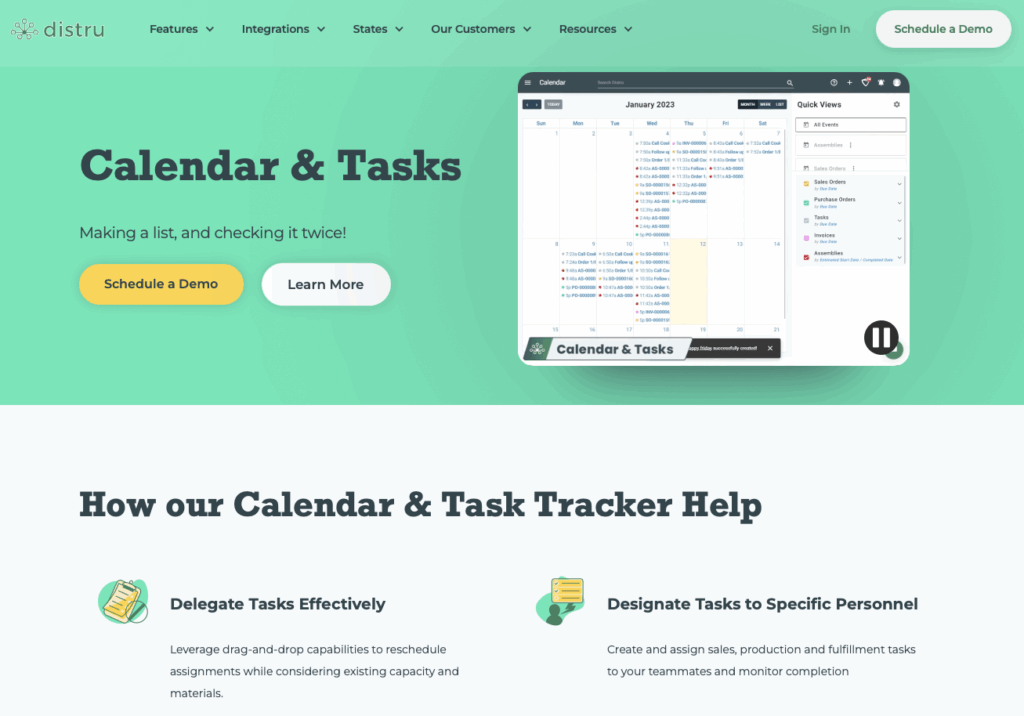
Distru has a built-in calendar and task management system designed for operations. I liked that you can create tasks for different activities, including sales, production, and fulfillment. You can reschedule tasks with a drag-and-drop editor, and assign items to specific employees.
Everything is trackable, so you can monitor progress and set realistic deadlines. There are fixed timestamps and activity logs for every task, which is great for staying compliant and audit-ready.
While I appreciated that Distru offers a way to track tasks, it definitely doesn’t replace a workforce scheduler. There’s no way to manage shifts, time off, availability, or track who works when. Plus, tasks are directly tied to business operations, not hourly staff’s work. I also thought that the lack of attachments, checklists, and subtasks was a big limitation. Without those, I can see it being harder for employees to stay organized and follow through on tasks efficiently.
Compliance tools
Distru offers strong integrations with Metrc and BioTrack. There’s a true two-way sync, and I liked that it was customized to each state’s requirements. All your Distru data syncs to the state system, whether you’re creating packages, moving inventory, or fulfilling orders. When something updates in Metrc or BioTrack, it automatically reflects in Distru.
I also liked that the workflows are based on real cannabis SOPs, so they make sense for how businesses actually operate. You can set granular user permissions, which is helpful for limiting access to sensitive information.
What users say about Distru
The system is intuitive, METRC-integrated, and saves significant time across compliance, inventory, and order fulfillment workflows.
I struggle with some of the simple features such as adding company contacts & driver information.
Key Features
- Inventory management
- Track tracking
- Compliance integrations
- Activity logs
Pros
- Strong compliance tools
- Multi-location support
Cons
- No shift scheduling
- Lacks team communication
Pricing
Contact vendor for price Trial: No Free Plan: No
-

Canix — Good for cost tracking and automated compliance
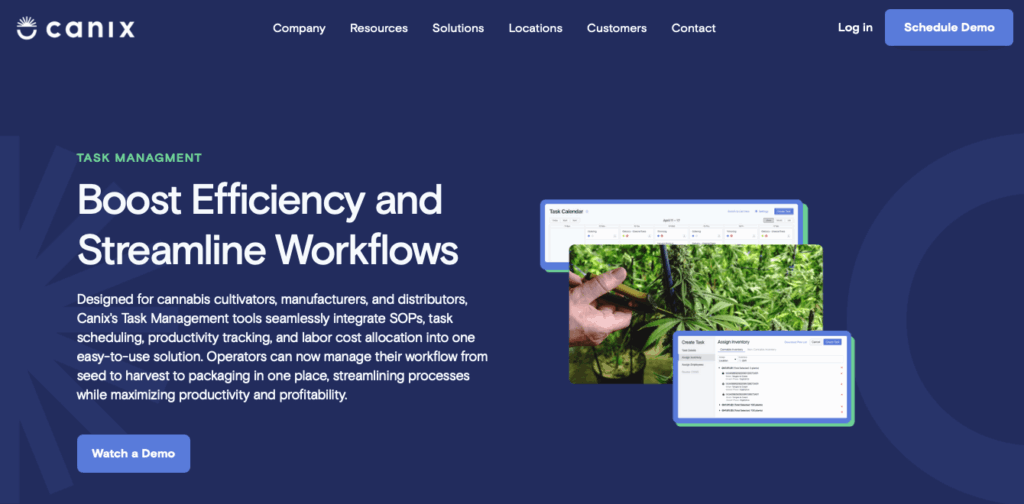
Canix is a cannabis ERP platform built for cultivators, manufacturers, and distributors. It offers tools for compliance, inventory, order management, and reporting.
Why I chose Canix: What I liked most about Canix was its clean interface and how it leverages data to increase profitability.
Inventory management
I liked that Canix’s inventory management system is built for accurate tracking throughout the cannabis supply chain. The platform lets you track plants, batches, and finished goods across multiple facilities. It also automates routine inventory tasks like creating tags, updating packages, and reconciling stock counts.
The top-down inventory view was also really impressive. I appreciated that you can see exactly what you have, where it is, and where it’s going. Within the inventory feature, you also have the option to manage non-cannabis materials. I can see this being helpful, since it gives you a more in-depth view of your overall costs and stock levels. Plus, the inventory system provides audit trails for accurate recordkeeping and to comply with regulatory requirements.
Task tracking and limitations
What I liked about Canix’s task management is that the tools are built into its ERP workflows. You can create a task from a template or from scratch and add its name, category, location, and deadline. I liked that you can also set tasks as recurring, add descriptions, attach SOPs, and create checklist items. Once you assign the task to an employee, you can add a task duration to estimate how long it will take.
What really sets this feature apart is how it tracks labor costs against inventory. So as team members complete tasks, the platform automatically allocates their labor costs to the specific product or batch they’re working on. I was really impressed that the labor data feeds into your cost of goods sold (COGS), which gives you a really good understanding of your profitability of each product.
This is one of the most thorough task management tools I’ve seen in cannabis-specific software, but there are a few practical limitations I can’t ignore.
To start, Canix discontinued its mobile app, and there’s no mobile web view for task management. This means employees can’t easily access their tasks or checklists on the go. To me, it seems impractical to assign employees a task, but limit their access to desktops. There are also no notifications for task assignments or completions, so you have to manually check. And to top it off, while there is a calendar view for tasks, it didn’t provide the clarity I expect from a shift schedule. Despite its powerful capabilities, I can see these issues making it difficult to use Canix’s task management in practice.
Compliance automation
Canix has a two-way Metrc integration. It syncs automatically, which I liked because it means that every action you take updates on both ends without double entry. Since it’s more user-friendly than working within Metrc directly, it’s easier for employees to record tagging plants, packing, or transferring inventory.
Metrc generates a confirmation email for every submission, which is a good way to keep a digital trail for audits. I appreciated that you can also set detailed user permissions, so that only authorized staff can perform high-risk actions or access to sensitive data.
What users say about Canix
I think my favorite feature is the ability to customize your own page. It makes things feel less cluttered and you only have to see what you are currently working with.
Like any software, Canix can experience occasional glitches or bugs. While these are often resolved quickly, they can still disrupt operations and cause frustration.
Key Features
- Seed-to-sale tracking
- Task tracking
- Inventory management
- Compliance tools
Pros
- Real-time data and analytics
- Comprehensive traceability
Cons
- No mobile app
- Complex setup
Pricing
Contact vendor for price Trial: No Free Plan: No
-

KayaPush — Good for compliance management and labor forecasting
Available on
- Web
- Windows
- Mac
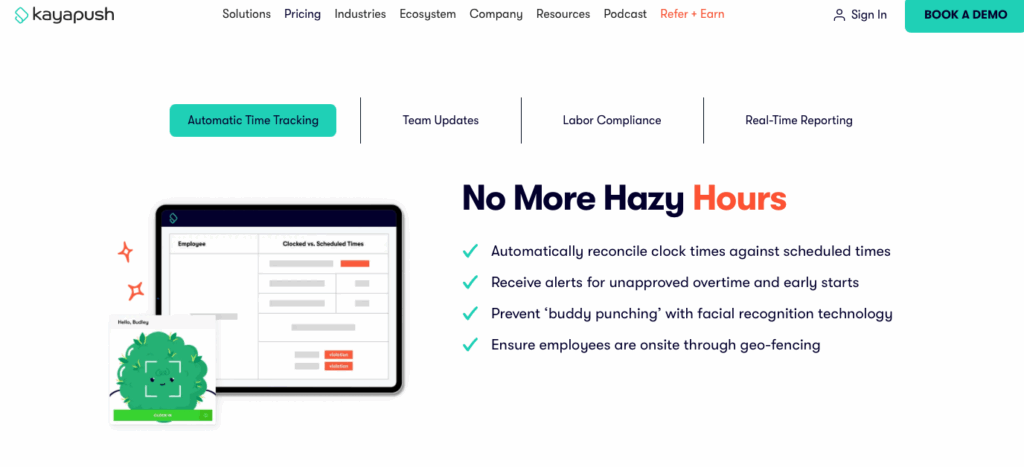
KayaPush is an HR and payroll software, designed for cannabis businesses. It focuses on workforce tools, including scheduling, HR, and labor compliance.
Why I chose KayaPush: I chose KayaPush because of its focus on building tools for industries that have strict compliance requirements.
Scheduling and team management
KayaPush’s approach to scheduling is pretty solid. You can integrate KayaPush with POS systems to build schedules based on real-time and past sales data for smarter staffing decisions. There’s an auto-scheduler, but it requires a pretty involved setup before you can use it. You have to create custom templates and rules for the auto-scheduler to actually work, which kind of takes some of the “auto” out of it.
That said, I liked the team management functions. Employees can swap shifts in the app, and even request time off. Before managers approve the requests, they can see the cost of each change so they know the potential financial implications. Both managers and employees can access the schedule from the desktop and mobile apps, which is nice.
Time tracking and geo-fencing
KayaPush’s time tracking system syncs with scheduling, payroll, and your POS system. The time clock is pretty standard, letting employees clock in and out and alerting managers if someone misses a punch, starts early, or heads into unapproved overtime.
You can enable biometric clock-ins, and there are geo-fencing capabilities, which KayaPush positions as a benefit for delivery operators. While I can see a geofence time clock being helpful for cultivators, dispensaries, and even manufacturing teams, it makes less sense for delivery services. These employees don’t operate within a fixed zone, so a defined geofence feels counterintuitive for their workflow. Instead, I would have hoped to see a GPS-tracking system, which is more fitting for drivers.
Communication and documentation
KayaPush has a built-in chat that lets managers and employees send direct or group messages. You can send text, photos, and attachments, and even set up announcement-only channels for when you need to push important updates. It’s simple, but definitely works.
The platform also offers basic form documentation, which is part of the HR add-on. You can upload files and add fields like checkboxes, text, and signatures. However, the system works by placing an element over an existing PDF, rather than building a fully digital and dynamic form from scratch. It’s not the smoothest workflow, but it does store all documents in the app for easy access.
A note on pricing
KayaPush lists its starting price at $349 per location per month. However, what I noticed is that it’s essentially a cannabis-branded version of Push Operations, which serves the food & beverage industry. Push Operations charges $5 per user per month, with a 5-user minimum. Since the interface is nearly identical, it seems to me like the main differences are the branding and featured integrations. It’s important to note this difference, since KayaPush costs more than Push Operations for what appears to be the same core product.
What users say about KayaPush
This app has made figuring out my work schedule so much easier than any other job has ever in my previous work experience.
I don’t like the view of the scheduling, I wish we could see a full month over only a week at a time
Key Features
- Payroll
- Scheduling
- Time tracking
- In-app chat
Pros
- Compliance-friendly
- Intuitive interface
Cons
- Lacks GPS tracking
- Missing inventory tools
Pricing
Starts at $349/location/month Trial: No Free Plan: No
The 5 Best Cannabis Business Management Software of 2026
| Topic |
 Start for free
|
|
|
|
|
|---|---|---|---|---|---|
| Reviews |
 |
N/A
|
N/A
|
N/A
|
N/A
|
| Pricing |
Starts at just $29/month for the first 30 users
|
Starts at $850/month
|
Contact vendor for price
|
Contact vendor for price
|
Starts at $349/location/month
|
| Free Trial |
yes
14-day
|
no
|
no
|
no
|
no
|
| Free Plan |
yes
Free Up to 10 users
|
no
|
no
|
no
|
no
|
| Use cases |
Best all-in-one Cannabis Business Management Software
|
Good for cultivators that need close oversight and compliance
|
Good for tight inventory and compliance controls
|
Good for cost tracking and automated compliance
|
Good for compliance management and labor forecasting
|
| Available on |
Web, Windows, Mac
|
What is Cannabis Business Management Software?
Cannabis business management software is a digital tool that helps authorized cannabis businesses run their daily operations. These platforms usually combine multiple features into one dashboard, so you can manage the different areas of your business from one central place. Most software offers solutions for staff scheduling, compliance, inventory, sales, and reporting.
Cannabis business management apps are specifically designed to support compliance with industry regulations, which most traditional business software can’t handle. The software often includes tools like seed-to-sale tracking, automatic state reporting, and document storage for licenses, SOPs, and certifications. This software helps businesses stay organized, efficient, and compliant.
How Does Cannabis Business Management Software Work?
Cannabis business management software works by providing cannabis companies with one integrated system for all their operational needs. Most platforms let you manage daily tasks, such as employee scheduling, time tracking, compliance monitoring, and inventory from a single system. Routine tasks are often automated to reduce manual work.
Most software is cloud-based, so users can access it from both desktop and mobile devices. There are usually integrations with industry essentials, including point-of-sale (POS) platforms, state traceability systems, and financial tools. Cannabis helps you manage complexity and reduce risk by connecting your employees, operations, and regulatory requirements.
The Benefits of Cannabis Business Management Software
Cannabis business management software can benefit your company in multiple ways, including:
Better oversight
When everything is in one place, it’s easier to see where your business stands. The software lets you view labor costs, task progress, inventory levels, and compliance statuses. Having this kind of visibility lets you make more informed decisions, quicker.
Simplified compliance
If you work in the cannabis industry, you know how important regulatory reporting is. The right software automates compliance, generates audit-ready logs, and integrates with state systems. This helps you stay compliant, keeps your data accurate, and reduces the chance of costly violations.
Stronger workforce management
Cannabis business software streamlines team management by combining scheduling, time tracking, and communication in one app. Employees can access their schedules, tasks, and messages on their mobile devices, while managers receive real-time insights on attendance, shift swaps, and performance.
Reduced costs
When you can compare employee hours to sales data, it’s easier to adjust staffing to your exact needs, instead of running up unnecessary labor costs. With live inventory data, you can prevent overstocking or stockouts, which means fewer losses, less waste, and higher margins.
Faster growth
A good cannabis business management platform can grow with your business. It’s faster to onboard new team members, replicate successful workflows across sites, and use data to identify trends. The right system helps you scale your operation without compromising on control.
How Much Does Cannabis Business Management Software Cost?
Most cannabis business management software providers don’t share their pricing publicly, but a few do. KayaPush, for example, lists its starting price at $349 per location per month, while Trym’s pricing starts at $850 per month. Based on these figures, it’s safe to assume that similar platforms are priced comparably.
Connecteam offers a Small Business Plan, which is completely free for up to 10 users. Paid plans start at $29 per month for up to 30 users, with higher tiered plans starting at $49/month for Advanced and $99/month for Expert, both also supporting up to 30 users.
FAQs
Limitations include high setup costs, complex compliance updates, and integration issues with state tracking systems. Some platforms also require additional hardware purchases, and some smaller operators may also face steep learning curves.
ROI comes from automated compliance tracking, reduced inventory errors, and improved sales visibility. These benefits often offset software costs within months.
Risks can include data breaches, regulatory non-compliance, and technical downtime. Mitigate them by using secure, regularly updated platforms and training staff on proper use.
The Bottom Line On Cannabis Business Management Software
If you run a cannabis business, balancing compliance, labor regulations, and team coordination is a huge part of your day-to-day. But with the right software, you can spend less time controlling the chaos and more time focusing on growth and profitability.
Cannabis business management software streamlines operations by bringing together scheduling, time tracking, task management, and communication, all while keeping your records audit-ready.
Connecteam stands out as the best solution. It’s intuitive, affordable, and built to scale. But more than that, it helps you stay compliant and organized, so your business can run smoothly.