Have a clear visual of your company hierarchy and roles to support communication, planning, and growth with Connecteam’s org chart app
Navigate your company at a glance
- No credit card needed
- Best ease of use


Trusted by Over 90,000 Companies Worldwide
































Set the stage for collaboration and planning
- Strengthen communication by mapping departments, roles, and reporting lines
- Easily deliver role-specific information with a clear view of everyone’s position
- Visualize your organization to plan your teams and prepare for future growth
- Speed up onboarding by helping new hires understand your company structure
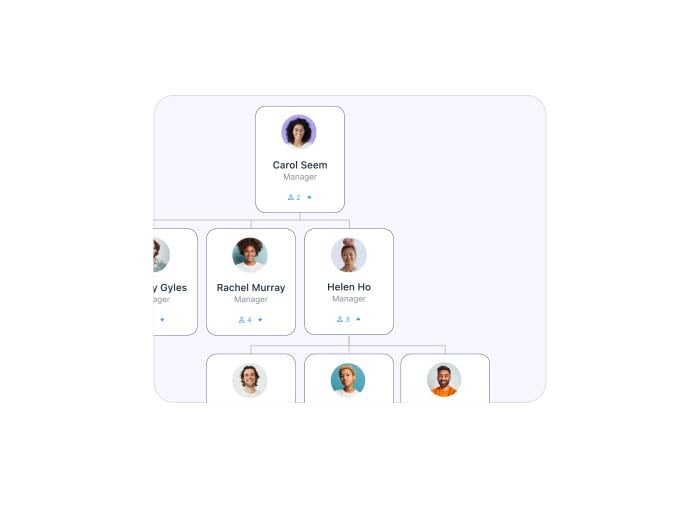
Keep up-to-date, automatically
- Skip manual work with an org chart that auto-generates and updates
- Have the org chart software automatically add, remove, or reposition employees
- Zoom in on your team or search for any employee in seconds
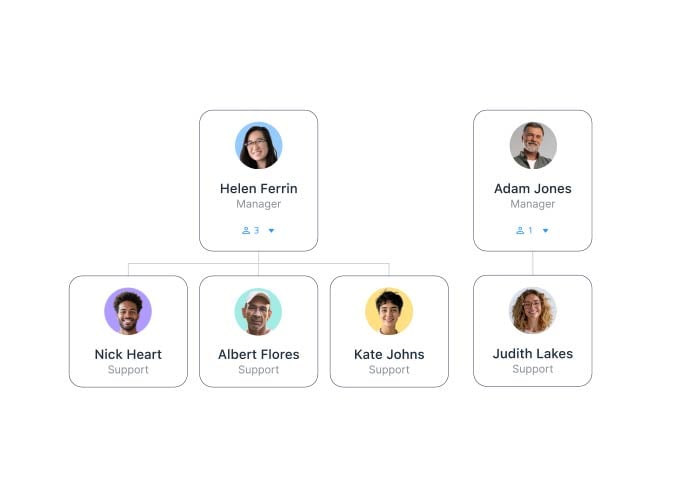
Capture your company in a simple chart
Visualize hierarchy, roles, and reporting lines to improve communication, clarity, and planning
Explore more


Frequently Asked Questions
An organizational chart is a simple visual that shows your company’s hierarchy, including roles, teams, and reporting lines. Organization chart software, like Connecteam, simplifies this process, making it easy to create a clear and up-to-date view of your organization. This helps improve communication, planning, and collaboration across your company.
With hierarchy chart software, you can clearly define reporting lines and team roles, ensuring everyone knows who to reach out to for specific tasks or concerns. This reduces confusion, improves teamwork, and keeps communication flowing smoothly.
Connecteam’s organization chart software automatically creates and updates your org chart in real time, so you don’t have to worry about doing this manually! Whenever employees are added, removed, or switch roles within your company, the chart adjusts itself—saving you time and effort.
The org chart software gives new hires a clear picture of your company structure from day one. It helps them quickly understand who’s who, how teams are connected, and where they fit in—making onboarding faster and more welcoming.