


When company updates, shift changes, and everyday tasks live in different places, frontline employees miss instructions and managers spend time chasing work that should already be done.
I reviewed 5 Beekeeper alternatives, focusing on frontline communication, operational follow-through, and adoption.
Use these picks to find a simpler employee app, a fuller workforce platform, or a larger internal communications system that works for your business.
If you don’t have the time to read through our research, jump down to our quick comparison table.
| App | Best for | Starting Price | Key Considerations |
| Connecteam | Frontline teams combining communication with workforce operations | Just $29/month for the first 30 users | Chat and updates alongside native schedules, time tracking, tasks, and training. Isn’t an enterprise intranet. |
| WorkJam | Large frontline organizations needing communications plus shift and task execution | $799/month for up to 500 users | Targeted communication and frontline execution connected to enterprise systems. Extra add-ons raise the price of base subscription. |
| Blink | Mobile-first frontline communication and employee access | $3.75/user/month | Employee chat, personalized feed, and a central content hub. No built-in scheduling, time tracking, or operational tools. |
| Staffbase | Enterprise internal communications across desk and frontline workforces | Contact vendor for price | Targeted publishing across app, intranet, email, SMS, and signage. No mobile admin app. |
| Workvivo | Culture, engagement, and internal communications in larger organizations | Contact vendor for price | Social participation, recognition, knowledge, and targeted communications. Chat is a paid add-on. |
What’s new in this update? (September 2026)
- Updated information on Beekeeper’s official move to LumApps.
- Replaced Simpplr with WorkJam for a closer frontline-operations comparison.
- Refreshed pricing to clarify what tools are included and which require add-ons.
Our Top Picks
-
1

Best for frontline teams combining communication with workforce operations
-
2
Best for large frontline organizations needing communications plus shift and task execution
-
3
Best for mobile-first frontline communication and employee access
Why trust us?
Our team of unbiased software reviewers follows strict editorial guidelines, and our methodology is clear and open to everyone.
See our complete methodology
What is Beekeeper?
In July 2025, Beekeeper merged with LumApps. Beekeeper was built for deskless workers, giving frontline teams a mobile place to receive updates, find information, and handle everyday work away from a desk.
Beekeeper now goes beyond communication. Its current platform overview includes digital checklists, forms, incident reports, task assignments, automated shift swaps and approvals, and mobile learning. Analytics also cover task completion and workflow performance, not just communication reach.
LumApps says Beekeeper remains operational while the combined experience rolls out gradually, so availability may vary by customer and plan.
Why Are People Moving Away From Beekeeper?
Beekeeper remains well rated, with 4.6/5 from 80 Capterra reviews as of September 2026. Reviewers also praise useful frontline features like access to local documents and guidelines. The question, then, isn’t whether Beekeeper works, but whether it still fits what your workforce needs.
Some users point to growing pains on the admin side. One Capterra reviewer said managing users, permissions, and content takes time to learn, even though the employee experience is straightforward.
Businesses may also start looking elsewhere when they need communication tied more closely to scheduling, timesheets, tasks, or completion records, or when they want deeper targeting and campaign reporting around systems they already use.
The LumApps merger also gives customers a reason to review their setup before renewal, though it doesn’t automatically mean you should switch. Check what’s available now, what your plan includes, and whether each option can handle the everyday workflows your team relies on.
How I Ranked the Best Beekeeper Alternatives
I ranked the best Beekeeper alternatives by considering how well they support frontline communication, daily workflows, admin control, and overall replacement fit.
Here’s what I prioritized:
- Mobile experience: Employees should be able to access key tools easily from their phones, while managers have practical controls for administering the platform.
- Messaging and updates: The platform should support direct communication, announcements, notifications, targeting, and multilingual delivery where needed.
- Work management: Tasks, forms, scheduling, and shift-related actions should be clearly available as native features, add-ons, or integrations.
- Knowledge and learning: Employees should be able to find company information, reference materials, and training without switching between multiple systems.
- Feedback and engagement: Surveys, recognition, and participation data should help teams measure how employees interact with content and initiatives.
- Administration and integrations: It should be easy to manage permissions, identity management, content ownership, and connections with existing business systems.
- Pricing and implementation: The platform should clearly show which modules are included, what rollout requires, and how costs change as needs grow.
The 5 Best Beekeeper Alternatives
-
Connecteam — Best for frontline teams combining communication with workforce operations
Connecteam combines employee communication with workforce-management tools for deskless teams. It’s built around daily work rather than a standalone company intranet.
Why I chose Connecteam: I ranked Connecteam #1 because it connects the message about the work with the schedule, assignment, time record, and training needed to carry it out.
Employee chat and updates
Connecteam’s online team chat includes one-on-one and group messaging, while employee updates give managers a separate feed for company announcements. Posts can target everyone or specific teams, with read visibility, comments, reactions, and push notifications.
This separation helps managers keep important notices out of busy conversations. Translation and pop-up read confirmations are available on higher Communications tiers, so check the plan if those controls matter to your business. Also keep in mind that Connecteam is built more around practical employee communication than enterprise-style publishing campaigns or newsletters.
Knowledge, surveys, and training
The company knowledge base gives employees a central place to find company instructions and reference materials, and they can use the AI Agent to pull answers directly from relevant content. Surveys and live polls let managers collect feedback from the same app.
For structured learning, the HR & Skills Hub adds mobile courses, quizzes, progress tracking, and training records. That makes it possible to move from sharing a procedure to confirming that employees have actually completed the required training.
Scheduling, time tracking, and tasks
Connecteam’s employee scheduler lets employees view schedules, claim open shifts, and request swaps or replacements, with manager approval where required. This gives teams a structured way to handle coverage changes instead of relying on messages alone.
The Operations Hub also includes an employee time clock and digital timesheets for recording hours and preparing payroll exports.
Managers can also assign tasks and track completion, while digital forms and checklists capture details such as signatures, photos, and location data. That means a manager can send an update, assign the follow-up work, and collect proof of completion in the same platform.
Together, these tools connect communication with the work that follows, so managers don’t have to coordinate schedules, tasks, and records in separate systems. Operations, Communications, and HR features all sit in different hubs and tiers, so compare the full setup you need, not just the entry price.
0Key Features
- Employee chat, targeted updates, and surveys
- Native scheduling and shift changes
- Time tracking, tasks, and digital forms
- Knowledge base and mobile employee training
Pros
- Connects communication with daily workforce operations
- Keeps assignments and completion records together
Cons
- Not a dedicated enterprise intranet
- Pricing is by hubs and tiers
Pricing
Free-for-life plan availablePremium plans start at $29/month for 30 users
14-day free trial, no credit card required
Start your free trial -
WorkJam — Best for large frontline organizations needing communications plus shift and task execution
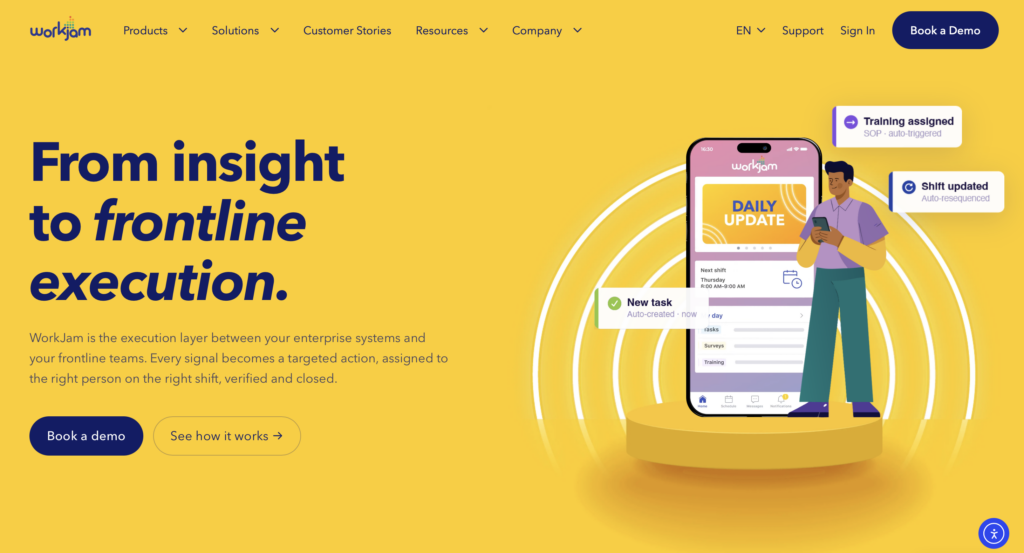
WorkJam brings frontline communication and enterprise work tools together, but it’s designed more for organizations with 500–5,000 employees than small teams.
Why I chose WorkJam: I included WorkJam because it brings information from existing workforce systems into one place where employees can act on it during their shifts.
Targeted frontline communication
WorkJam brings news, recognition, chat, live events, and surveys into a feed-style experience. Managers can target announcements by attributes such as role, location, or shift status, helping large operations avoid sending every message to every employee.
There’s also automatic translation to support multilingual teams. The Essential plan includes five communication channels, while Operations Elite adds more channels and audience targeting, so check how those limits fit your locations and employee groups.
WorkJam offers push-and-pull communication with delivery visibility, but if email or SMS are essential to your business, confirm whether they’re built in or require connected tools.
Tasks, shift actions, and learning
WorkJam offers task and audit tools with assignment, completion tracking, and photo or video verification. Task Connect brings in assignments from connected platforms and sends completion data back, while the open-shift marketplace lets employees pick up available work through the same interface.
Staffing Plus adds shift management, punch actions, and time-off requests on top of an existing workforce-management system, so WorkJam is better viewed as a connected frontline layer than a standalone payroll or workforce management replacement.
Tasks, staffing, and learning are sold as separate add-ons. Productivity Plus covers tasks, audits, and forms, Staffing Plus covers shift actions, and Skilling Plus covers training and assessments. These add-ons all require an Operations Elite annual plan.
Enterprise integration and rollout
WorkJam fits multi-location businesses where employees struggle to act on information in enterprise systems. It connects frontline activity with workforce, HR, warehouse, and other operational tools.
That flexibility comes with more setup. Teams need to decide which system owns the schedule, who approves shift changes, and where task-completion data should go.
WorkJam works on mobile, web, and desktop, but smaller businesses may find the integration and module setup heavier than they need. While there is offline access, it’s limited to completing tasks, so communication, learning, and scheduling still require a connection.
Key Features
- Targeted communication with automatic translation
- Task execution across connected systems
- Shift, punch clock, and time-off add-on
- Learning, training, and assessment add-on
Pros
- Connects enterprise information with frontline action
- Supports work beyond announcements and chat
Cons
- Frontline operations modules cost extra
- Offline access limited to task completion only
Pricing
Starts at $799/month for up to 500 users Trial: Yes — 60 day Free Plan: No
-
Blink — Best for mobile-first frontline communication and employee access

Blink is an employee communication app for frontline teams that want a focused mobile experience without replacing every operational system.
Why I chose Blink: I chose Blink because employees can filter their feed by post type, control mobile notifications, and keep team messaging separate from company resources.
Newsfeed and employee chat
Blink’s newsfeed brings together company news, questions, polls, and priority posts, with search and filters to help employees find what they need. Managers can target posts by department, location, or other groups and schedule them in advance.
For conversations, Blink supports private one-on-one and group chats, plus public channels employees can join. Mobile users can also control which categories trigger push notifications, helping urgent messages stand out from general feed activity.
Multilingual publishing and real-time translation require Pro, while other campaign and publishing features vary by plan. If email or SMS matter to your workflow, check if they’re built in or require connected tools.
Content hub
Blink’s content hub brings together files, content series, and shortcuts to forms and integrations. It can serve as a knowledge base and a place to organize training materials, giving employees a clear place for instructions without searching old messages.
During testing, organizing content took several clicks, and there were no traditional document folders. That may make larger handbooks or training libraries harder to structure.
Blink also supports recurring anonymous surveys and peer recognition. For formal training, though, check if you need assessments and completion records, since a content series doesn’t provide the same workflow as a learning-management system.
Integrations and operational limits
Blink connects with workplace tools, but during testing, adding an integration required help from Blink’s IT team rather than a self-service setup. Deeper integrations and API access also sit on higher-tier plans. This matters because Blink lacks built-in workforce scheduling, time tracking, and frontline task management, so those workflows depend on connected tools rather than native features.
Mobile admin is limited too. Managers need desktop access to change workspace settings, review engagement analytics, and send surveys.
0Key Features
- Personalized newsfeed with scheduled posts
- Private chats and public team channels
- Content hub and workplace tool shortcuts
- Surveys, recognition, and engagement reporting
Pros
- Focused mobile experience for frontline employees
- Combines communication with information access
Cons
- No built-in scheduling, time tracking, or tasks
- Mobile app lacks administrator tools
Pricing
Starts at $3.75/user/month Trial: Yes — 14 days Free Plan: No
-
Staffbase — Best for enterprise internal communications across desk and frontline workforces
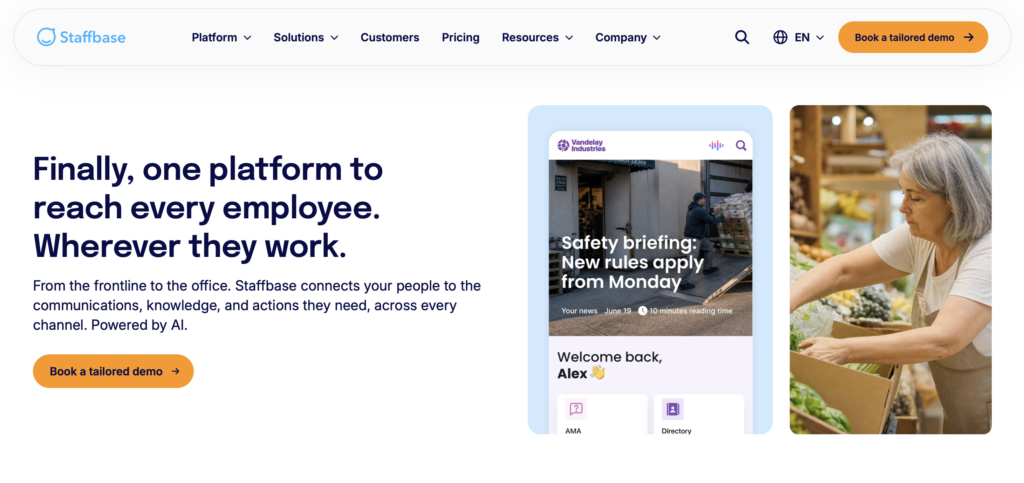
Staffbase is an enterprise communications platform with an employee app, intranet, and multichannel publishing for distributed organizations.
Why I chose Staffbase: Staffbase made the list because it gives communications teams a way to coordinate targeted publishing and measure reach across desk-based and frontline audiences.
Newsfeed and multichannel publishing
Staffbase personalizes feeds using location, role, communities, and employee groups. Employees can like, comment, and bookmark content, while administrators can send push notifications for unseen critical announcements and request an electronic acknowledgment.
Communication extends beyond the app with email newsletters, SMS announcements, digital signage, and translation for multilingual teams. Available channels and languages depend on your setup, so check what’s included.
If direct messaging matters, test that separately. Comments and SMS announcements don’t replace ongoing one-on-one or group chat.
Collaboration tools and analytics
Staffbase supports editorial calendars, approval workflows, comments, versioning, and shared content management, making it easier to coordinate policy launches and location-specific announcements.
Employee journeys send content to selected groups on a set schedule, while onboarding pages and documentation give employees access to company information. These are communication and knowledge tools, not replacements for shift scheduling, task management, or a full training system.
Analytics can break down performance by group, location, channel, and device, while campaign and search insights show what reached employees and what they’re still looking for. Teams that need simultaneous article co-editing should confirm how that workflow is handled.
Integrations and administration
Staffbase integrates with enterprise systems such as Microsoft SharePoint, Google Workspace, ServiceNow, Workday, and SAP, with identity and provisioning options for larger deployments. The exact setup depends on your package and existing tech stack.
The platform is best suited to organizations with a communications team that can manage publishing, audiences, and rollout. That may be more structure than a small team needs for everyday workforce coordination.
Employees can use mobile apps, but administrators don’t get a dedicated mobile admin app. Scheduling, time tracking, and shift execution also sit outside Staffbase’s core communications workflow.
Key Features
- Personalized feeds and targeted announcements
- Email, SMS, and digital signage options
- Editorial planning and content approval workflows
- Campaign analytics and enterprise system integrations
Pros
- Reaches desk and frontline audiences across channels
- Supports governed publishing and campaign measurement
Cons
- No mobile app for administrators
- Deployment needs dedicated communications ownership
Pricing
Contact vendor for price Trial: No Free Plan: No
-
Workvivo — Best for culture, engagement, and internal communications in larger organizations
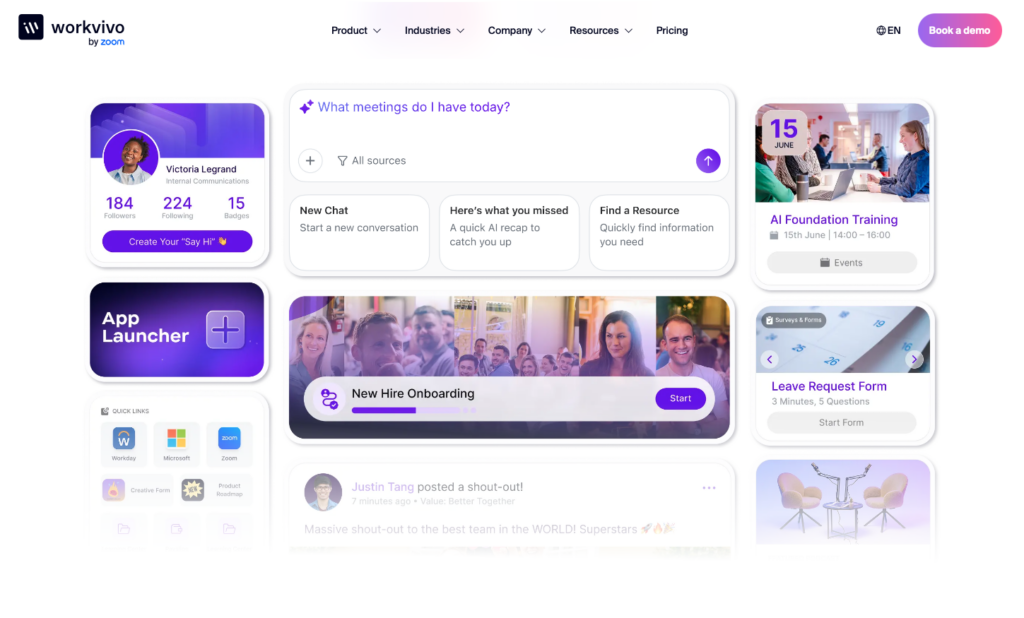
Workvivo by Zoom combines employee communication, company knowledge, communities, recognition, and targeted content in one employee-experience platform.
Why I chose Workvivo: Workvivo offers a mix of social participation, recognition, and knowledge access, making it a good fit for organizations that want employees to feel connected beyond operational updates.
Newsfeed and employee engagement
Workvivo’s activity feed and Spaces give employees places to share updates and join communities. Shoutouts, badges, awards, polls, and surveys support recognition and feedback, while knowledge pages and documents help employees find lasting information.
Local teams can share their own updates alongside company-wide leadership messages, while communities give employees a place to join discussions rather than just read announcements.
Targeting, automatic translation, push notifications, and newsletters help reach different employee groups. Campaign and engagement analytics show who’s seeing and interacting with content. If SMS matters to your business, just check if it’s built in or handled through an integration.
Employee chat and communication channels
Workvivo offers employee chat, with real-time 1:1 and group messaging on desktop and mobile. It also shows who’s online, includes read receipts and search, and supports voice and video calls.
Chat is a paid add-on, so ask to include it in your quote if you need to replace both Beekeeper’s company feed and everyday messaging. Otherwise, employees may still need a separate chat tool.
Other extensions, such as Workvivo TV, are also priced separately. Check that the channels you need are actually included in your quoted price.
Journeys and connected workflows
Workvivo Journeys creates multi-step flows of messages, tasks, and actions based on factors like role, location, date, or employee stage. Employees can move through journeys on mobile, and the platform’s completion and acknowledgment reporting shows who’s participated. This can work well for onboarding, training reminders, or other structured employee processes.
HQ Agent can also take actions in connected systems, extending Workvivo beyond communication. But if you need shift swaps, open shifts, or time tracking, those still depend on separate workforce tools and integrations.
Key Features
- Social feed, communities, and employee recognition
- Targeted newsletters, push notifications, and translation
- Optional employee chat with voice and video
- Knowledge pages and automated employee journeys
Pros
- Promotes employee participation beyond announcements
- Combines culture, knowledge, and communication tools
Cons
- Employee chat requires a paid add-on
- Workforce tools require separate setup
Pricing
Contact vendor for price Trial: No Free Plan: No
Compare the Best Beekeepers
| Topic |
 Start for free
|
|
|
|
|
|---|---|---|---|---|---|
| Reviews |
  |
N/A
|
|
|
|
| Pricing |
Starts at just $29/month for the first 30 users
|
Starts at $799/month for up to 500 users
|
Starts at $3.75/user/month
|
Contact vendor for price
|
Contact vendor for price
|
| Free Trial |
yes
14-day
|
yes
60 day
|
yes
14 days
|
no
|
no
|
| Free Plan |
yes
Free Up to 10 users
|
no
|
no
|
no
|
no
|
| Use cases |
Best for frontline teams combining communication with workforce operations
|
Best for large frontline organizations needing communications plus shift and task execution
|
Best for mobile-first frontline communication and employee access
|
Best for enterprise internal communications across desk and frontline workforces
|
Best for culture, engagement, and internal communications in larger organizations
|
| Available on |
Also considered
There were a few other platforms that were close contenders but didn’t make the final list:
- Simpplr: Strong for employee experience and intranet use, but it overlaps heavily with other enterprise communication picks already included.
- Firstup: Better suited to structured communications campaigns than everyday frontline operations.
- YOOBIC: Strong for frontline tasks and execution, but it leans more toward operational workflows than broader employee communication.
FAQs
Connecteam is the strongest fit here for communication combined with workforce operations. WorkJam suits larger frontline organizations connecting communication with enterprise execution. Blink focuses on mobile employee access, while Staffbase and Workvivo fit different enterprise communication and employee-experience needs.
No. Beekeeper’s current offering includes frontline tasks, forms, shift actions, and learning alongside communication. An intranet typically emphasizes information, news, and employee access. Some intranet platforms also offer workflows, but buyers should verify whether those are operational actions, content journeys, or links into other systems.
Prioritize mobile access, relevant targeting, clear messaging, useful notifications, and information employees can find again. Check translation for the actual languages used by your workforce. For important notices, distinguish delivery, opening, acknowledgment, and action: those are different outcomes, and a successful announcement may require more than a view count.
Some do, but packaging and depth vary. Connecteam provides native scheduling and tasks across its workforce offering. WorkJam supports shift and task execution through modules and connected systems. Other employee communication apps may focus on content or access instead. Ask to see a shift swap and a completed task, including the approval and final record.
Complexity depends on employee data, content, permissions, and integrations. Pilot the highest-risk workflows, appoint system owners, confirm import/export support, and give employees a clear transition plan before retiring the old app.
The official update doesn’t announce a blanket forced migration or shutdown. Confirm your contract and transition arrangements. Compare alternatives on fit, cost, and supported workflows, don’t just assume that Beekeeper is disappearing.
Cost depends on employee count, billing term, modules, and implementation. Connecteam offers a small-business free plan; Blink publishes per-user entry pricing. WorkJam publishes Frontline Connect package pricing, while Staffbase and Workvivo require quotes. Compare the price for your complete requirements: a base subscription may exclude chat, shift support, training, or custom integrations.
The Bottom Line
The best Beekeeper alternative depends on what your team needs to do every day. Some businesses need clearer communication and easier access to information, while others need a wider platform for coordinating work. Focus on the tools employees will actually use, the effort needed to manage them, and the full cost of keeping everything connected.
For frontline teams that want communication and workforce management in one place, Connecteam is a strong option. Start with the features that solve your biggest day-to-day problems, then check that the platform can support your team as its needs grow.
