



Coverage gaps, higher labor costs, and mediocre shift performance might feel like common, unavoidable problems when you’re juggling scheduling with daily shift management tasks, especially when every change, absence, and shift swap falls on managers to handle manually.
But they can often turn into bigger issues, such as lower profits, lost customers, and frequent employee resignations. For hourly workers, unpredictable or poorly balanced schedules can also make it harder to plan their lives outside work, which can hurt satisfaction and retention.
Effective workforce scheduling minimizes these risks, but many managers aren’t entirely clued up on what it is and how it differs from everyday shift scheduling.
Below, I’ll walk you through what workforce scheduling is, why it matters, and what strategies can help you optimize schedules, reduce labor costs, and keep operations running smoothly.
Key Takeaways
- Workforce scheduling is a strategic process for planning and creating employee schedules tailored to your business’s needs, patterns, and legal requirements.
- It puts the right employees on the right shifts, helping reduce unnecessary labor costs while improving profits, team satisfaction, compliance, and your customers’ experience.
- Digital tools like scheduling templates, AI scheduling, and rules-based scheduling features can help you build optimized schedules that meet worker preferences, labor budgets, and labor laws.
What Is Workforce Scheduling—and How Does it Differ From Employee Scheduling?
Workforce scheduling is the process of planning employee shifts in the most efficient way. That means allocating the optimal number of employees (not too many or too few), with the right skills, to meet projected coverage needs.
Workforce scheduling is often confused with employee scheduling, but the two are actually quite different. Employee scheduling is the process of assigning individual employees to specific shifts in the short term.
Workforce scheduling, on the other hand, is a broader, more strategic effort that typically involves using software to:
- Analyze historical demand data
- Forecast how many employees are needed for each shift, as well as how many are available
- Assign jobs in a way that avoids under- or overutilizing anyone
- Ensure employees have the skills and qualifications needed for their shifts
- Balance staffing levels to avoid unnecessary labor costs and stay compliant with labor regulations
- Handle no-shows, last-minute cancellations, and other disruptions
“While the administrative operator strives to simply have a shift filled, the strategic operator views scheduling as a powerful tool in their business for margin control, performance accountability, and workforce stability,” explained Cameron Kolb, founder of ExitPros.
Examples of Workforce Scheduling in Different Industries
Here are a few examples of what workforce scheduling looks like in different industries.
Hospitality
Workforce scheduling helps hospitality companies accurately match staff levels to expected traffic, which often varies—for instance, on weekends, holidays, private bookings, etc.
So, for instance, using basic scheduling tactics, a restaurant manager might simply create a weekly schedule using an employee availability log and a scheduling whiteboard.
With workforce scheduling, the manager could use software that automatically considers waitstaff and kitchen worker availability, daily labor demand (based on past business patterns), and rules (like overtime limits) to create an optimized schedule.
Healthcare
Workforce scheduling helps ensure hospitals and medical clinics have enough doctors and nurses on staff, based on demand, skill needs, predicted patient volume, and, importantly, federal safety requirements or state labor laws.
For instance, in California, hospitals must abide by strict nurse-to-patient ratio laws. Workplace scheduling software can reference current and projected patient levels to ensure there are enough nurses each shift to maintain required ratios in the Intensive Care Unit (ICU), surgical units, and other departments.
In these settings, scheduling also works closely with attendance tracking, since managers need to know whether the right people actually clocked in and whether coverage levels are being maintained in real time.
Manufacturing
In manufacturing, workforce scheduling helps companies enforce health and safety protocols, union rules, and labor laws around working hours, night shifts, and overtime. It can also ensure production lines stay staffed with qualified operators.
For instance, workforce scheduling software can reference worker certifications and qualifications to ensure that trained operators are assigned to equipment, such as forklifts or other machinery.
Field Services
Whether you’re a plumbing, pest control, lawn care, or HVAC company, having the right technicians on hand to handle the work you’re most likely to get is crucial, and a key component of workforce scheduling in operations management for field services.
For example, in the winter, a pest control company may schedule more technicians specializing in rodent control, as more rats and mice seek shelter inside people’s homes. But in the summer, the company may prioritize expertise in insects, as many summer calls are about ants, bees, wasps, or mosquitoes taking over outdoor living spaces.
Emily Demirdonder, director of operations and marketing at Proximity Plumbing, also provided a real-life example of workforce scheduling in action: “[We] examine call volume patterns, the complexity of the jobs, and the abilities of our technicians, to create rosters of technicians that are appropriate to what the day will really demand.”
How Workforce Scheduling Benefits Your Business
Effective workforce scheduling can help your business in several ways.
Boosts productivity
Workforce scheduling aligns staff levels and employee skills with demand. This maximizes employees’ skills, reduces idle time during slow periods, and prevents service delays. It can also help managers monitor schedule adherence, so they can quickly spot late arrivals, missed shifts, or gaps between planned and actual coverage.
For example, in a call center, scheduling tech support agents based on call volume and areas of expertise can help with quicker resolutions, lower wait times, and more calls handled per shift.
Enhances customer experience
Scheduling based on forecasted demand signals and worker expertise leads to two outcomes for customers:
- Customers can be served quickly instead of waiting—whether that’s to check into a hotel, get support at a shop, or stay on the line with customer service agents.
- There’s a greater chance their problems will be resolved when employees are qualified to come up with effective solutions.
Overall, this results in better customer satisfaction and a higher likelihood of repeat business.
Supports compliance
Workforce scheduling helps businesses plan shifts within legal limits. For instance, it prevents violations related to maximum work hours, mandatory rest breaks, and overtime thresholds.
It also supports compliance with certain state-specific rules like predictive scheduling and Fair Workweek laws, which may require advance notice of schedules, minimum shift lengths, or premium pay rates for last-minute changes.
Improves profitability
Proper workforce scheduling maximizes productivity and keeps your bottom line in check. Optimizing staff deployment across shifts reduces unnecessary overtime and helps control labor costs. Further, by helping you comply with labor regulations, it reduces the risk of costly fines and penalties.
Builds employee satisfaction
Kyle Sobko, CEO of SonderCare, pointed out that “your best people are burnt out because they are always the ones plugged into the hardest blocks.”
That’s a common scheduling problem: the most reliable employees often end up carrying the hardest shifts, covering last-minute gaps, or working more overtime than everyone else. When you create transparent, fair, and well-optimized shift schedules, you can offer employees a better work-life balance.
This Might Interest You
Another way to increase employee satisfaction is to offer alternative work schedules. These flexible schedules differ from the standard 9–5 and may offer benefits like improved work-life balance and reduced stress.
Reduces administrative load for managers
Workforce scheduling can make life easier for HR teams, managers, and anyone who creates schedules. It gives you insights to make data-driven decisions about staffing, hiring, and managing workflows faster and with greater confidence.
Core Components of Workforce Scheduling
Let’s look at the fundamental building blocks of effective workforce scheduling.
Staffing levels
Staffing levels determine how many employees are needed during each shift to meet operational demand. The goal is to have enough staff during busy periods without scheduling more employees than necessary during slower times. Workforce scheduling typically achieves this by studying historical data, demand forecasts, and availability patterns.
For example, a retail store analyzing previous schedules might expect peak traffic during the holiday season, but also recognize that this is when workers want time off. Knowing this in advance can help them plan coverage and prevent unwanted surprises during the busy season.
Shift coverage
Unlike staffing levels, which focus on how many workers are needed, shift coverage focuses on who should be scheduled and whether they have the right skills for the job. For instance, a cafe will require a mix of servers and baristas for each shift. Similarly, a construction site will likely need workers with specific skill sets, such as forklift operators, and at least one supervisor on-site during a shift.
Proper shift coverage is especially important when you’re managing time off, no-shows, or unexpected absences. In these situations, you need to fill staffing gaps with the right replacement to minimize disruption.
Shift coverage should also account for rest periods and breaks, so you don’t technically have enough people scheduled but still end up short-handed when employees step away from the floor, job site, or service area.
Compliance
Compliance in workforce management scheduling is about ensuring employee schedules follow relevant labor laws, union agreements, and contractual obligations. These could relate to:
- Maximum working hours
- Mandatory meal and rest breaks
- Overtime thresholds
- Minimum time between shifts
- Predictive scheduling and Fair Workweek regulations
- Assigning workers to shifts they’re licensed or certified to perform
Some advanced workforce scheduling software solutions let you build these rules into scheduling tools and flag potential violations in real time, helping you avoid accidental compliance issues.
This Might Interest You
Learn the laws on changing employee work schedules to stay compliant and avoid fines or legal action.
Communication
Good workforce scheduling relies on clear communication. That way, teams know when they’re working, understand any schedule changes, and can quickly report conflicts or request shift swaps, giving enough time to find a replacement.
Transparent scheduling communication allows employees to:
- View upcoming schedules well in advance
- Ask questions about their shifts
- Understand what tasks they need to complete in a shift
- Request time off
- Claim open shifts when available
- Swap shifts when needed, with manager approval where required
- Receive instant notifications around shift changes
For example, when hotel housekeeping staff are well-informed about upcoming shifts and workloads, it reduces the likelihood of confusion, misunderstandings, or delays on the day.
Labor budgets
Workforce management and scheduling help you build rosters that stay within your labor budget. Monitoring projected payroll costs and overtime expenses, for instance, allows you to spot areas where you might be overspending and adjust schedules accordingly.
Additionally, comparing staffing costs against demand levels also helps you identify where additional investment is warranted. For example, a cleaning company owner might notice that weekend bookings consistently exceed available staff. If they compare the revenue from missed opportunities with the cost of scheduling additional cleaners, they might decide to increase labor budgets accordingly.
3 Common Workforce Scheduling Challenges
Some of the most common workforce scheduling challenges include:
- Inaccurate forecasting: Forecasting demand is at the heart of workforce scheduling. But inaccurate, incomplete, or messy data can hamper your efforts, making it harder to build future schedules that reflect real staffing needs. Additionally, even with reliable data, weather disruptions, sudden demand spikes, or last-minute sickness or absence can derail plans.
- Integrating data: Workforce scheduling often draws on data from sales forecasts, business volumes, employee availability, certifications, labor rules, and more. Analyzing multiple datasets on your own is often tricky. So is bringing them into a centralized system, especially if information sits across many platforms or departments. Choosing a single workforce scheduling software that integrates directly with your existing platforms could streamline any upfront migration work and reduce potential inaccuracies.
- Accommodating employee availability and preferences: Giving employees more choice and flexibility when selecting shifts is great for morale. But balancing everyone’s preferences can be challenging in practice. For example, if several workers request time off during a local event, you may need to decline some requests to maintain adequate coverage. This is where clear leave policies and scheduling rules, such as advance notice requirements, can help.
Did You Know?
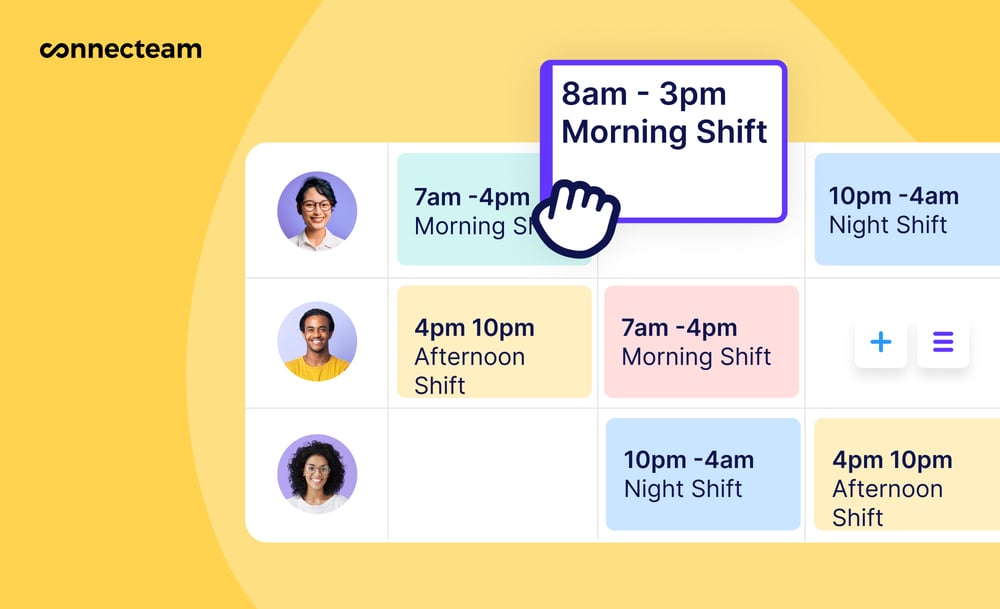
Connecteam’s AI scheduling tools automate scheduling by assigning shifts based on employee availability, skills, location, preferences, and more to save time and minimize errors. The employee scheduler also lets you easily share schedules, communicate changes, and send automatic shift reminders.
Workforce Scheduling Best Practices
Here are a few best practices to optimize workforce scheduling.
- Using scheduling templates: Instead of building schedules from scratch every time, you can create templates for common scenarios, such as standard weekly operations, weekend work, holiday periods, or special events. In addition to taking away the manual hassle for managers, templates create consistency and predictability for employees.
- Use automated scheduling to reduce manual work: Automated scheduling tools can help managers build schedules based on availability, skills, labor demand, location, and scheduling rules. This reduces repetitive manual work and makes it easier to avoid obvious issues like assigning someone to a shift they can’t work or scheduling too many employees during a quiet period.
- Give employees controlled flexibility: Logan Peranavan, CEO of TapestoDigital UK, said that employees increasingly expect flexibility and “input” on their schedules. However, employers need to establish some level of control to prevent understaffing or skills mismatches. A practical middle ground can be offering open shifts, preferences, or shift swapping with built-in rules such as qualification requirements or manager approvals.
- Plan schedules around a defined labor budget (and try sticking to it): Labor is likely one of your highest costs, and ignoring these costs can stifle your growth and eat into profits. Scheduling around a set labor budget is a great way to control costs. One practical tactic, for instance, is to balance shifts with a mix of junior, lower-paid workers and higher-paid senior staff so you maintain quality of service without overspending.
Did You Know?
Connecteam offers shift templates for easier schedule creation, flexible scheduling options like open shifts and controlled shift swapping, and real-time labor cost tracking through employee timesheets.
FAQs
Workforce scheduling is crucial in industries that use shift work, have variable demand, or require specialized skills or 24/7 coverage. It’s especially important in healthcare, retail, restaurants, hospitality, cleaning, logistics, manufacturing, and field services.
While it varies by company, managers, operations leads, or HR personnel often handle workforce scheduling, though some organizations also have dedicated workforce schedulers.
Workforce planning is the process of determining how many employees a business will need in the future, and what skills they should have based on the company’s goals.
Disclaimer
The information in this guide is intended for general informational purposes only and does not constitute legal advice. Employment laws change frequently, and outcomes may vary depending on your specific circumstances. For guidance, consult the appropriate labor authority or a qualified employment lawyer.
