


The main difference between Connecteam and When I Work is that Connecteam offers an all-in-one employee management solution with time tracking, scheduling, training, and task management, while When I Work focuses primarily on employee scheduling and time tracking for shift-based teams.
Choosing between Connecteam and When I Work can be challenging, and for good reason. Both platforms are designed for non-desk workforces, so their features are similar. They provide employee scheduling, time-tracking, team communication, and paid-time-off (PTO) management features.
While they look similar on the surface, they have functional differences that will make one a better fit for your business than the other. Moreover, Connecteam offers additional tools you don’t get with When I Work, such as location tracking, employee onboarding and training, and employee recognition, making it an all-in-one workforce management platform.
In this Connecteam vs. When I Work comparison, I’ll reveal the similarities and differences between the two software solutions. Read on to learn which tool offers better scheduling, time tracking, PTO management, and more, so you can make an informed decision.
At a Glance: Quick Summary
Connecteam is a powerful workforce management solution designed primarily for frontline workforces, such as those in the construction, retail, healthcare, and manufacturing industries. It’s particularly useful for companies that want to schedule shifts, track time, and automate other workforce management processes while complying with strict labor laws.
When I Work is designed for the same target users as Connecteam, but has a more limited feature set. It’s focused on streamlining scheduling and time tracking, but lacks essential operational tools, such as location tracking and built-in onboarding and training. Learn more in our in-depth When I Work review.
Pricing and Plans
| Plan Type | Connecteam – Monthly/User | When I Work – Monthly/User |
|---|---|---|
| Free plan | Small Business – $0 per user per month
| No free plan |
| Paid plan | Basic – $29 + $0.80 per additional user
| Single Location or Schedule – $2.38 per user per month
|
| Paid plan | Advanced – $49 + $1.50 per additional user Everything in Basic, plus:
| Multiple Locations & Schedules – $4.75 per user per month Everything in the Single Location plan, plus:
|
| Paid plan | Expert – $99 + $3 per additional user Everything in Advanced, plus:
| NA |
| Paid plan | Enterprise – Custom pricing Everything in Expert, plus:
| NA |
| * All prices show the monthly cost when billed annually as of January 2026. | ||
Connecteam offers more flexible and scalable pricing than When I Work, making it a great choice for small businesses on tight budgets. Its free plan lets small businesses access premium features and manage up to 10 employees without paying a dime. By contrast, When I Work doesn’t have a free plan, which can be a hindrance for small businesses with no software budget.
Thankfully, both Connecteam and When I Work provide a 14-day free trial, giving companies time to test the advanced features. What stood out to me is that no credit card is required to start the free trial. This lets you explore both platforms with confidence, knowing your card won’t be charged automatically.
Regarding paid plans, Connecteam is cheaper than When I Work. The Basic plan costs $29 per month for 30 employees, which works out to less than $1 per employee. For comparison, When I Work’s cheapest plan costs $2.38 per employee. Better yet, Connecteam offers a broader range of features, so it provides better value for money.
Pros and Cons
The pros and cons below give you a sneak peek into the strengths and weaknesses of both Connecteam and When I Work:
Connecteam Pros ✅
- Feature-rich: Includes scheduling, location tracking, training, and onboarding tools.
- Free-forever plan for small teams.
Connecteam Cons ❌
- Integrates only with payroll and accounting software.
- Broader feature set may steepen the learning curve for first-time users.
When I Work Pros ✅
- Intuitive design and limited feature set make it easy to use.
- Per-user pricing makes it easy to calculate initial and recurring costs.
When I Work Cons ❌
- No free plan.
- No built-in onboarding and training.
Use Cases
While Connecteam and When I Work have many similarities, their use cases differ significantly:
Connecteam is best for:
- End-to-end workforce management: Connecteam streamlines more than just scheduling and time tracking. It automates employee onboarding, training, document management, location tracking, and other vital workforce management processes.
- Unwavering compliance with labor laws: Connecteam helps you manage your workforce in line with labor laws and industry-specific regulations.
When I Work is best for:
- Basic time tracking: When I Work enables employees to track time on its mobile or web app, with GPS verification and geofencing to enhance timesheet accuracy.
- Efficient shift scheduling: When I Work provides all the basic scheduling tools, from drag-and-drop scheduling and shift templates to recurring shifts and shift swaps. It’s ideal for companies that need simple scheduling without the complexity of advanced tools.
Side-by-Side Feature Overview
In addition to using Connecteam for years, I have put When I Work through rigorous testing to discover its strengths and weaknesses. Below, I’ll compare both platforms based on firsthand experience to reveal how their features work and help you make an informed decision. Read on for the inside scoop:
Time Tracking — Winner: Connecteam
Connecteam and When I Work are strong time-tracking apps for frontline workforces. Both apps stand out for their intuitive user experience and ability to track time on any device.
When I last tested both apps, I could effortlessly log my work hours on the web, mobile, and terminal kiosk apps. Even the non-tech-savvy workers in your workforce will be able to track time with ease, without needing hours of training.
Similarities aside, I found some minor differences that tip the scales in Connecteam’s favor. First, Connecteam’s kiosk app works on any Android or iOS smartphone, so you can easily set it up on a site manager’s or supervisor’s device. Compare this to When I Work’s kiosk app, which requires you to invest in iOS tablets.
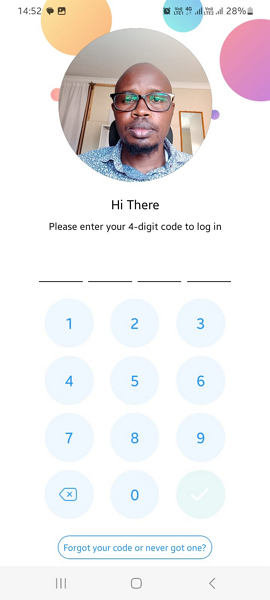
Both apps use various clock-in restrictions, such as geofencing and the ability to block early clock-ins, so that the logged hours actually reflect the time employees spend on-site. In addition, Connecteam prevents unscheduled clock-ins to eliminate time theft and keep labor costs under control.
Moreover, Connecteam’s geofencing automatically clocks out employees when they leave a job site. This prevents scenarios where workers forget to clock out after their shifts or intentionally stay clocked in to pad their timesheets. What’s more, Connecteam notifies you when a field worker leaves a job site, making it easier to confirm job completion.
Verdict: While both platforms offer powerful time-tracking capabilities, Connecteam takes the lead with its advanced geofencing, which improves timesheet accuracy and attendance tracking.
Break and Overtime Tracking — Winner: Connecteam
When it comes to break and overtime tracking, both Connecteam and When I Work have the essential features. For example, both platforms let you assign rest and meal breaks to ensure employees are well rested. However, Connecteam has additional tools that help companies enforce break rules to comply with labor laws.
Connecteam lets you set recurring breaks to comply with strict regulations, such as the California break law. This regulation mandates multiple breaks depending on the length of employee shifts. For example, if a shift is 10 hours long, employees are entitled to two 30-minute meal breaks. Connecteam’s recurring break tool enabled me to automatically enforce this rule during testing.
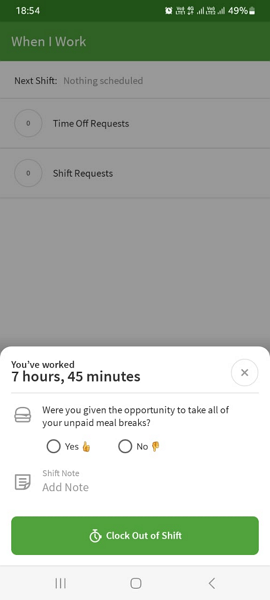
Connecteam also reminds employees to take their breaks on time and blocks them from ending their breaks early. Doing so prevents workers from accidentally skipping breaks or intentionally taking shorter ones. This ensures unwavering compliance in states where missed, late, or short breaks can lead to costly penalties.
Regarding overtime tracking, both platforms have flexible policies that let you define overtime thresholds and pay rates to comply with labor laws, whether you’re in California or Australia. I set both platforms to track daily overtime, weekly overtime, and daily doubletime in California, and they worked just fine. However, Connecteam showed overtime earnings on the payroll report, whereas When I Work didn’t.
Beyond standard overtime, Connecteam also lets you automatically track holiday and seventh-consecutive-day overtime. This feature comes in handy in states like California, where workers earn premium pay for working on public holidays or for seven days in a row.
Verdict: Connecteam is the winner, thanks to its advanced break and overtime features, which make it suitable for businesses in tightly regulated jurisdictions.
Employee Scheduling — Winner: Connecteam
Creating optimal schedules with either Connecteam or When I Work is a breeze. Both platforms have robust features that make scheduling effortless, including drag-and-drop tools, shift templates, shift copying, and recurring shifts. They also let you set scheduling rules to comply with labor laws, such as a rest period between shifts and a maximum-hours-per-employee limit.
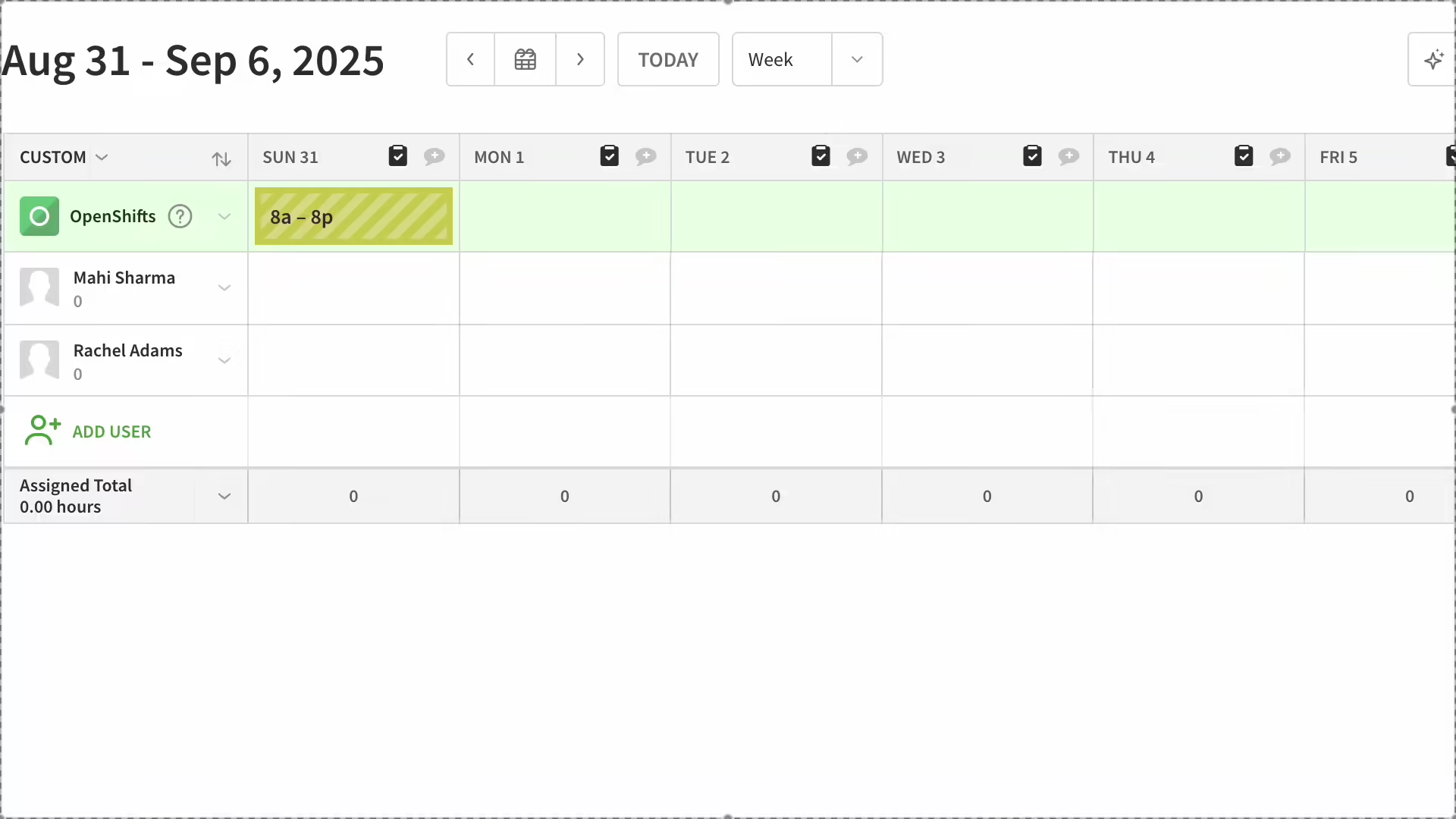
I also liked the platforms’ self-service tools, such as shift swap, which helps employees find shift replacements without leaving a gap in the schedule. This prevents last-minute scrambles and confusion that often disrupt operations. Moreover, Connecteam and When I Work include an AI auto-scheduler that lets managers create fair, accurate schedules in minutes, not hours.
One difference is that with Connecteam, employees can accept or decline shifts. It may seem minor, but this feature helps you stay compliant with predictive scheduling laws in some states (like Oregon and Washington) and major U.S. cities.
These laws protect employees from being forced into last-minute schedule changes without notice. By giving workers the option to accept or decline shifts, Connecteam creates an indisputable record showing that the worker voluntarily agreed to a shift. This can help you avoid hefty penalties in the event of a lawsuit.
Verdict: Connecteam and When I Work scheduling tools ensure that workers are where they need to be at the right time. While they both help businesses comply with labor laws, Connecteam has the edge because it complies with predictive scheduling laws.
Paid-Time-Off Management — Winner: Connecteam
Connecteam’s PTO management module offers the flexibility to choose the accrual method that best fits your internal policies, regulatory requirements, or industry norms. Whether you prefer fixed-accrual PTO for its simplicity or need hourly-accrual PTO to stay compliant with labor laws, Connecteam has you covered. In contrast, When I Work supports only hourly accruals.
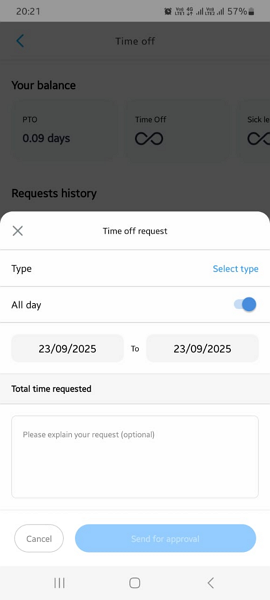
However, both platforms let you block time-off requests when you need full employee availability, such as during major events or peak seasons. Doing so helps maintain optimal staffing levels to meet the increased demand for your services without overworking anyone.
I also found the minimum request notice on each platform to be useful, especially for fast-paced environments. This feature lets you establish how many days in advance an employee must submit a time-off request. With this restriction, the manager has enough time to approve (or reject) requests and adjust schedules accordingly to prevent unexpected coverage gaps.
Requesting time off is effortless on the mobile and web apps with both Connecteam and When I Work. When an employee submits a request, the platform notifies the manager via email and push notification, ensuring no request is overlooked even in large workforces. Similarly, both platforms inform the employee when the manager approves or rejects their request.
Verdict: While both platforms provide robust PTO management features, Connecteam wins by a hair because it supports both lump-sum and hourly-accrual PTO.
Location Tracking — Winner: Connecteam
Connecteam’s location tracker gives you real-time visibility into where field employees are during their shifts. You can open the live map and zoom in on any employee to see their location, the tasks they’re currently working on, and when and where they clocked in.
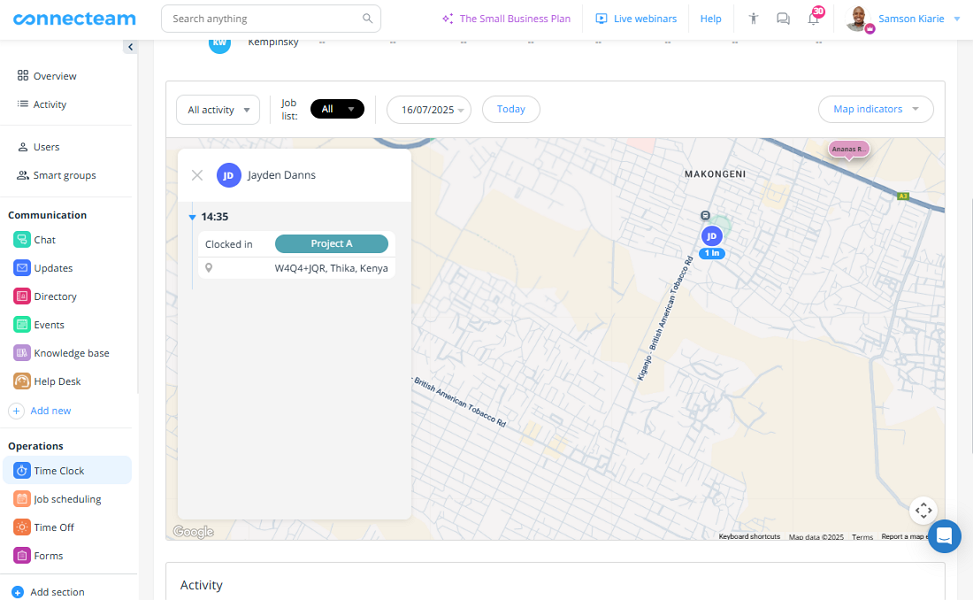
These details help you monitor attendance, track employee movement, and coordinate tasks from the comfort of your office. They also enhance employee safety, enabling you to quickly dispatch help to remote teams in case of emergencies.
Connecteam also creates a turn-by-turn route, showing the exact path an employee took during their shift. The route shows all the addresses that a door-to-door salesperson, field service technician, or delivery driver visited during the shift. It also includes breadcrumbs with timestamps to help you estimate how much time the workers spent at each location.
Another benefit is that Connecteam tracks location and routes only when the employee is clocked in. When an employee clocks out, Connecteam stops tracking their location and movement to protect their privacy. This also ensures you track location only for a legitimate business reason, as the law mandates in some regions.
Verdict: Connecteam is the undisputed winner here, thanks to its powerful location and route tracking — two features you won’t find with When I Work.
Employee Onboarding and Training — Winner: Connecteam
Connecteam also streamlines onboarding and training for field and mobile employees. New hires can upload their licenses, certificates, and other documents from their mobile devices. The mobile-friendly workflow eliminates the need for physical paperwork, speeding up credential verification and streamlining the onboarding process.
Once you approve employee documents, Connecteam tracks their expiration dates and alerts employees when anything needs to be renewed. This ensures everyone’s certificates, licenses, and compliance documents are always up to date, preventing regulatory violations and unplanned unavailability.
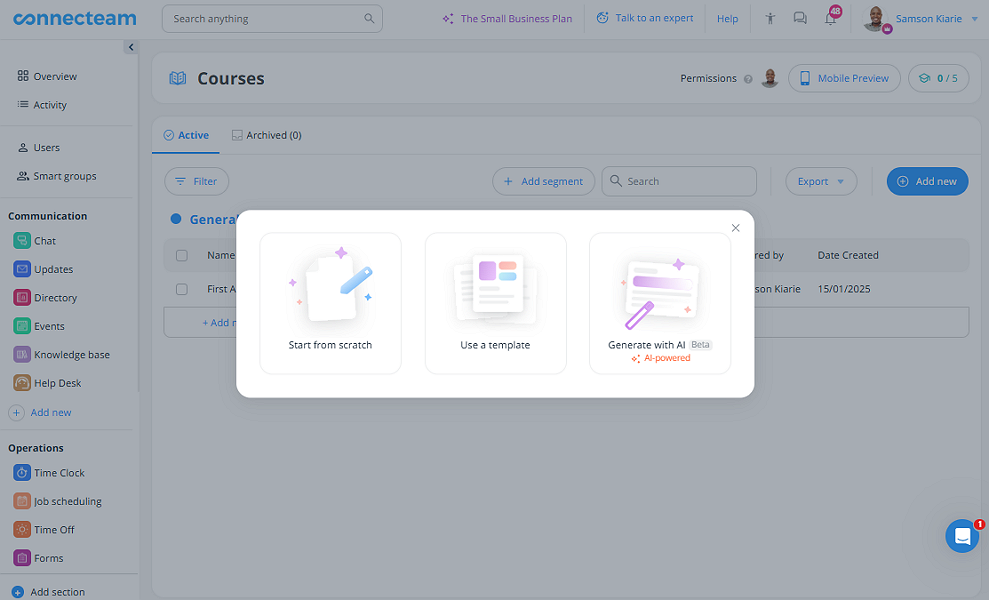
Connecteam also automates worker training. I really liked its AI course creator, which creates multi-section courses in seconds. Better yet, Connecteam lets you track the entire workforce’s training progress from a centralized dashboard — there’s no need to guess who has completed a compliance course or who is falling behind.
Verdict: Connecteam is the winner here because it provides built-in onboarding and training features, perks you won’t find with When I Work.
Task Management — Winner: Connecteam
Connecteam and When I Work aren’t as powerful as standalone task management apps such as Trello or Asana. Still, I found them helpful for managing simple projects or side jobs that employees need to complete alongside their primary responsibilities. For example, a construction manager can use either platform to assign site cleanup, equipment prep, safety tasks, material handling, and other side tasks.
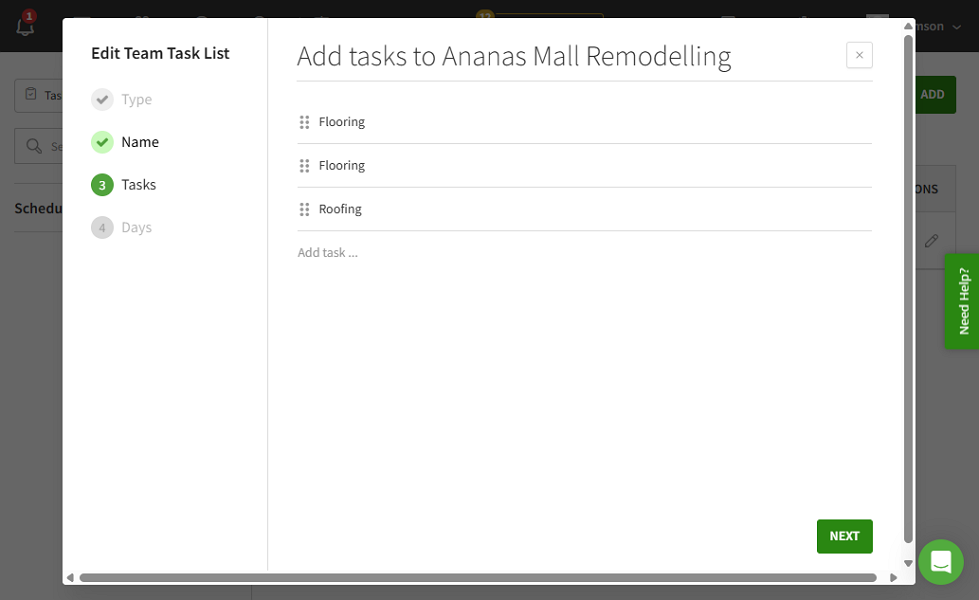
Creating and assigning a task with When I Work is easy. That said, while I liked having the ability to create tasks and break them down into sub-tasks, I wish the platform allowed managers to assign individual sub-tasks for more effective collaboration.
That aside, both platforms let managers create recurring tasks so they don’t have to assign the same task every day. This reduces the manager’s administrative workload and eliminates the risk of forgetting critical tasks.
Connecteam has a clear advantage, though, because it lets managers oversee tasks from a single dashboard with a structured list view. The task view shows you who’s working on what, where each task stands, and which tasks are approaching the deadline. When I Work doesn’t offer a detailed view, making it difficult for managers to track progress.
Both platforms also let you create shift tasks, a feature that’s distinct from the main task manager. As the name suggests, shift tasks are associated with a specific shift and outline the tasks an employee needs to complete during that shift.
Verdict: While both solutions provide robust task management features, I have to give this one to Connecteam for its centralized task dashboard.
Team Messaging — Winner: Connecteam
While both Connecteam and When I Work offer team communication tools, Connecteam’s UI, controls, and messaging features are better. When I Work’s chat interface feels clunky and looks like an old email app. By contrast, Connecteam has a modern design and aesthetic that gives today’s users an intuitive social-media-like experience.
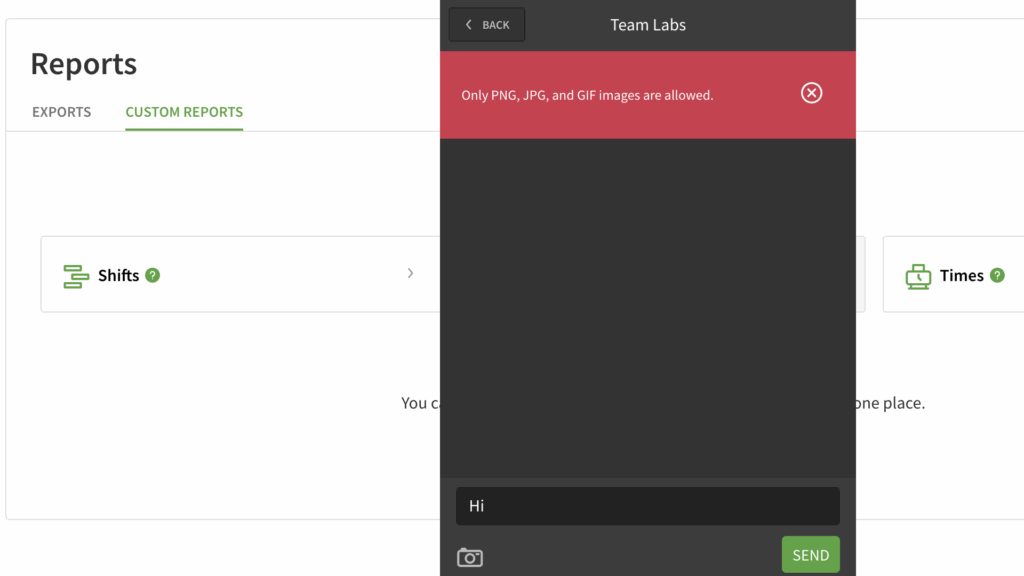
During testing, I could easily start 1:1 and group chats with either Connecteam or When I Work. However, messaging felt easier and more engaging on Connecteam than on When I Work. Connecteam lets you use emojis, replies, voice messages, and @mentions — vital tools you don’t get with When I Work.
Both apps also let managers create company-wide channels for announcements and updates. However, Connecteam has a clear advantage with its read receipt feature, which enables you to see who has read an update and who hasn’t.
Better yet, Connecteam allows you to segment group channels by department, role, or location so employees see discussions relevant to their day-to-day operations. It also lets you assign admin duties to employees familiar with each channel’s topics for proper oversight.
Verdict: Intuitive chat UI, powerful messaging, and read receipts on the broadcast channel give Connecteam the crown in this category.
User Ratings
While users seem satisfied with what each platform offers, Connecteam has slightly better ratings than When I Work on popular review sites.
Connecteam
When I Work
Security & Compliance
I dug deep into web resources and found no security incidents or data breaches linked to either Connecteam or When I Work, suggesting that their security measures hold up well. The table below summarizes their security and compliance options:
| Category | Connecteam | When I Work |
| Data encryption | ✅ AES-256 | ✅ (TLS in transit) |
| GDPR compliant | ✅ | ✅ |
| HIPAA compliant | ✅ | ❌ |
| Certification | ✅ SOC 2 Type 2, ISO/IEC 27001 | SOC 2 Type 2 (claims to have completed the examination) |
| MFA | ✅ | ✅ (Two-step account verification) |
| Admin controls | ✅ Role-based access control | ✅ Role-based access control |
| Hosting region | U.S./EU/Australia/Asia | U.S. |
While both platforms cover the basics well, Connecteam has the upper hand, thanks to its superior encryption standards. The vendor protects data using AES-256 encryption, widely regarded as the gold standard. By contrast, When I Work uses TLS to protect data in transit, and it doesn’t explicitly mention how it protects data at rest.
Connecteam also stands out because it’s SOC 2 Type 2 compliant and adheres to the ISO/IEC 27001 standards. These certifications show that its security controls and processes have been independently audited, in addition to its features.
Connecteam also handles data in compliance with the GDPR and HIPAA, making it suitable for companies across different verticals and regions. When I Work is GDPR-compliant but not HIPAA-compliant, which is important to keep in mind if you’re in the healthcare industry.
Setup and Onboarding
Connecteam’s modern and intuitive interface streamlines the setup process. While its ease of use makes completing individual setup tasks effortless, the time it takes to get your team up and running will depend on the features you need to configure.
Connecteam provides video walkthroughs to flatten the learning curve for first-time users. Better yet, its web and mobile apps have intuitive interfaces that enable users to navigate with ease.
With When I Work, on the other hand, creating an account and setting up essential features is easy, thanks to its intuitive interface. First-time users typically require less than 10 minutes to get their accounts ready. In addition, vital settings are organized on a single page. During testing, this helped save time I would have wasted bouncing between tabs.
That said, When I Work doesn’t let you apply certain settings, such as break policies, to everyone at once. You can assign breaks only when creating shifts, which can be time-consuming, especially when scheduling a large workforce. Moreover, some features, like WorkChat, have outdated interfaces that take away from its user experience.
Support and Customer Service
| Support Type | Connecteam | When I Work |
| Live chat | ✅ 24/7 | ✅ During usiness hours, features an AI support assistant |
| Phone support | ✅ | ❌ |
| Email support | ✅ | ✅ |
| Community forum | ✅ | ❌ |
| Ticket support | ✅ | ✅ |
| Help center | ✅ 24/7 | ✅ |
When it comes to customer support, Connecteam offers a better mix of assisted and easy-to-use self-help options. Connecteam’s live chat is available 24/7, ensuring that users can chat with a human agent anytime, any day, regardless of their time zone. I was impressed with how responsive the agents were. I typically got a response within a minute in Connecteam’s live chat. By contrast, When I Work’s live chat is available only during business hours.
You can also request a phone call from Connecteam’s support through either the live chat or email, and the team will help you further. Alternatively, post questions on community forums to learn from fellow users. When I Work doesn’t offer community or phone support.
Beyond standard support, Connecteam offers a paid option, Connecteam Pro, that connects you to a dedicated setup and onboarding expert. The expert expedites the setup process, helping you make the most of every feature from day one.
🏆 Who Wins: Connecteam or When I Work?
When it comes to performance in areas that matter most to field and mobile teams, Connecteam comes out on top. However, both platforms cover the basics well. They offer essential scheduling, time-tracking, and PTO management features, so you can’t go wrong with either one.
Connecteam has the edge, though, because it does more than just meet the basics. It also provides extra tools in several key areas that enable companies to manage non-desk workforces effectively.
Features such as advanced geofencing automation, flexible PTO accrual options, real-time location tracking, and employee onboarding make Connecteam a better fit for companies that need more robust operational tools.
👉 The verdict: When I Work is well-suited for companies that need basic shift-scheduling and time-tracking tools. However, if you need more than just scheduling and time-tracking features to manage workforces in regions with strict compliance requirements, Connecteam is the better fit.
Get started with Connecteam for free today.
FAQs
What is Connecteam best for?
Connecteam is best for companies needing an all-in-one app to manage scheduling, time tracking, internal communication, task management, and training.
What is When I Work best for?
When I Work is best for hourly teams needing simple scheduling, time clock, and shift coordination with minimal setup.
Does Connecteam have a free plan?
Yes, Connecteam offers a free plan for up to 10 users with core features like scheduling and time tracking.
Does When I Work have a free version?
When I Work offers a limited free version for smaller teams (under 5 users), mostly focused on scheduling.
Which app has more features?
Connecteam has more built-in features including task management, form creation, and training modules.
Which platform is better for larger teams?
Connecteam scales better for larger organizations due to its modular system and admin controls.
Which app is easier to use?
When I Work is easier for basic scheduling, while Connecteam requires more onboarding due to its broader feature set.