


If you’re managing employee records, time off, onboarding, and HR documents across multiple systems, it’s easy to miss important details, creating extra admin work and potential legal risks.
I reviewed 5 human resource management systems and ranked them by how well they organise employee data, simplify HR processes, and help businesses stay compliant with Australian regulations.
Use these picks to save time on HR tasks, create more consistent processes, and support your growing team.
If you don’t have the time to read through our research, jump down to our quick comparison table.
What’s New in This Update (August 2026)
- Replaced Deputy with Rippling to focus on true HR systems rather than scheduling-first tools.
- Moved Employment Hero to the #2 spot to better reflect its strong Australian compliance and built-in payroll capabilities.
- Rewrote the ranking criteria to focus on solving real-world HR pain points rather than just listing features.
- Expanded the Connecteam section to include new hiring and onboarding tools.
Our Top Picks
-
1

Best for deskless and frontline teams managing HR operations on mobile
-
2

Best for Australian SMBs wanting HR and payroll in one compliant platform
-
3

Best for growing teams that want a clean, easy-to-use HR system
Why trust us?
Our team of unbiased software reviewers follows strict editorial guidelines, and our methodology is clear and open to everyone.
See our complete methodology
How I Ranked the Best HR Software in Australia
Australia has some of the most complex employment conditions in the world, which add layers of compliance that generic HR tools simply weren’t built for. Here’s what I prioritised when evaluating each platform:
Compliance and Employee Records
- Supporting Fair Work compliance: The software should securely store employment contracts, policies, certifications, and other employee records, while maintaining a clear audit trail and sending reminders for expiring documents where applicable.
- Keeping employee information organized: A central employee database should make it easy to manage personal details, roles, qualifications, certifications, and employment documents from one place, reducing manual administration.
- Integrating with payroll and accounting systems: There should be integrations with popular Australian payroll or accounting platforms to speed up payroll processing and reduce duplicate data entry.
Core HR Management
- Streamlining onboarding and employee management: Hiring and onboarding should be handled by digital forms, document collection, onboarding checklists, and automated workflows to reduce manual HR tasks.
- Simplifying leave and availability management: The software should allow employees to request leave, managers to approve requests, and teams to track balances and availability in one place to avoid scheduling conflicts.
- Supporting deskless and office-based teams: The platform needs to provide a consistent experience across desktop and mobile devices so HR processes are accessible to everyone.
- Reducing admin for lean HR teams: The software should automate repetitive tasks like leave requests, document reminders, employee communications, and workflow approvals.
Employee Experience and Development
- Making onboarding work for high-turnover industries: The software should let managers spin up a new hire’s onboarding pack quickly, collect a Tax File Number declaration and super choice form digitally, and get them productive on day one.
- Supporting training and compliance certification: The system should track expiry dates and alert managers before a certificate lapses.
- Keeping distributed teams connected: When your workforce is spread across multiple sites or working irregular hours, communication tools and recognition features help managers maintain culture and reduce turnover.
The 5 Best HR Software in Australia
-
Connecteam — Best for deskless and frontline teams managing HR operations on mobile
Connecteam is the best choice for Australian businesses with deskless or frontline workforces because it brings HR, scheduling, time tracking, training, and team communication together in one mobile-first platform. It’s particularly well-suited to industries like construction, hospitality, retail, and aged care, where the majority of employees work on-site, in shifts, or across multiple locations.
Why I chose Connecteam: I ranked Connecteam #1 because no other platform on this list handles the full day-to-day reality of managing a mobile workforce as well. Connecteam gets a new hire through onboarding before their first shift, tracks their hours accurately for payroll, and keeps their certifications current and their training up to date.
Hiring and Onboarding
For industries with high staff turnover, the speed of getting someone from application to first shift really matters. Connecteam’s hiring and onboarding tools let you build a custom application form, set up your own hiring pipeline with stages like phone screen, trial shift, and reference check, and share the link across whatever channels you use to recruit.
Once you make an offer, the candidate’s details carry straight over into their employee profile, so you’re not re-entering the same information twice.
From there, you can assign a role-specific onboarding pack that includes document uploads (like a signed contract or proof of a white card), company policy acknowledgements, and a task checklist with deadlines for both the new hire and their manager. Everything is completed on the employee’s phone before they even walk through the door.
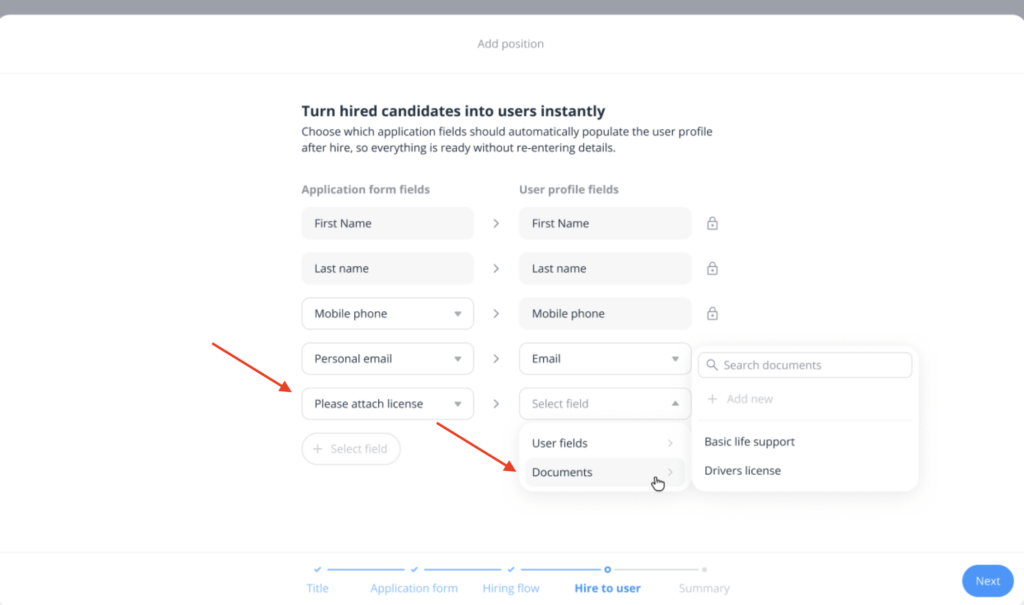
Connecteam’s hiring pipeline maps directly to the employee profile, so nothing needs to be entered twice. Compliance Training and Certification Tracking
For many employers, keeping licences and certifications current is a legal requirement. A bar that lets an RSA certificate lapse, or a construction site where a worker’s white card has expired, faces real liability.
Connecteam’s employee training module lets you build courses from scratch or use the AI Course Creator to generate them instantly, then assign them to specific roles or individuals. You can include quizzes and surveys to confirm understanding, and managers get a real-time dashboard showing who completed what.
Beyond that, Connecteam’s document storage with expiry tracking means you can attach a copy of each employee’s licence or certification to their profile and set an automatic reminder well before it lapses. This gives you time to arrange a renewal before it becomes a bigger issue.
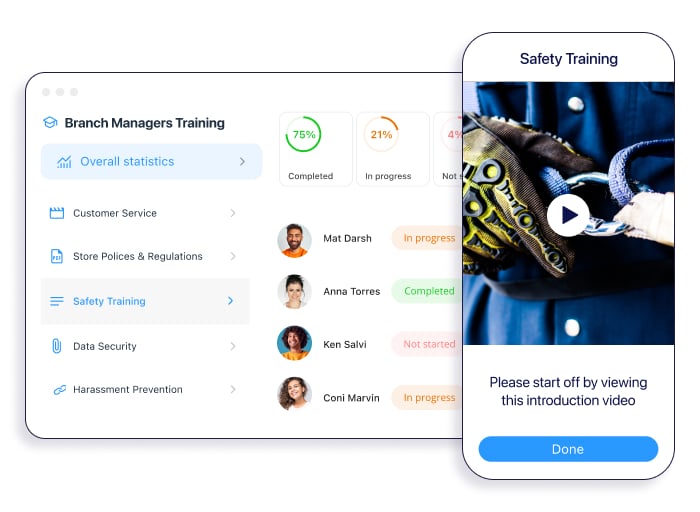
Managers can assign training, track completion, and get alerted when certifications are due for renewal. Rostering, Time Tracking and Payroll Prep
Managing rosters across multiple sites is one of the most time-consuming parts of running a business. Connecteam’s employee scheduler handles this with a drag-and-drop interface and an AI auto-scheduler that fills shifts based on availability, qualifications, and any custom rules you set. Employees can request time off directly in the app, and approved leave flows straight back into the roster.
When a shift starts, staff clock in from their phones via the employee time clock. GPS tracking records their location at clock-in and can follow their route throughout the shift, which is useful for field-based roles where employees move between job sites. You can configure custom pay rules, set break types as paid or unpaid, and let the system calculate overtime automatically.
Once a pay period closes and timesheets are approved, the data is ready to export straight to your payroll provider.
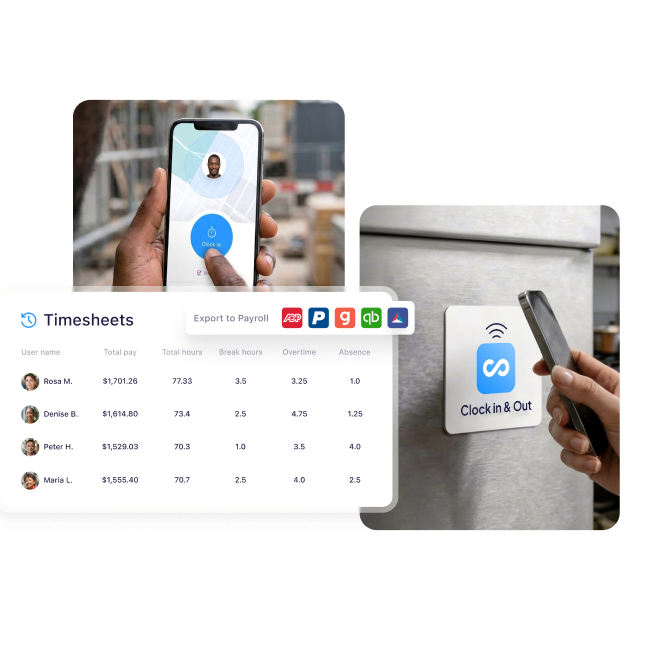
Connecteam handles rostering, clock-ins, and timesheet export in one place. And so much more…
Connecteam also includes an online team chat for keeping dispersed teams connected, a company knowledge base with an AI assistant to answer common employee questions, and an internal help desk for HR or operations requests.
Did You Know?
Connecteam’s Melbourne-based team provides local onboarding, implementation, and 24/7 customer support to Australian businesses.
When Connecteam isn’t a good fit
Connecteam is built for workforce management, not enterprise-level HCM. It doesn’t include native payroll processing, so you’ll still need a separate payroll provider for STP reporting and superannuation. If your business runs complex enterprise benefits programmes with carrier integrations, or you need deep workforce planning and compensation modelling tools, a more specialised platform may be a better fit.
Connecteam also offers a free for life plan – Get Started Now!
0Key Features
- Custom hiring pipelines
- Digital onboarding packs
- Certification and licence tracking
- Drag-and-drop rostering
- GPS time clock
- Team chat and knowledge base
Pros
- Handles the full employee lifecycle on mobile
- Certification tracking with expiry alerts
- AI-powered training course creation with quizzes
- Custom pay and overtime rules
Cons
- Lacks native payroll or STP reporting
- Not suited to complex enterprise benefits administration
Pricing
Free-for-life plan availablePremium plans start at $29/month for 30 users
14-day free trial, no credit card required
Start your free trial -
Employment Hero — Best for Australian SMBs wanting HR and payroll in one compliant platform
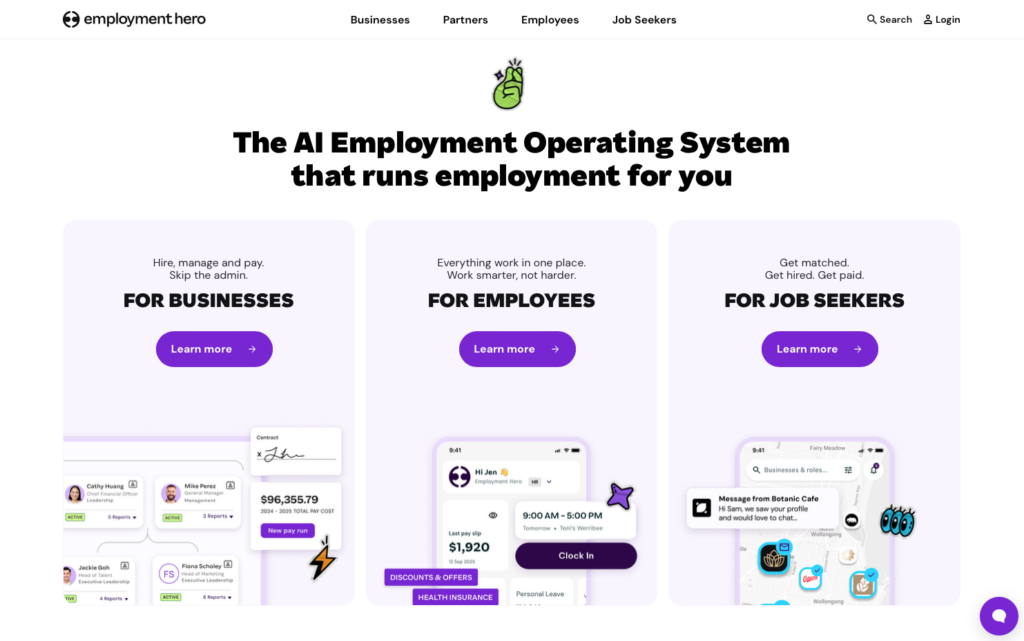
Employment Hero is an Australian-built HR and payroll platform designed specifically to help local businesses manage their workforce and stay compliant with domestic regulations.
Why I chose Employment Hero: I chose Employment Hero because it is the only tool on this list that offers native Australian payroll with built-in Single Touch Payroll (STP) Phase 2 reporting, superannuation automation, and Fair Work compliance tools.
Core HR and Onboarding
Employment Hero provides a centralised database for employee records, making it simple to manage personnel data. New hires can complete their Tax File Number (TFN) declarations and superannuation choice forms digitally before their first day. The platform also includes tools for conducting VEVO checks to verify work rights, which helps businesses maintain compliance with local employment laws.
While the onboarding tools are strong, I noticed that performance management features like 360 reviews and goal tracking are restricted to the higher-priced HR Elite tier. This means businesses on the standard plans miss out on these continuous feedback tools.
Employee Self-Service and Perks
Employees can access a self-service portal to view payslips, request leave, and update their personal details. Employment Hero also offers a unique perks programme, providing staff with access to discounts and a rewards system called Hero Points. In addition, they offer an Earned Wage Access feature, which allows employees to access a portion of their earned pay before the official payday.
One limitation I found is that time tracking and rostering are not included in the core HR plans. Businesses that need employees to clock in or view rosters must pay an additional $4 per employee per month for the add-on.
Native Payroll and Compliance
The platform’s strongest asset is its native payroll system. It automatically interprets Modern Awards, calculates wages and penalties, and processes superannuation payments. This eliminates the need for a separate payroll provider.
It’s important to note that payroll is only included in the custom-priced “Employment Unlimited” plan. For all other HR tiers, payroll requires an additional $10 per employee per month subscription, which can quickly inflate costs for growing teams.
What users say about Employment Hero
One of the best parts is how my staff can see their roster or payslips as soon as they’re published, and they can apply for their leave through the app. It’s been a big step forward for now our staff can do these things anywhere and anytime, unlike before when they had to come into our venue.

Some of the functionality feels a bit unintuitive, and it could be easier to use with a clearer layout and more consistent naming conventions. There’s also quite a lot of self-service setup required, so it’s taking us some time to get fully up and running and start using all the functionality we were hoping to use.

Key Features
- Built-in payroll with STP Phase 2
- Digital TFN and superannuation onboarding
- Automated Modern Award interpretation
- VEVO work rights checks
Pros
- Deeply integrated compliance tools
- Seamless flow from onboarding to payroll
Cons
- Time tracking and rostering require a paid add-on
- Performance management locked behind higher tiers
Pricing
Starts at $10/user/month Trial: No Free Plan: No
-
BambooHR — Best for growing teams that want a clean, easy-to-use HR system

BambooHR is a cloud-based HR platform designed to centralise people data and support growing businesses through the full employee lifecycle.
Why I chose BambooHR: I included BambooHR because its performance review tools, including goal milestones, peer feedback, and 360-degree assessments, are woven directly into the core product rather than bolted on as extras.
Employee Records and Recruitment
BambooHR keeps all personnel information in one searchable hub, covering personal details, job history, training records, and company assets. The built-in applicant tracking module lets you distribute openings to multiple job boards, move candidates through custom hiring stages, save promising applicants to a talent pool, and generate offer letters from templates.
One thing to keep in mind is that the number of active job postings is capped by tier: five on Core, twenty-five on Pro, and fifty on Elite. If you’re running a large hiring push, you may need to close older listings or move to a higher plan. There’s also no AI-powered résumé screening, so every application still requires manual review.
Performance Reviews and Goal Tracking
BambooHR’s performance module is geared toward ongoing development rather than a single annual check-in. Managers and employees can set goals with progress milestones, and the system sends automatic reminders a month before each review cycle closes. Once both parties submit their assessments, the manager can leave a final summary note. Peer feedback rounds out the picture, giving leaders a broader view of each person’s contributions.
On the downside, during our testing, we found that mobile users must answer assessment questions sequentially with no way to skip ahead. Managers also can’t initiate peer feedback requests from the app. It’s also worth noting that performance management only unlocks on the Pro tier, which sits at $17 per employee per month.
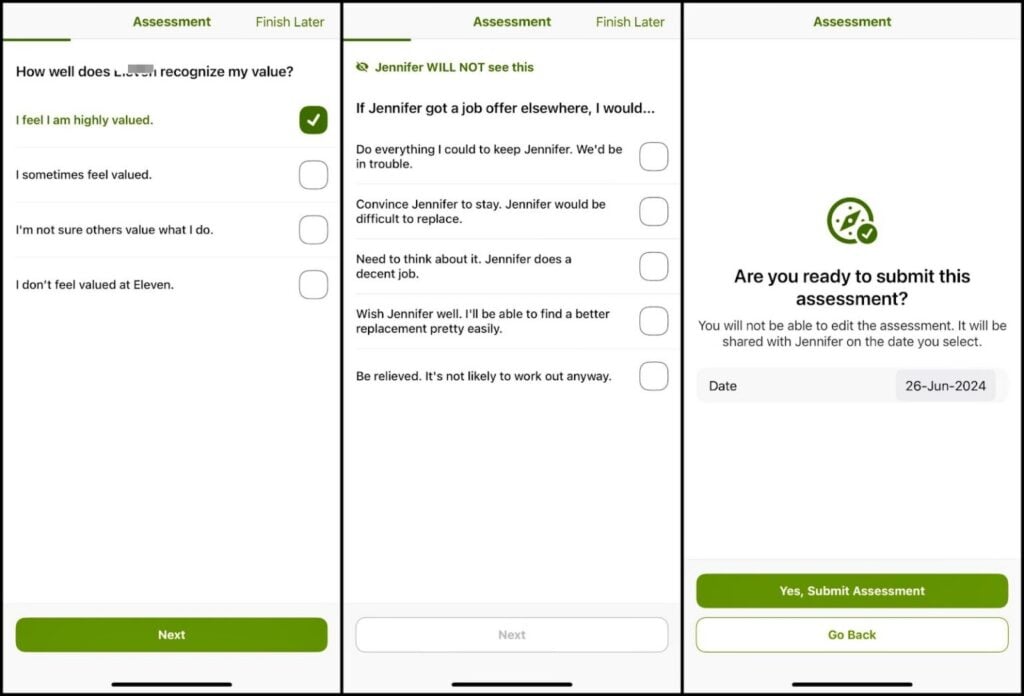
BambooHR’s mobile app lets employees complete performance assessments on the go. Leave Management and Time Tracking
Leave requests are simple, as employees just pick a leave type, and the system warns them if the request would push their balance into the negative. But time tracking is a bit of a different story, because it isn’t bundled with any plan. The Time and Attendance module is a separate purchase that requires its own activation and setup process.
During testing, we found that employees must grant precise location permissions before they can clock in, and GPS accuracy varies by device, sometimes only capturing a city and state rather than a specific address. There’s no geofence to block off-site punches, no live route tracking during a shift, and recorded locations can’t be corrected after the fact.
Timesheets also only retain the most recent twelve months on a profile, with older data archived into separate reports. It’s important to know that BambooHR doesn’t include native local payroll, so you’ll need to pair it with a third-party provider for STP and superannuation.
What users say about BambooHR
Super easy for employees to use and managers to approve. Timesheets go directly into payroll. Very affordable. Not time consuming.
I would like to see some improvement within the task assignments. For example, if an employee leaves and they had task assigned to them, the task becomes unassigned and no one knows about them.
Key Features
- Centralised employee database
- Multi-board applicant tracking
- 360-degree performance reviews
- Leave management with balances
Pros
- Distributes job postings across multiple boards
- Built-in peer feedback and continuous review cycles
Cons
- Time tracking sold as a separate paid module
- Active job postings limited by plan tier
Pricing
Starts at $10/user/month Trial: Yes — 7 day Free Plan: No
-

Rippling — Best for scaling businesses that need HR, IT, and payroll managed from one system
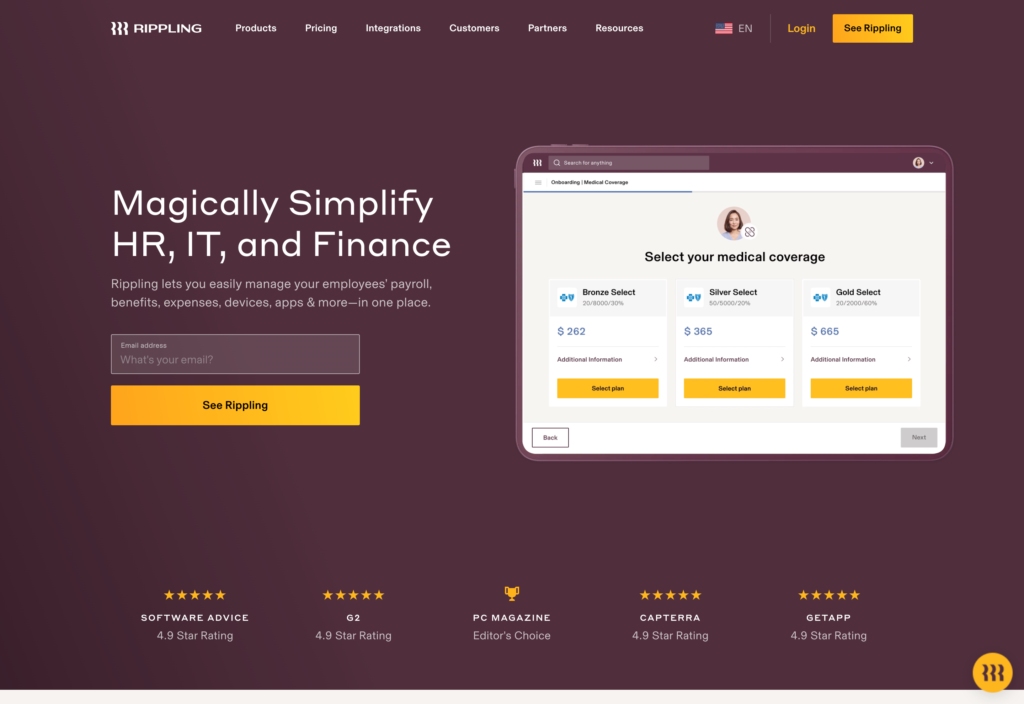
Rippling unifies HR, payroll, IT device management, and finance into a single platform, giving mid-market and enterprise teams one place to manage the full employee lifecycle.
Why I chose Rippling: I included Rippling because it provides one place for all employee data, letting HR teams trigger automations that span hiring, payroll, and even laptop provisioning without switching tools.
No-Code Workflow Automation
Rippling’s standout capability is the Workflow Studio, a visual drag-and-drop editor where you can build automations without writing code. Rippling ships with hundreds of prebuilt templates covering common scenarios like sending a welcome pack on day one or issuing a tenure bonus after a set number of years.
Because these workflows can reference data from any connected module or third-party app, the possibilities are broad. The catch is that more complex automations, like multi-step approval chains or conditional branching across departments, can take considerable time to configure, and larger organisations may need Rippling’s implementation team to help get things right.
Rostering and Time Clock
Rippling uses AI to generate shift schedules based on employee availability, contracted hours, certifications, and approved leave. Staff can view upcoming shifts, update their availability, swap with qualified colleagues, or pick up open shifts that match company-defined rules.
The time clock itself supports QR code scanning, selfie capture, and geofence boundaries to verify that punches happen on-site. Overtime and break policies are enforced automatically, and approved hours feed straight into payroll without re-keying. However, scheduling and time tracking sit inside Rippling’s modular pricing structure, so they aren’t included in the base subscription and must be purchased separately.
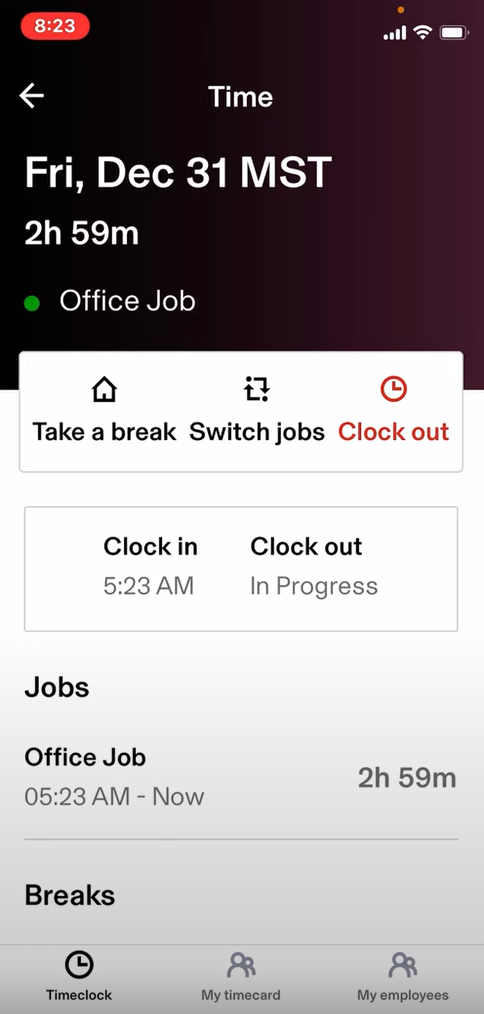
Rippling’s mobile app lets employees clock in with a single tap. Learning Management and Engagement Surveys
Rippling includes a built-in LMS that lets you assign courses based on role, auto-enrol new starters, and set recurring schedules for compliance training. You can upload your own SCORM packages or choose from a library of ready-made content.
Alongside training, the platform offers pulse surveys and engagement questionnaires covering topics like compensation satisfaction, culture, and manager effectiveness. Because responses are linked to employee metadata, you can slice results by department, tenure, or location to spot patterns. While the survey analytics are powerful, they sit behind the modular pricing wall, so accessing deeper engagement insights may require an additional spend.
What users say about Rippling
We went from not really having much, all segregated docs stored on people’s computers to Rippling. This has been SO helpful! I love the Org Chart that anyone can access. The quarterly employee reviews is so easy and helpful. We also use the 1:1 including templates too. Love all of it!
The AI assistant is fine for reps asking quick policy questions from the road, but anything specific to their territory or nonstandard expense situations still ends up needing a real person. So it hasn’t fully taken the load off our team.

Key Features
- AI-driven shift scheduling
- Visual no-code workflow automations
- Time clock with verification methods
- Built-in LMS with SCORM support
Pros
- Drag-and-drop workflow builder with templates
- Connects HR actions to IT provisioning automatically
Cons
- Quote-based modular pricing adds up quickly
- Time tracking and rostering require separate purchase
Pricing
Contact vendor for price Trial: No Free Plan: No
-
Workday — Best for large enterprises managing HR and finance at scale
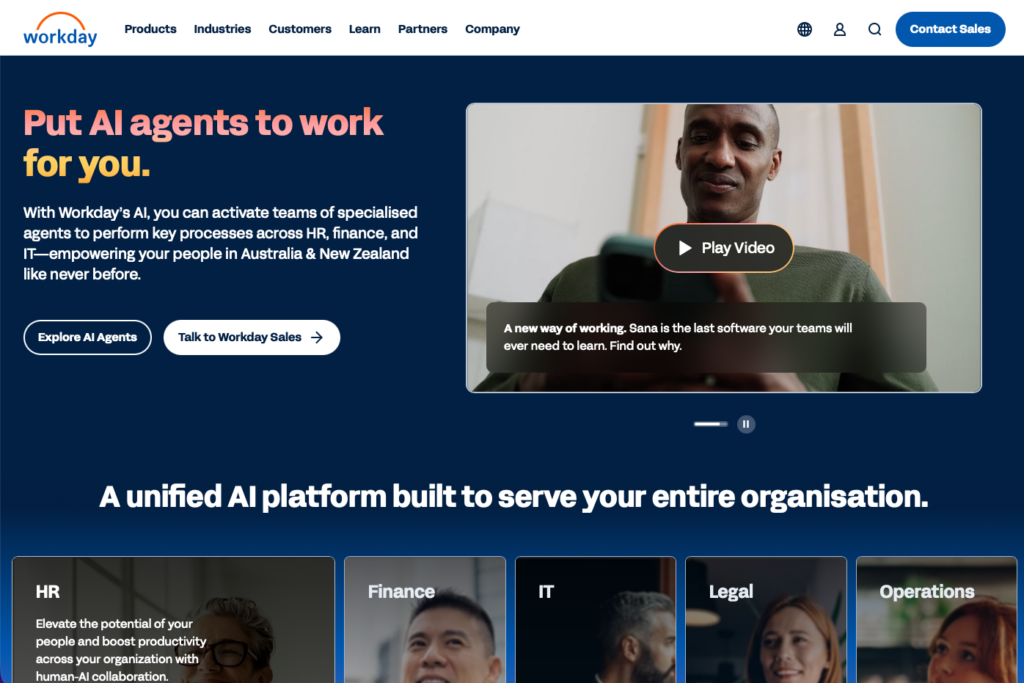
Workday is an enterprise-grade human capital management (HCM) and financial management suite designed for large, complex organisations with global workforces.
Why I chose Workday: Workday made the list because it provides large enterprises with a single, unified data core that connects workforce planning, global payroll, and financial management in one highly configurable system.
Enterprise HCM and Global Compliance
Workday is built to handle the complexities of organisations with thousands of employees. It offers deep configuration options for organisational structures, complex union rules, and global compliance requirements. The platform includes tools for talent management, workforce planning, and compensation modelling.
Workday also offers specific localisation for Australia, including Single Touch Payroll (STP) compliance, making it suitable for large domestic employers or multinational companies with Australian branches. Yet, this level of enterprise depth means that Workday requires significant change management to implement, and deployments often take many months to complete.
AI-Powered Insights and Planning
Workday leverages AI agents to provide predictive analytics and workforce insights. Managers can use these tools to forecast demand, identify skills gaps, and model different organisational scenarios.
The reporting capabilities are powerful, and allow leaders to pull data across HR, finance, and operations to make strategic decisions.
Workforce Management
Workday includes robust tools for scheduling, time tracking, and absence management. The AI-driven scheduling engine helps match worker preferences with business demands while ensuring compliance with complex labour rules.
While these tools are powerful, the platform’s custom, quote-based enterprise pricing makes it entirely cost-prohibitive for small to medium-sized businesses. It is designed specifically for large enterprises, and smaller teams will find themselves paying for features they simply don’t need.
What users say about Workday
use Workday HCM as the primary place to capture and retain employee information, and I love how it serves as a source of truth for both employees and admins. The system is intuitive and runs very quickly, making it pleasant to navigate.
There is a lack of flexibility in the product’s development. It feels like a lot of harmonisation is going on, and systems like this are not well suited to smaller, more agile companies.
Key Features
- Unified HR, payroll, and financial management
- Global compliance with Australian STP support
- AI-powered workforce planning
- Advanced talent management
Pros
- Configurable for complex enterprise structures
- Powerful cross-departmental reporting and forecasting
Cons
- Cost-prohibitive for small and medium businesses
- Long implementation times and steep learning curve
Pricing
Contact vendor for price Trial: No Free Plan: No
Compare the Best HR Software in Australia
| Topic |
 Start for free
|
|
|
|
|
|---|---|---|---|---|---|
| Reviews |
|
|
|
|
|
| Pricing |
Starts at just $29/month for the first 30 users
|
Starts at $10/user/month
|
Starts at $10/user/month
|
Contact vendor for price
|
Contact vendor for price
|
| Free Trial |
yes
14-day
|
no
|
yes
7 day
|
no
|
no
|
| Free Plan |
yes
Free Up to 10 users
|
no
|
no
|
no
|
no
|
| Use cases |
Best for deskless and frontline teams managing HR operations on mobile
|
Best for Australian SMBs wanting HR and payroll in one compliant platform
|
Best for growing teams that want a clean, easy-to-use HR system
|
Best for scaling businesses that need HR, IT, and payroll managed from one system
|
Best for large enterprises managing HR and finance at scale
|
| Available on |
How to Choose the Right HR Software in Australia
Selecting the right HR software depends on your specific needs. Ask yourself these questions before making a decision:
- Are you managing a small team of 10 people, or a growing workforce of 500?
- Do you need a flat-fee pricing model, or are you comfortable paying a monthly fee for every single employee you add?
- Can you afford to pay extra for essential add-ons like time tracking and payroll, or do you need an all-inclusive package?
- Does your team work at desks in an office, or are they out in the field at different job sites?
- Do you need strict geofencing and GPS tracking to verify where clock-ins happen?
- Are you managing complex, rotating shifts that require an AI-powered auto-scheduler?
- Do you need built-in Australian payroll processing with STP, or do you already use a tool that you want to integrate with?
What is a Human Resource Management System?
A human resource management system (HRMS) is a software platform that digitises and centralises a company’s core HR functions. Instead of relying on paper files, scattered spreadsheets, and endless email chains, businesses use an HRMS to store employee data securely in one place.
These systems typically handle the entire employee lifecycle, from the moment a candidate applies for a job to their final offboarding. They provide tools for recruiting, digital onboarding, time and attendance tracking, performance reviews, and benefits administration.
How Does a Human Resource Management System Work?
An HRMS works by creating a single source of truth for all employee information. When a new hire joins the company, their personal details, tax forms, and signed contracts are uploaded into their digital profile. From there, the system uses that data to power other workflows.
For example, when an employee uses the HRMS mobile app to clock in, the system checks their profile to determine their correct pay rate and applies any custom overtime rules you’ve set. When the pay period ends, the HRMS automatically compiles those tracked hours into a clean timesheet that can be exported directly to your payroll provider.
The best systems also offer employee self-service portals. This means workers can log in to request time off, view their pay stubs, or update their emergency contacts without having to bother the HR manager.
The Benefits of a Human Resource Management System
Here are a few ways an HRMS can improve your daily operations.
Centralised Data Storage
When you use an HRMS, you never have to dig through filing cabinets to find a signed policy acknowledgement. Every document, certification, and performance review is stored securely in the cloud and attached to the employee’s profile, making audits and record-keeping stress-free.
Accurate Payroll and Compliance
Manual data entry leads to payroll errors. An HRMS automates the flow of data from the time clock directly to the timesheet. It automatically calculates overtime, deducts unpaid breaks, and ensures you’re complying with local labour laws, saving you from costly fines and frustrated employees.
Streamlined Onboarding
First impressions matter. With an HRMS, you can send new hires digital onboarding packets before their first day. They can sign contracts, read the employee handbook, and complete safety training from their phones, meaning they arrive on day one ready to work instead of drowning in paperwork.
Improved Employee Retention and Engagement
Self-service portals, transparent career paths, and regular feedback loops help employees feel valued and invested in their future. Platforms with surveys and pulse checks let you catch disengagement early and address concerns before people leave.
Better Workforce Visibility and Analytics
Real-time dashboards show you headcount, turnover rates, time-to-hire, performance trends, and compensation equity across departments. This data helps you make smarter hiring, promotion, and retention decisions instead of relying on gut feeling.
How Much Does a Human Resource Management System Cost?
Pricing for HRMS software depends on the features you need and the size of your team. Most enterprise and mid-market tools charge per-user, per-month fees that typically start around $10 per employee.
Connecteam takes a different approach with transparent, flat-fee pricing. The Small Business Plan gives teams with up to 10 users access to the platform completely free. For larger teams, paid plans start at just $29 per month for the first 30 users.
FAQs
A Human Resources Information System (HRIS) generally focuses on core data management, like employee profiles, benefits, and time off. A Human Resource Management System (HRMS) is usually more comprehensive, adding talent management features like performance reviews, applicant tracking, and sometimes built-in payroll.
Yes. Platforms like Connecteam include built-in communication tools, peer recognition features, and anonymous surveys. This allows managers to celebrate wins publicly and keep a pulse on team morale.
Absolutely. Managing even a small team requires tracking time, onboarding new hires, and storing documents securely. Connecteam offers a free-for-life plan for businesses with up to 10 employees, giving you professional HR tools without the enterprise price tag.
The Bottom Line on Human Resource Management Software
Human resource management systems serve businesses of all sizes, from small retail shops managing hourly workers to enterprises handling complex benefits administration. What matters most when choosing one is balancing ease of use, compliance requirements, and the specific features your workforce needs.
For businesses that want to avoid the complexity and hidden costs of per-user pricing models, Connecteam offers the best combination of mobile accessibility, accurate time tracking, and comprehensive HR features in one affordable platform.
