


Construction schedules fall apart fast when weather changes, materials arrive late, crews move between sites, or a qualified worker is suddenly unavailable.
I reviewed the 5 best AI construction scheduling software options by looking at how each handles crew assignment, schedule risk, scenario planning, field updates, compliance, ease of use, and pricing.
This guide will help you choose the right tool for your scheduling layer, whether you need smarter workforce scheduling, deeper project modeling, or tighter jobsite coordination.
| App | Best for | Starting Price | Key Considerations |
| Connecteam | Construction crews that need AI-assisted workforce scheduling without project-planning complexity | Just $29/month for the first 30 users | Strong fit for assigning qualified workers, tracking hours by job site, and sending schedule updates, but not built for advanced project modeling |
| ALICE Technologies | Preconstruction planning teams on complex projects | Contact vendor for price | Best for “what-if” planning and project optioneering, but likely too complex and expensive for smaller contractors |
| Procore | Integrated construction project management | Contact vendor for price. | Useful for connecting schedule risks with RFIs, submittals, logs, and project data, but not focused on automatic crew assignment |
| BuildPass | Site operations and compliance teams | Contact vendor for price | Strong for turning site information into schedules and linking tasks to compliance checks, but worker assignment still requires manual oversight |
| Epicflow | Construction resource management teams | 22.5€ per month (equivalent to $26.11 USD), billed annually | Good for capacity planning and bottleneck visibility, but it is not construction-specific and may require extra tools for field execution |
Our Top Picks
-
1

Best for construction crews that need AI-assisted workforce scheduling without project-planning complexity
-
2

Good for preconstruction planning teams on complex projects
-
3

Good for integrated construction project management
Why trust us?
Our team of unbiased software reviewers follows strict editorial guidelines, and our methodology is clear and open to everyone.
See our complete methodology
How I Ranked the Best AI Construction Scheduling Software
I evaluated AI construction scheduling software based on how well each tool handles the scheduling problems construction teams actually deal with: changing crew availability, delayed materials, weather interruptions, job dependencies, missing certifications, subcontractor coordination, and last-minute site updates. I also considered whether each platform is built for daily crew scheduling, project schedule modeling, site operations, or multi-project resource planning, since these are very different needs.
I looked for practical AI scheduling features
First, I made sure each tool offered real AI scheduling value, not just a chatbot or basic calendar with AI branding.
- Automated or intelligent scheduling: I prioritized tools that can help assign workers, crews, subcontractors, or resources based on availability, roles, skills, certifications, location, or job requirements.
- Predictive analytics: I gave extra weight to platforms that can flag schedule risks, resource bottlenecks, delayed approvals, overloaded teams, or potential project slowdowns before they cause bigger problems.
- Scenario planning: I looked for tools that let managers test different scheduling options, such as adding crews, shifting timelines, changing task sequences, or reallocating resources.
- AI-assisted admin: I also considered features like schedule assistants, AI-generated tasks, form-to-file automation, daily log summaries, and searchable project information when they supported the scheduling workflow.
I prioritized tools that solve real construction scheduling problems
Next, I looked at how each platform fits into actual construction work. A good tool should help managers keep the schedule moving when jobsites change, workers call out, certifications expire, materials arrive late, or subcontractors need updated instructions.
- Crew and workforce scheduling: I looked for tools that make it easier to assign the right people to the right job without relying on spreadsheets, phone calls, or scattered messages.
- Field communication: I prioritized platforms that notify workers or subcontractors quickly when schedules change, since even the best schedule is useless if the field team does not see the update.
- Compliance and certification management: I rated tools higher if they help managers avoid assigning workers who are unavailable, over hours, or missing required certifications.
- Project dependencies: For project-level tools, I looked for dependency management, critical path visibility, and schedule logic that reflects how construction work actually happens.
Finally, I considered affordability, adoption, and ease of use
A construction scheduling tool also needs to be practical to roll out. I considered whether each platform is easy for managers and field teams to use, whether it works well on mobile devices, and whether it gives teams a clear path from schedule planning to field execution.
- Pricing: I favored tools with transparent or flexible pricing, free trials, or entry-level plans that lower the risk of adoption.
- Mobile access: I prioritized tools that field crews can use from the jobsite, especially when the software includes time tracking, job assignments, or shift updates.
- Ease of use: I considered whether managers can build, adjust, and publish schedules without needing a long setup process.
- Notifications and visibility: I looked for tools that keep managers and crews aligned on schedule changes, time-off requests, field reports, compliance issues, and potential conflicts.
The 5 Best AI Construction Scheduling Software of 2026
-
Connecteam — Best for construction crews that need AI-assisted workforce scheduling without project-planning complexity
Connecteam is the best choice for construction companies that need to schedule crews, assign qualified workers, track hours by job site, and communicate changes from one place.
Why I chose Connecteam: I ranked Connecteam #1 because it was the strongest fit for construction businesses that need practical AI-assisted crew scheduling, not advanced project modeling. It stood out for auto-assigning workers based on availability and qualifications, sending schedule updates to the field, and connecting schedules with GPS time tracking and timesheets. The trade-off is that it doesn’t offer the deep scenario simulation, dependency modeling, or predictive project analytics that larger contractors may need.
Let’s take a deeper look at what Connecteam has to offer.
Automated and intelligent scheduling
I was impressed by Connecteam’s auto scheduler. It takes the hassle out of construction scheduling by matching each employee’s skills and certifications to jobs with a single click. It also takes employee time off into consideration, so the best person is always matched to the job based on who’s available.
I appreciate that the auto scheduler isn’t set in stone; you can still make changes before publishing the schedule. Once published, all crew members receive schedule updates via the mobile app.
Built-in rules for compliance
Connecteam allows for built-in, customizable compliance rules, including limited hours for minor workers, maximum hours, and rest time. It will flag issues such as break violations or breaches of preset rules.
These rules can help managers catch scheduling conflicts before publishing, such as overtime risks, break-rule issues, or assignments involving workers with missing or expired certifications.
Accurate time tracking
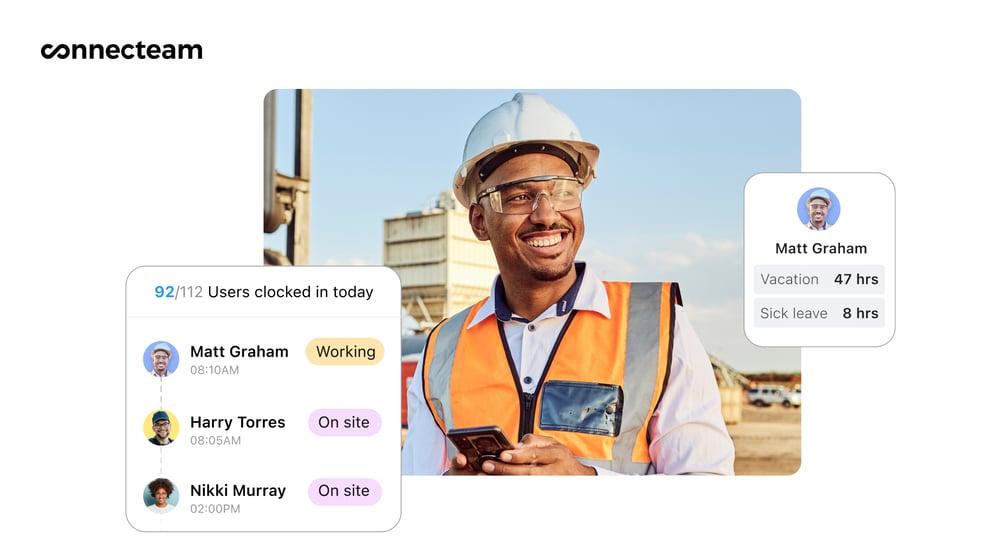
Connecteam lets you track time by project, phase, or task. Crew members can clock in and out via the easy-to-use worker app or via GPS time tracking.
Tracked time is auto-filled into a smart spreadsheet, showing employee worked hours, break hours, overtime, and automatic pay calculations. You can approve timesheets with a single click. They can then be sent to one of five popular payroll programs that integrate with Connecteam, including QuickBooks Online, Paychex Flex, Prism HR, MYOB Business, and Xero (AU and UK).
Alternatively, you can export timesheets and send them to HR or accounting for payroll processing.
Instant notifications
Auto-scheduling isn’t very helpful if crew members can’t easily see the assignments they’ve been given. Fortunately, Connecteam offers real-time notifications that alert all crew members to scheduling changes.
This feature is also important for construction site managers, as real-time notifications keep you updated on employee messages, field reports, and time-off requests. You’ll also receive notifications for compliance issues such as overtime, break violations, and potential conflicts.
When Connecteam may not be the best fit
Connecteam may fall short for companies running large, highly complex construction projects with advanced planning requirements, as it doesn’t offer sophisticated dependency management, predictive analytics for project risk, or built-in simulation capabilities.
0Key Features
- Smart AI scheduler
- GPS time tracking with geofencing
- Certification tracking and compliance alerts
- User-friendly time tracking
- Dynamic scheduling with conflict detection
- In-app team chat
Pros
- Automated scheduling helps busy managers save time
- Affordable, with a free plan for small construction companies
- Mobile-first design is accessible for field crews
- All-in-one scheduling, time-tracking, and communication platform
Cons
- No advanced predictive analytics or simulations
- Limited construction software-specific integrations
Pricing
Free-for-life plan availablePremium plans start at $29/month for 30 users
14-day free trial, no credit card required
Start your free trial -
ALICE Technologies — Good for preconstruction planning teams on complex projects
Available on
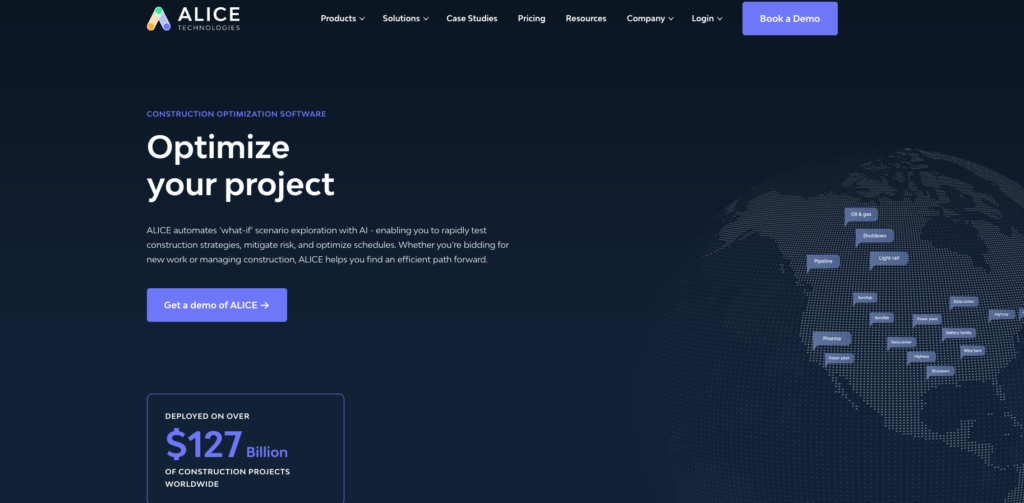
ALICE Technologies is a construction project planning and scheduling software that can run “what-if” scenarios to optimize schedules and reduce costs.
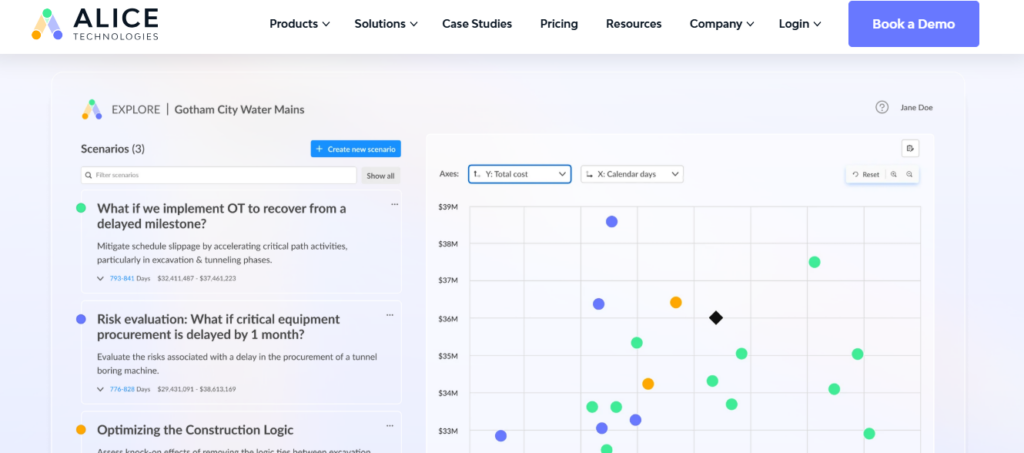
Why I chose ALICE technologies: ALICE Technologies is one of the most advanced AI scheduling tools in construction, designed for large, complex projects. It excels across all core AI criteria, especially predictive analytics and scenario planning.
Generative construction scheduling with scenario optimization
ALICE Technologies’ ability to run simulations for optimization can be a game-changer for large, multi-project businesses: After uploading your schedule to the software, you can run “what-if” scenarios to see which ones get you closest to your goals.
For example, you might ask it to compare whether allocating more crews or allowing a specific crew to work 5 hours of overtime costs you less time (or money).
The software can also detect logic loops and optimize for specific objectives.
Resource consumption tracking
ALICE is useful for tracking and optimizing resource consumption, since its insights track material usage and improve construction equipment allocation.
The resource consumption tracking feature also lets you analyze the sequence of events in your construction schedule to determine which leads to the best outcomes.Schedule insights agent
The ALICE Technologies schedule insights agent is a chatbot that communicates with your schedule. Rather than digging through the Gantt chart to find the info you need, you can ask your insights agent to find it for you.
The chatbot can also compare different schedule versions, and it always provides a source to back up its answers. It can break down important metrics, such as cost by crew or day, or give you advice on speeding up project completion.
Notable limitation
ALICE Technologies lacks built-in tools for field execution, communication, and time tracking, which often require additional software.
What users say about ALICE technologies
I had the chance to use the construction optioneering from Alice Technologies, and it was a game-changer. The AI-powered platform helped me analyze different construction scenarios, fine-tune schedules, and allocate resources efficiently.
Key Features
- Generative AI-powered scheduling
- Predictive risk analytics and recovery recommendations
- Resource leveling and equipment optimization
- Unlimited scenario planning
Pros
- Most advanced AI scheduling capabilities
- Preconstruction optioneering
Cons
- Project-based pricing can be prohibitive for small companies
- Complex to implement and use
Pricing
Contact vendor for price Trial: No Free Plan: No
-
Procore — Good for integrated construction project management

Procore is an end-to-end construction scheduling software that can help you keep projects on track, stay on budget, schedule employees, and identify risks.
Why I chose Procore: Procore’s value is in embedding AI across an already comprehensive platform, so that scheduling data is connected to change orders, safety incidents, financial tracking, and more.
Scheduling and risk insights
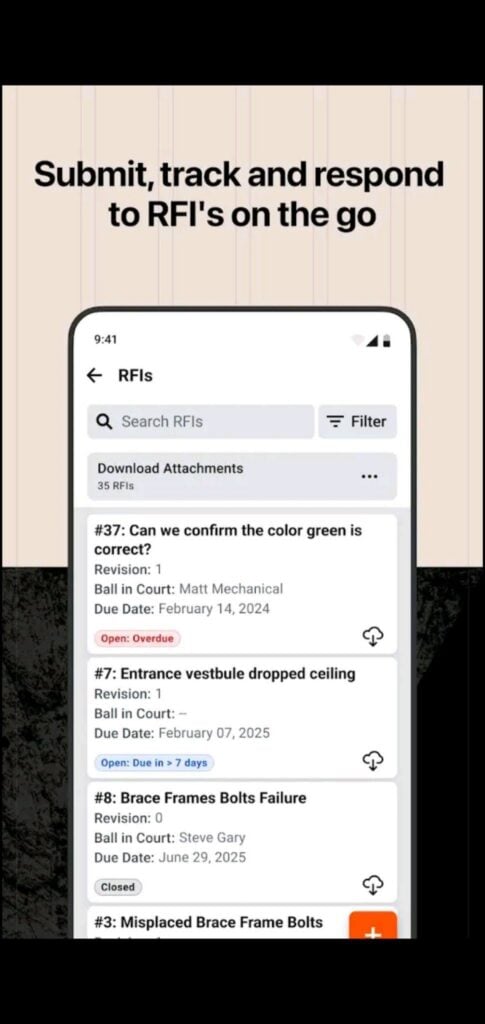
While Procore doesn’t offer automated scheduling, one of its standout features is its AI-powered insights, which can help you identify scheduling risks to keep projects on track. For example, it can show average Request for Information (RFI) and submittal response times by project type and size, comparing your company against industry standards.
The insights can also show pending and at-risk submittals so you can address them before they affect project scheduling. Other insights include days without incident, daily logs, RFI trends, and time to complete observations. If you’re managing a large construction company or dozens to hundreds of crews, these insights can be invaluable for keeping projects on track.
AI agents
Procore Helix is the name of the company’s AI agent. With it, you can run quick searches to find the documents you need and use the agent to verify information, such as whether your safety procedures meet Occupational Safety and Health Administration (OSHA) guidelines.
Its Agent Builder tool helps you create custom AI agents that simulate the impact of specific project scenarios without writing any code.
Time tracking
Procore’s mobile app lets employees track their time from anywhere. When logging time, crew members can input a variety of data, including project name, employee classification, pay/time type, and job code. The information automatically flows into digital timesheets, where you can view all labor data and easily export it for payroll.
Procore also lets you geofence areas and send reminders to employees to clock in and out when they leave that area.
Dynamic scheduling
Procore’s scheduling agent monitors live projects continuously and triggers automatic notifications whenever a change upends your schedule. PMs receive real-time alerts if milestones are at risk, resource conflicts emerge, or a schedule needs revision.
Notable limitations
Procore’s AI scheduling tools rely more on manual input and tracking rather than fully automated decision-making or scenario simulation.
What users say about Procore
I have been able to successfully complete many commercial and industrial projects with multiple disciplines, and coordination was made easy using this program.

I hated Procure at first. It seemed overly complicated for no reason. However, after a year of utilizing it, it became apparent as to why it is a useful tool.

Key Features
- Strong task sequencing and timeline control
- Agent Builder for custom scenario planning
- Safety hub with AI-driven compliance and risk analysis
- Strong third-party app integrations
Pros
- Mobile access for field teams
- Insights identify scheduling risks
Cons
- Doesn’t fully automate employee scheduling
- May be too complex for small and mid-size businesses
Pricing
Contact vendor for price. Trial: No Free Plan: No
-
BuildPass — Good for site operations and compliance teams
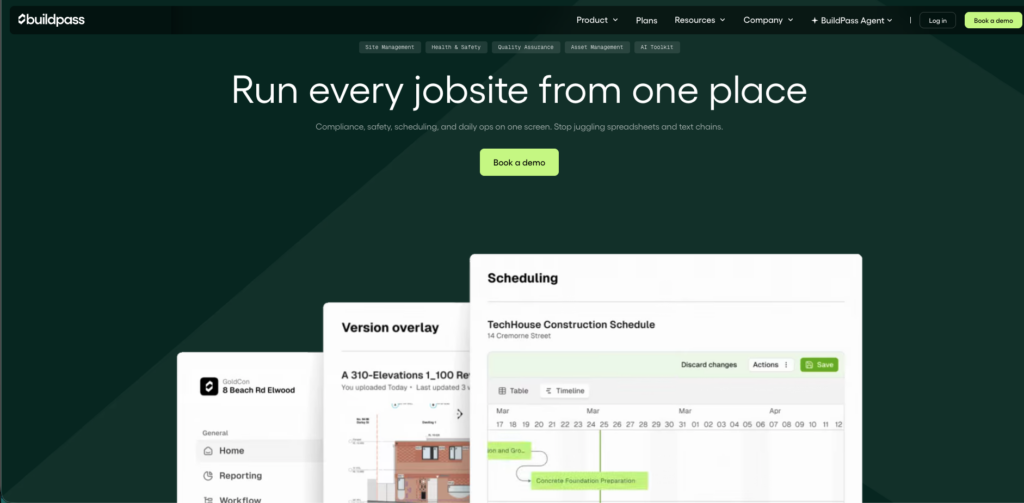
BuildPass is an easy-to-use construction scheduling software with worker time tracking, daily logs, and documentation features, plus in-app communication.
Why I chose BuildPass: BuildPass allows you to build safety and regulatory requirements directly into your schedules. In other words, they’re not separate modules in the same app. Its level of embedded accountability can reduce the risk of failed safety audits and penalties.
AI-powered schedules
One of my favorite things about BuildPass is its ability to create schedules from existing spreadsheets, job descriptions, project data, or even a picture of your whiteboard. The software automatically converts this information into tasks you can drag and drop onto a calendar, and then lets you assign employees.
The scheduler also lets you set task dependencies and identify critical paths. Then, when something inevitably comes up, you can make changes on the fly, and notifications will automatically be sent to your crew members with their updated job assignment.
Compliance and certification management
BuildPass deeply embeds compliance into your workflows. Within any scheduled task, site managers can link Safe Work Method Statement (SWMS) sign-offs, induction completions, and insurance verifications, so work can’t proceed until the required safety steps are ticked off.
Plus, it automatically flags expiring certifications and insurance documents ahead of renewal dates, and workers are inducted digitally on-site via geofencing.
Mobile timesheets
BuildPass offers an app for employees so they can log their time directly from construction sites. As a manager, you can set this up to allow workers or subcontractors to enter total hours worked, or you can enable clock-in and clock-out mode.
Comprehensive daily logs
Daily logs are a big part of keeping projects on track and scheduling accurately in the construction business. BuildPass makes the process easy, allowing for voice-to-text job updates, photo uploads, and even turning written notes into a typed document.
The software also uses AI to record who was on site each day and the weather forecast for that day. It can then summarize daily logs for user-set periods for easy reporting.
Notable limitations
BuildPass doesn’t automatically assign employees to jobs based on skills and certifications; you must do this manually.
What users say about BuildPass
The software can be personalised to our business making it useful to integrate into not only major projects but projects of all size.
Setup takes time and subcontractors need to create a login, new app for them. Some are not used to systems.
Key Features
- AI-powered scheduling
- Worker and subcontractor time tracking
- Automated SMS and email subcontractor notifications
- Task dependencies with automatic downstream updates
Pros
- AI schedule generation from documentation is a time-saver
- Fixed-cost pricing model is accessible for growing businesses
Cons
- Limited automations for dynamic scheduling
- Not suited for large capital projects
Pricing
Contact vendor for price Trial: No Free Plan: No
-

Epicflow — Good for construction resource management teams
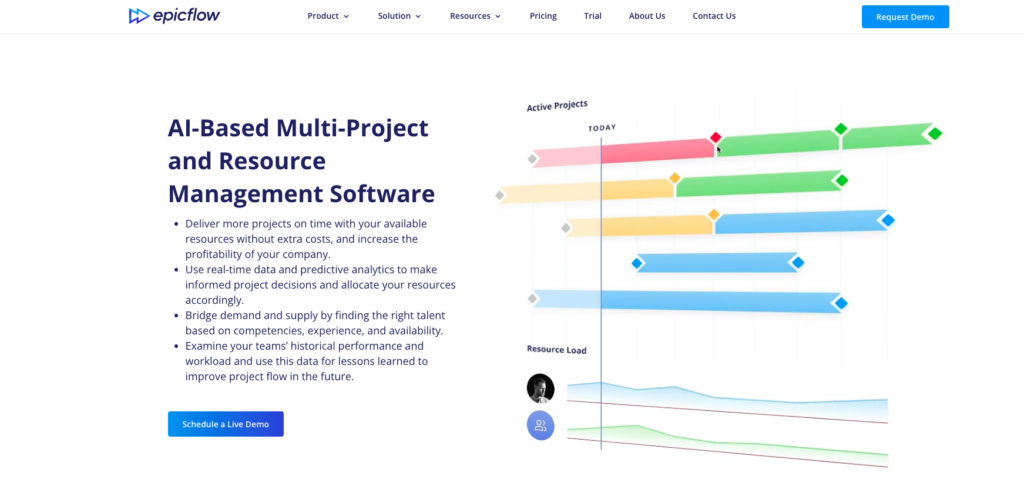
Epicflow is a multi-project resource management software that construction company owners and managers can use to optimize schedules, identify bottlenecks, and scenario-plan.
Why I chose Epicflow: Epicflow provides strong predictive analytics and workload balancing, which are critical if you manage multiple jobs. I also chose Epicflow for its ability to match employees to jobs based on competencies, along with useful features such as “what-if” simulations, AI-driven capacity planning, and task management.
Automated competency-based resource management
Epicflow’s project resource allocation feature can match the right employee to the job based on competencies added to a user’s card. The tool can then review each worker’s qualifications, skills, certifications, and geographic location, and identify the available workers best suited for the assignment.
The software will display a list of workers for the job, sorted from most competent to least competent, using a color-coded system.
While the process might not be quite as simple as Connecteam’s single-click skill-based automated scheduling, it’s a great resource for larger businesses juggling dozens of employees and multiple project plans.
AI-driven resource capacity planning
Capacity planning takes historical and current data to forecast future workloads. These reports identify staffing issues and prevent bottlenecks that slow down your projects. The software’s artificial intelligence also analyzes and shows which of your employees or resources are most overloaded, and lets you reassign tasks to spread the workload.
What-if scenarios
What-if analysis is an AI feature for simulating management changes to see how they affect projects. Since these changes occur in a simulation rather than your real dashboard, you can play around with different “what-if” scenarios, such as changing the project scope, reassigning crews, moving milestones, or throwing more resources at a job, without confusing employees.
Notable limitations
Epicflow isn’t built specifically for construction and requires integrations for core features like time tracking, compliance, and field communication, which can make it harder to implement.
What users say about Epicflow
I’m a project manager at an outsourcing company, and I’ve been a confident Epicflow user for more than five years. The tool helps me easily resolve most project management challenges and simplifies my daily routine.

Still working in MS Projects. Unrealistic outcomes when colleagues forget to work on their hours in Epicflow.
Key Features
- Real-time analytics dashboards and AI assistant
- Skill and role-based resource allocation
- Automatic prioritization
- Capacity forecasting
Pros
- Competency-based matching presents the right person for the job
- Bottleneck detection helps efficiency by preventing projects from stalling
Cons
- Limited integrations may reduce functionality
- Complex construction scheduling may be overkill for smaller teams
Pricing
Starts at 22.5€ per month (equivalent to $26.11 USD), billed annually Trial: Yes Free Plan: No
Compare the Best s
| Topic |
 Start for free
|
|
|
|
|
|---|---|---|---|---|---|
| Reviews |
|
N/A
|
|
|
N/A
|
| Pricing |
Starts at just $29/month for the first 30 users
|
Contact vendor for price
|
Contact vendor for price.
|
Contact vendor for price
|
Starts at 22.5€ per month (equivalent to $26.11 USD), billed annually
|
| Free Trial |
yes
14-day
|
no
|
no
|
no
|
yes
|
| Free Plan |
yes
Free Up to 10 users
|
no
|
no
|
no
|
no
|
| Use cases |
Best for construction crews that need AI-assisted workforce scheduling without project-planning complexity
|
Good for preconstruction planning teams on complex projects
|
Good for integrated construction project management
|
Good for site operations and compliance teams
|
Good for construction resource management teams
|
| Available on |
What Is AI Construction Scheduling Software?
AI construction scheduling software helps construction businesses build, adjust, and manage schedules with less manual work. Depending on the tool, that can mean assigning workers to jobs, spotting schedule risks, testing different project timelines, creating tasks from site documents, or sending schedule updates to crews in the field.
Not every tool in this category does the same job. Some are built for workforce scheduling and help managers assign workers based on availability, skills, certifications, location, and labor rules. Others are built for project scheduling and help teams manage dependencies, forecast delays, or compare different ways to complete a job.
That difference matters. A small contractor may need a faster way to schedule crews, track hours by job site, and update workers when plans change. A larger contractor may need advanced project modeling, critical path analysis, or scenario planning. The right choice depends on the type of scheduling problem you need to solve.
The Benefits of AI Construction Scheduling Software
AI construction scheduling software can help construction businesses save time, reduce scheduling mistakes, and keep jobs moving when plans change.
Cuts down on manual scheduling work
Construction schedules change constantly. Workers call out, materials arrive late, weather slows down a job, or a subcontractor needs to move to a different site. Without the right software, managers can spend hours updating spreadsheets, calling workers, and checking who is available.
AI scheduling tools can reduce that work by recommending assignments, helping managers adjust schedules faster, or turning project information into scheduled tasks. For crew-based businesses, that means less time chasing updates and more time keeping the job on track.
Helps you assign the right workers
Construction scheduling is not just about filling open slots. Managers also need to know who is available, who has the right skills, who is certified for the work, and who is already scheduled somewhere else.
Some AI construction scheduling tools can consider availability, skills, certifications, location, and labor rules before recommending an assignment. For example, if a roofing job requires fall protection certification, the software can help flag workers who do not meet that requirement before the schedule is published.
Helps control overtime and labor costs
Poor scheduling can quickly lead to overtime, especially when managers do not have a clear view of total hours across crews and job sites. Some platforms help track scheduled and worked hours, flag potential conflicts, and alert managers before workers go over preset limits.
That visibility is especially useful for construction businesses managing multiple crews, locations, or subcontractors. Small scheduling mistakes can become expensive when they lead to overtime, payroll corrections, or delays in the field.
Keeps crews updated when plans change
A schedule only works if the right people see the update in time. Many AI construction scheduling tools work alongside mobile notifications, team messages, daily logs, or jobsite updates so workers and subcontractors know where they need to be and what changed.
This helps reduce missed updates, duplicate calls, and last-minute confusion. For project teams, better schedule visibility can also make it easier to catch delays early and understand how one change affects the rest of the job.
How Much Does AI Construction Scheduling Software Cost?
AI construction scheduling software pricing varies widely because different tools solve different scheduling problems. Workforce scheduling tools are often priced by plan, user count, or employee range. Project scheduling and construction management platforms usually use custom pricing based on company size, project volume, selected features, or implementation needs.
For smaller businesses, entry-level pricing can start at around $26 to $30 per month. Connecteam starts at $29 per month for up to 30 users and also offers a free Small Business Plan for companies with up to 10 users.
More advanced construction scheduling platforms, especially tools built for project controls, scenario planning, CPM scheduling, or enterprise construction management, often require a custom quote. Before choosing a tool, check whether AI features are included in the listed plan or only available on higher-tier plans. You should also factor in setup time, training, integrations, and how easy the system will be for field crews to use.
FAQs
Yes, AI can help create a construction schedule, but the quality of the schedule depends on the information you give it. Some tools can turn project details into tasks, while specialized construction software can also factor in crew availability, certifications, job dependencies, labor rules, and schedule risks. Managers should still review the schedule before publishing it.
Yes. Small construction companies can benefit from AI scheduling software when they manage changing job sites, multiple crews, time-off requests, subcontractors, or certification requirements. They may not need advanced project simulation, but they can still save time with smarter crew assignments, field updates, time tracking, and schedule notifications.
Connecteam is the best free AI construction scheduling software for small construction businesses that need crew scheduling, time tracking, team communication, and field updates in one place. Its Small Business Plan is free for up to 10 users, making it a strong option for smaller crews that need practical scheduling tools without enterprise software costs.
Not always. Some project management tools include scheduling features, but AI construction scheduling software focuses more directly on building, adjusting, or improving schedules. For some businesses, that means assigning crews to jobs. For others, it means modeling project timelines, managing dependencies, forecasting delays, or testing different schedule scenarios.
The Bottom Line on AI Construction Scheduling Software
AI construction scheduling software can help construction businesses reduce admin work, assign qualified workers faster, and respond more quickly when jobsite plans change. The best tool depends on what you need to schedule: crews, resources, subcontractors, project tasks, or complex project timelines.
For construction businesses that need practical AI-assisted crew scheduling, GPS time tracking, compliance visibility, and fast field updates, Connecteam is the best place to start.
