


As your team grows, important replies can get buried and discussions become harder to track.
The right tool should help employees find information, stay updated, and keep work moving without switching between apps.
I reviewed seven Flock alternatives for office, hybrid, and frontline teams. Use this guide to find the option that best fits how your team communicates and works.
If you don’t have the time to read through our research, jump down to our quick comparison table.
| App | Best for | Starting Price | Key Considerations |
| Slack | Best overall Flock replacement for mature team chat and integrations | $7.25/user/month, billed annually | True threads, Slack Connect, Huddles, and a large app marketplace. Free history and integrations are capped. |
| Microsoft Teams | Microsoft 365 organizations | $4/user/month | Strong meetings and Microsoft 365 file collaboration. Setup and navigation can overwhelm smaller teams. |
| Mattermost | Organizations prioritizing deployment control and security | Contact vendor for price | Self-hosted messaging with enterprise identity controls. Requires technical infrastructure, and Professional plan is capped at 250 users. |
| Rocket.Chat | Customizable or self-managed workplace messaging | Contact vendor for price | Flexible self-managed and isolated deployments. Free plans have user, push-notification, and production-support limits. |
| Google Chat | Google Workspace teams | $7/user/month | Tight Gmail, Drive, Calendar, and Meet integration. Business Starter can’t create external Spaces or group DMs. |
| Chanty | Simple, affordable team messaging | $3/user/month | Unlimited history with lightweight task tools. Free plan is capped at 5 members, and video was unreliable in testing. |
| Connecteam | Frontline teams that need chat plus workforce operations | Just $29/month for the first 30 users | Connects chat with Updates, tasks, schedules, and time tracking. Lacks native meetings and document co-authoring. |
What’s New in This Update (September 2026)
- Removed Beekeeper and added Slack, Mattermost, and Google Chat as better Flock alternatives.
- Reframed the article around stronger messaging, better search, larger meetings, more integrations, tighter admin controls, guest access, and flexible deployment.
- Added a section explaining how each product was evaluated and ranked against Flock’s core features.
- Updated pricing, plan limits, and features for each Flock alternative.
Our Top Picks
-
1
Best overall Flock replacement for mature team chat and integrations
-
2

Best for Microsoft 365 organizations
-
3
Best for organizations prioritizing deployment control and security
Why trust us?
Our team of unbiased software reviewers follows strict editorial guidelines, and our methodology is clear and open to everyone.
See our complete methodology
What Is Flock?
Flock is a business messaging and collaboration platform built around direct messages, group conversations, and channels. Teams can use it to organize discussions by project, department, client, or topic while keeping files and decisions close to the conversation.
The platform also includes voice and video calls, screen sharing, file sharing, notes, reminders, polls, and to-dos. Its built-in tools make it useful for teams that want more than basic chat without adopting a separate app for every small task.
Flock’s free Starter plan is intended for teams of up to 20 members. It includes unlimited messages, but only the latest 10,000 are searchable. It also limits teams to 10 public channels, 5 GB of shared storage, one team admin, and one-to-one video calls. Pro removes many of those caps for teams of 20–100, while Enterprise adds identity, compliance, and onboarding controls for larger organizations.
Why Are People Moving Away From Flock?
Flock covers the core of team communication, but its limitations become more noticeable as your conversations and headcount grow.
As messages pile up, Flock can become more difficult to navigate. In our full Flock review, the web app’s extra columns and crowded controls made the workspace feel overwhelming. Recent G2 reviewers raised similar concerns. One reviewer found the interface busy when conversations and notifications piled up, while another called it outdated and wanted better notification controls. This can make it harder to manage channels and spot urgent updates.
Flock’s pricing and plan limits may push growing teams toward a paid plan sooner than expected. The Starter plan only searches the latest 10,000 messages and includes 10 public channels, 5 GB of shared storage, and one admin, while multi-channel guests become paid users after 90 days. One reviewer found the price less appealing for basic communication, and another felt the cost and plan limits could make scaling harder.
Teams that need more searchable history, channels, storage, admins, or group calls must upgrade to Pro and pay per user. Though some reviewers have noticed that search becomes less reliable as message history grows, making older files and specific details harder to find.
Another concern is integration depth. On G2, Flock users reported wanting stronger connections with external tools, broader API support, and more advanced workflow automation. Flock includes an app marketplace and supports integrations, but teams that run customer systems, detailed approval flows, or a large business-software stack may find the available options too basic for their workflow.
Flock is still a practical option for teams that value simple everyday communication. However, businesses may prefer an alternative if they need deeper integrations and automation, more control over high-volume conversations, stronger search and task management, clearer scaling value, or a more fully defined threaded-discussion workflow.
How I Ranked the Best Flock Alternatives
I used Flock’s strongest features as the baseline, then ranked the alternatives by how well they fill in the gaps that can make Flock harder to use as a team grows.
Here’s what I prioritized:
- Covering the messaging basics: Each option had to support direct and group messages, organized channels, files, search, and mobile access.
- Keeping work close to conversations: I looked for calls, integrations, tasks, shared documents, or other collaboration tools that reduce app switching.
- Keeping long discussions easy to follow: True threaded replies and longer searchable history ranked above Flock’s channel-post replies and 10,000-message Starter search limit.
- Supporting growth and administration: I gave more weight to larger or more reliable meetings, clearer navigation, stronger admin controls, flexible guest access, and scalable choices.
The 7 Best Flock Alternatives & Competitors
-
Slack — Best overall Flock replacement for mature team chat and integrations
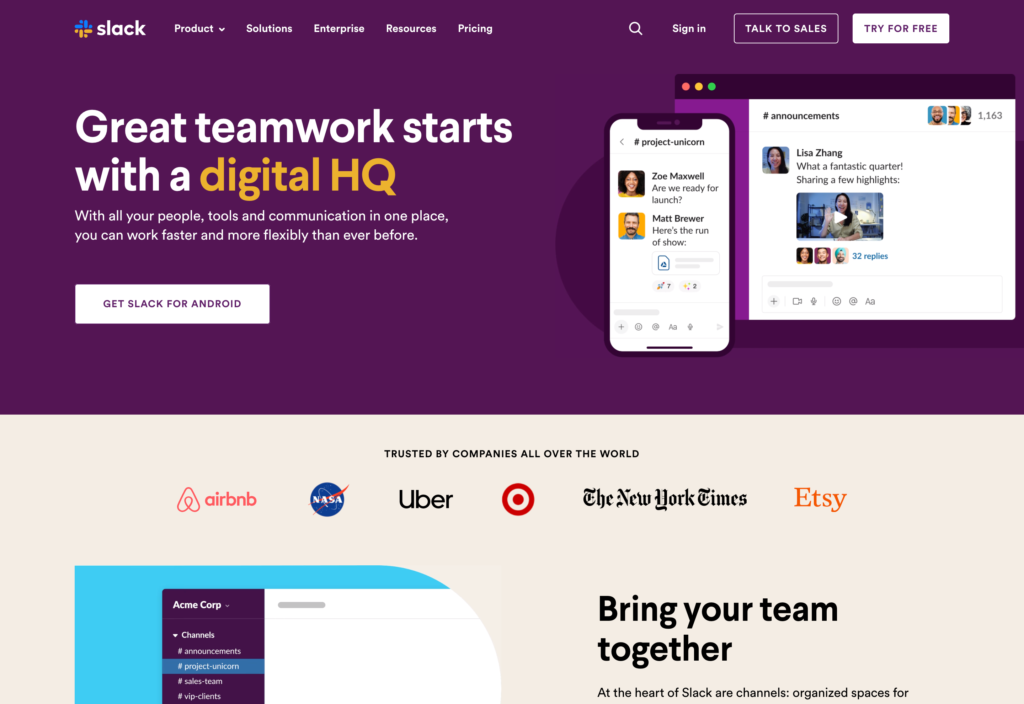
Slack is a messaging-first collaboration platform centered on channels, direct messages, threads, apps, and lightweight live conversations.
Why I chose Slack: Slack is the closest overall Flock replacement because its channel structure, true threaded replies, external collaboration, and large app ecosystem solve several of Flock’s most common scaling problems.
Channels, Threads, and Slack Connect
Slack gives teams public and private channels, one-to-one and group DMs and mentions. Threads keep a discussion attached to its original post, so a busy project channel can hold several conversations without separating questions from their answers. Users can follow a thread, mention specific teammates, or share the final answer back into the main channel.
Slack Connect extends selected channels or DMs to clients, agencies, suppliers, and other companies. Each organization keeps control of its own users, which is more structured than adding every outside contact to an internal workspace.
The trade-off is message reach. Admins can’t override an individual user’s notification preferences and do-not-disturb settings. This could be a limitation for managers who need proof that every employee saw a safety or policy notice.
Group Audio and Video Calls
Slack’s Huddles turn any channel or DM into a quick audio or video conversation. Participants can share screens, add captions, post files, and use a discussion thread, all while in a Huddle.
These tools can reduce meeting load, but Slack isn’t a full meeting platform. Paid plans support group Huddles for up to 50 people, and we couldn’t find any meeting recording option inside Huddles during testing. You’ll need a dedicated tool for larger meetings, webinars, and advanced administration.
Search, Apps, and Administration
Slack’s paid plans provide unlimited message history and access to more than 2,600 apps. Search covers messages and files, while filters help narrow results by person, channel, date, or content type. There’s a no-code Workflow Builder that can automate routine steps such as requests, approvals, reminders, and form submissions.
The free plan is much tighter, giving users only 90 days of message and file history, and connection to just 10 external apps.
Key Features
- Public and private channels with threads
- Slack Connect for outside organizations
- Audio and video Huddles with screen sharing
- Large app integration marketplace
Pros
- Strong conversation organization at scale
- Deep integrations and workflow automation
Cons
- Free history is limited to 90 days
- Lacks meeting recordings
Pricing
Starts at $7.25/user/month, billed annually Trial: Yes — 30-day Free Plan: Yes
-
Microsoft Teams — Best for Microsoft 365 organizations
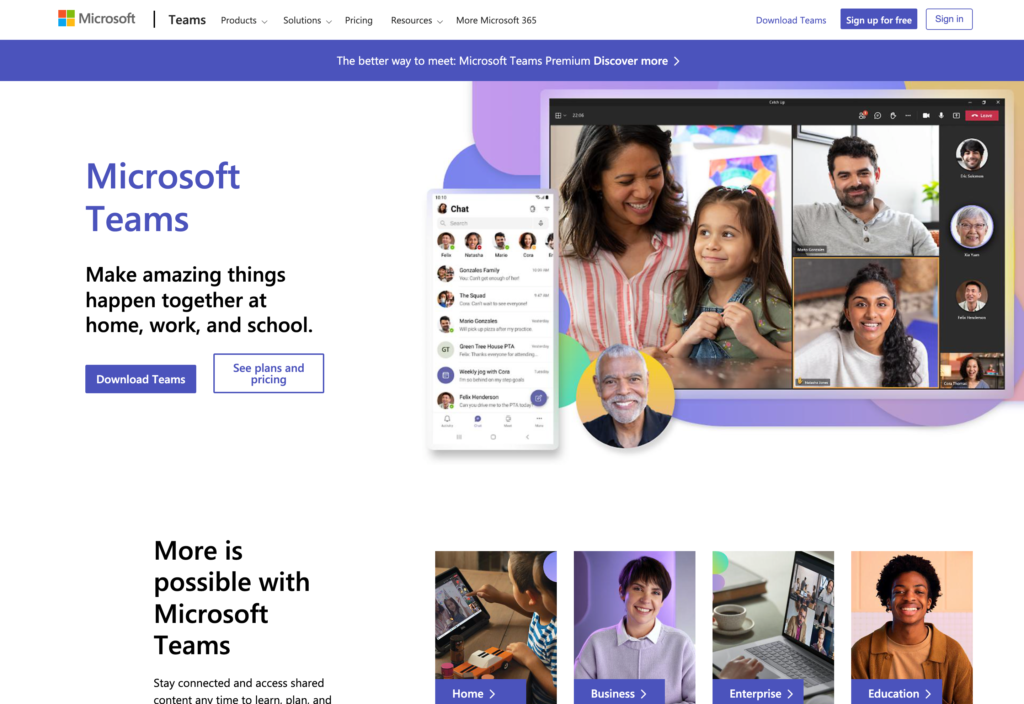
Microsoft Teams combines business messaging, meetings, file collaboration, and Microsoft 365 tools in one connected workspace.
Why I chose Microsoft Teams: Microsoft Teams is the strongest option for organizations already using Microsoft 365 because conversations, calendars, meetings, OneDrive, SharePoint, and Office files work within the same system.
Teams, Channels, and Chat
Microsoft Teams separates communication into teams, channels, and chats. Channels hold topic-based posts with threaded replies, files, tabs, and apps, while chats handle faster one-to-one or group conversations.
Owners can create standard, private, or shared channels and add moderators when a discussion needs tighter control. There are also pinned chats and an activity feed to help users keep up with mentions, replies, meetings, and other changes.
This structure is powerful, but it creates a learning curve. The feature set may feel overwhelming for new users, and knowing when to post in a channel, when to start a chat, and where to find a shared file isn’t very intuitive.
Meetings and Calls
Microsoft Teams lets you start or schedule audio and video meetings directly from the chat. In meetings, you can share screens, record calls, add backgrounds, and create breakout rooms. There are also live captions and transcriptions in multiple languages.
AI tools help translate speech in real-time, recap meetings, and surface personalized insights, while the Activity Feed brings mentions, invitations, and cancellations into one place.
Microsoft 365 Files and Administration
The biggest advantage of Teams is its native integration with other Microsoft 365 apps. Files shared in channels connect to SharePoint, while the chat pulls files from OneDrive.
With a Microsoft 365 business plan, you can co-author documents, leave comments, track changes, and restore earlier versions without downloading separate copies. Users can also search for messages, people, and files across teams and channels.
Team owners manage guests, channels, meeting access, and apps within Teams, while Microsoft 365 administrators oversee organization-wide accounts, policies, and security. That level of control works well for businesses already using Microsoft, but it takes time to configure. During testing, the initial setup wasn’t straightforward and we spent nearly an hour working through the admin center.
Key Features
- Teams, threaded channels, and group chat
- Meetings with recordings and captions
- Screen sharing and virtual breakouts rooms
- OneDrive and SharePoint file collaboration
Pros
- Deep Microsoft 365 integration
- Real-time AI speech translation
Cons
- Interface can overwhelm new users
- Complex setup and administration
Pricing
Starts at $4/user/month Trial: Yes — 30-day Free Plan: Yes
-
Mattermost — Best for organizations prioritizing deployment control and security
Available on
- Web
- iOS
- Android
- Windows
- Mac
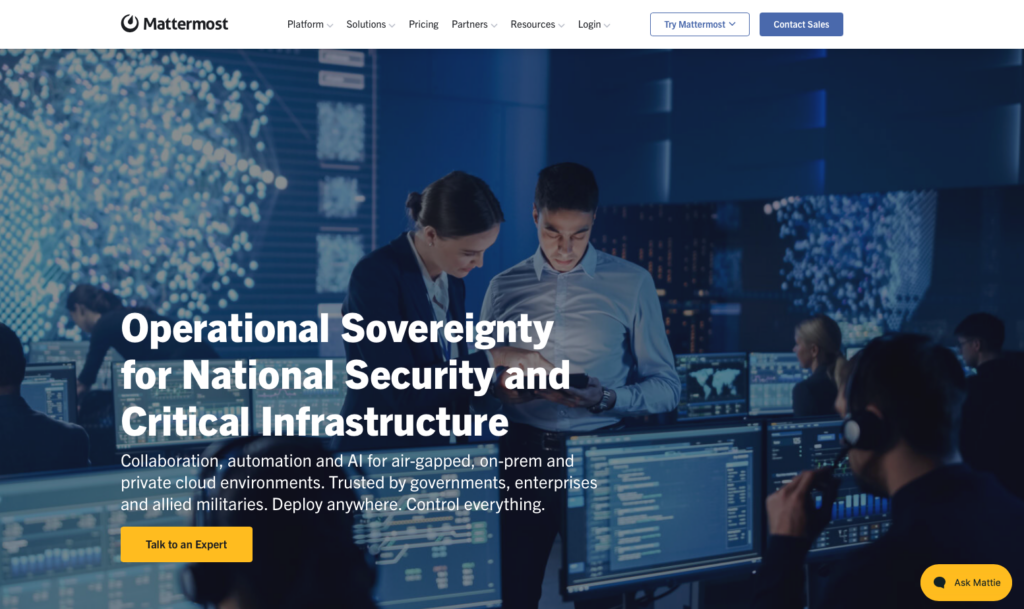
Mattermost is a channel-based collaboration platform for organizations that want to run workplace communication inside their own infrastructure or private cloud.
Why I chose Mattermost: Mattermost stands out for deployment control because it combines familiar messaging with self-hosting, enterprise identity, audit, and high-availability options.
Channels, Threads, and Search
Mattermost offers public and private channels, direct messages, threaded discussions, file previews, saved posts, and searchable history. Teams can organize work by project, department, incident, or customer, then keep side discussions within threads so they don’t clutter the main channel. It works similarly to Slack, but gives IT teams more control over where the system runs.
Mattermost’s standard search works for up to about 3 million posts and files. If you need more space, you’ll need its Enterprise search setup. Most small teams probably won’t reach this limit, but businesses that keep messages for years should plan for it.
Self-Hosting and Security Controls
Professional and Enterprise plans let businesses host Mattermost on their own servers or in a private cloud. Depending on the plan, IT teams can connect company directories, add SSO and MFA, set detailed permissions, control how long data is kept, and build backup systems that keep Mattermost available during outages.
That extra control requires more technical work. Your organization needs to manage the infrastructure, updates, backups, monitoring, and security. The Professional plan also supports only up to 250 users, so larger teams or those that need Kubernetes need to choose Enterprise and request a custom quote.
Calls, Guests, and Integrations
Mattermost supports one-to-one and group calls with screen sharing. The Professional plan can handle around 50 people on calls at once per self-hosted server. Higher call volume requires Enterprise and a more complex setup, adding technical work beyond just hosting the messaging platform.
You can limit guests to specific channels. Single-channel guests are free when there’s no more than one guest per licensed user, but guests who join multiple channels count as paid users. This can raise costs for agencies, consultants, and incident-response teams working across several projects.
Mattermost also offers integrations, APIs, webhooks, and plugins, but less technical teams may need help setting them up.
Key Features
- Self-hosted public and private channels
- Threads, files, and searchable history
- Enterprise identity and retention controls
- Calls, APIs, integrations, and plugins
Pros
- Strong control over deployment and data
- Flexible enterprise security architecture
Cons
- Requires technical infrastructure and administration
- Professional plan is capped at 250 users
Pricing
Contact vendor for price Trial: No Free Plan: Yes
-

Rocket.Chat — Best for customizable or self-managed workplace messaging
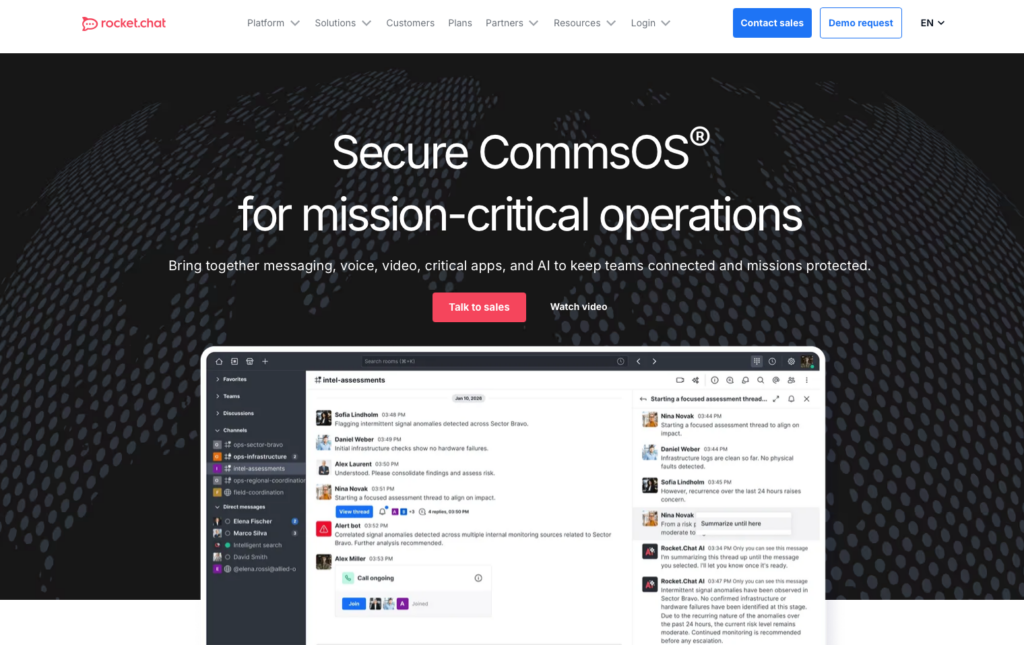
Rocket.Chat is an open-source workplace messaging platform with self-managed versions and paid options for regulated or isolated environments.
Why I chose Rocket.Chat: Rocket.Chat fits organizations that want to customize messaging around their own infrastructure, identity tools, apps, and security requirements.
Channels, Threads, and Apps
Rocket.Chat lets teams organize conversations into public or private spaces for departments, projects, clients, or incidents. Employees can send direct messages, reply in threads, share files, search conversations, and use read receipts. Administrators can also control who posts, invites users, or manages content.
Technical teams can connect other tools and build custom workflows through Rocket.Chat’s Marketplace and Apps Engine.
There are two free plans, but they have clear limits. Starter only supports up to 50 users, while Community allows 100 active users and 10,000 push notifications per month. Rocket.Chat also says Community isn’t a good fit for business-critical use.
Deployment and Security
The Starter and Community plans require your organization to host and manage Rocket.Chat. Paid Commercial, Government, and Defense versions add stronger security, administration, auditing, monitoring, and support. Businesses can run the platform on their own servers, in a private cloud, or on a completely isolated network with no internet access.
Greater isolation comes with its drawbacks. Fully offline environments can’t access the Marketplace, cloud-based integrations, or push notifications. Before you choose this setup, your IT team needs to decide how they’ll handle apps, mobile alerts, updates, backups, and support.
Calls, Guests, and Administration
Rocket.Chat can connect with video call services including Pexip, Jitsi, BigBlueButton, Google Meet, and Zoom. This gives teams more choice, but it isn’t the same as buying a single messaging-and-meeting system with one set of controls. Call quality, recording, capacity, and cost depend on the external provider.
Guest users can join one room apart from direct messages, which works for a client or contractor who needs limited access. However, administrators can’t edit the default guest permissions, so they need to create custom roles when those settings don’t fit. This flexibility is useful, but self-hosting, integrations, and custom permissions require more technical work than a managed chat platform.
Key Features
- Self-managed channels, DMs, and threads
- Marketplace apps and Apps Engine
- Private, isolated, and air-gapped deployment
- Guest users and custom role controls
Pros
- Highly flexible deployment choices
- Strong options for regulated environments
Cons
- Free plans have production limits
- Air-gapped setups lose cloud services
Pricing
Contact vendor for price Trial: No Free Plan: Yes — (Up to 50 users)
-

Google Chat — Best for Google Workspace teams
Available on
- Web
- iOS
- Android
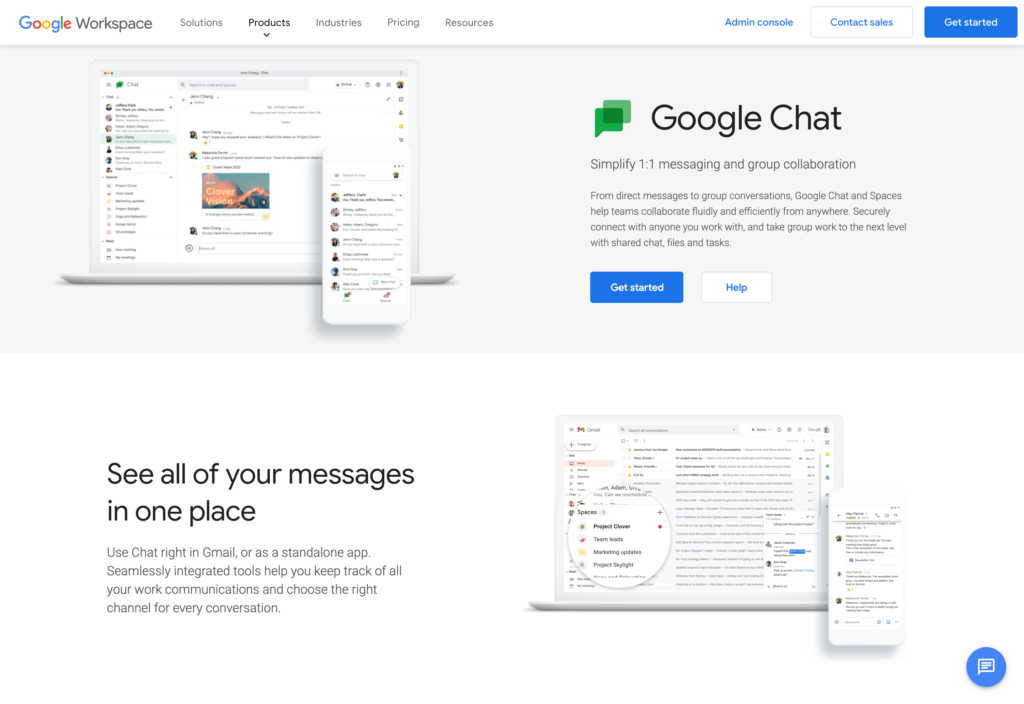
Google Chat adds direct messages and group conversations to the Google Workspace environment.
Why I chose Google Chat: Google Chat is the natural choice for Workspace teams because messages connect directly with Gmail, Calendar, Drive, Meet, Docs, Sheets, and Slides.
Direct Messages, Spaces, and Threads
Google Chat supports one-to-one messaging, group conversations, and Spaces for longer-running projects or communities. With Spaces, you can have threaded discussions and share files, tasks, links, and custom apps. The threads keep replies attached to the original message, which makes busy conversations easier to follow.
Group conversations support up to 400 participants, while a single thread can hold up to 500 replies. Most small and midsize teams won’t reach those caps, but large internal communities may need to split discussions across several Spaces or use a different tool for company-wide communication.
Huddles and Workspace Collaboration
Google Chat’s huddles provide quick, audio conversations from a DM or Space, with the option to add video or screen sharing. Teams can also create a Google Meet link for a larger or scheduled call.
Shared Drive files, Calendar events, Docs, Sheets, and Slides connect directly to conversations, so Workspace users can collaborate without creating a new account.
Google Chat isn’t sold as a standalone tool, and to get the most out of it, you still need to move between apps. For example, many video calls take users from Chat into Meet, and Android users need Gmail or Meet to start or join a huddle. This might feel natural for teams already using Workspace, but it may seem less intuitive if you want calling built directly into the chat interface.
External Access and Administration
Workspace admins can control external messages, limit communication to trusted domains, manage app access, and decide who can create or join external Spaces.
Google’s Business Starter plan may be too limited for client-facing teams because users can’t create external Spaces or group messages with outside contacts. These features require Business Standard, Business Plus, or an eligible Enterprise plan.
Key Features
- Direct messages and Spaces
- In-chat threads, files, tasks, and apps
- Huddles and Google Meet integration
- Workspace identity and domain controls
Pros
- Tight Google Workspace integration
- Familiar experience for Gmail users
Cons
- Not available as a standalone app
- Entry plan limits external communication
Pricing
$7/user/month Trial: Yes — Yes, 14-day Free Plan: No
-

Chanty — Best for simple, affordable team messaging
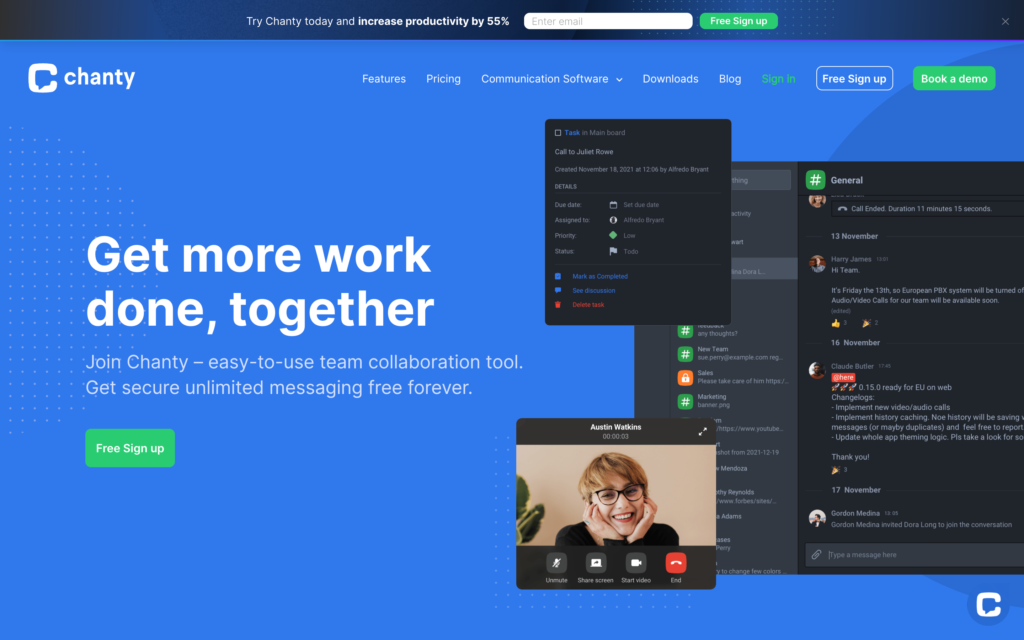
Chanty combines straightforward team chat with searchable history, calls, and lightweight task management.
Why I chose Chanty: Chanty works well for small teams because it keeps messaging and task follow-up simple while offering unlimited conversation history at a low starting price.
Chats, Search, and Teambook
Chanty lets teams organize direct messages and group conversations by project, department, or topic. Employees can also send voice messages and search past chats or shared content, which helps teams working different schedules stay up to date.
Chanty’s Teambook brings conversations, calls, tasks, shared files, and saved links into one central hub.
The platform is easy to navigate, which lowers the learning curve. There’s a free plan, but it’s limited to 5 members and 10 integrations. A growing team will reach the member cap pretty quickly, and organizations with a large software stack may need the Business plan even if they don’t need advanced administration.
Audio and Video Calls
Chanty’s free plan supports one-to-one audio and video calls. The Business plan adds group calls with up to 1,000 participants and unlimited screen sharing, making it more practical for regular team meetings and presentations. Users can start calls from conversations and access recent calls from Teambook.
When we tested Chanty, the video sometimes loaded slowly or failed to load. If your team regularly hosts customer meetings, it might be a good idea to test calls on your devices and networks before making Chanty your main video tool.
Tasks, Guests, and Administration
Chanty lets you turn a message into a task, assign it to someone, and track it in a list or Kanban board. Each task has its own discussion, so comments stay connected to the work. However, it lacks dependencies, resource planning, and detailed reporting offered in full project management platforms.
The free plan includes one guest for a single conversation, while Business provides three guest seats per paid member. Guests can join their assigned conversation but have limited access to other features. Business also adds stronger security and administrative controls, including custom permissions, SSO, 2FA, and retention settings.
Key Features
- Unlimited searchable conversation history
- Public, private, and announcement chats
- Audio, video, and screen-sharing options
- Message-to-task conversion with Kanban view
Pros
- Simple interface and unlimited history
- Useful chat-to-task workflow
Cons
- Free plan is limited to 5 members
- Video calling was unreliable during testing
Pricing
Starts at $3/user/month Trial: No Free Plan: Yes — Up to 5 team members
-
Connecteam — Best for frontline teams that need chat plus workforce operations
Connecteam combines communication, scheduling, and announcements in a mobile-first platform for deskless, frontline, and multi-location teams.
Why I chose Connecteam: Connecteam is the best choice for frontline teams that need chat paired with workforce operations. It connects communication with schedules, time tracking, tasks, forms, and company information, so employees can access everything they need to work from one app.
In-App Chat
Connecteam’s team instant messaging keeps communication organized and easy to manage. Managers can start one-to-one messages or create group chats for specific branches, locations, departments, projects, or shifts. The chat works across desktop and mobile, so you can access it from anywhere.
Employees can share photos, videos, files, GIFs, links, contacts, locations, polls, and voice messages or make calls directly through the app. You can also link to tasks, forms, schedules, updates, and other Connecteam tools, while API integrations let teams share external reports and data.
Read receipts help managers know who has seen each message, and pins and search make it easy to return to important instructions. For urgent communication, managers can tag employees and use push notifications so nothing gets missed.
Custom Admin Controls
Connecteam lets admins set clear boundaries around workplace communication. They can control who starts chats, restrict direct messaging, lock conversations, remove messages, and prevent employees from saving work-related media to their personal devices.
Managers can also schedule messages to send during working hours, so communication doesn’t interrupt employees when they’re off the clock. Connecteam also ensures data security, offers encryption, and offers HIPAA-compliant accounts for an additional fee.
Company-Wide Updates
Connecteam’s company update feed ensures that important announcements are visible, so they don’t get buried in everyday chats. It works like a social media feed, so managers can easily share safety alerts, policy changes, shift instructions, company news, or team celebrations.
Managers can target posts by team or role, attach files and videos, add polls, and enable comments or reactions when they want feedback. Beyond that, you can track who’s seen each post, and require read confirmation for important information.
Connecteam’s AI can also improve the wording and automatically translate each post into employees’ preferred languages. For example, an employee whose phone is set to Spanish will see an update written in English translated automatically into Spanish.
Employee Directory and Knowledge Base
Connecteam’s employee directory lets staff find coworkers by name, role, department, or location without saving work numbers to personal phones. Managers can control which fields appear and add external work contacts such as suppliers, subcontractors, or vendors without treating them as full app users.
The company knowledge base stores policies, manuals, procedures, and files in organized folders. Admins can create separate knowledge bases, control access, and review engagement. Connecteam’s AI Agent answers employee questions using information from the knowledge base, saving managers from responding to the same questions repeatedly.
And So Much More…
Connecteam also offers employee scheduling, an employee time clock, training, and time off management. Managers can also assign and track tasks, while employees can complete digital forms and checklists. This gives mobile and frontline teams the tools they need for everyday communication and operations.
When Connecteam Isn’t a Good Fit
Connecteam isn’t an office collaboration suite built around native audio or video meetings, real-time document co-authoring, or formal guest channels. Corporate teams that spend most of the day in shared documents and scheduled video meetings may prefer software tied directly to Microsoft 365 or Google Workspace.
0Key Features
- Team and one-on-one chats
- Targeted updates with read tracking
- Chat permissions by role or location
- Searchable message history
- Employee directory and knowledge base
- Scheduling, time tracking, and training
Pros
- Mobile and desktop communication
- Communication and operations in one app
- Strong controls for frontline organizations
- Work contacts stay off personal phones
Cons
- No native audio or video meetings
- No real-time document co-authoring
Pricing
Free-for-life plan availablePremium plans start at $29/month for 30 users
14-day free trial, no credit card required
Start your free trial
Compare the Best Flock Alternatives
| Topic |
|
|
|
|
|
|
 Start for free
|
|---|---|---|---|---|---|---|---|
| Reviews |
  |
|
|
|
|
|
|
| Pricing |
Starts at $7.25/user/month, billed annually
|
Starts at $4/user/month
|
Contact vendor for price
|
Contact vendor for price
|
$7/user/month
|
Starts at $3/user/month
|
Starts at just $29/month for the first 30 users
|
| Free Trial |
yes
30-day
|
yes
30-day
|
no
|
no
|
yes
Yes, 14-day
|
no
|
yes
14-day
|
| Free Plan |
yes
|
yes
|
yes
|
yes
(Up to 50 users)
|
no
|
yes
Up to 5 team members
|
yes
Free Up to 10 users
|
| Use cases |
Best overall Flock replacement for mature team chat and integrations
|
Best for Microsoft 365 organizations
|
Best for organizations prioritizing deployment control and security
|
Best for customizable or self-managed workplace messaging
|
Best for Google Workspace teams
|
Best for simple, affordable team messaging
|
Best for frontline teams that need chat plus workforce operations
|
| Available on |
Web, iOS, Android, Windows, Mac
|
Web, iOS, Android
|
The Bottom Line on Flock Competitors
Flock can handle everyday chat, calls, and file sharing, but its limits around integrations, automation, and search may push growing teams to look for an alternative solution.
The right replacement depends on whether your priority is mature team chat, an office suite, private deployment, simple messaging, or frontline operations.
Choose Slack for broader collaboration, Microsoft Teams or Google Chat if you already use their productivity suites, Mattermost or Rocket.Chat for self-hosting, Chanty for simple, low-cost messaging, or Connecteam for frontline teams that need communication linked to daily operations.
