

If your PEO misses a payroll change, it could lead to incorrect pay for employees, extra cleanup for your team, and possible tax or cash-flow problems.
I reviewed 7 PEO payroll providers and compared their payroll controls, tax administration, and support models.
Use these picks to narrow your shortlist, test your toughest pay scenarios, and determine responsibilities before signing.
| App | Best for | Starting Price | Key Considerations |
| ADP TotalSource | Complex and multi-state payroll | Custom quote | Clients still run payroll; custom API costs extra |
| Paychex PEO | Businesses wanting dedicated payroll support | Custom quote | Strict new-hire and separation reporting deadlines |
| Justworks PEO | Small businesses wanting straightforward payroll | $79/employee/month | No employee timecard entry for weekly payroll |
| TriNet PEO | Industry-focused businesses | Custom quote | Some taxes remain under the client's tax ID |
| Rippling | Businesses prioritizing HR automation | Contact vendor for custom quote | Confirm which payroll features the PEO includes |
| Insperity PEO | Businesses wanting hands-on HR support | Custom quote | Time and PTO exceptions need resolving before approval |
| CoAd | SMBs wanting managed payroll | Custom quote | Time and PTO tools can cost extra |
Our Top Picks
-
1

Best for complex and multi-state payroll
-
2

Best for businesses wanting dedicated payroll support
-
3

Small businesses wanting straightforward payroll
Why trust us?
Our team of unbiased software reviewers follows strict editorial guidelines, and our methodology is clear and open to everyone.
See our complete methodology
How We Evaluated PEO Payroll Providers
I compared documented payroll workflows, not brand size, to see how each provider handles the work that actually affects payroll accuracy and administration. Keep in mind that this isn’t a hands-on accuracy test, so documentation alone can’t establish how reliably a service team handles your account.
Here’s what I looked for:
Payroll execution and controls
- Processing: Pay-run review, approvals, multiple rates, deductions, garnishments, bonuses, and off-cycle handling.
- Tax administration: Federal, state, and local duties, account ownership, filings, and multi-state scope.
- Corrections: Cutoffs, late changes, adjustments, and responsibility for incorrect data.
Payroll inputs and outputs
- Workforce data: Time, PTO, earnings codes, and manager approvals.
- Reporting: Payroll registers, funding visibility, general-ledger outputs, and audit records.
- Connections: Documented integrations, import/export routes, and employee pay-statement access.
Service delivery and PEO fit
- Support: Specialist access, employee help, and escalation arrangements.
- Transition: Implementation, migration, and year-end responsibilities.
- Availability: PEO eligibility, workers’ compensation underwriting, benefits, and state footprint.
I checked pricing and fees separately. Neither visible pricing nor a nationwide platform guarantees payroll quality or underwriting approval. I gave the most weight to payroll controls, tax administration, and correction handling. Reporting, integrations, specialist support, and pricing helped distinguish providers with similar core capabilities.
Payroll Feature and Service Matrix
This table separates documented PEO features from details you’ll need to confirm in your proposal. An unverified detail doesn’t mean the provider lacks it.
| Provider | Payroll controls | Tax administration | Pay scenarios | Inputs, reporting, and connections |
|---|---|---|---|---|
| ADP TotalSource | Preview, validation, audit/reconciliation | Multi-state calculations and filings | Garnishments and benefit/retirement deductions; verify bonus/off-cycle rules | PTO, 300+ reports, Marketplace connections; some add-ons |
| Paychex PEO | Client approval; PEO funding report | FICA, FUTA, and SUTA documented; confirm local scope | Garnishment orders; verify rate/bonus/off-cycle workflows | Client time data; confirm Flex connectors and GL format |
| Justworks PEO | Timecard approval/reapproval | Federal, state, local, and SUI administration | Multiple rates, bonuses, off-cycle payments | PTO/timecards, CSV payroll reports; time tracking costs extra |
| TriNet PEO | Timecard approvals and exception review | Federal/state/local reporting with exceptions | Pay codes; verify garnishments and supplemental runs | Time/PTO sync, payroll analytics, QuickBooks Online |
| Rippling PEO | General Payroll offers variance review and permissions; confirm PEO scope | PEO payroll/tax administration | General Payroll supports custom pay types; confirm PEO scope | Platform automation; confirm modules, connectors, and exports |
| Insperity | Documented Premier verification and error review | Payroll-tax withholding, payment, and reporting | Garnishments/deductions; verify other pay types | Time/PTO and internal payroll transmission; verify GL outputs |
| CoAdvantage | Managed payroll; confirm approval sequence | Federal/state/local filing and remittance advertised | Garnishments; off-cycle bonuses/corrections/terminations | Quantum reporting; package-dependent time and self-service |
* Pricing checked October 2026. Final PEO fees, optional services, and eligibility depend on the provider’s proposal.
The 7 Best PEO Payroll Providers
-
ADP TotalSource — Best for complex and multi-state payroll
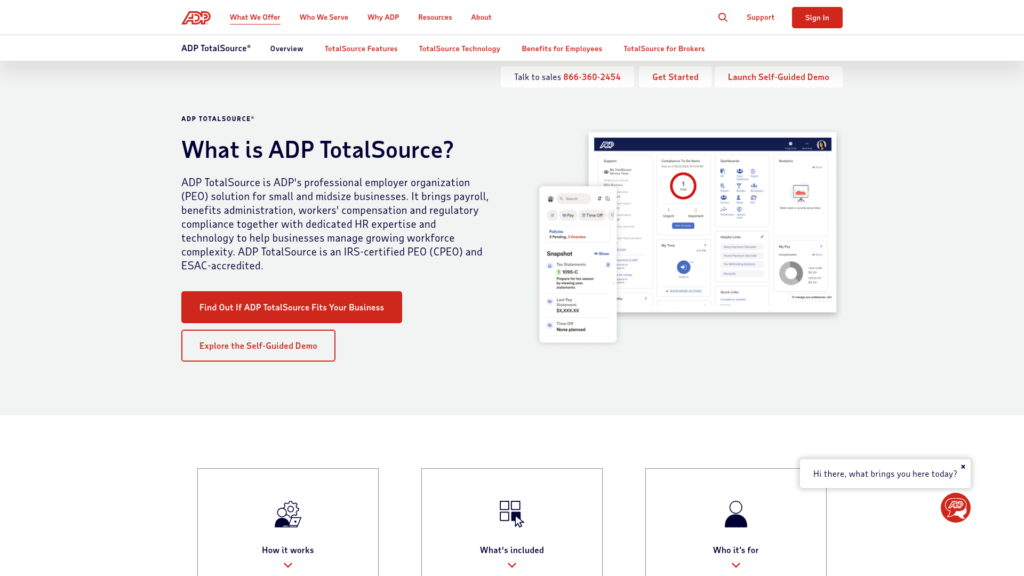
ADP TotalSource combines a U.S. co-employment PEO with payroll, benefits, and specialist support.
Why I chose ADP TotalSource: I ranked TotalSource #1 because of its payroll preview, validation, and multi-state tax support.
Payroll preview and validation
TotalSource gives clients a payroll preview before submission, with automated workflows and validation checks. Its service includes payroll audit and reconciliation, and ADP advertises payroll and tax support across all 50 states.
ADP supports garnishments and benefit and retirement deductions, but you should still confirm how it handles multiple pay rates, bonuses, off-cycle payrolls, and cutoff times. You still operate payroll and make pay decisions, with ADP’s platform and specialists supporting you.
Reporting and payroll inputs
Finance teams get 300+ standard reports and custom reporting. Employees have self-service pay statements/W-2s, and ADP lists PTO accruals and requests as included features.
Custom API integration is listed as an add-on on the TotalSource features page. If you need timekeeping, general-ledger, or other data connections, confirm exactly what’s included in your quote and how the data will map between systems.
Payroll Business Partner
A Payroll Business Partner and specialist teams can support implementation, payroll, and quarterly and year-end processing. You should confirm who owns historical-data reconciliation and urgent payroll corrections before you sign.
Pricing depends on factors such as workforce size, locations, and risk, while benefits and coverage depend on eligibility. If you only need basic payroll, the broader PEO relationship and optional modules may be more than you need.
Pricing
- Contact vendor for custom quote
Key Features
- Payroll preview and validation checks
- Payroll audit and reconciliation
- Multi-state tax administration
- Standard and custom payroll reports
Pros
- Payroll support across all 50 states
- Preview and reconciliation support pre-run checks
Cons
- Client-run payroll still needs internal oversight
- Custom API integrations require an add-on
Pricing
Custom quote Trial: No Free Plan: No
-
Paychex PEO — Best for businesses wanting dedicated payroll support
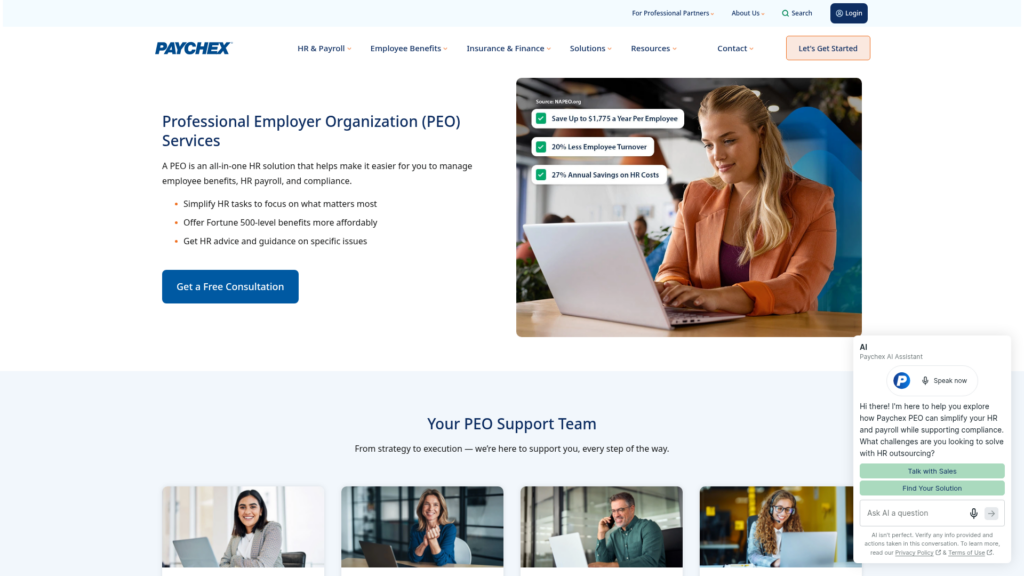
Paychex PEO combines payroll administration with benefits, HR, and workers’ compensation services.
Why I chose Paychex PEO: I chose Paychex PEO because it offers dedicated payroll support backed by a client advocate.
Payroll and garnishment administration
Paychex’s PEO terms cover wages, pay statements, W-2s, garnishments, and federal employment taxes such as Social Security, Medicare, and unemployment. Just confirm how the service handles local taxes, multiple pay rates, bonuses, and off-cycle payrolls.
You still need to provide accurate payroll data and determine overtime eligibility. Approving payroll also means checking the paystubs and billing, so access to specialists doesn’t replace your own review.
Paychex Flex payroll data
The Paychex PEO pre-processing report shows payroll funding, but it may not include every administrative fee. Employees can also access pay statements, W-2s, and direct-deposit information through Paychex resources.
For your specific Flex or Oasis PEO setup, confirm how time and PTO data, reports, general-ledger files, and integrations work. Don’t assume every Paychex integration is automatically included with the PEO service. Your team should also make sure transferred time data preserves the detail you need to identify individual workweeks.
Dedicated payroll specialist
A specialist supports payroll processing, with additional HR, benefits, and risk support available. Before you start, agree on who handles implementation, tax notices, and urgent corrections if your main contact is unavailable.
Your team also needs to meet reporting deadlines. New-hire documents are due within three days and separation details within two, and coverage depends on completing the required setup. If managers can’t keep up with that reporting cadence, the service may be a poor fit.
Ask for all quoted fees and deadlines in writing, including any charges for late reporting, W-2 corrections, or document delivery.
Pricing
- Contact vendor for custom quote.
Key Features
- Dedicated payroll specialist
- Garnishment administration
- Employment tax reporting and remittance
- PEO pre-processing funding report
Pros
- Dedicated specialist helps with payroll processing
- Garnishment administration is covered in PEO terms
Cons
- Client responsible for approved payroll accuracy
- Tight hire and separation reporting deadlines
Pricing
Custom quote Trial: No Free Plan: No
-
Justworks PEO — Small businesses wanting straightforward payroll
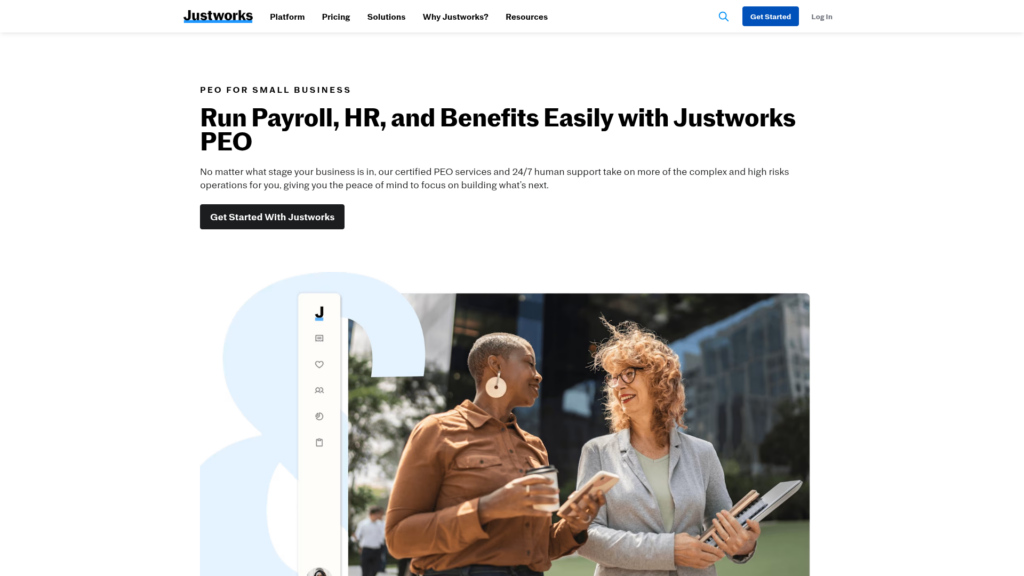
Justworks PEO offers U.S. co-employment payroll, HR, and benefits administration.
Why I chose Justworks: Justworks made the list because it provides visible fees and detailed small-team payroll workflows.
Timecards and supplemental payments
Justworks supports multiple pay rates, custom pay periods, bonuses, off-cycle payments, and federal, state, and local tax handling, including state tax and unemployment accounts. It also supports withholding and deductions. If you manage wage garnishments, ask the provider to walk through your specific order during the demo.
Admins can approve and reapprove timecards before processing. The cutoff is 2 p.m. ET on processing day, and missed time may need an off-cycle payment. Employee timecard entry also isn’t available on a weekly pay frequency, which is an important gap for weekly-paid hourly crews.
Custom Payroll Report
The Custom Payroll Report breaks down earnings, deductions, employer taxes, and other payroll costs, with options to group the data and export it as a CSV. Employees can view paystubs on the web or mobile app on payday, while approved PTO can flow into unprocessed timecards.
Time Tracking is offered as an add-on for $8 per employee per month. Overtime handling can depend on how data enters the system, so test your actual import method, accounting connection, and general ledger mapping.
PEO Basic and PEO Plus
Justwork publishes pricing at $79 per employee per month for Basic or $124 for Plus, without a base fee. Plus adds health-benefit administration. Both list 24/7 support. Insurance and optional services add costs.
Enrollment requires at least two people, which may include an unpaid owner. Workers’ compensation also depends on approval, so confirm that your type of work is eligible before moving forward.
Ask who owns data migration and tax corrections as well, especially if you’re switching providers midyear.
Pricing
- Starts at $79/employee/month for PEO Basic; insurance and add-ons cost extra.
Key Features
- Multiple rates and supplemental payments
- Timecard approval and PTO inputs
- Federal, state, and local tax administration
- Custom payroll reports with CSV export
Pros
- Supplemental pay tax and deduction controls
- Custom reports group costs by work state
Cons
- Weekly pay excludes employee timecard self-entry
- Timecard cutoff can require off-cycle catch-up
Pricing
$79/employee/month Trial: No Free Plan: No
-

TriNet PEO — Industry-focused businesses
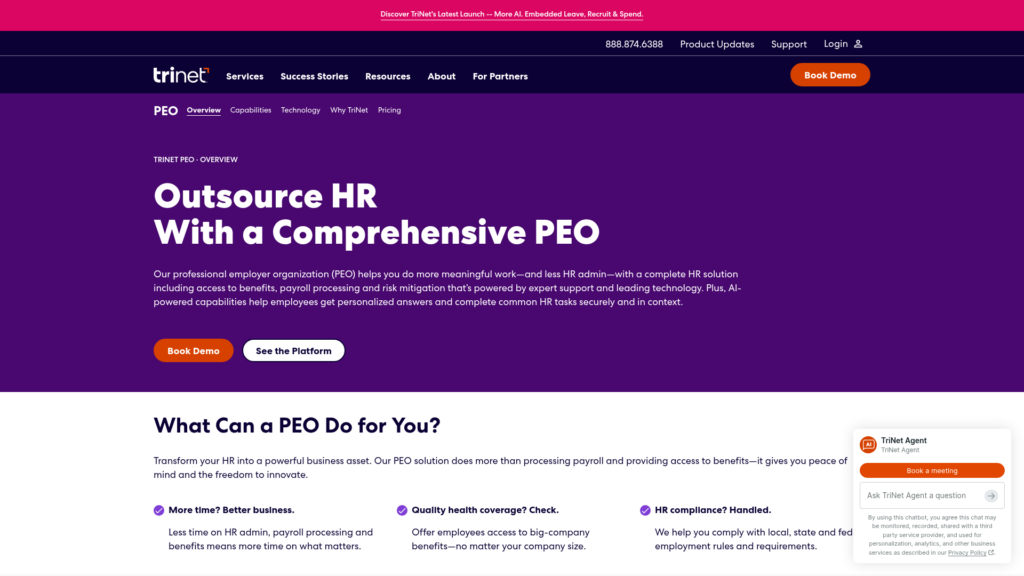
TriNet PEO brings payroll, benefits, risk services, and HR support into a co-employment relationship.
Why I chose TriNet PEO: I included TriNet because it provides connected time and payroll workflows backed by tax specialists.
Payroll tax administration
TriNet handles payroll through direct deposit, pay cards, electronic paystubs, and W-2s, with tax specialists supporting calculations and filings. However, its PEO tax setup has exceptions, and some taxes may still be reported under the client’s federal tax ID.
Clarify who owns each tax account by state. Then test your actual scenarios for multiple rates, bonuses, deductions, garnishments, and off-cycle corrections, since public documentation may not cover every workflow or cutoff.
Time and attendance
Time and attendance connects pay codes, approved PTO, timecard approvals, and payroll exceptions. Payroll reports and accounting integrations, including QuickBooks Online, can then help finance teams move payroll data into the general ledger.
Employees can use mobile self-service for paychecks, W-2s, and PTO. Because terminated employees lose app access, confirm how former employees access their records online and what reports or exports your team can keep after termination.
Assigned support professional
You get an assigned support contact, plus access to specialists for payroll, HR, and other needs. Benefits and workers’ compensation are separate considerations, with availability depending on plan or policy eligibility.
Pricing is quoted per employee, with additional costs listed separately. If you only need payroll software, the broader service may be more than you need.
Before signing, confirm support for your industry’s pay codes, migration totals, year-end responsibilities, and how implementation issues are escalated.
Pricing
- Contact vendor for custom per-employee quote
Key Features
- Payroll tax specialist support
- Timecard exception and approval review
- Approved PTO sync
- Payroll reporting and accounting connections
Pros
- Time and PTO connect to payroll inputs
- Assigned support backed by accessible specialists
Cons
- Some tax reporting stays under client IDs
- Terminated employees lose mobile-app access
Pricing
Custom quote Trial: No Free Plan: No
-

Rippling — Businesses prioritizing HR automation
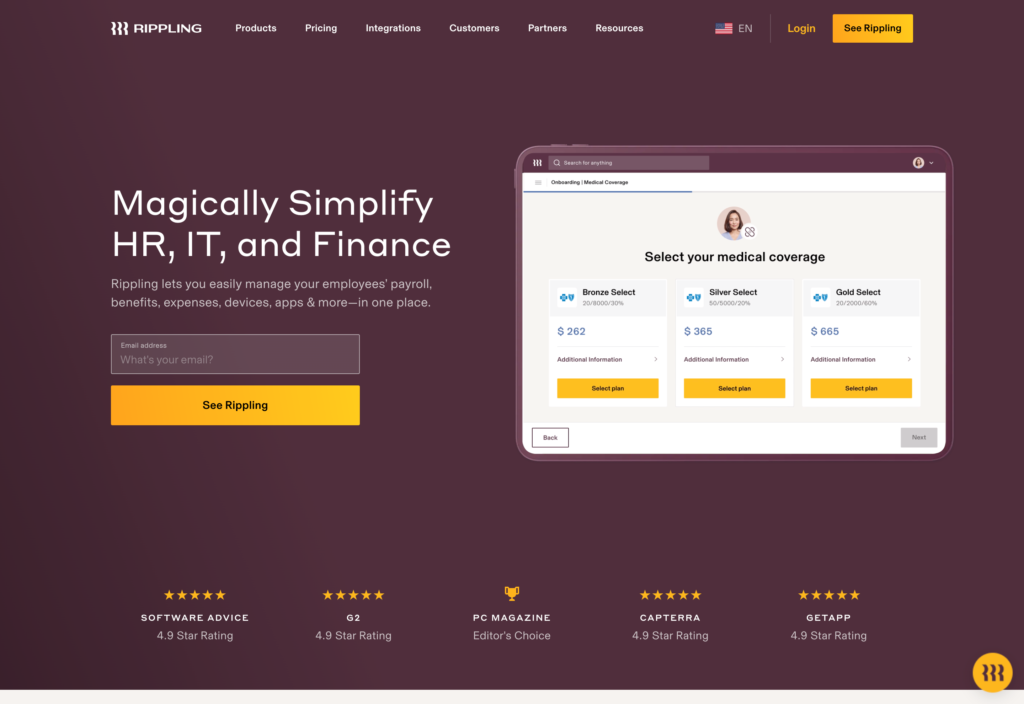
Rippling PEO adds co-employment services to Rippling’s broader workforce platform.
Why I chose Rippling PEO: Rippling connects payroll, HR, and benefits in one system, and you can keep using the platform even if you stop using its PEO service later on.
Payroll automation
Rippling’s PEO includes payroll and tax administration. Its broader Payroll product also supports features like automatic HR-data inputs, pre-approval comparisons, permissions, custom pay types, and bonus entry.
For the PEO service, confirm which of those features are actually included, along with garnishments, deductions, multiple pay rates, and any off-cycle fees. Platform-wide features don’t automatically mean they’re part of every PEO package.
Rippling’s Payroll Additional Terms require you to submit and approve accurate payroll data by the cutoff. Changes after that point may be rejected or come with an extra charge. Check which terms apply to your PEO setup before assuming you can make last-minute edits.
Connected workforce platform
Rippling offers integrations and customizable reporting, and its Payroll product lists connections with Xero, QuickBooks, and NetSuite. It also supports time, PTO, expenses, benefits deductions, and employee access to paystubs and tax forms.
For its PEO service, confirm which modules, states, general ledger exports, and integrations your package actually includes. Don’t assume every feature available on the wider Rippling platform comes with the PEO.
PEO transition and HR support
Rippling offers on-demand HR experts, benefits, workers’ compensation, and compliance support. If your company outgrows the PEO, you may be able to keep using the underlying Rippling platform, which can reduce the need to move to an entirely new system. Still, confirm exactly how that transition works.
Get the quote, PEO migration plan, and year-end responsibilities in writing. Rippling may be less suitable if you want a dedicated payroll specialist and a simpler service without managing a broader HR and payroll platform.
Pricing
- Contact vendor for custom PEO quote
Key Features
- PEO payroll and tax administration
- Connected HR platform workflows
- Customizable platform reporting
- Keep using the platform after leaving the PEO
Pros
- HR workflows connect through a shared platform
- System change not required when leaving the PEO
Cons
- Payroll feature entitlements need PEO-order confirmation
- Payroll terms restrict changes after the cutoff
Pricing
Contact vendor for custom quote Trial: No Free Plan: No
-

Insperity PEO — Businesses wanting hands-on HR support

Insperity’s HR360 is its full-service PEO offering, combining payroll, benefits, HR support, and other employer services under a co-employment model.
Why I chose Insperity: I chose Insperity because it combines payroll with hands-on HR support.
Insperity Premier payroll
Insperity’s PEO services include payroll processing, tax withholding and reporting, garnishment and deduction administration, and online access to paystubs and W-2s.
Ask Insperity to demonstrate multiple pay rates, bonuses, off-cycle payrolls, and the states where you operate. Public HR360 materials don’t cover every pay type, jurisdiction, or correction process, so confirm those details in your agreement.
Time and Attendance payroll export
Insperity’s export guide shows a workflow that includes time approvals, missing-punch and request reports, transmission errors, and a Verify Payroll step. In that process, missing punches and outstanding time-off requests need to be resolved before approval.
The period then closes after approvals, payroll processing, and final checks. Because the guide is older, confirm that the workflow still matches your setup. Assign someone to handle exceptions and verify exports, reports, and general-ledger mappings.
HR360 service team
HR360 combines HR guidance, payroll services, technology, and benefits administered by Insperity. Public support includes full-service HR and a separate time and attendance channel. You should still ask who owns payroll escalation and migration.
Quotes separate per-employee service fees from taxes, benefits, and workers’ compensation costs. If you only need basic payroll, the broader HR service may be too much for your organization.
Before switching, check cutover totals, payroll deadlines, year-end forms, and the accounting reports or exports you’ll receive.
Pricing
- Contact vendor for custom HR360 quote
Key Features
- Payroll and employment tax administration
- Garnishment and deduction administration
- Time, PTO, and payroll verification workflows
- Online paystubs and W-2s
Pros
- Payroll supported within ongoing HR services
- Built-in payroll verification steps
Cons
- Time and PTO exceptions need cleanup before approval
- Closing a pay period requires several completed steps
Pricing
Custom quote Trial: No Free Plan: No
-

CoAd — SMBs wanting managed payroll
CoAd, formerly CoAdvantage, is a PEO that provides outsourced payroll, benefits, HR, and risk-management services to businesses.
Why I chose CoAd: CoAd offers managed payroll support, help with off-cycle payroll, and access to a named advisor.
Managed payroll
CoAd supports payroll calculations, federal, state, and local tax administration, garnishments, and unlimited payroll runs. Its payroll service documentation also says off-cycle runs for bonuses, corrections, and terminations don’t carry an extra run fee.
That doesn’t guarantee same-day processing or rule out other charges. W-2s also carry a stated per-form fee, so find out how your PEO agreement handles them.
Before signing, also ask for the payroll approval process, cutoff calendar, handling of multiple rates and deductions, and the process for correcting tax filings.
CoAd Quantum
CoAd Quantum brings payroll, HR, benefits, and reporting into one platform. Its time tools support approvals, PTO, overtime rules, labor reporting, and edit tracking, while Quantum Mobile gives employees access to pay and PTO information.
However, CoAd’s public PEO comparison lists time and PTO tools as add-ons. Confirm what your package actually includes, along with accounting integrations, general ledger formats, and audit data exports.
Named HR advisor
CoAd provides a named HR advisor, consultative onboarding, and direct payroll and PEO support channels. Benefits and workers’ compensation are also available through the service, subject to eligibility and coverage requirements.
PEO pricing is customized and separate from CoAd’s standalone payroll software pricing. If you want time or PTO included by default, check whether those tools require add-ons. Before signing, you should confirm supported worksites, migration responsibilities, year-end ownership, and the escalation process.
Pricing
- Contact vendor for custom PEO quote
Key Features
- Managed payroll and tax remittance
- Included off-cycle payroll runs
- Garnishment administration
- Quantum payroll and HR reporting platform
Pros
- Off-cycle runs cover bonuses and corrections
- Named advisor supports wider PEO relationship
Cons
- Time and PTO can require PEO add-ons
- Employee self-service can require a PEO add-on
Pricing
Custom quote Trial: No Free Plan: No
Compare the Best PEO Payroll Providers
| Topic |
|
|
|
|
|
|
|
|---|---|---|---|---|---|---|---|
| Reviews |
  |
|
|
 |
|
|
|
| Pricing |
Custom quote
|
Custom quote
|
$79/employee/month
|
Custom quote
|
Contact vendor for custom quote
|
Custom quote
|
Custom quote
|
| Free Trial |
no
|
no
|
no
|
no
|
no
|
no
|
no
|
| Free Plan |
no
|
no
|
no
|
no
|
no
|
no
|
no
|
| Use cases |
Best for complex and multi-state payroll
|
Best for businesses wanting dedicated payroll support
|
Small businesses wanting straightforward payroll
|
Industry-focused businesses
|
Businesses prioritizing HR automation
|
Businesses wanting hands-on HR support
|
SMBs wanting managed payroll
|
| Available on |
How to Choose: What to Look for in PEO Payroll
Use these questions to check whether a PEO can handle the way your payroll actually works:
- Calendars: Do cutoffs, funding deadlines, holidays, and late-change rules fit your approval cycle?
- Inputs and validation: Can it handle your hours, rates, PTO, deductions, garnishments, classifications, and approval permissions?
- Taxes: Who registers, files, pays, and handles notices for each state or local jurisdiction and reconciles year-to-date wage bases?
- Corrections: What happens before versus after submission, and what do off-cycle runs, reversals, and amendments cost?
- Outputs: Will registers, labor reports, audit histories, and GL files match your finance process?
- Connections: Does your exact timekeeping or accounting integration transfer the right fields, with a clear error-resolution owner?
- Transition and service: Who owns migration, year-end forms, employee support, urgent escalation, and data exports after termination?
- Total fit: Will your workforce pass underwriting, and do benefits, workers’ compensation, headcount requirements, and fees fit?
For a broader shortlist, see Best PEO Companies for Small and Growing Businesses.
Payroll Responsibilities You Still Have with a PEO
A PEO can’t know about an unreported raise or move. You still supply accurate hours, rates, bonuses, deductions, classifications, employment changes, locations, funding, and approvals. Schedule manager sign-off rather than expecting the PEO to discover omissions.
Tax responsibility also depends on the type of PEO. The IRS explains that a CPEO is generally solely liable for federal employment taxes on wages it pays to qualifying work site employees, while different rules may apply to non-worksite employees.
With an ordinary PEO, outsourcing payroll generally doesn’t remove the employer’s federal employment-tax responsibilities.
Check the exact certified legal entity and EIN, not just the brand. Use PEO Responsibilities for the deeper responsibility understanding and Certified PEO (CPEO) for the certification distinction.
How to Test Payroll Before Signing
Give each finalist the same anonymized workforce sample so you can compare how they handle real payroll scenarios, not just a simple salaried employee demo.
Sample-payroll test checklist
- Include multiple hourly rates, overtime, PTO, and a bonus.
- Add a benefit deduction and realistic garnishment order.
- Include work and residence states and local taxes matching your team.
- Import the actual time-file layout and identify rejected/missing data.
- Show permissions, approvals, warnings, and the final payroll preview.
- Trace earnings through taxes and deductions to net pay and funding.
- Correct a late change and demonstrate an off-cycle run.
- Produce the register, GL file, paystub, and audit/export record.
- Show the tax notice and employee-support escalation routes.
Ask vendors to explain any discrepancies and put related fees or workarounds in writing.
Implementation and transition checklist
- Assign one owner on each side and agree the first live pay date.
- Confirm worksite eligibility, benefits, and workers’ compensation dates.
- Reconcile year-to-date earnings, taxes, wage bases, deductions, and garnishments.
- Map employee IDs, earning codes, rates, PTO balances, and GL accounts.
- Test imports, bank funding, approvals, and employee access.
- Reconcile a parallel sample run without issuing duplicate payments.
- Allocate old-provider and new PEO tax filings, notices, amendments, and year-end forms.
- Agree go or no-go sign-off, contingency pay arrangements, and retained data exports.
Questions to Ask a PEO Payroll Provider
Get these answers in writing before signing:
- What are our cutoffs, and what happens to late changes?
- Which off-cycle, correction, amendment, and year-end fees apply?
- Who owns tax notices, account registrations, and filing errors?
- How do employees get help, and can we reach a payroll specialist urgently?
- Which timekeeping integrations and GL files work in our PEO account?
- Who owns payroll data, and which reports remain available after termination?
- Who reconciles migration totals and produces each year’s W-2s?
- What implementation work, deadlines, and responsibilities are written into the agreement?
What Are PEO Payroll Providers?
PEO payroll providers administer payroll within a professional employer organization relationship. Co-employment bundles selected employer-administration duties with services such as benefits, HR, and workers’ compensation. Payroll-only companies don’t automatically meet that definition.
See PEO vs Payroll Service if you’re still deciding whether you need the broader PEO model.
How Does PEO Payroll Work?
Your business typically provides and approves payroll data, funds payroll, and keeps control of day-to-day work. The PEO then handles the payroll and tax tasks covered by your agreement.
The exact split depends on the contract and the type of PEO, so confirm who is responsible for each step before you sign.
For the full workflow, see PEO Payroll Services.
Benefits of PEO Payroll
The main benefits come from combining payroll administration with the services and data that affect employee pay. Here are a few examples of how PEO payroll providers can help:
Less administrative handoff
Payroll, benefits deductions, and employment changes can move through a connected service instead of separate teams. You should still check who validates each transfer.
Tax and payroll support
Documented filing services and specialist access can reduce internal administrative work. They aren’t a guarantee against errors or a replacement for correct client data.
A wider employee support system
Pay statements, benefits administration, and HR help can sit within one relationship. But the value depends on actual employee access and support availability, not just the number of tools advertised.
How Connecteam Can Support PEO Payroll Inputs
For deskless teams, payroll problems often start before payroll itself, with missing hours, unapproved time, or PTO that hasn’t been recorded correctly. Connecteam’s employee time clock, scheduling, PTO, and timesheet approvals can help your team clean up that information before the PEO cutoff.
Connecteam also works with PEOs through its PEO partnership program. For any setup, confirm how employee, time, and PTO data will move into the PEO’s payroll system, whether through an integration or an accepted export process. Connecteam can prepare payroll-ready data, but it doesn’t run payroll or file payroll taxes.
For more on the handoff itself, see PEO Payroll Integration: Time Tracking, Scheduling, and PTO.
FAQs
ADP TotalSource is the best PEO payroll provider for multi-state payroll, with documented support for all 50 states. Confirm eligibility, local taxes, and contractual scope before choosing.
No. You supply data, funding, and approvals. Tax liability depends on the arrangement. CPEO rules don’t transfer every duty.
The Bottom Line on PEO Payroll Providers
The best PEO payroll provider is the one that can handle the way your payroll actually works. Compare providers based on your real pay scenarios, then test a complex run and confirm cutoffs, fees, correction rules, tax responsibilities, and data access in the agreement.
For deskless teams, Connecteam can help improve the information that reaches payroll by supporting time tracking, scheduling, PTO, and approvals. It works alongside your PEO’s verified integration or export process rather than replacing payroll itself.
