

These time tracking statistics show how missed punches, manual timesheet corrections, payroll leakage, GPS gaps, and paper records can quietly cost businesses time and money.
Time tracking problems often seem small at first.
An employee forgets to clock out. A manager fixes a timesheet. A field worker clocks in before reaching the job site. Payroll takes longer because hours need to be checked manually. A client asks for proof that a worker was actually on-site.
Individually, these issues may feel manageable. Across every employee, shift, location, and pay period, they can quickly turn into payroll leakage, manager workload, inaccurate billing, and compliance risk.
Methodology:
We reviewed 1,000+ conversations with Connecteam customers between January 2024 and May 2026 and identified conversations that discussed time tracking as an operational problem or business need.
Conversations were included if they mentioned topics such as clocking in and out, timesheets, missed punches, attendance tracking, break tracking, overtime, payroll accuracy, GPS or location tracking, shift hours, manual corrections, manager approvals, job costing, labor costs, or replacing manual time tracking processes. Percentages represent conversations in which the topic appeared among businesses discussing time tracking.
Limitations: This data reflects Connecteam customer/prospect conversations and should be read as operational trend data, not a nationally representative survey.
Key Time Tracking Statistics at a Glance
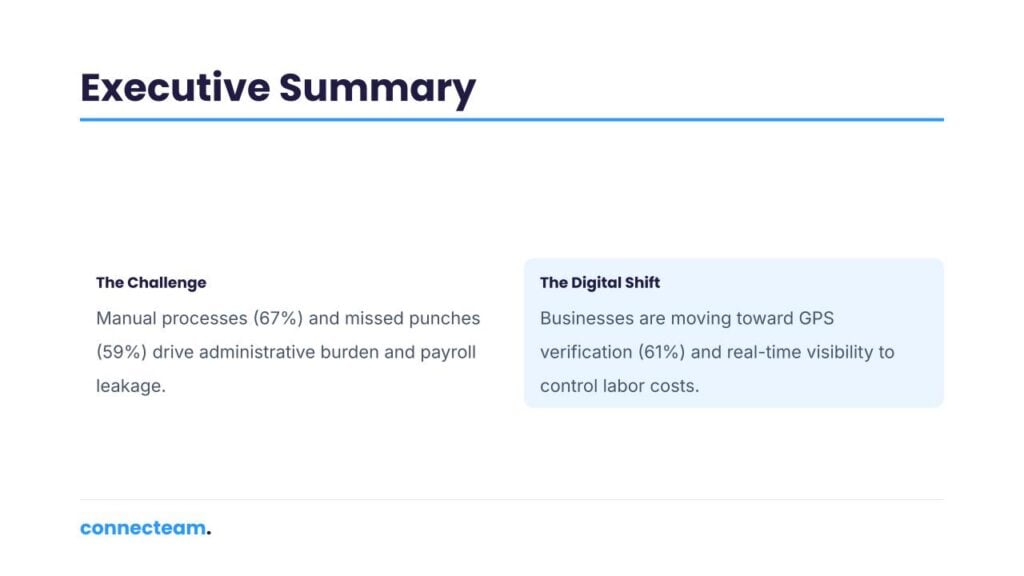
- 67% of customers said manual timesheets were their biggest time tracking problem.
- 1 to 2 hours per week were spent correcting timesheets per manager.
- 59% of businesses said missed punches were hurting payroll accuracy.
- 53% of businesses raised time theft or inaccurate hours as a payroll risk.
- 5 to 10 minutes of daily time theft can cost $23,000 to $47,000 per year.
- 61% of businesses needed GPS verification to confirm employees were in the right place.
- 45% of customers needed better control over clock-ins across multiple sites.
- 19% of businesses struggled to verify travel time or mileage.
- 48% of businesses said timesheet reviews were taking up manager time.
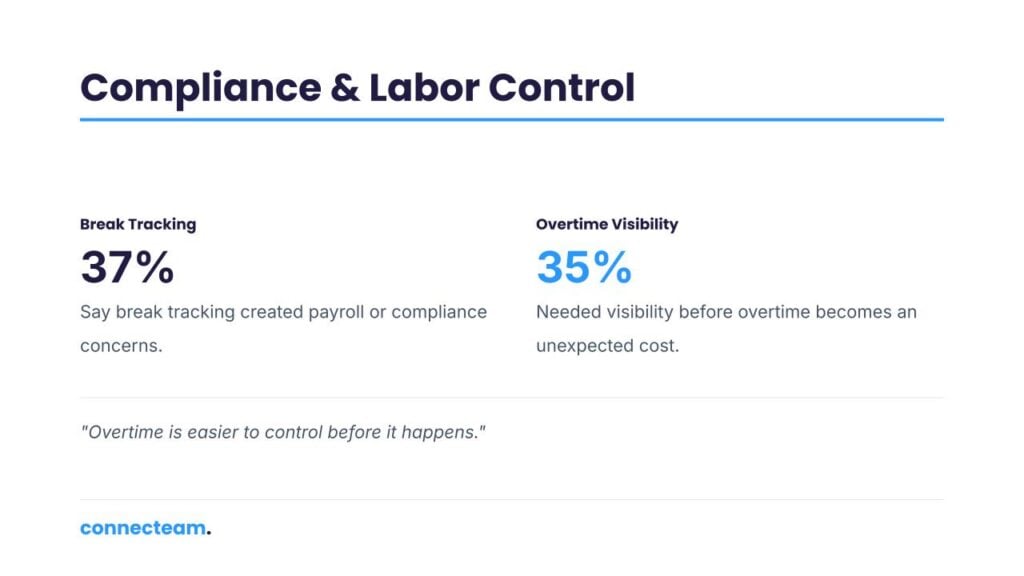
- 37% said break tracking created payroll or compliance concerns.
- 35% of businesses needed better overtime visibility before payroll.
- 31% needed more accurate time data for job costing and billing.
- 29% of businesses lacked real-time visibility into who was working.
- 17% of businesses needed payroll integrations to cut down on double entry.
- 24% were replacing biometric or fingerprint time clocks.
Manual Time Tracking Statistics
67% said manual timesheets were their biggest time tracking problem
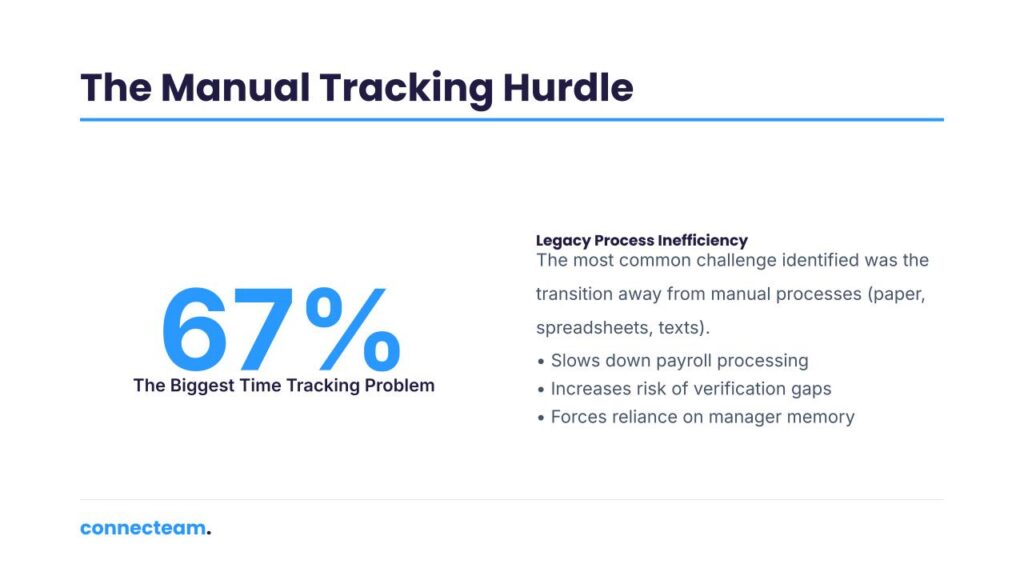
The most common time tracking challenge in the analysis was businesses moving away from manual processes.
This matters because manual time tracking not only slows payroll down, but also increases the chance of errors, makes records harder to verify, and forces managers or admins to spend time checking information that should already be accurate.
For business owners, this is one of the clearest signs that time tracking is more than an HR task. When employee hours are collected through paper, spreadsheets, texts, and messages, payroll becomes dependent on memory, manual data entry, and manager follow-up.
A digital time tracking system gives the business a cleaner record from the start. Employees clock in and out in one place, managers review hours in one place, and payroll no longer depends on chasing updates from multiple sources.
1 to 2 hours per week were spent correcting timesheets per manager
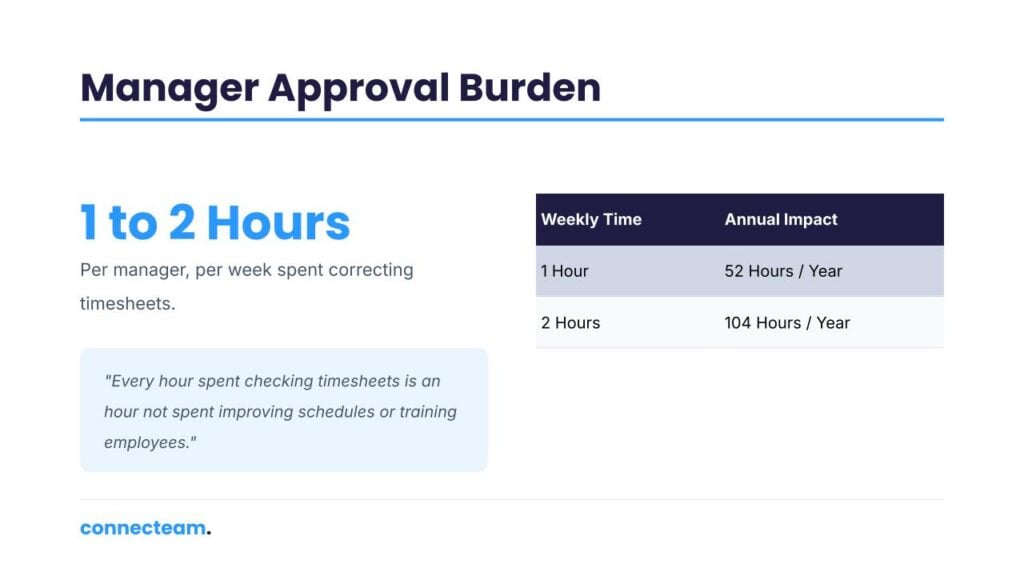
That adds up quickly:
| Weekly manager time | Annual time spent |
|---|---|
| 1 hour per week | 52 hours per year |
| 2 hours per week | 104 hours per year |
For one manager, that can mean more than a full workweek every year spent only on timesheet verification. For a business with several managers, crews, or locations, the cost grows quickly.
The bigger issue is not only the time spent. It is what managers are not doing during those hours. Every hour spent checking timesheets is an hour not spent improving schedules, training employees, supporting customers, checking work quality, or solving operational problems.
Business takeaway: Manual timesheet cleanup is a hidden labor cost. If managers are regularly fixing hours before payroll, the business is already paying for an inefficient process.
Missed Punch and Payroll Accuracy Statistics
59% said missed punches were hurting payroll accuracy
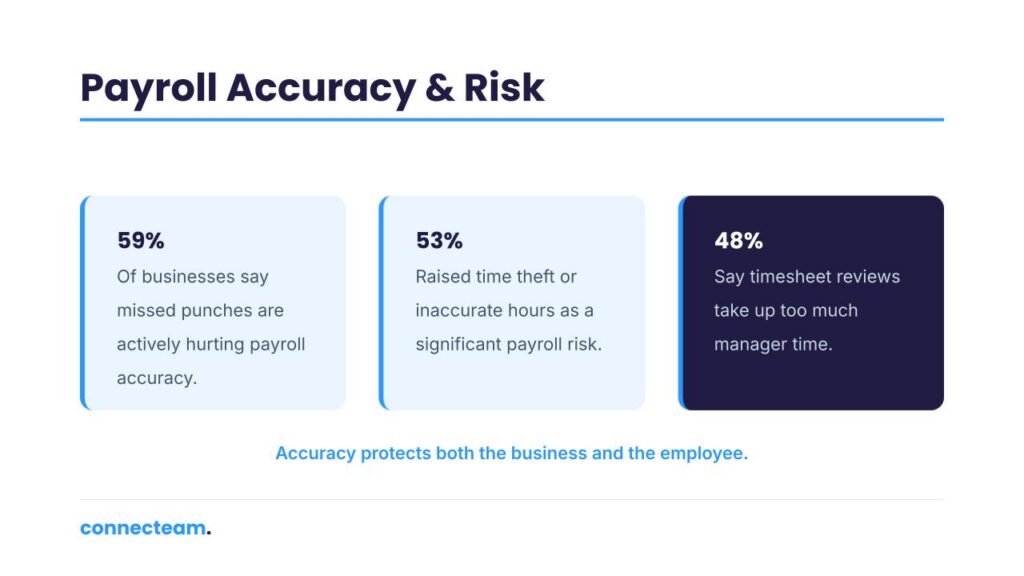
Missed punches are one of the most frustrating time tracking problems because they create a chain reaction. An employee forgets to clock in. A manager has to ask what time they started. Someone checks the schedule. The timesheet is corrected. Payroll waits for approval.
For small teams, that may feel manageable. For hourly, shift-based, or field-based teams, it becomes a recurring payroll problem.
Missed punches can also create tension between employees and managers. Employees want to be paid correctly. Managers want accurate records. Payroll needs approved hours. Without a reliable system, everyone has to rely on follow-up, memory, and manual corrections.
Business takeaway: Missed punches are not just employee mistakes. They are a process problem that creates payroll risk and manager workload.
53% raised time theft or inaccurate hours as a payroll risk
This includes problems like inaccurate hours, employees adding time to timesheets, early departures, late arrivals, buddy punching, rounding errors, and uncertainty over whether paid time reflects actual work.
For hourly teams, inaccurate time tracking directly affects labor costs. A few extra minutes here and there may not seem like much, but those minutes add up across employees, shifts, locations, and payroll cycles.
Poor payroll accuracy also creates trust issues. Employees may question their paychecks. Managers may question the reported hours. Owners may not know whether labor costs are accurate.
Business takeaway: Accurate time tracking protects both the business and employees. It helps ensure workers are paid correctly while reducing overpayment, disputes, and payroll cleanup.
$23,000 to $47,000 can be lost annually from just 5 to 10 minutes of daily time theft
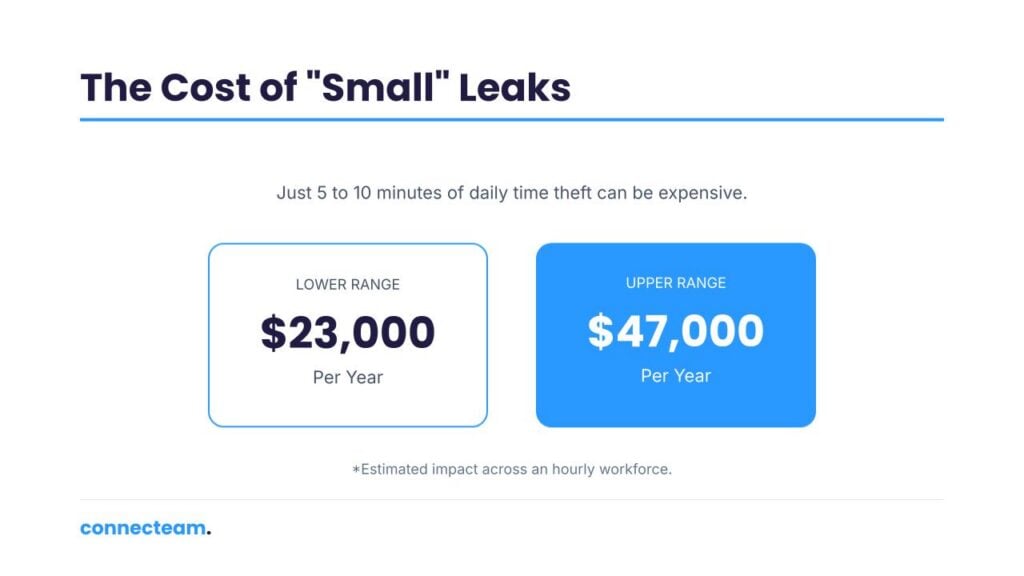
That is one of the most important numbers in the analysis.
Five minutes may not sound worth chasing. Ten minutes may feel too small to worry about. But when small amounts of inaccurate paid time repeat across employees and workdays, they become a serious annual cost.
This is especially important for businesses with hourly employees, mobile teams, multiple job sites, or limited real-time visibility. If managers cannot verify where employees are, when they started, or whether they were actually working, small time leaks can become a major payroll problem.
Business takeaway: Time theft is not always dramatic. Sometimes it is a few unverified minutes per day, repeated often enough to become expensive.
GPS and Location Tracking Statistics
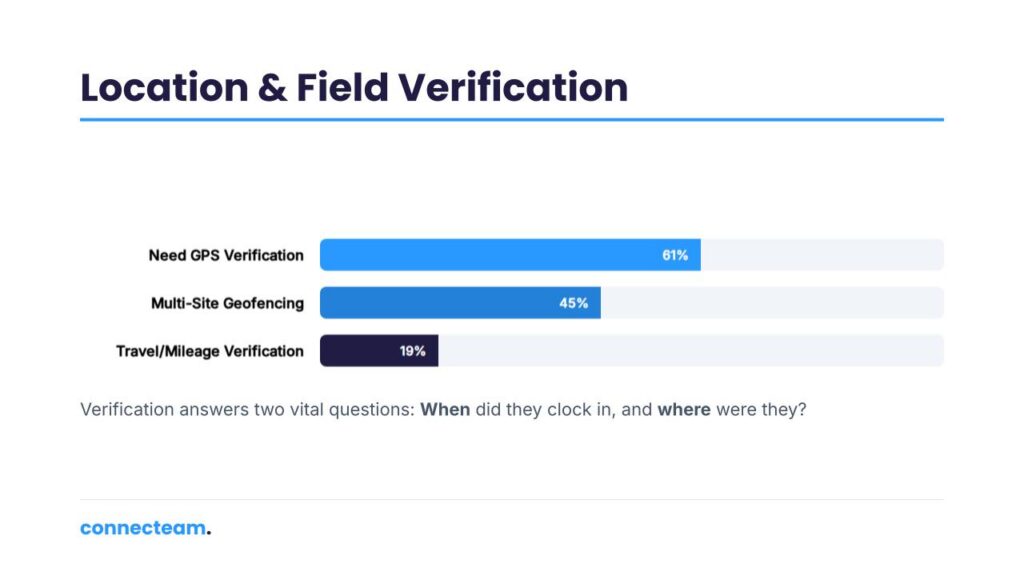
61% of businesses needed GPS or location verification for employee clock-ins
This was especially important for businesses with field workers, mobile employees, client-facing roles, and teams spread across multiple locations.
For these businesses, a timestamp is not enough. Managers also need to know whether an employee clocked in from the assigned job site, client location, store, facility, or work area.
Location verification helps businesses reduce remote clock-ins, verify attendance, support client billing, and keep clearer records of where work happened.
Business takeaway: For field and multi-location teams, accurate time tracking should answer two questions: when did the employee clock in, and where were they?
45% needed better control over clock-ins across multiple sites
Geofencing helps businesses set approved clock-in areas around job sites, stores, client locations, facilities, or other work locations. Employees can then be required to clock in from the right place.
This is especially useful when employees work across different sites or start their day outside a central workplace. Without geofencing, managers may have to manually verify whether employees were actually where they said they were.
For businesses that bill clients by location or need proof of attendance, geofencing can also support cleaner records.
Business takeaway: Geofencing gives multi-site businesses more control over where paid time starts.
19% struggled to verify travel time or mileage
This came up when businesses paid employees for travel time, billed clients for travel, reimbursed mileage, needed GPS breadcrumbs, or wanted better visibility into time spent moving between sites.
For field teams, travel time can be one of the hardest labor costs to verify. Employees may move between job sites, client locations, offices, warehouses, and service areas throughout the day.
Without clear tracking, travel time can become difficult to separate from job time, break time, or unproductive time.
Business takeaway: If travel time is paid, billable, or reimbursable, it needs to be tracked clearly.
Manager Approval, Break, and Overtime Statistics
48% of businesses struggled with manager approval or timesheet review burden
Managers often have to validate clock-ins and clock-outs, review corrected hours, check whether timesheets match schedules, approve breaks, and make sure payroll data is reliable.
This approval work matters, but it becomes a bottleneck when the system is manual. Payroll may be delayed because managers have not approved hours. Errors may slip through because managers are reviewing too much manually. Employees may need to wait for corrections.
A good time tracking process should make approvals faster and clearer, not turn managers into payroll detectives.
Business takeaway: Timesheet approval should create accountability without adding unnecessary admin work.
37% said break tracking created payroll or compliance concerns
Break tracking affects both payroll and compliance. Businesses need to know whether unpaid breaks were taken, whether they were deducted correctly, and whether required breaks were recorded.
This is especially important in locations or industries with stricter meal and rest break rules. But even outside those environments, inaccurate break tracking can lead to overpayment, underpayment, and employee disputes.
Break records should be clear, consistent, and easy to review.
Business takeaway: Break tracking is not just a payroll detail. It helps businesses pay accurately and maintain better records.
35% needed better overtime visibility before payroll
The issue is not only calculating overtime after it happens. Businesses need visibility before overtime becomes an unexpected labor cost.
If managers only discover overtime during payroll, the cost has already been incurred. Real-time overtime tracking helps managers see when employees are approaching overtime, adjust schedules, approve extra hours, or prevent unnecessary labor costs.
This is especially important for businesses with shift work, multiple locations, seasonal demand, or tight labor budgets.
Business takeaway: Overtime is easier to control before it happens. Time tracking should help managers see overtime risk early.
Job Costing, Billing, and Attendance Visibility Statistics
31% of businesses needed job costing or client billing support
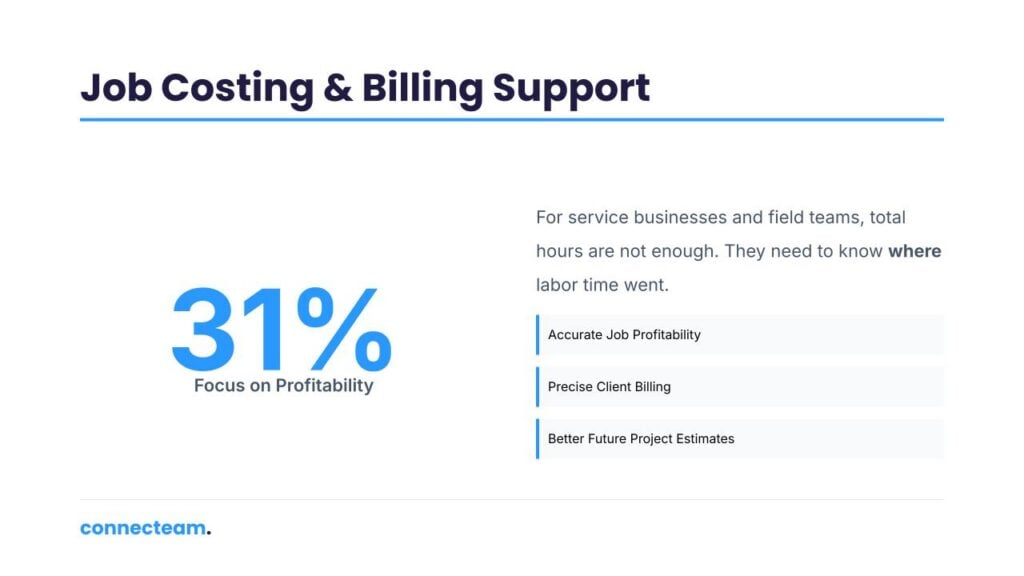
This was especially important for service businesses, field teams, construction companies, professional services, and teams that track hours by job, project, client, room, case, site, or task.
For these businesses, total hours are not enough. They need to know where labor time went.
Without job-level time tracking, a business may know what it paid in wages but still not know whether a job was profitable, whether a client was billed correctly, or whether future estimates need to be adjusted.
Business takeaway: Job-based businesses need time tracking that connects hours to the right work, not just the right employee.
29% lacked real-time visibility into who was working
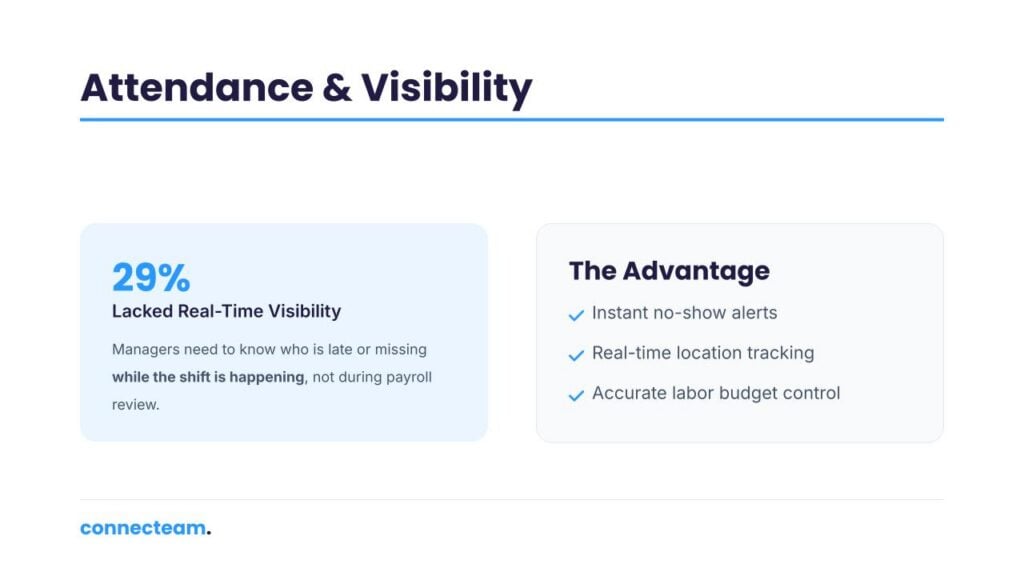
Managers wanted to know who was clocked in, who was late, who had not shown up, where employees clocked in, and who was working on a given day.
This matters because attendance problems need to be handled while the shift is happening. If a manager only sees the issue during payroll review, the opportunity to fix the shift has already passed.
Real-time visibility helps managers respond to no-shows, lateness, understaffing, location issues, and unexpected absences more quickly.
Business takeaway: Attendance data is most useful when managers can act on it in real time.
17% of businesses needed payroll integrations to cut down on double entry
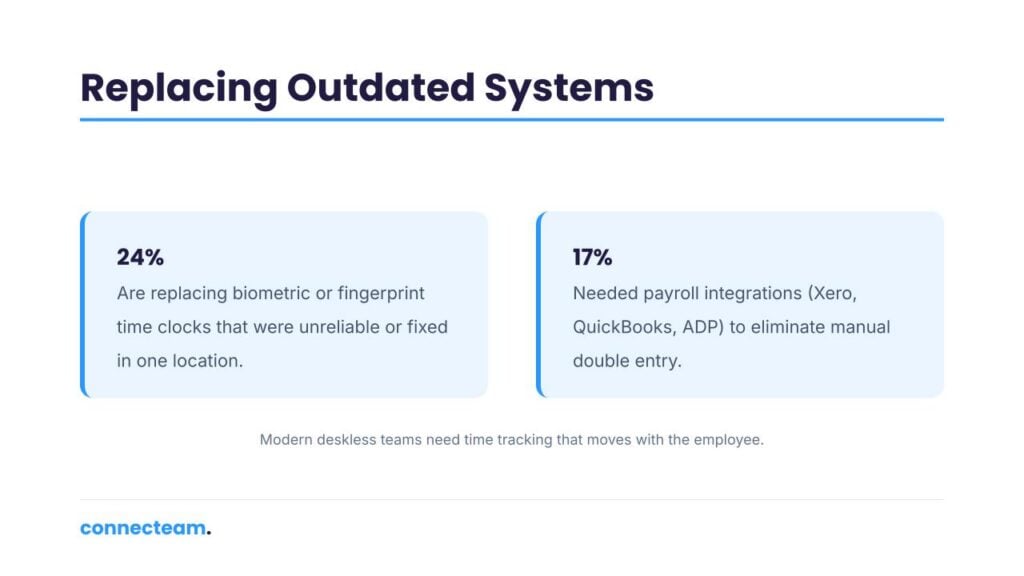
Businesses discussed transferring approved time data into payroll and accounting systems such as Xero, MYOB, ADP, QuickBooks, Odoo, and other payroll tools.
Without integration, managers or admins often have to move hours manually from one system to another. That creates double entry, slows payroll, and increases the risk of mistakes.
Payroll integration helps businesses move from approved hours to payroll faster and with fewer manual steps.
Business takeaway: Time tracking only delivers its full value when approved hours can move cleanly into payroll.
Outdated Time Clock Statistics
24% of businesses were replacing biometric or fingerprint time tracking systems
Businesses described fingerprint scanners that did not work reliably, biometric systems that were inconsistent across locations, and fixed time clocks that did not support field teams well.
This was especially relevant for manual workers, technicians, cleaners, and employees who work with their hands. If a fingerprint scanner fails, employees cannot clock in properly. If a physical time clock is located in one place, field employees may not be able to use it at all.
For modern deskless teams, time tracking needs to move with the employee.
Business takeaway: Fixed time clocks and biometric systems can create friction for mobile, field-based, and multi-location teams.
What These Time Tracking Statistics Mean for Business Owners
The strongest finding is that 67% of businesses discussing time tracking were replacing manual processes. That suggests many businesses are not simply looking for a better time clock. They are moving away from paper timesheets, spreadsheets, WhatsApp updates, texts, and disconnected payroll workflows.
That shift matters because time tracking affects much more than payroll.
It affects labor costs, manager productivity, client billing, job profitability, compliance, overtime control, attendance visibility, and employee accountability.
The businesses that struggle most are often dealing with several problems at once. Manual time tracking leads to missed punches. Missed punches create payroll errors. Payroll errors create manager corrections. GPS gaps create billing and attendance questions. Disconnected systems create double entry.
For businesses with hourly, deskless, field-based, or multi-location teams, accurate time tracking is not just an admin upgrade. It is a better way to control labor costs and run daily operations with more confidence.
How Connecteam Helps Businesses Track Time More Accurately
Connecteam is a complete solution that helps businesses manage employee time tracking, scheduling, communication, tasks, and daily operations from one place.
Employees can clock in and out from their phones, while managers can use GPS location tracking and geofencing to help verify that employees are clocking in from the right place. This is especially useful for field teams, mobile workers, and businesses with multiple job sites.
Managers can review timesheets, approve changes, track breaks, monitor attendance, and prepare accurate hours for payroll. Businesses can also track time by job, project, customer, or location, making it easier to understand labor costs and improve billing accuracy.
For teams still using paper timesheets, spreadsheets, WhatsApp messages, texts, and disconnected tools, Connecteam helps centralize the workflow so managers can spend less time fixing payroll and more time running the business.
Get started with Connecteam for free today!
FAQs
What are the most important time tracking statistics?
Some of the most important time tracking statistics from Connecteam’s analysis are that 67% of businesses discussing time tracking were replacing manual processes, 61% needed GPS or location verification, 59% struggled with employees forgetting to clock in or out, and 53% needed better payroll accuracy or time theft prevention.
How much time do managers spend fixing timesheets?
Businesses in the analysis reported spending 1 to 2 hours per week per manager verifying and correcting timesheets. Over a full year, that equals 52 to 104 hours per manager spent on timesheet review and correction.
How much can time theft cost a business?
When businesses quantified the financial impact, they reported $23,000 to $47,000 in annual losses from just 5 to 10 minutes of daily time theft.
Why do employees forget to clock in and out?
Employees may forget to clock in or out because they are busy starting or ending work, moving between job sites, using manual systems, or relying on managers to fix time entries later. In Connecteam’s analysis, 59% of businesses discussing time tracking struggled with employees forgetting to clock in or out.
Why is GPS important for time tracking?
GPS helps businesses verify that employees are clocking in from the right place. This is especially important for field teams, multi-site businesses, client-facing workers, and mobile employees. GPS or location verification was needed by 61% of businesses discussing time tracking in Connecteam’s analysis.
What should businesses look for in time tracking software?
Businesses should look for mobile clock-ins, GPS and geofencing, timesheet approvals, break tracking, overtime tracking, job and project tracking, payroll integrations, and real-time attendance visibility. These features address the most common problems identified in Connecteam’s time tracking conversation analysis.