


Sleek mobile-first training built for frontline teams, with useful AI tools but opaque pricing.
Verdict: 6.7/10
Opus Training is a mobile-first learning platform built specifically for frontline workers in restaurants, hospitality, and retail. Its focus is narrow by design: putting courses on phones so staff can complete them during shifts or on the go.
Its core strength is user-created training content. You can build courses from scratch, pick from 500+ templates, or let AI generate them from a simple prompt. For multilingual teams, automatic translation into 100+ languages can be a real timesaver. The platform works best for restaurant chains, hospitality brands, and retailers with high turnover, and employees find it really straightforward to use.
But its laser focus on mobile training does make it a bit of a one-trick pony. If you need more than training via mobile, i.e., scheduling, time tracking, team chat, payroll, or even comprehensive training via desktop, you’ll need additional software.
Key features:
- Mobile-first learning: Short, media-rich courses designed for phones.
- AI-assisted course creation: Build training courses from prompts, PDFs, or templates.
- Custom forms & compliance: Create digital checklists and safety forms that crews complete on site, with automatic expiry tracking.
- Auto-translation: Content translated into 100+ languages automatically.
- Task management: Checklists with embedded training for shift work.
- Compliance training: State-specific harassment prevention, food safety certifications.
Pros
- Excellent mobile app
- AI tools speed up course creation
- No email required for trainee signup
Cons
- Pricing not published (demo required)
- Primarily a training-only platform (no scheduling, time tracking)
- Limited support for importing lessons
Opus Training Pricing
Opus Training doesn’t publish its pricing online. I did reach out to the company several times through both sales and press inquiry channels, but the information provided was sparse, and a promised demo session was canceled hours before it was to go live, with the company informing me that it couldn’t provide a trial at this time.
I was, however, able to get a strong impression of the software from the online documentation, user reviews, and my discussions with the Opus Training sales team.
Opus offers custom pricing that depends on your company’s size and requirements. There are 2 licensing models: per-user and per-location. A per-location license includes unlimited users at each location, which may be beneficial for high-turnover businesses. Several other features, like task management, are paid add-ons.
Opus also has a paid marketplace with premium content covering compliance topics like sexual harassment prevention and food safety certifications. This content uses a credit system. Credits cost $10 each, with bulk discounts available. So your total cost depends on how much third-party content you plan to use.
Here’s how Opus Training compares to some of the top competitors in the training space:
| Team size | Opus Training | TalentLMS (Core) | Trainual | Connecteam (Basic) |
|---|---|---|---|---|
| View pricing | View pricing | View pricing | View pricing | |
| 10 Users | Custom | $119/month | $249/month | Free for life—All features and dashboards |
| 20 Users | Custom | $119/month | Custom | $29/month |
| 30 Users | Custom | $119/month | Custom | $29/month |
| 50 Users | Custom | $159/month | Custom | $49/month |
| Learn more about Connecteam. |
Verdict: 4/10
Opus Training Usability and Interface
Opus Training’s admin dashboard is web-based with a clean, modern design. Admins and managers access most features through a left-side navigation menu. Courses, users, messages, and reports each have dedicated sections.
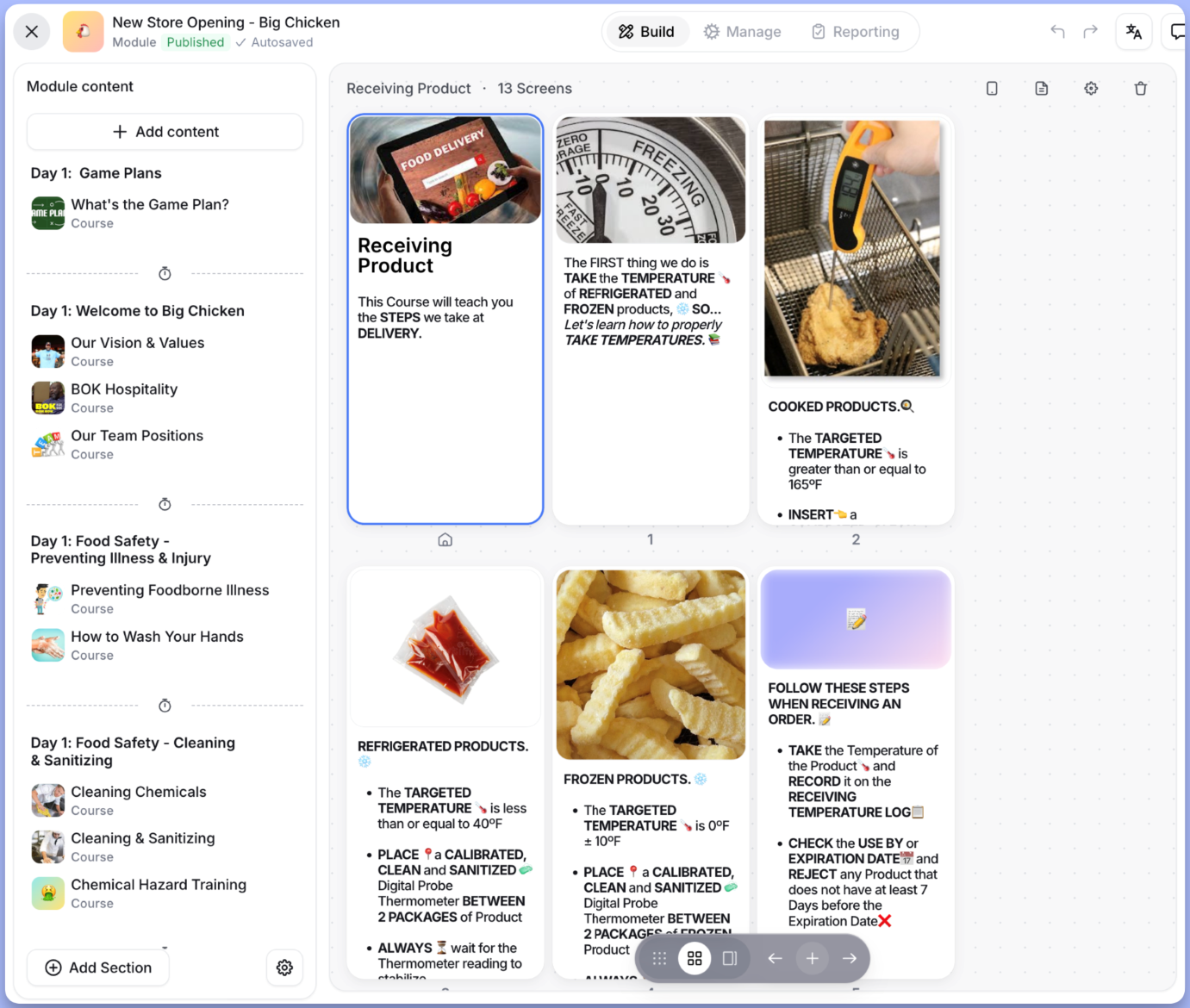
The trainee experience is mobile-first. Employees download the app, sign in (no email required—they can use SMS or a location-specific link), and complete training on their phones. The app is clearly designed for short bursts of learning during breaks or between tasks.
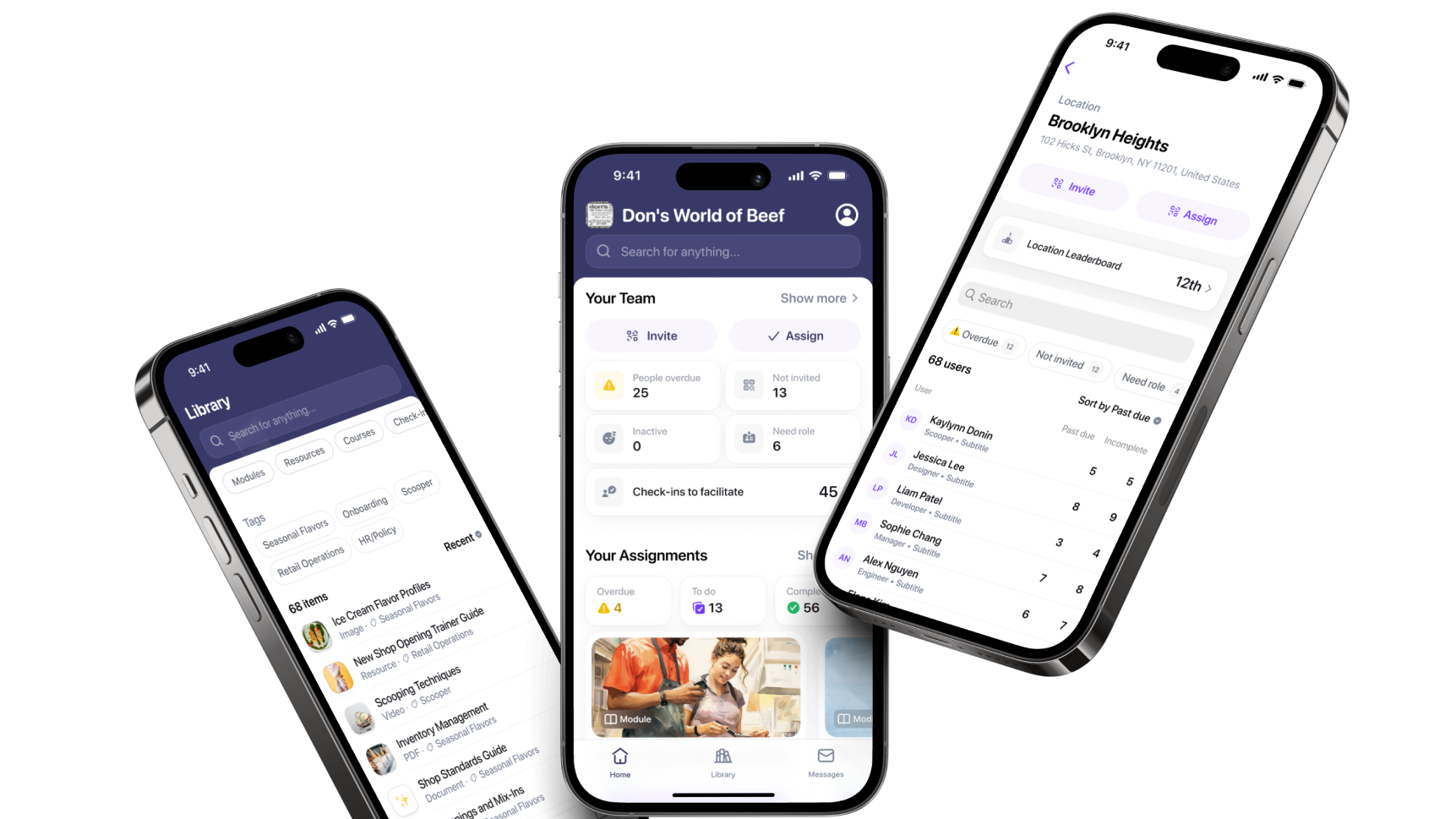
And when they say it’s a mobile-first experience, they mean it. Trainees on desktops have a stripped-down experience. They can complete the training assigned to them, but they can’t access the Library, Messages, or Check-ins. Those features are mobile-only. While mobile-first training works well for many businesses, such as restaurants, if some of your staff prefer to use a computer, this could be a problem.
There is another niggle. On the admin side, once a course is published, it can’t be reverted to draft. You need to archive it and create a new version. It’s a minor inconvenience, but worth knowing.
Verdict: 7/10
Mobile app
The Opus mobile app has excellent ratings:
- iOS: 4.9/5 (13K ratings)
- Android: 4.8/5
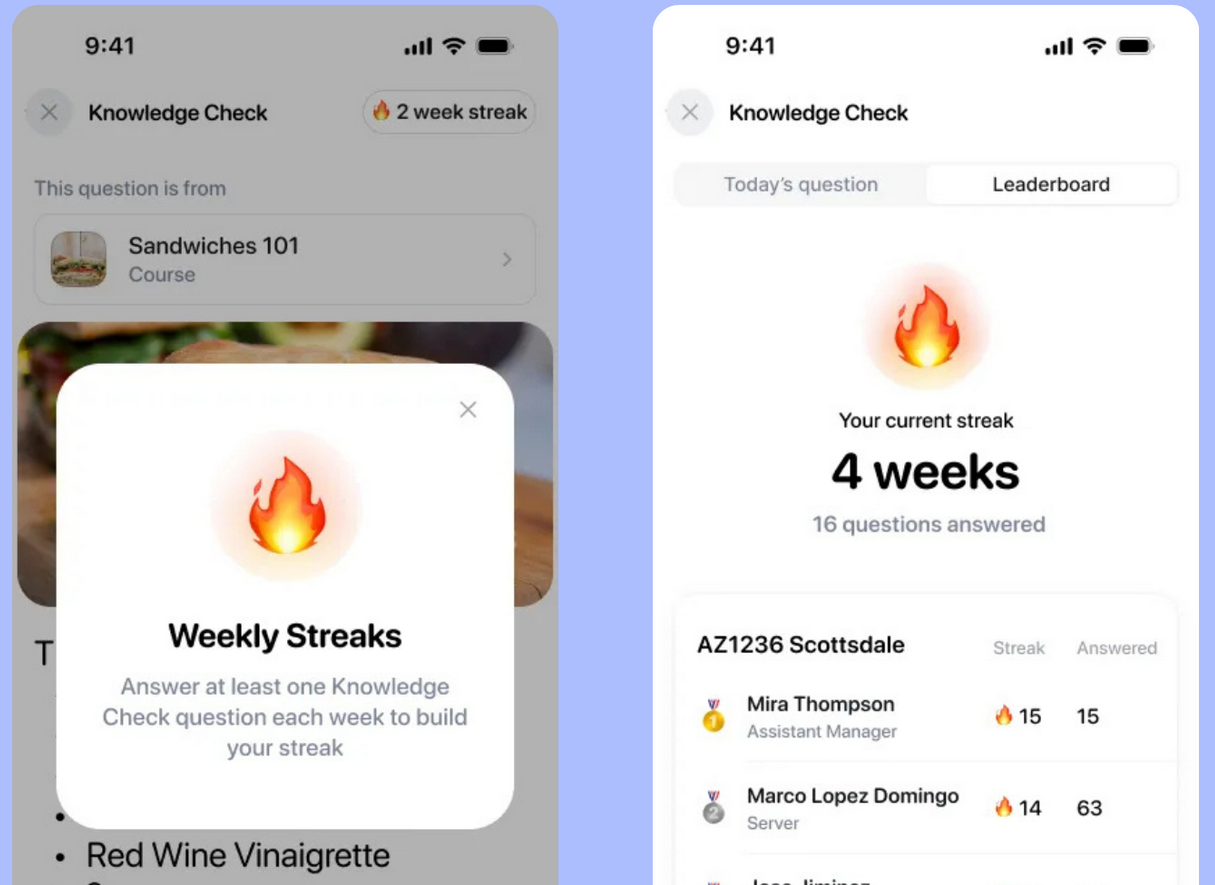
Trainees can complete courses, access resources, and use Ask Opus (the AI search feature) directly from the app. Content downloads for offline use, though the company suggests pre-loading the content before venturing to low-signal areas.
It’s nice that there’s no email required for employee signup once your company has set up Opus Training. Employees can create accounts using SMS verification or scan a location-specific QR code. This removes a barrier for frontline workers who may not have work email addresses.
User reviews on both app stores are overwhelmingly positive. Common praise includes ease of use, quick loading, and the “talkable” style of content that doesn’t feel like traditional e-learning. A few users have reported bugs after updates, but Opus appears to respond quickly to these reports.
One iOS reviewer mentioned quiz-scoring quirks: “the quiz marked ‘yogurt’ wrong when it expected ‘yogurt-like.’” Again, Opus responded publicly that fixes were released.
Verdict: 8/10
Opus Training Core Functionalities
At its core, Opus is designed to deliver training to frontline staff. Though it could be used by any field-based team, the content in the tool makes it clear that its main use is in the restaurant industry.
Training creation and delivery
Opus offers 3 ways to create training content:
- From scratch using the native content builder.
- From templates (500+ available, covering hospitality, retail, and compliance).
- Using AI to generate courses from prompts or uploaded documents.
The platform is designed for micro-learning—short courses of 15-20 screens, each taking 3-5 minutes. This suits frontline workers who can’t dedicate hours to training. Interactive elements include multiple-choice questions, true/false, matching, and ordering exercises.
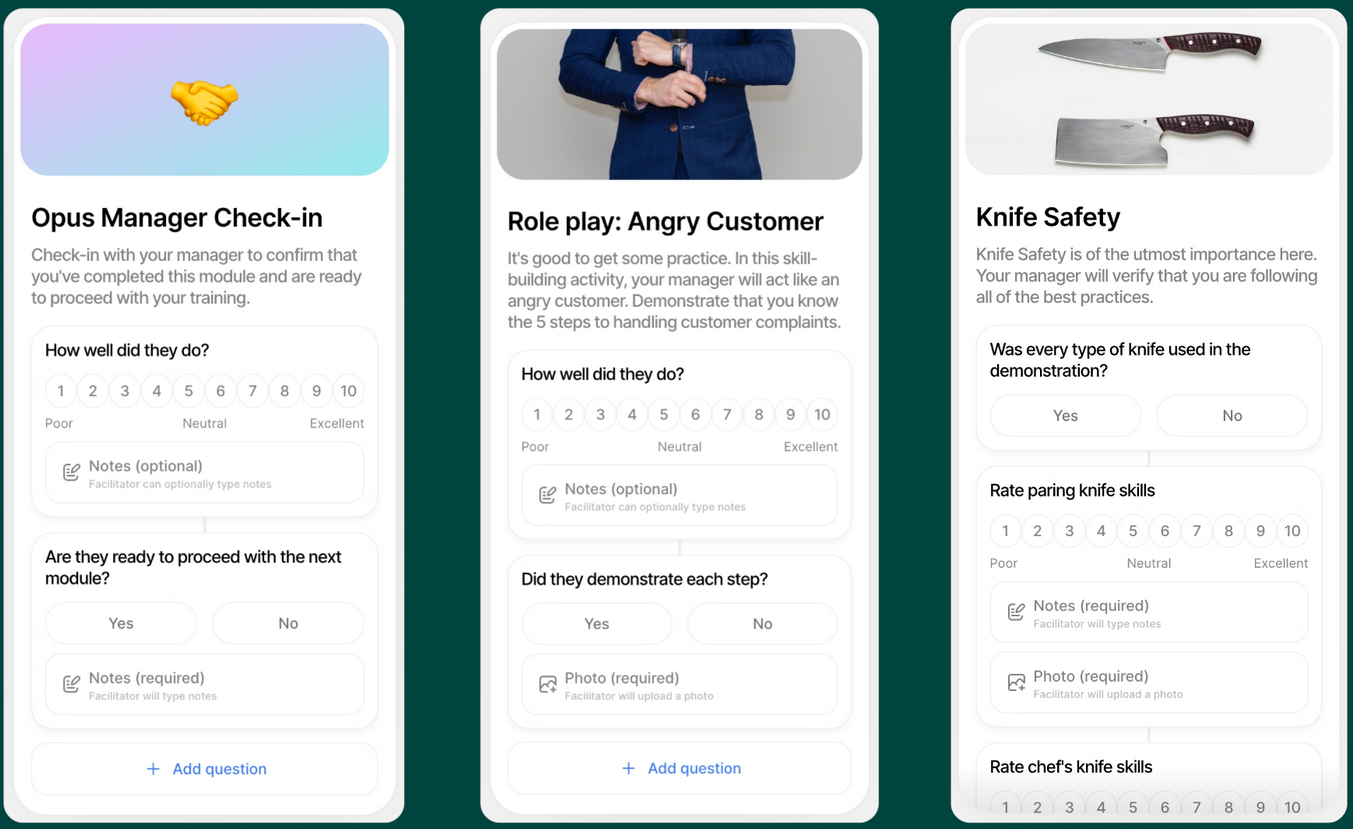
Beyond individual courses, you can create Modules (collections of courses for broader programs like onboarding), Paths (sequential learning journeys that unlock content as employees progress), and Check-ins (for hands-on skills that can’t be taught on a phone). You’d use Check-ins to observe and sign off that an employee can properly clean a fryer, for example.
You can automatically assign training based on role, location, hire date, or any combination of these. You could set it up so that new hires at your Boston location automatically get a different onboarding than experienced staff at your Chicago location, for instance.
One limitation: SCORM (Sharable Content Object Reference Model) support is limited. SCORM is a commonly used e-learning standard for e-Learning products. Opus only accepts SCORM packages from Articulate Rise 360. If you’ve built content in Articulate Storyline or other authoring tools, you can’t import it. And you can’t export Opus content as SCORM for use in other systems—only PDF export is available.
Verdict: 8/10
AI features
Opus has invested heavily in AI tools.
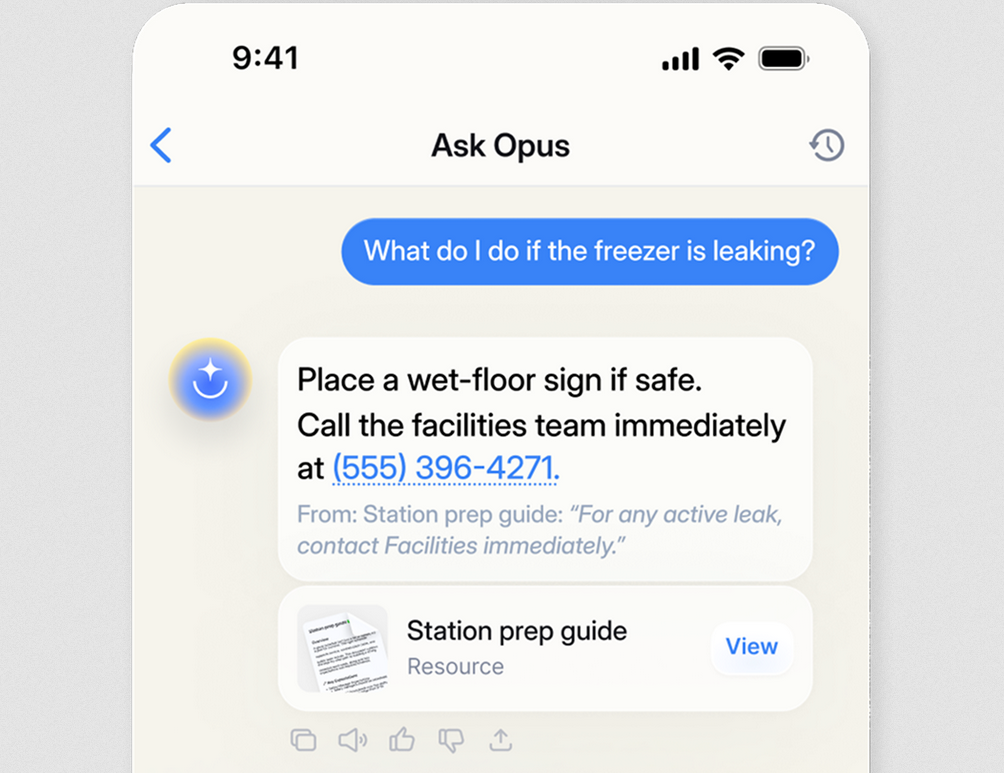
Ask Opus is an AI-powered search that lets employees type questions and get instant answers pulled from your training library. The company claims response times of under 10 seconds. It can search courses, resources, and video subtitles, but doesn’t work for task lists, check-ins, audit forms, or external links.
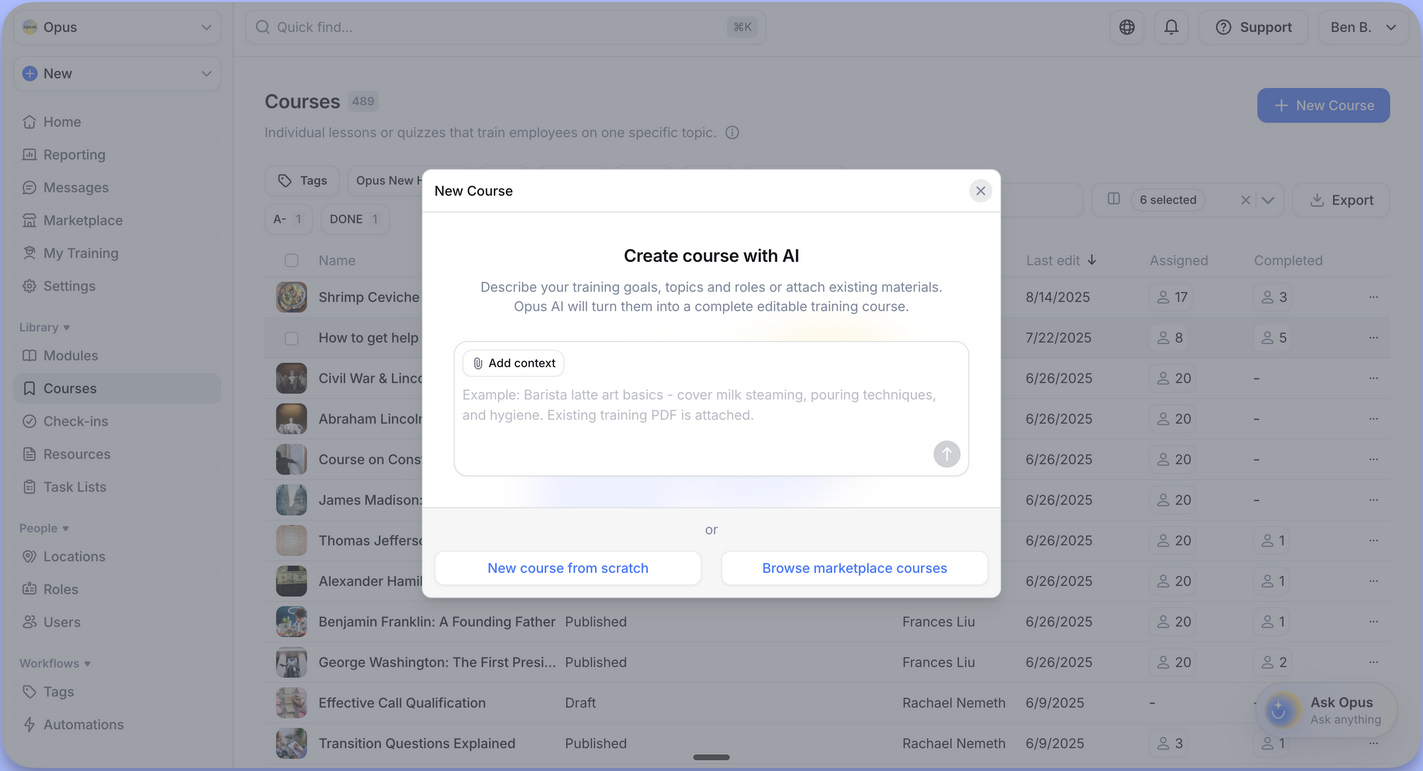
The AI Course Builder generates courses from text prompts. You describe what you want, and it creates a draft with content and images. You can also upload PDFs or other documents and have AI convert them into training modules.
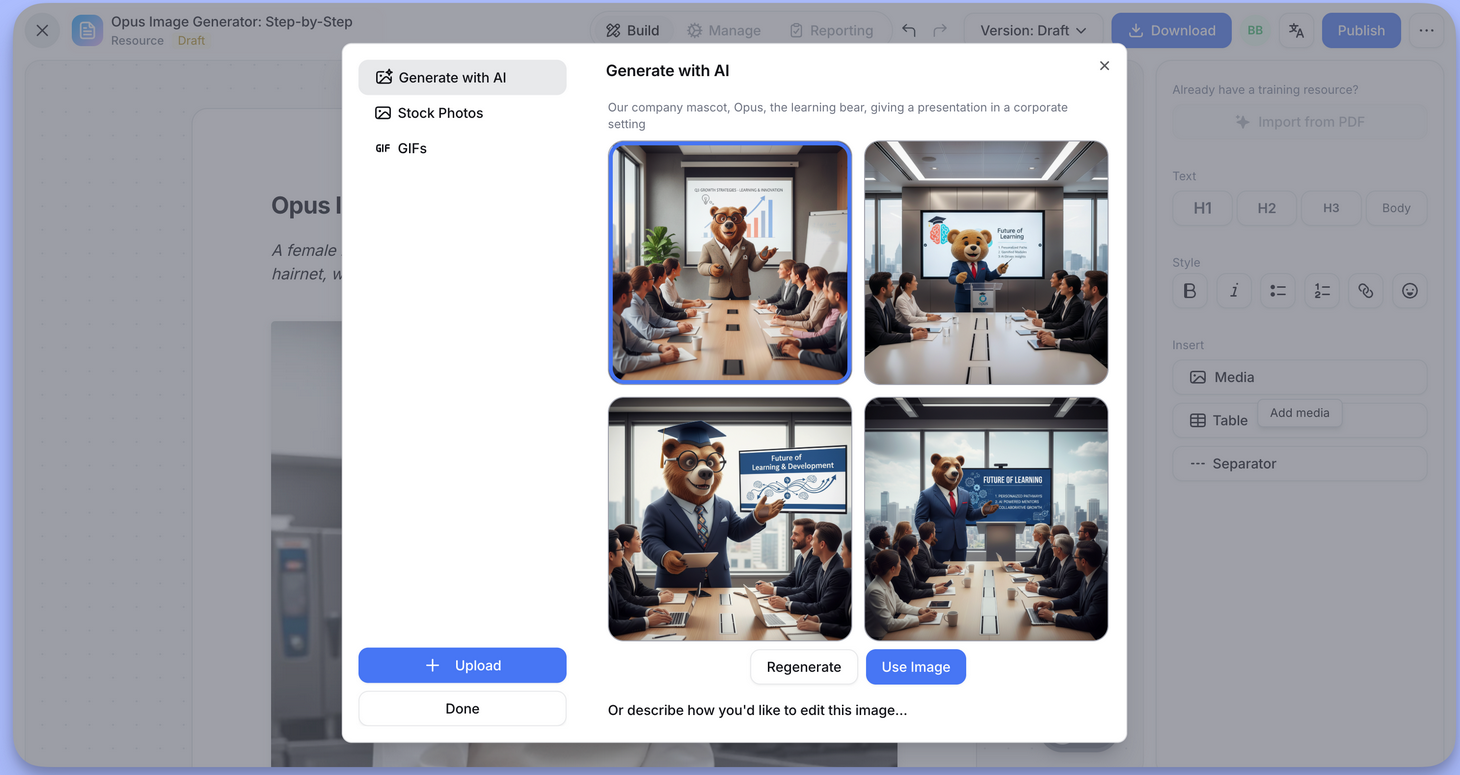
Its AI Image Generation (powered by Gemini) creates images for your courses. This is useful if you don’t have professional photos for every procedure ready to go.
Finally, Knowledge Checks use AI to generate daily reinforcement quizzes based on content employees have already completed. This spaced repetition helps knowledge stick.
Opus states explicitly that AI doesn’t train on customer data—your proprietary content stays private.
The AI works best when you have a solid content library to draw from. Opus recommends at least 10 courses before turning on Ask Opus to ensure the AI has enough material to generate useful answers.
Verdict: 7/10
Task management
Opus includes task lists designed for shift work—such as opening checklists, closing procedures, equipment checks, etc. These aren’t as fully featured as more powerful task management apps, but they can integrate training directly into employee workflows. Task management is a paid add-on to any plan.
You can embed training modules within tasks. So a new employee completing the opening checklist might see a 2-minute food safety video right when they’re checking fridge temperatures.
Tasks can be scheduled by time windows (e.g., “complete between 6 am and 10 am”). Triggers let you create conditional logic. For example, if a temperature reading is too high, the system can require a corrective action task.
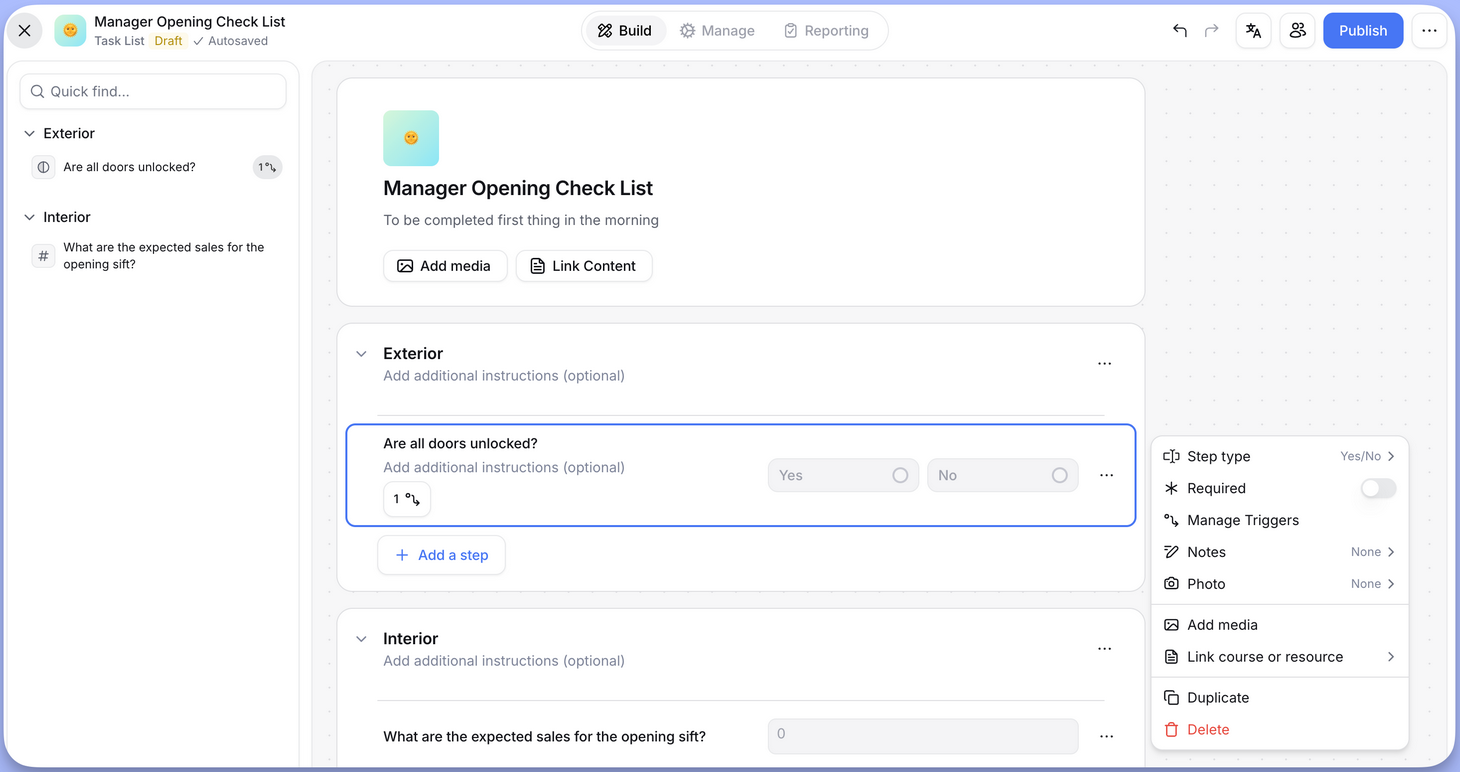
However, there are some notable limitations:
- No push notifications for task lists. Opus intentionally doesn’t send them to avoid “notification fatigue.” You’ll need another system if automated reminders are essential.
- Only daily or weekly scheduling. No monthly or bi-annual recurring options.
- No individual assignment. Tasks are assigned by role or location, not to specific people.
Verdict: 5.5/10
Compliance courses
Opus has a marketplace with 500+ courses from third-party providers, with a heavy focus on compliance. Topics include:
- Sexual harassment prevention (state-specific for California, New York, Illinois, Connecticut, Delaware, Maine, Washington D.C., and Chicago).
- Food safety certifications through a partnership with Always Food Safe.
- Allergen safety.
- Human trafficking awareness.
- California workplace violence prevention.
- California indoor heat illness prevention.
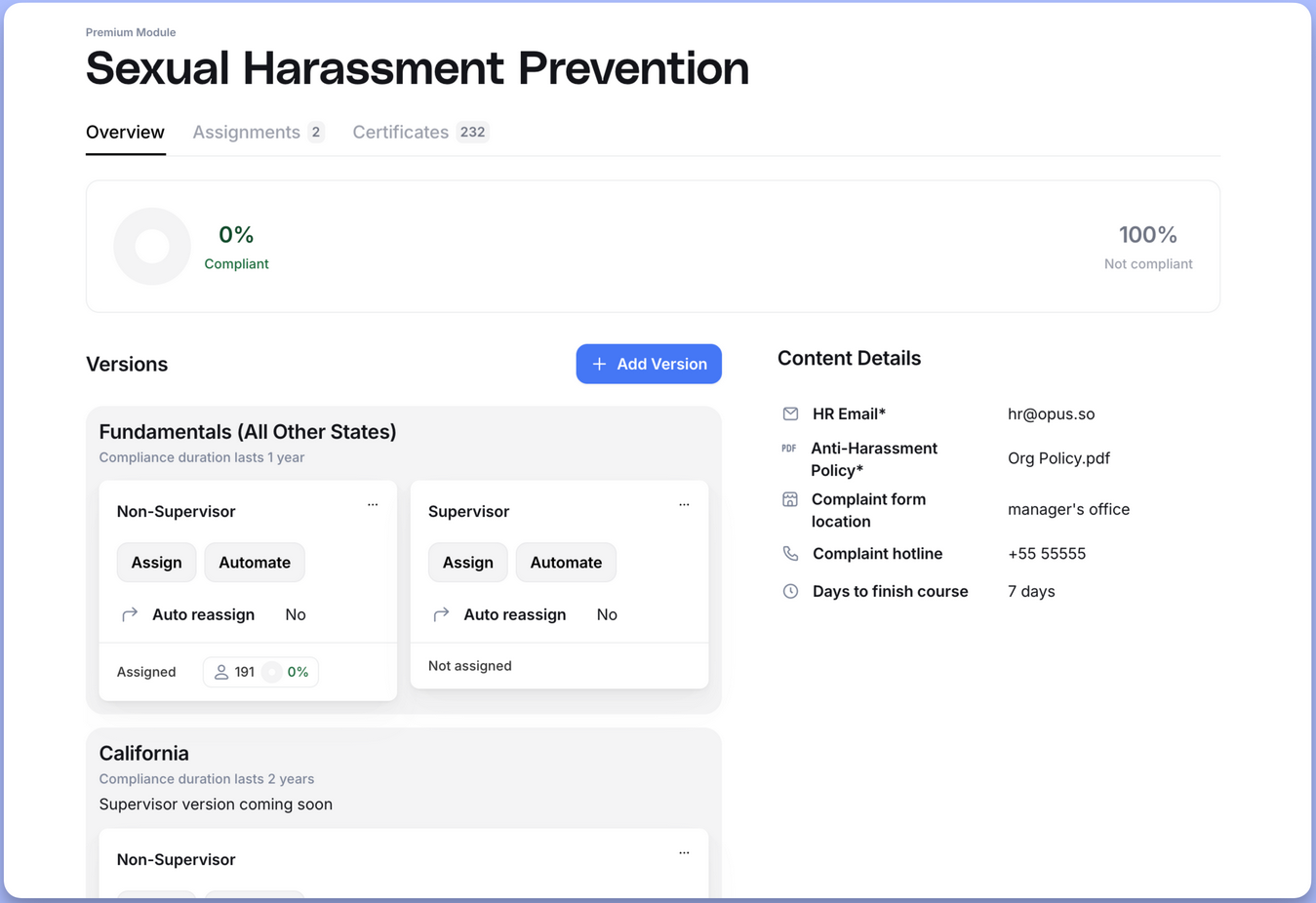
Premium compliance content uses credits ($10 each, bulk discounts available). State-accredited certificates are issued upon completion, and Opus tracks expiration dates so you know when recertification is due.
You can also upload third-party certificates manually if employees completed compliance training elsewhere. This keeps all certification tracking in one place.
Verdict: 7/10
Integrations
Opus connects with over 50 HRIS platforms, including ADP Workforce Now, BambooHR, Gusto, Paycor, Paylocity, SuccessFactors, Workday, and UKG systems. It also syncs with scheduling software like 7Shifts and HotSchedules. If your HRIS isn’t supported, you can upload employee data in CSV format.
The integration covers most major platforms and handles the employee lifecycle well—onboarding, role changes, and departures all automatically trigger appropriate actions. The limitation is that you still need to manually invite employees after syncing, which feels like a missed opportunity for full automation.
Verdict: 7/10
Opus Training Security Features
Opus can be GDPR-compliant, but this is available only on the Enterprise tier. User data is encrypted at rest and in transit on all plans. The platform supports role-based permissions with detailed controls over what different user types (Admin, Manager, Trainee) can access.
As mentioned, AI features explicitly don’t train on customer data. Your proprietary content isn’t used to improve the model for other customers.
Again, the platform integrates with 50+ HRIS systems, which means employee data can sync automatically rather than requiring manual entry. Former employees are automatically removed from Opus when they’re deactivated in your HR system.
What’s missing: mention of ISO 27001 certification. This third-party security audit is becoming standard for enterprise software. Multi-factor authentication (MFA) and single sign-on (SSO) options are also only available on the Enterprise tier.
Verdict: 6/10
Opus Training Reporting & Analytics
Opus offers several reporting tools:
Completion Grids show training progress across your organization in a spreadsheet-style view. You can filter by location, role, or individual user. A heat map visualization makes it easy to spot which locations or teams are falling behind.
The Custom Report Builder lets you create reports in 4 steps: select dimensions, choose what to measure, apply filters, and select an output format. Reports can be scheduled for automatic email delivery.
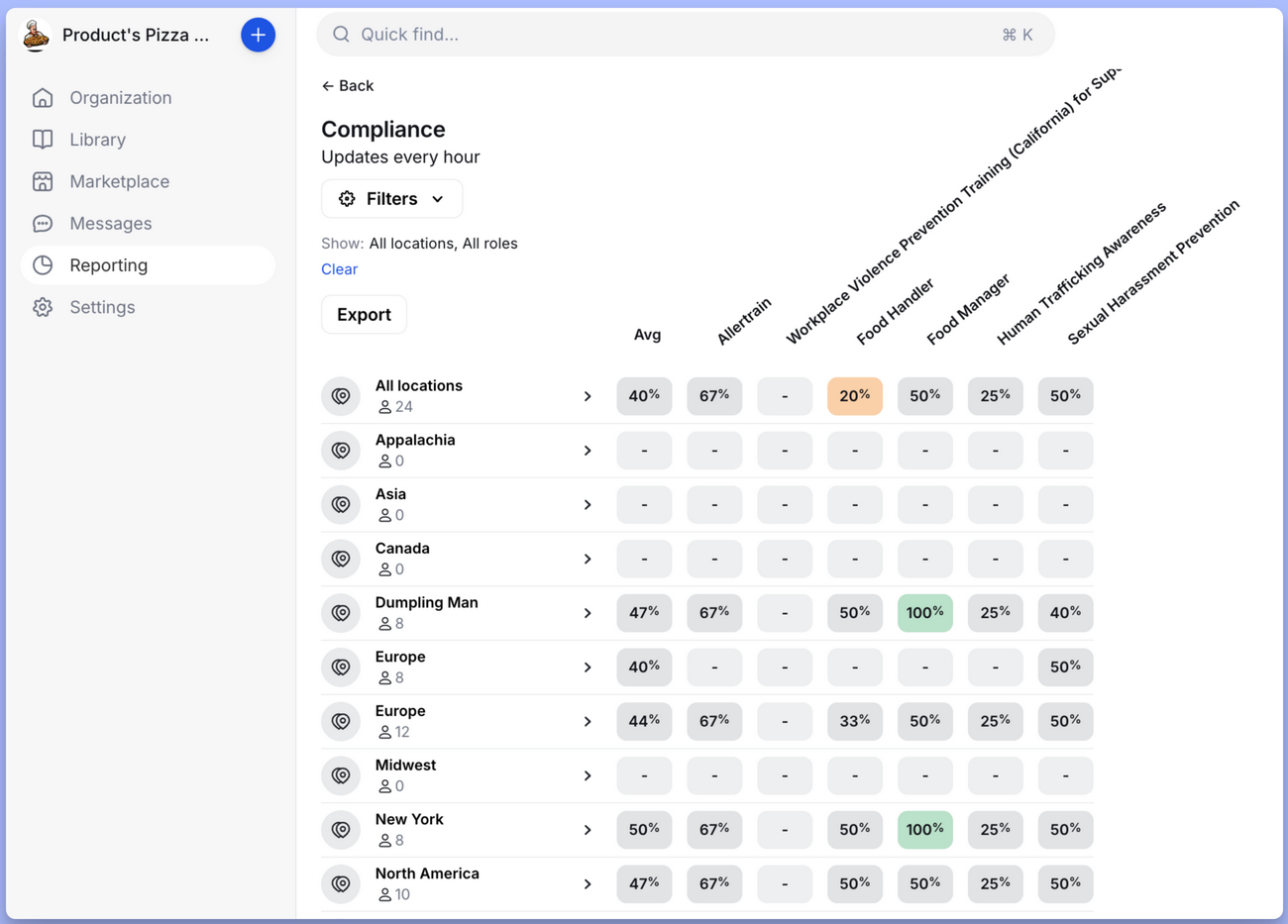
Compliance dashboards track certification status and upcoming expirations, while module analytics show accuracy rates and time spent per course. Leaderboards add gamification, showing top performers by completion rates or quiz scores.
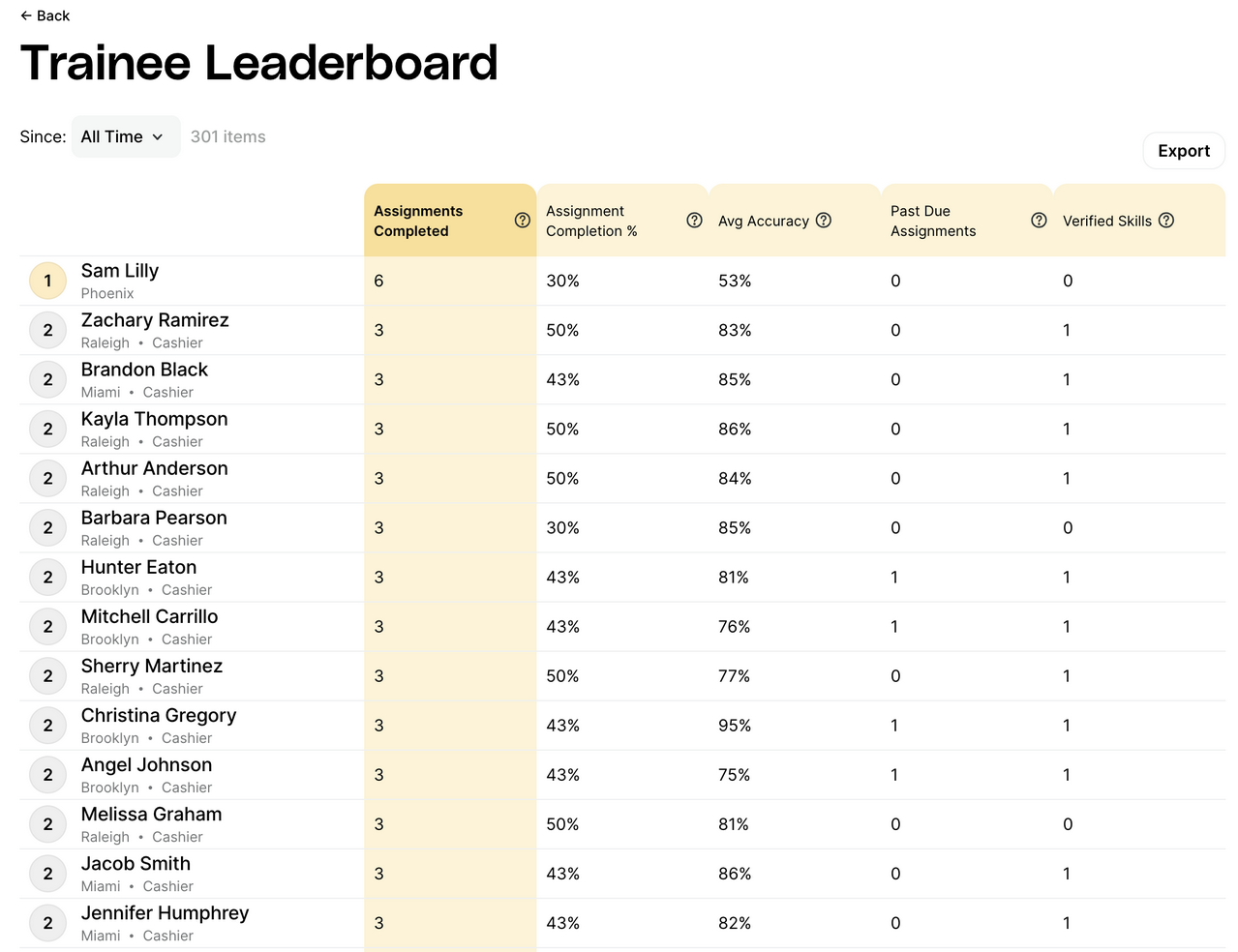
All reports export to CSV. You can also connect Opus data to business intelligence tools if you need more advanced analysis.
I think the reporting is comprehensive for a training platform. It covers what you’d need to track for audits and to identify struggling employees or locations.
Verdict: 7/10
Opus Training Customer Support
Opus offers support via phone, email, and in-app chat, but lists these options only for managers and admins, not for your employees. There’s also a comprehensive help center with guides on using the software.
Each Enterprise customer gets a dedicated customer success manager during onboarding. This is useful for complex rollouts across multiple locations. A managed pilot option is also available for a price.
Support hours and response time SLAs aren’t published on the Opus website, but user reviews praise the company’s support highly. One Capterra reviewer called the support team “some of the best I have ever worked with.” Another user said customer support was “responsive and genuinely invested in our success.” Multiple reviews describe the team as responsive and genuinely helpful.
My own experience with the sales team was mixed. Initially, I received prompt replies, but getting through the door as a potential customer and getting answers to simple questions proved surprisingly difficult, largely because of Opus Training’s rigid sales funnel.
Verdict: 7/10
What Are Opus Training’s Review Ratings from Review Sites?
(As of September 2026)
Opus Training doesn’t have many reviews online, but user feedback is consistently positive.
Opus Training App Review
In summary, Opus Training is a mobile-first platform purpose-built for training frontline workers in hospitality, restaurants, and retail. The AI tools and automatic translation make content creation faster than most competitors. The mobile app is genuinely excellent.
But Opus is a specialist tool. It does training and does it well, but there’s no scheduling, no time tracking, no team chat. If you need an all-in-one workforce platform, you’ll have to look elsewhere. The lack of transparent pricing and the lengthy process to get a demo are concerns, but for multi-location restaurants and hospitality brands with dedicated training needs, Opus Training may be worth looking into.
Connecteam: The Better Opus Training Alternative
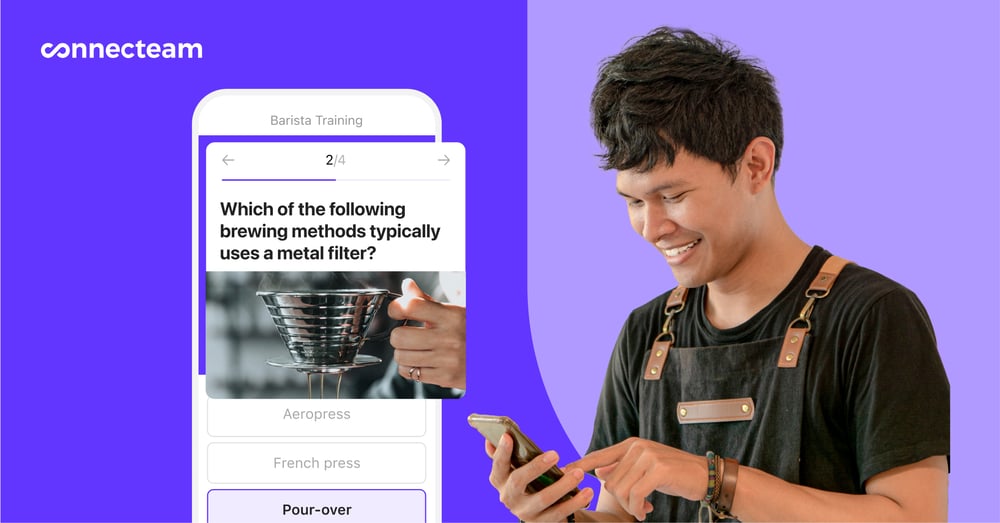
If you’re evaluating training software for frontline workers, Connecteam offers a compelling alternative that goes beyond training alone.
Like Opus, Connecteam provides mobile-first training with courses, quizzes, and completion tracking. You can build courses from scratch or use AI to speed up creation. The mobile app scores 4.9/5 on iOS—matching Opus’s rating—and has over 1 million downloads.
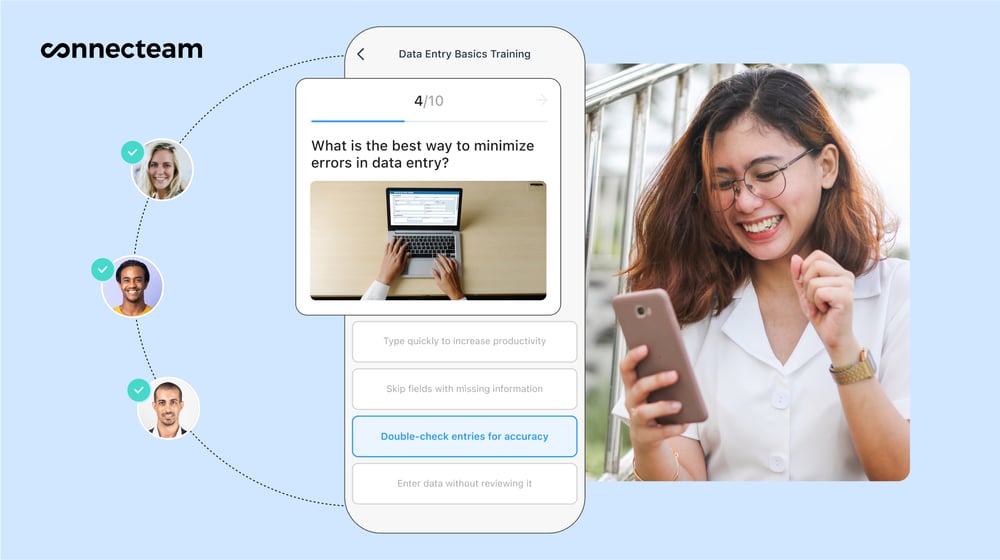
Where Connecteam differs is in scope. Beyond training, you get:
- Employee scheduling with drag-and-drop shift planning.
- Time tracking with GPS verification and geofencing.
- Team chat with direct messages, group channels, and company announcements.
- Task management with push notifications and individual assignment.
- Digital forms and checklists for inspections, incident reports, and more.
This means one platform handles training alongside the daily operational tools your team uses. You’re not paying for and managing multiple systems.
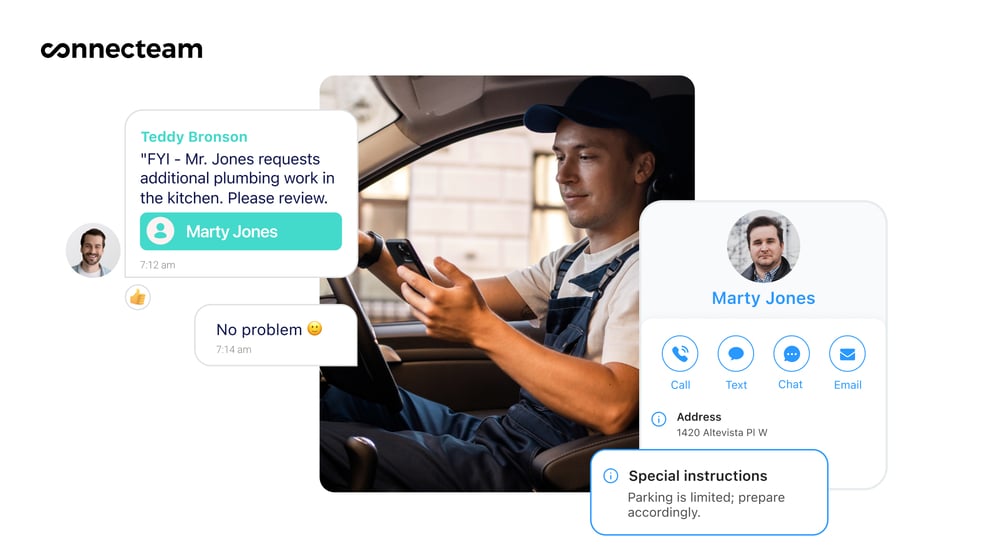
Communication is stronger, too. Opus Messages are one-way—trainees can react with emojis but can’t reply. Connecteam includes full two-way chat, so teams can actually have useful conversations.
Importantly, Connecteam pricing is transparent and surprisingly affordable. It publishes its rates online and offers a free plan for teams with fewer than 10 employees. Plus, you can try it without sitting through a sales pitch.
For businesses that need training integrated with scheduling, time tracking, and communication, Connecteam is the more complete solution. And you can try Connecteam for free right now.
FAQs
Opus offers a free trial to companies that have gone through its onboarding process, which includes checking that your company is a good fit for the product, followed by a 1-hour guided demo via Zoom.
Yes, Opus Training is GDPR compliant, but this feature is only available on the highest-priced Enterprise tier. However, user data is encrypted at rest and in transit on all plans.
HIPAA compliance isn’t specified in any Opus documentation. Connecteam, on the other hand, explicitly supports HIPAA-compliant accounts.
Opus Training is designed specifically for frontline workers in hospitality, restaurants, retail, and similar industries with high turnover and mobile workforces. It’s less suitable for desk-based teams or for industries that require complex technical training.
Only partially. Opus accepts SCORM packages exported from Articulate Rise 360. It doesn’t support content from Articulate Storyline or other authoring tools, and you can’t export Opus content as SCORM.
Yes. Employees can sign up using SMS verification or a location-specific QR code. This makes onboarding easier for frontline workers who don’t have a company email.
No. Opus is a training-only platform. For scheduling, time tracking, or other workforce management features, you’d need additional software or an all-in-one platform like Connecteam.
