


When you’re chasing players for availability, schedules are scattered across messages, and no one knows who’s actually showing up, teams arrive unprepared, frustration flares, and the season spirals into chaos and burnout.
I reviewed the 5 best sports team management software and compared them by scheduling flexibility, communication tools, and admin capabilities.
Use these picks to keep everyone on the same playbook, prevent sideline confusion, and run every team with confidence and control.
Here’s the lineup:
- Connecteam
- TeamSnap
- SportsEngine HQ
- Spond
- Stack Team App
Our Top Picks
-
1

Best All-in-One Sports Team Management Software
-
2

Good for real-time availability tracking
-
3

Good for automations and financial management
Why trust us?
Our team of unbiased software reviewers follows strict editorial guidelines, and our methodology is clear and open to everyone.
See our complete methodology
How I Chose the Best Sports Team Management Software
Begin with a lead-in sentence such as, “Here are some key features I looked for…”
Must-have features:
- Team scheduling: You need to be able to plan practices, games, and events in one place so everyone can access the same schedule.
- Availability tracking: The software should track availability and update it in real-time.
- Roster and role management: Admins should be able to assign positions, staff roles, and responsibilities.
- Communication tools: Teams must be able to send group and one-on-one messages.
- Attendance tracking: You should be able to track check-ins and attendance trends.
- Checklists and forms: The software should support existing workflows through custom checklists or forms.
I also made sure the software is:
- Customizable, so you can tailor it to how everyone already works.
- Cost-effective, so the tool scales with your team and your budget.
Finally, I checked for these standout features:
- Mobile access to give teams access to the tools they need from anywhere.
- Real-time notifications to keep your team in the loop even when they’re off the field.
- Task management to assign responsibilities like equipment setup, warm-ups, or post-game duties and track completion.
The 5 Best Sports Team Management Software of 2026
-
Connecteam — Best All-in-One Sports Team Management Software
Connecteam is a sports team management platform that combines scheduling, team communication, task management, and more in one easy-to-use mobile app.
Why I chose Connecteam: What I liked most about Connecteam is that all of its features work together on one platform, giving teams everything they need to run their day-to-day operations.
Here’s what else Connecteam has to offer:
Smarter scheduling
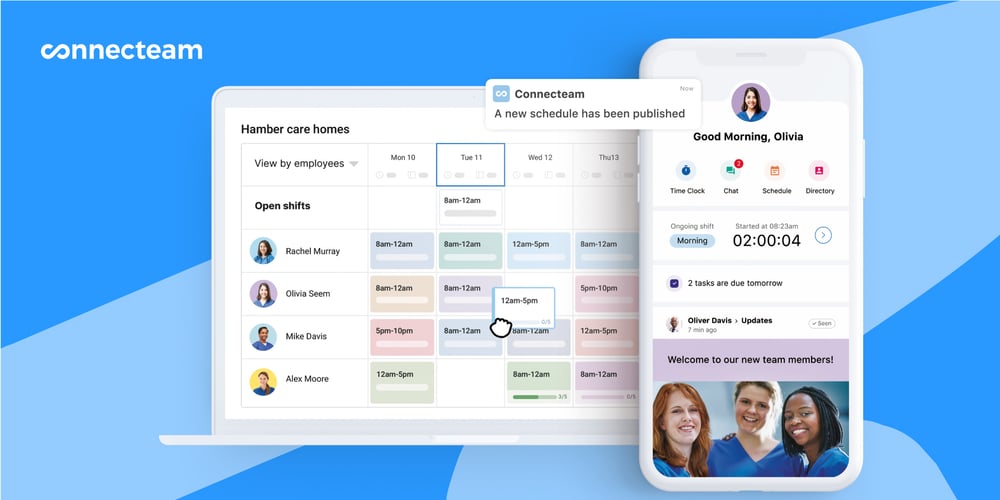
Connecteam’s scheduling app is built to handle the pace of sports team management, where availability changes fast and game-day certainty matters. Coaches and managers can build practice and game schedules in minutes and adjust them easily. I appreciated that you can attach key details like location, arrival times, responsibilities, and files so everyone shows up prepared.
Players and staff can mark their preferred days and time off. Connecteam’s AI-powered auto-scheduler fills open slots based on availability, roles, and qualifications. There’s also built-in conflict detection, which is super helpful for preventing doublebookings. When you make a scheduling change, Connecteam automatically notifies the right people in real-time, so everyone can work from the latest schedule.
What stood out to me most is Connecteam’s approach to swaps and coverage gaps. If someone can’t make a scheduled practice or game, they can release their spot for qualified teammates to pick up. Managers can require approval before any swap is finalized, giving teams flexibility while maintaining control.
Attendance tracking
Connecteam’s time clock for employees makes it easy to track attendance. I liked that it gives you real-time visibility into who actually shows up for practices, games, and events. Plays and staff can check in with a single tap from their phones when they arrive. Automated reminders also help prevent missed check-ins, and attendance records update instantly so managers know who’s on time, running late, or absent.
I was really impressed with Connecteam’s NFC check-in option. It’s a great solution for teams with fixed fields or shared check-in stations because players just have to tap an NFC tag with their phone to record attendance on site.

Team communication
Coaches and managers can message players and staff directly using the online team chat. It keeps all communication in one place, so you don’t have to rely on text threads or third-party apps just to stay in touch.
Managers decide who can start conversations, track read receipts, and ensure critical updates are seen. Beyond chat, Connecteam’s feed gives teams a central place for announcements, rule changes, or season-wide updates, with visibility into who’s read each post.
I also liked that Connecteam includes a built-in team directory, which acts as a smart alternative to saving contacts on personal phones. You can quickly find players, coaches, or staff by name, role, team, or location and start a chat or call directly from the app. The directory updates automatically as rosters change, prevents outdated contact lists, and allows managers to control visibility.
Task and workflows
Connecteam’s employee task tracking helps sports teams assign responsibilities, set deadlines, and track completion in real time. It’s great for one-time items or recurring routines tied to practices and games. You can also assign tasks to individuals or entire teams, with clear instructions and supporting files so everything is clear.
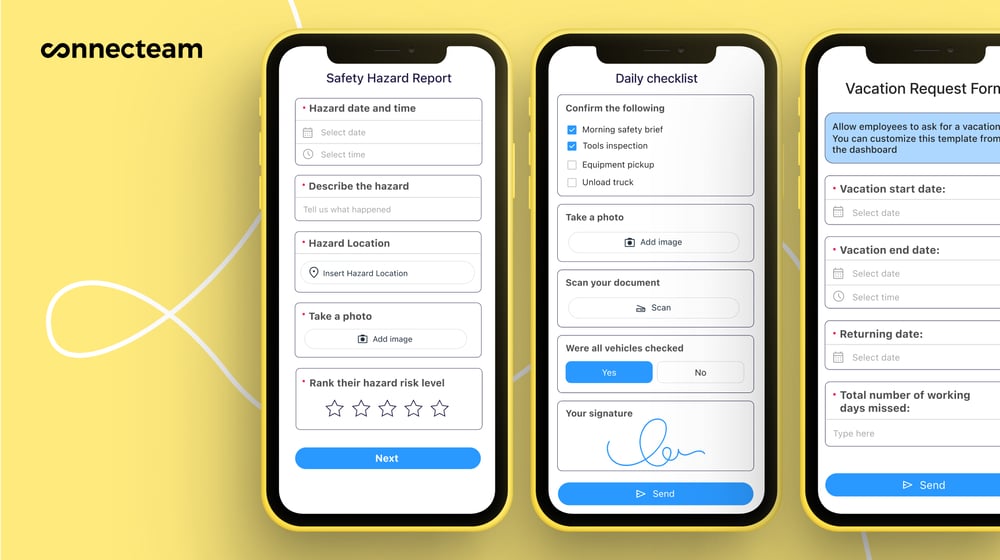
Tasks are tightly connected to the rest of the platform, which I liked. For example, you can attach checklists or digital forms directly to scheduled practices, games, or events, so pre-game, post-game, and operational routines are followed the same way every time. You can create forms from scratch, use templates, or have Connecteam’s AI instantly digitize an existing document by uploading or snapping a photo of it.
The form builder itself is flexible: in addition to standard fields, you can collect photos, signatures, files, and voice input, with submissions automatically time-stamped and stored. This makes it easy to document compliance, track completion, and maintain accountability, without adding extra admin work.
Integrations
Connecteam offers an API integration and connects with the tools you already use, including:
And so much more…
Connecteam offers other core tools sports teams need, including:
- Training and onboarding: Use the AI Course Creator to build training materials in minutes, helping players and staff quickly learn about expectations, routines, and rules.
- Automatic reports: Get real-time insights into attendance, task completion, form submissions so you can spot decisions early on.
- Company knowledge base: Store playbooks, policies, drills, and SOPs in one searchable hub, and use the AI agent to get instant answers pulled right from your documents.
- Team documents: Upload and manage important files like certifications, waivers, and credentials, with automatic reminders for upcoming expirations to keep teams compliant and prepared.
Connecteam also offers a free for life plan – Get Started Now!
0Key Features
- Auto scheduling
- Availability tracking
- Attendance management
- Tasks and workflows
- In-app communication
- Team directory
Pros
- All-in-one platform
- Intuitive interface
- Full mobile access
- NFC-based check-in
Cons
- More integrations still in development
Pricing
Free-for-life plan availablePremium plans start at $29/month for 30 users
14-day free trial, no credit card required
Start your free trial -
TeamSnap — Good for real-time availability tracking
TeamSnap is a sports team management platform that offers scheduling, availability tracking, and basic team communication for youth, amateur, and recreational sports teams.
Why I chose TeamSnap: I liked TeamSnap because it keeps schedules, availability, and team communication in one place and has a clean interface.
Team scheduling
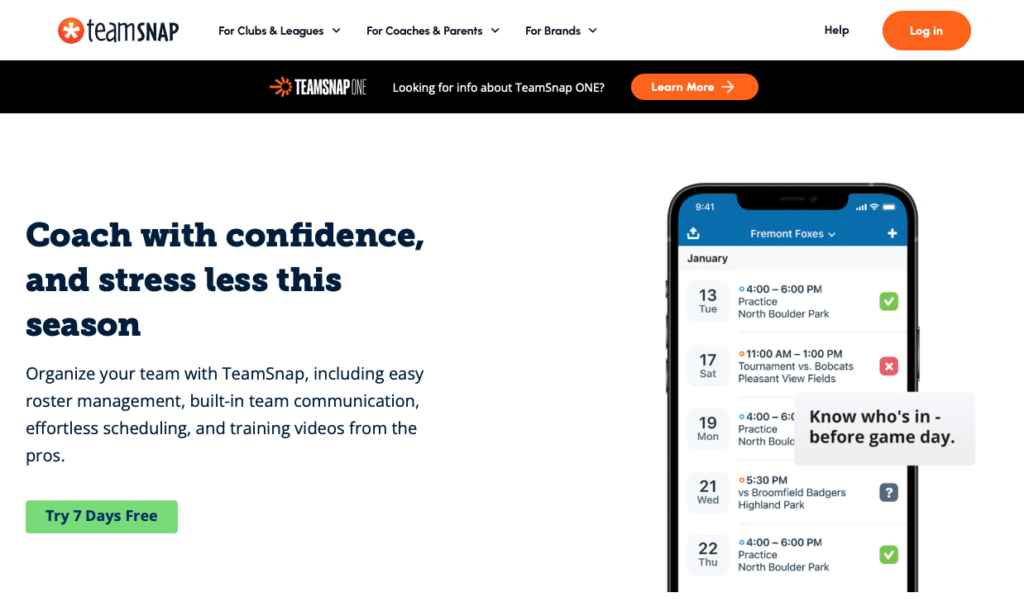
TeamSnap’s scheduler makes it easy to plan practices and games across an entire organization or drill down to specific divisions. I liked that you can set locations, block out unavailable dates, and assign teams to time slots without much friction.
What I found especially helpful is the ability to save division schedules as templates and reuse them across other divisions. If you’re managing multiple teams with similar structures, this can save a lot of time. The auto-scheduler for league games is also great; it generates balanced schedules based on your rules, and you can quickly adjust matchups or move games around when things change.
Availability tracking
For availability tracking, TeamSnap lets players and staff mark themselves as attending, maybe attending, or not attending for any event, directly from the web or mobile app. I liked that members can add notes to explain conflicts or delays, which gives coaches more context instead of just a yes or no. Admins can also set cut-off times for availability changes.
One limitation I noticed is that availability doubles as attendance. That means there’s no separate check-in to confirm who actually showed up, which I found a bit frustrating. If coaches need to look back and see who actually played, there’s no reliable record. All you have is pre-game availability, which doesn’t always reflect what happened on the field.
Communication channels
I was impressed that TeamSnap offers a few different ways to communicate, giving teams flexibility in how they stay connected. There’s the in-app team chat for ongoing conversations, direct and group messaging for private communication, email for external reach, alerts for urgent updates, and posts that function like a message board with threaded replies.
This variety definitely makes it easier to reach people where they’re most likely to respond. However, it also means communication is spread across multiple channels rather than centralized in one stream.
What users say about TeamSnap
Ease of use. Adding events, changing details and functionality when or when not to notify others of the change. Reminder features are also helpful. The tracking functionality is also helpful.

I do not like that that it can be difficult to read the header information. I also think that the timing is off with the time zones.

Key Features
- Availability tracking
- Role-based permissions
- Team scheduling
- Communication tools
Pros
- Mobile access
- Template-based scheduling
Cons
- No dedicated task management
- Lacks attendance check-in
Pricing
Contact vendor for price Trial: Yes — 7-day Free Plan: Yes
-
SportsEngine HQ — Good for automations and financial management
Available on
- Web
- iOS
- Android
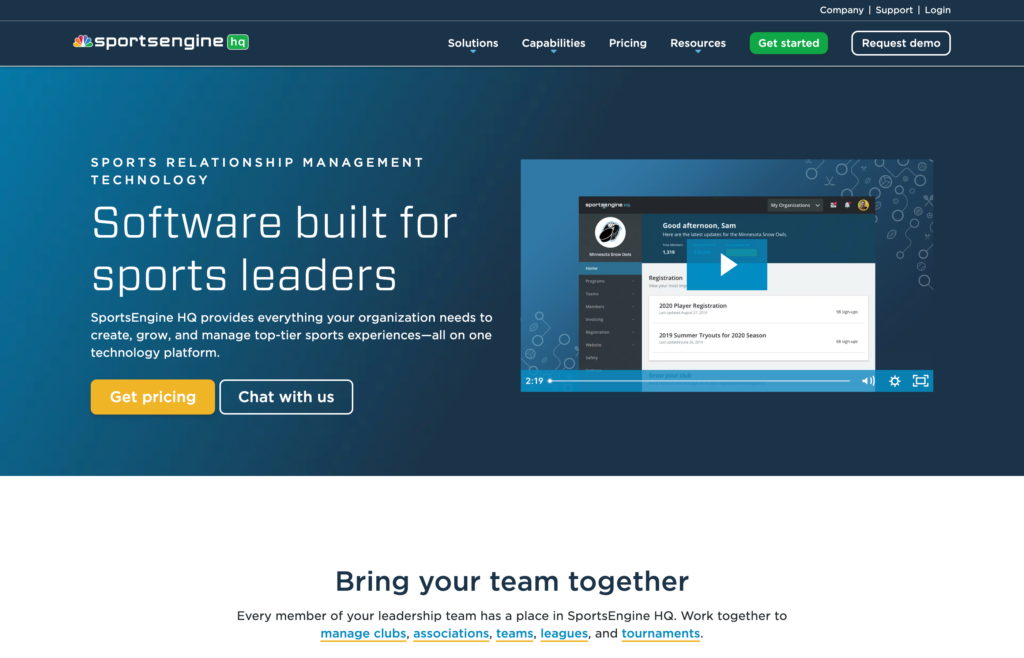
SportsEngine HQ is a sports management app that helps leagues and organizations handle registration, scheduling, and communication.
Why I chose SportsEngine HQ: I was interested in SportsEngine HQ because of its free mobile app that helps teams stay connected without an added cost.
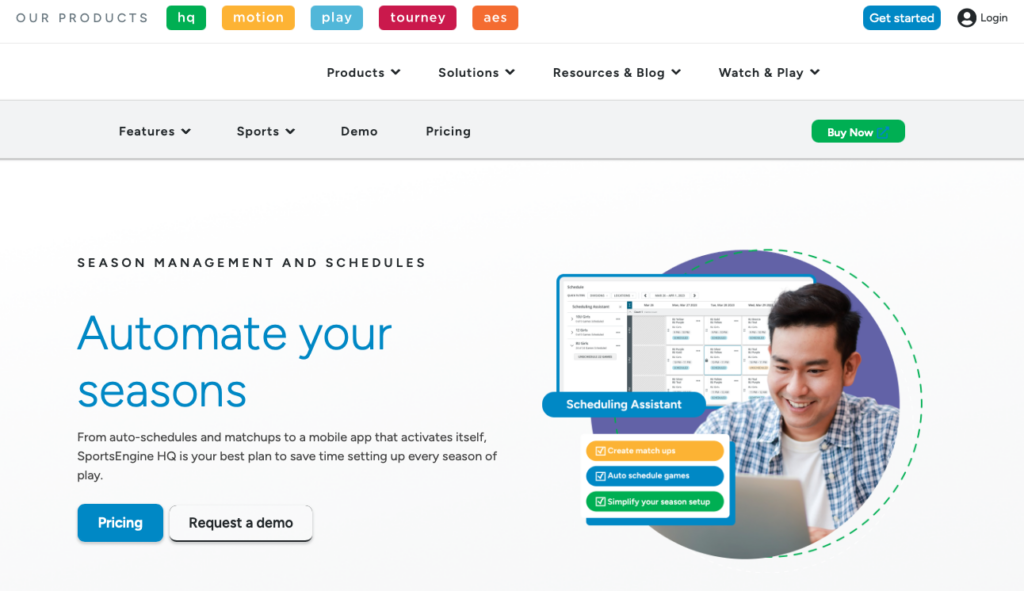
Team scheduler
SportsEngine HQ’s scheduling tools let you automatically generate game schedules and matchups using customizable rules. I can see this being a time-saver for leagues managing multiple divisions. Seasons, teams, and divisions are all set up in one place, and roster data can flow directly from online registration or the member directory into team apps.
What I found especially useful is the Diamond Scheduler, which balances matchups based on your rules instead of forcing you to build everything manually. If you already have a schedule, you can also upload it using templates. For larger leagues, this level of automation could definitely come in handy.
Registration and eligibility
SportsEngine HQ handles registration, forms, and eligibility in one connected workflow. You can collect athlete details, waivers, codes of conduct, and supporting documents through a single, mobile registration form, with data automatically feeding into member profiles and rosters.
I liked how eligibility is built into the process. Organizations can define membership rules, track eligibility status, and verify requirements before athletes are allowed to participate in certain programs or events. Registration data unlocks team access in the mobile app automatically, reducing manual setup.
Communication and mobile access
When it comes to communication, SportsEngine HQ lets administrators send newsletters, message specific teams or groups, and use in-app chat. Families and staff choose how they want to receive notifications to encourage participation. However, I don’t think providing this level of choice is super effective. When you have multiple messaging formats, communication can become cluttered, making it harder to ensure everyone sees the most important updates.
SportsEngine HQ’s mobile app provides access to rosters, schedules, chat, and updates. For families with multiple athletes, unified calendars help with coordination. Coaches can manage schedules, send updates, and track RSVPs in real-time, which was a plus.
What users say about SportsEngine HQ
overall the experience using the SportsEngine app is positive, as the app is straightforward to use and makes keeping up to date with sporting events and schedules easy.
The ease of use was pretty difficult. I felt that I was calling in a lot for help with the software.
Key Features
- Auto-scheduling
- Online registration
- Eligibility management
- Team communication
Pros
- Free mobile app
- Powerful automations
Cons
- Lacks attendance tracking
- Admin learning curve
Pricing
Starts at $58/month + 3.75% and $1.75 per transaction fee Trial: No Free Plan: No
-

Spond — Good for detailed attendance tracking and history
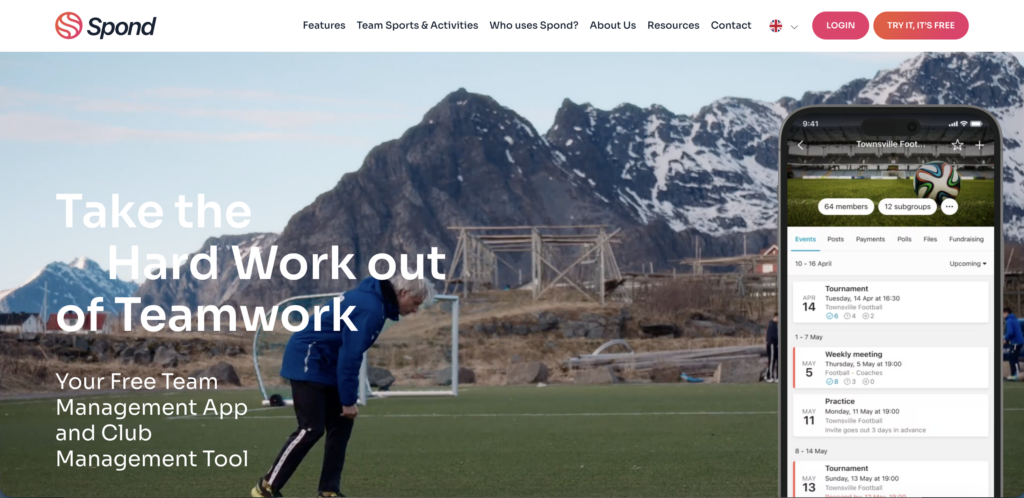
Spond is a sports team management software built to simplify organization for coaches, admins, parents, and players.
Why I chose Spond: I chose Spond because it covers scheduling, availability, and coordination in one free platform, making it practical for volunteer-run teams and clubs.
Scheduling and availability
Spond’s event system works well for both simple schedules and full seasons. You can create single events, recurring practices, or map out an entire season in advance. On the web version, the season planner lets you build multiple events at once using a spreadsheet-style layout. I found this helpful for scheduling a full slate of matches quickly, however I wish you had the same functionality on the mobile app.
You can also import existing calendars from Google Calendar or iCal, and set events to repeat weekly, bi-weekly, or monthly.
Before you even create an event, Spond lets you collect availability, which I appreciated. Coaches can send availability requests to a specific group, set response deadlines, and automatically remind anyone who hasn’t replied. Once responses are in, you can create the event and invite only the available players.
Task management and attendance
Spond offers built-in task assignments tied directly to events, which works well for handling game-day responsibilities like driving, snacks, or equipment duties. You can assign tasks to specific people or leave them open for volunteers, and limit how many people are needed.
That said, tasks only exist within events. I found this a bit limiting, since there’s no broader task system for ongoing or non-event-related responsibilities.
Attendance tracking is straightforward and detailed. Members confirm attendance when events are created, and admins can record who actually showed up on the day of the event. You can also log late arrivals or valid absences with notes. Plus, attendance history can be exported, so coaches and admins have a clear view of participation over time.
Team messaging
For team communication, Spond lets you send direct and group messages, post announcements, and create polls to gather feedback. Messages support mentions, read receipts, and controlled membership, and everything stays tied to the group.
For teams with younger players, I liked that there were built-in safeguards. Admins can enforce age restrictions, and parents can see their children’s messages, which is great for youth teams that need structured, compliant communication.
What users say about Spond
I like how easy it is to plan and schedule future events. The app allows me to notify all members of the team instantly and for them to communicate with me through the app their availability.
It is a little difficult to understand when first using it.
Key Features
- Event and schedule planning
- Team communication
- Attendance tracking
- Push notifications
Pros
- Youth-friendly safeguards
- Availability requests
Cons
- Some features only web-based
- Limited task management
Pricing
Contact vendor for price Trial: Yes Free Plan: Yes
-

Stack Team App — Good for creating a customized app experience
Available on
- Web
- iOS
- Android
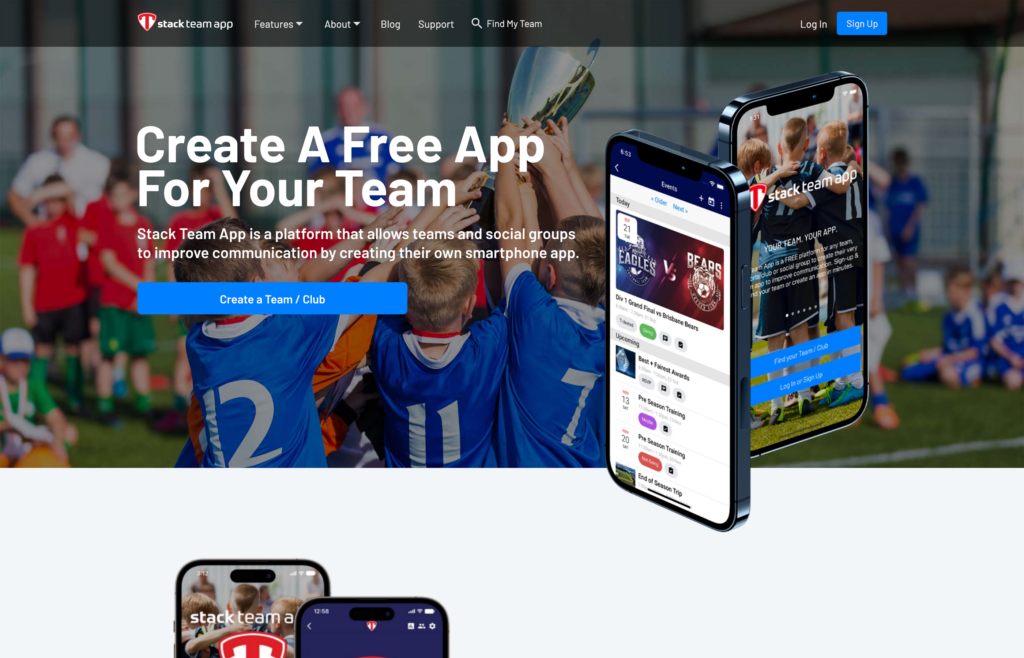
Team App (also known as Stack Team App) is a customizable mobile platform that helps sports teams communicate, organize events, and create schedules.
Why I chose Stack Team App: I liked that Team App offers a flexible mobile and web app for teams that need scheduling, RSVPs, and communication without hidden costs.
Custom team app
One of Team App’s biggest strengths is that it lets you create a fully branded mobile app for your team. The platform handles the setup, hosting, and maintenance for you. From the dashboard, you can customize the look, features, and content so the app actually feels like it’s part of your organization.
Team App is free to use, but that comes with a tradeoff. The platform is supported by in-app ads, which can be pretty distracting. For organizations that want an add-free experience, there are paid plans. Paid plans are available for organizations that prefer an ad-free experience.
Events and attendance
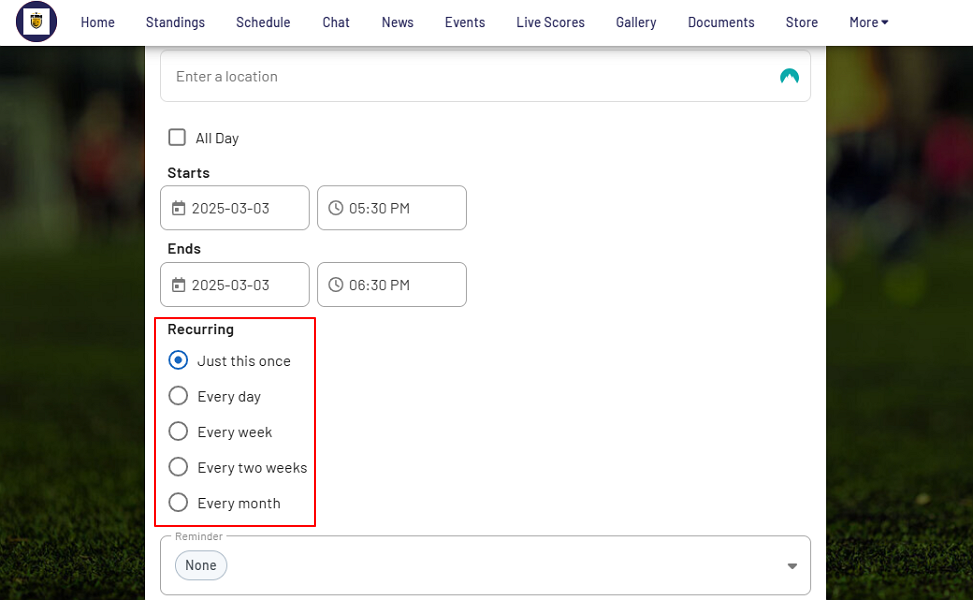
Team App’s event and schedule management covers the basics pretty well. Creating events is straightforward: you just add the title, time, location, and recurrence. Location details are tied directly to each event, which I can see helping reduce late arrivals.
The platform supports single and recurring events, and you can enable RSVPs, duty rosters, and attendance tracking as part of the setup. RSVP responses are visible ahead of time, and admins can register actual attendance on the day of the event. For youth sports teams, the parent-child structure works well. I appreciated that guardians can manage RSVPs and attendance on behalf of players.
That said, flexibility is limited in a few areas. For example, recurring events follow fixed patterns with no support for custom frequencies. In addition, schedules can only be assigned to entire groups rather than individuals. This makes Team App a good fit for team-wide coordination, but less effective for organizations that need individual assignments or shift-style scheduling.
Communication
You can communicate in a few different ways with Team App. There’s in-app messaging, group chats, news posts, and newsletters. You can send one-on-one or group chats, complete with message threads and reactions.
One limitation I noticed is that chat is text-only, so you can’t send audio or video messages. That could be an issue for teams that rely on richer media to communicate quickly.
Notifications are automatic, so users receive push alerts. Non-app members get emails, but you can’t send emails on their own without triggering a push notification. This avoids missed messages but might feel overwhelming for users who receive both.
What users say about Stack Team App
Using the Stack Team app has made it very easy to run our football team. Knowing in advance who is attending events helps you organize and prepare much better. Although the ads can be annoying it is worth it.
Chat groups lose data, seem unreliable, and sometimes the chat within events isn’t visible. It would be good to see more investment into the reliability of the app and platform.
Key Features
- Team schedule
- Event management
- In-app communication
- Availability tracking
Pros
- Extensive free plan
- Highly customizable
Cons
- Free version features ads
- No audio or video messaging
Pricing
Starts at $49.99/month Trial: No Free Plan: Yes
Compare the Best Sports Team Management Apps
| Topic |
 Start for free
|
|
|
|
|
|---|---|---|---|---|---|
| Reviews |
 |
N/A
|
|
N/A
|
|
| Pricing |
Starts at just $29/month for the first 30 users
|
Contact vendor for price
|
Starts at $58/month + 3.75% and $1.75 per transaction fee
|
Contact vendor for price
|
Starts at $49.99/month
|
| Free Trial |
yes
14-day
|
yes
7-day
|
no
|
yes
|
no
|
| Free Plan |
yes
Free Up to 10 users
|
yes
|
no
|
yes
|
yes
|
| Use cases |
Best All-in-One Sports Team Management Software
|
Good for real-time availability tracking
|
Good for automations and financial management
|
Good for detailed attendance tracking and history
|
Good for creating a customized app experience
|
| Available on |
Web, iOS, Android
|
Web, iOS, Android
|
What is Sports Team Management Software?
Sports team management software is a digital tool designed to help coaches, team managers, and sports organizations organize, coordinate, and communicate with their teams in one central system. Instead of relying on spreadsheets, group chats, or manual processes, this software brings scheduling, rosters, availability, attendance, and team communication into a single workspace.
These tools are used across amateur, youth, collegiate, and professional sports to reduce administrative overhead, improve organization, and ensure everyone involved knows where they need to be, when to be there, and what’s expected of them.
How Does Sports Team Management Software Work?
Sports team management software works by bringing team operations into a shared, real-time platform that players, coaches, and staff can access from their devices. Managers create schedules for practices, games, and events, then invite team members to view updates, confirm availability, and receive notifications when changes come up.
Most platforms include roster management to assign roles and positions, attendance tracking to monitor participation, and built-in messaging to replace scattered texts and emails. Many tools also automate reminders, confirmations, and routine tasks, reducing manual follow-ups.
These tools help teams stay organized, reduce confusion, and operate more smoothly throughout the season.
The Benefits of Sports Team Management Software
There are multiple ways sports team management apps can help you get on track, including:
Fewer Surprises
Sports team management software reduces the uncertainty that causes teams to arrive unprepared. When schedules, availability, and updates live in one system, everyone operates from the same source of truth. Coaches don’t have to guess who’s showing up, and last-minute changes don’t get lost in message threads. The result is predictable attendance, smoother execution, and fewer disruptions when it matters most.
Stronger Accountability
When expectations are clear and visible, accountability naturally improves. Team management software makes roles, responsibilities, and commitments explicit, so players and staff know what’s required of them ahead of time. Attendance tracking and confirmations create follow-through without constant chasing, helping teams build discipline and reliability over the course of a season.
Less Burnout
Administrative overload can leave anyone burnt out. By automating reminders, confirmations, and routine coordination, these tools remove hours of manual work each week. Coaches and managers spend less time juggling logistics and more time coaching, developing players, and focusing on performance instead of paperwork.
Better Communication
Miscommunication is at the heart of most sports team chaos. Centralized communication ensures updates reach the right people instantly, without relying on fragmented texts or emails. Clear, consistent messaging prevents confusion, reduces frustration, and keeps everyone aligned before, during, and after events.
Improved Efficiency
Teams that run smoothly earn trust. When practices start on time, games are properly staffed, and expectations are consistently met, the organization runs better and more professionally. The right software helps teams operate with structure and confidence, creating a better experience for players, staff, and the organization as a whole.
How Much Does Sports Team Management Software Cost?
Sports team management software costs vary depending on the vendor, the size of your organization, and the features you need. Most platforms use a subscription-based pricing model with entry-level plans starting around $49–$58 per month. Some apps also charge transaction fees, usually as a percentage of registrations, payments, or ticket sales processed through the system. These percentage-based fees can add up as participation grows.
Connecteam’s pricing is straightforward. The Small Business Plan is completely free for up to 10 users, and Connecteam’s paid plans start at $29 per month for up to 30 users. Higher-tier plans start at $49/month for Advanced and $99/month for Expert, both also covering up to 30 users.
FAQs
Most sports team management apps focus on scheduling and communication, but a few do include detailed performance tracking. Some of these platforms offer basic tracking or integrations with third-party performance tools.
Setup can range from a few minutes to a few hours, depending on roster size and customization. Connecteam is especially quick to adopt with intuitive app-specific onboarding and minimal training.
Many platforms comply with GDPR and CCPA standards, offering data controls, secure storage, and privacy settings to protect player and staff information.
The Bottom Line on Sports Team Management Software
Missed updates, last-minute confusion, and constant follow-ups drain time, energy, and confidence from coaches and staff.
Sports team management software solves this by bringing structure and clarity to organizations. With everything in one system, teams stay aligned, prepared, and accountable throughout the season.
Connecteam is built for exactly this level of operational control. With real-time updates, automated reminders, checklists, and direct communication, it helps teams run every practice and game with confidence.