

Restaurant owners and managers have a multitude of tasks, like staff scheduling, inventory management, payroll, and managing employee attendance.
Doing these tasks manually can lead to mistakes, wasted time, and ultimately tasks falling through the cracks. Fortunately, restaurant management software can make the process much easier.
Here are our top 3 picks for restaurant management software:
Our Top Picks
-
1

Best all-in-one restaurant management software
-
2

Good for its POS system
-
3

Good for inventory management
Why trust us?
Our team of unbiased software reviewers follows strict editorial guidelines, and our methodology is clear and open to everyone.
See our complete methodology
How I Chose the Best Restaurant Management Software
- Employee scheduling and time tracking: You should be able to easily create employee schedules, track employee hours and PTO, and manage shift swaps.
- Communication tools: The best software has multiple communication channels like in-app chat to message employees on the go and an employee newsfeed for business updates.
- On-the-go onboarding and training: All restaurant employees should be able to access onboarding and training materials from their phones and complete both processes on the go.
- Payroll integrations: Integrations with popular payroll systems allow you to automate and streamline payroll.
- Point of Sale (POS) integration: If you are looking for a POS system, look for software that allows for easy sales transactions and financial analysis.
The 3 Best Restaurant Management Softwares
-
Connecteam — Best all-in-one restaurant management software
Key Features
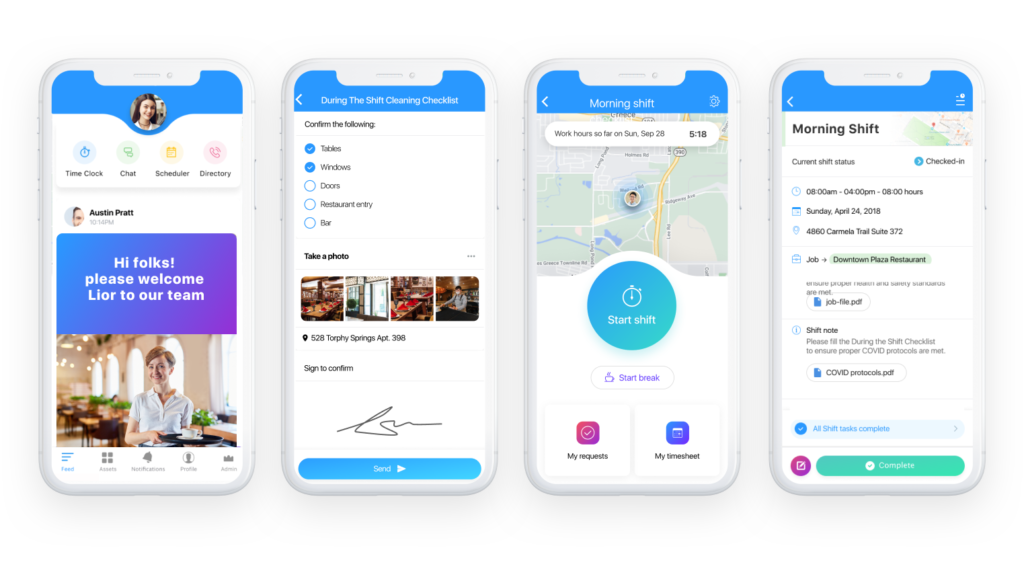
Read & sign digital forms and checklists
Pros
All-in-one software solution
Excellent customer service
Affordable and scalable
Extremely attractive and simple user interface
100% free plan for up to 10 users
Cons
Needs internet or wifi access to work
Connecteam offers a one-stop restaurant management app that is both easy to use and affordable.
Why I chose Connecteam: Restaurants of all sizes can use this app to streamline their workflows and digitize manual processes.
But let’s take a closer look at how Connecteam can not only help you manage your team but also improve your overall restaurant operations.
Efficient employee scheduler
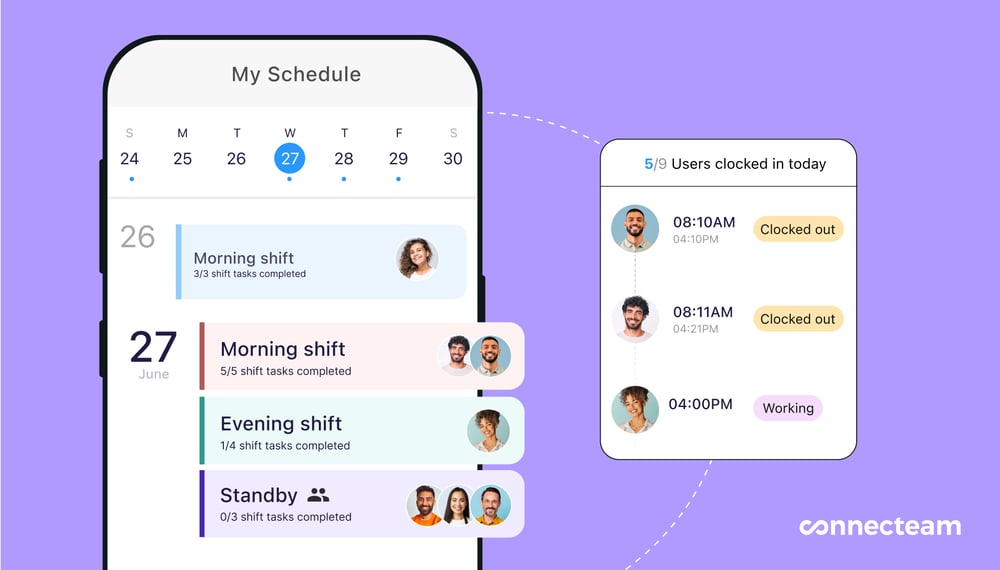
Both front and back of the house managers can create customized schedules or utilize scheduling templates and distribute them instantly. You can see all time-off requests and scheduling preferences directly on the platform, preventing scheduling conflicts. Then, assign shift-specific tasks and include them in the schedule so employees see them as soon as they clock in.
With employee shift confirmations, there’s no longer a ton of back-and-forth communication about who’s working when – you’ll know right away if someone can or cannot make their scheduled shift.
Time clock with GPS-tracking ability
With Connecteam’s easy-to-use employee time clock, all staff can clock in and out with just one tap from their mobile devices. The time clock is GPS-enabled so you can see exactly where your employees are while they’re working. Additionally, you can set a geofence around the location of your restaurant to restrict your staff to only be able to clock in and out while at work.
Onboard and train new hires and existing employees
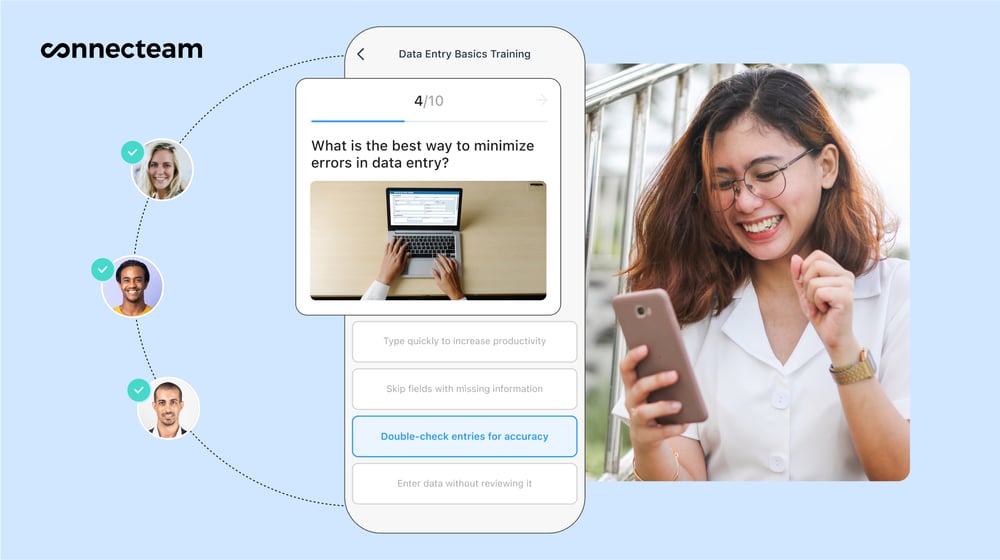
Quickly onboard and train new employees with customized employee training materials for all positions in your restaurant. Upload training documents, read-and-sign forms, quizzes, videos, PDFs, and more right into the app.
Then, staff can complete training directly from their smartphones, and managers can track their progress and results.
Ensure sidework gets done
Between server side work, cleaning kitchen equipment, and stocking the bar, restaurants utilize a lot of checklists to ensure these procedural tasks get done.
Ensure checklists never get lost inside a dusty binder again by taking advantage of Connecteam’s checklist feature. You can easily digitize all crucial tasks and attach shift-specific checklists and digital forms to assigned staff from the employee schedule so that they won’t miss anything.
Simplified employee communication
Instantly communicate with your staff using the in-app chat and make sure employees are where they’re supposed to be during working out. You can also share important updates on the employee newsfeed, access everyone’s contact information with the employee directory, and share important documents in the team knowledge base.
Streamlined payroll and HR processes
All tracked hours are automatically organized on digital timesheets, which you can edit as needed. When ready, you can simply process payroll using Connecteam’s integrations with leading payroll software, like Gusto, QuickBooks Online, Paychex, and Xero.
Connecteam also has a free-for-life plan for small businesses and it takes just a few minutes to sign up or book a demo.
Connecteam also offers a free for life plan – Get Started Now!
0Pricing
Free-for-life plan availablePremium plans start at $29/month for 30 users
14-day free trial, no credit card required
Start your free trial -
Toast — Good for its POS system
Available on
- Web
- iOS
- Android
Key Features
- POS system
- Payment processing
- Inventory management
- Guest CRM
Pros
- Feature-rich
- Made specifically for restaurants
Cons
- Expensive
- Minimum one-year commitment
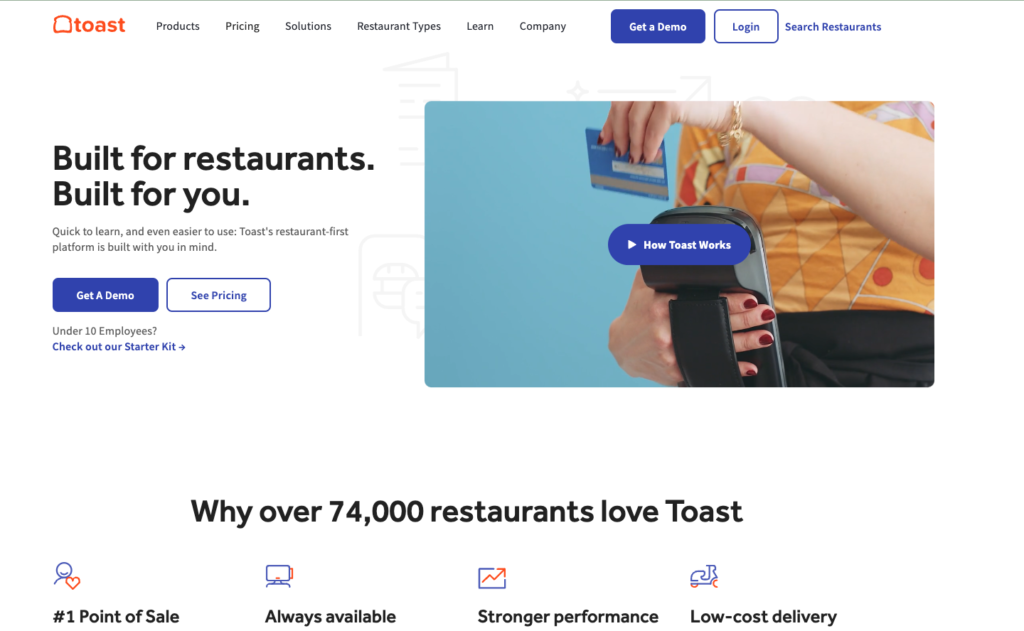
Toast is a restaurant management app known for its feature-rich POS system.
Why I chose Toast: Toast comes with lots of useful features, including its powerful POS system, online ordering feature, inventory management, and staff scheduling.
The POS feature stands out as a highlight because it’s user-friendly and intuitive. Buttons are clearly marked and color coded making it easy for servers to enter orders. The app comes with tableside payment capabilities, the ability to take and respond to guest feedback, and a simple interface to update menus on the back end.
Toast’s online ordering system integrates with the existing POS system, allowing for easy order processing and kitchen operations. You can tailor menus to the needs of the restaurant, send immediate updates on order statuses to both customers and kitchen staff, and accept a wide range of payment options.
With the employee scheduler, you can use the drag-and-drop shift planning tool to simplify the process. It sends smart alerts to warn you about overstaffing or conflicts, and lets your staff swap shifts directly from their phones within the app, keeping scheduling flexible and dynamic.
Toast’s analytics and reporting feature generates detailed insights into restaurant operations, including sales and inventory data. It can create reports on sales trends, menu item performance, and labor costs, and provides customizable dashboards that update in real-time.
Pricing
Starts at $69/month Trial: No Free Plan: Yes
-
Revel — Good for inventory management
Available on
Key Features
- POS system
- Customer loyalty program tools
- Online ordering
- Food delivery services
Pros
- Can be customized to all restaurant types
- Top notch customer service
Cons
- Users report the system has many technical issues during implementation
- Users report that tickets with large party orders get convoluted
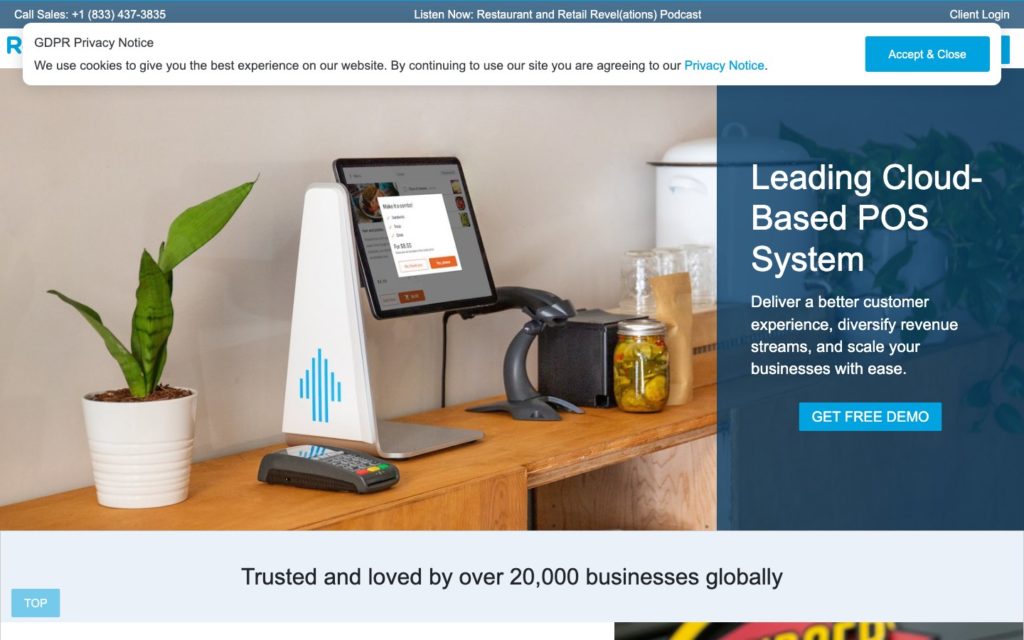
Revel’s restaurant system software and POS system were created with restaurants and bars in mind.
Why I chose Revel: This software provides many other features, too, like customized loyalty program tools, an online ordering system, and food delivery service capabilities.
I really like that Revel offers an offline mode to keep your restaurant running even when the internet connection isn’t active. Payments can be made offline, and as soon as the system is back online, payments are processed.
Revel’s intuitive POS system integrates with table management to help maintain smooth service during peak dining hours. This makes it possible to track table status in real-time so your host team can plan and create a realistic seating plan.
The software has a built-in customer relationship management (CRM), so you can offer more personalized service and loyalty programs so customers keep coming back. It comes with tools for creating detailed customer profiles, tracking customer history, and segmenting customers for targeted marketing campaigns.
It can also create reports on customer behavior trends, loyalty program effectiveness, and outcomes of marketing efforts.
Inventory management is another area where Revel shines. The software tracks ingredient par levels in real-time and can automate reorder processes to prevent an item from being 86ed.
It includes features such as detailed product categorization, low stock alerts, and vendor management, along with generating reports on inventory turnover, cost of goods sold (COGS), and order history, too.
Pricing
Contact vendor for price Trial: No Free Plan: No
Compare the Best Restaurant Management Softwares
| Topic |
 Start for free
|
|
|
|---|---|---|---|
| Reviews |
  |
|
 |
| Pricing |
Starts at just $29/month for the first 30 users
|
Starts at $69/month
|
Contact vendor for price
|
| Free Trial |
yes
14-day
|
no
|
no
|
| Free Plan |
yes
Free Up to 10 users
|
yes
|
no
|
| Use cases |
Best all-in-one restaurant management software
|
Good for its POS system
|
Good for inventory management
|
| Available on |
Web, iOS, Android
|
|
Choosing the Best Software for Your Business
There are many restaurant software solutions on the market, but our top 3 picks are the best of the bunch. Go over our reviews to find the best option for your business to easily manage your team and boost your bottom line.
