EMPLOYEE CHAT APP Where chat and work come together

Like the messaging apps your team already uses, plus admin controls, instant AI answers, and shortcuts to everything they need. No switching apps. No scattered work.

  • No credit card needed | Best ease of use
  • GDPR Aligned
  • ISO 27001
  • SOC 2 Certified

No credit card needed No credit card needed | Best ease of use

Connecteam Chat on a desktop screen and on a smartphone held by an employee.

Trusted by Over 90,000 Companies Worldwide

YMCA Logo
Wendy's logo
Volvo Logo
SubWay Logo
Sodastream Logo
Soccer Shots Logo
Right at Home Logo
Saint Gobain Logo
Orangetheory Logo
Massage Envy logo
Iqvia Logo
ihop logo
i9 Sports Logo
Holiday Inn Logo
Hilton Logo
Gold's Gym Logo
FireHouse Subs logo
f45 Logo
European Wax Center Logo
Edible Logo
Dogtopia Logo
Chipotle Logo
Caremark Logo
Burger King Logo
Bright Star Care Logo
Biggby Coffee Logo
Best Western Logo
Anytime Fitness Logo
ACE Logo
Hertz Logo
HAP Logo

See how Chat works in 2 minutes

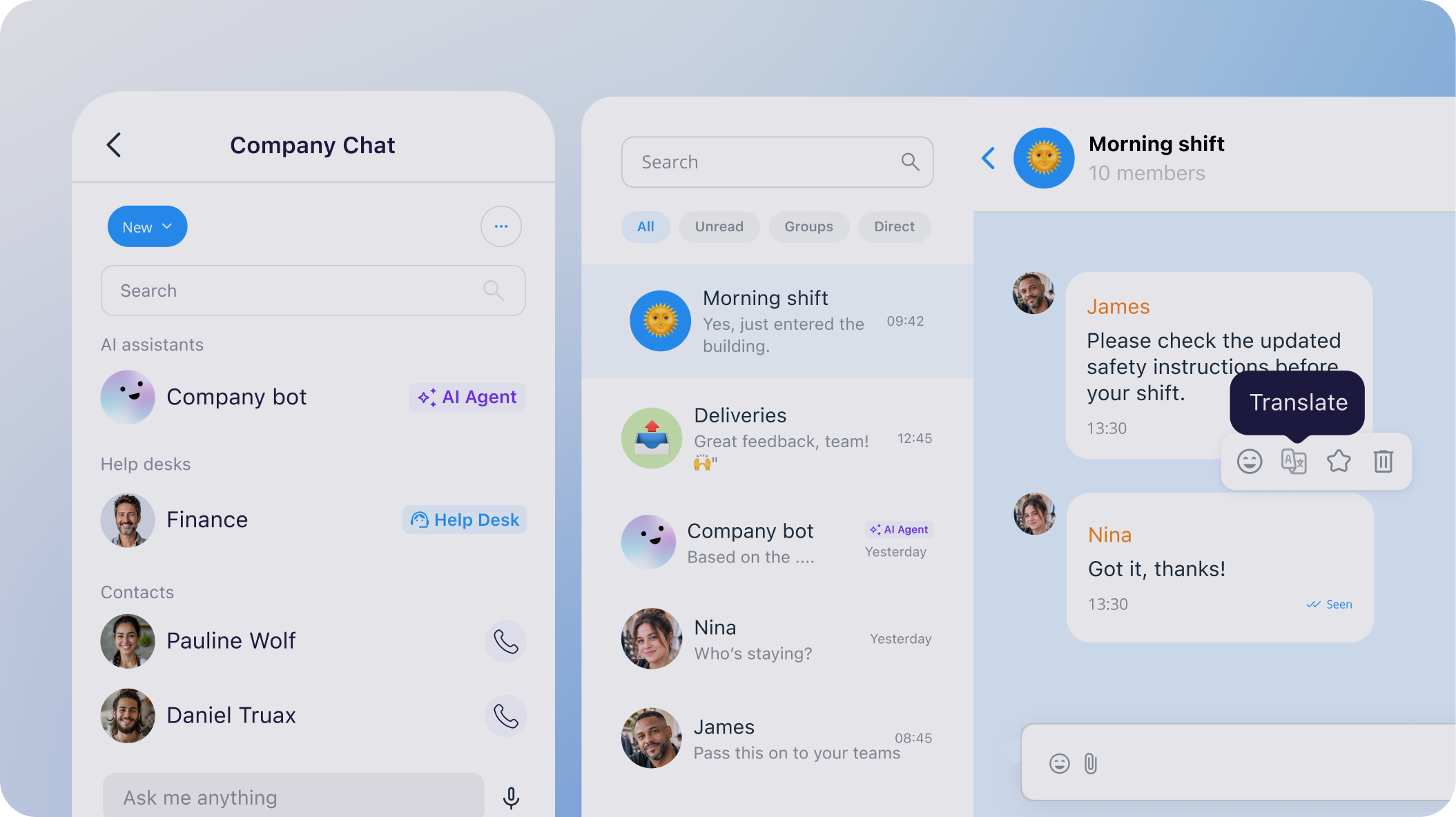
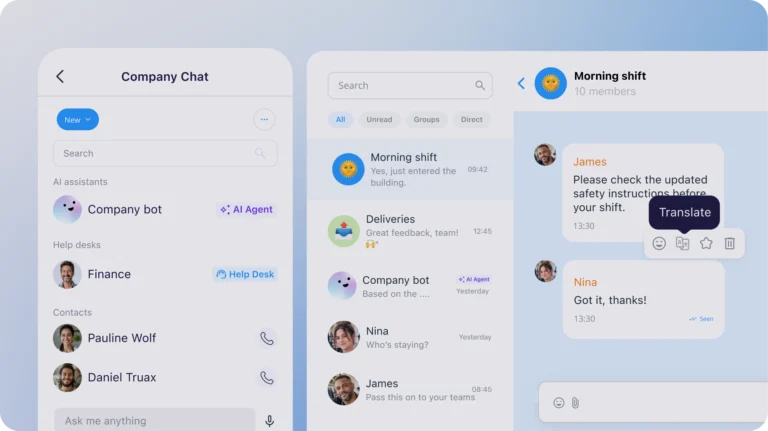
Connecteam Chat app showing a company chat, a conversation list and a message with a translate option.

Get your message across to everyone

  • Keep work chats separate from personal messages to avoid distractions and mix-ups
  • Message any employee or create team chats by role, site, or project
  • Know messages are seen and understood with read receipts and auto-translation
  • Message employees without having to save a phone number
Open a free account

Where chat turns into action

  • Share tasks, forms, or schedules so teams can open what they need right from chat
  • Message the right employees from anywhere in the app
  • Let your team get instant answers to any work question from an AI chat agent
  • Get reports and alerts from systems, like your CRM or POS, right in chat
Open a free account

Work talk within work hours

  • Live employee status helps you contact them during work hours only
  • Schedule messages for an employee’s next shift or clock-in
  • View, edit, or delete all scheduled messages from one place
Open a free account

Keep conversations professional and secure

  • Decide who can start chats and who gets to reply in group conversations
  • Oversee conversations and remove inappropriate or off-topic messages when needed
  • Control whether employees can save chats and shared files to their phones
  • Automatically remove anyone who leaves the company to keep chats secure
Open a free account

More reasons to love our chat app

Cut the noise

Keep teams focused and avoid mix-ups by separating work and personal chats

Remove guesswork

Know every important update was seen and read, without having to follow up

Help teams self-serve

Let employees get instant answers from an AI agent, without having to ask you

Get straight to work

Help teams jump straight from chats to tasks, forms, files, and more

Built for your team

Keep deskless and frontline employees connected wherever they work

Connecteam app rating badge displaying 4.8 out of 5 stars with over 70K+ reviews across the Apple App Store and Google Play Store.

Where 1.8M+ managers and employees get work done, every day

Connecteam badges
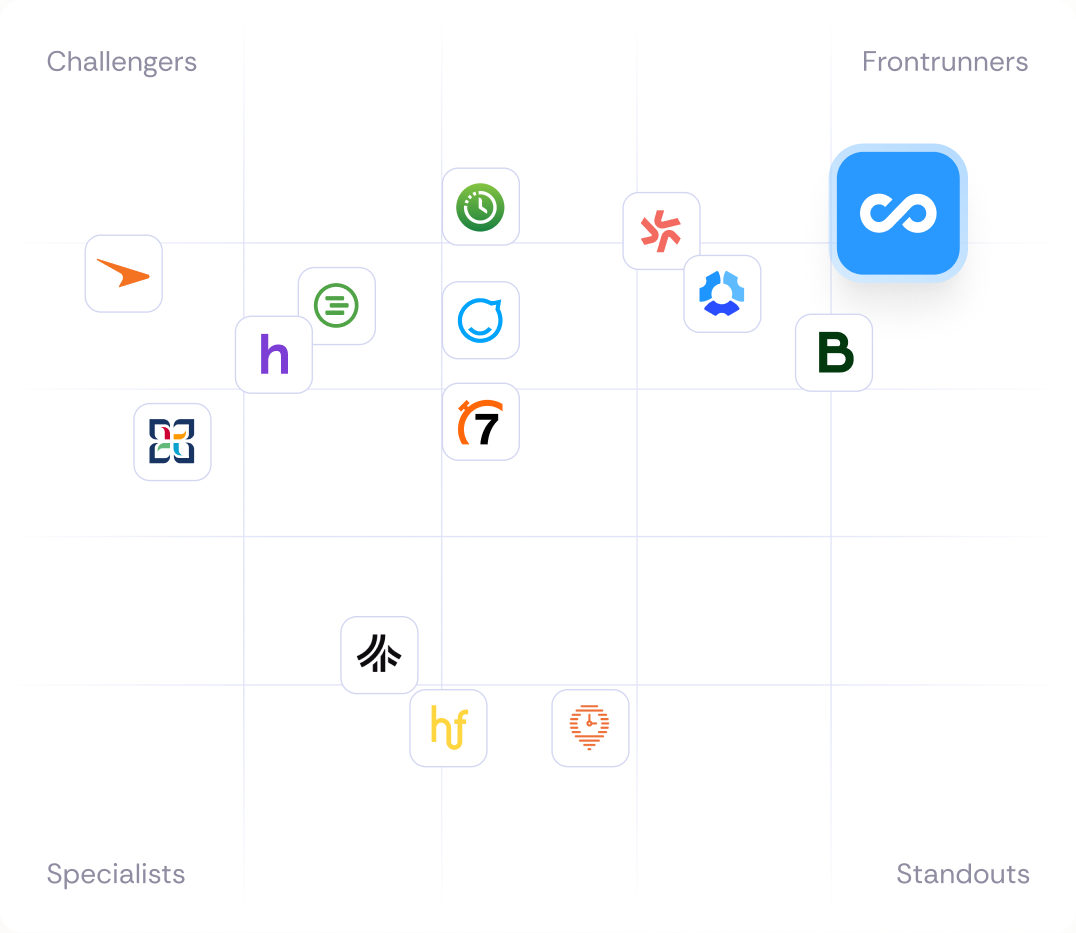
Connecteam vs competitors comparison chart

Our clients say it best

Always Best Care senior services logo

“All the different things you use today in communicating, this just puts it into one place. One app, one platform for you to do all your messaging, all your communication with your team.”

Marcus Gardner CEO
Connecteam Chat app showing a company chat, a conversation list and a message with a translate option.
B&B Beverages logo

“I use the chat feature heavily, making group chats and one clean area instead of messaging five different people for the same shift.”

Alex French

Staff Success Manager

McNally's Fairview Lodge logo

“We use Connecteam to have communication all in one place so that there’s no ambiguity about who said what and when.”

Morgan Baily

Bookkeeper

Pioneer FM logo

“The ability to communicate with people individually or by site saves us a huge amount of time”

Vicki Donnelly

Operations Director

Everything to manage your team in one app

Time Clock icon.

Time Clock

Track precise hours onto smart timesheets, ready for payroll

Scheduling icon.

Scheduling

Create, share, and edit optimal schedules with just a few clicks

Updates icon.

Updates

Post updates to your company feed and track who’s seen them

Task management icon.

Task Management

Assign tasks and see work get done right in real time

Small business?
Get it all for free

We love seeing small businesses grow.
Enjoy full access to all our premium features, 100% free for up to 10 users!

Smiling small business employees at a bakery and a delivery driver, with app cards showing a morning shift and 88% of users having read an update.

Managing a larger team?

Get started with flexible plans from just $29/month.

Frequently Asked Questions

Connecteam’s Chat helps you keep all work communication in one secure, dedicated place. Instead of relying on personal messaging apps, scattered texts, phone calls, or emails, you can instantly connect with employees through one-to-one chats, team chats, and company-wide communication channels. Employees can share files, images, videos, tasks, forms, and other company resources, while managers maintain visibility and control over workplace communication. With built-in AI-powered answers, message translation, read receipts, and admin controls, Connecteam Chat makes communication faster, clearer, and more secure for deskless and frontline teams.

Connecteam’s Chat can be used for all types of work communication, from one-on-one conversations to team-wide collaboration. Create chats based on locations, departments, projects, shifts, or job roles, and keep employees aligned with dedicated channels for announcements, onboarding, training, and day-to-day operations.

Many teams use Chat to coordinate shifts, answer employee questions, communicate with field workers, share files and resources, and collaborate in real time across multiple locations.

For 14 days, you can use Connecteam’s Chat with unlimited capabilities for free, enabling you to truly experience the product.

By the end of your free trial, you can choose to subscribe to one of our Communications Hub premium plans – Basic, Advanced, and Expert – based on your business needs. You can also use our Limited plan (cost-free) for up to 30 users.

Connecteam’s Chat basic features are available on all plans, but premium plans unlock our unique managers’ features.

If you’re a small business with less than 10 employees, you’ll be able to use our “Small Business Plan” for free

Yes. A work chat app can replace WhatsApp, SMS, and other personal messaging tools for team communication. Unlike personal messaging apps, Connecteam Chat is built for work, giving you dedicated work conversations, employee directories, read receipts, admin controls, message scheduling, and automatic removal of former employees from chats. This keeps communication organized, secure, and separate from employees’ personal lives.

Yes. Managers can use read receipts to see who has viewed a message and follow up when needed. Connecteam Chat helps ensure important updates don’t get lost by keeping work communication in one place, making it easier to track visibility, maintain accountability, and keep everyone aligned.

Yes. Connecteam’s Chat is designed specifically for deskless and frontline teams. Whether employees work in the field, on the road, across multiple sites, or in the office, they can instantly communicate, share updates, and stay connected from their mobile devices. Features like group chats, location-based communication, message translation, and work-only contact directories make it easy to keep everyone aligned, wherever work happens.

Yes. Managers can avoid contacting employees outside of work hours by checking employee status and scheduling messages to be sent when employees clock in or start their next shift. This helps teams maintain healthy work-life boundaries while ensuring important information is delivered at the right time.

AI helps employees communicate and find information faster. Employees can ask questions directly in Chat and receive instant answers along with links to relevant company resources, policies, forms, and procedures. AI also helps multilingual teams communicate more effectively with automatic message translation, reducing language barriers and keeping everyone aligned.