“It was a $1,000 a week savings from what they were allowed to do versus what they really did.”
Construction workforce management app
Run crews that show up ready and stay on plan
Forget delays and guesswork. Connecteam lets you align your crew, verify they’re on site, and document progress with one simple app.


Trusted by Over 80,000 Companies Worldwide


















Your day-to-day shouldn’t feel like heavy lifting

Run crews and projects with clarity and control

Smart timesheets & calculations
From manual logs and calculations
to verified, pay-ready hours
- Track time via NFC, mobile, or kiosk for accurate job costing and margins across every phase
- Auto-calculate totals and overtime, and approve timesheets without manual cleanup
- Prevent inflated hours with set auto clock-out rules and alerts
- Sync hours directly to your payroll system, or export for billing

GPS-powered time tracking
From padded hours and guesswork
to knowing your crews are on site
- Verify attendance in real time with GPS tracking while on the clock
- Set geofences around work areas so crews can only clock in/out on site
- Empower supers and foremen with a live view of crews across sites
- Tackle billing questions or disputes with time and location records

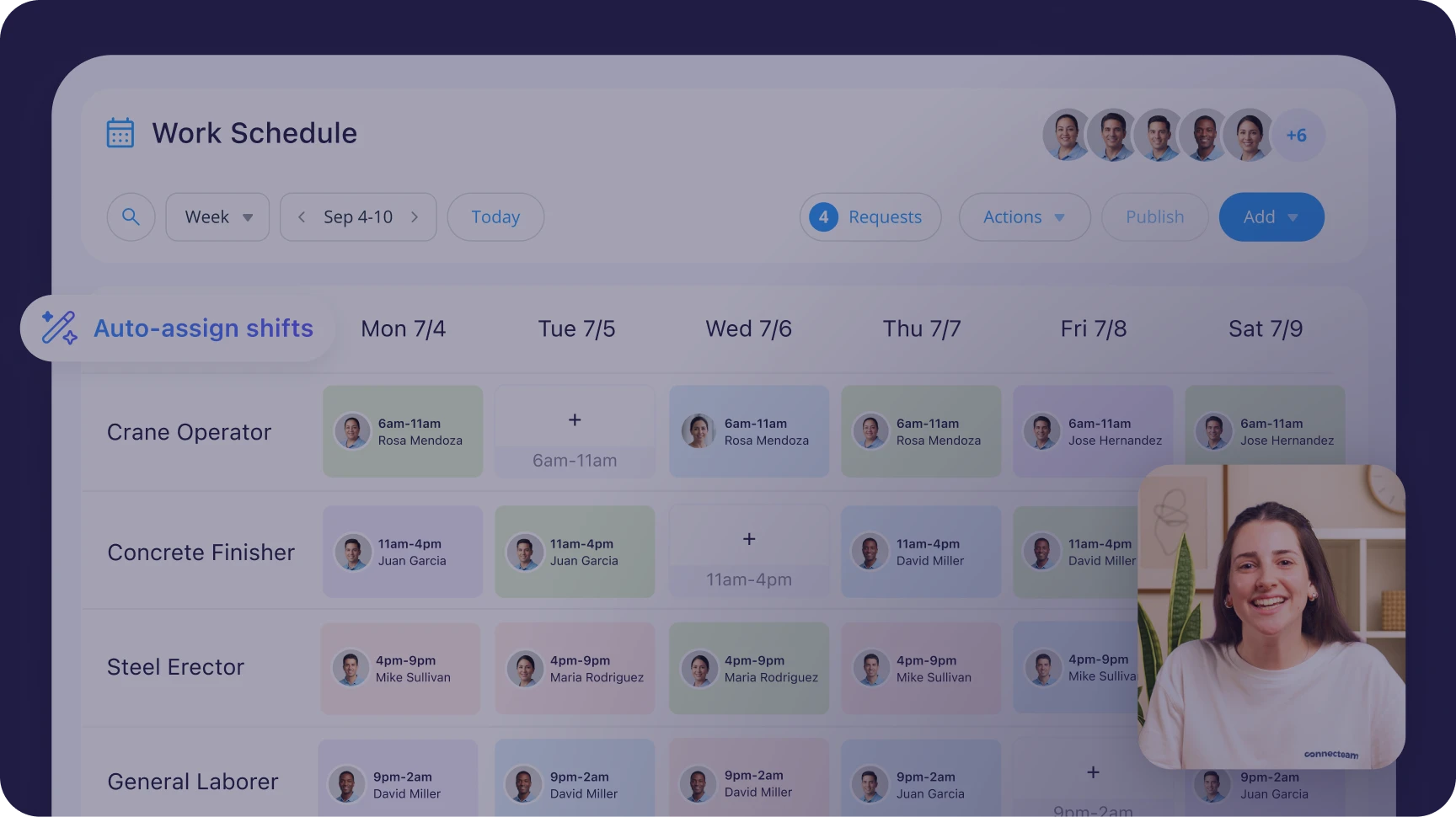
Job scheduling made simple
From hours of manual work
to covered across sites and jobs
- Auto-assign workers by availability, trade, certifications, and workload
- Schedule recurring crews and subcontractors in seconds with templates
- Add job info and assignments, so they know exactly what to do and where
- Fill no-shows fast with instant alerts, while preventing overlap across sites

Verified and compliant work records
From “we got it done”
to work you can stand behind
- Have crews complete job reports and safety checks with photos, signatures, timestamps, or voice-to-text
- Log progress, delays, and incidents per job and client for easy lookup
- Centralize punch lists and track certifications with expiry alerts
- Instantly share records with contractors or management

Organized daily job communication
From 5 a.m. calls, texts, and emails
to fully aligned crews
- Centralize updates between the office, supers, foremen, and field crews
- Include addresses, drawings, and instructions in each scheduled job
- Communicate by job or crew so the right trade gets the right info
- Ensure critical messages don’t get missed with read confirmations
Watch a short demo
Loved by 1.8M+ users
Built on data security

Our clients say it best

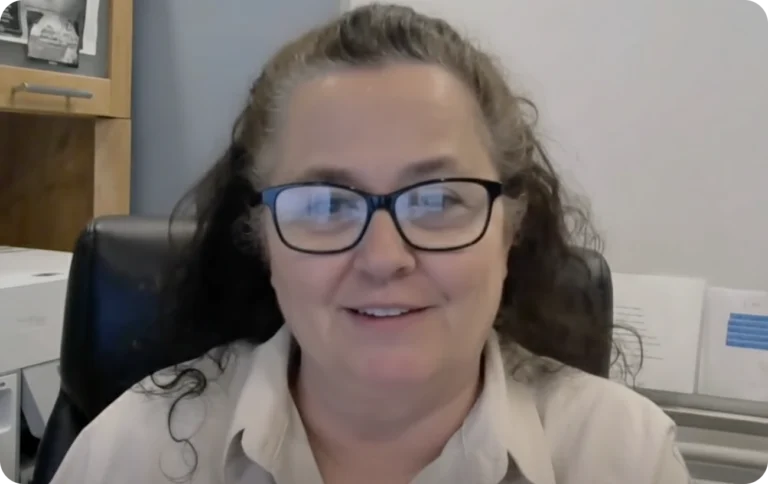
Jo MontgomeryAdmin, Mugo Gravel and Grading Inc.


Small business?
Get it all for free.
We love seeing small businesses grow.
Enjoy full access to all our premium features, 100% free for up to 10 users!

Managing a larger team?
Get started from just $29/month. A product expert will help you find your perfect fit.
Sync with your favorite tools
Integrate your daily work apps—like ADP, Quickbooks, and Zapier—to make work flow from A-Z








Lead your crew with confidence on every jobsite
Frequently Asked Questions
Yes. You can set a geofence around each job site so workers can only clock in when they’re physically on-site.
You can also capture clock-in location and set rules like reminders or auto clock-out when they leave, giving you clear visibility and preventing early or remote clock-ins.
Yes. You can create unlimited jobs and assign each one to a specific site.
Workers select the correct job when clocking in and can switch between jobs during the day, so hours are always tied to the right project.
Yes. You can break jobs into sub-jobs or cost codes such as framing, electrical, or finishing.
This allows you to track labor costs at a detailed level and understand exactly where time is being spent across each project.
Yes. Connecteam integrates with platforms like QuickBooks, ADP, Xero, and Paychex.
You can export approved timesheets with job data, overtime, and PTO, making payroll processing faster and more accurate.
Workers can submit a request with their correct hours, and managers can review and approve it.
Admins and foremen can also edit timesheets directly, with a full audit trail and optional reminders to reduce missed clock-ins.
Yes. You can create shift templates, repeat schedules, and copy previous weeks in seconds.
Schedules can be adjusted quickly for weather delays or project changes, and workers are notified instantly through the app.
Yes. You can set automatic break deductions or require manual break clock-ins.
Break rules can be customized by job or location, and unpaid lunches can be tracked separately to support compliance.
Yes. You can give foremen controlled permissions to approve timesheets, edit shifts, and manage their crews directly from their phones.
They can also clock in teams using kiosk mode and access job-related forms and documents, while you maintain oversight.
It works in low-connectivity environments and syncs once the device reconnects.
If there’s no signal at all, some features may not work reliably. In those cases, you can adjust settings or use manual time entry once back online.
Yes. The app displays in the language set on the worker’s phone, including Spanish.
You can also create forms and communications in Spanish, which helps reduce onboarding friction for multilingual crews.
Yes. Workers can upload photos directly from the field and submit them through custom forms such as daily reports, inspections, or safety checks.
All submissions are time-stamped, organized by job, and can be exported as client-ready documentation.